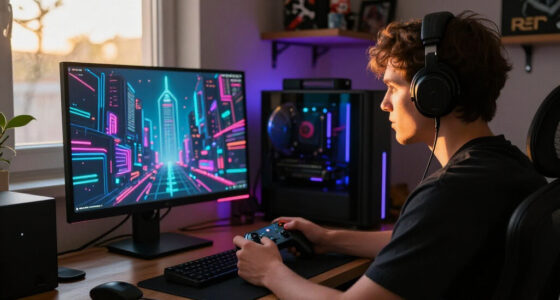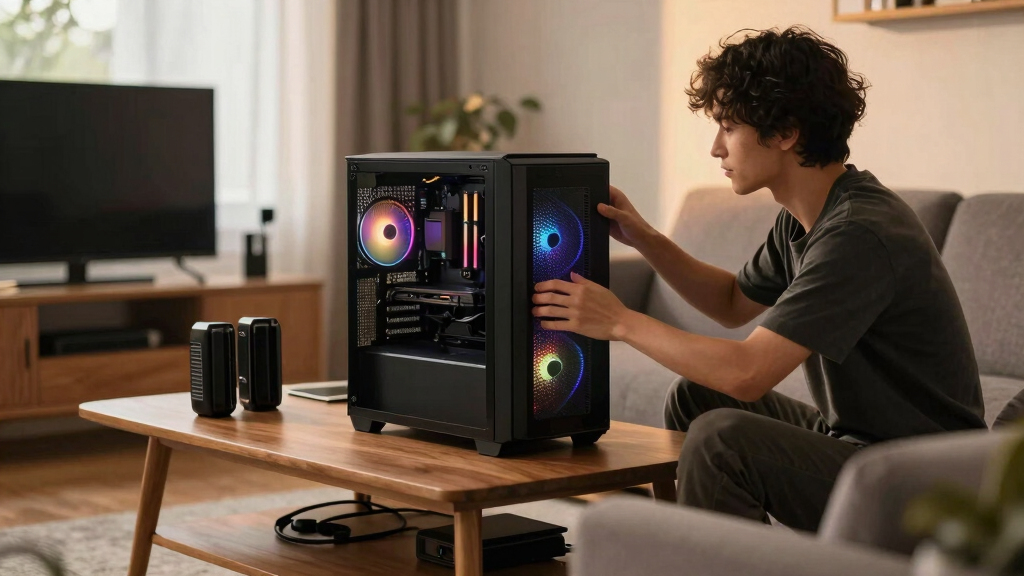

The Fractal Design North is my best overall pick for living room gaming because it looks more like furniture than hardware while still giving an ATX gaming build enough airflow to breathe. The CORSAIR 4000D RS ARGB is the cleaner value choice, especially for buyers who want strong cooling and easier assembly without paying for showpiece materials. For a more display-focused setup, the Lian Li O11Vision Compact makes the most sense when the PC is meant to be part of the room’s visual identity. The main tradeoffs are airflow versus glass, size versus upgrade room, and quiet styling versus RGB presence. Continue reading for the full breakdown of which case fits each living room gaming setup best.

Play games on Amazon Luna for your game nights, included with Prime
- A rotating selection of games, no download needed
- Play on TV, laptop or phone
- Fast, free delivery for your gear, too
Key Takeaways
- Fractal Design North ranks highest because its wood front, restrained profile, and real airflow make it the easiest case to place beside a TV without making the room feel like a desk setup moved into the lounge.
- CORSAIR 4000D RS ARGB is the strongest value pick because it keeps the useful parts of the pricier CORSAIR Frame 4500X, including airflow and builder-friendly layout, while skipping the larger showcase footprint.
- Glass-heavy cases like the Lian Li O11Vision Compact, Thermaltake View 380, and CORSAIR Frame 4500X look better on display but ask more from cable routing, cleaning, and fan tuning.
- NZXT H5 Flow 2024 is the easiest compact ATX choice for smaller media cabinets, but it gives up some visual drama and radiator flexibility compared with the larger Lian Li and CORSAIR options.
- ASUS TUF Gaming GT501 is the practical durability pick for heavier builds, but its rugged gamer styling is less living-room friendly than the Fractal, NZXT, or CORSAIR 4000D.
| CORSAIR Frame 4500X RS ARGB |  | Best Overall | Case Type: Mid tower | Dimensions: 499 x 256 x 471 mm; 19.65 x 10.08 x 18.54 in | Motherboard Support: Mini-ITX, Micro-ATX, ATX, E-ATX up to 305 x 277 mm | VIEW LATEST PRICE | See Our Full Breakdown |
| Thermaltake View 380 TG ARGB Black |  | Best Value Showpiece | Case Type: Dual-chamber mid tower | Dimensions: 410 x 285 x 442 mm; 16.14 x 11.22 x 17.4 in | Weight: 6.93 kg; 15.28 lb | VIEW LATEST PRICE | See Our Full Breakdown |
| CORSAIR 4000D RS ARGB Frame Modular |  | Best Airflow Pick | Case Type: Mid-tower ATX | Color: Black | Fans Included: 3x CORSAIR RS ARGB PWM fans | VIEW LATEST PRICE | See Our Full Breakdown |
| Fractal Design North Charcoal Black Tempered Glass Dark |  | Best Furniture-Friendly Design | Case Type: ATX airflow mid tower | Color and Finish: Charcoal black with dark tempered glass | Front Panel: Genuine walnut wood bars with integrated mesh ventilation | VIEW LATEST PRICE | See Our Full Breakdown |
| ASUS TUF Gaming GT501 |  | Best Heavy-Duty Pick | Case Type: Mid-tower gaming case | Motherboard Support: EATX support | Materials: Metal chassis and panels with 4mm smoked tempered glass | VIEW LATEST PRICE | See Our Full Breakdown |
| Lian Li V100 ATX Mid-Tower PC Case |  | Best Living Room Showcase | Case Type: ATX mid-tower | Included Fans: 4 x 120mm ARGB PWM fans | Fan Speed: Up to 1800 RPM | VIEW LATEST PRICE | See Our Full Breakdown |
| NZXT H5 Flow 2024 Compact ATX Mid-Tower PC Gaming Case |  | Best Compact Airflow Pick | Supported Motherboards: Micro-ATX, ATX, E-ATX | Case Type: Compact ATX mid-tower | Included Fans: 2 x 120mm fans | VIEW LATEST PRICE | See Our Full Breakdown |
| Lian Li O11Vision Compact White Steel Tempered Glass ATX Mid Tower Computer Case |  | Best Premium Glass Display | Supported Motherboards: ATX, Micro ATX | Case Type: Mid tower | Material: SECC steel with tempered glass | VIEW LATEST PRICE | See Our Full Breakdown |
More Details on Our Top Picks
CORSAIR Frame 4500X RS ARGB
I rank the CORSAIR Frame 4500X RS ARGB as my Best Overall because it balances the things a living room gaming PC has to get right: showpiece glass, strong cooling room, and big-GPU support. Compared with the Thermaltake View 380, it feels more adaptable thanks to the FRAME modular system, InfiniRail mounts, 460mm GPU clearance, and anti-sag arm. Compared with the Fractal Design North, it is much less furniture-like, so it suits a media wall where the PC is meant to be seen. The tradeoff is size and visual volume: the wraparound glass and RGB fans can dominate a quiet room, and storage support is modest for such a roomy tower.
Pros:- Wraparound curved glass gives a clean display build for open living room setups
- FRAME modular system and InfiniRail mounts leave room for future cooling or layout changes
- 460mm GPU clearance, anti-sag arm, and E-ATX support suit high-end gaming hardware
- Three reverse-rotor ARGB fans included for side intake without hiding the lighting
Cons:- Large footprint and bright glass-heavy look can overpower smaller media areas
- Only three drive bays, which limits bulk local storage
- Price may feel high for buyers who do not plan to use modular upgrades
Best for: I would point this at living room gamers building a high-end, display-worthy ATX or E-ATX system near an open media wall.
Not ideal for: I would skip it for small TV cabinets or low-key rooms where a bright glass tower would feel too loud.
- Case Type:Mid tower
- Dimensions:499 x 256 x 471 mm; 19.65 x 10.08 x 18.54 in
- Motherboard Support:Mini-ITX, Micro-ATX, ATX, E-ATX up to 305 x 277 mm
- Fans Included:3x RS120R ARGB reverse-rotor 120mm fans
- Fan Support:Up to 10x 120mm fans or 5x 140mm fans
- Radiator Support:Top and side up to 360mm; rear 120mm or 140mm
- GPU Clearance:Up to 460mm with included anti-sag arm
- Front I/O:2x USB 3.2 Gen1 Type-A, 1x USB 3.2 Gen2 Type-C, audio, power
- Storage:2x 2.5-inch SSD mounts and 1x 3.5-inch HDD mount
Bottom line: I would choose this first for a living room gaming PC that is meant to look powerful, polished, and upgrade-ready.
Thermaltake View 380 TG ARGB Black
I give the Thermaltake View 380 TG ARGB the value showpiece role because it brings the dual-chamber, pillarless-glass look without asking buyers to build the whole cooling setup from zero. Its four included ARGB fans make it easier to start than the Fractal Design North, which includes two fans and leans more on restraint. Against the CORSAIR Frame 4500X, the View 380 is shorter and lighter, but it gives up some GPU clearance and the Corsair’s deeper modular system. For a living room, that means it can deliver a bright console-adjacent display build, though the wide 11.22-inch body and glass panels still need open shelf space and regular dust care.
Pros:- Four 120mm ARGB fans included, giving better starter cooling value than many glass cases
- Dual-chamber layout helps hide power cables for a cleaner TV-side build
- Hidden-connector motherboard support keeps the display side tidy
- Up to 360mm radiator support and 415mm GPU clearance fit strong gaming parts
Cons:- 160mm CPU cooler limit is tighter than the CORSAIR Frame 4500X
- Wide body can be awkward on narrow media furniture
- Pillarless glass shows dust and cable mistakes quickly
Best for: I would steer this toward buyers who want a glassy, RGB-heavy living room build without paying for the most modular case in the lineup.
Not ideal for: I would skip it for narrow media shelves or air-cooling builds that need more than 160mm of CPU cooler clearance.
- Case Type:Dual-chamber mid tower
- Dimensions:410 x 285 x 442 mm; 16.14 x 11.22 x 17.4 in
- Weight:6.93 kg; 15.28 lb
- Motherboard Support:ATX, Micro-ATX, Mini-ITX; hidden-connector support from ASUS and MSI
- Fans Included:4x 120mm ARGB Lite hydraulic bearing fans
- Radiator Support:Top and bottom up to 360mm; right side up to 280mm; rear 120mm
- GPU Clearance:Up to 415mm
- CPU Cooler and PSU Clearance:160mm CPU cooler; 200mm PSU
- Front I/O:1x USB 3.2 Gen2 Type-C, 2x USB 3.0, HD audio
Bottom line: I would pick this when the goal is a bright living room showcase build at a more practical starting point than the largest premium cases.
CORSAIR 4000D RS ARGB Frame Modular
I position the CORSAIR 4000D RS ARGB as the smart airflow pick because it is less theatrical than the Frame 4500X but still gives builders the same family DNA: InfiniRail fan placement, modular pieces, and three ARGB PWM fans. For living room gaming, that helps when the PC sits near a TV and needs steady cooling without looking like a full display cabinet. Compared with the Fractal Design North, the 4000D is more gamer-coded and less decor-friendly; compared with the Thermaltake View 380, it trades pillarless glass drama for a straightforward ventilated panel. The catch is that its best tricks depend on how much customization you actually use, and the extra flexibility can feel excessive for a simple console-style build.
Pros:- 3D Y-Pattern airflow panel favors cooler, less cramped gaming builds
- Three RS ARGB PWM fans included for controlled lighting and fan speed
- InfiniRail mounting helps tune fan placement around GPU and radiator choices
- FRAME modular parts give room for later layout changes
Cons:- Less living-room polished than the Fractal Design North
- Customization can add build complexity for first-time builders
- Premium feature set may not pay off for a basic midrange PC
Best for: I would point this at builders who care more about airflow tuning and flexible fan placement than furniture-style looks.
Not ideal for: I would skip it for buyers who want the case to blend into wood furniture or who want the simplest possible first build.
- Case Type:Mid-tower ATX
- Color:Black
- Fans Included:3x CORSAIR RS ARGB PWM fans
- Mounting System:InfiniRail multi-point fan mounting
- Radiator Support:Dual 360mm radiator support
- Airflow Design:3D Y-Pattern perforated panel
- Modular Components:Replaceable motherboard tray and I/O panels
- Lighting:ARGB fan lighting
Bottom line: I would choose this for a living room PC where quiet cooling potential matters more than hiding the gaming hardware.
Fractal Design North Charcoal Black Tempered Glass Dark
I would call the Fractal Design North Charcoal Black the best living-room design because it looks closer to furniture than a showcase tower. The walnut front and integrated mesh make it easier to place beside speakers, consoles, and media cabinets than the CORSAIR Frame 4500X or Thermaltake View 380, both of which put glass and RGB first. It still has real gaming headroom with ATX support, two 140mm PWM fans, and 355mm GPU clearance, but the design asks for more planning if a front 360mm radiator cuts GPU space to 300mm. I would not pick it for the loudest RGB build; I would pick it when the PC needs to look intentional in a shared room.
Pros:- Walnut front panel fits living room furniture better than most gaming cases
- Open mesh front supports airflow without turning the case into an RGB display
- Two 140mm Aspect PWM fans included
- Flexible ATX, mATX, and ITX support with four drive mounts
Cons:- GPU clearance drops to 300mm with a 360mm front radiator
- Only two fans included, so high-heat builds may need extra fans
- Tempered glass version still shows internal cable clutter
Best for: I would steer this toward living room gamers who want a PC case that can sit beside furniture without looking out of place.
Not ideal for: I would skip it for buyers planning an extra-long GPU with a front 360mm radiator, since clearance drops to 300mm.
- Case Type:ATX airflow mid tower
- Color and Finish:Charcoal black with dark tempered glass
- Front Panel:Genuine walnut wood bars with integrated mesh ventilation
- Side Panel:Tempered glass
- Motherboard Support:ATX, Micro-ATX, Mini-ITX
- Fans Included:2x 140mm Aspect PWM fans
- GPU Clearance:Up to 355mm; up to 300mm with a 360mm front radiator
- Drive Mounts:2x combined 3.5-inch/2.5-inch mounts and 2x dedicated 2.5-inch mounts
- Expansion Slots:7 bridgeless expansion slots
Bottom line: I would buy this when the living room matters as much as the hardware inside the case.
ASUS TUF Gaming GT501
I place the ASUS TUF Gaming GT501 as the heavy-duty pick for living room gamers who move the PC between a TV, desk, or event setup. Its steel build, carry handles, EATX support, and four included fans make it tougher and more hardware-friendly than the Fractal Design North, and more transport-minded than the Thermaltake View 380. The tradeoff is subtlety. The TUF styling and smoked glass feel more like a gaming tower than media furniture, so it can clash with a quiet living room. It makes the most sense when durability, radiator space, and easy carrying beat compactness or decor matching.
Pros:- Strong steel construction with 4mm smoked tempered glass
- Four pre-installed fans give a high-airflow starting point
- EATX, vertical GPU, and 360mm radiator support suit ambitious builds
- Carry handles rated up to 65 lb help with room-to-room or event moves
Cons:- Bulky gaming styling is less lounge-friendly than Fractal Design North
- Larger case can be hard to fit near a TV stand
- USB 3.0 front panel feels less current than newer USB-C-heavy cases
Best for: I would point this at gamers who move a powerful PC between the living room, desk setup, and local events.
Not ideal for: I would skip it for apartment living rooms or TV stands where a bulky, aggressive gaming case would dominate the space.
- Case Type:Mid-tower gaming case
- Motherboard Support:EATX support
- Materials:Metal chassis and panels with 4mm smoked tempered glass
- Fans Included:3x 120mm Aura Sync RGB fans and 1x 140mm rear PWM fan
- Fan Expansion:Up to 7 optional fan-mounting points
- Radiator Support:Top or front 360mm radiators; rear 140mm radiator
- Liquid Cooling Support:Pre-drilled pump and reservoir mounting holes
- Expansion Slots:Vertical GPU slot plus 7 traditional expansion slots
- Carry Handles:Woven-cotton handles rated for transport up to 65 lb
Bottom line: I would choose this for a living room gaming PC that needs toughness and transportability more than subtle design.
Lian Li V100 ATX Mid-Tower PC Case
I’d place the Lian Li V100 ahead of plainer airflow cases when the PC will sit in open view near a TV. Its slanted display platform, tempered-glass presentation, ARGB strip, and four included fans make it feel more like a display build than the NZXT H5 Flow 2024, which is cleaner but less showy. Compared with the Lian Li O11Vision Compact, it is less glass-heavy and more practical for builders who still want strong cooling from day one. The tradeoff is subtlety: the lighting, collectible shelf, and large mid-tower footprint may look busy in a minimalist living room. It also suits full-size gaming hardware better than cramped media cabinets, since the 420mm GPU clearance asks for real space around the case.
Pros:- Four pre-installed 120mm ARGB PWM fans reduce the need for immediate cooling upgrades
- Display platform gives themed living room builds a clear visual identity
- Supports very long GPUs up to 420mm and tall CPU coolers up to 178mm
- Toolless side panels make upgrades easier after the build is placed
Cons:- Showcase styling may feel too busy for understated living rooms
- Large GPU and radiator support still require enough clearance around furniture
- ARGB-heavy design adds cable and lighting setup work
Best for: Living room gamers who want a visible showcase PC with included RGB cooling and space for a long graphics card.
Not ideal for: Minimalist TV setups or low media consoles where lighting, glass, and mid-tower size would dominate the room.
- Case Type:ATX mid-tower
- Included Fans:4 x 120mm ARGB PWM fans
- Fan Speed:Up to 1800 RPM
- Fan Airflow:Up to 61.47 CFM
- Lighting:26-LED ARGB strip with motherboard sync
- GPU Clearance:Up to 420mm
- CPU Cooler Clearance:Up to 178mm
- Radiator Support:Up to 360mm
Bottom line: Choose this if the PC is meant to be seen, not hidden, and you want strong included cooling with a display-first design.
NZXT H5 Flow 2024 Compact ATX Mid-Tower PC Gaming Case
The NZXT H5 Flow 2024 makes the most sense when I’m ranking for a living room where clean lines and cooling matter more than a glass showcase. Its ultra-fine mesh panels and perforated PSU shroud are aimed at feeding the GPU fresh air, which is helpful for long couch gaming sessions. Compared with the Lian Li V100, it is less decorative and easier to blend into a TV setup, but it ships with only two fans rather than four. Against the Lian Li O11Vision Compact, it is lighter and narrower, though less dramatic visually. The main compromise is build space: oversized parts and ambitious cooling loops may feel tighter here, and many buyers should budget for extra fans.
Pros:- Mesh-heavy design helps move heat away from gaming hardware
- Compact mid-tower proportions are easier to place beside a TV stand
- Supports 360mm front and 240mm top radiators for cooling upgrades
- Cable channels and hooks help keep the interior clean
Cons:- Only two included fans may not be enough for a high-heat gaming build
- Compact layout can limit comfort with oversized components
- Plain styling has less living room visual impact than glass showcase cases
Best for: Console-style PC gamers who want an understated ATX case with strong airflow for a TV-side setup.
Not ideal for: Builders using oversized GPUs, elaborate liquid cooling, or anyone who wants a fully lit showcase case out of the box.
- Supported Motherboards:Micro-ATX, ATX, E-ATX
- Case Type:Compact ATX mid-tower
- Included Fans:2 x 120mm fans
- Radiator Support:360mm front, 240mm top
- Expansion Slots:7
- Internal Bays:4 x 3.5-inch
- Weight:8 kg
- Dimensions:8.86″D x 16.93″W x 18.31″H
Bottom line: Pick the H5 Flow 2024 if you want a quieter-looking living room PC case that favors airflow over spectacle.
Lian Li O11Vision Compact White Steel Tempered Glass ATX Mid Tower Computer Case
I’d reserve the Lian Li O11Vision Compact for buyers who want the PC to act like a living room centerpiece. The three-panel tempered-glass design shows off the build from more angles than the NZXT H5 Flow 2024, and the white finish can pair well with lighter furniture or a clean media wall. Compared with the Lian Li V100, this case feels more gallery-like and less playful, trading the display platform for a broader view of the hardware itself. That premium look has costs: at 26.4 pounds, it is awkward to move, and the glass-forward layout needs careful cable work and component matching to avoid looking cluttered. The limited front I/O also feels less convenient for living room accessories.
Pros:- Three tempered-glass panels create a strong showcase effect
- Top mesh panel supports 360mm AIO cooling while adding airflow
- Back-connect motherboard support helps hide cables
- White steel-and-glass design suits bright living room setups
Cons:- Heavy 26.4-pound body is inconvenient to reposition
- Glass-heavy design exposes messy cabling and mismatched parts
- Limited USB count may frustrate users with many living room peripherals
Best for: Aesthetic-focused builders creating a white, component-forward gaming PC for an open shelf or wide media console.
Not ideal for: Anyone who frequently moves their PC, needs lots of front USB access, or prefers a low-maintenance hidden build.
- Supported Motherboards:ATX, Micro ATX
- Case Type:Mid tower
- Material:SECC steel with tempered glass
- Cooling Method:Air and water cooling
- Radiator Support:Top mesh panel supports 360mm AIO
- Expansion Slots:4
- Weight:26.4 pounds
- Dimensions:17.6″D x 11.3″W x 17.57″H
Bottom line: Choose the O11Vision Compact if presentation is the priority and you are willing to build carefully around its glass-heavy design.
How We Picked
I ranked these cases around the way a PC behaves in a shared living space, not just how it looks on a spec sheet. The highest picks balance living-room-friendly design, quiet airflow potential, ATX build flexibility, and reasonable maintenance. A case with excellent cooling moved down if it looked too aggressive beside home furniture, while a beautiful glass case moved down if it made dust, cable clutter, or fan noise harder to manage. I also gave extra weight to cases that make upgrades easier, since a living room gaming PC often has to serve as both console replacement and main gaming rig.
The order favors cases that solve the most common buyer problem first: building a capable gaming PC that can sit near a TV without dominating the room. That is why the Fractal Design North beats flashier showcase cases, why the CORSAIR 4000D RS ARGB lands above more dramatic but fussier options, and why the NZXT H5 Flow 2024 earns a compact role rather than a top overall slot. Premium glass cases still belong here, but I treat them as style-forward choices with extra upkeep. Rugged and RGB-heavy models rank best when their strengths match a specific buyer rather than the broadest living room use case.
Factors to Consider When Choosing Best PC Cases For Living Room Gaming
Choosing the best PC case for living room gaming is less about chasing the largest tower and more about matching the case to the room, the TV setup, and the hardware you plan to run. I would start with placement, noise, and visual fit before getting pulled into fan counts or glass panels.
Match The Case To The Room, Not Just The GPU
A living room PC has to share space with a TV stand, speakers, consoles, remotes, and seating, so physical footprint matters more than many buyers expect. A wide showcase case like the Lian Li O11Vision Compact can look fantastic on an open shelf, but it may feel oversized in a tight media unit. A more furniture-friendly tower like the Fractal Design North blends in better if the PC sits in plain view. Height also matters because taller mid-towers can block sightlines or make cable runs awkward behind furniture. I would measure the actual placement area, including rear cable clearance, before picking based on photos. The common mistake is buying for the desk version of a gaming PC when the real setup needs to live beside a couch.
Prioritize Airflow Before RGB
Living room gaming often means longer sessions on a TV, higher GPU load, and less open space around the case, so airflow headroom should come before lighting effects. Mesh-leaning designs like the CORSAIR 4000D RS ARGB and NZXT H5 Flow 2024 are easier to cool quietly than heavily glassed cases. RGB fans can still be useful when they are good fans first and lighting second. Glass panels look cleaner in product photos, but they can trap heat if the intake path is limited or if the case sits close to a wall. I would rather have a slightly plainer case with predictable thermals than a dramatic case that needs louder fan curves. The better living room case is the one you do not hear during a movie scene or quiet game menu.
Think About Cable Visibility From The Couch
In a desk setup, messy rear cables are often hidden by the wall or the desk itself; in a living room, they may be visible from several angles. Cases that support hidden-connector motherboards, like the CORSAIR Frame 4500X and Thermaltake View 380, can create a much cleaner display build when paired with the right parts. The catch is that hidden-connector builds narrow motherboard choice and can cost more across the whole system. Standard cases can still look tidy if they have enough routing depth, PSU shrouding, and sensible tie points. I would not pay extra for hidden-connector support unless the PC will sit in a highly visible spot. For a case tucked inside a media console, airflow and access are better uses of the budget.
Choose Glass Only If You Want The Upkeep
Tempered glass changes the role of the PC from appliance to display piece, which can be great in the right room. The Lian Li O11Vision Compact, Thermaltake View 380, and CORSAIR Frame 4500X are better fits when clean cable work, lighting, and component presentation are part of the appeal. The tradeoff is dust, fingerprints, reflections, and a build that looks worse when rushed. Glass cases also make internal lighting harder to ignore during movies or late-night gaming. I would choose glass for an open, intentional setup and choose a subtler airflow case for a shared family room. A living room PC should match how much attention you want it to attract.
Know When Paying More Makes Sense
Spending more on a case is worthwhile when it buys quieter cooling potential, better materials, easier building, or a look that genuinely fits the room. The Fractal Design North earns its premium through design restraint and material character rather than raw fan count. The Lian Li O11Vision Compact is worth the jump for buyers building around presentation, not for buyers who only need a box for parts. Value cases like the CORSAIR 4000D RS ARGB make more sense when the savings can go toward a better GPU, quieter fans, or a larger SSD. I would avoid paying extra for size alone unless you need large radiators, multiple drives, or a very long graphics card. The right upgrade is the one that improves the living room experience, not just the build sheet.
Frequently Asked Questions
What Makes A PC Case Good For Living Room Gaming?
A good living room gaming case balances cooling, noise, size, and appearance. It should have enough airflow for a gaming GPU without needing fans to run loudly during long sessions. It should also look acceptable near a TV, which is why the Fractal Design North ranks higher here than some more aggressive gaming cases. Front I/O access, dust filters, and cable clearance also matter because living room setups are harder to reach than desktop towers. I would pick the case that fits the room first, then check hardware clearance.
Should I Choose A Compact Case Or A Mid-Tower For A TV Gaming PC?
A compact ATX case like the NZXT H5 Flow 2024 makes sense if the PC sits near a media console or in a smaller apartment. A larger mid-tower gives more room for long GPUs, radiators, storage, and easier cable work. For most buyers, the sweet spot is a clean airflow mid-tower such as the CORSAIR 4000D RS ARGB. Going too small can make the build hotter and harder to upgrade. Going too large can make the PC dominate the room.
Are Tempered Glass PC Cases A Bad Idea In The Living Room?
Tempered glass is not a bad idea, but it changes the job of the case. A glass-heavy case like the Lian Li O11Vision Compact or Thermaltake View 380 works best when the PC is meant to be seen and the build is clean inside. It is less ideal if the case will sit near bright windows, curious hands, or dusty flooring. Glass also makes RGB harder to hide, which can be distracting during movies. I would choose glass only when presentation is part of the plan.
How Much Airflow Do I Need For A Living Room Gaming PC?
I would aim for a case with a clear intake path, at least two strong intake fans, and room for balanced exhaust. Living room PCs often sit closer to walls or furniture, so restricted airflow becomes a bigger issue than it does on a desk. Cases like the CORSAIR 4000D RS ARGB, NZXT H5 Flow 2024, and Fractal Design North are easier to cool quietly than cases built mainly around glass. More fans are not always better if the intake path is blocked. Quiet, steady airflow beats a crowded case full of loud lighting fans.
Which Case Should I Pick If I Want A Console-Like Living Room Setup?
If the goal is a PC that feels at home near consoles and AV gear, I would start with the Fractal Design North or NZXT H5 Flow 2024. The Fractal is better if the PC will be visible and you want it to blend with furniture. The NZXT is better if you want a cleaner, smaller ATX build with strong airflow and fewer visual distractions. The CORSAIR 4000D RS ARGB is the better middle ground if you still want lighting and easy building. I would skip the showier glass cases unless the PC is meant to act as a display piece.
Conclusion
For most living room gaming builds, I would choose the Fractal Design North as the best overall because it blends mature styling with the airflow a real gaming PC needs. The CORSAIR 4000D RS ARGB is my best value pick for buyers who want strong cooling, simpler building, and tasteful lighting without paying for a showcase case. The Lian Li O11Vision Compact is the best premium display choice, while the NZXT H5 Flow 2024 is the best compact pick for tighter TV setups. For beginners, I would steer toward the CORSAIR 4000D RS ARGB because it is forgiving to build in and easier to cool. For heavy-duty hardware or a rugged gaming look, the ASUS TUF Gaming GT501 makes more sense, while the CORSAIR Frame 4500X and Thermaltake View 380 fit buyers who want glass, lighting, and hidden-connector support as part of the build plan.
Fall Picks
fall essentials
As an affiliate, we earn on qualifying purchases.