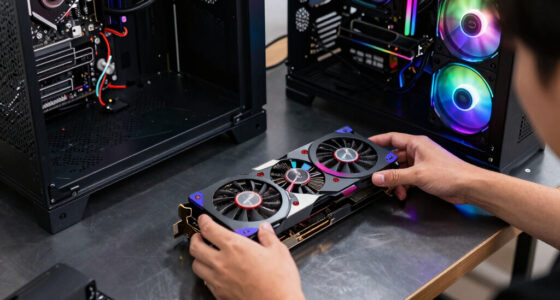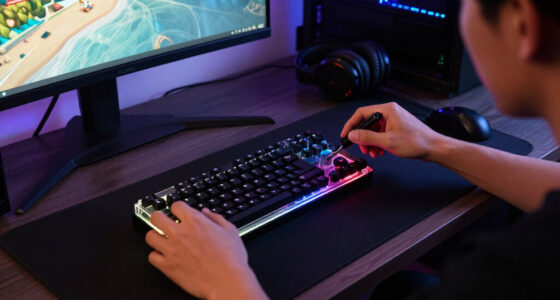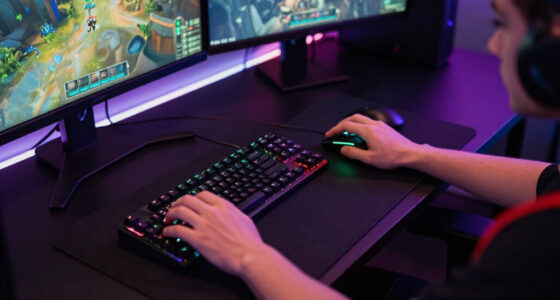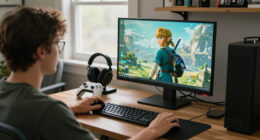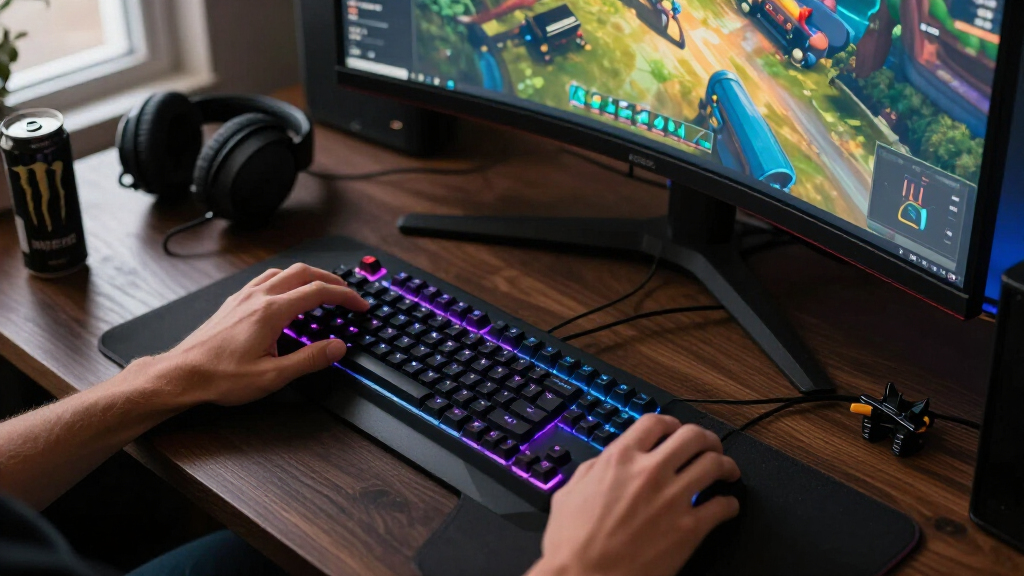
For most players, I’d start with the Alienware AW3425DWM: its 34-inch curved WQHD format gives games room to breathe without pushing refresh rate aside. Competitive players may prefer the ASUS TUF VG27AQM5A and its QHD 300Hz panel, while the Dell SE2726HG offers a simpler 27-inch Full HD option with 240Hz. The main tradeoff is between sharper detail and broader views on one side, and easier high-frame-rate gaming on the other. Screen size, graphics-card capability, and desk space can matter as much as the refresh-rate number on the box. Read on for my comparison of all 14 gaming monitors and the buyers each one suits.

Play games on Amazon Luna for your game nights, included with Prime
- A rotating selection of games, no download needed
- Play on TV, laptop or phone
- Fast, free delivery for your gear, too
Complete the kit



Key Takeaways
- The lineup splits into distinct gaming priorities: the Alienware’s 34-inch WQHD format favors immersion, while the ASUS combines QHD with the lineup’s listed 300Hz peak refresh rate.
- QHD and high refresh can go together: the ASUS VG27AQM5A and AOC Q27G41ZE offer that combination; the AOC lists 240Hz with a 260Hz overclock option.
- Full HD appears at several sizes and speeds: the 23.8-inch Dell SE2426HG and 27-inch Dell SE2726HG both list 240Hz, while the Acer KB272 G0bi is a more modest 27-inch, 120Hz IPS choice.
- Curved does not automatically mean ultrawide or high resolution: SANSUI’s 24-inch curved 160Hz model and its 27- and 32-inch curved Full HD models serve different desk and screen-size preferences from the ultrawide picks.
- The 22-inch Sceptre E225W-FW144 is the compact outlier: its 144Hz refresh rate and built-in speakers may suit a tight setup, while larger picks offer more screen area or higher listed refresh rates.
| Dell SE2726HG 27-Inch FHD 240Hz Gaming Monitor |  | Best for Fast Competitive Play | Screen size: 27 inches | Resolution: 1920 × 1080 (FHD) | Refresh rate: 240Hz | VIEW LATEST PRICE | See Our Full Breakdown |
| RAGEICE 34-Inch Curved Gaming Monitor, 240Hz WQHD (3440 × 1440) |  | Best for High-Refresh Ultrawide Gaming | Screen size: 34 inches | Resolution: 3440 × 1440 | Aspect ratio: 21:9 | VIEW LATEST PRICE | See Our Full Breakdown |
| SANSUI 24-Inch Curved 160Hz Gaming Monitor |  | Best Compact Curved Pick | Screen size: 24 inches | Resolution: 1920 × 1080 (FHD) | Refresh rate: 160Hz | VIEW LATEST PRICE | See Our Full Breakdown |
| Alienware AW3425DWM 34-Inch Curved WQHD Gaming Monitor |  | Best for Feature-Rich Ultrawide Play | Screen size: 34 inches | Listed resolution: Native: 2560 × 1440; maximum: 3440 × 1440 | Aspect ratio: 21:9 | VIEW LATEST PRICE | See Our Full Breakdown |
| Samsung 32-Inch Odyssey G5 QHD Gaming Monitor (G50F) |  | Best for Large-Screen QHD Gaming | Screen size: 32 inches | Resolution: 2560 × 1440 (QHD) | Aspect ratio: 16:9 | VIEW LATEST PRICE | See Our Full Breakdown |
| ASUS TUF Gaming VG27AQM5A 27-Inch QHD 300Hz Gaming Monitor |  | Best for High-Refresh QHD | Screen size: 27 inches | Resolution: 2560 × 1440 (QHD) | Panel technology: Fast IPS | VIEW LATEST PRICE | See Our Full Breakdown |
| SANSUI 32-Inch Curved 240Hz FHD Gaming Monitor |  | Best Large Curved Screen for FHD Gaming | Screen size: 32 inches | Curvature: 1500R | Resolution: 1920 × 1080 (FHD) | VIEW LATEST PRICE | See Our Full Breakdown |
| AOC Q27G41ZE 27-inch QHD IPS Gaming Monitor |  | Best Flexible GPU Match | Screen size: 27 inches | Resolution: 2560 × 1440 (QHD) | Panel type: IPS | VIEW LATEST PRICE | See Our Full Breakdown |
| SANSUI 27-Inch Curved 240Hz FHD Gaming Monitor |  | Best Curved FHD Contrast | Screen size: 27 inches | Resolution: 1920 × 1080 (FHD) | Refresh rate: Up to 240Hz | VIEW LATEST PRICE | See Our Full Breakdown |
| Sceptre 22-Inch FHD 1080p Gaming Monitor, 144Hz (E225W-FW144) |  | Best Compact Starter Monitor | Screen size: 22 inches | Resolution: 1920 × 1080 (FHD) | Refresh rate: 144Hz | VIEW LATEST PRICE | See Our Full Breakdown |
| Sceptre C275B-FW180T 27-Inch Curved Gaming Monitor |  | Best Curved 27-Inch Pick | Screen size: 27 inches | Display curvature: 1500R | Refresh rate: Up to 180Hz (overclocked) | VIEW LATEST PRICE | See Our Full Breakdown |
| SANSUI 24-Inch FHD 180Hz Gaming Monitor |  | Best Compact High-Refresh Value | Screen size: 24 inches | Resolution: 1920 × 1080 (FHD) | Refresh rate: 180Hz | VIEW LATEST PRICE | See Our Full Breakdown |
| Acer KB272 G0bi 27-Inch Full HD IPS Gaming Monitor, 120Hz |  | Best for Everyday Gaming | Model: KB272 G0bi | Screen size: 27 inches | Resolution: 1920 × 1080 (Full HD) | VIEW LATEST PRICE | See Our Full Breakdown |
| Dell SE2426HG 23.8-Inch FHD 240Hz Gaming Monitor |  | Best for Competitive 1080p Play | Screen size: 23.8 inches | Resolution: 1920 × 1080 (FHD) | Refresh rate: 240Hz | VIEW LATEST PRICE | See Our Full Breakdown |
| gaming monitor | Screen size | Refresh rate | Response time | Resolution |
|---|---|---|---|---|
| Dell SE2726HG 27-Inch FHD 240H | 27 inches | 240Hz | 0.5ms | 1920 × 1080 (FHD) |
| RAGEICE 34-Inch Curved Gaming | 34 inches | 240Hz | — | 3440 × 1440 |
| SANSUI 24-Inch Curved 160Hz Ga | 24 inches | 160Hz | 1ms MPRT | 1920 × 1080 (FHD) |
| Alienware AW3425DWM 34-Inch Cu | 34 inches | 180Hz | 1ms | — |
| Samsung 32-Inch Odyssey G5 QHD | 32 inches | 180Hz | 1ms GtG | 2560 × 1440 (QHD) |
| ASUS TUF Gaming VG27AQM5A 27-I | 27 inches | 300Hz | 0.3ms GTG (minimum) | 2560 × 1440 (QHD) |
| SANSUI 32-Inch Curved 240Hz FH | 32 inches | 240Hz | 1ms MPRT | 1920 × 1080 (FHD) |
| AOC Q27G41ZE 27-inch QHD IPS G | 27 inches | 240Hz (260Hz overclocked via DisplayPort) | 0.3ms MPRT | 2560 × 1440 (QHD) |
| SANSUI 27-Inch Curved 240Hz FH | 27 inches | Up to 240Hz | 1ms MPRT | 1920 × 1080 (FHD) |
| Sceptre 22-Inch FHD 1080p Gami | 22 inches | 144Hz | 1ms | 1920 × 1080 (FHD) |
| Sceptre C275B-FW180T 27-Inch C | 27 inches | Up to 180Hz (overclocked) | 1ms BR (Blur Reduction) | — |
| SANSUI 24-Inch FHD 180Hz Gamin | 24 inches | 180Hz | 1ms MPRT | 1920 × 1080 (FHD) |
| Acer KB272 G0bi 27-Inch Full H | 27 inches | Up to 120Hz | 1ms VRB | 1920 × 1080 (Full HD) |
| Dell SE2426HG 23.8-Inch FHD 24 | 23.8 inches | 240Hz | 0.5 ms advertised; 5 ms in product information | 1920 × 1080 (FHD) |
More Details on Our Top Picks
Dell SE2726HG 27-Inch FHD 240Hz Gaming Monitor
The Dell SE2726HG pairs a 240Hz refresh rate with an IPS panel, making it a strong fit for players who prioritize quick motion and wide viewing angles. Its 1080p resolution is less demanding on a graphics card than the Alienware AW3425DWM’s ultrawide 3440 × 1440 display, which can make it easier to pursue high frame rates. The tradeoff is visible sharpness: at 27 inches, Full HD has less pixel detail than the Samsung Odyssey G5’s QHD panel. FreeSync Premium and HDMI VRR help smooth supported gameplay, while 99% sRGB coverage suits general gaming and desktop use. I’d choose this Dell for speed and a straightforward 16:9 setup, but skip it if crisp detail matters more than frame rate.
Pros:- 240Hz refresh rate supports very fluid motion in fast games.
- Fast IPS panel offers broad viewing angles and 99% sRGB coverage.
- FreeSync Premium and HDMI VRR support adaptive sync.
- Two HDMI ports and DisplayPort 1.4 provide flexible connections.
Cons:- FHD resolution looks less detailed at 27 inches than the Samsung Odyssey G5’s QHD display.
- The listed brightness value has no measurement unit.
Best for: Competitive PC and console players who want a high refresh rate on a 27-inch screen without driving an ultrawide resolution.
Not ideal for: Players who want sharp QHD detail at 27 inches or a wide cinematic field of view.
- Screen size:27 inches
- Resolution:1920 × 1080 (FHD)
- Refresh rate:240Hz
- Response time:0.5ms
- Panel:IPS
- Adaptive sync:AMD FreeSync Premium, HDMI VRR
- Color coverage:99% sRGB
- Connectivity:2 × HDMI, DisplayPort 1.4
Our verdict“Choose this Dell for high-refresh 1080p gaming, and pick a QHD model if image detail is your priority.”
RAGEICE 34-Inch Curved Gaming Monitor, 240Hz WQHD (3440 × 1440)
The RAGEICE 34-inch ultrawide combines 3440 × 1440 resolution with a 240Hz refresh rate, offering a wide view and fast motion in one screen. Its 21:9 shape gives supported games more horizontal space than the 16:9 Samsung Odyssey G5, while the 1500R curve helps bring the edges into view. The VA panel’s 3500:1 contrast ratio can give dark scenes more depth than an IPS screen, though panel response and viewing behavior differ from IPS designs. A glossy finish may catch reflections, so room lighting matters. Built-in speakers and VESA compatibility add convenience, but they don’t offset the screen’s size or its demand for a powerful gaming PC. I’d shortlist it for an ultrawide setup where speed is as important as immersion.
Pros:- 3440 × 1440 resolution gives supported games a broad, detailed view.
- 240Hz refresh rate and AMD FreeSync support smooth gameplay.
- 1500R curve and VA contrast suit immersive, dark-scene gaming.
- Built-in speakers and VESA mounting offer setup flexibility.
Cons:- Glossy screen can reflect windows and room lights.
- The ultrawide resolution takes more graphics power to drive than the Dell SE2726HG’s FHD display.
- Its 34-inch width needs substantial desk space.
Best for: PC gamers with a capable graphics card who want a wide, curved display for supported games and multitasking.
Not ideal for: Players with limited desk space, frequent bright reflections, or a system that struggles to drive ultrawide high-refresh gaming.
- Screen size:34 inches
- Resolution:3440 × 1440
- Aspect ratio:21:9
- Refresh rate:240Hz
- Panel:VA LCD
- Curvature:1500R
- Brightness:300 cd/m²
- Contrast ratio:3500:1
- Adaptive sync:AMD FreeSync
Our verdict“Pick the RAGEICE for fast, immersive ultrawide gaming if your desk and graphics card can handle its scale.”
SANSUI 24-Inch Curved 160Hz Gaming Monitor
This 24-inch SANSUI is the compact curved choice for a smaller desk or a player who prefers a modest screen that is easy to scan. Its 160Hz refresh rate is a step below the Dell SE2726HG’s 240Hz, but still offers a smoother target for gaming than a standard 60Hz display. The FHD resolution fits the screen size well and is less demanding than the Alienware AW3425DWM’s ultrawide QHD format. A 1500R VA panel and 3000:1 contrast can make darker scenes feel more dimensional, while FreeSync helps reduce tearing with compatible hardware. HDR is supported, though the listed specs don’t include a certification. There are no built-in speakers, so plan on headphones or external audio.
Pros:- Compact 24-inch size fits tighter desks.
- 160Hz refresh rate and FreeSync support smoother play.
- VA panel has a 3000:1 contrast ratio for darker scenes.
- HDMI 2.0, DisplayPort 1.4, and VESA mounting are included.
Cons:- Refresh rate is lower than the Dell SE2726HG’s 240Hz.
- No built-in speakers.
- FHD resolution and compact size provide less workspace than larger QHD options.
Best for: Budget-conscious players with compact desks who want a curved 24-inch display for everyday PC gaming.
Not ideal for: Gamers seeking 240Hz-class motion, built-in audio, or a larger high-resolution screen.
- Screen size:24 inches
- Resolution:1920 × 1080 (FHD)
- Refresh rate:160Hz
- Response time:1ms MPRT
- Panel:VA LCD
- Curvature:1500R
- Brightness:300 nits
- Adaptive sync:FreeSync
Our verdict“Choose this SANSUI for a compact curved gaming setup, provided 160Hz and separate audio suit your needs.”
Alienware AW3425DWM 34-Inch Curved WQHD Gaming Monitor
The Alienware AW3425DWM is the more feature-focused 34-inch choice beside the RAGEICE ultrawide. It pairs a 180Hz refresh rate and 1ms response time with FreeSync Premium and VESA AdaptiveSync, plus DisplayHDR 400 and 95% DCI-P3 coverage. That mix favors players who want an expansive screen with broader color coverage and a matte finish, rather than the RAGEICE’s higher 240Hz ceiling and glossy panel. The 1500R curve suits wide gameplay, while the hardware-based low blue light feature is aimed at long sessions. There is a specification conflict: the description gives 3440 × 1440, but the listed native resolution says 2560 × 1440. I’d confirm the panel’s actual resolution before choosing it over the Samsung Odyssey G5.
Pros:- 34-inch 1500R curved screen provides an expansive gaming view.
- 180Hz refresh rate, 1ms response, and two adaptive-sync formats support smooth play.
- DisplayHDR 400 and 95% DCI-P3 coverage add HDR and color range.
- Matte finish limits some reflections compared with the glossy RAGEICE.
Cons:- The provided data conflicts on native resolution: 2560 × 1440 versus 3440 × 1440.
- Its 180Hz refresh rate is below the RAGEICE’s 240Hz.
- At 21 pounds, it is heavier than the Dell SE2726HG.
Best for: Gamers who want an ultrawide curved display with adaptive sync, HDR certification, and broad DCI-P3 coverage.
Not ideal for: Buyers who need verified resolution details or prioritize the highest refresh rate over HDR and color features.
- Screen size:34 inches
- Listed resolution:Native: 2560 × 1440; maximum: 3440 × 1440
- Aspect ratio:21:9
- Refresh rate:180Hz
- Response time:1ms
- Curvature:1500R
- HDR certification:VESA DisplayHDR 400
- Color coverage:95% DCI-P3
- Adaptive sync:AMD FreeSync Premium, VESA AdaptiveSync
Our verdict“Consider this Alienware for HDR-focused ultrawide gaming after confirming its resolution with the seller.”
Samsung 32-Inch Odyssey G5 QHD Gaming Monitor (G50F)
The Samsung Odyssey G5 G50F suits players who want more screen area and sharper detail than the Dell SE2726HG’s 27-inch FHD format. Its 32-inch QHD IPS panel gives games and desktop content more room, while 180Hz and 1ms GtG response target smooth, responsive play. Compared with the Alienware AW3425DWM, this Samsung keeps the familiar 16:9 shape, which avoids ultrawide compatibility quirks and may be easier to place on a desk. G-Sync compatibility and HDR10 add useful format support, though the supplied specs don’t include brightness or color coverage, so HDR performance is hard to judge from the data alone. The adjustable stand is a practical advantage for fitting a large panel to a comfortable position.
Pros:- QHD resolution gives more detail than the Dell SE2726HG’s FHD panel.
- 32-inch IPS screen offers broad 178° viewing angles.
- 180Hz refresh rate and 1ms GtG response support responsive gameplay.
- Stand adjusts for height, pivot, tilt, and swivel.
Cons:- Its 180Hz refresh rate is below the Dell SE2726HG’s 240Hz.
- The 16:9 format is less immersive in supported games than the Alienware’s ultrawide screen.
- Provided specifications omit brightness and color coverage, limiting HDR evaluation.
Best for: Players who want a large 16:9 QHD display for gaming and desktop use, with an adjustable stand.
Not ideal for: Competitive players who prioritize 240Hz or ultrawide immersion, or buyers who need documented HDR brightness and color coverage.
- Screen size:32 inches
- Resolution:2560 × 1440 (QHD)
- Aspect ratio:16:9
- Panel:IPS
- Refresh rate:180Hz
- Response time:1ms GtG
- Sync compatibility:G-Sync compatible
- HDR:HDR10
- Stand:Height-adjustable; pivots, tilts, and swivels
Our verdict“Choose the Samsung for a large, sharp 16:9 gaming screen with flexible positioning, rather than peak refresh or ultrawide play.”
ASUS TUF Gaming VG27AQM5A 27-Inch QHD 300Hz Gaming Monitor
The ASUS TUF VG27AQM5A pairs QHD sharpness with a 300Hz refresh rate, making it the strongest fit here for players who want very fluid competitive play without dropping to Full HD. Its Fast IPS panel and stated minimum 0.3ms GTG response time target quick motion, while ELMB Sync can combine blur reduction with variable refresh support. Compared with the AOC Q27G41ZE, ASUS offers a higher listed refresh rate, while AOC reaches 260Hz only through overclocking and also provides Adaptive-Sync compatibility with AMD and NVIDIA GPUs. The tradeoff is that ASUS’s integrated speakers are best treated as a convenience, not a replacement for a headset or dedicated speakers. Its 95% DCI-P3 coverage also gives the screen broader color range than a basic esports display, though its clearest advantage remains speed at QHD.
Pros:- QHD resolution on a 27-inch Fast IPS panel
- 300Hz refresh rate and stated minimum 0.3ms GTG response time
- ELMB Sync supports blur reduction alongside variable refresh rate
- 95% DCI-P3 coverage and a 3-year manufacturer warranty
Cons:- Integrated speakers may not satisfy buyers who want strong gaming audio
- The 300Hz advantage is most relevant to competitive play and capable PC hardware
Best for: Competitive PC players who want a 27-inch QHD screen with a very high refresh rate and motion reduction features.
Not ideal for: Players prioritizing deeper contrast or a full ergonomic stand; the listed features do not include stand adjustment details beyond the monitor’s core display capabilities.
- Screen size:27 inches
- Resolution:2560 × 1440 (QHD)
- Panel technology:Fast IPS
- Refresh rate:300Hz
- Response time:0.3ms GTG (minimum)
- Color gamut:95% DCI-P3
- Motion blur reduction:ELMB Sync
- Warranty:3 years
Our verdict“Choose the ASUS if you want the highest listed refresh rate among these QHD picks in a 27-inch format.”
SANSUI 32-Inch Curved 240Hz FHD Gaming Monitor
The SANSUI 32-inch curved monitor gives racing and action games a broad, wrapping presentation, with a 1500R curve and 240Hz refresh rate for fast motion. Its key compromise is resolution: Full HD spread across 32 inches looks less crisp than the QHD AOC Q27G41ZE, especially when sitting close or reading small text. That tradeoff may suit players who care more about a large view and high frame rates than fine detail, and the VA-style 3500:1 contrast specification points to darker scenes with more depth than the AOC’s listed 1000:1. FreeSync helps reduce tearing, while matte coating and VESA compatibility broaden setup options. There are no built-in speakers, so budget space and connections for separate audio. This is a size-first pick, not the lineup’s sharpest screen.
Pros:- Large 32-inch curved screen with 1500R curvature
- 240Hz refresh rate and 1ms MPRT response time
- 3500:1 contrast ratio specification
- FreeSync and 100 × 100 mm VESA mounting support
Cons:- Full HD resolution is relatively coarse across a 32-inch display
- No built-in speakers
- Only one HDMI input is listed
Best for: Players with a deeper desk who want a large curved display for high-frame-rate games and prioritize screen size over pixel density.
Not ideal for: Close-sitting users, text-heavy work, or players who want QHD detail on a 32-inch screen.
- Screen size:32 inches
- Curvature:1500R
- Resolution:1920 × 1080 (FHD)
- Refresh rate:240Hz
- Response time:1ms MPRT
- Contrast ratio:3500:1
- Brightness:300 cd/m²
- Ports:1 HDMI, DisplayPort 1.4, earphone jack
Our verdict“Pick this SANSUI for an expansive curved gaming view if you can accept Full HD sharpness at 32 inches.”
AOC Q27G41ZE 27-inch QHD IPS Gaming Monitor
The AOC Q27G41ZE makes a strong case for players who want QHD detail and high refresh without tying the choice to one GPU brand. Its Adaptive-Sync works with AMD and NVIDIA GPUs, and the panel runs at 240Hz, with a 260Hz overclock available through DisplayPort. Against the ASUS TUF VG27AQM5A, AOC gives up some listed refresh headroom but makes compatibility and practical input options a clearer part of the pitch. It also has dual HDMI ports, though those are limited to lower refresh rates, so DisplayPort is the route for its fastest mode. The tilt-only stand is a real ergonomic constraint; buyers who need height or swivel adjustment should plan for a monitor arm. IPS viewing angles and QHD resolution suit mixed gaming, while the 1000:1 contrast specification is modest beside the larger curved SANSUI screens.
Pros:- 27-inch QHD IPS display with wide viewing angles
- 240Hz native refresh rate with 260Hz overclock via DisplayPort
- Adaptive-Sync support for AMD and NVIDIA GPUs
- Dual HDMI inputs plus DisplayPort and audio out
Cons:- Stand adjusts only for tilt
- 1000:1 contrast is limited compared with VA alternatives
- HDMI 2.0 inputs do not support the highest listed refresh modes
Best for: PC gamers who switch between AMD and NVIDIA systems or want QHD gaming with flexible console and computer connections.
Not ideal for: Players needing built-in height adjustment or strong dark-room contrast from the panel.
- Screen size:27 inches
- Resolution:2560 × 1440 (QHD)
- Panel type:IPS
- Refresh rate:240Hz (260Hz overclocked via DisplayPort)
- Response time:0.3ms MPRT
- Adaptive sync:Adaptive-Sync; AMD and NVIDIA compatible
- Brightness:300 nits
- Connectivity:1 × DisplayPort 1.4, 2 × HDMI 2.0, audio out
Our verdict“Choose the AOC for QHD speed and broad GPU compatibility, provided tilt-only positioning works for your desk.”
SANSUI 27-Inch Curved 240Hz FHD Gaming Monitor
This 27-inch SANSUI combines a compact curved format with a 4000:1 contrast ratio and 240Hz refresh rate. That contrast specification gives it a stronger dark-scene pitch than the IPS AOC Q27G41ZE, while the AOC delivers QHD detail that this Full HD panel cannot match. The 1500R curve and FreeSync support are geared toward immersive, smooth play, and the metal stand plus VESA mount offer a sturdier-feeling setup path than a basic fixed-foot display. Its wide color gamut and HDR support add visual range on paper, though they do not change the central limitation: at 27 inches, 1920 × 1080 is less sharp than QHD for desktop use and fine game detail. With no built-in speakers, this monitor also assumes separate audio.
Pros:- 240Hz refresh rate with 1ms MPRT response time
- 1500R curve and FreeSync support
- 4000:1 contrast ratio specification
- Metal stand and 100 × 100 mm VESA compatibility
Cons:- Full HD resolution is less detailed than the QHD AOC at a similar screen size
- No built-in speakers
- Tilt adjustment only
Best for: Gamers who prefer curved screens and higher stated contrast for Full HD play, especially in darker games.
Not ideal for: Buyers seeking crisp QHD detail, built-in audio, or a flat panel for precise productivity work.
- Screen size:27 inches
- Resolution:1920 × 1080 (FHD)
- Refresh rate:Up to 240Hz
- Curvature:1500R
- Response time:1ms MPRT
- Color gamut:130% sRGB; 95% DCI-P3
- Contrast ratio:4000:1
- Adaptive sync:FreeSync
Our verdict“Choose this SANSUI if a curved Full HD screen and high stated contrast matter more than QHD sharpness.”
Sceptre 22-Inch FHD 1080p Gaming Monitor, 144Hz (E225W-FW144)
The Sceptre E225W-FW144 is the compact entry in this group: its 22-inch Full HD screen takes less desk space than the 27-inch SANSUI, while 144Hz and FreeSync offer a smoother baseline than a standard 60Hz display. That makes it a sensible starter screen for a smaller gaming setup, though it cannot match the 240Hz SANSUI models or the QHD detail of the AOC and ASUS. Its 1ms response-time claim and matte finish suit everyday play, and built-in speakers let a new setup work without immediate audio add-ons. The tradeoffs are the modest screen size and a single listed HDMI port, which can limit convenience if multiple devices stay connected. Blue-Light Shift is an extra comfort feature, but it does not make this the pick for players seeking a large, immersive view.
Pros:- Compact 22-inch Full HD size for smaller desks
- 144Hz refresh rate and 1ms response time
- FreeSync support
- Built-in speakers, matte screen, and Blue-Light Shift
Cons:- Smaller viewing area than the 27-inch and 32-inch options
- Only one HDMI port is listed
- Refresh rate is below the 240Hz and 300Hz alternatives
Best for: New PC or console players with limited desk space who want a compact Full HD screen with smoother-than-basic refresh and built-in audio.
Not ideal for: Competitive players seeking 240Hz or higher, and buyers who want a large or high-resolution display.
- Screen size:22 inches
- Resolution:1920 × 1080 (FHD)
- Refresh rate:144Hz
- Response time:1ms
- Adaptive sync:FreeSync
- Aspect ratio:16:9
- Screen finish:Matte
- Weight:7 pounds
Our verdict“Pick the Sceptre for a space-saving first gaming monitor with built-in speakers and a 144Hz refresh rate.”
Sceptre C275B-FW180T 27-Inch Curved Gaming Monitor
The Sceptre C275B-FW180T pairs a roomy 27-inch screen with a 1500R curve and refresh rates up to 180Hz, giving it a more enveloping feel than the flat 24-inch SANSUI FHD 180Hz. Its 100% sRGB coverage and multiple video inputs also suit players who switch between a gaming PC and a console. The stated 180Hz rate is overclocked, though, so I would check compatibility with your system before choosing it for a refresh-rate target. The supplied details omit resolution and stand adjustments, making it harder to judge image sharpness and desk ergonomics against the Acer KB272 G0bi. Built-in speakers are handy for casual play, but players who care about audio will likely want headphones or separate speakers.
Pros:- 1500R curve adds an enveloping feel on a 27-inch display
- Refresh rates up to 180Hz and 1ms blur reduction target smoother motion
- Two HDMI ports and two DisplayPort inputs accommodate multiple devices
- Built-in speakers and Blue-Light Shift add convenience
Cons:- The 180Hz refresh rate is described as overclocked
- Resolution and stand-adjustment details are not provided
- Built-in speakers may not satisfy players seeking fuller sound
Best for: PC gamers who want a curved 27-inch screen, frequent device switching, and built-in audio for casual play
Not ideal for: Buyers who need confirmed resolution, adjustable stand details, or a guaranteed native 180Hz refresh rate
- Screen size:27 inches
- Display curvature:1500R
- Refresh rate:Up to 180Hz (overclocked)
- Response time:1ms BR (Blur Reduction)
- Color gamut:100% sRGB
- Connectivity:2 HDMI ports, 2 DisplayPort inputs
- Audio:Built-in speakers and audio-out jack
- Eye-care feature:Blue-Light Shift
Our verdict“Choose this Sceptre if you want a curved 27-inch gaming screen with flexible connections, and verify the overclocked refresh rate and resolution details before buying.”
SANSUI 24-Inch FHD 180Hz Gaming Monitor
For players who want high refresh rates without giving up much desk space, the 24-inch SANSUI offers a clear, specified package: Full HD at 180Hz, FreeSync, and 1ms MPRT. Its resolution suits a compact screen, while HDMI 2.0 and DisplayPort 1.4 are both listed for 180Hz operation. Compared with the curved SANSUI 24-inch 160Hz, this model prioritizes faster motion and adaptive sync over a curved presentation. The 4000:1 contrast ratio and HDR support are listed, but those labels alone do not establish how HDR content will look. There are no built-in speakers, so plan on headphones or external audio. With a 75 × 75 mm VESA mount, it can also fit a compatible arm or bracket.
Pros:- 180Hz refresh rate and 1ms MPRT response time
- FreeSync support for variable-refresh gaming
- HDMI 2.0 and DisplayPort 1.4 are listed for up to 180Hz
- 75 × 75 mm VESA mount supports compatible mounting options
Cons:- No built-in speakers
- Full HD resolution offers less workspace detail than QHD options in the roundup
- HDR support is listed without further performance detail
Best for: Competitive PC gamers with limited desk space who want a specified 1080p, 180Hz display and use headphones
Not ideal for: Players who want integrated speakers, a larger screen, or a sharper-than-Full-HD workspace
- Screen size:24 inches
- Resolution:1920 × 1080 (FHD)
- Refresh rate:180Hz
- Response time:1ms MPRT
- Sync technology:FreeSync
- Ports:1 × HDMI 2.0, 1 × DisplayPort 1.4
- Audio:Audio jack; no built-in speakers
- VESA mount:75 × 75 mm
- Color gamut:110% sRGB, 80% DCI-P3
Our verdict“Pick this SANSUI for compact 1080p gaming at 180Hz if you already have a way to handle audio.”
Acer KB272 G0bi 27-Inch Full HD IPS Gaming Monitor, 120Hz
The Acer KB272 G0bi is the straightforward pick for players who value a 27-inch IPS screen and adaptive sync over chasing the highest refresh rate. Its up to 120Hz refresh rate and FreeSync compatibility offer a step up from standard 60Hz play, while the IPS panel and 16:9 format fit general gaming and everyday desktop use. Compared with the 180Hz SANSUI 24-inch, the Acer gives you a larger viewing area but less headroom for very fast competitive play. Full HD stretched across 27 inches can look less crisp than the roundup’s QHD monitors, and its listed 250-nit brightness may limit comfort in bright rooms. The 1ms VRB figure describes a motion response mode; it does not change the resolution or brightness limits.
Pros:- 27-inch IPS display with wide-format 16:9 layout
- Up to 120Hz refresh rate for smoother motion than standard 60Hz
- FreeSync-compatible Adaptive-Sync
- 1ms VRB response time is designed to reduce motion smearing
Cons:- Full HD may look less sharp at 27 inches than QHD alternatives
- Listed brightness is 250 nits
- Refresh rate is lower than the 180Hz SANSUI and 240Hz Dell options
Best for: Casual and mixed-use gamers who prefer a larger IPS screen and play titles where 120Hz is sufficient
Not ideal for: Competitive players seeking 180Hz or higher, or buyers prioritizing sharp text and fine detail at 27 inches
- Model:KB272 G0bi
- Screen size:27 inches
- Resolution:1920 × 1080 (Full HD)
- Panel type:IPS
- Aspect ratio:16:9
- Refresh rate:Up to 120Hz
- Response time:1ms VRB
- Brightness:250 nits
- Adaptive-Sync:FreeSync Compatible
Our verdict“Choose the Acer for a larger everyday IPS gaming screen if Full HD sharpness and a 120Hz ceiling suit your setup.”
Dell SE2426HG 23.8-Inch FHD 240Hz Gaming Monitor
The Dell SE2426HG puts its emphasis on fast Full HD gaming: a 240Hz refresh rate, fast IPS panel, and AMD FreeSync Premium make it the highest-refresh choice in this batch. Its 23.8-inch size keeps 1080p gameplay relatively compact, while 99% sRGB coverage and 178-degree viewing angles also suit shared screens and general use. Compared with the 27-inch Acer KB272 G0bi, Dell offers much faster refresh and a smaller screen that can be easier to scan during competitive play. The tradeoff is Full HD rather than QHD, so it gives less fine detail and desktop space than larger QHD models in the roundup. Response time is listed as both 0.5 ms and 5 ms in the supplied details, so I would not treat the faster figure as settled.
Pros:- 240Hz refresh rate supports high-frame-rate competitive gaming
- Fast IPS panel with 178-degree viewing angles
- AMD FreeSync Premium and HDMI VRR are listed to reduce tearing
- 99% sRGB coverage and TÜV Rheinland 3-star eye comfort certification
Cons:- Full HD provides less detail than QHD monitors in the roundup
- Response time is inconsistently listed as 0.5 ms and 5 ms
- The 23.8-inch screen is smaller than the 27-inch options
Best for: Competitive players with a system capable of high frame rates who prefer a compact Full HD screen
Not ideal for: Buyers who want QHD detail, a larger workspace, or a clearly specified response-time figure
- Screen size:23.8 inches
- Resolution:1920 × 1080 (FHD)
- Refresh rate:240Hz
- Panel type:IPS
- Response time:0.5 ms advertised; 5 ms in product information
- Color coverage:99% sRGB
- Adaptive sync:AMD FreeSync Premium
- Connectivity:2 × HDMI, DisplayPort 1.4
- Brightness:300
Our verdict“Choose the Dell for compact 240Hz Full HD competition if refresh rate matters more to you than QHD detail.”
How We Picked
I compared the listed specifications through the choices that most affect a gaming setup: resolution, refresh rate, screen size, panel format, and stated sync support. Those details shape whether a monitor is better suited to competitive play, immersive single-player games, compact desks, or a general-purpose setup. Where the product names provide only limited information, I avoid treating missing details as proven strengths.
The ranking favors monitors that pair useful gaming performance with a clear audience and a credible balance of screen area, resolution, and refresh rate. That puts the Alienware AW3425DWM forward for its ultrawide WQHD format, while the ASUS VG27AQM5A stands out for combining QHD with 300Hz. The Dell SE2726HG earns a practical Full HD, high-refresh position; smaller, lower-refresh, or less fully specified models fit narrower needs. I also account for the tradeoffs: high refresh at Full HD brings less fine detail than QHD, and a larger screen can demand more desk space and graphics performance.
| gaming monitor | Adaptive sync |
|---|---|
| Dell SE2726HG 27-Inch FHD 240H | AMD FreeSync Premium, HDMI VRR |
| RAGEICE 34-Inch Curved Gaming | AMD FreeSync |
| SANSUI 24-Inch Curved 160Hz Ga | FreeSync |
| Alienware AW3425DWM 34-Inch Cu | AMD FreeSync Premium, VESA AdaptiveSync |
| Samsung 32-Inch Odyssey G5 QHD | — |
| ASUS TUF Gaming VG27AQM5A 27-I | — |
| SANSUI 32-Inch Curved 240Hz FH | — |
| AOC Q27G41ZE 27-inch QHD IPS G | Adaptive-Sync; AMD and NVIDIA compatible |
| SANSUI 27-Inch Curved 240Hz FH | FreeSync |
| Sceptre 22-Inch FHD 1080p Gami | FreeSync |
| Sceptre C275B-FW180T 27-Inch C | — |
| SANSUI 24-Inch FHD 180Hz Gamin | — |
| Acer KB272 G0bi 27-Inch Full H | — |
| Dell SE2426HG 23.8-Inch FHD 24 | AMD FreeSync Premium |
Factors to Consider When Choosing Gaming Monitors
I’d choose a gaming monitor by working outward from the games and hardware I already own. The screen’s headline refresh rate matters only if the computer or console can send it a matching signal, and resolution affects both image detail and performance demands. These checks help narrow the field before you decide whether a curved, compact, or ultrawide design belongs on your desk.
Match Resolution to Your Graphics Hardware
Resolution changes the workload as well as the image, so I’d check the capabilities of the graphics card before choosing QHD or an ultrawide format. A higher pixel count can make fine scenery and text look more detailed, but pushing more pixels at high frame rates can be demanding. Full HD remains a sensible pairing for players who prioritize speed or have midrange hardware. A common mistake is buying a high-resolution panel for a system that cannot run the games at a satisfying frame rate. Check the games you play most and the output limits of your GPU or console. If you mostly play slower-paced games, extra detail may matter more than the highest refresh figure.
Read Refresh Rate Alongside Response and Sync
A high refresh rate can make motion look smoother when your system can produce enough frames, which can help in fast competitive games. It does not tell the whole story: response behavior and adaptive-sync support also affect motion and tearing. Product listings do not always use directly comparable response-time measurement methods, so I would avoid choosing from a single millisecond claim. Check whether your graphics card and monitor support a compatible variable refresh mode. Also confirm that the chosen connection and resolution can deliver the advertised refresh rate. If your frame rates sit far below the panel’s maximum, paying extra for the highest number may bring less benefit than a better resolution or size fit.
Choose Screen Size for Viewing Distance and Desk Space
Screen size should fit your seating distance, because a large display viewed up close can make Full HD image detail more apparent. A 23.8- or 24-inch monitor can suit a compact desk and focused play, while 27 inches gives more room for games and everyday windows. A 32-inch screen takes up more visual space and calls for enough distance to scan comfortably. Before buying, measure the desk depth and leave room for the stand, keyboard, and speakers. Do not assume that bigger always means a better gaming view; resolution and viewing distance change how sharp the image appears. If the monitor will also serve for work, consider whether its size leaves enough room for your normal setup.
Treat Curved and Ultrawide as Different Choices
Curvature and ultrawide format solve different problems: a curved screen bends the viewing area, while an ultrawide screen adds horizontal space. Curved Full HD models can offer a more enveloping view at their intended size, but their curve does not add pixels or guarantee a wider field of view. A 34-inch WQHD ultrawide can make supported games feel more expansive, yet some titles may not use the full aspect ratio cleanly. Check your favorite games and the physical width of the display before opting for ultrawide. Curved panels can also be less convenient if several people need to view the screen from different angles. For a straightforward competitive setup, a conventional 16:9 monitor may be easier to place and use.
Check Connections, Stand, and Built-In Extras
The monitor has to fit the whole setup, including your console or PC, available cables, and preferred mounting arrangement. Count the devices you plan to connect and check the listed HDMI and DisplayPort capabilities against their output requirements. A monitor’s maximum refresh rate may depend on which port you use, so verify the supported resolution and rate for that connection. Look for stand adjustment details if you need height, tilt, or swivel changes; a good panel can still be awkward if it sits too low. Built-in speakers may help a minimal setup, but they are not a substitute for checking sound quality and connection needs. These practical details can prevent a mismatch that a refresh-rate comparison alone would miss.
Decide When Paying for More Makes Sense
Pay for a feature you can use, rather than a specification that your games or hardware rarely reach. QHD, ultrawide width, and very high refresh can each add value, but they address different priorities. Players who focus on competitive shooters may get more from high refresh and a responsive-feeling setup than from a larger screen. Players who favor expansive worlds may value added resolution or horizontal space, even if they do not use the maximum refresh rate. Consider how long you intend to keep the monitor and whether your next PC or console will make the upgrade useful. For a first gaming monitor, a well-matched Full HD display can be a more sensible starting point than stretching for every premium feature.
Frequently Asked Questions
Should I choose QHD or a higher refresh rate for competitive games?
Start with the frame rates your system can sustain in the competitive games you play. If your PC consistently produces very high frame rates, a fast panel such as the ASUS VG27AQM5A may make sense; if it struggles at QHD, a Full HD display can make high frame rates easier to reach. QHD brings sharper detail, which can help outside competitive play too. Consider whether your graphics card upgrade plans will change that balance. The right choice is the one your system can drive while keeping motion and image quality comfortable for you.
Is an ultrawide gaming monitor a good fit for every game?
Ultrawide works best when your games support its wider aspect ratio and your graphics hardware can render the extra pixels. Supported games can show more horizontal scenery, which suits exploration and simulation titles. Some competitive games may limit the view or display interface elements awkwardly, so check the specific titles you play. Ultrawide monitors also need more desk width than standard 16:9 displays. If your game library is mixed, a conventional monitor is the simpler all-purpose choice.
Does a curved gaming monitor help with a 27- or 32-inch Full HD screen?
A curve can make a broad screen feel more enveloping, especially when you sit centered and close to it. It does not increase resolution, so Full HD detail remains the same and may look less fine on a larger panel than on a smaller one. The 32-inch SANSUI Full HD model therefore suits buyers who value scale and curve more than pixel density. A 24-inch or 27-inch option may be preferable for sharper-looking detail at a similar desk distance. I’d measure the viewing distance and compare the curve specifications before deciding.
Can I use a 240Hz monitor with a console?
A 240Hz label does not mean a console will output 240 frames per second; console limits depend on the model, game, and connection. A high-refresh monitor can still be useful for PC play or future hardware, but check the console’s supported resolutions and refresh rates first. Confirm which monitor port supports the mode you want and whether the needed cable is included. If the console’s maximum output is much lower, a QHD or larger screen may be a better use of your budget than extra refresh capacity. The Dell 240Hz models in this roundup are most compelling when paired with hardware that can take advantage of that speed.
What should I prioritize for a first gaming monitor on a small desk?
Prioritize fit, a useful refresh rate, and easy connections before chasing the largest screen or highest specification. The compact 22-inch Sceptre E225W-FW144 is one option when desk space is tight, while the 23.8-inch Dell SE2426HG offers a smaller footprint with a higher listed refresh rate. Check stand depth and height, not just screen width, because the base can take up space. Built-in speakers may simplify a basic setup, though headphones or separate speakers can offer a better audio experience. If this is your first monitor, leave room in the decision for the games you play and the computer or console you already own.
Conclusion
For the best overall fit, I’d choose the Alienware AW3425DWM if I want an ultrawide WQHD screen and my games and graphics hardware suit that format. The best premium speed-and-detail pick is the ASUS TUF VG27AQM5A, which pairs QHD with a listed 300Hz refresh rate. For value-focused Full HD gaming, the Dell SE2726HG offers a 27-inch screen and 240Hz; buyers wanting a smaller footprint can look at the SE2426HG. For beginners, the Acer KB272 G0bi’s 27-inch IPS, 120Hz combination is a straightforward starting point, while the compact Sceptre E225W-FW144 suits tight desks. For specific needs, compare the AOC Q27G41ZE for QHD high refresh, the SANSUI models for curved Full HD formats, and the Alienware for ultrawide play. I’d make the final choice by matching the display to my hardware, desk, and favorite games rather than selecting on refresh rate alone.
Halloween Picks
halloween
As an affiliate, we earn on qualifying purchases.