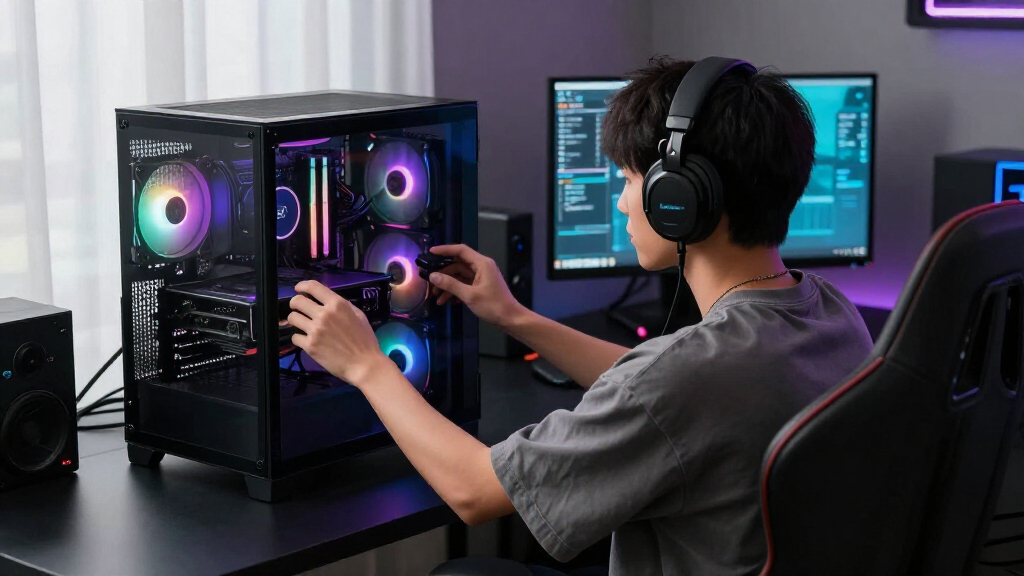

Among the best gaming CPUs in 2026, I rank the AMD Ryzen 7 9800X3D as the best overall because its gaming-focused cache, strong frame-rate consistency, and manageable eight-core design suit high-end gaming builds without paying for workstation capacity. The Ryzen 9 9950X3D is my premium pick for buyers who game, stream, render, or compile on the same PC, while the Ryzen 5 9600X offers the strongest modern-platform value in this lineup. The main choice is whether to prioritize maximum gaming speed, heavier multicore work, or a lower total build cost. Platform expenses, cooling requirements, and graphics-card performance can matter more than small differences between processors. Continue reading for the full ranking logic, buying factors, and recommendations for different budgets and workloads.
Listen free for 30 days with Audible
Thousands of audiobooks and originals — cancel anytime.
Start your free trialAs an affiliate, we earn on qualifying purchases.
Complete the kit



Key Takeaways
- AMD’s X3D processors lead the gaming-focused choices, with the Ryzen 7 9800X3D offering a better balance than the costlier Ryzen 9 9950X3D for buyers who mainly play games.
- The Ryzen 9 9950X3D earns the premium position through versatility, not because every gamer needs 16 cores; its extra capacity pays off most in demanding creative and professional workloads.
- The Ryzen 5 9600X is the modern value standout, while the cheaper Ryzen 5 5500 makes more sense for a basic starter build that must include a cooler and low-cost motherboard.
- Older Intel chips need aggressive discounts: the Core i9-12900KS and 12900KF remain capable, but their power demands and aging platform weaken their value beside newer AMD options.
- The Ryzen 9 5900X and 3900X suit selective AM4 upgrades better than new gaming builds, since their high core counts do not offset the stronger gaming architecture and cache of newer processors.




| gaming CPU | Socket | Cache | Cores |
|---|---|---|---|
| AMD Ryzen 9 5900X 12-Core Desk | AM4 | 64 MB | — |
| AMD Ryzen 9 9950X3D 16-Core Pr | AM5 | — | — |
| AMD Ryzen 7 7800X3D 8-Core | — | — | — |
| Intel Core Ultra 9 Processor 2 | — | 40 MB | — |
| AMD Ryzen 7 9800X3D 8-Core | AM5 | — | — |
| AMD Ryzen 5 9600X 6-Core | AM5 | 38 MB | 6 |
| AMD Ryzen 5 5500 6-Core Unlock | AM4 | 19 MB | 6 |
| Intel Core i9-12900KS 12th Gen | LGA-1700 | — | 16 |
| AMD Ryzen 9 9900X 12-Core | AM5 | 76 MB | 12 |
| Intel Core i7-14700K Desktop P | LGA-1700 | 33 MB | 20 (8 P-cores, 12 E-cores) |
| AMD Ryzen 9 3900X 12-Core | AM4 | 70 MB | 12 |
| Intel Core i9-12900KF Gaming D | LGA1700 | 30 MB L3 | 16 (8 Performance + 8 Efficiency) |
| Intel Core i7-12700K Gaming De | LGA1700 | 25 MB L3 | 12 (8 Performance + 4 Efficiency) |
More Details on Our Top Picks
AMD Ryzen 9 5900X 12-Core Desktop Processor
I rank the AMD Ryzen 9 5900X as the best AM4 upgrade because it adds 12 cores without forcing owners of compatible systems onto a new motherboard and memory platform. Its 4.8 GHz boost supports fast gaming, while 24 threads make streaming, rendering, and background workloads easier to handle than on the eight-core Ryzen 7 7800X3D. That versatility earns it a place above cheaper AM4 chips for mixed-use PCs. Pure gaming buyers should temper expectations: the 7800X3D and Ryzen 7 9800X3D have gaming-focused 3D V-Cache and are better foundations for high-frame-rate builds. The 5900X also draws 105 watts and includes no cooler. I see it as a cost-controlled final upgrade for an existing AM4 machine, rather than the right processor for a new system.
Pros:- Twelve cores and 24 threads handle gaming and demanding background workloads
- Works as a substantial upgrade for many existing AM4 systems
- Boost clock reaches 4.8 GHz
- Unlocked design permits CPU tuning
Cons:- Gaming-focused X3D processors offer a stronger path for high-frame-rate builds
- AM4 provides less future upgrade flexibility than AM5
- No cooling solution is included
Best for: Owners of compatible AM4 gaming PCs who also stream, edit video, or run heavily threaded applications
Not ideal for: New-system builders seeking the fastest gaming performance and a platform with a longer CPU upgrade path
- Processor series:Ryzen 9
- Core count:12
- Thread count:24
- Base clock:3.7 GHz
- Maximum boost clock:4.8 GHz
- Socket:AM4
- Cache:64 MB
- Rated wattage:105 W
Our verdict“I recommend the Ryzen 9 5900X to AM4 owners who want one last major upgrade with strong gaming and productivity balance.”
AMD Ryzen 9 9950X3D 16-Core Processor
I give the AMD Ryzen 9 9950X3D the best gaming-and-creation role because its 16 cores pair heavy-workload capacity with 3D V-Cache. Compared with the Ryzen 7 9800X3D, it offers twice as many cores, making it better suited to buyers who render, encode, compile, or stream between gaming sessions. The 5.7 GHz maximum boost also gives lightly threaded work plenty of clock-speed headroom. I do not rank it as the default gaming purchase, since the eight-core 9800X3D targets that job with less platform strain. This chip carries a 170-watt rating, calls for serious cooling, and can make the surrounding build much more expensive. Its 144 MB installed cache is compelling, but buyers who rarely run production workloads would leave much of the added core capacity unused.
Pros:- Sixteen cores provide substantial capacity for creation and multitasking
- 3D V-Cache is designed to support strong gaming performance
- Maximum boost clock reaches 5.7 GHz
- Large 144 MB installed cache
Cons:- The 170-watt rating demands a capable cooling system
- Extra cores offer limited value in a gaming-only PC
- Requires an AM5 motherboard and may raise total platform cost
Best for: High-end PC builders who split their time between demanding games, rendering, encoding, streaming, and other core-heavy work
Not ideal for: Gaming-only buyers who would gain little from 16 cores while paying for stronger cooling and a premium AM5 build
- Architecture feature:3D V-Cache
- Core count:16
- Listed processor speed:4.3 GHz
- Maximum boost clock:Up to 5.7 GHz
- Socket:AM5
- Installed cache:144 MB
- Rated wattage:170 W
- Platform:Windows
Our verdict“I recommend the Ryzen 9 9950X3D when elite gaming and serious production work must share one premium desktop.”
AMD Ryzen 7 7800X3D 8-Core, 16-Thread Desktop Processor
I place the AMD Ryzen 7 7800X3D in the previous-generation X3D sweet spot. Its 96 MB L3 cache is aimed squarely at keeping game data close to the cores, which matters more for many games than adding the Ryzen 9 5900X’s extra four cores. The newer Ryzen 7 9800X3D raises clock speed and moves to Zen 5, so it deserves the higher overall ranking when both fit the budget. The 7800X3D remains the more focused alternative for buyers who find it at a meaningful discount. Eight cores and 16 threads provide ample room for gaming and everyday multitasking, while integrated Radeon graphics can help with setup and troubleshooting. Its eight-core ceiling is less attractive for sustained rendering than the Ryzen 9 models, and an AM5 move may require new memory and a motherboard. I favor it for gaming-first builds, not workstation-heavy systems.
Pros:- 96 MB L3 cache is well matched to gaming workloads
- Eight cores and 16 threads cover modern gaming and routine multitasking
- Efficient 5 nm process technology
- Integrated Radeon graphics assists with display output and troubleshooting
Cons:- Lower clock speed and older design than the Ryzen 7 9800X3D
- Eight cores trail Ryzen 9 options in heavily threaded creation work
- Moving from an older platform may require an AM5 motherboard and compatible memory
Best for: Gaming-first builders who can buy this previous-generation X3D chip well below the Ryzen 7 9800X3D
Not ideal for: Creators running frequent core-heavy renders or AM4 owners who want an upgrade without replacing their motherboard and memory
- Core count:8
- Thread count:16
- Base clock:4.2 GHz
- L2 cache:8 MB
- L3 cache:96 MB
- Process technology:5 nm
- Integrated graphics frequency:2200 MHz
- Maximum operating temperature:89°C
Our verdict“I recommend the Ryzen 7 7800X3D as a focused gaming buy when its discount over the 9800X3D is large enough to matter.”
Intel Core Ultra 9 Processor 285K
I select the Intel Core Ultra 9 285K as the best Intel platform pick for builders who want 800-series compatibility, PCIe 5.0 support, and a mix of performance and efficiency cores. Its 24-core layout gives background work more room than the eight-core Ryzen 7 9800X3D, while the 5.7 GHz peak clock suits games and lightly threaded applications. Yet more cores do not automatically make it my first gaming choice. The 9800X3D carries a much larger gaming-oriented cache, whereas this Intel chip provides 40 MB and spreads its resources across eight P-cores and 16 E-cores. The 285K also requires an Intel 800-series motherboard, so it is not a drop-in upgrade for older Intel systems. With no thermal solution included and cooling demands associated with flagship performance, it makes the most sense in a new, well-equipped Intel build.
Pros:- Twenty-four hybrid cores provide ample capacity for gaming and background tasks
- Peak clock reaches 5.7 GHz
- Supports PCIe 5.0 and PCIe 4.0 connectivity
- Integrated graphics provides display output without a discrete GPU
Cons:- Requires an Intel 800-series chipset motherboard
- No thermal solution is included
- Its 40 MB cache is less gaming-focused than the large 3D V-Cache on AMD X3D models
Best for: Intel-focused builders creating a new gaming PC that also handles streaming, multitasking, and expansion-heavy workloads
Not ideal for: Buyers seeking a drop-in upgrade for an older Intel board or the most gaming-focused cache design available
- Core count:24 total
- Core configuration:8 P-cores and 16 E-cores
- Thread count:24
- Maximum clock:Up to 5.7 GHz
- Cache:40 MB
- Chipset compatibility:Intel 800 series
- Integrated graphics:Intel Graphics
- PCIe support:PCIe 5.0 and PCIe 4.0
Our verdict“I recommend the Core Ultra 9 285K to Intel loyalists building a new flagship-class system with gaming and multitasking duties.”
AMD Ryzen 7 9800X3D 8-Core, 16-Thread Desktop Processor
I rank the AMD Ryzen 7 9800X3D as the best overall gaming CPU in this group because it combines Zen 5 cores, a 5.2 GHz maximum clock, and 96 MB of L3 cache without charging buyers for workstation-scale core counts. Compared with the Ryzen 7 7800X3D, it offers a newer architecture and higher speed while keeping the same practical eight-core, 16-thread layout. The Ryzen 9 9950X3D is the stronger choice for heavy creation alongside gaming, but its 16 cores and 170-watt rating are excessive for many gaming-first builds. The 9800X3D still requires an AM5 motherboard, a separately purchased cooler, and cooling suited to its listed 140 watts. Eight cores may also limit its appeal for frequent CPU rendering. For players chasing high frame rates, though, its gaming-focused cache and balanced core count make the ranking easy to defend.
Pros:- Zen 5 architecture and a 5.2 GHz maximum clock support fast gaming
- Large 96 MB L3 cache is tailored to gaming workloads
- Eight cores and 16 threads provide a balanced gaming configuration
- AM5 compatibility leaves room for a modern platform build
Cons:- A compatible AM5 motherboard is required
- No cooler is included, and the 140-watt listing calls for capable cooling
- Eight cores are less suitable than 16-core alternatives for sustained production workloads
Best for: Enthusiast gamers building an AM5 system around high frame rates without paying for 16 workstation-oriented cores
Not ideal for: Frequent renderers and professional creators who can put the Ryzen 9 9950X3D’s additional cores to regular use
- Architecture:Zen 5
- Core count:8
- Thread count:16
- Listed processor speed:4.7 GHz
- Maximum clock:Up to 5.2 GHz
- L3 cache:96 MB
- Total installed cache:104 MB
- Socket:AM5
- Rated wattage:140 W
Our verdict“I recommend the Ryzen 7 9800X3D as the first choice for buyers whose main goal is premium gaming performance on AM5.”
AMD Ryzen 5 9600X 6-Core, 12-Thread Unlocked Desktop Processor
I rank the AMD Ryzen 5 9600X as the midrange AM5 choice because its six fast cores and 5.4 GHz boost prioritize frame rates without charging for excessive multitasking capacity. Compared with the Ryzen 5 5500, it offers a newer DDR5 platform, much higher clock speed, and a better path for future CPU upgrades. The Ryzen 9 9900X is stronger for streaming, rendering, and other heavily threaded work, but its extra cores bring less benefit to a gaming-focused build. The 9600X also arrives without a cooler, raising the real system cost, and AM5 requires newer memory and a compatible motherboard. I see it as the sensible performance tier for buyers who want high-refresh gaming and platform longevity without stepping up to Ryzen 9 pricing.
Pros:- Fast 5.4 GHz boost suits high-refresh gaming
- AM5 platform offers a stronger future upgrade path than AM4
- DDR5-5600 support provides modern memory bandwidth
- Unlocked multiplier permits CPU tuning
Cons:- Six cores offer less headroom for heavy creation work than the Ryzen 9 9900X
- No cooler is included, adding to the build cost
- AM5 motherboard and DDR5 requirements make it a costly replacement for an older platform
Best for: High-refresh-rate gamers building a new AM5 system who want strong frame rates without paying for workstation-level core counts
Not ideal for: Budget upgraders with an existing AM4 motherboard or creators whose rendering and encoding workloads benefit from more than six cores
- Cores:6
- Threads:12
- Maximum boost frequency:5.4 GHz
- Cache:38 MB
- Memory support:DDR5-5600
- Socket:AM5
- Overclocking:Unlocked
Our verdict“I recommend the Ryzen 5 9600X for a balanced new AM5 gaming build, provided six cores are enough for the buyer’s non-gaming workloads.”
AMD Ryzen 5 5500 6-Core Unlocked Desktop Processor with Wraith Stealth Cooler
The AMD Ryzen 5 5500 earns my budget role by combining six cores, 12 threads, and an included Wraith Stealth cooler in one low-barrier package. Against the Ryzen 5 9600X, it gives up substantial clock speed, DDR5 support, and the newer AM5 upgrade route, yet its lower total platform cost makes more sense for an inexpensive gaming PC or an AM4 refresh. Its 4.2 GHz boost can support mainstream gaming, though buyers pursuing very high frame rates with a powerful graphics card may encounter CPU limits sooner. The included air cooler saves another purchase, while the unlocked multiplier leaves room for tuning. I would not build around it for long-term expansion: AM4 is the older platform, and discrete graphics are required before the system can serve as a gaming machine.
Pros:- Six cores and 12 threads provide capable entry-level gaming performance
- Bundled Wraith Stealth cooler reduces the initial build cost
- DDR4 support suits inexpensive builds and reused components
- Unlocked design allows manual tuning
Cons:- Lower clock speed can restrict frame rates sooner than the Ryzen 5 9600X
- AM4 offers less future upgrade scope than AM5
- Lack of integrated graphics requires a discrete graphics card
Best for: Cost-conscious gamers reusing DDR4 memory or an AM4 motherboard and pairing the processor with a modest discrete graphics card
Not ideal for: Buyers assembling a high-refresh flagship system or seeking a platform with a broad future CPU upgrade path
- Cores:6
- Threads:12
- Maximum boost frequency:4.2 GHz
- Cache:19 MB
- Socket:AM4
- Power:65 W
- Memory support:DDR4-3200
- Included cooler:Wraith Stealth
- Overclocking:Unlocked
Our verdict“I would choose the Ryzen 5 5500 for the lowest-cost six-core gaming build, especially when reusable AM4 and DDR4 parts are already available.”
Intel Core i9-12900KS 12th Gen Gaming Desktop Processor with Integrated Graphics, 16 Cores, 2.5 GHz
I place the Intel Core i9-12900KS in the legacy-flagship slot: its 16-core, 24-thread design and boost up to 5.5 GHz still suit gaming, streaming, and demanding multitasking, but newer choices have changed its value equation. Compared with the Core i9-12900KF, the KS offers a higher listed boost and Intel UHD 770 graphics, which helps with troubleshooting or running a display without a discrete card. The Core i7-14700K supplies more cores and threads on the same socket generation, making it the stronger mixed-workload option when prices are close. This chip’s 150 W base power also calls for serious cooling and a capable motherboard. I would consider it mainly at a steep sale price, especially for an existing LGA-1700 system rather than a fresh flagship build.
Pros:- Boost clock up to 5.5 GHz supports strong gaming performance
- Sixteen cores and 24 threads handle gaming alongside demanding background tasks
- Intel UHD 770 graphics can run displays and aid troubleshooting
- Unlocked design supports overclocking
Cons:- 150 W base power creates demanding cooling and motherboard requirements
- Older architecture weakens its appeal beside the Core i7-14700K
- Poor value unless its former flagship price is heavily reduced
Best for: LGA-1700 owners who find a substantial discount and want fast gaming plus integrated graphics for diagnostics
Not ideal for: New-system builders paying near-current flagship prices or anyone unwilling to buy a high-capacity cooler and motherboard
- Cores:16
- Threads:24
- Base frequency:2.5 GHz
- Maximum overclock frequency:Up to 5.5 GHz
- L3 cache:30 MB
- L2 cache:14 MB
- Socket:LGA-1700
- Integrated graphics:Intel UHD Graphics 770
- Base power:150 W
Our verdict“I would buy the Core i9-12900KS only as a discounted LGA-1700 flagship, not as the default choice for a new high-end gaming system.”
AMD Ryzen 9 9900X 12-Core, 24-Thread Unlocked Desktop Processor
The AMD Ryzen 9 9900X is my hybrid gaming-and-creation recommendation because 12 cores and 24 threads provide far more production capacity than a typical six-core gaming chip. Compared with the Ryzen 5 9600X, its 76 MB cache, doubled core count, and 5.6 GHz boost better support rendering, encoding, and streaming while maintaining fast game performance. Buyers focused only on frame rates should also compare it with the Ryzen 7 9800X3D, whose gaming-specialized design may be the smarter allocation of money. The 9900X makes its case when games share the PC with heavily threaded work. That versatility costs more, can increase cooling demands, and requires an AM5 motherboard plus DDR5 memory. Since no cooler is supplied, I would budget for strong aftermarket cooling from the start.
Pros:- Twelve cores and 24 threads provide ample capacity for creation work
- 5.6 GHz maximum boost supports fast gaming performance
- Large 76 MB cache benefits demanding workloads
- AM5, DDR5-5600, and PCIe 5.0 support suit a modern system
Cons:- Extra cores offer limited value in a machine used only for gaming
- No cooler is included despite the processor’s demanding performance tier
- AM5 motherboard, DDR5 memory, and cooling raise the full build cost
Best for: Gamers who also render video, compile large projects, stream heavily, or run other workloads that can use 24 threads
Not ideal for: Pure gaming buyers who can put more of the budget toward a faster graphics card or a gaming-focused X3D processor
- Cores:12
- Threads:24
- Maximum boost frequency:5.6 GHz
- Cache:76 MB
- Memory support:DDR5-5600
- Socket:AM5
- PCIe support:PCIe 5.0
- Overclocking:Unlocked multiplier
Our verdict“I favor the Ryzen 9 9900X when gaming shares equal billing with serious content creation, but not when frame rates are the only priority.”
Intel Core i7-14700K Desktop Processor with 20 Cores and Integrated Graphics
I give the Intel Core i7-14700K the flexibility award because its support for DDR4 or DDR5 lets buyers choose between reusing affordable memory and building with a newer standard. Its 20 cores, 28 threads, and boost up to 5.6 GHz also make it a more capable gaming-and-productivity processor than the Core i9-12900KS in many mixed workloads, despite the lower i7 label. Against the Ryzen 9 9900X, the 14700K offers four more total cores and a DDR4 route, while the AMD chip sits on the more forward-looking AM5 platform. The Intel CPU’s high heat and power demands mean cooling should not be an afterthought, and some 600-series motherboards need a BIOS update. I rank it for versatile LGA-1700 upgrades, not for buyers seeking the leanest gaming-only build.
Pros:- Twenty cores and 28 threads provide strong gaming and multitasking capacity
- DDR4 and DDR5 support creates valuable build flexibility
- Boost speed up to 5.6 GHz suits high-frame-rate gaming
- Intel UHD Graphics 770 supports display output and troubleshooting
Cons:- High power draw and heat require robust cooling
- LGA-1700 offers a weaker future upgrade path than AMD’s AM5 platform
- Older 600-series motherboards may require a BIOS update before installation
Best for: PC upgraders who want to reuse DDR4 memory while gaining strong gaming, streaming, and productivity performance
Not ideal for: Efficiency-focused gaming builders or users who want a platform positioned for later processor generations
- Cores:20 (8 P-cores, 12 E-cores)
- Threads:28
- Maximum boost frequency:Up to 5.6 GHz
- Cache:33 MB
- Socket:LGA-1700
- Memory support:DDR4 and DDR5
- PCIe support:PCIe 4.0 and 5.0
- Integrated graphics:Intel UHD Graphics 770
- Processor base power:125 W
Our verdict“I recommend the Core i7-14700K to buyers who value DDR4 reuse and heavy multitasking enough to accept its cooling demands and limited platform runway.”
AMD Ryzen 9 3900X 12-Core, 24-Thread Desktop Processor
I rank the AMD Ryzen 9 3900X as the AM4 choice for gamers who also stream, render, or run heavily threaded software. Its 12 cores and 24 threads provide more multitasking headroom than the six-core Ryzen 5 5500, while the bundled Wraith Prism avoids an immediate cooler purchase. Gaming performance is no longer class-leading, though: the Ryzen 7 7800X3D and newer 9800X3D are better suited to buyers chasing high frame rates. The 3900X instead earns its place through platform reuse and balanced productivity, especially for someone upgrading an older compatible AM4 system. I would skip it for a new build unless the CPU is sharply discounted, since its DDR4 platform has less future upgrade room and its many cores are excessive for gaming alone.
Pros:- Twelve cores and 24 threads provide strong capacity for gaming alongside demanding background workloads
- Included Wraith Prism LED cooler reduces the initial build cost
- Unlocked multiplier supports manual overclocking
- AM4 socket can suit upgrades to many existing DDR4 systems
Cons:- Gaming performance trails newer X3D processors such as the Ryzen 7 7800X3D
- Limited platform longevity compared with newer CPU sockets
- Core count offers little benefit to buyers focused only on casual gaming
Best for: AM4 desktop owners who game while streaming, rendering, or running other heavily threaded workloads
Not ideal for: New-build buyers seeking the highest gaming frame rates or a platform with a long future upgrade path
- Cores:12
- Threads:24
- Base Clock:3.8 GHz
- Max Boost Clock:4.6 GHz
- Cache:70 MB
- Included Cooler:Wraith Prism LED Cooler
- Socket:AM4
- Memory Support:DDR4-3200
Our verdict“I recommend the Ryzen 9 3900X mainly to AM4 owners who need gaming performance and serious multicore capacity from one affordable upgrade.”
Intel Core i9-12900KF Gaming Desktop Processor
The Intel Core i9-12900KF makes my list for gaming systems that must handle streaming, encoding, and busy background workloads without surrendering fast clock speeds. Its eight performance cores and eight efficiency cores give it more parallel capacity than the Core i7-12700K, while a 5.2 GHz ceiling suits high-refresh gaming. Compared with the Core i9-12900KS, this model gives up some peak speed but can make more sense when priced lower. The KF designation creates its defining compromise: there is no integrated graphics, so the PC cannot produce a display output without a discrete GPU. I also factor in its 125W base rating, cooling demands, and LGA1700 motherboard requirement. For a gaming-only build, newer X3D chips may deliver a stronger balance of frame rates and efficiency.
Pros:- Sixteen-core hybrid design handles gaming and intensive multitasking well
- Up to 5.2 GHz clock speed supports high-refresh-rate gaming
- Unlocked design permits CPU overclocking
- Compatible with both Intel 600-series and 700-series motherboard families
Cons:- No integrated graphics, making a discrete GPU mandatory for display output
- 125W base power rating understates the robust cooling and power delivery a tuned system may need
- LGA1700 requirement can add motherboard expense for owners of older Intel systems
Best for: Enthusiast PC builders using a discrete GPU who game, stream, encode video, and run demanding background applications
Not ideal for: Builders who need integrated graphics for troubleshooting or who want a cool, low-power gaming system
- Cores:16 (8 Performance + 8 Efficiency)
- Max Clock Speed:5.2 GHz
- Socket:LGA1700
- Cache:30 MB L3
- Processor Base Power:125W
- Architecture:Intel 7
Our verdict“I favor the Core i9-12900KF for discounted high-end builds where multicore power matters and a discrete graphics card is already guaranteed.”
Intel Core i7-12700K Gaming Desktop Processor with Integrated Graphics
I see the Intel Core i7-12700K as the more practical 12th-generation Intel option for gamers who want strong performance without paying for the Core i9-12900KF’s extra efficiency cores. Its eight performance cores and four efficiency cores leave ample room for gaming, voice chat, recording, and everyday background tasks. Unlike the 12900KF, it includes Intel UHD 770 graphics, which provides display output before a discrete GPU arrives and makes hardware troubleshooting easier. That safety net does not turn it into a capable graphics-card replacement for demanding games. The chip also carries a 125W base power rating, needs an LGA1700 motherboard, and warrants substantial cooling. Compared with the newer Core i7-14700K, it offers fewer cores, so I would choose it when its lower street price makes the older platform worthwhile.
Pros:- Hybrid 12-core layout balances gaming speed with background workload capacity
- Intel UHD 770 graphics provides display output without a discrete GPU
- Up to 5.0 GHz turbo speed supports high-frame-rate gaming
- Unlocked design allows performance tuning on a suitable motherboard
Cons:- Integrated UHD 770 graphics is not a substitute for a gaming graphics card
- 125W base power and higher turbo draw call for capable cooling
- Fewer cores and a shorter useful runway than the newer Core i7-14700K
Best for: Gaming PC builders who want strong 12th-gen Intel performance plus integrated graphics for setup and troubleshooting
Not ideal for: Buyers expecting to play demanding modern games on the integrated GPU or seeking the best multicore performance on LGA1700
- Cores:12 (8 Performance + 4 Efficiency)
- Base Clock:3.60 GHz
- Max Turbo Speed:Up to 5.0 GHz
- Integrated Graphics:Intel UHD 770
- Socket:LGA1700
- Cache:25 MB L3
- Processor Base Power:125W
- Architecture:Intel 7
Our verdict“I recommend the Core i7-12700K when integrated graphics and balanced gaming performance matter more than owning the fastest or newest LGA1700 chip.”
How We Picked
I ranked these processors by weighting gaming performance and frame-time consistency most heavily, followed by platform cost, power demand, cooling needs, and useful performance outside games. I gave extra credit to CPUs that pair well with current high-end graphics cards without forcing buyers to purchase excessive core capacity. I also separated processors that excel at pure gaming from models whose higher prices make sense only when streaming, rendering, compiling, or other multicore work shares the workload.
My ordering accounts for the full build rather than the processor price alone. A chip can fall behind when it requires an expensive motherboard, premium cooling, or a platform with limited upgrade appeal. Conversely, an included cooler or reusable motherboard can improve a lower-cost processor’s position. This approach places the Ryzen 7 9800X3D ahead for gaming-first buyers, the Ryzen 9 9950X3D at the premium end, and the Ryzen 5 models in distinct modern-value and entry-level roles.
Factors to Consider When Choosing Best Gaming CPUs
I would choose a gaming CPU by working backward from the graphics card, monitor, games, and non-gaming software in the planned system. Processor price alone can be misleading because motherboard, memory, cooling, and power costs shape the final value. The factors below help separate a meaningful upgrade from an expensive specification increase that produces little visible benefit.
Match the CPU to Resolution and Frame-Rate Goals
CPU differences are easiest to see when a fast graphics card runs games at 1080p or reduced quality settings. At 4K with demanding visual settings, the graphics card usually becomes the tighter limit, so paying far more for the fastest processor may barely change average frame rates. Competitive players targeting 240Hz or higher can benefit from an X3D model because minimum frame rates and frame pacing matter alongside the average. A 60Hz or 75Hz setup rarely calls for the same CPU budget. I would direct more money toward the graphics card when the system is built for visually demanding 1440p or 4K games. This balance keeps the processor from consuming money that could produce a larger on-screen improvement elsewhere.
Choose Cache or Core Count Based on the Workload
Large cache and high core count solve different problems. AMD’s 3D V-Cache can reduce delays in cache-sensitive games, which is why an eight-core X3D chip can outrun processors with many more cores. Rendering, video encoding, software compilation, and heavy multitasking often scale better with additional cores and threads. Streamers should also check whether their graphics card’s hardware encoder already handles broadcasting, since that can reduce the need for a 12-core or 16-core CPU. Buying more cores for gaming alone may add cost, heat, and idle capacity without improving play. I would pay for 12 or 16 cores only when repeatable non-gaming work can use them.
Calculate the Full Platform Cost
A low processor sale price can hide the cost of a motherboard, memory kit, mounting hardware, or BIOS update. AM4 can still be economical for an existing system, but building a new premium PC around an older socket narrows future upgrade choices. AM5 carries a higher entry cost in some configurations yet offers a more current base for later processor swaps. Intel LGA1700 chips can be attractive on clearance, though I would compare the complete bundle against a current platform before buying. Memory support also matters: reusing DDR4 may save money, while DDR5 can provide a cleaner path for a new build. The right comparison is CPU, board, memory, and cooler together, not two processor prices in isolation.
Budget for Cooling, Power, and Noise
Boost clocks depend on temperature and available power, so the cooler affects sustained performance as well as noise. High-end Intel K-series processors and older flagship models can draw enough power to require larger air coolers or liquid cooling. That extra expense can erase an apparent clearance bargain. A lower-power six-core or eight-core CPU is often easier to cool quietly in a compact case. Power-supply capacity should include graphics-card spikes and processor boost behavior rather than relying only on the advertised base rating. I favor efficient gaming performance over maximum wattage when two processors deliver similar results.
Treat Older Flagships as Upgrade or Sale Purchases
Past flagship branding does not guarantee better gaming value today. The Ryzen 9 3900X, Ryzen 9 5900X, Core i9-12900KS, and Core i9-12900KF can remain useful in compatible systems, but newer midrange architecture may deliver faster gaming with lower platform or energy costs. An older processor makes the most sense when the buyer already owns the motherboard and memory, or when a deep bundle discount changes the calculation. Used pricing should leave room for the lack of a full warranty and the possibility of heavier prior workloads. Buyers should also check BIOS compatibility before purchasing an upgrade for an existing board. I would avoid paying a premium merely for an older Ryzen 9 or Core i9 badge.
Frequently Asked Questions
Should I Buy the Ryzen 7 9800X3D or Ryzen 9 9950X3D for Gaming?
I would choose the Ryzen 7 9800X3D for a gaming-first PC because its eight cores and large cache target the workload without charging for extensive multicore capacity. The Ryzen 9 9950X3D makes more sense when the same machine regularly handles rendering, production software, virtual machines, or lengthy compilation. Both can support a high-end graphics card, so the premium model is not automatically the better gaming purchase. Its extra cost should buy measurable time savings outside games. For play, streaming through a graphics-card encoder, and normal desktop work, the 9800X3D is the cleaner choice.
Is a Six-Core CPU Still Enough for Gaming in 2026?
A modern six-core, 12-thread processor such as the Ryzen 5 9600X remains suitable for mainstream gaming, particularly when the graphics card sets the performance limit. It may have less headroom for heavy background tasks, CPU-intensive simulation games, and future releases than an eight-core model. The Ryzen 5 5500 also has six cores, but its older design and platform place it in a lower performance class. Buyers pairing an expensive graphics card with a very high-refresh monitor should lean toward the 9800X3D. For a balanced midrange build, six fast current-generation cores can be better value than an older processor with a larger core count.
Does It Make Sense to Upgrade an AM4 PC Instead of Moving to AM5?
Keeping AM4 can save money when the existing motherboard, DDR4 memory, case, and cooler remain suitable. The Ryzen 9 5900X can add multicore capacity to a compatible system, but it is not the strongest gaming-only upgrade available across the wider market. Moving to AM5 costs more because the motherboard and memory may need replacement, yet it opens access to the 7800X3D, 9800X3D, and newer Ryzen 9000 processors. I would retain AM4 for a budget-conscious drop-in upgrade or a machine that also needs many cores. A fresh high-end gaming build is better served by the newer AM5 platform.
When Is an Intel Gaming CPU the Better Choice in This Lineup?
Intel can make sense when a buyer finds a strong motherboard bundle, relies on software that favors Intel’s architecture, or wants integrated graphics for display output and troubleshooting. The Core i7-14700K combines gaming ability with substantial multicore throughput, giving it a clearer hybrid role than the older 12700K. The Core Ultra 9 285K targets a newer platform and heavy mixed workloads, though AMD’s X3D models remain more focused gaming purchases. The 12900KF lacks integrated graphics, while the 12900KS can carry steep cooling and power requirements. I would select Intel here for platform features, software fit, or discounted bundle value, not branding alone.
How Much Should I Spend on a CPU Before Upgrading the Graphics Card?
I would set the CPU budget after choosing the target resolution, refresh rate, and graphics-card class. A high-end X3D processor is easier to justify with a powerful GPU and a monitor capable of showing very high frame rates. In a midrange 1440p or 4K build, moving money from a Ryzen 9 or Core i9 toward the graphics card often produces a larger visual gain. The Ryzen 5 9600X leaves more budget for GPU performance while retaining a current platform. Spend more on the processor when competitive frame rates, simulation workloads, or frequent CPU-heavy production tasks are part of the plan.
Conclusion
For most high-end gaming builds, my best overall recommendation is the Ryzen 7 9800X3D because it concentrates the budget on gaming speed rather than surplus workstation cores. The Ryzen 5 9600X is my best-value choice for a current-platform system, while the Ryzen 5 5500 is the beginner pick for a very tight budget and benefits from its included cooler. Buyers who game and run demanding professional workloads should choose the Ryzen 9 9950X3D as the premium option. The Ryzen 7 7800X3D remains appealing when discounted below the 9800X3D, and the Ryzen 9 5900X fits existing AM4 owners who need stronger multicore output without rebuilding. For an Intel-centered hybrid system, I would favor the Core i7-14700K over the older LGA1700 flagships unless a 12900-series bundle is much cheaper. The final choice should match the graphics card, platform budget, cooling plan, and amount of productive work the PC must handle beyond gaming.
College move-in / dorm season Picks
dorm essentials
As an affiliate, we earn on qualifying purchases.