TL;DR
Seated VR changes the way you choose Steam games because comfort, camera movement, input reach, and play area matter as much as genre or graphics. You should favor games that list seated support, explain locomotion options, run well on your PC headset setup, and earn user reviews that mention long-session comfort.
The wrong VR game can turn your favorite chair into a swivel-mounted regret machine in under ten minutes.
You are not just choosing a Steam game anymore. You are choosing a camera, a control scheme, a play space, a comfort profile, and a body position that either fades into the background or keeps tapping you on the shoulder.
This guide gives you a practical way to judge seated virtual reality on Steam, along with common traps for PC and Steam Deck players. You will learn which store signals matter, which genres usually fit a chair, and how to test a game before the refund clock runs hot.
How Seated VR Changes the Way You Choose Steam Games
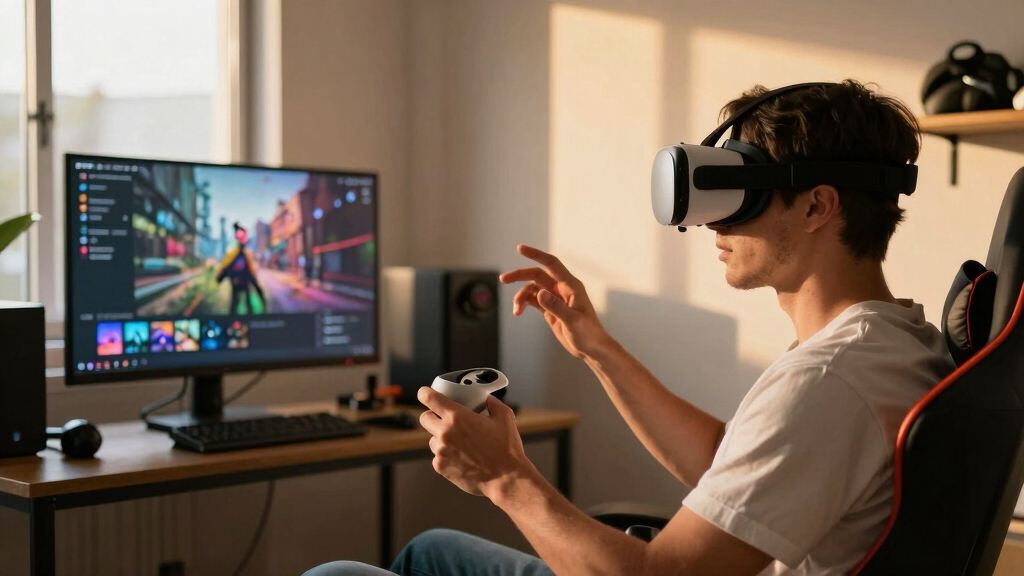
Seated VR turns game selection into a comfort decision. Genre and graphics still matter, but the real buy-or-refund question is whether the camera, controls, movement options, and play area work with your chair.
10 min
Your first test window should check height, menus, movement, controller reach, and body comfort before the refund clock gets warm.
4 signals
Seated support, locomotion options, matching input hardware, and reviews that mention long-session comfort.
1 rule
If the game moves your virtual body faster than your real body can explain, comfort may fail before fun begins.
Your body is part of the spec sheet.
A trailer can sell neon streets and sharp textures, but a seated headset asks different questions: can you reach the menu, read the HUD, turn without nausea, and stay comfortable for 45 minutes?
Movement first
Teleport, snap turn, cockpit frames, and vignettes can matter more than a prettier forest or a higher particle count.
Reach is real
A seated puzzle game can still fail if important levers, drawers, or inventory slots sit at ankle height.
Comfort compounds
Small frictions become loud during longer sessions, especially when menus, subtitles, or save points fight your posture.

Gaming Chair for Adults with Footrest, Ergonomic Computer Chair, 330 lb
[52cm Wide Seat with 4-Layer Pocket Spring Cushion] Tired of chairs that sink easily after long use? This…
As an affiliate, we earn on qualifying purchases.
As an affiliate, we earn on qualifying purchases.
Read the store page like a cockpit scan.
Steam VR listings can show headset support, controller support, and play area labels such as seated, standing, or room-scale. The label opens the door; reviews tell you whether the room is usable.
| Signal | Good sign | Risk sign | Seated verdict |
|---|---|---|---|
| Play area | ✓ Lists seated support directly | ✗ Only room-scale assumptions | Primary buying filter |
| Locomotion | ✓ Teleport, snap turn, comfort vignette | ✗ Forced smooth motion only | Check before graphics |
| Input | ✓ Matches your gamepad, HOTAS, wheel, or controllers | ~ Unclear controller reach | Hardware decides fit |
| Steam Deck | ~ Verified for flat Deck play | ✗ Treated as VR comfort proof | Check PC VR separately |
| Reviews | ✓ Mentions comfort, height, snap turn, session length | ✗ Only hype, no setup detail | Most practical evidence |

Saqico Head Strap for Meta Oculus Quest 2/3/3s, 3-in-1 Adjustable Halo Headband, Replacement for Elite Strap, Enhanced Comfort Gaming Immersion VR Accessories Compatible with Oculus/Meta Quest 2/3/3s
🥇【Compatible With 】—- Unlike other products, our Headstap for Meta Quest 2/3/3s has been upgraded to support not…
As an affiliate, we earn on qualifying purchases.
As an affiliate, we earn on qualifying purchases.
Beautiful graphics cannot rescue hostile motion.
VR comfort problems often come from a mismatch between what your eyes see and what your inner ear feels. Smooth artificial movement, forced camera turns, and unstable frame pacing can sour even a gorgeous world.
The 10-minute test

pjcmt Full VR Kit Headset, Base Stations Controllers Steam VR Games Handle Compatible For HTC Vive/Vive Pro For Valve Index Knuckles(A pair controller)
Connection : Plug and Play
As an affiliate, we earn on qualifying purchases.
As an affiliate, we earn on qualifying purchases.
Choose games that respect the chair fantasy.
Seated VR works best when sitting feels natural: a cockpit, desk, train cabin, puzzle table, control room, or quiet story space. Action can work, but only when the game offers smart seated options.
Comfort pressure scale
Low strain → high strainBrowse
Start with seated play area support, not screenshots.
Match
Confirm your controller, wheel, HOTAS, or gamepad fits.
Sit
Check reach distance, object height, and calibration.
Move
Favor teleport, snap turning, and stable frames.
Keep
Commit only when comfort survives the first session.

Meta Quest 3S 128GB | VR Headset — Thirty-Three Percent More Memory — Virtual Reality Without Wires — Access to 40+ Games with a 3-Month Trial of Meta Horizon+ Included (Renewed Premium)
NO WIRES, MORE FUN — Break free from cords. Game, play, exercise and explore immersive worlds — untethered…
As an affiliate, we earn on qualifying purchases.
As an affiliate, we earn on qualifying purchases.
The comfort truth lives in user language.
Search reviews for setup-specific terms. You are not hunting for perfect scores; you are looking for players whose chair, headset, controller, and tolerance sound like yours.
Search these words
Seated, comfort, motion sickness, snap turn, teleport, height. A single practical review can beat a polished trailer.
Separate Deck from VR
Steam Deck Verified can help with handheld play, but it does not prove seated SteamVR comfort or PC headset performance.
Watch content notes
VR horror, intense sound, and close-scale darkness can feel stronger when the scene wraps around your head.
Favor specifics
“I had to stand to grab items from the floor” is more useful than “amazing immersion” when you play from a chair.
Key Takeaways
- Treat seated play area support on Steam as a primary buying filter, not a small detail.
- Favor genres where sitting fits the fantasy, such as cockpit sims, puzzle rooms, tabletop games, and slower narrative adventures.
- Check motion options before graphics; teleport, snap turn, vignettes, and cockpit frames can matter more than visual polish.
- Steam Deck Verified status does not prove seated SteamVR comfort, so check Deck play and PC VR support separately.
- Use your first 10 minutes to test height, menus, movement, and body comfort before you commit to a long session.
Start With Comfort, Not the Trailer
How Seated VR Changes the Way You Choose Steam Games is simple: your body becomes part of the buying decision. A flashy trailer may show sword swings, neon streets, or zero-gravity jumps, but your chair cares about reach, camera motion, and whether you can play for 45 minutes without feeling clammy.
Think of seated VR like choosing shoes for a long walk. The shiny pair gets your attention, but the pair that does not rub your heel wins by mile three. In Steam VR, that means you check comfort before screenshots.
A space dogfight can feel perfect from a chair because the cockpit gives your brain a stable frame. A parkour shooter may look electric, yet feel rough when the camera slides, spins, and bounces while your real body sits still.
Rule of thumb: if the game moves your virtual body faster than your real body can explain, your stomach may file a complaint before your hands do.
Check the Store Signals That Matter Most
How Seated VR Changes the Way You Choose Steam Games starts with reading the Steam page like a cockpit checklist. According to Steam’s public VR store fields, listings can show headset support, controller support, and play area labels such as seated, standing, or room-scale [1].
- Look for seated play area support. Treat it as your first pass, especially for sims, puzzle games, and narrative VR.
- Check input requirements. Some titles expect motion controllers, while others work better with a gamepad, HOTAS, wheel, or keyboard.
- Read the comfort options. Look for teleport movement, snap turning, vignette settings, height calibration, and subtitles that sit where you can see them.
- Verify the current platform notes. A Steam Deck Verified badge applies to Deck play for the flat game, not a promise that PC VR will feel good from a chair.
Here is an overview you can use before buying: if the page says seated support, the reviews mention comfort, and the controls match your hardware, you have a stronger candidate. If one piece is missing, slow down and read more.
For example, a seated puzzle game with hand tracking may still fail you if every lever sits at ankle height. The store tag opens the door, but the review section tells you whether the furniture inside makes sense.
Choose Genres That Respect Your Chair
How Seated VR Changes the Way You Choose Steam Games most clearly shows up in genre choice. Seated players often get better results from cockpit sims, puzzle rooms, tabletop-style games, narrative adventures, and slower exploration because those games make stillness feel natural instead of restrictive.
| Genre | Why It Often Works Seated | What To Check First |
|---|---|---|
| Flight and driving sims | Your chair matches the fantasy of sitting in a cockpit or cabin. | Wheel, HOTAS, gamepad, and HUD readability. |
| Puzzle and escape rooms | You inspect objects, listen, and think without sprinting around a room. | Reach distance, object height, and seated calibration. |
| Narrative adventures | The game can slow down and let the world breathe around you. | Subtitles, comfort turning, and save frequency. |
| Fast melee action | Some games support seated play, but arm swings and dodges may feel cramped. | Stamina demands, required crouching, and room-scale assumptions. |
Imagine you have one hour after work. A seated train sim gives you rain on the windshield, dashboard lights, and a steady steel rhythm. A room-scale boxing game may give you sweat, tangled cables, and one punched desk corner.
This does not mean action games are off the menu. It means you choose the ones that offer smart seated options, clear menus, and movement that does not fight your chair.
Read Motion Design Before You Judge Graphics
Motion design matters more than visual sharpness when you play seated VR. Research from VR comfort work links simulator sickness to mismatches between what your eyes see and what your inner ear feels, especially with smooth artificial movement, forced camera turns, and unstable frame pacing [2].
A beautiful forest can still feel sour if the camera glides over rocks while your body stays planted. Your eyes say you are moving; your chair says you are not. That mismatch lands like a bad note in a song.
- Teleport movement usually feels easier for new seated players.
- Snap turning often feels calmer than smooth rotation.
- Cockpit frames can anchor your view during fast motion.
- Comfort vignettes darken the edges during movement and may reduce discomfort for some players.
For a real scenario, compare two sci-fi games. One lets you blink between cover points and turn in fixed chunks. The other slides your camera down corridors like wet paint on glass. The second may look smoother on video, yet feel worse in your headset.
Steam Deck Players Need a Separate Reality Check
Steam Deck players should treat seated VR claims as PC VR claims unless the developer clearly says otherwise. Steam Deck Verified status can change after updates, and it speaks to Deck compatibility for that Steam build, not seated SteamVR comfort, headset support, or Windows PC performance.
This matters because many Deck owners browse Steam from the couch and build wishlists there. That is fine. Just do not mistake a green Deck badge for a VR-ready living room.
If you plan to buy on Deck and play VR on a desktop later, check both worlds. Confirm the flat game works on Deck if you care about handheld play, then check SteamVR support, seated play area, and headset notes for your PC setup.
Also check age ratings and content notes where Steam shows them, especially if a younger player shares your library. VR horror feels different when the sound is wrapped around your head and the dark hallway sits inches from your face.
Use Reviews To Find the Comfort Truth
User reviews reveal what store tags often miss: whether seated play feels good after the first bright, noisy demo moment. User feedback shapes visibility and sales in VR categories, and for seated players, the most useful comments mention motion sickness, height bugs, controller reach, and session length.
Search the review text for words like seated, comfort, motion sickness, snap turn, teleport, and height. You are not hunting for perfect scores. You are hunting for people whose setup sounds like yours.
When users select Steam games from a chair, one review can save them from a bad fit. A player saying, I had to stand to grab items from the floor, tells you more than a glossy trailer with sparks and bass drops.
Treat rumors and leaks as unconfirmed, even when they sound exciting. A forum post about a future seated mode is not the same as a patch note, a current store label, or a developer statement on the live Steam page.
Run a 10-Minute Test Before You Commit
A short test session helps you judge seated VR while you still have room to change your mind. Steam’s refund policy commonly uses a 14-day purchase window and under 2 hours of playtime for standard refund requests, so your first session should answer comfort questions fast [1].
- Calibrate seated height. Sit the way you actually play, not in a perfect showroom pose.
- Open the menu. Check whether text is readable and buttons sit inside easy reach.
- Try movement settings. Test teleport, snap turn, vignette, and comfort mode before the action starts.
- Play one real encounter. Do a race lap, solve one room, or finish one combat scene.
- Stop and scan your body. Warm face, cold sweat, eye strain, or stomach flutter all count as data.
This is the practical implication of seated VR shopping: you stop buying only for screenshots and start buying for what your body reports. A game that passes this test earns a place in your library for better reasons.
Use the same test across genres. After three or four games, you will know your own pattern, along with common settings that help you stay comfortable.
Frequently Asked Questions
Is seated VR only for slow games?
No. Seated VR works well for many fast games when the design gives you a stable frame, clear turning options, and controls that do not require full-body dodging. Cockpit combat, rhythm games with seated modes, and tactical shooters can all work if the developer built the game around reachable actions.
What Steam tags should you check for seated VR?
Check the VR support area for seated play, supported headsets, input devices, and play area notes. Then read recent reviews for comfort details, because tags tell you what the game supports and players tell you how it feels after a real session.
Can you use Steam Deck to choose seated VR games?
Yes, you can browse, wishlist, and buy from Steam Deck, but treat VR play as a separate PC headset question. Deck Verified status applies to the Deck experience for that game version, while seated VR depends on SteamVR support, your headset, your PC, and the game’s comfort settings.
Are seated VR games better for motion sickness?
They can be, but seated play does not fix rough camera movement by itself. Games with teleport movement, snap turning, stable frame rates, and optional comfort vignettes usually give sensitive players a better shot at longer sessions.
Should you trust VR demos before buying?
Yes, when a demo uses the same movement, menus, and comfort settings as the full game. A good demo lets you test the real feel of seated virtual reality: reach, reading distance, camera motion, and whether your body still feels steady after ten minutes.
Conclusion
The best seated VR game is the one that makes your chair disappear. Choose Steam games by comfort, controls, motion design, and honest player reports, then let graphics and hype take their proper place behind the wheel.
When a game fits, you feel it: steady hands, clear menus, a calm stomach, and a glowing world that stays open after the headset comes off.