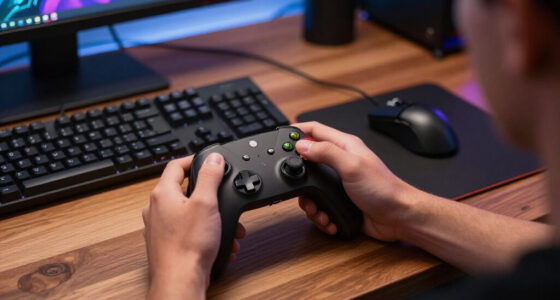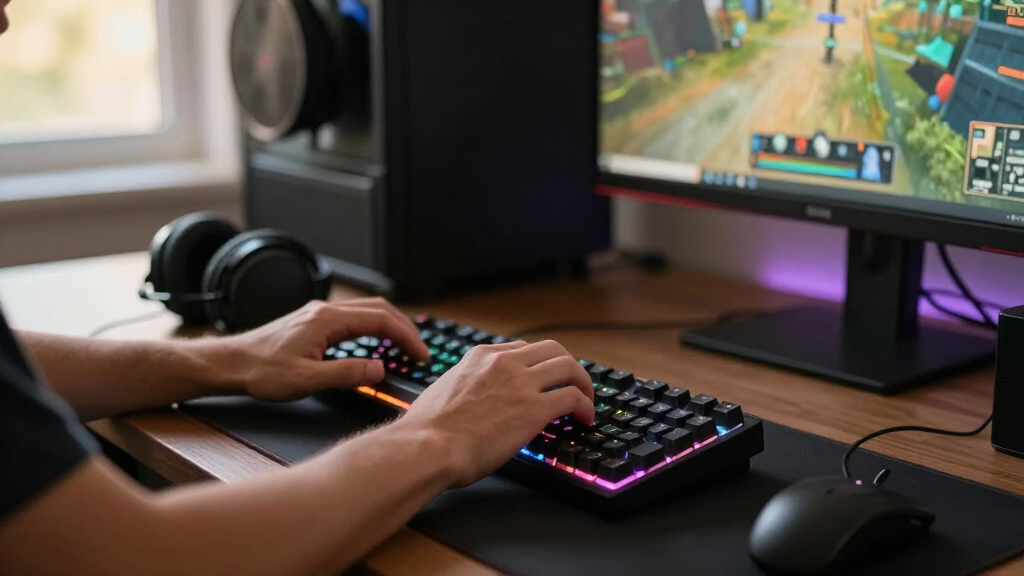

The best gaming keyboard for most players is the AULA F75, which pairs a compact 75% layout with wireless connectivity and hot-swap support. For adjustable key response, the AULA Win60 HE and AULA WIN68 HE stand out with Hall effect magnetic switches, while the Logitech G213 Prodigy offers a straightforward full-size wired option. The main tradeoffs are compactness versus dedicated keys, wired simplicity versus wireless flexibility, and conventional mechanical switches versus magnetic controls. I compare all 15 picks by how well their features suit different gaming setups and player priorities. Read on for the full breakdown, buying advice, and recommendations by use case.

Get games and gaming gear delivered free — and shop member deals
- Fast, free delivery on millions of items
- Access to Prime Big Deal Days deals on October 6–7
- Prime Video, Amazon Music and more included
Complete the kit



Key Takeaways
- The AULA F75 is the most balanced pick in this lineup: its 75% layout retains a useful key cluster while saving desk space, and wireless and hot-swap support add flexibility.
- Hall effect keyboards serve a narrower performance need: the AULA Win60 HE and WIN68 HE are the lineup’s magnetic-switch choices for players who want adjustable input behavior, but their smaller layouts require comfort with fewer keys.
- Layout matters as much as switch type: the F99 keeps a number pad, the F75 models preserve a compact navigation cluster, and the 60% and 65% boards trade dedicated keys for mouse room.
- Wireless convenience comes with more setup decisions: the AULA F99, F75, F75 Max, and Redragon S101M-KS offer different wireless approaches, while wired models keep the connection simple and charging out of the picture.
- Not every gaming setup needs a mechanical board: the Logitech G213, Razer Ornata V3, and SteelSeries Apex 3 provide alternatives for buyers prioritizing familiar full-size layouts or different key-feel preferences over hot-swap and magnetic features.
| Logitech G213 Prodigy Wired RGB Gaming Keyboard, Black |  | Best for a Familiar Full-Size Setup | Brand: Logitech | Model: G213 Prodigy | Connection: Wired | VIEW LATEST PRICE | See Our Full Breakdown |
| Redragon K671 Wired Mechanical Gaming Keyboard with Hot-Swappable Red Switches |  | Best Value for Switch Customization | Connection: Wired | Layout: 104-key QWERTY | Switches: Linear red | VIEW LATEST PRICE | See Our Full Breakdown |
| Redragon K668 108-Key Hot-Swappable Wired RGB Gaming Keyboard |  | Best Full-Size Board for RGB and Macros | Brand: Redragon | Model: K668 | Layout: 108-key full-size | VIEW LATEST PRICE | See Our Full Breakdown |
| AULA Win60 HE 60% Hall Effect Mechanical Gaming Keyboard | 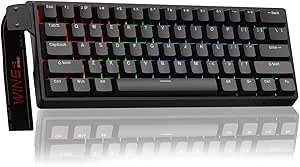 | Best Compact Keyboard for Rapid Trigger | Layout: 60%, QWERTY | Number of keys: 61 | Switches: Linear magnetic Graywood V3 Hall Effect switches | VIEW LATEST PRICE | See Our Full Breakdown |
| EPOMAKER x AULA F75 Max Wireless Mechanical Keyboard with TFT Screen and Knob |  | Best Wireless All-Rounder | Layout: 75% QWERTY | Number of keys: 80 | Connectivity: 2.4 GHz wireless, Bluetooth 5.0, and USB-C | VIEW LATEST PRICE | See Our Full Breakdown |
| GEODMAER 65% Wired Gaming Keyboard |  | Best Compact Membrane Pick | Layout: 65%, 68 keys | Connection: Wired USB-C, detachable cable | Switch type: Membrane | VIEW LATEST PRICE | See Our Full Breakdown |
| AULA F99 Tri-Mode Wireless Mechanical Keyboard |  | Best for Multi-Device Gaming | Layout: 99-key, 96% compact | Connectivity: Bluetooth 5.0, 2.4 GHz wireless, USB-C wired | Multi-device support: Up to five devices | VIEW LATEST PRICE | See Our Full Breakdown |
| Razer Ornata V3 Wired Gaming Keyboard |  | Best Low-Profile Full-Size Pick | Layout: QWERTY, 104 keys | Connectivity: Wired USB | Switch type: Clicky mecha-membrane | VIEW LATEST PRICE | See Our Full Breakdown |
| Redragon S101M-KS Tri-Mode Wireless Gaming Keyboard and Mouse Combo |  | Best Keyboard-and-Mouse Starter Set | Keyboard layout: QWERTY, 104 keys | Connectivity: Wired, Bluetooth, 2.4 GHz | Backlighting: RGB, 8 patterns | VIEW LATEST PRICE | See Our Full Breakdown |
| Redragon K580 Wired RGB Mechanical Gaming Keyboard |  | Best for Clicky Switch Customization | Layout: QWERTY, 104 keys | Connectivity: Wired USB-C | Switch type: Clicky Outemu Blue, hot-swappable | VIEW LATEST PRICE | See Our Full Breakdown |
| AULA F75 75% Wireless Mechanical Keyboard with Reaper Switches, RGB Backlighting, and Hot-Swap Support |  | Best Wireless Compact Mechanical Pick | Layout: 75%, listed as 81 keys | Switches: Linear LEOBOG Reaper switches | Connectivity: Bluetooth 5.0, 2.4 GHz wireless, USB-C wired | VIEW LATEST PRICE | See Our Full Breakdown |
| Logitech G316 X 98 Mechanical Gaming Keyboard, Linear Switches, Black |  | Best Compact Layout with a Numpad | Layout: 98% QWERTY | Key count: 96 | Switches: Linear mechanical, hot-swappable | VIEW LATEST PRICE | See Our Full Breakdown |
| TECKNET Wired Gaming Keyboard with RGB Backlighting |  | Best for Quiet, Spill-Resistant Gaming | Connection: Wired | Backlighting: 15-zone rainbow, 7 modes, 4 brightness levels | Typing angle: 7 degrees | VIEW LATEST PRICE | See Our Full Breakdown |
| SteelSeries Apex 3 RGB Gaming Keyboard |  | Best Multi-Platform Quiet Gaming Keyboard | RGB lighting: 10-zone illumination with reactive effects | Water resistance: IP32 | Switches: Whisper-quiet, rated for 20 million keypresses | VIEW LATEST PRICE | See Our Full Breakdown |
| AULA WIN68 HE 68-Key Magnetic Switch Gaming Keyboard |  | Best for Adjustable Actuation | Layout: 60%, QWERTY | Number of keys: 68 | Switches: Linear Hall Effect magnetic | VIEW LATEST PRICE | See Our Full Breakdown |
| gaming keyboard | Layout | Backlighting | Switches | Connectivity |
|---|---|---|---|---|
| Logitech G213 Prodigy Wired RG | Full-sized | — | — | — |
| Redragon K671 Wired Mechanical | 104-key QWERTY | 11 modes; color cannot be changed | Linear red | — |
| Redragon K668 108-Key Hot-Swap | 108-key full-size | — | Red linear; hot-swappable 3-pin or 5-pin switches | — |
| AULA Win60 HE 60% Hall Effect | 60%, QWERTY | RGB with 16.8 million colors | Linear magnetic Graywood V3 Hall Effect switches | — |
| EPOMAKER x AULA F75 Max Wirele | 75% QWERTY | RGB with 16.8 million colors | Linear; hot-swappable 3-pin and 5-pin switches | 2.4 GHz wireless, Bluetooth 5.0, and USB-C |
| GEODMAER 65% Wired Gaming Keyb | 65%, 68 keys | LED, multiple modes with adjustable brightness | — | — |
| AULA F99 Tri-Mode Wireless Mec | 99-key, 96% compact | — | Pre-lubed linear; hot-swappable 3-pin and 5-pin | Bluetooth 5.0, 2.4 GHz wireless, USB-C wired |
| Razer Ornata V3 Wired Gaming K | QWERTY, 104 keys | 10-zone RGB | — | Wired USB |
| Redragon S101M-KS Tri-Mode Wir | — | RGB, 8 patterns | — | Wired, Bluetooth, 2.4 GHz |
| Redragon K580 Wired RGB Mechan | QWERTY, 104 keys | RGB | — | Wired USB-C |
| AULA F75 75% Wireless Mechanic | 75%, listed as 81 keys | RGB, 16.8 million colors, 16 lighting effects | Linear LEOBOG Reaper switches | Bluetooth 5.0, 2.4 GHz wireless, USB-C wired |
| Logitech G316 X 98 Mechanical | 98% QWERTY | LIGHTSYNC RGB | Linear mechanical, hot-swappable | Wired USB-A/USB-C |
| TECKNET Wired Gaming Keyboard | — | 15-zone rainbow, 7 modes, 4 brightness levels | — | — |
| SteelSeries Apex 3 RGB Gaming | — | — | Whisper-quiet, rated for 20 million keypresses | — |
| AULA WIN68 HE 68-Key Magnetic | 60%, QWERTY | — | Linear Hall Effect magnetic | Wired USB-C; detachable cable |
More Details on Our Top Picks
Logitech G213 Prodigy Wired RGB Gaming Keyboard, Black
The Logitech G213 Prodigy is a straightforward pick for players who want a full-size layout, dedicated media controls, and lighting that can sync with other Logitech gear. Its anti-ghosting gaming matrix supports registering multiple key presses, while the integrated palm rest adds a little support for longer sessions. Compared with the mechanical Redragon K671, the G213 is a less customizable choice for switch feel, but it offers five-zone RGB control and a spill- and debris-resistant design. That resistance can make routine cleanup easier, though it is not a reason to expose the keyboard to liquids. The tradeoff is a wired connection and broad footprint; buyers seeking a compact board or wireless placement flexibility should look at the AULA F75 Max instead.
Pros:- Five customizable RGB zones with Logitech G HUB synchronization
- Anti-ghosting gaming matrix for simultaneous key presses
- Dedicated media controls and integrated palm rest
- Spill- and debris-resistant design can simplify cleanup
Cons:- Wired connection limits placement flexibility
- Full-size layout occupies more desk space than compact options
- Does not offer the hot-swappable switches found on the Redragon K671 and K668
Best for: PC gamers who want a familiar full-size layout, dedicated media controls, and Logitech G HUB lighting without needing a mechanical switch swap.
Not ideal for: Desk-space-conscious players or anyone who needs wireless connectivity, a compact layout, or customizable mechanical switches.
- Brand:Logitech
- Model:G213 Prodigy
- Connection:Wired
- Layout:Full-sized
- Lighting:Five customizable RGB zones; over 16.8 million colors
- Software:Logitech G HUB
- Gaming features:Anti-ghosting gaming matrix and dedicated media controls
- Ergonomics:Integrated palm rest and adjustable feet
- Color:Black
Our verdict“Choose the G213 if you want a practical, full-size wired gaming keyboard with media controls and Logitech lighting, and skip it if switch customization or a smaller footprint matters more.”
Redragon K671 Wired Mechanical Gaming Keyboard with Hot-Swappable Red Switches
The Redragon K671 suits players who want a mechanical board they can modify without soldering. Its hot-swappable linear red switches make trying compatible replacements more approachable, and four spare switches are included for experimentation or replacement. Full-key anti-ghosting and software-based macro editing add useful gaming controls, while 12 multimedia shortcuts keep common functions close at hand. Compared with the Redragon K668, the K671 is the more restrained option: it has 104 keys and multiple backlight modes, but its backlight color cannot be changed and it lacks the K668’s customizable RGB effects and extra shortcut keys. That makes the K671 a sensible fit for function-first buyers, not players building a coordinated lighting setup. Its wired-only connection also rules out wireless play.
Pros:- Hot-swappable linear red switches with four spare switches included
- Full-key anti-ghosting supports simultaneous key presses
- Software supports key remapping and macro editing
- 12 multimedia shortcuts and 11 backlight modes
Cons:- Backlight color cannot be changed
- Wired connectivity only
- Full 104-key layout uses more desk space than compact boards
Best for: Mechanical-keyboard newcomers who want a full 104-key board, linear switches they can replace, and software macros without soldering.
Not ideal for: Players who want adjustable RGB colors, wireless use, or a compact keyboard that leaves more room for mouse movement.
- Connection:Wired
- Layout:104-key QWERTY
- Switches:Linear red
- Hot-swappable:Yes
- Backlighting:11 modes; color cannot be changed
- Anti-ghosting:Full-key
- Software features:Key remapping and macro editing
- Multimedia shortcuts:12
- Included spare switches:4
Our verdict“Pick the K671 if switch swapping and gaming controls matter more than wireless use or customizable lighting color.”
Redragon K668 108-Key Hot-Swappable Wired RGB Gaming Keyboard
The Redragon K668 brings more control and customization to a full-size gaming layout than the K671. Its 19 RGB modes, adjustable lighting, four dedicated shortcut keys, and software for macros and remapping give players several ways to tailor the board to a game or setup. Hot-swapping compatible three- and five-pin switches without soldering also leaves room to change the feel later. The included mixed-color keycap sets offer a simple visual change, rather than requiring a new keyboard. The compromise is its wired-only connection and stock linear switches, which may not suit people who prefer a tactile bump or audible click. Unlike the AULA Win60 HE, the K668 is a conventional full-size layout rather than a compact Hall Effect board focused on adjustable actuation.
Pros:- Hot-swappable support for compatible 3-pin and 5-pin switches
- 19 RGB modes with adjustable brightness and speed
- Four dedicated shortcut keys and software macros
- Includes two mixed-color keycap sets and adjustable two-stage feet
Cons:- Wired connectivity only
- Stock linear switches may not suit tactile- or click-switch fans
- Full-size layout takes up more desk space than 60% and 65% options
Best for: PC gamers who want a full-size board with customizable RGB, dedicated shortcuts, macros, and the option to change compatible switches.
Not ideal for: Players who prefer tactile or clicky switches, need wireless connectivity, or want a compact board for more mouse space.
- Brand:Redragon
- Model:K668
- Layout:108-key full-size
- Connection:Wired
- Switches:Red linear; hot-swappable 3-pin or 5-pin switches
- Lighting:RGB with 19 preset modes, adjustable brightness and speed, and music-sync mode
- Extra keys:Four dedicated shortcut keys
- Software:Custom shortcuts, lighting effects, and macros
- Ergonomics and included keycaps:Adjustable two-stage feet; two mixed-color keycap sets
Our verdict“Choose the K668 for a feature-rich full-size wired board you can customize, but look elsewhere if you need wireless play or non-linear switches out of the box.”
AULA Win60 HE 60% Hall Effect Mechanical Gaming Keyboard
The AULA Win60 HE is the specialist pick here: a compact 61-key board built around magnetic Hall Effect switches and adjustable actuation. Its 0.02 mm rapid-trigger step distance gives competitive players fine control over when keys reset, while polling rates up to 8000 Hz target fast input reporting. The 60% layout frees desk space for wide mouse movement, a sharper contrast with the full-size Redragon K668 and Logitech G213. That compact footprint comes with real sacrifices: arrow keys and other dedicated keys are absent from the 61-key layout, and the listed compatibility is limited to Windows PCs and laptops. Compared with the AULA F75 Max, it also gives up wireless connections and a larger set of keys. This is a focused wired gaming tool, not a flexible all-purpose keyboard.
Pros:- Hall Effect switches with adjustable actuation
- Rapid-trigger step distance of 0.02 mm
- Polling rates up to 8000 Hz
- Compact 60% layout with customizable RGB and programmable keys
Cons:- 61-key layout omits dedicated keys available on larger boards
- USB-C wired connection only
- Compatibility is specified for Windows; PlayStation 4 and 5 are not supported
Best for: Windows-based competitive players who want a very compact layout and adjustable Hall Effect actuation for rapid in-game inputs.
Not ideal for: Buyers who rely on dedicated arrow or function keys, need wireless connectivity, or want listed compatibility with PlayStation or other operating systems.
- Layout:60%, QWERTY
- Number of keys:61
- Switches:Linear magnetic Graywood V3 Hall Effect switches
- Rapid-trigger step distance:0.02 mm
- Polling rate:Up to 8000 Hz
- Connection:USB-C wired
- Backlighting:RGB with 16.8 million colors
- Compatible operating systems:Windows
Our verdict“Get the Win60 HE if compact dimensions and adjustable rapid-trigger behavior are your priorities, but choose a larger board for everyday navigation keys or broader device flexibility.”
EPOMAKER x AULA F75 Max Wireless Mechanical Keyboard with TFT Screen and Knob
The EPOMAKER x AULA F75 Max is the most flexible choice in this group for players who switch between gaming and general computer use. Its 75% layout keeps a useful range of keys in 80 positions, while Bluetooth, 2.4 GHz, and USB-C let you choose wireless convenience or a wired setup. Hot-swappable switches, a volume knob, and a customizable TFT screen add more ways to tailor the board than the wired Logitech G213. The gasket mount and sound-dampening layers are designed for a softer, quieter typing feel, a different priority from the rapid-trigger focus of the AULA Win60 HE. Its tradeoffs are practical: the reduced layout may take adjustment for full-size users, and the keyboard is not water resistant. Its 1000 Hz polling rate applies to USB and 2.4 GHz modes.
Pros:- Three connection modes: Bluetooth, 2.4 GHz wireless, and USB-C
- Hot-swappable support for compatible 3-pin and 5-pin switches
- Customizable TFT screen, volume knob, and RGB lighting
- Gasket mount and sound-dampening layers are designed for a softer typing feel
Cons:- 80-key layout may require adjustment for users accustomed to full-size boards
- Not water resistant
- 1000 Hz polling rate is listed for USB and 2.4 GHz modes, not Bluetooth
Best for: Players who want one customizable keyboard for gaming across multiple devices, with both wireless options and a wired mode.
Not ideal for: Full-size keyboard users who depend on a complete key layout, or anyone who needs a water-resistant keyboard for a spill-prone desk.
- Layout:75% QWERTY
- Number of keys:80
- Connectivity:2.4 GHz wireless, Bluetooth 5.0, and USB-C
- Switches:Linear; hot-swappable 3-pin and 5-pin switches
- Backlighting:RGB with 16.8 million colors
- Polling rate:1000 Hz in USB and 2.4 GHz modes
- Compatible operating systems:Windows, Mac, Linux, and Android
- Additional controls:Customizable TFT screen and volume knob
- Water resistance:Not water resistant
Our verdict“Choose the F75 Max if you want wireless flexibility and a customizable 75% board for gaming and everyday typing, but avoid it if you need a full-size layout or spill resistance.”
GEODMAER 65% Wired Gaming Keyboard
The GEODMAER is the space-saving choice for players who want a smaller keyboard without paying for mechanical switches. Its 65% layout leaves more room for mouse movement than the full-size Razer Ornata V3, while retaining 68 keys. The detachable USB-C cable is handy for packing up or replacing a damaged lead, and 26-key anti-ghosting supports multi-key inputs in many games. Adjustable LED modes add visibility without requiring a bulky setup.
The tradeoff is the membrane action: it may feel quieter and softer than mechanical options such as the Redragon K580, but it will not provide the same distinct switch feedback. There is also no numpad, and the listed compatibility is limited to Windows PCs and laptops. I’d choose it for compact, straightforward gaming rather than switch customization or data-heavy work.
Pros:- Compact 68-key layout leaves more room for mouse movement.
- Detachable USB-C cable is replaceable and easier to pack.
- Adjustable LED brightness and multiple lighting modes.
- 26-key anti-ghosting supports simultaneous key presses.
Cons:- Membrane switches lack the distinct tactile response of mechanical keyboards such as the Redragon K580.
- No numpad can hinder spreadsheet work and number-heavy tasks.
- Product information lists Windows compatibility only.
Best for: Windows gamers with limited desk space who want a compact, quieter keyboard and do not need a numpad.
Not ideal for: Players who want crisp mechanical switch feedback, a number pad, or stated support for macOS and Linux.
- Layout:65%, 68 keys
- Connection:Wired USB-C, detachable cable
- Switch type:Membrane
- Anti-ghosting:26-key no-conflict
- Backlighting:LED, multiple modes with adjustable brightness
- Keystroke lifespan:10,000,000+ keystrokes
- Compatibility:PC, laptop, Windows
- Color:Black and silver gray
Our verdict“Choose the GEODMAER if desk space and a quieter membrane feel matter more than mechanical feedback or a numpad.”
AULA F99 Tri-Mode Wireless Mechanical Keyboard
The AULA F99 suits gamers who want one mechanical keyboard for a gaming PC and several other devices. Bluetooth, 2.4 GHz, and USB-C connections support up to five devices, a flexibility the wired Redragon K580 cannot match. Its 99-key, 96% layout keeps a number area and arrow keys while taking less room than a conventional full-size board. Pre-lubed linear switches, hot-swap support, and layered sound-dampening give buyers more room to tailor the feel and sound.
That versatility comes with setup and space tradeoffs. The compact arrangement may take adjustment, and RGB effects and macros require the driver. Compared with the simpler GEODMAER 65%, the F99 offers mechanical switches, wireless use, and more keys, but it is a more involved choice. I’d pick it for a multi-device desk, not for someone who wants a basic plug-and-play wired keyboard.
Pros:- Bluetooth, 2.4 GHz, and USB-C support up to five devices.
- 96% layout retains arrow keys and a number area in less space than a full-size board.
- Hot-swappable 3-pin and 5-pin switch support allows later customization.
- Gasket structure and five-layer sound-dampening fill aim to soften typing sound and feel.
Cons:- The compact arrangement may take time to learn if you are used to a full-size keyboard.
- RGB effects and macro customization require the driver.
- Its feature set is more involved than a straightforward wired option such as the GEODMAER 65%.
Best for: Players who switch between a gaming PC and other devices and want a compact mechanical layout with wireless options.
Not ideal for: Buyers who prefer a standard full-size layout, want simple onboard customization, or only need a basic wired keyboard.
- Layout:99-key, 96% compact
- Connectivity:Bluetooth 5.0, 2.4 GHz wireless, USB-C wired
- Multi-device support:Up to five devices
- Switches:Pre-lubed linear; hot-swappable 3-pin and 5-pin
- Lighting:RGB, 16 effects, 16.8 million colors
- Keycaps:Double-shot PBT
- Battery:8000mAh rechargeable
- Other features:N-key rollover, macro customization, gasket structure, five-layer sound-dampening fill
Our verdict“Choose the AULA F99 if you want one customizable mechanical keyboard for several devices and can adapt to its condensed layout.”
Razer Ornata V3 Wired Gaming Keyboard
The Ornata V3 is a good fit for players who want a full-size keyboard with a lower profile and a defined click. Its clicky mecha-membrane switches offer a different feel from the AULA F99’s pre-lubed linear mechanical switches, while the 104-key layout and dedicated media controls keep everyday tasks within easy reach. The magnetic soft-touch wrist rest adds support during longer sessions, and 10-zone RGB provides lighting without the more extensive customization of some mechanical alternatives.
This is a wired, Windows-focused board, so it gives up the multi-device flexibility of the AULA F99 and the switch-swapping options of the Redragon K580. Its click is also not a quiet choice. I’d favor the Ornata when low-profile key height, media access, and an included wrist rest matter more than wireless use or mechanical switch customization.
Pros:- Low-profile design supports a lower hand position than taller keyboard designs.
- Dedicated media keys provide quick access to playback controls.
- Magnetic soft-touch wrist rest is included.
- 10-zone RGB backlighting and UV-coated keycaps.
Cons:- Wired USB connection offers less flexibility than the tri-mode AULA F99.
- Clicky mecha-membrane switches may be distracting in quiet or shared rooms.
- Listed compatibility is Windows 10 or later.
Best for: Windows gamers who want a full-size, lower-profile keyboard with clicky keys, dedicated media controls, and wrist support.
Not ideal for: Wireless users, people who want to swap mechanical switches, or anyone seeking a quiet keyboard for shared spaces.
- Layout:QWERTY, 104 keys
- Connectivity:Wired USB
- Switch type:Clicky mecha-membrane
- Backlighting:10-zone RGB
- Keycaps:UV-coated
- Wrist rest:Magnetic soft-touch
- Compatibility:Windows 10 or later
- Dimensions and weight:17.46 x 5.68 x 1.23 in; 3.1 lb
- Warranty:2 years
Our verdict“Pick the Ornata V3 if you want a lower-profile full-size Windows keyboard with media keys and a wrist rest, and do not need wireless connectivity.”
Redragon S101M-KS Tri-Mode Wireless Gaming Keyboard and Mouse Combo
The Redragon S101M-KS makes the most sense for a player building a setup from scratch: it supplies a full-size keyboard and a seven-button mouse, rather than asking you to choose each separately. Both devices offer wired, Bluetooth, and 2.4 GHz connections, giving this combo a flexibility the wired Razer Ornata V3 lacks. The keyboard adds multimedia keys, splash resistance, RGB patterns, and a Windows lock function; the mouse’s adjustable DPI reaches 4800 for changing cursor sensitivity.
Its main compromise is that this is a practical bundle, not a mechanical-keyboard pick. The listing does not specify the keyboard’s switch type, so buyers seeking the defined mechanical feel of the Redragon K580 should look there instead. The up-to-300-hour battery claim applies with RGB off, and the stated compatibility is Windows 7 or later. I’d choose this set for convenience and mixed-use wireless flexibility, not switch customization.
Pros:- Includes a 104-key keyboard and seven-button mouse in one set.
- Both devices support wired, Bluetooth, and 2.4 GHz connections.
- Keyboard has multimedia keys, splash resistance, and a Windows lock function.
- Mouse DPI settings range up to 4800.
Cons:- Keyboard switch type is not specified, unlike the mechanical Redragon K580.
- The up-to-300-hour keyboard battery life is stated for RGB-off use.
- Listed operating system compatibility is Windows 7 or later.
Best for: Windows gamers who need both a full-size keyboard and a configurable mouse, with wired and wireless connection options.
Not ideal for: Buyers who already own a suitable mouse, want specified mechanical switches, or need listed macOS or Linux compatibility.
- Keyboard layout:QWERTY, 104 keys
- Connectivity:Wired, Bluetooth, 2.4 GHz
- Backlighting:RGB, 8 patterns
- Mouse:7 buttons; 800, 1200, 1600, 3200, or 4800 DPI
- Mouse polling rate:125–1000 Hz
- Keyboard battery life:Up to 300 hours with RGB off
- Cable:6-foot detachable USB-C
- Compatibility:Windows 7 or later
- Warranty:36 months
Our verdict“Choose the S101M-KS if you need a keyboard and mouse together and value three connection modes over a clearly specified mechanical switch feel.”
Redragon K580 Wired RGB Mechanical Gaming Keyboard
The K580 is the mechanical pick here for players who want a conventional full-size layout, audible feedback, and useful controls close at hand. Its clicky Outemu Blue switches provide a more pronounced sound and press than the membrane-based GEODMAER 65% or Razer Ornata V3. Five onboard macro keys let you assign game actions without relying on software for basic macro use, while dedicated media controls and a volume roller make adjustments quick. Hot-swappable switches also leave room to change the typing feel later.
That customization is not silent: the Blue switches are a poor match for shared rooms or players who prefer quiet input. The keyboard is wired-only, unlike the wireless AULA F99, and advanced RGB effects and macro profiles require companion software. I’d rank it for gamers who value physical controls and switch flexibility over wireless convenience or a subdued sound profile.
Pros:- Hot-swappable switches allow changes without soldering.
- Five dedicated onboard macro keys support quick game-specific commands.
- Dedicated media controls and volume roller simplify audio adjustments.
- Full anti-ghosting supports simultaneous key inputs.
Cons:- Outemu Blue switches are audibly clicky and may disturb others nearby.
- Wired USB-C connection lacks the device flexibility of the AULA F99.
- Advanced RGB effects and macro profiles require companion software.
Best for: Players who want a full-size mechanical gaming keyboard with clicky feedback, onboard macro keys, and the option to swap switches.
Not ideal for: People gaming in shared or quiet spaces, wireless users, or buyers who want advanced lighting and macro controls without companion software.
- Layout:QWERTY, 104 keys
- Connectivity:Wired USB-C
- Switch type:Clicky Outemu Blue, hot-swappable
- Backlighting:RGB
- Macro keys:5 dedicated onboard keys
- Media controls:Dedicated controls and volume roller
- Keycaps:Double-shot
- Anti-ghosting:Full anti-ghosting
- Compatibility:Linux, macOS, Windows
Our verdict“Choose the K580 if you want clicky mechanical feedback and onboard controls, and can accept a wired connection and noticeable switch noise.”
AULA F75 75% Wireless Mechanical Keyboard with Reaper Switches, RGB Backlighting, and Hot-Swap Support
The AULA F75 combines a space-saving 75% layout with arrow keys, a function row, and a knob, making it a more versatile desk fit than the smaller AULA WIN68 HE. Its three connection modes and support for up to five devices also suit players who switch between a gaming PC and other devices. Linear Reaper switches arrive pre-lubricated, while hot-swap sockets let owners change compatible 3-pin or 5-pin switches without replacing the board. That flexibility comes with a tradeoff: wireless play avoids cable clutter, but the WIN68 HE offers adjustable actuation and fast trigger features aimed more directly at competitive gaming. The F75’s sound-dampening build and rechargeable battery round out its everyday appeal. Some product details conflict on whether it has 80 or 81 keys, and advanced lighting and macro tools require a driver.
Pros:- Bluetooth, 2.4 GHz wireless, and USB-C wired connections support up to five devices
- Hot-swap sockets accept compatible 3-pin and 5-pin switches
- 75% layout keeps arrow keys and function row while saving desk space
- Multifunction knob, programmable keys, and customizable RGB lighting
Cons:- Conflicting listing details give the key count as either 80 or 81
- Macro programming and music-reactive lighting require a driver
- Wireless play adds charging and connection management compared with wired options like the AULA WIN68 HE
Best for: Players who want a compact mechanical keyboard with arrow keys and wireless switching between a gaming PC and several other devices.
Not ideal for: Competitive players seeking adjustable Hall Effect actuation, or buyers who want to customize macros and reactive lighting without installing software.
- Layout:75%, listed as 81 keys
- Switches:Linear LEOBOG Reaper switches
- Connectivity:Bluetooth 5.0, 2.4 GHz wireless, USB-C wired
- Device support:Up to five devices
- Hot-swap support:Compatible with 3-pin and 5-pin switches
- Battery:Rechargeable, 4000 mAh
- Backlighting:RGB, 16.8 million colors, 16 lighting effects
- Compatibility:Windows and macOS
Our verdict“Choose the AULA F75 if you want a compact mechanical gaming keyboard that can move between devices; pick the WIN68 HE instead for adjustable magnetic-switch performance.”
Logitech G316 X 98 Mechanical Gaming Keyboard, Linear Switches, Black
The Logitech G316 X 98 suits players who need a numpad but don’t want the footprint of a conventional full-size board. Its 98% layout keeps most full-size functionality in a more compact arrangement than the AULA F75, which trades away the numpad for a smaller 75% frame. The 8 kHz report rate, hot-swappable linear switches, and double-shot PBT keycaps make this the more feature-rich wired choice in this group. An onboard display and dial add quick access to media and settings, though customization relies on G HUB. That software dependence is a drawback for anyone who wants a simpler setup, and its wired-only connection gives it less placement flexibility than the wireless F75. I’d shortlist it for a crowded desk where number entry and gaming controls both matter.
Pros:- 98% layout retains a numpad and full-size functionality in a compact footprint
- 8 kHz report rate and linear mechanical switches are geared toward responsive play
- Hot-swappable switches and double-shot PBT keycaps support personalization and durable legends
- Onboard display and dial provide direct access to media and settings
Cons:- Wired-only USB connection limits placement flexibility
- Lighting and macro customization depend on G HUB
- Larger than compact 75% and 68-key options such as the AULA F75 and WIN68 HE
Best for: PC players who regularly use a numpad for games, work, or number entry but have limited desk space.
Not ideal for: Players who need wireless placement flexibility or prefer to avoid software for lighting and macro customization.
- Layout:98% QWERTY
- Key count:96
- Switches:Linear mechanical, hot-swappable
- Connectivity:Wired USB-A/USB-C
- Report rate:8 kHz
- Keycaps:Double-shot PBT
- Backlighting:LIGHTSYNC RGB
- Dimensions:15.12 × 5.51 × 1.57 in
Our verdict“Pick the G316 X 98 if you want a numpad and gaming-focused wired features in a compact layout, but skip it if wireless use is a priority.”
TECKNET Wired Gaming Keyboard with RGB Backlighting
The TECKNET Wired Gaming Keyboard prioritizes comfortable, low-fuss play over mechanical customization. Its quiet switches, integrated wrist rests, and stepped layout are a better fit for shared rooms or long sessions than the more gaming-tuned magnetic switches in the AULA WIN68 HE. IP32 spill resistance and drainage holes add a practical layer of protection against small accidents, while 25-key anti-ghosting supports simultaneous inputs during games that use several keys at once. The tradeoff is that the listing doesn’t specify a mechanical switch type, and its 15-zone rainbow lighting offers less per-key flexibility than the customizable RGB on the AULA boards. It’s wired, too, so it won’t match the F75’s freedom to move between devices. Mac users should note that the multimedia keys aren’t compatible, and the backlight sleeps after inactivity.
Pros:- Quiet switches suit shared rooms and late-night sessions
- Integrated wrist rests and a 7-degree typing angle support a more relaxed desk setup
- IP32 spill resistance and drainage holes help guard against accidental spills
- 25-key anti-ghosting and 12 multimedia keys add practical gaming and media controls
Cons:- Multimedia keys are not compatible with Mac
- Backlight enters sleep mode after 30 minutes of inactivity
- 15-zone rainbow lighting is less customizable than the RGB systems on the AULA F75 and WIN68 HE
Best for: Players in shared spaces who want quiet key presses, built-in wrist support, and spill protection for everyday gaming.
Not ideal for: Mac users who rely on dedicated multimedia keys, or players seeking hot-swap mechanical switches and per-key RGB control.
- Connection:Wired
- Backlighting:15-zone rainbow, 7 modes, 4 brightness levels
- Typing angle:7 degrees
- Switch lifespan:Rated for 50 million keystrokes
- Spill resistance:IP32, with drainage holes
- Anti-ghosting:Up to 25 simultaneous keys
- Multimedia keys:12; not compatible with Mac
Our verdict“Choose TECKNET for quiet, comfortable gaming with spill protection, but look elsewhere for mechanical switch customization or Mac multimedia controls.”
SteelSeries Apex 3 RGB Gaming Keyboard
The SteelSeries Apex 3 is the straightforward choice for players who want quiet key presses, a wrist rest, and broad platform compatibility rather than mechanical-switch customization. Its listed support for Windows, Mac, Xbox, and PlayStation makes it more flexible across gaming setups than the Windows-only configuration software for the AULA WIN68 HE. IP32 water resistance and dedicated media controls suit a board that may also handle everyday computer use. Compared with the TECKNET, the Apex 3 adds compatibility with major consoles and a magnetic wrist rest, while the TECKNET specifies 25-key anti-ghosting and drainage holes. The Apex 3’s 10-zone RGB is less granular than the TECKNET’s 15-zone lighting, and its switches are rated for 20 million keypresses. It’s a practical pick, not a hot-swap or high-adjustability option.
Pros:- Whisper-quiet switches suit shared spaces
- IP32 water resistance helps protect against accidental spills
- Magnetic wrist rest provides palm support
- Dedicated media controls and broad PC and console compatibility
Cons:- Switches are rated for 20 million keypresses, below TECKNET’s stated 50-million-keystroke lifespan
- 10-zone RGB offers less lighting control than the TECKNET’s 15-zone system
- No listed hot-swap support or adjustable actuation for switch customization
Best for: Console and PC players who want a quiet keyboard with a wrist rest and dedicated media controls for a shared gaming setup.
Not ideal for: Players who want mechanical switches, hot-swap support, adjustable actuation, or highly granular RGB customization.
- RGB lighting:10-zone illumination with reactive effects
- Water resistance:IP32
- Switches:Whisper-quiet, rated for 20 million keypresses
- Wrist rest:Magnetic
- Controls:Dedicated multimedia controls
- Compatibility:Windows, Mac OS X, Xbox Series S/X, PS4, PS5
Our verdict“Choose the Apex 3 for quiet play across PC and consoles with a wrist rest and media controls, not for mechanical customization.”
AULA WIN68 HE 68-Key Magnetic Switch Gaming Keyboard
The AULA WIN68 HE is the most competition-focused pick here: its Hall Effect switches let players adjust actuation and use fast trigger settings, features the mechanical AULA F75 doesn’t offer. The 0.02–3.44 mm actuation range lets players tune key response to their preferences, while the 8,000 Hz polling rate and stated 0.3 ms response time target rapid input handling. Its 68-key layout keeps arrow keys in a compact footprint, but it omits the number row and other keys found on the F75 and Logitech G316 X 98. This is a wired board, so it gives up the F75’s Bluetooth and 2.4 GHz options. Its web driver also supports Windows only, which may limit setup and customization for Mac users. The plastic enclosure keeps the feature set focused rather than premium-feeling.
Pros:- Adjustable Hall Effect actuation and fast trigger settings support personalized key response
- 8,000 Hz polling rate and stated 0.3 ms response time target rapid input
- 68-key layout retains arrow keys while saving desk space
- Detachable USB-C cable and programmable keys add practical flexibility
Cons:- Web driver is compatible with Windows only
- Wired connection limits placement flexibility compared with the AULA F75
- Compact layout omits keys and number-row access available on the F75 and Logitech G316 X 98
Best for: Competitive PC players who want adjustable magnetic-switch actuation, fast trigger settings, and a compact keyboard that retains arrow keys.
Not ideal for: Mac users who need Windows-independent configuration, players who want wireless connectivity, or those who need a numpad and full key set.
- Layout:60%, QWERTY
- Number of keys:68
- Switches:Linear Hall Effect magnetic
- Actuation range:0.02–3.44 mm
- Polling rate:8,000 Hz
- Response time:0.3 ms
- Connectivity:Wired USB-C; detachable cable
- Compatibility:Windows driver; listed for PC, laptop, and gaming console
Our verdict“Pick the WIN68 HE if adjustable magnetic switches and compact competitive play matter more than wireless use, a numpad, or cross-platform software.”
How We Picked
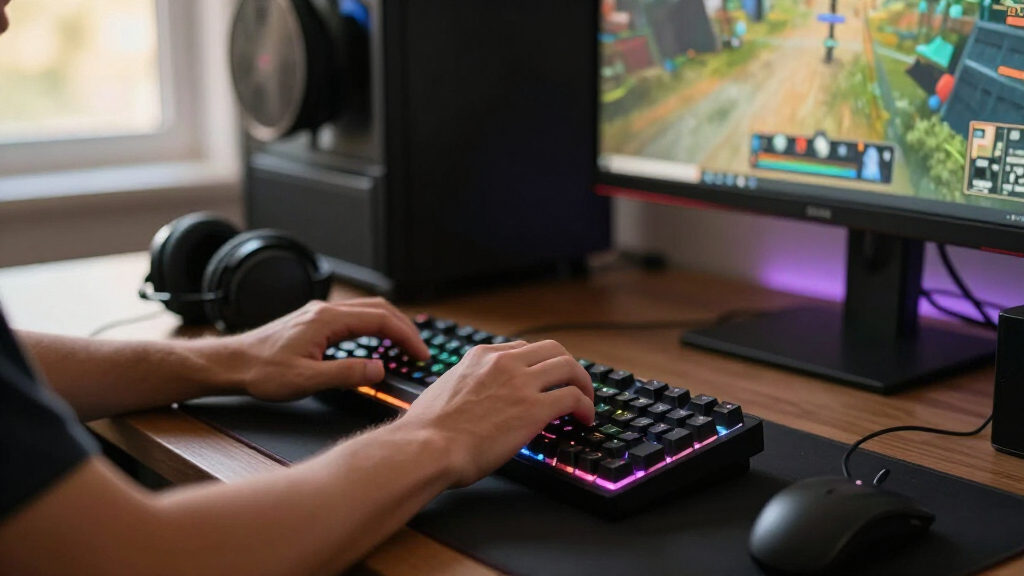
I ranked these keyboards by how effectively their features support real gaming setups, rather than by feature count alone. The main criteria were layout and desk fit, switch behavior, connection options, useful gaming controls, construction and maintenance flexibility, and how many types of players a keyboard can serve. A compact board can be a strong choice for mouse-heavy games, but it ranks lower for a buyer who relies on a number pad or dedicated navigation keys.
The AULA F75 leads for balance because its layout, wireless operation, and hot-swap support suit a broad range of players. I placed the Hall effect models higher for buyers who specifically value adjustable magnetic input, but their smaller layouts make them less universal. Full-size wired and membrane-style alternatives remain worthwhile for simplicity and familiar layouts, though they lack some of the customization and flexibility offered by the leading compact mechanical picks. The ranking reflects those differences, not a claim that one switch type or layout is best for everyone.
Factors to Consider When Choosing Best Gaming Keyboards
Before choosing a keyboard, I would match the layout and connection to the way you actually play and work. Then weigh switch behavior and customization against setup simplicity: extra features help only when they solve a real problem for your hands, desk, or games.
Choose a layout around the keys you use
A full-size board gives you a number pad and dedicated navigation keys, which can be useful for work, shortcuts, and games that use many bindings. A 75% layout saves space but typically retains a function row and a navigation cluster, making it a practical middle ground. Smaller 60% and 65% boards leave more room for wide mouse movements, but some commands require key combinations or remapping. Before buying compact, check whether you regularly use arrow keys, function keys, or a number pad. A common mistake is choosing the smallest board for its appearance, then finding that essential commands feel awkward. If the keyboard doubles as a work tool, prioritizing the keys you use every day can matter more than saving a few inches of desk space.
Match switch behavior to your games and typing
Linear switches generally move without a tactile bump, while tactile or clicky designs provide more noticeable feedback; preferences vary, so neither category is automatically better for gaming. Hall effect magnetic switches add adjustable actuation options on supported models, which can appeal to players who want to tune key response. That added control may bring software setup and a learning curve, so it is less compelling if you prefer a plug-in-and-play keyboard. Hot-swap support lets you replace compatible switches without soldering, giving a board more room to adapt over time. Check switch compatibility before assuming any replacement will fit. If you share a room or take calls nearby, think about sound as well as feel, since switch noise can affect other people even when it does not bother you.
Decide whether wireless convenience is worth managing
Wireless models can reduce desk clutter and make it easier to move a keyboard between devices or positions. Tri-mode designs offer more connection choices, but those options are useful only if they match the devices and connection methods you plan to use. Wireless also adds battery upkeep and another component to troubleshoot if a connection drops. Wired keyboards avoid charging and pairing, which can be an advantage for a fixed desktop setup. Do not assume that wireless alone makes a keyboard more convenient: a cable routed neatly across the desk may be simpler than managing power. Check which connection modes the specific model supports and whether switching between them fits your routine.
Pay for features you will use, not just a longer feature list
RGB lighting, a knob, a screen, and programmable controls can make a keyboard easier to personalize, but they do not automatically improve in-game performance. A dedicated control is valuable when it replaces a frequent keyboard shortcut or gives quick access to a setting you change often. Hot-swap support matters more if you expect to experiment with switches or want a repair path later. Extra software features can also add configuration work, so buyers who prefer simple setups may be better served by a less elaborate board. I would prioritize dependable access to the functions you actually use over decorative extras. If two keyboards fit your hands and desk equally well, select the one with fewer unused features and less setup friction.
Check space, sound, and shared-room needs
Keyboard dimensions affect more than desk appearance: a wide model can push a mouse outward and change arm position during long sessions. Measure the usable space beside your monitor and leave room for the mouse to move freely. Switch sound and key feel can also shape whether a board suits a shared room, streaming setup, or late-night play. RGB brightness may be adjustable, but lighting preferences differ, so check whether the controls offer the level of customization you want. A wrist rest or compact footprint cannot fix a poor desk height or awkward typing posture by itself. Treat ergonomics as a fit between the whole setup, not as a feature label on the keyboard box.
Think about maintenance and future flexibility
Keyboards collect dust and debris, and some layouts are more involved to clean than others because they have more keys and crevices. Hot-swap support can make compatible switch changes easier, but it does not mean every repair is simple or that all switches will work. Removable keycaps help with cleaning only when the board and keycap design support removal safely. If you want a keyboard to last through changing preferences, look at its repair and customization options rather than focusing only on its current setup. Buyers who do not plan to modify anything may value a straightforward board more than one with many upgrade paths. Keep the manual and check the maker’s compatibility guidance before replacing parts.
Frequently Asked Questions
Should I choose a Hall effect keyboard or a standard mechanical keyboard for gaming?
I would choose Hall effect switches if adjustable actuation is a feature you expect to configure and use, rather than buying them solely because they are a newer switch type. The AULA Win60 HE and WIN68 HE are the magnetic-switch options in this lineup, but both use compact layouts that may require adapting to fewer dedicated keys. Standard mechanical models such as the AULA F75 and Redragon K671 suit buyers who want a more familiar switch-based setup, and hot-swap support on some boards can allow later changes. Consider the games you play, how much you rely on custom bindings, and whether you want to spend time tuning settings. If you value simplicity over adjustment, a conventional mechanical board may be the easier fit.
Is a 60% or 65% keyboard too small for everyday use?
It depends on whether you use dedicated arrow, navigation, and function keys often. Compact boards such as the AULA Win60 HE and GEODMAER 65% leave more space for mouse movement, which can suit focused gaming setups. The tradeoff is that some commands sit behind key combinations, and the exact layout can take practice. A 75% model keeps more keys in a smaller footprint, while the F99 and full-size options better suit buyers who want a number pad. If the keyboard also handles work or frequent shortcuts, list the keys you depend on before choosing a compact layout.
Do I need a wireless keyboard for a gaming PC?
No; a wired keyboard is a sensible choice when your setup stays in one place and you prefer not to charge or pair another device. Wireless models in this roundup can reduce cable clutter and offer more placement flexibility, and some support multiple connection modes. The practical value depends on whether you will switch between devices or move the keyboard regularly. Check the supported connection types and power requirements for the specific model rather than assuming all wireless keyboards work the same way. If a cable does not bother you, wired models keep the connection and maintenance routine simpler.
Which type of keyboard is the safer choice for a shared or quiet room?
Look beyond the word “gaming” and check the switch type and sound expectations for the particular model. Mechanical switches can produce audible key noise, while other designs may offer a different feel and sound profile; actual sound also depends on typing force and the desk surface. The Logitech G213, Razer Ornata V3, and SteelSeries Apex 3 provide alternatives to the mechanical boards in this roundup, but personal preference and room conditions still matter. If noise could disturb someone nearby, seek a chance to hear the switch type or check whether the keyboard has quieter switch options. Lighting brightness and sound are separate concerns, so also check whether you can configure the illumination for a shared space.
Is hot-swap support worth choosing if I have never changed keyboard switches?
Hot-swap support is most useful if you expect to experiment with switch feel or want a simpler path to replacing a compatible switch later. It is not required for a good gaming setup, and a buyer who likes the board’s standard switch behavior may never use it. Compatibility still matters: hot-swap sockets do not mean every switch type fits every keyboard. Models such as the Redragon K671 and AULA F75 include hot-swap support, giving them more room for customization than a fixed-switch board. If you would rather avoid modifications, focus on the layout and switch feel you want now instead of treating hot-swap as a must-have.
Conclusion
For most players, I recommend the AULA F75 as the best overall choice because its compact 75% layout, wireless connectivity, and hot-swap support balance desk space with flexibility. The Redragon K671 is my best value-style pick for buyers who want a wired mechanical board with hot-swappable red switches, while the EPOMAKER x AULA F75 Max is the best premium-leaning option for shoppers drawn to added controls such as its TFT screen and knob. For beginners who want a familiar full-size wired layout without a mechanical-switch learning curve, I would start with the Logitech G213 Prodigy. For specific needs, choose the AULA Win60 HE or WIN68 HE for magnetic-switch adjustability, the AULA F99 when a number pad and wireless operation matter, or a compact 60% or 65% model when mouse room is the priority. Match the layout and switch behavior to your routine, and the right choice becomes much clearer than picking by feature count alone.
Halloween Picks
halloween
As an affiliate, we earn on qualifying purchases.