
TL;DR
A Nov. 1 XDA Developers article argues that PC owners who want to play on a TV should try Steam Link on a compatible, inexpensive TV box before buying a Steam Machine. Streaming keeps games running on the existing PC, but adds network, latency and image-quality trade-offs.
XDA Developers published an analysis on Nov. 1 arguing that PC owners who want to play Steam games on a television should try Steam Link on a compatible TV box before spending on a separate Steam Machine. The approach streams games from an existing gaming PC, potentially avoiding another gaming-computer purchase, but it depends on a suitable network and accepts the latency and image-compression trade-offs of streaming.

Play games on Amazon Luna for your game nights, included with Prime
- A rotating selection of games, no download needed
- Play on TV, laptop or phone
- Fast, free delivery for your gear, too
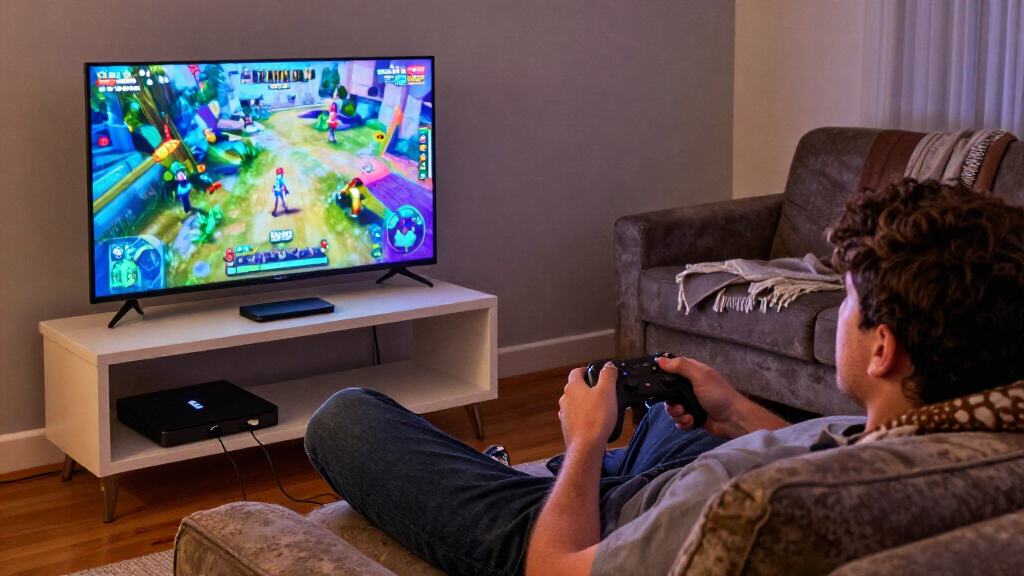
According to the XDA Developers analysis, Steam Link does not run a demanding game on the TV box. Instead, the gaming PC runs the game, then sends its video and audio over the home network to the television. Controller inputs travel back to the PC. The receiving device needs to decode the stream and maintain a reliable connection, but it does not need the graphics hardware required to render the game itself.
The analysis says the setup can be tested without buying a new gaming computer: Steam Link is free to use on a compatible Android TV box, and some households may already own a suitable device. If a box is needed, the proposed purchase is a streaming receiver rather than another machine that must run games locally. XDA does not list particular models or provide a tested-device compatibility guide.
XDA also points to Steam’s Big Picture mode as a controller-oriented interface for browsing a library and launching games from the couch. Streaming from the PC means games do not need to be installed a second time on a living-room computer; the same PC installation and save files can be used at the desk or on the TV. These are practical advantages described in the analysis, not a guarantee that every game or setup will work equally well.
Living-room PC gaming · A practical guide
Steam Link on a Cheap TV Box Is the Steam Machine Most People Actually Need
Already own a gaming PC? XDA Developers argues that streaming to a compatible TV box could be the simplest lower-cost route to couch play—provided your network, device and games deliver an experience you like.
A lower-cost route to couch play
For PC owners whose existing computer already runs their games well, Steam Link can bring that library to another room without buying a second gaming computer. XDA’s recommendation is aimed at access from the sofa, not replacing the PC that runs the games.
Test before spending
If you already have a compatible TV box, Steam Link offers a way to try the setup without buying another device.
Keep games on the PC
Games run from the PC’s existing installation, with the same saves available at the desk or on the TV.
Browse with Big Picture
Steam’s controller-oriented interface helps you browse the library and launch games from the sofa.
The TV box receives; the PC does the heavy work
Steam Link streams video and audio over the home network. The receiving device decodes the stream; it does not need the graphics hardware required to render the game.
Inputs begin from the couch.
Inputs travel back to the PC.
Runs and encodes the game.
Decodes the incoming stream.
Displays the picture and audio.
Local play is direct. Streaming adds steps.
A Steam Machine or console renders games on the device attached to the TV. Steam Link relies on a separate PC and adds encoding, network transmission and decoding along the way.
| What matters | Steam Link + PC | Local gaming device |
|---|---|---|
| Where the game runs | On your existing gaming PC | On the device connected to the TV |
| Another gaming computer | ✓ May not be needed | Dedicated device required |
| Input delay | ~ Network and encoding can add delay | More direct connection |
| Image quality | ~ Compression may affect the picture | Local output, device dependent |
| Best fit | Existing PC owners testing couch access | Players who want dedicated local play |
Compatibility is a household-by-household question
Try your own setup before buying hardware
Check whether a box you already own is compatible. XDA does not list tested models.
Use Ethernet where possible for a reliable link between the PC and TV-side device.
Enable Game Mode, then assess picture quality and control response.
Test the games and controller you plan to use. Delay may matter more in a competitive shooter than in a slower game such as Baldur’s Gate 3.
Source: XDA Developers · Analysis published Nov. 1, 2026. Product compatibility and performance depend on the specific hardware and home network.
A Lower-Cost Route to Couch Play
For people who already own a PC that plays their games well, Steam Link offers a way to use that hardware in another room instead of paying for a second gaming system. XDA Developers makes cost the central point of its argument: the article says the Steam Machine starts at $1,049, while an existing compatible TV box can be used without a new purchase. XDA does not compare total costs across specific TV boxes, Steam Machine configurations or household network equipment.
The choice is not simply between two devices with identical performance. A Steam Machine or console runs games locally; Steam Link relays a stream from a separate PC. XDA presents the TV box as a potentially economical option for players whose priority is comfortable access to a PC library on the sofa, rather than local rendering or the most responsive possible controls. The recommendation is consequently aimed at existing PC owners, not people who need a computer to run the games in the first place.
Popular right now

De'Longhi La Specialista Arte Evo Semi-Automatic Espresso Machine with Grinder and Cold Brew

Ninja Air Fryer XL, 6.5 Qt, 6-in-1, MaxCrisp, Dark Grey (AF181)

KitchenAid Classic Series 4.5-Quart Tilt-Head Stand Mixer, Onyx Black
As an affiliate, we earn on qualifying purchases.
Local Gaming Versus Streaming
Valve announced a new Steam Machine last November, according to the XDA Developers article, presenting it as a console-style way to play a Steam library on a TV. XDA frames it as an option for players seeking a dedicated living-room setup, then contrasts that purchase with streaming from a PC they already own. The article does not provide further product specifications, release details or a direct hands-on comparison.
XDA explains that with local play, the device connected to the television renders the game. Steam Link adds steps: the PC encodes the picture, sends it across the network, and the TV-side device decodes it. Those steps can add delay, and compression can affect image quality. The article suggests starting with Ethernet where possible and enabling the television’s Game Mode, while recognizing that the result will not be identical to connecting a gaming PC directly to the TV by HDMI.
Output capabilities also depend on the receiving box and the rest of the setup. XDA cautions that a device advertising 4K video support should not automatically be assumed to support high-refresh-rate game streaming. The article notes that PlayStation 5 supports 4K output at 120Hz and Xbox Series X supports up to 120 frames per second in supported games; those console capabilities do not establish what a particular TV box can deliver through Steam Link.
Compatibility and Streaming Limits
XDA Developers does not name specific TV boxes, confirm their compatibility, or report measurements for latency, image quality, network requirements or supported resolutions and refresh rates. Those details can vary by device, home network, PC and television, so readers should check their own hardware rather than assume that any inexpensive Android TV box will provide a satisfactory experience.
XDA’s analysis also says it is unclear how much the streaming trade-offs will matter in a particular game. The article suggests added delay may be more noticeable in a competitive shooter than in a slower game such as Baldur’s Gate 3. That is a distinction about differing player needs, not a performance test or a guarantee that a specific title will feel responsive over a given network. The piece does not establish that Steam Link is a replacement for a Steam Machine for all players.
Test the Setup Before Buying
For interested PC owners, XDA Developers recommends trying Steam Link with a compatible device they already have, if available, before buying additional hardware. The analysis advises using Ethernet where possible and enabling the TV’s Game Mode, then judging the connection with the games and controller they plan to use. If the stream’s delay, image quality or output options fall short, local gaming through another device remains an alternative.
XDA reports no new Steam Link feature, product release or testing milestone. Whether this route makes sense will depend on a household’s existing PC, TV box and network, as well as how much it values lower spending over the more direct experience of local play. The article’s recommendation is a cost-conscious option to test, not a confirmed universal substitute for dedicated hardware.
Source: XDA Developers
Key Questions
Does Steam Link run games on the TV box?
No. As XDA Developers explains, the PC runs the game and streams video and audio to the TV-side device. The box decodes the stream and sends controller inputs back to the computer.
Can I use Steam Link without buying a new box?
Possibly. XDA says Steam Link is free on a compatible Android TV box, so people who already have a supported device can test the setup without buying one. The article does not identify specific compatible models.
Will Steam Link feel the same as playing locally?
Not necessarily. XDA notes that streaming adds encoding, network transmission and decoding, which can introduce input delay and image compression. The effect depends on the setup and the game; the article does not provide measured performance results.
Does a 4K TV box guarantee 4K high-refresh-rate gaming?
No. XDA cautions that a box’s 4K video support does not by itself confirm that it can deliver high-refresh-rate game streaming through Steam Link. Check the capabilities of the box, PC, network and television together.
Source: XDA Developers