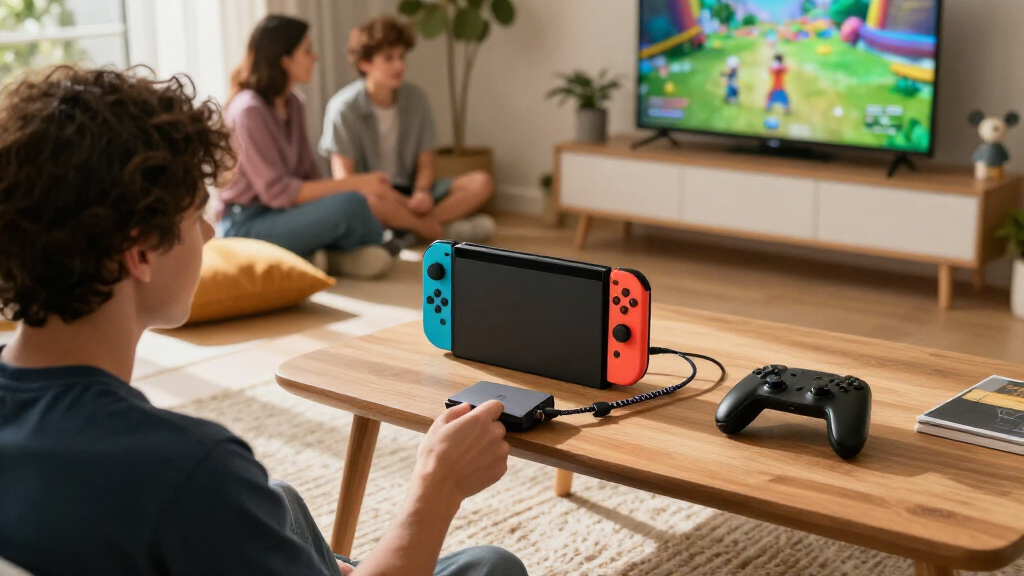

For most Nintendo Switch 2 owners, I’d start with the AVerMedia GC313 CORE GO: it combines a 100W GaN charger with a dock-style setup and 4K60 HDMI output. The TECKNET 5-in-1 is a more flexible pick if you want several connection options, while the Cbcuyle Dual USB-C Display Hub suits players who also connect AR glasses. The main tradeoff is between simple video-and-power connections and extra ports that may add bulk or serve needs beyond the console. Compatibility and the included power supply also matter; a hub’s headline specs alone don’t guarantee the setup you want. Read on for how these six options compare and which one fits your play style.

Play games on Amazon Luna for your game nights, included with Prime
- A rotating selection of games, no download needed
- Play on TV, laptop or phone
- Fast, free delivery for your gear, too
Complete the kit



Key Takeaways
- AVerMedia is the clearest all-in-one choice in this group: it pairs a 100W GaN charger and dock-style design with 4K60 HDMI output.
- Video needs should shape the shortlist: the Cbcuyle and 4-in-1 dual-display hubs focus on USB-C display connections, while HDMI-equipped options suit a conventional TV setup.
- More ports do not automatically mean a better Switch 2 setup: the SABRENT’s seven-port, 10Gbps design makes more sense for several peripherals than for a minimal TV connection.
- The PowerA hub fills a narrower role: its four USB 2.0 ports suit connecting compatible accessories, but it is not the pick for HDMI video or high-speed data.
- Power delivery claims need context: a 100W rating describes the hub’s power input capability, not a promise that every connected device receives 100W or that a charger is included.
| Cbcuyle Dual USB-C Display Hub for AR Glasses and Switch 2, 4K 60Hz, 100W PD, 5Gbps |  | Best for Dual USB-C Displays | Video output: Up to dual 4K at 60Hz | Power delivery: Up to 100W | Data transfer: Up to 5Gbps | VIEW LATEST PRICE | See Our Full Breakdown |
| TECKNET 5-in-1 USB-C Hub with 4K HDMI and 100W PD |  | Best for HDMI and Everyday Peripherals | Ports: 5: 1 HDMI, 1 USB-C PD charging, 2 USB-A 3.0, and 1 USB-C 3.0 data | HDMI output: Up to 4K at 60Hz; mirror and extend modes | Charging input: Up to 100W PD | VIEW LATEST PRICE | See Our Full Breakdown |
| 4-in-1 Dual USB-C Display Hub with 4K@60Hz Video Output |  | Best Compact USB-C Display Option | Brand: Arsandyn | Interface: USB Type-C | Listed number of ports: 3 | VIEW LATEST PRICE | See Our Full Breakdown |
| PowerA 4-Port USB 2.0 Hub for Nintendo Switch |  | Best for Docked USB Accessories | Compatibility: Nintendo Switch dock | USB ports: 4 | USB standard: USB 2.0 | VIEW LATEST PRICE | See Our Full Breakdown |
| AVerMedia GC313 CORE GO 100W GaN USB-C Charger and Dock with 4K60 HDMI |  | Best All-in-One Charging and HDMI Dock | Model: GC313-BL | Interface: USB Type-C | Listed ports: 2 USB-C, 1 USB-A, and 1 HDMI | VIEW LATEST PRICE | See Our Full Breakdown |
| SABRENT OmniPort C7 7-Port USB-C Hub, 10Gbps (HB-CUP7) |  | Best for USB-C Peripheral Expansion | Ports: 7 USB-C | Data transfer rate: Up to 10Gbps | Power input: USB-C PD 3.0, up to 100W | VIEW LATEST PRICE | See Our Full Breakdown |
| USB-C hubs for Nintendo Switch 2 | Warranty | Data transfer | Ports | Interface |
|---|---|---|---|---|
| Cbcuyle Dual USB-C Display Hub | 2 years | Up to 5Gbps | 4 total, including 2 USB ports | USB Type-C |
| TECKNET 5-in-1 USB-C Hub with | 18 months | Up to 5Gbps | 5: 1 HDMI, 1 USB-C PD charging, 2 USB-A 3.0, and 1 USB-C 3.0 data | — |
| 4-in-1 Dual USB-C Display Hub | — | Up to 5Gbps USB 3.0; listing also states 480Mbps | — | USB Type-C |
| PowerA 4-Port USB 2.0 Hub for | 2-year limited warranty | Up to 480Mbps | — | — |
| AVerMedia GC313 CORE GO 100W G | 2-year manufacturer warranty | — | — | USB Type-C |
| SABRENT OmniPort C7 7-Port USB | 1 year; extendable to 2 years with free registration | — | 7 USB-C | — |
More Details on Our Top Picks
Cbcuyle Dual USB-C Display Hub for AR Glasses and Switch 2, 4K 60Hz, 100W PD, 5Gbps
The Cbcuyle Dual USB-C Display Hub is the most display-focused pick here: it can connect two AR glasses, two portable monitors, or a mixed USB-C display setup while supporting power and data connections. That flexibility suits a Switch 2 setup built around personal screens better than the TECKNET 5-in-1, which uses HDMI for video and is a more conventional choice for a TV. Its 30 g aluminum enclosure is easy to carry and dissipates heat passively, but the extra display capability depends on the host and connected screens. macOS and some mobile devices may mirror rather than extend the image, and Switch Lite is unsupported. Handheld use with an external screen also needs an active PD power source, so this tiny hub is not a standalone way to power a display.
Pros:- Supports a dual USB-C display setup on compatible hosts.
- Combines display output, power delivery, and data transfer.
- Lightweight aluminum-alloy shell dissipates heat passively.
- Supports up to 100W PD input and 5Gbps data transfer.
Cons:- External-screen use with handheld consoles or phones requires an active PD power source.
- macOS and some mobile devices may mirror instead of extending displays.
- Does not support Switch Lite.
Best for: Switch 2 owners who use compatible USB-C AR glasses or portable monitors and want charging and data connections alongside video.
Not ideal for: Players who mainly want a simple HDMI connection to a TV, or Switch Lite owners; this hub is built around USB-C displays and does not support Switch Lite.
- Video output:Up to dual 4K at 60Hz
- Power delivery:Up to 100W
- Data transfer:Up to 5Gbps
- Ports:4 total, including 2 USB ports
- Interface:USB Type-C
- Compatible devices:AR glasses, laptops, Switch 2, tablets, and phones
- Material and weight:Aluminum alloy; 30 g
- Warranty:2 years
Our verdict“Choose the Cbcuyle if your Switch 2 display setup uses USB-C glasses or portable monitors; pick the TECKNET instead for a straightforward HDMI-centered hub.”
TECKNET 5-in-1 USB-C Hub with 4K HDMI and 100W PD
The TECKNET 5-in-1 is the clearest fit for a Switch 2 player who wants an HDMI output plus ports for wired accessories. It brings two USB-A ports, USB-C data, HDMI, and host charging together, a more practical mix for a standard TV setup than the Cbcuyle hub, whose strength is dual USB-C displays. HDMI supports up to 4K at 60Hz on compatible hosts, while the data ports handle transfers up to 5Gbps. The charging pass-through takes a 100W input but supplies up to 85W to the host; it is not a charging port for attached accessories. Also, video requires DisplayPort Alt Mode, so the host must support it. That makes this a useful general-purpose layout, not a guarantee of Switch 2 video output in every setup.
Pros:- Combines HDMI, two USB-A ports, USB-C data, and host charging.
- HDMI supports up to 4K at 60Hz on compatible hosts.
- USB data ports support transfer rates up to 5Gbps.
- Aluminum enclosure with a portable design.
Cons:- Video output requires host support for DisplayPort Alt Mode.
- Charging pass-through supplies up to 85W from a 100W source.
- USB-C data port does not provide charging or video output.
Best for: Switch 2 owners assembling an HDMI-based setup who also want USB-A accessory ports and a separate USB-C data port.
Not ideal for: Buyers seeking dual USB-C display connections or a hub whose video compatibility is independent of host DisplayPort Alt Mode support.
- Ports:5: 1 HDMI, 1 USB-C PD charging, 2 USB-A 3.0, and 1 USB-C 3.0 data
- HDMI output:Up to 4K at 60Hz; mirror and extend modes
- Charging input:Up to 100W PD
- Charging output:Up to 85W to the host
- Data transfer:Up to 5Gbps
- Video compatibility:Host must support DisplayPort Alt Mode
- Enclosure:Aluminum; grey
- Dimensions:6.89 x 3.54 x 0.75 inches
- Warranty:18 months
Our verdict“Pick the TECKNET for an HDMI-first setup with useful peripheral ports, but choose the Cbcuyle if your screens connect over USB-C.”
4-in-1 Dual USB-C Display Hub with 4K@60Hz Video Output
This Arsandyn 4-in-1 hub suits buyers who want a compact route from a compatible USB-C device to AR glasses or a portable monitor, with video output up to 4K at 60Hz. Like the Cbcuyle, it targets USB-C displays rather than the TV-oriented HDMI layout of the TECKNET. Its aluminum-alloy housing, plug-and-play design, and 100W PD input make it a tidy travel companion, but the listed port information is less clear: it specifies three ports and one USB port, and gives both up-to-5Gbps and 480Mbps data figures. I would not choose it when exact peripheral capacity or data speed is a deciding factor. Video also depends on DisplayPort Alt Mode support, and actual display and power performance varies by host and setup.
Pros:- Supports video output up to 4K at 60Hz on compatible devices.
- Accepts up to 100W PD power input.
- Compact aluminum-alloy housing is suited to portable setups.
- Plug-and-play operation on supported devices.
Cons:- Video requires a host USB-C port with DisplayPort Alt Mode.
- Port-count and data-rate details are inconsistent in the listed specifications.
- A compatible PD charger may be needed and may be sold separately.
Best for: Travelers using compatible Switch 2 setups with USB-C AR glasses or a portable monitor who value a small aluminum hub.
Not ideal for: Buyers who need a clearly documented port layout, predictable multi-display behavior, or a conventional HDMI connection for a TV.
- Brand:Arsandyn
- Interface:USB Type-C
- Listed number of ports:3
- Listed USB ports:1
- Video output:Up to 4K at 60Hz
- Power input:Up to 100W PD
- Data transfer:Up to 5Gbps USB 3.0; listing also states 480Mbps
- Material:Aluminum alloy
- Video requirement:Host USB-C port must support DisplayPort Alt Mode
Our verdict“Choose this Arsandyn hub for a compact USB-C display connection, but favor the Cbcuyle for a better-defined dual-display feature set.”
PowerA 4-Port USB 2.0 Hub for Nintendo Switch
The PowerA 4-Port USB 2.0 Hub fills a different role from the USB-C video hubs: it connects to a Nintendo Switch dock’s USB-A port and adds four ports for wired controllers and compatible accessories. Its six-foot cable, weighted base, and rubber feet help keep a docked setup tidy and the hub in place. Unlike the TECKNET, it does not add HDMI or host charging, and its USB 2.0 connection is aimed at accessories rather than fast data transfers. That makes it a focused add-on for players who already use the dock, not a portable display solution or a replacement for a USB-C hub. The listed compatibility is for a Nintendo Switch dock, so buyers should check fit with their Switch 2 dock before choosing it.
Pros:- Adds four USB ports for wired controllers and compatible accessories.
- Six-foot cable allows flexible placement near a dock.
- Weighted base and rubber feet help keep it steady.
- LED indicator shows system connection status.
Cons:- Uses USB 2.0, with a maximum listed data rate of 480Mbps.
- Connects to a USB-A port on a Nintendo Switch dock rather than directly to the console.
- Does not provide video output or USB-C charging.
Best for: Docked Switch players who need extra USB-A connections for wired controllers and other compatible accessories.
Not ideal for: Players seeking HDMI output, USB-C charging, fast data transfer, or a hub intended for handheld use; this connects to a dock’s USB-A port.
- Compatibility:Nintendo Switch dock
- USB ports:4
- USB standard:USB 2.0
- Data transfer:Up to 480Mbps
- Cable length:6 ft.
- Weight:4.64 oz
- Color:Black
- Warranty:2-year limited warranty
Our verdict“Choose the PowerA for extra controller and accessory ports at a docked setup, not as a substitute for the TECKNET’s HDMI and charging functions.”
AVerMedia GC313 CORE GO 100W GaN USB-C Charger and Dock with 4K60 HDMI
The AVerMedia GC313 CORE GO combines a 100W GaN charger with HDMI video, data, and device expansion, making it the most self-contained charging-and-screen option in this group. Its 4K at 60Hz HDMI output is a better match for connecting to a TV or monitor than the Cbcuyle’s USB-C display focus, while the included 2 m braided USB-C cable gives placement flexibility. AVerMedia says it can support up to three devices at once, but the listing does not explain how the 100W maximum is divided when multiple devices are connected. The port details also vary between two USB ports and a description specifying two USB-C plus one USB-A. At one pound, it is less featherweight than the 30 g Cbcuyle, but it combines more of the charging setup in one unit.
Pros:- Combines a 100W GaN charger, HDMI video, data, and device expansion.
- HDMI supports output up to 4K at 60Hz.
- Includes a 2 m braided USB-C cable and changeable AC plug.
- Listed to support up to three devices at once.
Cons:- The listing does not explain how the 100W maximum is divided across multiple devices.
- Port-count details conflict between the listed ports and the product description.
- At 1 lb, it is heavier than compact hubs such as the Cbcuyle.
Best for: Switch 2 players who want an HDMI-based screen connection with an integrated GaN charger, cable, and device expansion.
Not ideal for: Buyers prioritizing the lightest travel hub, or those who need a clearly specified charging split and confirmed port count before purchase.
- Model:GC313-BL
- Interface:USB Type-C
- Listed ports:2 USB-C, 1 USB-A, and 1 HDMI
- Maximum wattage:100W
- HDMI output:Up to 4K at 60Hz
- Included cable:2 m (6.56 ft.) braided USB-C to USB-C
- Weight:1 lb
- Compatible devices:Game consoles, headphones, laptops, monitors, tablets, iPhones, and iPads
- Warranty:2-year manufacturer warranty
Our verdict“Pick the AVerMedia if you want charging and HDMI in one package, but choose the lighter Cbcuyle for a USB-C display-focused travel setup.”
SABRENT OmniPort C7 7-Port USB-C Hub, 10Gbps (HB-CUP7)
The SABRENT OmniPort C7 stands out for buyers who need more USB-C data connections than the Switch 2-focused display hubs provide. Its seven USB-C ports and up-to-10Gbps data rate suit a desk setup with several compatible peripherals, while individual switches make it easy to disconnect devices without pulling cables. Compared with the TECKNET 5-in-1 USB-C Hub, this Sabrent prioritizes USB-C port count and per-port control rather than HDMI output, so it is a poor fit if you want a one-cable path to a TV. The hub accepts up to 100W USB-C PD input, but the charger is not included, and high-draw devices may call for a separate 65W-or-higher adapter. Its compact, lightweight build helps with travel, though buyers should check that their Switch 2 setup actually needs a multiport data hub.
Pros:- Seven USB-C ports provide extensive connection options for compatible data peripherals.
- Up to 10Gbps data transfer supports faster transfers than a basic USB 2.0 hub.
- Individual port switches and blue status LEDs make device control and status checks straightforward.
- Compact, lightweight design and included 10Gbps USB-C cable suit desk use or travel.
Cons:- No HDMI output is listed, so it does not provide the display connection offered by the TECKNET 5-in-1 hub.
- USB-C PD power adapter is not included.
- High-draw devices may need a separate 65W-or-higher USB-C PD charger.
Best for: Switch 2 owners building a desk setup with multiple USB-C data peripherals who already have a compatible USB-C PD charger.
Not ideal for: Players seeking a simple TV-docking hub with HDMI, or anyone who needs a hub that includes its own power adapter.
- Ports:7 USB-C
- Data transfer rate:Up to 10Gbps
- Power input:USB-C PD 3.0, up to 100W
- Per-port charging:BC1.2, up to 5V/3A
- Host connection:USB Type-C
- Included cable:10Gbps USB-C cable
- Dimensions and weight:5.02 × 1.71 × 0.75 in; 3.07 oz
- Compatibility:Windows, macOS, Linux, iPadOS, Android
- Warranty:1 year; extendable to 2 years with free registration
Our verdict“Choose the OmniPort C7 for a compact, switchable bank of USB-C data ports, but pick an HDMI-equipped hub if TV output is your main Switch 2 need.”
How We Picked
I compared these six products around the jobs Switch 2 owners are most likely to ask a hub to do: connect a display, pass power to the console, add useful peripheral ports, and fit into a home or travel setup. I gave more weight to clear HDMI video output and integrated charging for TV play, then considered port selection, data speed, and whether the hub’s design serves a distinct need such as AR glasses or multiple USB accessories. Product names and listed specifications can signal intended use, but they do not confirm compatibility with every Switch 2 configuration.
The ranking favors practical fit over the biggest number of ports. The AVerMedia leads as the most complete dock-and-charger option; the TECKNET and display-focused hubs serve different connection needs; and the SABRENT and PowerA move down for buyers whose priority is a direct TV setup. I also account for tradeoffs: a USB 2.0 accessory hub should not be mistaken for a video dock, and a hub listing 100W PD may still require a separate suitable power adapter. Before buying, check the manufacturer’s compatibility information and the exact cables or power accessories included.
| USB-C hubs for Nintendo Switch 2 | Data transfer |
|---|---|
| Cbcuyle Dual USB-C Display Hub | Up to 5Gbps |
| TECKNET 5-in-1 USB-C Hub with | Up to 5Gbps |
| 4-in-1 Dual USB-C Display Hub | Up to 5Gbps USB 3.0; listing also states 480Mbps |
| PowerA 4-Port USB 2.0 Hub for | Up to 480Mbps |
| AVerMedia GC313 CORE GO 100W G | — |
| SABRENT OmniPort C7 7-Port USB | — |
Factors to Consider When Choosing Best USB-C Hubs For Nintendo Switch 2
I’d choose a Switch 2 hub by starting with the connection you need most, then checking power, placement, and accessory compatibility. The factors below help avoid paying for ports you won’t use—or buying a hub that cannot handle the setup you have in mind.
Decide Whether You Need HDMI or USB-C Video
Start with the display itself: most TVs and monitors offer HDMI, while some portable monitors and AR glasses accept USB-C video. A hub’s support for USB-C display output is not interchangeable with an HDMI port, even when both mention high-resolution video. Check the display’s input type and whether it expects video over USB-C before choosing a hub. For TV play, a model with HDMI is usually the more direct fit; for glasses or a compatible portable screen, a dual-USB-C display hub may make more sense. Avoid buying on resolution claims alone, since the console, display, cable, and hub all affect the final signal. If you switch between display types, verify that the hub supports the connection you plan to use rather than assuming an adapter will solve every mismatch.
Treat Power Delivery as a System, Not a Single Number
A 100W PD label describes a maximum capability, not necessarily the power delivered to the console in every configuration. The charger, cable, hub, and connected devices share responsibility for supplying power, and a hub may not include its own adapter. Check whether the product comes with a charger and whether its manufacturer identifies it as suitable for Switch 2. A high-wattage laptop charger may sound like an easy substitute, but connector support and the hub’s power path still matter. If you already own a compatible power adapter, a pass-through hub can be a practical way to reuse it. If you want fewer separate pieces in your setup, an integrated charger-and-dock design may justify choosing a different style.
Buy Ports for Devices You Will Actually Connect
Count the accessories you expect to plug in at the same time, such as a wired controller, keyboard, storage device, or headset adapter. Then check what type of ports the hub provides: USB-A, USB-C, and HDMI serve different jobs, and one cannot replace another. A seven-port hub can be useful at a desk, but it may add cables and take up space when the only goal is connecting the console to a TV. USB 2.0 can suit basic accessories, yet it is not the right choice when fast file transfers are part of the plan. Leave room for future devices only if you expect to use them; otherwise, prioritize a simpler layout and fewer points of clutter.
Match Data Speed to Your Accessories
Data-rate labels matter most when moving files or connecting devices that can use higher throughput. A 10Gbps rating, like the one listed for the SABRENT OmniPort C7, is more relevant to fast storage and a busy accessory setup than to HDMI output itself. By contrast, a USB 2.0 hub is aimed at simpler peripheral connections and should not be chosen for speed-sensitive storage. Do not assume that every port on a hub runs at the same rate; check the port-by-port specifications if you plan to connect multiple devices. The console and attached accessory also need to support the intended speed. Paying for a faster hub brings little benefit if your usual setup consists of controllers and other low-bandwidth devices.
Think About Placement, Cables, and Heat
A hub that works well on a desk may be awkward beside a TV, in a travel bag, or behind a monitor. Consider cable length, connector orientation, and whether the hub can sit somewhere with airflow instead of hanging from a port. A compact adapter reduces clutter, but it can leave connected cables crowded together. Larger multiport units often make connections easier to manage while taking up more space. Power delivery and several attached devices can also generate heat, so avoid burying a powered hub under soft furnishings or in a closed compartment. These practical details can matter more to daily use than adding another port.
Check Compatibility and Included Accessories Before Ordering
Product names that mention Switch 2, displays, or docks do not replace checking the manufacturer’s compatibility details. Look for confirmation of the exact console and display configuration you plan to use, especially if the setup involves AR glasses or a portable monitor. Read the box contents closely: a hub may require a separate charger, HDMI cable, or USB-C cable. Also check whether your chosen display needs a particular cable or power source of its own. If compatibility information is vague, contact the manufacturer or choose a product with clearer documentation rather than relying on an assumption. This step can prevent a hub from arriving with the right ports but the wrong accessories for your setup.
Frequently Asked Questions
Can I use any USB-C hub to connect Nintendo Switch 2 to a TV?
No. A USB-C hub needs to support video output in a way that matches the console and the TV connection, usually HDMI for a standard television. A USB accessory hub such as the PowerA model does not provide HDMI video just because it connects through USB. Check the product’s compatibility details and the exact video output listed before buying. Also confirm whether a suitable power adapter is required, since the hub may not supply power on its own.
Is a 100W PD hub enough to replace the Switch 2 power adapter?
Not by itself in every setup. The 100W figure indicates a maximum power-delivery capability, but the hub may need a separate charger and compatible cable to pass power through. The connected console and other devices can affect how power is distributed. Check whether the manufacturer specifies Switch 2 compatibility and whether the charger is included. If you want a single purchase for charging and TV connections, an integrated charger-and-dock model may be simpler than a pass-through hub.
Should I choose a USB-C display hub or an HDMI hub for a portable screen?
Choose based on the portable screen’s inputs, not the word “portable.” A screen with HDMI needs an HDMI output and the right cable, while a USB-C display or AR glasses setup may call for USB-C video support. Some USB-C ports on displays are for power or data only, so confirm that the specific input accepts video. The Cbcuyle and 4-in-1 dual-display models are aimed at USB-C display use, while HDMI-equipped options serve HDMI screens. Verify the complete connection path before choosing.
Does a 10Gbps hub improve Switch 2 graphics or HDMI performance?
No, a USB data-speed rating does not by itself improve graphics or increase HDMI resolution. The SABRENT OmniPort C7’s 10Gbps specification is relevant to supported data transfers and attached peripherals. Video output depends on the hub’s video support and the connected display path. If your setup is mainly TV play with a controller, extra data bandwidth may offer little practical benefit. Choose based on the devices you plan to connect, rather than treating a faster USB rating as a video upgrade.
Which type of hub makes the most sense if I mainly play docked at home?
For a mostly fixed TV setup, prioritize HDMI video, reliable power pass-through, and a layout that can sit neatly near the console and television. The AVerMedia GC313 CORE GO stands out in this roundup for combining a 100W GaN charger with 4K60 HDMI output. If you already have a compatible charger and want more general-purpose ports, the TECKNET may suit a broader desk setup. A multiport unit is useful only if you will connect several accessories regularly. Check included cables and compatibility information before treating any hub as a direct replacement for a dedicated dock.
Conclusion
My best overall pick is the AVerMedia GC313 CORE GO for buyers who want a charger-and-dock-style option with HDMI output in one setup. For best value and everyday flexibility, I’d shortlist the TECKNET 5-in-1, provided its port mix matches your devices. Beginners who want to connect a regular TV should favor a clearly documented HDMI-and-power setup over a hub chosen for extra data ports; the AVerMedia is the most straightforward fit here. The best premium-style choice for a multi-device desk is the SABRENT OmniPort C7, whose 10Gbps and seven-port design suits several peripherals rather than a minimalist TV connection. For specific needs, choose the Cbcuyle or 4-in-1 dual-display hub for compatible USB-C displays and AR glasses, or the PowerA for basic USB 2.0 accessories only. My final check would be the same for every buyer: confirm Switch 2 compatibility, required power, and included cables before ordering.