
TL;DR

Play games on Amazon Luna for your game nights, included with Prime
- A rotating selection of games, no download needed
- Play on TV, laptop or phone
- Fast, free delivery for your gear, too
Gamers can now play traditional PC non-VR games in VR by using specific software and configurations. This development offers a new way to enjoy familiar titles in immersive environments, though some technical hurdles remain.
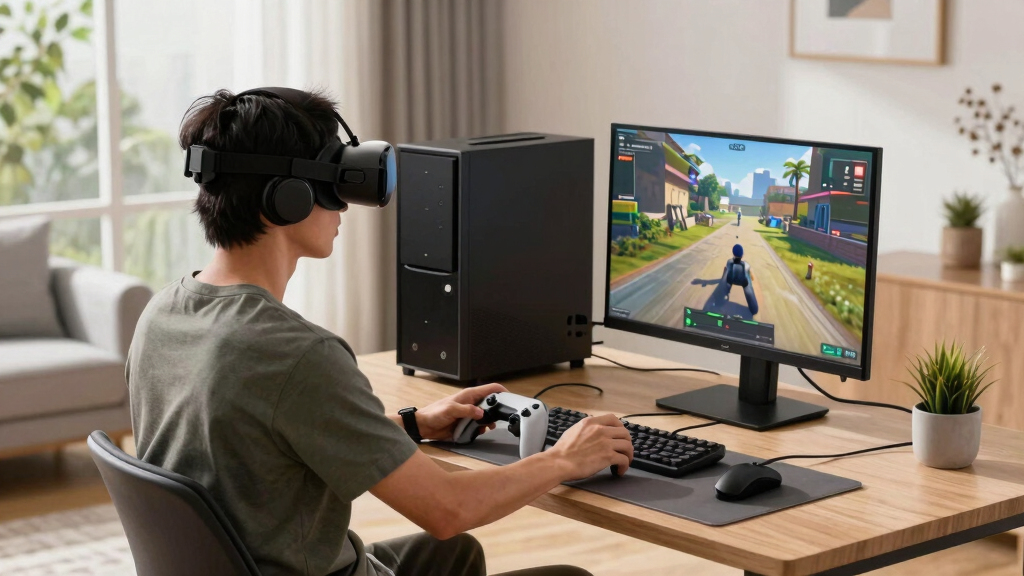
Gamers can now experience their favorite non-VR PC games in virtual reality by utilizing existing software solutions, according to recent discussions on r/OculusQuest. This development opens new possibilities for immersive gameplay, though it is not officially supported by game developers or VR hardware manufacturers.
Users on r/OculusQuest have shared that it is possible to run non-VR PC games in VR by employing tools such as Steam Frame, Virtual Desktop, and ReVive, a compatibility layer for Oculus devices. These methods typically involve streaming the game from a PC to a VR headset, then configuring the game to display in a virtual environment, often as a full-screen overlay or within a virtual room.
While these approaches are technically feasible, they often require specific setup steps, including adjusting graphics settings, calibrating the VR display, and sometimes using third-party software to emulate VR inputs. Learn more about immersive VR experiences. Confirmed reports suggest that performance and visual fidelity can vary depending on hardware and configuration, and some latency issues may occur.
It is important to note that this practice is not officially endorsed by game publishers or hardware companies, and some titles may not run smoothly or may encounter compatibility issues. The methods discussed are primarily shared among enthusiast communities and are subject to ongoing refinement.
Implications for VR Enthusiasts and Gaming Experience
This development matters because it expands the use cases for VR headsets beyond native VR titles, allowing players to enjoy existing PC games in an immersive environment. It could potentially enhance the gaming experience, especially for titles that benefit from a virtual setting or multiplayer interactions.
However, it also raises questions about software support, performance limitations, and the future of VR gaming ecosystems. As these methods are community-driven and unofficial, widespread adoption may depend on further technical improvements and official support from developers.
As an affiliate, we earn on qualifying purchases.
Background on VR Compatibility and Community Efforts
Since the release of VR headsets like Oculus Quest and Quest 2, the community has sought ways to extend their use beyond native VR titles. Tools such as SteamVR and ReVive have been used to run PC VR games, but applying these to non-VR games requires additional configuration. Discussions on platforms like Reddit have highlighted that users are experimenting with streaming non-VR games into VR environments, effectively creating a virtual gaming room.
This approach is not new but has gained renewed attention as VR hardware becomes more accessible and capable. Previous efforts focused mainly on native VR titles, but recent community posts suggest that playing traditional PC games in VR is increasingly feasible with existing software solutions.
“Users are sharing setups that allow non-VR games to be streamed and displayed in VR, offering a new way to enjoy familiar titles.”
— an anonymous researcher from r/OculusQuest
Oculus Quest non-VR game compatibility
As an affiliate, we earn on qualifying purchases.
As an affiliate, we earn on qualifying purchases.
Technical Limitations and Compatibility Challenges
Performance and compatibility can vary significantly depending on hardware and game specifics. Users may experience latency, reduced visual quality, or stability issues. Since these methods are unofficial, future updates or official support are uncertain, which could impact long-term usability.
As an affiliate, we earn on qualifying purchases.
Potential Software Improvements and Community Developments
Community efforts are likely to continue refining configurations and sharing best practices. Developers may release updates to improve compatibility and performance, and future official support could emerge as VR platforms evolve.
As an affiliate, we earn on qualifying purchases.
Key Questions
Can I play any non-VR PC game in VR now?
Not all games are compatible, but many can be streamed into VR using tools like SteamVR and Virtual Desktop. Compatibility varies depending on hardware and game requirements.
Do I need special hardware or software to do this?
Yes, a VR headset compatible with PC streaming, such as Oculus Quest or Quest 2, and software like SteamVR, Virtual Desktop, or ReVive are typically required. Proper setup and configuration are essential for a good experience.
Is playing non-VR games in VR officially supported?
No, this practice is community-driven and unofficial. It is not endorsed by game publishers or hardware manufacturers, and may involve technical risks.
Will this affect game performance or quality?
Performance can vary. Some users report latency or visual issues depending on their setup. Optimizing settings and hardware can improve results.
Are there any legal or warranty concerns?
Using third-party software or configurations may void warranties or violate terms of service. Users should proceed with caution and understand potential risks.
Source: r/OculusQuest
Halloween Picks
halloween
As an affiliate, we earn on qualifying purchases.