
TL;DR

Play games on Amazon Luna for your game nights, included with Prime
- A rotating selection of games, no download needed
- Play on TV, laptop or phone
- Fast, free delivery for your gear, too
Mini PC gaming works best when you treat the box as a compact 1080p or carefully tuned 1440p machine, not a shrunken high-end tower. The real limits are sustained GPU wattage, heat, fan noise, ports, and upgrade room, so your living-room setup should match the games, TV, and couch distance you actually use. A small PC under a 4K TV can feel slick, but it often wins on neatness and loses on silent high settings.
A shoebox-sized PC can look like the dream under your TV until the fan spins up like a hair dryer and your big 4K screen shows every shortcut the hardware had to take.
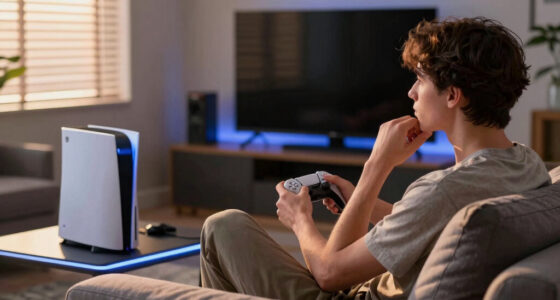
You can absolutely build a clean, powerful, couch-friendly PC gaming setup around a mini PC. You just need to know where the small box bends and where it breaks. Picture two setups: one mini PC playing Hades, Stardew Valley, and older RPGs quietly at 1080p, and another trying to push a new ray-traced blockbuster at native 4K inside a closed cabinet. One feels like a tiny console with Steam freedom; the other feels like asking a laptop to act like a tower.
This guide explains the limits explained before you build a living-room setup: heat, watts, graphics settings, ports, controllers, storage, noise, and the little living-room details that decide whether the whole thing feels smooth or fussy.
Mini PC Gaming Limits Explained Before You Build a Living-Room Setup
Mini PC gaming works best when the box is treated as a compact 1080p or carefully tuned 1440p machine, not a shrunken high-end tower. The limits are sustained GPU wattage, heat, fan tone, ports, upgrade room, and whether your TV setup actually lets the small machine breathe.
Small PCs do not fail because they are small. They fail when asked to act large while breathing through a narrow slot.
The First Limit You Feel Is Sustained Power
A mini PC may boost hard for the first minute, then settle into a lower, noisier rhythm once the case is heat-soaked. The true test is not a launch screen sprint; it is a 90-minute session inside real furniture.
Heat Has Less Room To Leave
A tiny case cannot shed heat like a tower. Intake, exhaust, fan size, and cabinet airflow decide whether performance stays steady.
Noise Quality Beats Volume
A low whoosh can vanish under game audio. A thin, high-pitched whine cuts through dialogue and makes the setup feel less finished.
Boost Specs Are Not The Session
Look for sustained power behavior and cooling design, not only the GPU name. Small boxes can advertise big chips and still run them conservatively.
Your 4K TV Makes Small Weaknesses Easy To See
On a big screen, uneven frame pacing, soft reflections, and muddy textures become obvious. HDMI 2.1 can support 4K at 120Hz when every device, cable, and display port supports it, but that does not mean the mini PC can render every game there.
TV Asks For Pixels
Native 4K demands about 8.3 million pixels per frame.
GPU Burns Watts
The small graphics chip works harder as resolution rises.
Case Fills With Heat
Warm air around the vents lowers sustained performance.
Fan Gets Sharper
The living room hears the cooling solution, not the spec sheet.
Settings Bend
Upscaling, 1440p rendering, and reduced effects become the smart path.
The Setup That Feels Slick
A mini PC plays Hades, Stardew Valley, Portal 2, older RPGs, and couch co-op quietly at 1080p or 1440p with a clean desktop, stable controller range, and plenty of vent space.
The Setup That Feels Fussy
A closed-cabinet mini PC tries to drive a new ray-traced blockbuster at native 4K while sharing warm air with a console, receiver, and soundbar.
Resolution Targets Change The Whole Build
A practical living-room trick is to keep the desktop at 4K for menus and streaming, then render demanding games at 1440p or 1080p with upscaling. From nine feet away, the couch may forgive pixels your GPU cannot afford.
| TV Target | What It Feels Like | Mini PC Reality | Comfort Rating |
|---|---|---|---|
| 1080p at 60fps | Clean, steady, easy on the hardware | Best fit for integrated graphics or lower-power GPUs | ✓ Strong fit |
| 1440p at 60fps | Sharper from the couch without brutal load | Good target for many dedicated mini PC GPUs | ✓ Tuned fit |
| 4K at 60fps | Crisp and glossy on a large TV | Often needs upscaling, reduced settings, or a stronger GPU | ~ Conditional |
| 4K at 120fps | Silky when it works | Usually outside the comfort zone for small, quiet builds | ✗ High risk |
Where Mini PCs Beat Consoles And Where They Lose
A mini PC sits between console simplicity and tower flexibility. It wins when you want Steam, mods, Windows apps, and compact furniture fit. It loses when you want silent high-end 4K with a long upgrade path.
| Setup Type | Best At | Main Limit | Living-Room Example |
|---|---|---|---|
| Mini gaming PC | Steam library, mods, compact furniture fit | Heat, noise, fewer upgrades | You play indie games, older AAA titles, and couch co-op from a small cabinet. |
| Game console | Simple setup, quiet tuning, predictable updates | Less PC flexibility | You want to press power and play with no settings menu ritual. |
| Full desktop PC | High-end GPUs, quieter cooling, long upgrade path | Large case and cable mess | You want native 4K, ray tracing, and easy part swaps. |
| Steam Deck with dock | Portable library and low-power couch play | Limited TV performance | You mostly play lighter games and move between couch and travel bag. |
The Living-Room Parts Decide If It Feels Finished
The right GPU still feels bad if the controller drops out, the HDMI cable caps refresh rate, or fan noise sits under every line of dialogue. Test the whole couch chain, not just the box.
Use Ethernet When You Can
A thin cable behind the TV often beats Wi-Fi when downloads, cloud saves, and online matches all hit at once.
Check HDMI Bandwidth
A 4K 120Hz TV still needs the right port, cable, and GPU output. The label alone is not the full chain.
Plan Controller Range
USB dongles often behave better on a short extension instead of buried behind a metal stand or rear PC port.
Buy Enough Storage Early
A 1TB SSD fills fast when several modern games each use 80GB or more, and mini PC upgrade access varies by model.
Trace The Limit Before You Buy
A living-room mini PC succeeds when the chain is balanced. Start with the games and TV distance you actually use, then size the hardware, airflow, ports, and accessories around that real session.
Buy A Mini PC If
You want a neat Steam box for 1080p, carefully tuned 1440p, couch co-op, older AAA games, emulation, Windows apps, and a living room that does not need a full tower beside the TV.
Choose Larger Hardware If
Your goal is silent high-end 4K, heavy ray tracing, long upgrade life, or a 77-inch OLED that makes every reduced setting obvious from your sofa.
Key Takeaways
- Treat a living-room mini PC as a tuned 1080p or 1440p gaming box unless you buy enough GPU and cooling for 4K.
- Native 4K is roughly four times the pixel load of 1080p, so upscaling is often the smart couch choice.
- Cooling, fan tone, HDMI bandwidth, controller range, and Ethernet matter as much as CPU and GPU specs.
- Most mini PCs offer limited upgrades, usually RAM and storage, so buy for the games you play now.
- If silent high-end 4K is your goal, a larger desktop or console may fit your living room better.
Popular right now

Breville Barista Pro Espresso Machine with Grinder, Brushed Stainless Steel

Vitamix Propel Series 510 Professional-Grade Blender, 3 Programs, Black

Vitamix 5200 Professional-Grade Blender, 64 oz. Container, Black
As an affiliate, we earn on qualifying purchases.
The First Limit You Feel Is Sustained Power
Mini PC Gaming Limits Explained Before You Build a Living-Room Setup starts with sustained power because a tiny case cannot shed heat like a tower. The CPU and GPU may boost hard for a minute, then settle into a lower, noisier rhythm once warm air fills the box.
That matters during real play, not benchmark bursts. Imagine launching a racing game: the first lap feels smooth, the menu fan barely whispers, and everything looks promising. After 90 minutes, the same PC may be heat-soaked, the fan may climb into a sharper tone, and a busy city track can feel less steady than the first loading-screen sprint, especially if the PC sits inside a tight wooden media cabinet with warm console air trapped around it.
According to Valve’s Steam Deck technical specifications, the handheld’s AMD APU operates across a 4 W to 15 W power range and feeds a 1280×800 screen [1]. A living-room mini PC can use far more power than that, but the lesson holds: small gaming machines survive by matching power, pixels, and heat.
Small PCs do not fail because they are small. They fail when you ask them to act like large PCs while breathing through a narrow slot.
Your best early clue is cooling design. Look for a case with real intake and exhaust paths, room around the vents, and fans large enough to move air without a sharp, high-pitched whine. If the box has to sit behind a soundbar, give it space to breathe.
Your 4K TV Makes Small Weaknesses Easy To See
Mini PC Gaming Limits Explained Before You Build a Living-Room Setup matters most when your TV asks for 4K. Native 4K pushes about 8.3 million pixels per frame, while 1080p pushes about 2.1 million, so the same small GPU suddenly carries roughly four times the pixel load.
This is why a mini PC can feel great at a desk and strained on the couch. On a 55-inch TV, muddy textures and uneven frame pacing show up like fingerprints on black glass, especially when you sit close enough to see the UI clearly. A strategy game with crisp menus may still look excellent at 1440p from the sofa, while a fast open-world game at native 4K may turn into a parade of lowered shadows, softer reflections, and fan noise.
According to the HDMI Licensing Administrator, HDMI 2.1 can support 4K at 120 Hz when the device, cable, and display all support the right feature set [2]. That port label still does not mean your mini PC can render every game at 4K and 120 frames per second.
| TV Target | What It Feels Like | Mini PC Reality |
|---|---|---|
| 1080p at 60 fps | Clean, steady, easy on the hardware | Best fit for integrated graphics or lower-power GPUs |
| 1440p at 60 fps | Sharper from the couch without brutal load | Good target for many dedicated mini PC GPUs |
| 4K at 60 fps | Crisp and glossy on a large TV | Often needs upscaling, reduced settings, or a stronger GPU |
| 4K at 120 fps | Silky when it works | Usually outside the comfort zone for small, quiet builds |
A practical trick: set the desktop to 4K for menus and streaming, then render demanding games at 1440p or 1080p with upscaling. From nine feet away, the couch may forgive pixels that your GPU cannot afford.
Where Mini PCs Beat Consoles And Where They Lose
A mini PC beats a console when you value Steam libraries, mods, mouse input, and Windows apps, but it loses when you want one-price simplicity and predictable silence. It beats a tower on neatness, yet a tower still wins on cooling, upgrades, and raw GPU space.
Think of the mini PC as the middle seat. You get more freedom than a console and less bulk than a desktop, but you give up some quiet comfort on both sides. For a Steam player with years of backlog, that trade can feel worth it. For example, a mini PC is a lovely fit if your Friday night is Balatro, Portal 2, emulated classics, and a modded Skyrim save. It is a shakier fit if your benchmark for success is Cyberpunk-style visuals with ray tracing turned up on a huge OLED.
| Setup Type | Best At | Main Limit | Living-Room Example |
|---|---|---|---|
| Mini gaming PC | Steam library, mods, compact furniture fit | Heat, noise, fewer upgrades | You play indie games, older AAA titles, and couch co-op from a small cabinet |
| Game console | Simple setup, quiet tuning, predictable updates | Less PC flexibility | You want to press power and play with no settings menu ritual |
| Full desktop PC | High-end GPUs, quieter cooling, long upgrade path | Large case and cable mess | You want native 4K, ray tracing, and easy part swaps |
| Steam Deck with dock | Portable library and low-power couch play | Limited TV performance | You mostly play lighter games and like moving from couch to travel bag |
If your favorite night is four people playing party games on a sofa, a mini PC can feel perfect. If your perfect night is maxed-out graphics on a 77-inch OLED, the small box may start sweating before you do.
The Living-Room Parts That Decide If It Feels Finished
Mini PC Gaming Limits Explained Before You Build a Living-Room Setup becomes practical when you test the whole couch chain, not just the box. The right GPU still feels bad if your controller drops out, your HDMI cable caps refresh rate, or fan noise sits under every line of dialogue.
Your living room adds friction a desk never asks for. The PC may sit eight feet away, behind a cabinet door, connected to a receiver, a soundbar, two controllers, and a TV with game mode hidden in a menu. One common example: the PC itself is powerful enough, but the Bluetooth dongle is buried behind the metal TV stand, so your controller misses inputs whenever someone leans forward on the sofa. Another: the TV supports 4K 120 Hz, but only on two ports, and one is already taken by the soundbar’s eARC connection.
- Use Ethernet when you can. A thin cable behind the TV often beats Wi-Fi when downloads, cloud saves, and online matches all hit at once.
- Check HDMI bandwidth before buying. A 4K 120 Hz TV still needs the right port, cable, and GPU output.
- Plan controller range. USB dongles can behave better when placed on a short extension instead of buried behind the PC.
- Give storage breathing room. A 1TB SSD fills fast when several modern games each eat 80GB or more.
- Listen for fan tone, not just volume. A low whoosh disappears under game audio; a thin whine cuts through quiet dialogue.
A good test is boring but useful: sit where you normally play, launch a demanding game, open a menu, pair a controller, switch audio, and play for 30 minutes. If the setup annoys you there, it will annoy you more on Friday night.
Build Your Setup In This Order So You Do Not Buy Twice
Buy in this order: screen target, games, GPU class, cooling, ports, then furniture fit. That order keeps you from paying for tiny hardware that looks perfect under the TV but wheezes through the games you bought it for. A tape measure can save more money than a spec sheet.
- Pick your real display target. Choose 1080p, 1440p, or 4K before you shop. A 4K TV does not force you to render every game at 4K.
- List your five hardest games. Build around the demanding titles you play now, not the store page dream you may never launch.
- Choose graphics before case size. Integrated graphics suit lighter games; dedicated GPUs give you more room for modern AAA settings.
- Check cooling reviews and case airflow. A quiet fan curve matters more in a living room than it does under a desk.
- Count ports like seats at dinner. HDMI or DisplayPort, Ethernet, USB for dongles, external storage, keyboard, mouse, and maybe a capture device.
- Measure the cabinet with cables attached. Rear plugs need space, and bent cables can turn a neat shelf into a cramped mess.
Here is a real example: you want to play Steam indies, older RPGs, and a few big action games on a 65-inch TV from ten feet away. A tuned 1440p target with upscaling may feel sharper and calmer than chasing native 4K with louder fans. Another example goes the other way: if your must-play list is mostly new AAA games, ray tracing showcases, and VR, the right first purchase may be a larger case, not a more expensive tiny one.
When A Mini PC Is The Wrong Box For Your Couch
A mini PC is the wrong living-room box when you expect silent native 4K, long upgrade life, and high-end desktop graphics in a case the size of a hardback book. Physics asks for space: bigger heatsinks, bigger fans, and stronger power supplies.
The warning signs are easy to spot. You want maximum ray tracing, big texture packs, VR, heavy simulation games, and a machine you can rebuild every few years. A mini PC can run some of that, but it may do it hot, loud, or with settings trimmed. Think of a flight sim loaded with scenery packs, a racing rig pushing three displays, or a cinematic RPG with ultra textures on a 77-inch TV. Those are not impossible in a living room, but they are usually happier with more cooling room than a tiny box can offer.
- Choose a full desktop if you want the strongest GPU you can afford and quiet cooling under long sessions.
- Choose a console if you value simple updates, stable living-room behavior, and one controller workflow.
- Choose a docked handheld if portability matters more than TV sharpness.
- Choose a mini PC if Steam access, compact size, and flexible settings matter most.
There is no shame in the bigger box. Sometimes the cleanest living room is the one where the PC sits in another room, connected by a long HDMI cable or game streaming, while the TV area stays quiet and cool.
Small Settings Changes Can Make The Box Feel Twice As Calm
The fastest comfort gains usually come from settings, not new parts. Cap the frame rate, use upscaling, wire the network, and lower the loudest visual settings first; you often get a smoother couch session while the little box sounds softer.
Frame caps help because they stop the GPU from sprinting when the TV does not need it. A steady 60 fps often feels better from the couch than a jumpy 78 to 112 fps swing with fans rising and falling like a kettle about to boil. Picture an adventure game where the camera pans across a quiet village: without a cap, the fan surges in empty scenes and dips in heavy ones; with a cap, the PC behaves more like a steady living-room appliance.
- Cap frames to 60 fps for story games, RPGs, and couch co-op.
- Use 1440p or 1080p internal rendering on a 4K TV when the game supports good upscaling.
- Lower shadows first. Shadow quality can hit performance hard while adding little from sofa distance.
- Keep texture quality high if VRAM allows. Textures are easy to see on a large screen.
- Turn on game mode on the TV. Lower input lag makes controls feel cleaner even when graphics settings stay the same.
Try this on a rainy weeknight: start with your game at high settings, cap it at 60 fps, drop shadows one step, and leave textures alone. If the fan tone drops and the picture still looks rich, you found free comfort.
Frequently Asked Questions
Can a mini PC replace my Steam Deck on the TV?
Yes, a mini PC can replace a docked Steam Deck if you want stronger TV performance, Windows apps, and more storage options. The Steam Deck is built around a 4 W to 15 W APU and an 800p handheld screen [1], so a dedicated mini PC can stretch farther on a large TV.
Should I build or buy a mini gaming PC?
Buy if you want a cleaner path and less part-fit stress. Build if you enjoy choosing the case, cooling, memory, storage, and GPU fit yourself. In small cases, part size and heat matter more than they do in a normal desktop.
Is an external GPU a good fix for mini PC gaming limits?
An external GPU can help, especially through Thunderbolt 4 or fast USB-C connections, but it adds cost, desk clutter, another power cable, and another fan. For a living room, it can turn a neat mini PC idea into two boxes and a cable tangle.
How much RAM and storage should a living-room mini PC have?
16GB RAM is a sensible floor for PC gaming, while 32GB gives you more comfort for newer games and background apps. For storage, start at 1TB SSD if you keep more than a handful of large games installed.
Will a mini PC be quieter than a console?
Sometimes, but not always. Consoles are tuned as fixed living-room machines, while mini PCs vary by case, cooler, GPU, and fan curve. A well-cooled mini PC can sound like a soft rush of air; a cramped one can turn sharp and distracting fast.
Conclusion
The crisp takeaway: build the living-room experience first, then choose the mini PC that can support it. Start with your TV target, your real games, your noise tolerance, and the space around the vents.
A great mini PC setup should disappear under the screen: no whining fan, no controller fuss, no settings panic. Just the soft glow of the TV, a steady frame rate, and a couch that feels like the best seat in the house.