
TL;DR
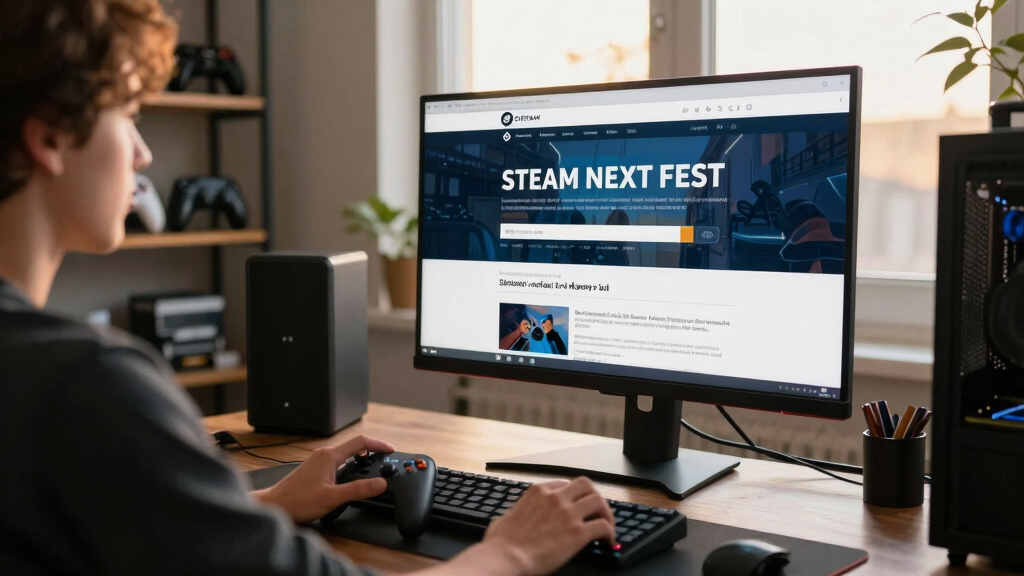
Steam Next Fest is Valve’s recurring weeklong Steam event where you can play free demos of upcoming PC games, watch developer livestreams, and wishlist games before release. It runs three times a year, in February, June, and October, and the best way to use it is to filter hard, play short demos first, check Steam Deck and content details, and save only the games you would actually buy.
The best Steam demos disappear faster than your Sunday afternoon. One minute you are sampling a crunchy tactics game with clacking dice and tiny sword sounds; the next, the Fest ends and half your tabs feel like smoke.
Steam Next Fest turns Steam into a loud, glowing arcade of unreleased games. You get free demos, live developer streams, wishlist buttons, and a rush of small discoveries, but you also get a wall of capsules, tags, trailers, and half-finished ideas.
This guide shows you how the event works and how to leave with better finds. You will learn when to browse, what to test, what to ignore, and how to protect your Steam Deck time from rough builds and vague hype.
Steam Next Fest Explained for Players Who Want Better Discoveries
Steam Next Fest is Valve’s recurring weeklong Steam event where players can try free demos of upcoming PC games, watch developer livestreams, and wishlist promising releases before launch. The trick is to browse early, filter hard, test fast, and save only games you would actually buy.
The best demos disappear faster than your Sunday afternoon.
One minute you are testing a crunchy tactics game; the next, the Fest ends and half your open tabs feel like smoke. Treat it like a tasting menu, not a backlog.
A loud, glowing arcade of unreleased games
Next Fest is not a normal discount sale. It is a discovery event built around playable demos, developer streams, feedback loops, and wishlist decisions before games fully release.
Free demos
Try upcoming games directly instead of judging them only by trailers, screenshots, and capsule art.
Developer streams
Watch gameplay, hear design context, and see whether the team explains the game clearly.
Wishlists and follows
Save games for launch and later Steam sales, but keep the list trimmed so it stays useful.

Invensic DeckTop – Steam Deck Keyboard and Bluetooth Trackpad Mouse with Multicolor LED Laptop Accessory for Valve Linux PC Gaming Accessories (Steam Deck/ROG Ally)
Responsive gaming control – Enhance your Steam Deck experience with this keyboard accessory featuring a built-in trackpad and…
As an affiliate, we earn on qualifying purchases.
As an affiliate, we earn on qualifying purchases.
Use the first session before personalization narrows the room
The first days can surface stranger finds because broad visibility and randomized placement matter more before recommendations lean harder into what similar players try.
Browse wide
Start with familiar tags, then add one tag you rarely touch.
Open 12
Scan screenshots, release window, notes, and controller support.
Install 5
Pick one safe bet, two maybes, one oddball, and one Deck candidate.
Play short
Give each demo 10-15 minutes and stop when the loop feels flat.
Wishlist late
Save only games you would remember and consider buying later.

Redragon M612 Wired RGB Optical Gaming Mouse 8000 DPI Remapping Keys
Pentakill, 5 DPI Levels – Geared with 5 redefinable DPI levels (default as: 500/1000/2000/3000/4000), easy to switch between…
As an affiliate, we earn on qualifying purchases.
As an affiliate, we earn on qualifying purchases.
One tests future games; the other empties your wallet now
Seasonal sales ask what you want to buy today. Next Fest asks what deserves a place on your future radar.
| Feature | Steam Next Fest | Normal Steam Sale | Best Player Habit |
|---|---|---|---|
| Main value | ✓ Try unreleased games through free demos | ✓ Buy released games at lower prices | Match the event to the decision you are making. |
| Timing | ~ February, June, and October windows | ~ Major seasonal sales across the year | Use Next Fest for scouting, sales for buying. |
| Risk | ✗ Demos may be rough, temporary, or unfinished | ✗ Discounts can create backlog clutter | Keep both lists disciplined. |
| Best signal | ✓ Feel, controls, idea clarity, Deck comfort | ✓ Reviews, price history, finished updates | Wishlist after playing, buy from a trimmed wishlist. |
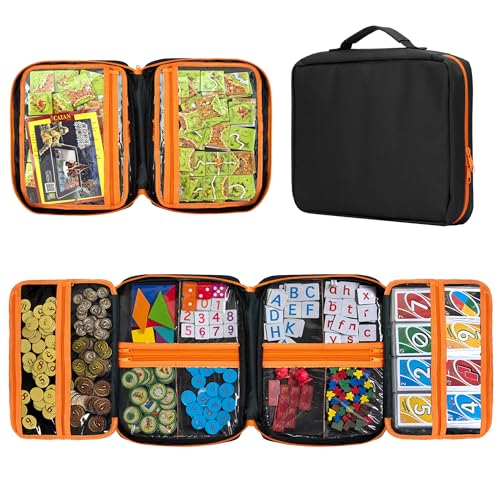
Premium Board Game Storage Organizer Case (14 PVC Pouches) – Portable Travel Game Storage Case | Ultimate Dice and Token Holder for Cards, Miniatures, and Catan Components
Ultimate Organization (14 PVC Pockets): Maximize your storage capacity with an innovative trifold design featuring 14 separate, zippered,…
As an affiliate, we earn on qualifying purchases.
As an affiliate, we earn on qualifying purchases.
Five checks before a demo earns shelf space
A beautiful trailer can smell like fresh paint, but the demo tells you whether the floorboards creak. Use these checks before turning curiosity into a wishlist entry.
Priority scan
Give the highest weight to what you can verify inside the demo and on the current store page.
Decision spectrum
Move a game from hype to save only when the actual build makes the case.
Check release timing, minute-to-minute play, developer posts, content disclosures, and whether your platform setup is actually supported.

ARZOPA 16.1'' 144Hz Portable Gaming Monitor, 106% sRGB 1080P FHD Kickstand Portable Monitor with HDR, Ultra Slim, Eye Care, External Second Screen for Laptop, PC, PS5, Mac, Xbox-Z1FC
16.1" 144Hz Display: Arzopa Z1FC 16.1" portable monitor has 144Hz ultra-high refresh rate for higher motion clarity and…
As an affiliate, we earn on qualifying purchases.
As an affiliate, we earn on qualifying purchases.
Do not trust performance chatter without the build details
Deck players should judge every demo by the current badge, the demo build itself, and their own tolerance for tinkering.
Badge status
Verified, Playable, Unsupported, and Unknown can shift as builds, Proton, and SteamOS support change.
Current build
A claim about smooth performance matters only when it names the demo version and settings.
Readable text
Small UI can ruin a handheld session even when frame rate looks acceptable.
Controller behavior
Menus, launchers, prompts, and default inputs should work without turning setup into the game.
Turn the Fest into a cleaner discovery system
The win is not playing everything. The win is leaving the week with fewer, sharper choices.
Browse early
Use the messy first pass to escape your usual tags.
Filter hard
Scan release window, notes, screenshots, and platform signals.
Play briefly
Test the first loop before hype starts doing the driving.
Save honestly
Wishlist only what you would want to see again during a sale.
Follow up
Watch updates, streams, and developer posts after the event ends.
Key Takeaways
- Steam Next Fest is a weeklong demo event for upcoming games, not a normal discount sale.
- Valve runs Steam Next Fest three times a year, with 2026 editions listed for February, June, and October.
- The first few days can surface broader picks because much of the Fest page starts randomized before personalization takes over.
- Wishlist after playing, not after watching a trailer, so your list stays useful during later Steam sales.
- Steam Deck players should check the current badge, demo build, Proton or SteamOS notes, text size, and controller behavior before trusting performance chatter.
What You Actually Get From Steam Next Fest
Steam Next Fest Explained for Players Who Want Better Discoveries is simple: Valve runs a weeklong Steam event built around free demos for upcoming games. According to Valve’s Steamworks documentation, it exists to connect players with unreleased games, developer streams, and real-time feedback before launch [1].
Think of it like a food market where every stall offers a bite. One demo gives you ten minutes of glassy pixel rain and sharp platforming; another drops you into a turn-based battle before the UI has learned to behave.
You usually get three main things:
- Playable demos for games that have not fully released yet.
- Livestreams and chats where developers show gameplay or answer player questions.
- Wishlist and follow buttons that help you track games after the event ends.
Valve says Steam Next Fest runs three times a year, in February, June, and October [1]. The 2026 schedule lists Next Fest windows for February 23-March 2, June 15-June 22, and October 19-October 26 [2].
Why the First Two Days Can Surface Stranger Finds
The early days feel more random because Valve deliberately gives participating games broad visibility before the page leans harder on personalized carousels. Valve says the first few days are randomized outside named lists and personalized segments, then recommendations shift toward what similar players try during the event [1].
That means Monday night can feel like a messy record shop crate. You might see a hand-drawn horror adventure beside a cozy bakery sim, then a low-poly mech game with a trailer that sounds like a garage full of metal drums.
Use that randomness while it lasts. If you only browse after the algorithm has watched you click three roguelikes, Steam may keep handing you more roguelikes, even when the oddball detective game two rows down would have made your week.
Smart move: Spend your first session browsing outside your usual tags, then let personalization help during your second session.
A 30-Minute Plan for Finding Better Demos
Steam Next Fest Explained for Players Who Want Better Discoveries works best when you treat the event like a tasting menu, not a backlog. Your goal is not to play everything; your goal is to find 5-10 demos worth real attention before the week gets away from you.
- Set a timer for 30 minutes. Browse by tags you already love, then pick one tag you rarely touch.
- Open 12 store pages. Do not install yet; scan screenshots, release window, demo notes, and controller support.
- Install 5 demos max. Pick a mix: one safe bet, two maybes, one weird swing, and one Deck candidate.
- Play each for 10-15 minutes. Stop early if the controls fight you or the first loop feels flat.
- Wishlist only after playing. Treat the wishlist as your clean shelf, not a junk drawer.
For example, you might start with strategy games, add one cooking sim because the art looks warm and crowded, then test a puzzle game because the trailer shows a mechanic you can explain in one sentence.
What to Check Before You Wishlist
You should check five things before you wishlist a Steam Next Fest demo: the release window, the actual gameplay loop, the developer’s update history, content disclosures, and platform fit. A beautiful trailer can smell like fresh paint, but the demo tells you whether the floorboards creak.
- Release timing: A game marked Coming Soon may still be months away, so follow it if you want updates rather than a near purchase.
- Gameplay loop: Ask what you do every minute, not just what the trailer promises.
- Developer communication: Recent Steam posts can show whether the team fixes bugs, answers questions, and explains changes plainly.
- AI and mature content disclosures: Valve’s content survey asks developers to disclose mature content and generative AI used in player-facing content [3].
- Steam Deck fit: Check the current badge, then test the demo yourself if you play handheld.
Treat leaks and rumors as unconfirmed until the Steam page, a developer post, or an official event listing backs them up. A forum claim about a secret console version may be fun chatter, but it should not decide your wishlist.
Age ratings also matter when you share a library or play around younger players. Valve says games without a valid German age rating stopped appearing to German customers on Steam starting November 15, 2024, which shows how store visibility can depend on regional rating data [5].
Steam Next Fest vs a Normal Steam Sale
Steam Next Fest Explained for Players Who Want Better Discoveries is not a sale; it is a demo-first discovery event for upcoming games. Seasonal sales ask what you want to buy now, while Next Fest asks what deserves a place on your future radar.
| Feature | Steam Next Fest | Normal Steam Sale |
|---|---|---|
| Main value | Try unreleased games through free demos | Buy released games at lower prices |
| Best use | Testing feel, controls, ideas, and Deck comfort | Buying games already reviewed by players |
| Timing | Three times a year, around February, June, and October [1] | Steam-wide seasonal sales run four times a year [2] |
| Risk | Demos may be rough or temporary | Discounts can tempt you into backlog clutter |
| Best habit | Wishlist after playing | Buy from an already trimmed wishlist |
Here is the practical difference. During a sale, you might compare a $12 city builder against your budget; during Next Fest, you are asking whether the roads, menus, and music feel good enough to remember three months later.
Steam Deck Checks That Save You From Bad Surprises
Steam Deck players should judge every demo by the current store badge, the demo build itself, and your own tolerance for tinkering. Valve’s hardware review uses badges such as Verified, Playable, Unsupported, and Unknown, and ratings can change when builds, Proton, or SteamOS support changes [4].
For performance claims, pin down the platform and version. A post saying a demo runs at 60 fps means less than a note saying it ran on Steam Deck OLED, SteamOS 3.x, Proton Experimental, low settings, during the current Fest build.
Valve’s current Deck criteria cite a playable default configuration at 30fps at 800p, plus controller support, readable text, and launcher behavior [4]. That does not promise every demo will feel silky, especially if the developer has not requested or passed review yet.
Try a quick handheld test: launch the demo, move through menus with the Deck controls, read the smallest text at arm’s length, suspend and resume once, then play five busy minutes. If the fan screams and the text looks like ants, you have your answer.
What Your Feedback Does After the Demo
Your feedback matters most when it describes a specific moment, device, and problem. According to Valve, Steam Next Fest helps developers gather real-time feedback before release [1], so a useful note can shape controls, tutorials, balance, accessibility options, or Steam Deck fixes.
Bad feedback sounds like: the combat is bad. Good feedback sounds like: on Steam Deck, the dodge button felt delayed during the second boss, and the tutorial never explained stamina until after I died twice.
You do not need to write an essay. Send one sharp paragraph in the Steam discussion, demo feedback form, Discord, or developer stream chat if the team points players there.
- Name your setup: PC specs, controller, Steam Deck model, or Proton version if relevant.
- Describe the moment: menu, boss, puzzle, crash, cutscene, or loading screen.
- Say what you expected: clearer text, remappable buttons, faster restart, or better audio mix.
The best comments feel like a flashlight. They do not redesign the game for the developer; they point at the dark corner where you tripped.
The Smart Way to Leave With a Better Wishlist
The best Steam Next Fest result is a smaller, cleaner wishlist full of games you actually remember. After the event, you should keep the demos that earned your time, remove the maybes that faded, and follow only developers whose updates you want to read.
At the end of the week, sort your picks into three piles:
- Buy-watch: games you would buy near launch if reviews and price line up.
- Follow only: promising games that need polish, clearer Deck support, or a better release window.
- Drop: demos that looked good in screenshots but felt empty in your hands.
Picture your wishlist as a workbench, not a storage unit. The fewer dusty boxes on it, the easier it gets to spot the one bright tool you actually want to use.
Frequently Asked Questions
Are Steam Next Fest demos really free?
Yes. Steam Next Fest demos are free to download and play during the event, though the full games are usually paid when they release. Some developers leave demos up afterward, but many remove or update them once the Fest ends.
Can I play every Steam Next Fest demo?
You can install as many as you want, but trying everything is a fast path to burnout. With thousands of demos in some editions, a better plan is to shortlist 5-10 strong candidates and play each long enough to test the core loop.
Is Steam Next Fest good for Steam Deck players?
Yes, but you should test each demo on your Deck instead of trusting a vague claim. Check the current compatibility badge, then test controller menus, text size, suspend and resume, and frame pacing on your own device.
Should I trust rumors about games shown during Steam Next Fest?
Treat rumors, leaks, and social posts as unconfirmed unless the Steam page, developer announcement, or official event listing backs them up. A demo proves the current build exists; it does not prove a release date, console port, or future feature.
Where can I verify official Steam Next Fest dates and rules?
Use Valve’s official pages for live dates and rules: [1] https://partner.steamgames.com/doc/marketing/upcoming_events/nextfest, [2] https://partner.steamgames.com/doc/marketing/upcoming_events, [3] https://partner.steamgames.com/doc/gettingstarted/contentsurvey, [4] https://partner.steamgames.com/doc/steamhardware/compat, [5] https://partner.steamgames.com/doc/gettingstarted/contentsurvey/germany.
Conclusion
Use Steam Next Fest like a sharp little scouting trip: sample fast, test honestly, and only wishlist what still glows after the demo closes.
When the Fest noise fades, you should be left with a short list that feels handpicked, like a row of game boxes under warm desk light, each one earning its spot.