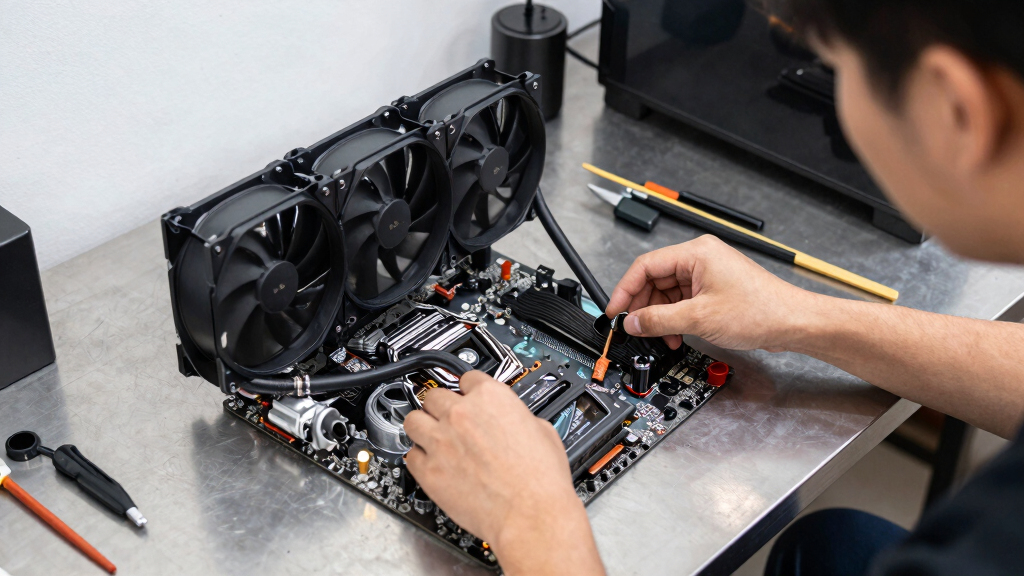

TL;DR

Play games on Amazon Luna for your game nights, included with Prime
- A rotating selection of games, no download needed
- Play on TV, laptop or phone
- Fast, free delivery for your gear, too
AIO liquid cooling risks explained for gaming PCs: leaks are rare, often under 1-2% across a unit’s life, but pump failure, poor mounting, tube wear, and coolant aging can still damage hardware. Most AIOs belong in a 3-7 year service window, with 4-6 years as a smart replacement target for heavily used gaming rigs.
A sealed liquid cooler can look calm while it carries warm coolant a few centimeters away from a $500 graphics card.
That does not mean AIO coolers are scary. It means you should know what can fail, what warning signs sound like, and when a sleek radiator is worth the extra parts.
You will learn the real risks, the safer setup choices, and the point where a big air cooler may make more sense for your gaming PC, Steam library, or desk setup.
AIO Liquid Cooling Risks Explained for Gaming PCs
Leaks are rare, often under 1-2% across a unit’s life, but pump failure, poor mounting, tube wear, and coolant aging can still damage hardware. Most AIOs belong in a 3-7 year service window, with 4-6 years as a smart replacement target for heavily used gaming rigs.
A sealed liquid cooler can look calm while it carries warm coolant a few centimeters away from a $500 graphics card.
What An AIO Adds
An all-in-one liquid cooler moves heat from a CPU or GPU block to a radiator through tubing. The benefit is cleaner case space and strong heat transfer. The risk is extra complexity: a pump, coolant, seals, gaskets, and tubing that ages.
Cleaner Socket Area
A radiator can move heat toward the roof or front of the case, freeing tall RAM sticks and reducing clutter around the motherboard.
More Failure Points
A tower air cooler is mostly metal and fans. An AIO adds moving liquid, a tiny motor, seals, and tubing that slowly wears.
Safe, Not Magic
Most reputable units run safely for years, but warning signs deserve attention before a normal gaming night becomes a shutdown.
The 5 Failures
AIO liquid cooling risk comes down to leaks, pump failure, tube wear, poor mounting, and coolant breakdown. One bad seal or stopped pump can turn a familiar load into sudden heat.
Leaks
Often estimated below 1-2% over a reputable unit’s life, but serious when coolant reaches a motherboard or GPU.
Pump Failure
The pump stops moving heat, so temperatures climb fast even while radiator fans still spin.
Tube Wear
Tight bends, sharp case edges, and repeated movement can stress fittings over time.
Poor Mounting
A loose block can leave hot spots, dried paste, or sudden 90°C-class spikes during CPU-heavy games.
Coolant Aging
Inside a sealed unit, fluid can slowly lose performance as the cooler moves deeper into its service life.
Sound + Heat
A faint grinding sound plus a sudden CPU package temperature jump points toward cooler trouble, not just a game patch.
AIO Vs Air Vs Custom
Liquid cooling is not automatically reckless, and air cooling is not automatically weak. The safer choice depends on case layout, CPU heat, noise goals, and how often the PC gets moved.
| Cooling Choice | Best Fit | Main Risk | Gaming Example | Safety Signal |
|---|---|---|---|---|
| Large air cooler | Quiet midrange builds and long service life | Fan failure, RAM clearance, heavy heatsink weight | A Ryzen 5 or Core i5 PC that runs Steam games for years with simple dust cleaning | ✓ Lowest spill risk |
| AIO liquid cooler | Hot CPUs, clean layouts, small socket area | Leak, pump failure, coolant aging | A high-end desktop where a 280 mm radiator keeps boost clocks steady during long sim sessions | ~ Strong, but monitor it |
| Custom loop | Show builds and advanced cooling projects | More fittings, more upkeep, user assembly mistakes | A showcase PC with CPU and GPU blocks that needs planned draining and refilling | ✗ Highest upkeep |
Risk Signals To Watch
A healthy AIO makes a steady hum. A failing one may gurgle, tick, grind, or let CPU temperatures jump from the 50s to 90°C under the same game load.
Relative Risk Attention
Leak probability is low, but consequence is high. Pump and mounting issues are the everyday signs most users are more likely to notice first.
Temperature Escalation
If your usual CPU temperature in a familiar game is 68°C and it suddenly sits at 92°C with the same settings, check the cooler before blaming the game.
Monthly Check Flow
The safest AIO setup feels boring: no wet shine under fittings, no frantic fan ramps, no hot plastic smell near the radiator, and no surprise pump RPM drops.
Log Idle Temp
Write down normal desktop CPU temperature after ten quiet minutes.
Repeat A Game
Use the same title, settings, and room temperature when possible.
Listen Closely
A dry buzz, rattle, tick, or grinding noise deserves attention.
Inspect Fittings
Look for wet shine, crusty residue, or dust stuck in a damp ring.
Watch Pump RPM
Monitoring software can show a dead or unstable pump reading.
When It Is Worth It
An AIO makes sense when case airflow, CPU heat output, noise targets, or motherboard clearance make a large air cooler awkward. It is overkill for many midrange rigs and irrelevant inside a Steam Deck.
Pick AIO For
- Hot high-end CPUs with sustained boost behavior.
- Tight socket areas where tower clearance is painful.
- Cases with strong 240 mm, 280 mm, or 360 mm radiator mounts.
- Noise goals that benefit from moving heat to the case edge.
Immediate Shutdown Rule
If you see coolant, smell hot plastic, hear pump grinding, or hit sudden 90°C-class temperatures under a familiar load, shut the PC down before testing anything else.
Safer Setup Choices
You lower AIO risk by choosing a sane radiator position, protecting tubes from sharp bends, monitoring pump speed, and replacing the unit before old age becomes the deciding factor.
Keep Air Away From The Pump
Mount the radiator so the pump is not the highest point when your case allows it. This helps keep trapped air out of the pump chamber.
Avoid Kinks And Sharp Edges
A tight bend behind a glass panel can stress fittings every time the case warms up, cools down, or gets moved.
Keep Cables Clear
One loose cable can stop radiator airflow and mimic cooler failure, so keep fan paths clean and boring.
Plan The Replacement
Treat most AIOs as 3-7 year parts. For daily gaming rigs, 4-6 years is a sensible target before trouble starts choosing the timing.
Key Takeaways
- Leaks are rare, often below 1-2% across a reputable AIO’s life, but they can cause expensive damage when they happen.
- Pump failure is the risk you are more likely to notice through sound, rising temperatures, or unstable pump RPM.
- AIO coolers usually belong in a 3-7 year service window; daily gaming rigs should plan around 4-6 years.
- A large air cooler is often safer and simpler for midrange builds, while an AIO can make sense for hot CPUs, tight layouts, or cleaner airflow paths.
- If you see coolant or sudden 90°C-class temperatures under a familiar load, shut the PC down before testing anything else.
AIO liquid cooling pump replacement
As an affiliate, we earn on qualifying purchases.
As an affiliate, we earn on qualifying purchases.
What An AIO Actually Adds To Your PC
AIO Liquid Cooling Risks Explained for Gaming PCs starts with a simple definition: an all-in-one liquid cooler is a sealed cooling kit that moves heat from your CPU or GPU block to a radiator through tubing. You get lower temperatures and cleaner case space, but you also add a pump, coolant, seals, and age.
Think of a common 240 mm CPU AIO in a mid-tower case. Your processor heats a cold plate, the pump pushes coolant through rubber tubes, and two fans blow hot air through a radiator that feels warm to the touch after a long raid.
The benefit is neat and real. You can clear tall RAM sticks, move heat toward the case roof or front, and keep sudden CPU spikes from turning your fans into tiny hair dryers.
The risk comes from complexity. A tower air cooler is mostly metal and fans; an AIO liquid cooling unit has moving liquid, a tiny motor, gaskets, and tubing that slowly ages.
gaming PC liquid cooling maintenance kit
As an affiliate, we earn on qualifying purchases.
As an affiliate, we earn on qualifying purchases.
The 5 Failures That Can Hurt Your Hardware
AIO Liquid Cooling Risks Explained for Gaming PCs comes down to five failures: leaks, pump failure, tube wear, poor mounting, and coolant breakdown. Most units run safely for years, but one bad seal or a stopped pump can turn a normal Steam night into a black-screen panic.
- Leaks: Rare, often estimated below 1-2% over a unit’s life with reputable brands, but serious when coolant reaches a motherboard or GPU [1].
- Pump failure: The pump stops moving heat, so temperatures can climb fast even while the radiator fans still spin.
- Tube wear: Tight bends, sharp case edges, and repeated movement can stress fittings over time.
- Poor mounting: A loose block leaves hot spots, dried paste, or sudden 90°C spikes during CPU-heavy games.
- Coolant breakdown: Inside a sealed unit, fluid can slowly lose performance as the cooler ages.
Here is the real-world version: you launch a shader-heavy game after a driver update, hear a faint grinding sound, and your CPU package temperature jumps higher than usual. That may be a pump issue, not a game patch problem.
As an affiliate, we earn on qualifying purchases.
AIO Vs Air Cooling: The Safer Choice Depends On Your Build
AIO Liquid Cooling Risks Explained for Gaming PCs is not a warning to avoid liquid cooling. It is a tradeoff map. A tower air cooler carries less spill risk and fewer moving parts, while an AIO can clear RAM slots, move heat to the case edge, and handle short CPU heat spikes neatly.
| Cooling choice | Best fit | Main risk | Gaming example |
|---|---|---|---|
| Large air cooler | Quiet midrange builds and long service life | Fan failure, RAM clearance, heavy heatsink weight | A Ryzen 5 or Core i5 gaming PC that runs Steam games for years with simple dust cleaning |
| AIO liquid cooler | Hot CPUs, clean layouts, small socket area | Leak, pump failure, coolant aging | A high-end desktop where a 280 mm radiator keeps boost clocks steady during long strategy or sim sessions |
| Custom loop | Show builds and advanced cooling projects | More fittings, more upkeep, user assembly mistakes | A showcase PC with CPU and GPU blocks that needs planned draining and refilling |
For Steam Deck players, the handheld itself does not use a desktop AIO, and Steam Deck Verified status does not change because your desktop gaming PC uses liquid cooling. Docked play may heat the room, but it will not make a desktop radiator safer or riskier.
As an affiliate, we earn on qualifying purchases.
Catch Problems Before A Match Turns Into A Shutdown
Would you notice a failing cooler before your CPU does? You can catch many AIO problems early by watching sound, temperature, pump RPM, and the inside of your case once a month. A healthy AIO makes a steady hum; a failing one may gurgle, tick, or let CPU temperatures jump from the 50s to 90°C under the same game load.
- Check idle temperature: Write down your normal desktop CPU temperature after 10 minutes.
- Check game temperature: Use the same game, same settings, and same room temperature when possible.
- Listen near the pump: A dry buzz, rattle, or grinding noise deserves attention.
- Inspect fittings: Look for wet shine, crusty residue, or dust stuck in a damp ring.
- Watch pump RPM: Monitoring software can show a dead or unstable pump reading [2].
- Plan by age: Treat 4-6 years as the practical replacement window for a daily gaming PC.
A simple example helps: if your usual CPU temperature in Helldivers or Cities: Skylines is 68°C and it suddenly sits at 92°C with the same settings, do not blame the game first. Check the cooler.
When An AIO Is Worth The Extra Risk
An AIO is worth it when your case airflow, CPU heat output, noise goals, or layout make a large air cooler awkward. It is suitable for a high-end desktop build with room for a radiator, but it is overkill for many midrange rigs and irrelevant inside a Steam Deck.
You may want one if your case has a tight motherboard area but strong radiator mounts. A 280 mm AIO at the top of a roomy case can keep hot air moving up and out, like a kitchen vent pulling steam away from a stove.
You may skip one if you travel with the PC, move it often, or keep it under a desk where tubes can get bumped. A heavy tower cooler has its own drawbacks, but it will not drip onto a GPU.
Rule of thumb: Pick an AIO for layout, heat, or noise reasons. Do not pick one only because liquid cooling looks more serious through tempered glass.
For gaming performance claims, use your exact platform and version. A Windows 11 desktop, a Linux gaming build, and a Steam Deck all report heat and fan behavior differently.
Safer Setup Choices That Lower The Risk
You lower AIO risk by choosing a sane radiator position, protecting tubes from sharp bends, monitoring pump speed, and planning replacement before the cooler is old. The best setup feels boring: no wet shine under fittings, no frantic fan ramps, no hot plastic smell near the radiator.
- Mount the radiator so the pump is not the highest point when your case allows it. This helps keep air away from the pump chamber.
- Avoid kinked tubes. A tight bend behind a glass panel can stress fittings every time the case warms up.
- Keep cables away from fans. One loose cable can stop radiator airflow and mimic cooler failure.
- Use monitoring alerts. Set a CPU temperature warning near a level that is abnormal for your build, not someone else’s chart.
- Keep purchase records. Warranty length matters because many AIOs are sealed units, not home repair projects.
According to skeldrift.com’s PC gaming hardware guidance, a typical AIO should be treated as a 3-7 year part, with heavy gaming use pushing you toward the middle of that range [1]. That matters more than RGB brightness or a cleaner cable photo.
What To Do If You See Coolant Or Sudden Heat
If you suspect a leak or pump failure, shut the PC down, cut power at the switch, and stop testing games. Do not keep launching benchmarks to see if it gets better. Coolant plus live electronics can turn a repairable problem into a ruined motherboard.
Unplug the power cable, open the side panel, and use a bright light. Look around the CPU block, tube ends, radiator seams, and the top edge of the graphics card where droplets may hide like clear nail polish.
If you see liquid, photograph the area before wiping it. That can help with warranty support. Then remove affected parts only if you are comfortable doing so, and let everything dry fully before any power test.
Most sealed AIO leaks are replacement cases, not weekend repair jobs. If the unit is under warranty, start there before you twist fittings or cut tubing.
Frequently Asked Questions
Are AIO liquid coolers safe for gaming PCs?
Yes, AIO liquid coolers are generally safe for gaming PCs when installed correctly and checked over time. The risk is not daily danger; it is rare leakage, pump failure, and aging that you should plan for.
How long does an AIO cooler usually last?
Most AIO coolers last about 3-7 years, depending on usage, build quality, case heat, and dust levels. For a PC used for long gaming sessions most days, 4-6 years is a smart planning range.
Can a leaking AIO destroy a graphics card?
Yes, a leak can damage a GPU if coolant lands on powered electronics. Shut the system down at the first sign of liquid, residue, or sudden unexplained overheating.
Is an air cooler better than an AIO for most gamers?
For many midrange gaming PCs, a strong air cooler is simpler, cheaper, and lower risk. An AIO makes more sense when you need radiator placement, extra socket clearance, or better heat handling for a hotter CPU.
Can I repair a leaking AIO myself?
Usually, no. Most AIO coolers are sealed units, so a leak normally means warranty support or replacement rather than home repair.
Conclusion
The crisp takeaway: an AIO is safe when you install it well, watch it, and replace it before age turns into drama.
Treat the cooler like a part with a clock on it. Your games should sound like fans and keyboard clicks, not a pump begging for help behind the glass.
Evergreen bestsellers Picks
bestsellers
As an affiliate, we earn on qualifying purchases.