
TL;DR

Get games and gaming gear delivered free — and shop member deals
- Fast, free delivery on millions of items
- Access to Prime Big Deal Days deals on October 6–7
- Prime Video, Amazon Music and more included
4K rendering is mainly a local computation problem, but 4K streaming is an end-to-end delivery problem involving capture, compression, transport, decoding, and display. A device can render 4K perfectly yet stream it poorly because network stability, codec support, buffering, HDR handling, DRM, and service bitrate all affect the final image.
Your screen can draw a razor-sharp 4K game and still turn a 4K stream into a soft, blocky mess. That apparent contradiction comes from treating 4K as a single task when it actually describes only the frame dimensions: 3840 × 2160 pixels. Rendering creates those pixels nearby; streaming must push a moving river of them through hardware, software, and a network that changes from second to second.
For local output, the image is primarily a local computation: the GPU builds a frame and hands it to the display. Streaming is harder because a service must render or capture the frame, compress it, transport it, decode it, and display it before you notice a pause. Each extra handoff adds another place for quality, speed, or compatibility to break.
You will learn why bitrate can matter more than resolution, why a fast speed test may hide unstable Wi-Fi, and why smoke, rain, film grain, or a stadium crowd can make an encoder sweat. You will also get a practical troubleshooting sequence for separating connection trouble from codec, HDR, device, and service limits. The goal is simple: help you identify the weak link instead of blaming every blurry frame on your internet plan.
Separate resolution from quality: a high-bitrate 1080p stream can preserve more detail than heavily compressed 4K.
Favor stability over peak speed: compare Ethernet and Wi-Fi during sustained playback instead of trusting one speed-test result.
Check the whole device chain: codecs, DRM, HDCP, HDMI hardware, HDR formats, and app support can silently cap playback.
Use difficult scenes as tests: fast sports, smoke, rain, foliage, film grain, and dark gradients expose compression limits quickly.
Change one variable at a time: isolate the network, player, service, decoder, and display rather than replacing equipment blindly.
Why 4K Streaming Is Harder Than 4K Rendering
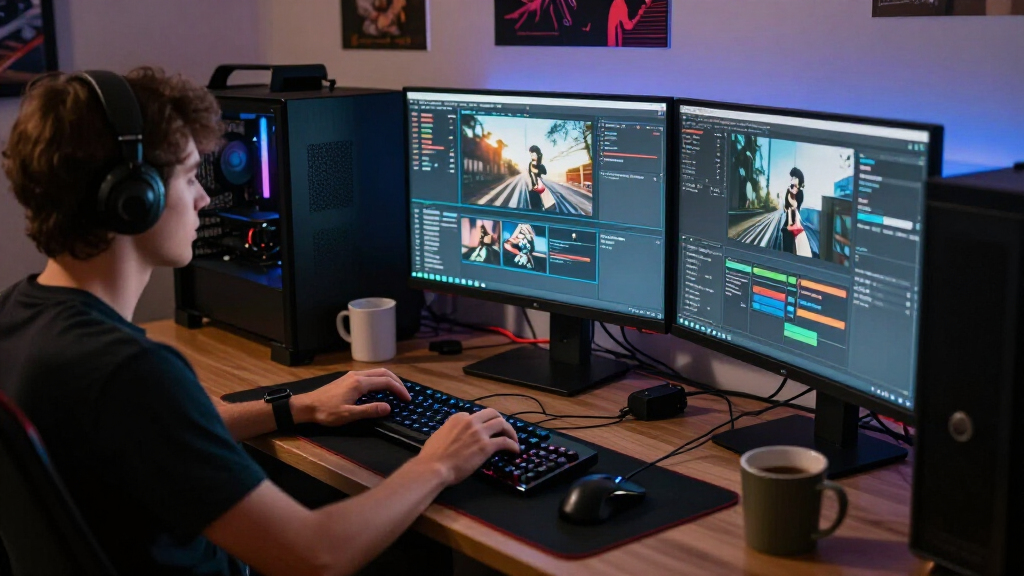
A local GPU creates pixels a few centimeters from the display. A streaming service must capture, compress, transport, decode, protect, and display those same pixels across an unpredictable chain—before the buffer empties or your eyes notice the loss.
“4K” specifies roughly 8.3 million pixel positions, not how much useful detail survives.
Pixel positions must be processed every second before compression reduces the data.
Streaming quality is limited by the weakest link from source to screen.
Creating a frame is not the same as delivering it
Native rendering can be extremely demanding, especially with ray tracing or high frame rates. Its advantage is control: the work happens inside a known local system. Streaming extends the task across independent hardware, software, services, and networks.
A short, controlled path
The GPU generates the frame and sends it directly to the connected display. No internet transport or network-friendly video compression is normally required.
Main stages. Typical failures include low frame rate, heat, insufficient GPU power, or local stutter.
A long, variable path
Every handoff can reduce quality, add delay, trigger compatibility limits, or force the player down to a lower bitrate.
Interdependent stages. Blur, artifacts, buffering, latency, HDR errors, DRM limits, and codec failures can all appear.
The image must survive the entire delivery chain
A 4K badge can describe the frame dimensions at the start while saying little about what reaches the viewer at the end.
The final experience can be capped by service bitrate, Wi-Fi stability, codec support, DRM, HDCP, HDMI hardware, HDR compatibility, or the playback app—even when the screen itself renders 4K perfectly.
Millions of pixels must fit through a much smaller pipe
Raw high-quality 4K video may demand several gigabits per second. Streaming codecs must reduce that flood to tens of megabits per second while preserving faces, lettering, motion, shadows, gradients, and texture.
Static interview
A fixed wall and limited movement let the encoder reuse information across many frames.
Rain, smoke, and grain
Fine, unpredictable changes consume bits rapidly and reveal smearing, blocks, and lost texture.
Live games and sports
Dense detail, fast movement, and low-latency deadlines leave little time for deeper encoder analysis.
| Part of the job | Local 4K rendering | 4K streaming |
|---|---|---|
| Primary task | ✓Generate each frame | ~Capture, encode, move, decode, and display |
| Data path | ✓GPU to local display | ~Source to service to network to player |
| Network reliance | ✓Usually none | ~Fundamental to playback |
| Compression | ✓Usually unnecessary before display | ~Required for practical delivery |
| Typical limits | ✓GPU load, heat, and frame pacing | ~Bitrate, stability, codecs, HDR, DRM, and latency |
| Control | ✓Known local hardware | ~Many independent systems and routes |
Find the weak link before replacing hardware
Change one variable at a time. A short speed test measures a nearby sprint; sustained playback is a marathon across a different and constantly changing route.
Confirm the source
Verify the title, subscription tier, app, and device are actually authorized for 4K.
Compare Ethernet
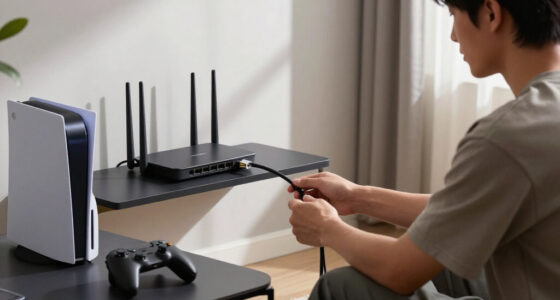
Test sustained playback over a cable to isolate Wi-Fi interference and signal variation.
Check codec support
Confirm hardware decoding, app support, DRM level, and the service’s device rules.
Inspect HDMI and HDR
Check the port, cable, receiver, HDCP version, HDR format, and display input settings.
Compare content
Try another title or provider to reveal bitrate, regional CDN, or source-quality limits.
Use difficult scenes
These patterns expose compression weaknesses much faster than a calm, brightly lit close-up.
Read the symptom
Resolution counts pixels. Bitrate preserves them.
See the Extra Work Hidden Behind Every 4K Stream
Why 4K Streaming Is Harder Than 4K Rendering comes down to the length of the delivery chain. Rendering asks one device to create a frame quickly; streaming asks several systems to create, compress, move, decode, and display that frame before a buffer empties or your eyes catch the delay.
A locally rendered game works a little like cooking in your own kitchen. The GPU prepares the frame, places it on the counter, and the display picks it up. A streamed frame resembles a hot meal sent across a city: it must be packed tightly, routed through traffic, unpacked correctly, and served while it still feels fresh and responsive.
| Part of the job | Local 4K rendering | 4K streaming |
|---|---|---|
| Primary task | Generate each frame | Generate or capture, encode, transport, decode, and display |
| Data path | GPU to local display | Source to encoder to network to decoder to display |
| Network reliance | Usually none | Fundamental to playback |
| Compression | Usually unnecessary before display | Required for practical delivery |
| Typical problems | Low frame rate, heat, or stutter | Blur, buffering, artifacts, latency, codec failure, or DRM limits |
| Scale | One machine | Potentially millions of viewers |
The comparison does not make native 4K rendering easy. A game running ray tracing, dense geometry, and 120 frames per second can hammer even powerful hardware. Developers often reduce shadow detail, use dynamic resolution, or reconstruct a lower internal resolution with DLSS, FSR, or XeSS to meet the frame-rate target.
The distinction lies in control. A developer can tune a known console or PC, but a streaming platform cannot control your router, crowded Wi-Fi channel, browser decoder, HDMI receiver, or regional delivery route. Rendering has a heavy workload; streaming has a longer chain of independent workloads.
Rendering asks whether one machine can create the frame. Streaming asks whether an entire chain can deliver it on time and intact.
As an affiliate, we earn on qualifying purchases.
Understand Why 8.3 Million Pixels Become a Compression Battle
Why 4K Streaming Is Harder Than 4K Rendering becomes clear when you count the data. A single UHD frame holds about 8.3 million pixels, and 60 fps means processing nearly 500 million pixel positions each second before color data and other overhead enter the calculation [1].
Raw, high-quality 4K video can require several gigabits per second. Most home connections cannot carry that flood, and delivering it to millions of homes would cost a fortune. An encoder must squeeze the video into tens of megabits per second, sometimes less, while trying to preserve faces, lettering, shadows, and motion.
Compression works like packing a thick winter coat into a small travel bag. The encoder looks for repeated details inside each frame and similarities between nearby frames, then avoids storing every pixel from scratch. The harder it squeezes, the more likely you are to see blocky shadows, smeared grass, flat skin texture, or color bands across a blue evening sky.
A quiet interview makes the job easy. The wall stays still, the camera barely moves, and only the speaker’s face changes. Put that person beneath falling confetti with flashing lights and a fast camera sweep, and the encoder must describe thousands of unpredictable changes with the same bitrate budget.
Time adds another limit. A movie service can analyze a finished title slowly, test different settings, and give a difficult shot extra data. A live encoder may have only milliseconds to make its choices, because extra analysis adds delay and a larger buffer makes sports, calls, or game controls feel late.
That creates the core antithesis: compression wants time, but live video wants speed. Newer GPUs increasingly include dedicated AV1 encoders, and platforms use content-aware settings that assign more bits to difficult scenes [2]. Those advances help, but no codec can erase the need to discard a vast amount of raw information.
As an affiliate, we earn on qualifying purchases.
Learn Why a 100 Mbps Speed Test Can Still Produce Buffering
Why 4K Streaming Is Harder Than 4K Rendering is also a story about unstable delivery. A speed test showing 100 Mbps does not promise that your television will receive a steady 25 Mbps from a particular streaming server during every second of a two-hour movie.
A speed test captures a short sprint to a nearby test server. A stream runs a marathon along a potentially different route, often through a content-delivery network with changing congestion. Packet loss, jitter, latency, Wi-Fi interference, and competing traffic can interrupt playback even when your peak speed looks excellent.
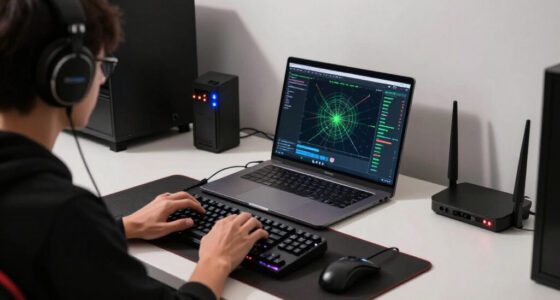
Imagine a television two rooms from the router. It reports a fast Wi-Fi link, but a concrete wall weakens the signal while a laptop downloads a 40 GB game and two phones back up photos. Your nominal connection remains fast, yet the television receives data in uneven bursts, like water sputtering through a kinked hose.
Streaming services protect playback with a buffer and adaptive bitrate streaming. The player stores several seconds of video, watches recent throughput, and selects from an encoding ladder containing multiple resolutions and bitrates. If the buffer begins to drain, the service may quietly switch to a softer version before you see a spinning icon.
That choice explains why a stream can still report 3840 × 2160 output while looking blurry. The service may use a lower-bitrate 4K version, or your player may upscale a lower-resolution rendition to a 4K signal. A UHD badge tells you the pixel grid, not how much real detail survived compression.
Typical services recommend roughly 15–25 Mbps for one 4K stream, though live sports and game streaming may need more steady headroom [1]. At those rates, an hour consumes about 6.75–11.25 GB. Ethernet often feels smoother than Wi-Fi with the same peak result because consistency matters more than a flashy momentary number.
As an affiliate, we earn on qualifying purchases.
Spot When Bitrate, Motion, and HDR Matter More Than Resolution
A 4K label does not guarantee a better image because resolution describes pixel count, not the condition of those pixels. A clean, high-bitrate 1080p presentation can preserve more visible texture and smoother motion than a heavily compressed 4K stream, especially from a normal viewing distance.
Think of resolution as the number of tiles in a mosaic and bitrate as the amount of paint available for them. Four times as many tiles do little good if each receives a muddy dab. Codec quality, frame rate, bit depth, chroma detail, source mastering, and scene complexity all shape what you see.
This is why a 4K Blu-ray often looks richer than streamed 4K despite sharing the same 3840 × 2160 dimensions. The disc can devote far more data to fine film grain, individual blades of grass, drifting smoke, and dim gradients. On a stream, those details may melt into waxy faces or crawling blocks when motion pushes past the bitrate budget.
HDR raises both the reward and the difficulty. HDR10, HDR10+, Dolby Vision, and HLG can produce bright sparks, deep shadows, and saturated colors that make a bigger visual difference than resolution alone. The pipeline must still carry 10-bit video, metadata, the right color space, and a tone-mapping result suited to your screen.
Suppose a night scene shows neon signs glowing above wet pavement. Correct HDR gives you hot pink reflections, bright white lettering, and detail inside the dark shop doorway. A failed handshake or poor tone map can leave the same shot washed out, painfully dim, clipped, or banded, even though the player still says 4K.
Screenshots rarely settle arguments about stream quality because many compression flaws appear during motion. Pause a football match and the grass may look sharp; resume it as the camera pans across the crowd, and the field turns into green soup. Judge moving scenes, dark gradients, and fine texture, not just a frozen menu badge.
As an affiliate, we earn on qualifying purchases.
Find the Codec or Copy-Protection Limit Hiding in Your Setup
Codec and DRM support can block 4K even when your display and internet connection are fast enough. Streaming uses specialized decoding hardware, secure playback paths, and copy-protection checks, so an older browser, receiver, cable, or streaming device may force 1080p playback or dropped frames.
Codecs act like different methods of folding the same large map. H.264/AVC opens almost everywhere but uses space less efficiently for 4K. H.265/HEVC, VP9, and AV1 can fit similar visible quality into a smaller stream, but your device needs the right decoder to unfold the data quickly.
If hardware decoding is missing, the CPU may attempt the work in software. You might hear a laptop fan surge, feel heat spreading across the keyboard, or watch frames skip despite a powerful graphics card. Rendering and video decoding use different hardware paths, so strong gaming performance does not prove codec support.
AV1 has spread across newer televisions, phones, GPUs, browsers, and streaming boxes because it can deliver comparable visible quality at a lower bitrate than older codecs under well-tuned settings [2]. The tradeoff is heavier encoding work and mixed support across older devices. Services still keep several codec versions, which multiplies encoding, storage, testing, and delivery work.
Premium content adds DRM and HDCP checks. A compatible television connected through an older receiver may fall back to a lower resolution because one device in the chain cannot maintain the required secure path. Swapping the receiver out of the path can suddenly restore 4K, revealing a copy-protection bottleneck rather than a bandwidth problem.
Codec efficiency claims also depend on the title, settings, encoding time, and quality target. AV1 is not automatically best for every live workflow, and HEVC remains widely deployed with mature hardware support. The practical winner is the codec that balances quality, latency, power use, and device reach for the viewers involved.
See Why Live Sports and Cloud Gaming Push the Chain Hardest
Live 4K and cloud gaming are harder than on-demand movies because they lose the luxury of time. The system must render or capture, encode, transport, decode, and display each frame immediately, leaving little room for slow analysis, large buffers, or a second attempt.
An on-demand drama can be encoded days before you watch it. Engineers can analyze each shot, create several bitrate versions, cache them near your region, and let the player hold a comfortable buffer. If your network pauses for half a second, stored video may cover the gap without a visible hiccup.
Live sports cannot wait. Confetti, waving flags, camera flashes, fast pans, and a grass field full of moving players create some of the hardest material to compress. The encoder must make decisions in real time while the service keeps delay low enough that you do not hear your neighbor celebrate a goal ten seconds before your screen shows it.
Cloud gaming tightens the deadline again. When you press a button, the input travels to a server, the server renders a frame, an encoder compresses it, the network carries it back, and your device decodes and displays it. The pipeline combines high-end rendering with the hardest parts of streaming.
A movie can hide a rough network behind several seconds of buffering; a competitive game cannot. Too little buffering risks stutter, while too much makes controls feel as if they are moving through syrup. This is the sharp tradeoff: stability wants a cushion, responsiveness wants almost none.
Low-latency HLS, low-latency DASH, WebRTC delivery, edge servers, hardware AV1 encoding, and smarter bitrate selection continue to reduce delay [2]. Yet moving from 4K30 to 4K60 or 4K120 multiplies the number of frame deadlines. Faster codecs and nearby servers improve the chain, but they cannot make network variation disappear.
Use This Five-Step Check to Fix Weak 4K Playback
You can diagnose most 4K streaming problems by testing one link at a time. Start with the connection, then check the service rendition, device decoder, HDR path, and household traffic. This sequence keeps you from replacing a router when the real limit sits inside a browser, cable, app, or account setting.
- Test sustained playback, not only peak speed. Run the actual stream for several minutes and watch for bitrate drops or buffering. If possible, compare Wi-Fi with Ethernet on the same device.
- Pause competing traffic. Stop game downloads, cloud backups, and large uploads. Upload saturation can also hurt downloads by delaying network acknowledgements.
- Check the full playback path. Confirm that the app, browser, streaming box, receiver, HDMI input, cable, and display support the required 4K, HDR, codec, DRM, and HDCP combination.
- Compare content types. Test a calm studio scene, a dark film scene, and a fast sports clip. If only complex motion falls apart, compression or service bitrate may be the limit.
- Change one variable at a time. Try another app, device, network connection, or HDMI path while leaving everything else unchanged. The change that restores quality points toward the weak link.
For example, suppose your 4K movie looks sharp for five minutes and then falls to a soft image whenever someone begins a console download. Ethernet alone may not fix a saturated internet line, but pausing the download could. If Ethernet fixes the problem while both devices report similar peak speeds, Wi-Fi consistency was the likely culprit.
If every service works except one browser, test the platform’s official app or a different supported browser. A missing hardware decoder or DRM restriction may cap that route below 4K. If removing an AV receiver from the HDMI chain restores HDR, inspect its HDCP version, input mode, and passthrough support.
A faster plan only helps when bandwidth or congestion causes the limit. Once a service already sends its highest-quality rendition, added speed gives you more headroom but cannot add detail absent from the encoded file. More bandwidth cannot repair a low-bitrate master.
Treat the system like a string of holiday lights: testing the entire strand tells you only that something failed, while checking each segment reveals the dead bulb. The practical lesson is to find the weakest link in the end delivery problem before spending money on hardware or a larger internet package.
Frequently Asked Questions
How much internet speed do you need for 4K streaming?
Many services recommend roughly 15–25 Mbps for each 4K stream, but your household needs extra room for traffic spikes and other users. At that bitrate range, expect about 6.75–11.25 GB of data per hour, with live or higher-quality streams sometimes using more.
Why does a 4K stream look blurry even when the app says UHD?
The app may deliver 4K pixel dimensions at a low bitrate, or it may upscale a lower-quality rendition to a 4K output signal. Unstable throughput, Wi-Fi interference, complex motion, and adaptive bitrate changes can erase fine detail while the UHD label remains visible.
Why does 4K Blu-ray often look better than streamed 4K?
A 4K Blu-ray usually gives the video far more data per second and applies less aggressive compression. That extra room preserves film grain, fabric texture, shadow detail, smooth gradients, and fast motion that a smaller network stream may smear or discard.
Is AV1 always better than HEVC for 4K video?
AV1 can achieve better compression efficiency with well-tuned encoders, while HEVC offers broad, mature hardware support across many 4K devices. Your best choice depends on encoding speed, latency, power use, licensing, and viewer compatibility, not codec efficiency alone.
Why can your computer render a 4K game but struggle with 4K video?
Game rendering and video decoding rely on different hardware paths. Your GPU may draw complex scenes quickly but lack dedicated support for the stream’s codec, 10-bit format, or HDR profile, forcing slower software decoding. Browser and DRM limits can also reduce quality or block 4K playback.
Conclusion
Remember the chain, not the badge. Local rendering asks whether your hardware can create a 4K frame; streaming asks whether many separate systems can create, compress, carry, decode, protect, and display it before the deadline. When playback fails, trace that route and test one link at a time.
Your best upgrade may be Ethernet, a compatible decoder, a corrected HDMI path, or simply pausing a large download. Find the weak link before chasing a bigger number on the box. A clean 4K stream should arrive like a clear pane of glass—not a glittering label pasted over blur, blocks, and spinning circles.
Halloween Picks
halloween
As an affiliate, we earn on qualifying purchases.