TL;DR

Play games on Amazon Luna for your game nights, included with Prime
- A rotating selection of games, no download needed
- Play on TV, laptop or phone
- Fast, free delivery for your gear, too
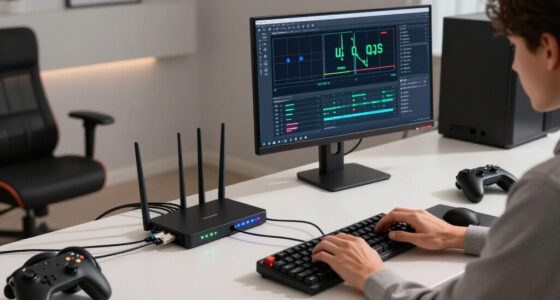
Download speed measures how much data your connection can transfer, while streaming stability measures whether that data arrives consistently enough to keep the playback buffer full. A fast internet connection can still buffer because of jitter, packet loss, congestion, weak Wi-Fi, upload saturation, or a poor route to the streaming service.
Your speed test says 300 Mbps, yet the football freezes just as the striker reaches the penalty box. The spinning circle appears, the crowd noise cuts out, and the picture returns in a blurry wash of green pixels. That frustrating moment exposes the gap between headline download speed and stable streaming.
Think of your connection as a delivery road. Download speed tells you how many trucks could travel down it under good conditions; streaming stability tells you whether those trucks keep arriving on time, without missing cargo or getting trapped in traffic. Your player needs a steady flow of video data, not one spectacular burst followed by a quiet stretch.
You will learn what speed tests actually measure, why Wi-Fi and evening congestion can undermine a fast plan, and which tests reveal the weak link. You will also see why latency, jitter, packet loss, and sustained throughput matter differently for films, live sports, video calls, and cloud gaming. The goal is practical: help you stop chasing a larger Mbps number when the real fix may be moving your router, pausing a backup, or connecting one cable.
Treat Mbps as capacity, not a promise of continuous delivery; streaming depends on sustained usable throughput.
Test the affected device over Ethernet before paying for a faster plan, because that comparison quickly separates Wi-Fi trouble from broadband trouble.
Measure at the time buffering occurs and record latency, jitter, packet loss, and quality changes alongside download speed.
Leave bandwidth headroom for bitrate bursts, uploads, calls, backups, and other household traffic rather than matching a video’s estimated bitrate exactly.
A resolution drop without a pause often means adaptive bitrate streaming is successfully hiding an unstable connection.
Why Download Speed Is Not the Same as Streaming Stability
A speed test measures how much data can move under favorable conditions. Smooth streaming depends on whether enough data keeps arriving—on time, without damaging gaps—until the final frame.
A spectacular burst can still be followed by a playback-breaking collapse.
A steady connection can deliver many 4K streams more reliably.
Your player needs a dependable flow—not one impressive headline number.
The one difference that explains your buffering
Think of your connection as a delivery road. Download speed estimates how many trucks could use it during a clear moment. Stability asks whether those trucks keep arriving on schedule, without missing cargo or becoming trapped in traffic.
How wide is the road?
Speed tests send bulk data from a nearby server for a short period. The result estimates available capacity in megabits per second—not guaranteed delivery to every service, every minute.
Do deliveries stay on time?
A player fills a buffer, plays from that reserve, and refills it continuously. Repeated drops below the video bitrate can empty the reserve, forcing a pause or quality reduction.
A stable 30 Mbps connection can outperform an unstable 300 Mbps connection. Once capacity is sufficient, consistent usable throughput matters more than the highest momentary result.
Four hidden forces shape every stream
Headline bandwidth is only one part of delivery quality. Timing, variation, missing packets, and competition can undermine a fast plan without making its advertised speed disappear.
Latency
High latency delays startup, seeking, quality changes, and recovery. Its impact becomes immediate during live video, calls, and cloud gaming.
Late responseJitter
Packets arriving at 10, 80, then 150 milliseconds create an uneven flow, even when the average latency appears acceptable.
Uneven arrivalPacket loss
Lost packets may need retransmission. That consumes time, lowers usable throughput, and can seriously damage real-time experiences.
Lost payloadCongestion
Household uploads, evening demand, poor routes, or an overloaded delivery node can shrink the bandwidth available to your stream.
Traffic queueWhat the test says versus what the stream feels
A fast result can coexist with instability because the test and the stream use different servers, routes, durations, devices, and traffic conditions. The pattern of failure often reveals more than the peak Mbps figure.
| Connection pattern | Speed-test impression | Streaming experience | Likely signal |
|---|---|---|---|
| ✓Steady 30 Mbps | Modest headline result | Enough continuous capacity for many 4K streams | Stable sustained throughput |
| ✗300 Mbps with dropouts | Excellent peak result | Buffer drains whenever delivery collapses | Wi-Fi, loss, jitter, or routing |
| ~100 Mbps in a busy home | Fast when tested alone | Less capacity during calls, backups, and downloads | Local congestion or queueing |
| ~Sharp picture turns blurry | Mbps may still look healthy | Playback continues at lower resolution | Adaptive bitrate hiding instability |
Six tests that find the real bottleneck
Reproduce it
Test the affected device when buffering normally occurs.
Use Ethernet
A wired comparison separates Wi-Fi trouble from broadband trouble.
Check timing
Record idle and loaded latency plus jitter—not download alone.
Measure loss
Look for dropped packets and unstable delivery over several minutes.
Pause traffic
Stop backups, uploads, calls, updates, and large household downloads.
Compare routes
Try another service or time window to expose congestion and routing.
One weak link can empty the buffer
Streaming quality is an end-to-end outcome. A fast broadband plan cannot compensate for a distant router, saturated upload queue, unstable route, overloaded provider node, or device struggling to decode the video.
Consumes buffered video at the current bitrate.
Walls, distance, channels, and interference alter delivery.
Uploads and competing devices can fill its queues.
Peak-hour congestion and poor routing add variation.
Provider capacity and delivery-node health complete the chain.
Treat Mbps as capacity, not a promise of continuous delivery.
Test Ethernet before paying for a faster broadband plan.
Measure latency, jitter, packet loss, and quality changes at problem time.
Leave headroom for bitrate bursts, uploads, calls, and household traffic.
A resolution drop may mean adaptive streaming successfully prevented a pause.
The One Difference That Explains Your Buffering
Why Download Speed Is Not the Same as Streaming Stability comes down to capacity versus consistency. Download speed measures how much data reaches your device per second, while stability describes whether enough data keeps arriving throughout the entire programme without disruptive gaps, delays, or losses.
Speed is usually reported in megabits per second, or Mbps. A speed test opens one or more connections to a nearby server, pushes a large block of data for a short period, and estimates your available capacity. It resembles timing how quickly supermarket staff can fill your trolley during one empty minute, not whether every ingredient will remain available during the evening rush.
A stream behaves differently. The player downloads a few seconds of video into a buffer, plays from that reserve, and keeps refilling it in the background. If the connection delivers 50 Mbps, then falls to 4 Mbps for several seconds, a 4K player may burn through its reserve and pause even though the average result still looks fast.
The FCC’s Broadband Consumer Labels separate typical download speed, upload speed, and latency rather than presenting them as one measure [1]. That distinction matters. A line can have plenty of raw capacity while delivering packets late, losing them entirely, or struggling whenever another device starts uploading photos.
Speed is the size of the pipe. Stability is the steadiness of the flow. Your television needs both, but once the pipe is wide enough, steadiness usually becomes the bigger issue.
Imagine two homes watching the same film. One has a stable 30 Mbps connection that rarely changes; the other swings between 300 Mbps and almost zero as its Wi-Fi signal fades. The first home can deliver a smooth 4K stream, while the second may show sharp detail one moment and a soft, blocky face the next.
Ethernet cable for stable internet connection
As an affiliate, we earn on qualifying purchases.
As an affiliate, we earn on qualifying purchases.
Why 300 Mbps Can Lose to a Steady 30 Mbps
Why Download Speed Is Not the Same as Streaming Stability becomes obvious when you compare peak speed with sustained throughput. Streaming needs enough usable bandwidth every second; a brief 300 Mbps burst cannot make up for repeated drops below the video’s bitrate once the playback buffer runs dry.
Video bitrate varies by service, codec, frame rate, picture detail, and high dynamic range. As a practical range, standard-definition video may use 1–3 Mbps, HD roughly 3–8 Mbps, Full HD around 5–12 Mbps, and 4K commonly 15–30 Mbps or more. These are working estimates, not universal promises.
| Connection pattern | What the speed test may show | What the stream experiences |
|---|---|---|
| Steady 30 Mbps | Modest headline result | Enough continuous capacity for many 4K streams |
| 300 Mbps with dropouts | Excellent peak result | Buffer drains whenever delivery collapses |
| 100 Mbps shared by a busy home | Fast when tested alone | Less capacity during backups, calls, and downloads |
| Fast line with packet loss | High Mbps may remain visible | Retransmissions reduce usable throughput |
You also need headroom. If a 4K stream happens to need 25 Mbps, a connection sustaining exactly 25 Mbps leaves no room for bitrate bursts, protocol overhead, a phone update, or a laptop syncing files. A nominal 100 Mbps plan can stumble when two televisions stream, someone joins a video call, and a console pulls down a 40 GB game.
For example, suppose your living-room television uses 22 Mbps while your laptop backup uploads thousands of photos. The download capacity still appears generous, but the upload can fill the router’s queue and delay acknowledgements and playback commands. Your film hesitates even though nobody is deliberately downloading anything large.
More bandwidth helps when your household genuinely consumes all available capacity. Once you have comfortable headroom, another plan upgrade may change very little. A clean, steady 100 Mbps line often feels identical to gigabit broadband during one ordinary on-demand stream because the player was already receiving everything it needed.
Wi-Fi range extender for streaming
As an affiliate, we earn on qualifying purchases.
As an affiliate, we earn on qualifying purchases.
Four Hidden Problems a Fast Speed Test Can Miss
Why Download Speed Is Not the Same as Streaming Stability also involves four problems that a headline Mbps result barely describes: latency, jitter, packet loss, and congestion. Each changes when packets arrive, whether they arrive, and how quickly your player can recover when delivery goes wrong.
- Latency is the travel time between your device and the remote service. It has a limited effect once an on-demand film has built a large buffer, but it affects startup, seeking, quality changes, and recovery. During cloud gaming or a live video call, even small delays feel immediate because your button press or voice must make a round trip.
- Jitter is variation in packet arrival time. A connection averaging 25 milliseconds can still feel unstable if individual packets arrive at 10, 80, and 150 milliseconds. The IETF describes this behavior as packet delay variation [2], and low-latency streams have less buffered video available to hide those uneven arrivals.
- Packet loss means some data never reaches its destination. The system may request missing data again, which consumes time and reduces effective throughput. A film with a deep buffer can hide occasional loss, while live sports, calls, and games may produce frozen frames, metallic voices, or sudden jumps.
- Congestion appears when more traffic wants to cross a link than that link can carry. The bottleneck may sit in your home, your provider’s local network, the route to the platform, or the platform’s content-delivery node. This is why a stream can run cleanly at 2 p.m. and stagger at 9 p.m.
Consider a live concert with a low-delay mode. The small buffer keeps you close to the stage action, but it provides little shelter when jitter sends packets in clumps. You hear a crisp guitar chord, then a clipped silence, even though a speed test running seconds later reports 250 Mbps.
These factors also explain why download speed may appear the same as streaming performance at first, then separate under pressure. A fast internet connection can still feel sluggish when an upload fills the queue, a problem often called bufferbloat. Smart queue management can keep one large transfer from making every small, time-sensitive packet wait behind it.
As an affiliate, we earn on qualifying purchases.
Why Your Perfect Broadband Line Can Fail Across the Room
Your broadband line and your Wi-Fi link are separate connections. Fiber or cable may deliver full speed to the router, while walls, distance, radio interference, or poor router placement make the final few metres unstable. Testing beside the router can miss the exact problem affecting your television across the room.
Wi-Fi travels through the air, where it competes with neighbouring networks, smart devices, and physical barriers. A router tucked behind a television must push its signal past metal, cables, furniture, and perhaps a thick brick wall. By the time that signal reaches the bedroom, the connection can flicker like a weak radio station at the edge of town.
The choice of band matters too. 5 GHz and 6 GHz can provide high capacity and cleaner channels at short range, but their signals weaken more quickly through walls. 2.4 GHz usually reaches farther, though it often faces more interference and offers less capacity.
Imagine your television shows a smooth 4K film until someone closes the kitchen door or starts using a laptop at the dining table. That small change can alter the radio path or add channel competition. Your internet plan has not slowed; the wireless link between the television and router has become less predictable.
Newer standards such as Wi-Fi 6, Wi-Fi 6E, and Wi-Fi 7 can handle busy networks more efficiently when both router and device support them. They cannot cure a router buried in a cabinet, a badly placed mesh node, or heavy interference. A mesh system may improve coverage, but wireless backhaul and frequent roaming can introduce their own dips.
For a fixed television, console, or streaming box, Ethernet provides the cleanest test. If the stream becomes stable over a cable, your broadband service probably has enough capacity and Wi-Fi is the likely weak link. If Ethernet suffers at the same moments, investigate congestion, the provider connection, routing, or the streaming platform.
As an affiliate, we earn on qualifying purchases.
What Your Speed Test Really Proves—and What It Does Not
A speed test proves what one device achieved during one short test against a particular server and route. It does not promise that the same device will receive identical performance from every streaming platform, over every network path, at every hour of the day.
Most tests favour nearby, well-connected servers and may use several simultaneous data flows to estimate maximum capacity. Your film may come from a different content-delivery node, use fewer connections, follow another route, and run for two hours rather than 20 seconds. The test and stream can share your broadband line while seeing very different conditions beyond it.
A single result also smooths over time. If Wi-Fi drops for half a second every few minutes, the test may finish between interruptions. If the neighbourhood network becomes busy after dinner, your lunchtime measurement will not capture the warm glow of dozens of televisions all pulling video at once.
Suppose one service buffers while two others work perfectly. That pattern points away from raw broadband speed and toward a service-specific route, application, codec, server, or device integration. The same connection can reach one platform through a short, uncongested path and another through a busier exchange.
Adaptive bitrate adds another wrinkle. The player watches current conditions and switches among several video versions, often dropping from 4K to HD before the buffer empties. If faces suddenly look waxy and fine text loses its sharp edges, adaptive streaming is protecting playback; the quality shift is evidence of changing conditions even without a visible pause.
One fast result is a snapshot. A stable stream is a two-hour film. Judge your connection across the full session, especially at the times and on the device where the problem actually occurs.
6 Tests That Find the Real Streaming Bottleneck
You can locate most streaming problems with six controlled tests that change one variable at a time. Start on the affected device, compare Wi-Fi with Ethernet, and record results across several hours. The pattern will tell you whether to fix the room, the router, household traffic, or the broadband service.
- Test the affected device. Run a test on the television, console, phone, or streaming box if its software allows it. A laptop beside the router tells you little about the signal behind a television two rooms away. Record download speed, latency, jitter, and packet loss when those figures are available.
- Connect Ethernet temporarily. Run a cable across the floor for one evening and watch the same service at the same quality. If the midnight-blue shadows stay sharp and the buffer wheel disappears, focus on router placement, bands, channels, or mesh coverage rather than buying a faster plan.
- Repeat the test at different times. Check morning, afternoon, and the evening period when problems usually appear. A sharp nightly decline on both Ethernet and Wi-Fi suggests congestion outside the wireless link. Keep three or four days of results rather than relying on one lucky measurement.
- Pause competing traffic. Stop game downloads, cloud backups, security-camera uploads, and large file transfers for 15 minutes. If playback settles immediately, your household is consuming the available capacity or creating latency under load.
- Compare services and devices. Play similar content on another platform, then try the original platform on a different device. Trouble tied to one television suggests an app or hardware issue; trouble tied to one service suggests its route, server, or application.
- Watch the pattern, not just Mbps. Note freezes, resolution changes, start delays, and the exact time. When contacting your provider, a log showing Ethernet packet loss every evening from 8 to 10 p.m. carries more weight than saying the internet sometimes feels slow.
Restarting a frozen router can clear a temporary fault, and updating router firmware or streaming-device software can fix known bugs. Repeated restarts are not a lasting repair. If the fault returns on schedule, your notes should guide the next step: adjust Wi-Fi, manage queues, replace outdated equipment, or ask the provider to investigate the line.
The Fixes That Improve Stability Without Buying More Speed
The best streaming fix targets the unstable link, not the largest number advertised by your provider. Better router placement, Ethernet, sensible Wi-Fi band selection, paused uploads, and queue management can improve playback without adding a single Mbps to your broadband package.
Start with the physical setup. Place the router in an open, central, elevated spot, away from thick walls, metal cabinets, and piles of electronics. A router standing upright on a shelf usually sends a cleaner signal than one sweating behind a cabinet among warm power bricks and tangled cables.
- Use Ethernet for fixed televisions, consoles, and streaming boxes when running a cable is practical.
- Use 5 or 6 GHz near the router for higher capacity, and try 2.4 GHz when distance and walls matter more.
- Pause cloud backups, game downloads, and large uploads during a sensitive live event.
- Enable quality of service or smart queue management if your router provides a well-implemented option.
- Update router firmware, streaming apps, and device software to address faults and compatibility problems.
- Check mesh-node placement; nodes need a strong connection to each other, not merely proximity to the room with poor coverage.
Take a family movie night as an example. Two children are downloading a game upstairs, a phone is backing up 800 photos, and the television is requesting a 4K stream. Pausing the two bulk transfers may restore a smooth picture within seconds, while upgrading from 300 Mbps to 500 Mbps could leave upload-related latency and weak Wi-Fi untouched.
A faster plan earns its keep when repeated measurements show that combined household demand exceeds sustained capacity. If wired performance remains strong but wireless playback fails, spend your effort on the local network. If every wired device loses performance together at night, bring your time-stamped results to the provider.
Frequently Asked Questions
Why does my video buffer when my speed test is fast?
Your speed test may use a nearby server, several connections, and a different route from the streaming service. It can also miss brief Wi-Fi dropouts, packet loss, jitter, or evening congestion. The result shows short-term capacity, while the stream depends on continuous delivery.
Is 100 Mbps enough for 4K streaming?
100 Mbps is usually ample for one 4K stream, which commonly uses roughly 15–30 Mbps or more depending on the service and video format. You still need headroom for other devices, bitrate bursts, and network overhead. Weak Wi-Fi or packet loss can spoil playback even when unused capacity remains.
What matters more for streaming: speed, ping, or jitter?
For on-demand video, sufficient sustained speed comes first because a generous buffer can hide some delay variation. For live video, cloud gaming, and calls, latency and jitter carry more weight because the application cannot store many seconds in advance. Packet loss can harm both types.
Can heavy uploading cause streaming to buffer?
Yes. A large backup or photo upload can fill the upstream connection and router queue, increasing latency under load. That delay can hold up acknowledgements, playback controls, and recovery traffic even when your advertised download speed remains high.
Why is streaming worse at night?
Evening demand can create congestion inside your home, across your provider’s local network, or at a streaming platform’s delivery node. Test both Ethernet and Wi-Fi during the affected hours. If both decline together, the problem probably extends beyond the wireless connection.
Why does only one streaming service have problems?
Each service can use different servers, routes, peering links, codecs, and applications. If every other platform works well on the same device, raw broadband capacity is less likely to be the cause. Try the affected service on another device to separate an app problem from a route or platform problem.
Is Ethernet always better than Wi-Fi for streaming?
Ethernet is usually more predictable because it avoids radio interference, weak signals, crowded channels, and movement between access points. Good Wi-Fi can stream flawlessly, but a cable provides a valuable comparison test and a dependable connection for fixed televisions or consoles.
Conclusion
Stop asking only how fast your connection can go. Ask whether it can deliver enough data, steadily, for the full length of what you watch. Test the troubled device, compare Wi-Fi with Ethernet, repeat the measurement during the bad hours, and pause competing uploads before spending money on more speed.
A big Mbps result looks impressive, but consistency keeps the screen alive. The next time a sharp 4K image melts into soft blocks, think back to that delivery road: you do not need one hundred trucks racing past at once. You need the next truck to arrive before the shelves go bare.
Fall Picks
fall essentials
As an affiliate, we earn on qualifying purchases.