
TL;DR

Play games on Amazon Luna for your game nights, included with Prime
- A rotating selection of games, no download needed
- Play on TV, laptop or phone
- Fast, free delivery for your gear, too
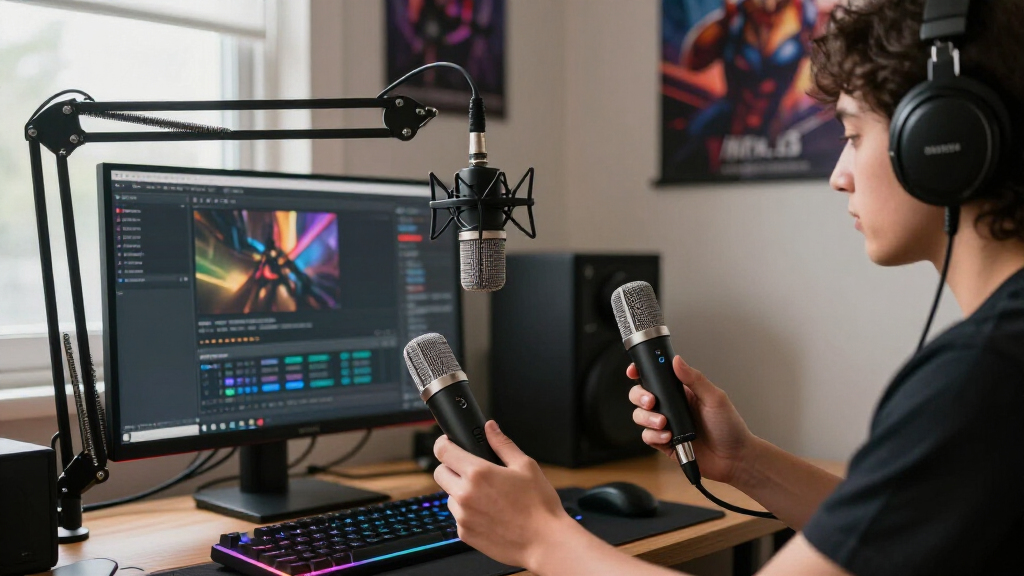
A USB microphone contains its own preamp and analog-to-digital converter, so it connects directly to a computer, while an XLR microphone sends an analog signal and requires an interface or mixer. XLR offers a modular upgrade path and better multi-mic support, but it does not automatically sound better — placement, room acoustics, and gain staging affect stream audio far more than the connector type. Most solo streamers should start with USB (or a hybrid USB/XLR mic) and move to XLR only when they need routing flexibility or multiple microphones.
You could spend $400 on an XLR setup and sound worse than your friend with a $100 USB mic on a boom arm. That’s not a marketing line — it’s what happens when someone buys the connector instead of fixing their placement, gain, and echoey room.
Here’s the core difference, stripped of jargon: a USB microphone contains its own preamp and analog-to-digital converter, so it connects directly to a computer. An XLR microphone sends a raw analog signal down a cable and needs an audio interface or mixer to do that conversion for it. That’s it. Everything else — sound quality, cost, complexity — flows from that one distinction.
In this guide, you’ll learn what each system actually does, what a complete setup really costs, how to set gain and placement correctly (the stuff that moves the needle), and which myths about “professional” audio you can safely ignore. By the end, you’ll know exactly which type fits your stream.
A USB microphone contains its own preamp and analog-to-digital converter, so it connects directly to a computer; an XLR microphone needs an external interface…
Placement (5–15 cm from the capsule, slightly off-axis) and gain staging affect stream audio more than the USB vs XLR choice — fix these before buying anything.
Streaming platforms compress audio, so high sample-rate and 32-bit-float specs provide minimal practical benefit over 24-bit for voice streaming.
If you plan multiple microphones, go XLR: computers treat separate USB microphones as independent clocked devices, causing drift and sync problems.
Hybrid USB/XLR microphones offer the best of both — simple direct connection now, interface-ready XLR output for a future upgrade.
USB vs XLR Microphones Explained for Streamers
A USB microphone contains its own preamp and analog-to-digital converter, so it plugs straight into your computer. An XLR microphone sends a raw analog signal and needs an interface or mixer. Everything else — sound quality, cost, complexity — flows from that one distinction. Here’s how to pick the right one for your stream.
The Real Difference: One Box vs. a Chain of Boxes
It comes down to integration versus modularity. A USB mic packs the capsule, preamplifier, converter, and interface into one enclosure — some add a headphone jack, mute button, and gain knob. An XLR microphone is just one link in a chain, where each piece does one job and can be swapped independently.
USB: One Enclosure
Plug it in, select it in OBS, and you’re live. Think pod coffee machine — push a button, get coffee, replace the whole unit when it dies. Ideal for solo creators who want a compact setup with minimal configuration.
XLR: Modular Chain
Grinder, machine, tamper, milk frother. Better ceiling, more control — and more things to clean and break. That’s why studios love XLR, and why the price tag hides extra costs like cables, interface, and boom arm.
USB vs XLR at a Glance: The Honest Comparison
USB wins on simplicity and price; XLR wins on flexibility and expansion. Check this side-by-side before you spend anything.
| Aspect | USB Microphone | XLR Microphone |
|---|---|---|
| Setup | Plug in, select in software | Interface / mixer, drivers, gain configuration |
| Initial cost | Usually lower | Higher once cables and hardware are included |
| Portability | Excellent — one device | More gear to carry |
| Upgrade path | Replace the whole unit | Upgrade mic, preamp, or interface separately |
| Multi-mic use | Often awkward — independent clocks cause drift | Well suited; one interface handles multiple mics |
| Hardware controls | Model-dependent | Interface gives gain and monitoring knobs |
| Audio quality | Can be excellent | More flexible, not automatically better |
| Troubleshooting | Simple signal chain | More components, more failure points |
| Best fit | Solo streamers, straightforward setups | Advanced, multi-person, expandable studios |
Placement Matters More Than Your Connector
Placement affects your stream audio more than any purchase decision. A streamer with a condenser two feet away on a desk stand sounds echoey and quiet — move that same mic to a boom arm, six inches away, slightly off-axis, and it sounds like professional broadcast. Same microphone. Same room. Zero dollars spent.
- Get close5–15 cm from the capsule, slightly off to the side rather than directly into it.
- Set gain before filtersA strong signal that never clips during loud speech. Meters hitting 0 dBFS mean clipping — leave headroom for sudden peaks.
- Add a pop filterCheaper than any microphone upgrade, and it kills plosive pops instantly.
- Kill the noise sources you canFan curves, mechanical keyboards, open windows — fix these before buying gear.
- Then apply filtersGate, EQ, compression, de-essing, limiter — in that order of usefulness. Filters polish good captures; they don’t resurrect bad ones.
No OBS filter can repair clipping, echoes, or a mic pointed the wrong way. Streaming platforms compress your audio anyway, so extremely high sample-rate specs provide little practical benefit for voice.
Dynamic or Condenser? The Question Everyone Confuses
“USB versus XLR” describes the connection system. “Dynamic versus condenser” describes the microphone’s internal design — and for streamers in normal rooms, it usually matters more.
Dynamic
Built for close speaking and picks up less distant room sound — ideal for untreated bedrooms full of keyboard clacks, PC fans, and bare walls. May require more preamp gain; passive dynamics don’t need phantom power. Radio stations run broadcast dynamics.
Condenser
More sensitive and detailed — but that sensitivity captures everything, including the mess. Best in treated spaces: studios run large-diaphragm condensers in booths. Most XLR condensers require 48V phantom power from your interface.
Hybrid USB/XLR microphones offer a simple direct connection now and an interface-ready XLR output for a future upgrade — the smartest starting point for most solo streamers.
The Real Difference: One Box vs. a Chain of Boxes
USB microphones vs XLR microphones for streamers comes down to integration versus modularity. A USB mic packs the microphone capsule, preamplifier, analog-to-digital converter, and USB audio interface into a single enclosure — some even add a headphone jack, mute button, and gain knob. You plug it in, select it in OBS, and you’re live.
An XLR microphone is just one link in a chain: microphone → XLR cable → interface or mixer → computer → streaming software. Each piece does one job, and you can swap any piece independently. That’s why studios love XLR — but it’s also why the price tag hides extra costs.
Think of it like coffee makers. A USB mic is a pod machine: push a button, get coffee, replace the whole unit when it dies. An XLR setup is an espresso station: grinder, machine, tamper, milk frother. Better ceiling, more control, more things to clean and break.
Neither format is inherently higher quality. A well-chosen USB microphone can beat a badly configured XLR rig because room acoustics, placement, and gain staging shape your sound far more than the connector ever will.
As an affiliate, we earn on qualifying purchases.
USB vs XLR at a Glance: The Honest Comparison Table
USB wins on simplicity and price; XLR wins on flexibility and expansion. Here’s the side-by-side breakdown skeldrift.com recommends checking before you spend anything:
| Aspect | USB microphone | XLR microphone |
|---|---|---|
| Setup | Plug in, select in software | Interface/mixer, drivers, gain configuration |
| Initial cost | Usually lower | Higher once cables and hardware are included |
| Portability | Excellent — one device | More gear to carry |
| Upgrade path | Replace the whole unit | Upgrade mic, preamp, or interface separately |
| Multi-mic use | Often awkward | Well suited to multiple microphones |
| Hardware controls | Model-dependent | Interface/mixer gives gain and monitoring knobs |
| Audio quality | Can be excellent | More flexible, not automatically better |
| Troubleshooting | Simple signal chain | More components, more failure points |
One row deserves emphasis: multi-mic use. Computers treat separate USB microphones as independent audio devices with independent clocks, which causes drift and sync problems. If you’re planning a co-hosted stream or podcast, a single interface with multiple XLR inputs is dramatically more reliable than software workarounds juggling two USB devices.
And remember the cost row. That attractive XLR microphone price doesn’t include the interface, cable, boom arm, pop filter, or headphones. Budget for the whole system, not just the mic.
As an affiliate, we earn on qualifying purchases.
Why Your Mic Placement Matters More Than Your Connector
Placement affects your stream audio more than any purchase decision. For most streaming microphones, you should sit roughly 5–15 cm from the capsule, using a pop filter or speaking slightly across the mic rather than directly into it. Closer means stronger voice and less room noise — but watch for plosive pops and the proximity effect, which adds bass on directional mics.
Real scenario: a streamer with a condenser mic two feet away on a desk stand sounds echoey and quiet, with every keyboard click and fan whir in the mix. Move that same mic to a boom arm, six inches from the mouth, slightly off-axis, and suddenly it sounds like a professional broadcast. Same microphone. Same room. Zero dollars spent.
Before you buy anything, run through this checklist:
- Get close — 5–15 cm from the capsule, off to the side slightly.
- Set gain before filters — a strong signal that never clips during loud speech. Digital meters hitting 0 dBFS mean clipping; leave headroom for sudden peaks.
- Add a pop filter — cheaper than any microphone upgrade.
- Kill the noise sources you can — fan curves, mechanical keyboard, open windows.
- Then apply filters — gate, EQ, compression, de-essing, limiter, in that order of usefulness.
No OBS filter can repair clipping, echoes, or a mic pointed the wrong way. Filters polish good captures; they don’t resurrect bad ones.
best USB microphone for podcasting
As an affiliate, we earn on qualifying purchases.
As an affiliate, we earn on qualifying purchases.
Dynamic or Condenser? The Question Everyone Confuses With USB vs XLR
Dynamic versus condenser describes the microphone’s internal design, not its connector — and for streamers in normal rooms, it usually matters more. Dynamic microphones handle untreated spaces well because they’re built for close speaking and pick up less distant room sound. Condenser microphones are more sensitive and detailed, but that sensitivity works against you in a bedroom full of keyboard clacks, PC fans, and bare walls.
Picture it like cameras: a condenser is a high-ISO sensor that captures everything, including the mess. A dynamic is a tight portrait lens that keeps the subject sharp and lets the background fall away.
Both types are used professionally. Radio stations run broadcast dynamics; studios run large-diaphragm condensers in treated booths. The environment decides, not the price tag.
Two practical notes if you go XLR:
- Most condenser XLR microphones require 48-volt phantom power — your interface will have a switch for it.
- Passive dynamics don’t need phantom power, but some low-output models need substantial clean gain. A modern interface often provides enough; an inline preamp booster is not automatically necessary.
Also worth knowing: pickup pattern matters alongside design. A cardioid microphone rejects sound from the rear, which is exactly what you want with a noisy PC behind you. And if you’re torn between formats, hybrid USB/XLR microphones give you a direct connection today and an XLR upgrade path tomorrow.
As an affiliate, we earn on qualifying purchases.
7 Streaming Audio Myths That Waste Your Money
Most bad microphone purchases trace back to one of these myths. Here’s the correction list, so you don’t fund the rumor mill:
- “XLR always sounds better.” No. XLR offers more system flexibility. Microphone choice, acoustics, placement, and gain staging determine the result.
- “Condensers are more professional.” Both designs are used professionally. Your room and voice decide suitability.
- “USB-C means better audio.” USB-C describes a connector shape, not the microphone’s acoustic or electronic performance.
- “An expensive mic removes background noise.” Microphones can’t distinguish wanted from unwanted sound. Placement, directionality, and treatment do that.
- “32-bit float means audio can never clip.” It protects against digital level errors, but analog stages and the capsule can still overload.
- “You need a gain booster for broadcast dynamics.” Only if your interface can’t supply enough clean gain at your speaking distance.
- “Higher sample rates sound better on stream.” Streaming platforms compress audio anyway — placement and room control produce far larger improvements.
That last point deserves a repeat, because specs sell hardware: Twitch and YouTube compress your audio. A 192 kHz recording spec gives you nothing after the platform’s encoder gets done with it. Clear speech with low background noise beats impressive numbers every time.
What’s New: Features That Actually Changed the Decision
The USB vs XLR gap has narrowed recently, and a few trends genuinely change the buying math. Hybrid USB/XLR dual-output microphones are now common — you run them as simple USB devices today and plug into an interface later, which removes the biggest argument against starting cheap.
Newer USB microphones and interfaces also ship with built-in digital signal processing: software-controlled EQ, compression, noise reduction, limiting, automatic gain, and virtual audio routing. Some of that processing runs in hardware, taking load off your streaming software — a real benefit when you’re already pushing a game, OBS, and a browser full of alerts.
Real-time AI noise suppression has also improved dramatically and shows up in operating systems, streaming apps, and GPU-assisted tools. It handles steady fan hum and air-conditioner rumble well. Push it too hard, though, and you’ll hear metallic artifacts or swallowed syllables — it removes parts of speech along with the noise.
On the XLR side, creator-focused interfaces now include loopback routing, dedicated streaming mixes, clip protection, mute controls, and sound pads built for OBS workflows. Honestly, these features matter more to streamers than small differences in raw converter specs. Meanwhile, 24-bit recording provides ample dynamic range for streaming; 32-bit-float devices are nice for recovering bad levels, but they won’t stop your capsule from overloading.
So Which Should You Buy? A Decision Guide by Situation
Choose USB if you’re a solo streamer who wants the simplest setup, cares about portability, has a limited budget, and doesn’t expect to add microphones. Choose XLR if you want a modular upgrade path, plan multiple microphones, need advanced routing or separate headphone mixes, or want physical knobs instead of software menus. Choose a hybrid if you want simplicity now without closing the XLR door later.
Here’s how it plays out in three common scenarios:
The beginner solo streamer. Buy a quality USB mic (or hybrid), a boom arm, and a pop filter. Spend what you saved on acoustic treatment — even a rug and curtains help. Total damage: roughly $130–200, and you’ll sound better than half the XLR rigs on Twitch.
The growing two-person channel. The moment a second voice enters, USB gets painful. Two USB microphones run on independent clocks and drift out of sync. Get a two-input interface with XLR microphones — this is the clearest case where XLR is genuinely the right answer, not just the aspirational one.
The upgrading enthusiast. If you already own an interface, buying a better XLR mic upgrades your chain without replacing everything. If you don’t, a hybrid mic gets you 90% of the way there with an exit ramp built in.
The strongest conclusion from skeldrift.com: USB is generally the best starting point for simple solo streaming, and XLR becomes valuable when routing, expandability, or multiple microphones matter. Neither connector compensates for poor placement or an echoey room.
Frequently Asked Questions
Is an XLR microphone noticeably better than a USB microphone for streaming?
Not automatically. XLR offers more system flexibility and better multi-microphone support, but a well-placed USB microphone in a decent room can outperform a poorly configured XLR setup. Room acoustics, placement, pickup pattern, and gain staging determine your sound far more than the connector type. Streaming platforms also compress audio, which shrinks any raw quality gap even further.
How close should I speak to my streaming microphone?
For most streaming microphones, stay roughly 5–15 cm from the capsule, using a pop filter or speaking slightly across the mic instead of directly into it. Moving closer improves your voice-to-noise ratio, but increases plosives and the proximity effect (added bass on directional mics). Exact distance depends on the model — experiment and listen back to a test recording.
Can I use two USB microphones on one computer?
You can, but it’s fragile. Computers treat separate USB microphones as independent audio devices with independent clocks, which causes synchronization drift, routing headaches, and monitoring difficulties. Software workarounds exist, but for podcasts, co-hosted streams, or interviews, an interface with multiple XLR inputs is far more reliable.
What is phantom power, and do I need it?
Phantom power is 48 volts supplied through the XLR cable by your interface or mixer. Most condenser microphones require it to operate; passive dynamic microphones do not. Ribbon microphones need special care because phantom-power compatibility varies by model. If you only run dynamic mics, you can ignore the switch entirely.
Do I need a Cloudlifter or inline preamp for a dynamic microphone?
Only if your interface can’t provide enough clean gain at your speaking distance. Modern interfaces often have sufficient preamps for broadcast-style dynamics, making an inline booster unnecessary. If your gain knob is maxed and your signal is still weak, a booster helps — otherwise spend that money on a boom arm or room treatment instead.
How do I hear myself while streaming without distracting delay?
Use the headphone jack on your microphone or audio interface for direct hardware monitoring, which has little to no noticeable delay. Monitoring through software adds latency depending on your audio buffer, drivers, operating system, and processing chain — enough to throw off your speech. If the mic or interface has a monitor jack, that’s the one to use.
Can noise suppression remove my keyboard and fan noise?
Modern AI noise suppression handles steady fan hum, air-conditioner noise, and keyboard clacks reasonably well, and it’s available in operating systems and streaming software. But aggressive settings create metallic artifacts and can remove parts of your speech. Treat suppression as a final polish — placement, a directional pickup pattern, and distance from noise sources should do the heavy lifting first.
Should I spend money first on the microphone, interface, or room treatment?
Fix placement and room first — they’re free or cheap and produce the biggest improvement. A boom arm gets the mic close to your mouth; a rug and curtains tame reflections. Then buy the best microphone your budget allows, and only then consider an interface upgrade. An expensive microphone in an echoey room still sounds like an echoey room.
Conclusion
If you take one thing from this guide, make it this: buy the microphone that fits your workflow, then spend your remaining budget on placement and room treatment — because that’s where audible quality actually lives. A $100 USB mic on a boom arm, six inches from your mouth, in a room with a rug, beats a $400 XLR chain pointed across a desk in an empty bedroom. Every time.
Start USB if you stream alone. Go XLR when a second voice, a mixer’s knobs, or a real upgrade path enters the picture. And when someone in chat asks why your audio sounds so good, you can tell them the truth: it was never about the connector.
Halloween Picks
halloween
As an affiliate, we earn on qualifying purchases.