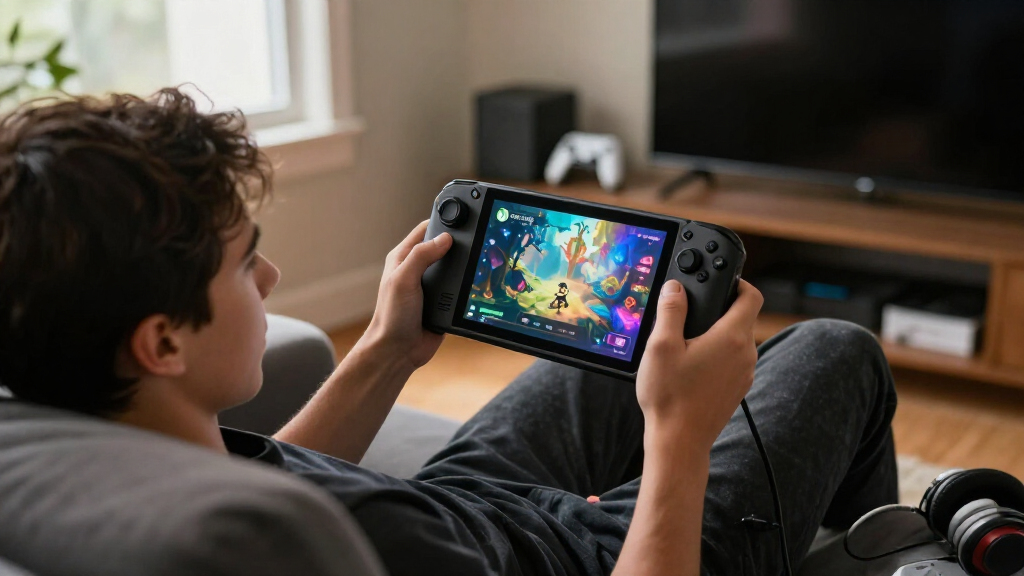

TL;DR
XDA Developers tested Xodus Nexus, an unofficial project for running PC Game Pass titles on Linux devices such as the Steam Deck. Setup was straightforward, but games varied widely: some ran well, others performed poorly or failed to start, and the app has early-stage interface issues.
XDA Developers tested Xodus Nexus, an unofficial Linux app intended to run PC Game Pass games on devices such as the Steam Deck, and found that it can make some titles playable without installing Windows. The hands-on test found mixed game compatibility and performance, as well as interface problems, so the app is not a reliable way to access every Game Pass title.

Play games on Amazon Luna for your game nights, included with Prime
- A rotating selection of games, no download needed
- Play on TV, laptop or phone
- Fast, free delivery for your gear, too
XDA News Editor Patrick O’Rourke reported that the app took about 15 minutes to set up on a Steam Deck. The process involved downloading version 0.4.1 from GitHub in Desktop Mode, installing its AppImage, adding Nexus Runtime through the app, and signing in to a Microsoft account. A Chrome installation may be needed for passkey authentication. Users then download games through the app, which also supports save-file syncing. An option to add Nexus to Steam can make it easier to launch without returning to Desktop Mode.
Xodus Nexus is not an official Xodus release. It combines Xodus with a Nexus backend and Nexus Runtime. According to the report, its customized Proton runtime translates Windows game instructions for Linux and handles additional requirements, including Microsoft account authentication, licensing, Microsoft Store game packages and Xbox runtime APIs.
Results varied across the Game Pass games O’Rourke tried. Tony Hawk’s Pro Skater 3+4 reached about 60 frames per second with FSR enabled and graphics set to Medium, while Dredge ran at about 90 frames per second. Gears of War: E-Day reached roughly 30–33 frames per second in his test. By contrast, Forza Horizon 6 barely reached 30 frames per second on Low settings, and Star Wars: Outlaws, Far Cry 5 and Call of Duty: Black Ops 7 did not load in his attempts.
Steam Deck field report · October 2026
Game Pass on Steam Deck, with a few catches
Xodus Nexus makes some PC Game Pass games playable on SteamOS without installing Windows. An XDA Developers test found an easy setup, uneven results, and an interface that still needs work.
“A promising shortcut for some games—not a guarantee for the whole library.”
What the hands-on test foundUnofficial, early-stage project. Results reflect one Steam Deck OLED, specific game versions, settings, and runtime.
01 / Results by title
One app, very different outcomes
Reported performance varied sharply. These figures are a snapshot from the test, not a promise for every Deck or software version.
Dredge
Reached around 90 frames per second.
≈ 90 FPSTony Hawk’s Pro Skater 3+4
About 60 fps with FSR enabled and graphics on Medium.
≈ 60 FPS · Medium + FSRGears of War: E-Day
Managed roughly 30–33 fps in the reported test.
≈ 30–33 FPSForza Horizon 6
Barely reached 30 fps, even on Low settings.
Below ≈ 30 FPS · LowStar Wars: Outlaws
Failed to start in the reported attempt.
NO STARTFar Cry 5 · Call of Duty: Black Ops 7
Neither game loaded in the reported attempts.
NO START02 / What it does
A bridge between Game Pass and SteamOS
Linux and Windows games speak different languages. Xodus Nexus aims to supply the extra pieces PC Game Pass needs.
Why players may want it
Try supported PC Game Pass titles on Steam Deck while keeping SteamOS. The test setup did not require installing Windows 11 or creating a dual-boot system.
What runs underneath
The unofficial project combines Xodus with a Nexus backend and customized Proton runtime to handle Windows translation, Microsoft sign-in, licensing, Store packages, and Xbox runtime APIs.
Get the app
Download version 0.4.1 from GitHub and install its AppImage.
Add runtime
Install Nexus Runtime through the app.
Sign in
Use a Microsoft account; Chrome may be needed for passkeys.
Download a game
Get titles in the app, sync saves, and optionally add Nexus to Steam.
03 / Practical limits
Compatibility is still a moving target
The project’s compatibility list is a work in progress. Game updates, runtime versions, settings, and individual hardware can change the experience. A title marked compatible may still perform poorly.
The app could become unresponsive, and touchscreen library selection did not always work in the test. The Steam Deck’s physical controls worked for the reporter.
04 / Quick answers
Before you install
Is Xodus Nexus an official release?
No. XDA describes it as an independent, unofficial project—not an official release from Microsoft or the Xodus team.
Can it run every PC Game Pass game?
No. Some tested games ran, some performed poorly, and others did not start. Compatibility is still being developed.
Does it require Windows on the Deck?
No for the tested setup. It is designed to run supported games on Linux devices such as Steam Deck.
Is it easy to use with Deck controls?
Setup took about 15 minutes in the report. Interface and touchscreen behavior were inconsistent, though physical controls worked.
Game Pass Access Without Windows
Xodus Nexus offers Steam Deck owners a way to try PC Game Pass titles on SteamOS without installing Windows 11 or setting up a dual-boot system. That may appeal to people who want to keep SteamOS’s handheld-focused interface while reaching games that are not available through Steam.
The test also shows why this is not yet a straightforward substitute for a Windows handheld or a native Steam purchase. Compatibility is title-dependent, performance can fall below the same game running through Steam and Proton, and a title listed as compatible may still be a poor experience. The app’s convenience depends on what a player wants to run, not simply on having a Game Pass subscription.
Hardware remains a limit. The Steam Deck’s custom AMD Zen 2 processor cannot be made more powerful by a compatibility layer, and Xodus Nexus adds translation work of its own. The reported results are useful as a hands-on snapshot, not a guarantee that other users will see the same frame rates or behavior.
Popular right now

Roborock Q7 M5+ Robot Vacuum and Mop with Self-Emptying Dock

De'Longhi Classic Signature Espresso Machine with Adjustable Milk Frother

Breville BES870BSXL Barista Express Espresso Machine, Black Sesame
As an affiliate, we earn on qualifying purchases.
How Xodus Nexus Fits SteamOS
SteamOS is based on Linux, while PC Game Pass games and Microsoft’s Store packages are designed for Windows. Proton already translates many Windows games for Linux, but the report says Game Pass requires further support for Microsoft’s authentication and licensing, Store packaging and Xbox runtime functions. Xodus Nexus aims to provide those pieces through its own runtime and backend.
O’Rourke framed the app as an alternative to installing Windows 11 on a Steam Deck or creating a dual-boot setup. His testing was conducted on a Steam Deck OLED, and the article described the project as being in its early stages. Its compatibility list is a work in progress, and the results reflect the specific games and setup used in the test.
Compatibility Still Varies by Game
The hands-on report does not establish how broadly Xodus Nexus works across the full PC Game Pass catalog. Its compatibility list is described as work in progress, and results may differ by game updates, runtime versions, settings and individual devices. The report also does not provide a controlled comparison across multiple Steam Deck units.
Some interface behavior was inconsistent: the app could become unresponsive, and the touchscreen did not always open the Game Pass library selection, though the Deck’s physical controls worked in the reported tests. It remains unclear when those issues might be fixed, how frequently the project will be updated, or whether particular games will continue working after software changes.
Watch for Runtime Updates
For now, Steam Deck owners considering Xodus Nexus can check the project’s current compatibility list and confirm that a specific game is reported to work before installing it. The XDA test suggests treating listed compatibility as a starting point rather than a performance promise, and keeping expectations modest for demanding games.
The next practical milestone is whether future project updates improve the interface and expand or stabilize game support. The report does not name a release schedule or promise fixes. Until the developers publish more information, users should expect a developing, unofficial tool whose results can change with updates to the app, runtime and games.
Key Questions
Is Xodus Nexus an official Microsoft or Xodus release?
No. XDA describes it as an independent, unofficial project, not an official release from the Xodus development team.
Can Xodus Nexus run every PC Game Pass game?
No. The XDA test found that some games ran, while others performed poorly or did not start. Its compatibility list is still a work in progress.
Does it require Windows on the Steam Deck?
The project is designed to run supported titles on Linux devices such as the Steam Deck, so the tested setup did not require installing Windows 11 or creating a dual-boot configuration.
How well did games run in the reported test?
Performance depended on the game. O’Rourke reported about 60 fps in Tony Hawk’s Pro Skater 3+4 and about 90 fps in Dredge, while Forza Horizon 6 barely reached 30 fps on Low settings. Several other games did not load.
Is the app easy to use with the Steam Deck’s controls?
Setup was reported to take about 15 minutes, but the interface had problems. The app could become unresponsive, and some touchscreen controls did not work consistently; the built-in buttons worked in the reported test.
Source: XDA Developers