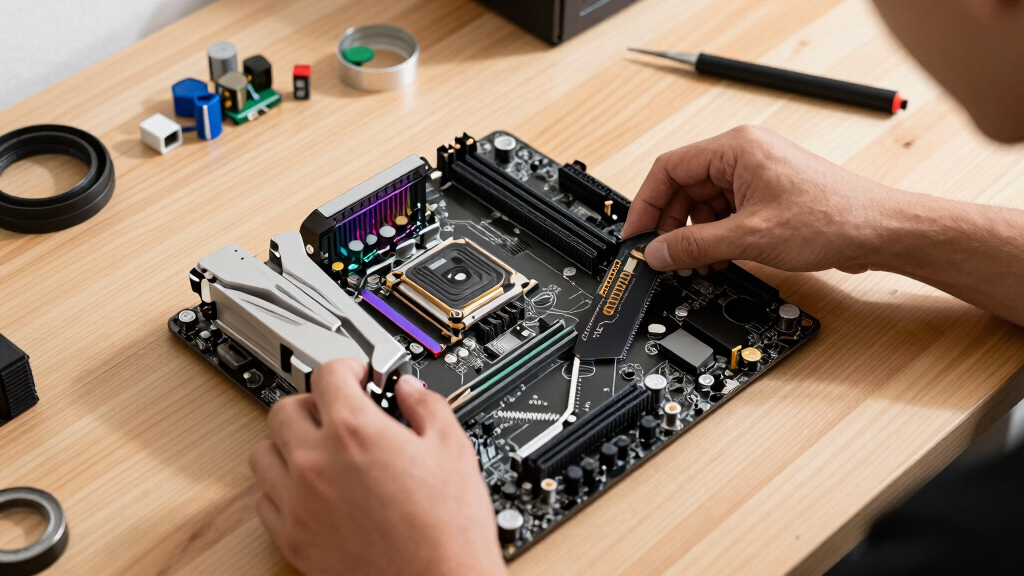

The MSI MPG X870E Carbon WiFi is my best overall pick for most high-end gaming PCs because it balances AM5 upgrade room, PCIe 5.0 support, Wi-Fi 7, and enthusiast-grade connectivity without going as far into luxury pricing as the ASUS ROG Strix X870E-E. The MSI MAG X870 Tomahawk WiFi stands out as the smarter value choice for Ryzen builders who want modern ports and strong gaming fundamentals, while the ASUS TUF Gaming B850-PLUS WiFi is the cleaner pick for buyers who want AM5 without paying for every flagship extra. The main tradeoff is between future-ready expansion, actual gaming performance, platform cost, and how much tuning or troubleshooting you want to do. I rank these boards by how well they match real gaming PC builds, not by the longest spec sheet. Keep reading for the full breakdown by buyer type, platform, and budget.

Play games on Amazon Luna for your game nights, included with Prime
- A rotating selection of games, no download needed
- Play on TV, laptop or phone
- Fast, free delivery for your gear, too
Key Takeaways
- AM5 boards dominate the top half because Ryzen 7000, 8000, and 9000 support gives builders a better upgrade path than older AM4 or aging Intel LGA 1700 options.
- X870E is best for feature-heavy gaming builds, but many players will get better value from X870 or B850 if they do not need extra PCIe 5.0 lanes, USB4, or five M.2 slots.
- The MSI MAG X870 Tomahawk WiFi is the clearest price-to-feature standout because it keeps Wi-Fi 7, 5Gb LAN, USB 40Gbps, and Gen5 storage without the premium-board extras.
- Older B550 boards still make sense only for budget AM4 upgrades or DDR4 reuse; they are less appealing for a fresh 2026 gaming PC build.
- ASUS ROG Strix models win on polish and tuning tools, but they are easier to overbuy if the system is mainly for gaming rather than heavy storage, creator work, or manual CPU tuning.
| MSI MPG X870E Carbon WiFi Gaming Motherboard |  | Best Overall AM5 Gaming Board | Socket: AM5 | CPU Support: AMD Ryzen 9000/8000/7000 Series | Memory: DDR5 up to 256GB | VIEW LATEST PRICE | See Our Full Breakdown |
| MSI MAG X870 Tomahawk WiFi Gaming Motherboard |  | Best Value X870 Pick | Socket: AM5 | CPU Support: AMD Ryzen 9000/8000/7000 Series | Chipset: AMD X870 | VIEW LATEST PRICE | See Our Full Breakdown |
| ASUS TUF Gaming B850-PLUS WiFi Motherboard |  | Best Mainstream AM5 Pick | Socket: AMD AM5 | CPU Support: AMD Ryzen 9000/8000/7000 Series | Power Design: 14+2+1 80A DrMOS | VIEW LATEST PRICE | See Our Full Breakdown |
| ASUS B650E MAX Gaming WiFi W Motherboard |  | Best White-Themed AM5 Board | Socket: AM5 | CPU Support: AMD Ryzen 9000/8000/7000 Series | Power Design: 8+2+1 | VIEW LATEST PRICE | See Our Full Breakdown |
| GIGABYTE B550 Gaming X V2 AM4 Motherboard |  | Best AM4 Upgrade Pick | Socket: AM4 | CPU Support: AMD Ryzen 5000/4000/3000 Series | Chipset: AMD B550 | VIEW LATEST PRICE | See Our Full Breakdown |
| ASUS ROG Strix X870E-E Gaming WiFi |  | Best Premium AM5 Gaming Board | Socket: AMD AM5 | Chipset: AMD X870 | CPU Support: AMD Ryzen 9000, 8000, and 7000 series | VIEW LATEST PRICE | See Our Full Breakdown |
| ASUS TUF Gaming Z790-Plus WiFi |  | Best Intel Value Pick | Socket: Intel LGA 1700 | CPU Support: Intel 12th, 13th, and 14th Gen Core processors | Chipset: Intel Z790 | VIEW LATEST PRICE | See Our Full Breakdown |
| ASUS ROG Strix X870-A Gaming WiFi |  | Best White AM5 Gaming Build | Socket: AMD AM5 | Chipset: AMD X870 | CPU Support: AMD Ryzen 9000, 8000, and 7000 series | VIEW LATEST PRICE | See Our Full Breakdown |
| ASUS ROG Strix B550-F Gaming WiFi II |  | Best AM4 Upgrade | Socket: AMD AM4 | Chipset: AMD B550 | CPU Support: AMD Ryzen 3000 and 5000 series, plus 5000 and 4000 G-series | VIEW LATEST PRICE | See Our Full Breakdown |
| ASUS ROG Strix B850-A Gaming WiFi |  | Best Balanced AM5 Pick | Socket: AMD AM5 | Chipset: AMD B850 | CPU Support: AMD Ryzen 9000, 8000, and 7000 series | VIEW LATEST PRICE | See Our Full Breakdown |
More Details on Our Top Picks
MSI MPG X870E Carbon WiFi Gaming Motherboard
I rank the MSI MPG X870E Carbon WiFi highest because it gives a gaming PC builder the broadest mix of speed, cooling, and connectivity without stepping into pure showpiece territory. Compared with the MSI MAG X870 Tomahawk WiFi, it adds a richer board design with dual LAN, stronger thermal hardware, and more enthusiast flair through RGB control and game-linked LED alerts. That makes it better for a high-end Ryzen 9000 build where fast storage, clean networking, and sustained CPU performance all matter. The tradeoff is size and cost: this is an ATX board with features many casual players will never use. I would skip it for a simple single-GPU build, but for a long-life AM5 gaming rig, it has the most balanced ceiling here.
Pros:- Strong AM5 support across Ryzen 9000, 8000, and 7000 processors
- PCIe 5.0 and Gen5 M.2 support suit fast GPUs and SSDs
- Heat-pipe cooling and MOSFET pads help with sustained gaming loads
- Dual LAN plus Wi-Fi 7 gives flexible, high-speed networking
Cons:- ATX layout needs a larger case
- Feature set can be excessive for mainstream gaming builds
- Likely costs more than B850 or B550 alternatives
Best for: Ryzen 9000 or 7000 gamers building a high-end ATX PC with fast Gen5 storage, wired and wireless networking, and room for upgrades
Not ideal for: Small-form-factor builders or casual players who will not benefit from dual LAN, USB 40Gbps, or premium cooling hardware
- Socket:AM5
- CPU Support:AMD Ryzen 9000/8000/7000 Series
- Memory:DDR5 up to 256GB
- Memory Speed:Up to 7800MHz
- PCIe:PCIe 5.0 with Gen5 M.2
- Networking:Dual LAN plus Wi-Fi 7
- Wireless:Bluetooth 5.4
- Form Factor:ATX
Bottom line: This is my top pick for builders who want a serious AM5 gaming platform with upgrade room baked in.
MSI MAG X870 Tomahawk WiFi Gaming Motherboard
The MSI MAG X870 Tomahawk WiFi makes sense as the value-minded X870 choice because it keeps the gaming essentials strong: Wi-Fi 7, 5Gb LAN, USB 40Gbps, DDR5, and Gen5 M.2 support. Compared with the MSI MPG X870E Carbon WiFi, it gives up the more premium dual-LAN feel and heavier enthusiast styling, but it still covers the performance pieces that matter most for a modern Ryzen gaming PC. I like it most for builders who want the newer X870 platform without paying for every luxury. The weak spot is that it remains an ATX, feature-rich board, so budget AM4 shoppers are better served by the GIGABYTE B550 Gaming X V2. It is a practical middle ground, not the flashiest board in the set.
Pros:- X870 platform supports Ryzen 9000, 8000, and 7000 CPUs
- USB 40Gbps is useful for fast external drives and modern peripherals
- 5Gb LAN and Wi-Fi 7 suit low-latency gaming networks
- Extended heatsink design supports high-end processors under load
Cons:- Only one Ethernet port, unlike the dual-LAN MPG X870E Carbon
- Still more board than many single-SSD gaming builds need
- ATX dimensions limit small-case compatibility
Best for: AM5 gamers who want X870, Wi-Fi 7, USB 40Gbps, and 5Gb LAN without paying for a more ornate flagship board
Not ideal for: Ultra-budget Ryzen builders or compact-case users who need a smaller, simpler motherboard
- Socket:AM5
- CPU Support:AMD Ryzen 9000/8000/7000 Series
- Chipset:AMD X870
- Memory:DDR5 up to 256GB
- Memory Speed:Up to 7800MHz
- Storage:M.2 Gen5 plus 4 SATA ports
- Networking:5Gb LAN, Wi-Fi 7, Bluetooth 5.4
- Form Factor:ATX
Bottom line: This is the X870 board I would point to first for gamers who want current-gen speed without chasing the most expensive extras.
ASUS TUF Gaming B850-PLUS WiFi Motherboard
The ASUS TUF Gaming B850-PLUS WiFi lands in the sweet spot for gamers who want a durable AM5 board without going all the way to X870 pricing. Its 14+2+1 80A DrMOS power design is the standout because it gives Ryzen 9000 and 7000 CPUs a stronger foundation than the ASUS B650E MAX Gaming WiFi W with its lighter 8+2+1 setup. It also carries Wi-Fi 7 and a PCIe 5.0 x16 slot, so it does not feel dated next to the MSI X870 boards. The limit is expansion: three M.2 slots are fine for most gamers, but the ROG Strix X870E-E in the wider roundup offers more storage headroom. I would pick this for a clean, sensible AM5 gaming build where stability matters more than premium board dressing.
Pros:- 14+2+1 80A DrMOS power design is strong for its class
- PCIe 5.0 x16 slot supports current and future high-end GPUs
- Three M.2 slots give most gaming builds enough SSD expansion
- Wi-Fi 7 and 2.5Gb Ethernet cover modern networking needs
Cons:- Fewer M.2 slots than premium X870E boards
- Setup may feel busy for first-time builders
- Still requires DDR5 and an AM5 CPU, adding platform cost
Best for: Mainstream Ryzen builders who want strong power delivery, Wi-Fi 7, and PCIe 5.0 without paying for an X870E flagship
Not ideal for: Storage-heavy builders who want four or five M.2 slots or shoppers trying to keep an older DDR4 system alive
- Socket:AMD AM5
- CPU Support:AMD Ryzen 9000/8000/7000 Series
- Power Design:14+2+1 80A DrMOS
- Memory:DDR5
- PCIe:PCIe 5.0 x16
- M.2 Slots:3 total, 1 PCIe 5.0 and 2 PCIe 4.0
- Networking:Wi-Fi 7 and 2.5Gb Ethernet
- USB:10Gbps and 20Gbps Type-C
Bottom line: This is my practical AM5 pick for gamers who care more about power delivery and modern connectivity than flagship extras.
ASUS B650E MAX Gaming WiFi W Motherboard
The ASUS B650E MAX Gaming WiFi W is the choice I would make for a white or RGB-forward AM5 build where style matters but gaming performance still comes first. Compared with the ASUS TUF Gaming B850-PLUS WiFi, it has weaker 8+2+1 power delivery and older Wi-Fi 6E, yet it counters with PCIe 5.0, three M.2 slots, 17 USB ports, Aura Sync headers, and BIOS FlashBack. That mix fits a display-window PC better than a no-frills performance tower. Against the MSI X870 boards, it feels less network-forward because it lacks Wi-Fi 7 and 5Gb LAN, but it should still serve a high-refresh gaming setup well. The real compromise is value: buyers paying mainly for speed may find the B850-PLUS or MAG X870 Tomahawk more convincing.
Pros:- White-themed design suits coordinated showcase builds
- PCIe 5.0 support keeps the GPU path current
- Three M.2 slots and VRM/M.2 heatsinks support tidy SSD expansion
- BIOS FlashBack helps with CPU compatibility updates
Cons:- Wi-Fi 6E trails the Wi-Fi 7 boards in this lineup
- 8+2+1 power design is less robust than the ASUS TUF B850-PLUS
- Price may feel high if RGB and white styling are not priorities
Best for: AM5 builders making a white gaming PC with RGB lighting, multiple USB devices, and three SSD slots
Not ideal for: Gamers who prioritize Wi-Fi 7, 5Gb Ethernet, or stronger CPU power delivery over case-window aesthetics
- Socket:AM5
- CPU Support:AMD Ryzen 9000/8000/7000 Series
- Power Design:8+2+1
- Memory:DDR5 up to 256GB
- PCIe:PCIe 5.0
- M.2 Slots:3
- Networking:Wi-Fi 6E and 2.5Gb LAN
- USB:17 ports including 10Gbps Type-C
Bottom line: This is the AM5 board I would choose when the build theme matters almost as much as the gaming spec sheet.
GIGABYTE B550 Gaming X V2 AM4 Motherboard
The GIGABYTE B550 Gaming X V2 belongs here because not every good gaming PC needs a full AM5 rebuild. For players already using Ryzen 3000 or 5000 hardware, this AM4 board keeps costs down with DDR4 support, dual M.2 slots, PCIe 4.0, and a 10+3 power phase design. Compared with the MSI MAG X870 Tomahawk WiFi, it is far less future-facing: no DDR5, no Wi-Fi 7, no USB 40Gbps, and no AM5 upgrade path. That is also its appeal, since it lets an older system gain fast storage and a stronger board without replacing memory and CPU. The missing built-in Wi-Fi is the biggest gaming inconvenience. I would only rank it above newer boards for buyers protecting an existing AM4 investment.
Pros:- AM4 support works with Ryzen 5000, 4000, and 3000 processors
- DDR4 compatibility lowers upgrade cost for existing systems
- Dual M.2 slots with PCIe 4.0 support give solid SSD performance
- Q-Flash Plus makes BIOS updates easier without a full boot
Cons:- No built-in Wi-Fi, so wireless gaming needs an add-on card
- AM4 and DDR4 limit future CPU and memory upgrades
- Gigabit Ethernet trails the faster LAN options on newer boards
Best for: Ryzen 3000 or 5000 owners upgrading an existing AM4 gaming PC while keeping DDR4 memory
Not ideal for: New PC builders who want a long AM5 upgrade path, built-in Wi-Fi, or DDR5 memory support
- Socket:AM4
- CPU Support:AMD Ryzen 5000/4000/3000 Series
- Chipset:AMD B550
- Memory:DDR4 up to 128GB
- Memory Slots:4 DIMM
- PCIe:PCIe 4.0
- M.2 Slots:2, PCIe 4.0/3.0
- Networking:Gigabit Ethernet
Bottom line: This is the smart pick when the goal is reviving or extending an AM4 gaming PC rather than starting fresh.
ASUS ROG Strix X870E-E Gaming WiFi
I rank the ASUS ROG Strix X870E-E Gaming WiFi highest for buyers building around a Ryzen 9000 or high-end Ryzen 7000 chip because it gives more room for power, storage, and fast external devices than the ROG Strix X870-A Gaming WiFi. The 18+2+2 110A power design, three PCIe 5.0 M.2 slots, dual USB4, WiFi 7, and 5Gb Ethernet make sense for a gaming PC that may also handle streaming, capture, or heavy creation work. The tradeoff is value: many gamers will never fill five M.2 slots or need this much VRM headroom. Compared with the ROG Strix B850-A, this is the richer board, but also the easier one to overbuy.
Pros:- Strong 18+2+2 110A power stage layout for demanding Ryzen CPUs
- Three PCIe 5.0 M.2 slots plus two PCIe 4.0 M.2 slots for large game libraries
- Dual USB4, WiFi 7, and 5Gb Ethernet suit premium gaming and creator setups
- Q-Release, Q-Latch, Q-Code, BIOS FlashBack, and Clear CMOS make building and troubleshooting easier
Cons:- Likely more motherboard than many gaming-only builds need
- ATX size and dense feature set may be excessive for compact or simple PCs
- Premium feature mix can pull budget away from the GPU
Best for: Ryzen 9000 gaming builds with a high-end GPU, multiple NVMe drives, and a buyer who wants USB4, WiFi 7, and 5Gb Ethernet on one ATX board.
Not ideal for: Budget-focused gamers using one SSD and stock CPU settings, since the extra PCIe 5.0 storage, power design, and USB4 support may sit unused.
- Socket:AMD AM5
- Chipset:AMD X870
- CPU Support:AMD Ryzen 9000, 8000, and 7000 series
- Form Factor:ATX
- Power Stages:18+2+2 rated at 110A per stage
- Memory Support:DDR5, up to 192GB across 4 slots
- Storage:5 M.2 slots: 3 PCIe 5.0 and 2 PCIe 4.0; 6 SATA ports
- Networking:WiFi 7 and Realtek 5Gb Ethernet
- Rear/Front Connectivity:Dual USB4 Type-C, front USB 20Gbps Type-C, HDMI, optical S/PDIF
Bottom line: This is the board I would point to for a no-compromise AM5 gaming PC where storage, connectivity, and CPU headroom all matter.
ASUS TUF Gaming Z790-Plus WiFi
The ASUS TUF Gaming Z790-Plus WiFi earns its spot as the Intel pick because it covers 12th, 13th, and 14th Gen Core CPUs without chasing the more expensive AM5 feature stack found on the ROG Strix X870E-E. For a gaming PC, the draw is practical: PCIe 5.0 graphics support, DDR5, four M.2 slots, WiFi 6, and 2.5Gb LAN are enough for a fast, modern build. The 16+1 DrMOS power design is sturdy for mainstream and upper-midrange Intel chips, though serious overclockers may prefer a pricier ROG model. Compared with the older ROG Strix B550-F Gaming WiFi II, this board is a better fit for a new Intel system, but it lacks WiFi 7 and built-in USB4 ports.
Pros:- Supports Intel 12th, 13th, and 14th Gen processors on LGA 1700
- DDR5 and PCIe 5.0 support suit a modern gaming GPU build
- Four M.2 slots give enough storage flexibility for most players
- TUF cooling and 16+1 DrMOS power design target long-session stability
Cons:- WiFi 6 trails the WiFi 7 support on newer AM5 boards in this lineup
- LGA 1700 has a narrower upgrade path than current AM5 options
- Thunderbolt 4 support is via header, not the same as rear USB4 ports
Best for: Gamers building around an Intel 12th, 13th, or 14th Gen CPU who want DDR5 and PCIe 5.0 without paying for a flagship board.
Not ideal for: Buyers who want the newest wireless standard or a Ryzen upgrade path, since this board uses LGA 1700 and WiFi 6 rather than WiFi 7.
- Socket:Intel LGA 1700
- CPU Support:Intel 12th, 13th, and 14th Gen Core processors
- Chipset:Intel Z790
- Form Factor:ATX
- Power Design:16+1 DrMOS with ProCool sockets
- Memory Support:DDR5
- Storage:4 M.2/NVMe SSD slots
- Networking:WiFi 6 AX201 and Intel 2.5Gb Ethernet
- Connectivity:PCIe 5.0, front USB 3.2 Gen 2 Type-C, USB 3.2 Gen 2×2 Type-C, Thunderbolt 4 header
Bottom line: This is the most sensible Intel board here for gamers who want strong core specs without paying for luxury extras.
ASUS ROG Strix X870-A Gaming WiFi
The ASUS ROG Strix X870-A Gaming WiFi is the board I would separate from the pack for a clean white Ryzen build that still needs serious gaming hardware support. It keeps many of the features that make the ROG Strix X870E-E attractive, including USB4, WiFi 7, PCIe 5.0, DDR5, AI overclocking, and ASUS build-friendly latches, but steps down to a 16+2+2 90A power stage layout and four M.2 slots. That makes it a smarter match for a high-end gaming rig that does not need five SSDs or 5Gb Ethernet. Against the ROG Strix B850-A, it has the stronger X870 platform and USB4 appeal, though its white styling can limit case and component matching if color coordination is not part of the plan.
Pros:- White PCB and ROG styling suit display-focused gaming builds
- X870 platform support with USB4, PCIe 5.0, DDR5, and WiFi 7
- 16+2+2 90A power stages are strong for performance Ryzen gaming CPUs
- Q-Release Slim, M.2 Q-Latch, and AI tools help simplify assembly and tuning
Cons:- Four M.2 slots trail the five-slot layout on the X870E-E
- 2 SATA ports are limiting for users with older drives
- Aesthetic focus may not justify the price for closed-case builds
Best for: Builders planning a white or showcase AM5 gaming PC with a Ryzen 9000-class CPU, fast external storage, and several NVMe drives.
Not ideal for: Gamers who hide the motherboard in a closed case or need maximum storage expansion, since the X870E-E offers one more M.2 slot and stronger networking.
- Socket:AMD AM5
- Chipset:AMD X870
- CPU Support:AMD Ryzen 9000, 8000, and 7000 series
- Form Factor:ATX
- Power Stages:16+2+2 rated at 90A per stage
- Memory Support:DDR5, up to 192GB across 4 slots
- Storage:4 M.2 slots and 2 SATA ports
- Networking:WiFi 7 and 1 Ethernet port
- Connectivity:PCIe 5.0, USB4, HDMI, optical S/PDIF
Bottom line: This is the AM5 board I would choose when a gaming PC needs both modern ROG features and a white build theme.
ASUS ROG Strix B550-F Gaming WiFi II
The ASUS ROG Strix B550-F Gaming WiFi II belongs here because not every gaming PC needs a full platform rebuild. For anyone staying on AM4 with a Ryzen 3000 or 5000 chip, it offers a much cheaper path than moving to the ROG Strix X870-A Gaming WiFi or ROG Strix B850-A, since those require AM5 and DDR5. The board still covers gaming basics well: PCIe 4.0, dual M.2 slots, WiFi 6E, 2.5Gb Ethernet, BIOS FlashBack, and solid 12+2 teamed power stages. The tradeoff is age. It will not match the PCIe 5.0 storage, USB4, or Ryzen 9000 support of the newer boards. I see it as a smart repair or refresh option, not the first choice for a brand-new premium build.
Pros:- Keeps AM4 systems alive without forcing a new CPU and DDR5 memory purchase
- WiFi 6E and 2.5Gb Ethernet are strong for an older platform
- PCIe 4.0 and dual M.2 slots cover the needs of many gaming libraries
- BIOS FlashBack helps with CPU support and recovery
Cons:- No PCIe 5.0, USB4, or Ryzen 9000 support
- Dual M.2 storage is modest next to the four- and five-slot AM5 boards
- Best suited to upgrades rather than a fresh long-life build
Best for: AM4 owners upgrading a Ryzen 3000 or 5000 gaming PC who want better networking, PCIe 4.0 storage, and a board that avoids a DDR5 platform swap.
Not ideal for: New high-end builders choosing parts from scratch, because AM5 boards in this roundup offer a longer CPU path and newer I/O.
- Socket:AMD AM4
- Chipset:AMD B550
- CPU Support:AMD Ryzen 3000 and 5000 series, plus 5000 and 4000 G-series
- Form Factor:ATX
- Power Design:12+2 teamed power stages with ProCool connector
- Memory Support:DDR4 platform
- Storage:Dual M.2 slots
- Networking:WiFi 6E, Bluetooth 5.2, and Intel 2.5Gb Ethernet
- Connectivity:PCIe 4.0, USB 3.2 Gen 2 Type-C, HDMI 2.1, DisplayPort 1.2
Bottom line: This is the board I would pick for extending a capable AM4 gaming PC without rebuilding the whole platform.
ASUS ROG Strix B850-A Gaming WiFi
The ASUS ROG Strix B850-A Gaming WiFi is the board I would put in front of buyers who want AM5 longevity without paying X870 money. It keeps the pieces that matter most for a gaming PC: Ryzen 9000 support, DDR5, WiFi 7, PCIe 5.0, four M.2 slots, and a 14+2+2 80A power design. Compared with the ROG Strix X870-A Gaming WiFi, it gives up some high-end chipset appeal and USB4-class luxury, but it still has the storage and networking profile most players will feel day to day. It also feels more current than the ROG Strix B550-F Gaming WiFi II because it moves to AM5 and DDR5. The catch is simple: enthusiasts chasing maximum I/O should stay higher in the stack.
Pros:- AM5 support for Ryzen 9000, 8000, and 7000 series CPUs
- WiFi 7 and 2.5Gb LAN cover fast home networking without flagship pricing
- Four M.2 slots fit multiple NVMe game drives
- 14+2+2 80A power stages are well matched to mainstream and high-performance Ryzen gaming chips
Cons:- Less lavish I/O than the X870 and X870E ROG boards
- 2.5Gb LAN trails the 5Gb Ethernet on the X870E-E
- Not the best fit for heavy overclocking or expansion-heavy workstation gaming builds
Best for: Mainstream Ryzen gamers who want a current AM5 board with WiFi 7, DDR5, PCIe 5.0, and enough M.2 slots for a growing game library.
Not ideal for: High-end builders who need USB4, 5Gb Ethernet, or the strongest overclocking platform in this lineup.
- Socket:AMD AM5
- Chipset:AMD B850
- CPU Support:AMD Ryzen 9000, 8000, and 7000 series
- Form Factor:ATX
- Power Stages:14+2+2 rated at 80A per stage
- Memory Support:DDR5 with ASUS AEMP
- Storage:4 M.2 slots
- Networking:WiFi 7 with Q-Antenna and 2.5Gb LAN
- Connectivity:PCIe 5.0 and USB 20Gbps Type-C
Bottom line: This is the AM5 board I would choose when the goal is modern gaming features without stepping into flagship pricing.
How We Picked
I ranked these boards by how well they serve a gaming PC build in 2026: platform longevity, CPU support, graphics-card bandwidth, M.2 layout, networking, rear I/O, memory support, BIOS convenience, and how much of the price goes toward features gamers can actually use. I gave extra weight to AM5 compatibility, PCIe 5.0 support, strong VRM designs, fast networking, and build-friendly features such as BIOS Flashback, Q-Release mechanisms, and clear expansion layouts.
The order favors boards that make sense across a wide range of gaming builds, not just the most expensive models. That is why the MSI MPG X870E Carbon WiFi ranks ahead of the pricier ASUS ROG Strix X870E-E for most buyers, while the MSI MAG X870 Tomahawk WiFi beats several flashier options on value. Older AM4 boards land lower because they can still be useful, but they give up DDR5, newer platform support, and the longer upgrade path that matters in a new gaming PC.
Factors to Consider When Choosing Best Motherboards For Gaming PCs
Choosing the best motherboard for a gaming PC is less about chasing the biggest spec list and more about matching the board to the CPU, case, storage plan, and upgrade window. I would spend more only when the extra features change the build in a real way, such as more Gen5 storage, better rear I/O, stronger power delivery for high-end CPUs, or easier setup tools.
Start With The CPU Platform
The platform choice shapes the whole build more than any single motherboard feature. AM5 boards such as the MSI MPG X870E Carbon WiFi, MSI MAG X870 Tomahawk WiFi, and ASUS TUF Gaming B850-PLUS WiFi make the most sense for a new Ryzen gaming PC because they support newer Ryzen chips and DDR5 memory. AM4 B550 boards can still be smart for a low-cost upgrade if you already own DDR4 memory or a Ryzen 5000 CPU, but I would not build a fresh premium PC around them. Intel’s Z790 platform remains powerful for 12th, 13th, and 14th Gen chips, yet its upgrade path is less attractive for a new 2026 build. The common mistake is buying a motherboard first because it looks premium, then forcing the rest of the system around it. I would pick the CPU family first, then choose the board tier that fits that processor.
Do Not Overpay For Chipset Extras
Chipset tiers matter, but not every gamer needs the highest one. X870E boards are appealing if you want maximum expansion, high-end USB, more Gen5 options, and a cleaner path for heavy storage or creator add-ons. X870 and B850 boards are often better buys for gaming because frame rates usually depend more on the GPU and CPU than on a flagship motherboard. Compared with the ASUS ROG Strix X870E-E, the MSI MAG X870 Tomahawk WiFi gives up some luxury polish but keeps the features most gaming builds actually use. Paying more makes sense when you need the ports, slots, or tuning controls. If those extras will sit unused, I would put the savings toward the graphics card or a better monitor.
Check Expansion Before You Buy
A gaming motherboard should have the right layout for the parts you plan to install, not just a long feature list. A large graphics card can block lower slots, thick M.2 heatsinks can complicate installation, and some boards share bandwidth between storage and expansion slots. Five M.2 slots on a premium board such as the ASUS ROG Strix X870E-E can be useful for a game library plus creator files, while four M.2 slots on the ASUS ROG Strix X870-A or B850-A will be plenty for many builds. PCIe 5.0 for the graphics slot is nice for longevity, but current gaming performance rarely depends on it. I would map the GPU, SSD count, capture card, and case size before paying extra for expansion you may never fill.
Networking And USB Matter More Than RGB
Fast networking and useful rear I/O can change daily use more than lighting headers or styling. Wi-Fi 7 is a real advantage on newer AM5 boards if your router supports it or you plan to upgrade your network soon. 5Gb Ethernet on the MSI MAG X870 Tomahawk WiFi and MSI MPG X870E Carbon WiFi is more appealing for large game downloads, NAS access, and home network transfers than basic 1Gb LAN. USB4 or USB 40Gbps also matters if you use external SSDs, docks, or capture hardware. The tradeoff is cost: a board with Wi-Fi 6E and 2.5Gb LAN can still be perfectly fine for online gaming. I would prioritize networking and ports before cosmetic extras because they are harder to add cleanly later.
Match The Board To Your Build Skill Level
Beginners should value setup-friendly features as much as raw specs. BIOS Flashback, labeled headers, sturdy M.2 heatsinks, simple Q-release mechanisms, and a predictable BIOS can reduce the risk of a frustrating first build. ASUS TUF boards tend to make sense here because they focus on durability and practical layouts rather than dense enthusiast controls. ROG Strix boards add more tuning and polish, but that can also mean paying for settings many builders will never touch. MSI’s Tomahawk line sits in a strong middle ground because it usually favors clear, functional design over showpiece hardware. If this is your first gaming PC, I would choose a board that makes assembly and updates easier, even if it is less glamorous.
Frequently Asked Questions
Is X870E Worth It Over X870 Or B850 For A Gaming PC?
X870E is worth it if you want a premium Ryzen build with more expansion headroom, stronger connectivity, and better support for multiple high-speed devices. For pure gaming, though, an X870 or B850 board can deliver the same CPU and GPU performance when paired with the same parts. The MSI MPG X870E Carbon WiFi makes sense because it balances premium features with broad usefulness, while the ASUS ROG Strix X870E-E is better for buyers who want the most polished high-end setup. If your build uses one graphics card and one or two SSDs, I would save money with the MSI MAG X870 Tomahawk WiFi or ASUS TUF Gaming B850-PLUS WiFi. Spend the difference on the GPU before chasing a flagship chipset.
Should I Still Buy A B550 Motherboard In 2026?
A B550 motherboard can still be a smart buy for a budget upgrade, especially if you already have DDR4 memory, an AM4 cooler, or a Ryzen 5000 CPU. The GIGABYTE B550 Gaming X V2 is the more basic budget route, while the ASUS ROG Strix B550-F Gaming WiFi II adds stronger networking and a more refined feature set. For a brand-new gaming PC, I would usually skip B550 because AM5 gives you DDR5 and a better upgrade path. B550 also lacks the newer connectivity found on X870, B850, and many current boards. It is best treated as a cost-saving platform, not a long-term flagship foundation.
Does The Motherboard Affect Gaming Performance?
The motherboard rarely changes frame rates directly when the CPU, GPU, and memory are the same. Its bigger job is supporting those parts reliably through power delivery, memory compatibility, cooling, BIOS stability, and enough bandwidth for storage and expansion. A weak board can limit upgrades or make setup harder, while a strong board can make the system cleaner and easier to maintain. That is why I rank boards by platform value and build usefulness rather than treating the priciest model as automatically fastest. For most gamers, the right motherboard protects the build around the GPU rather than adding frames by itself.
Which Motherboard Is Best For A First Gaming PC Build?
For a first build, I would favor a board with clear setup tools, modern compatibility, and fewer expensive extras to manage. The ASUS TUF Gaming B850-PLUS WiFi is the easiest recommendation in this lineup for beginners building on AM5 because it gives a practical feature set without pushing into enthusiast-board pricing. The MSI MAG X870 Tomahawk WiFi is also beginner-friendly if you want better connectivity and more upgrade room. I would avoid jumping straight to a premium ROG Strix X870E-E unless you already know you need its extra storage, tuning, and I/O features. A first gaming PC benefits more from a balanced board and a stronger GPU than from motherboard luxury.
How Much Should I Spend On A Gaming Motherboard?
I would set the motherboard budget after choosing the CPU and GPU, because those parts drive most gaming results. For a midrange Ryzen build, a strong B850 or X870 board is often the sweet spot. Premium X870E boards make sense when the total build is already high-end and you need extra M.2 slots, USB4, stronger VRMs, or faster networking. Older B550 boards should be much cheaper to justify giving up AM5 and DDR5. As a rough rule, if the motherboard upgrade forces you to buy a weaker graphics card, the money is probably going to the wrong place.
Conclusion
For most high-end gaming PCs, I would choose the MSI MPG X870E Carbon WiFi as the best overall motherboard because it offers the strongest mix of AM5 support, modern expansion, Wi-Fi 7, and premium features without feeling as niche as the costliest ROG option. The MSI MAG X870 Tomahawk WiFi is my best value pick for Ryzen builders who want current connectivity without overspending, while the ASUS TUF Gaming B850-PLUS WiFi is the best beginner-friendly choice. For a no-compromise premium build, the ASUS ROG Strix X870E-E Gaming WiFi is the board I would point to for heavy storage, tuning, and high-end I/O. Budget upgraders should look at the GIGABYTE B550 Gaming X V2 or ASUS ROG Strix B550-F Gaming WiFi II only if they are staying on AM4. Intel builders with 12th, 13th, or 14th Gen CPUs should pick the ASUS TUF Gaming Z790-Plus WiFi, but for a new 2026 gaming PC, AM5 gives the cleaner long-term path.
Fall Picks
fall essentials
As an affiliate, we earn on qualifying purchases.