Mechanical gaming keyboards vary enormously in switch feel, size and features, and the right one depends on whether you prioritize raw gaming speed, typing comfort, or customization. My best overall pick is the Razer BlackWidow V4 X with Yellow Switches, which pairs fast, quiet linear switches with a full-size layout and per-key RGB at a mid-range price. For competitive players, the AULA WIN68 HE stands out for its Hall Effect magnetic switches with adjustable actuation, while the Redragon hot-swappable model is the value champion thanks to swappable switches and PBT keycaps at an entry price. The main tradeoff to weigh: compact boards save desk space but lose arrow keys and a numpad, and premium features like magnetic switches cost real money. Keep reading for the full breakdown of all 13 keyboards.

Play games on Amazon Luna for your game nights, included with Prime
- A rotating selection of games, no download needed
- Play on TV, laptop or phone
- Fast, free delivery for your gear, too
Complete the kit



Key Takeaways
- Hot-swappable sockets were the single biggest value differentiator in this lineup — the Redragon budget board and K668 let you change switch feel later, while the Razer, SteelSeries and Corsair options lock you in at purchase.
- Hall Effect magnetic switches (AULA WIN68 HE) are the clearest competitive-gaming advantage here, enabling adjustable actuation and rapid trigger, but only make sense if you play fast-paced titles where milliseconds matter.
- 75% boards (AULA F75 Pro, Womier SK80, GravaStar Mercury K1) emerged as the sweet spot for gamers who also type a lot — arrow keys and function row retained without the numpad bulk.
- The SteelSeries Apex 5 uses hybrid switches, not true mechanical ones — fine for casual gamers, but a genuine drawback if tactile mechanical feel is why you’re shopping.
- Wireless options (Logitech MX Mechanical, AULA F75 Pro, GravaStar Mercury K1) trade a little latency tolerance for desk flexibility; wired boards remain the safer choice for serious competitive play.
| Logitech MX Mechanical Wireless Illuminated Keyboard Tactile – Graphite |  | Best for Work-From-Home Dual Use | Switch Type: Low-profile tactile mechanical | Form Factor: Full-size | Connectivity: Bluetooth Low Energy / Logi Bolt USB receiver | VIEW LATEST PRICE | See Our Full Breakdown |
| Redragon Mechanical Gaming Keyboard Wired, Hot-Swappable Red Switch |  | Best Budget Full-Size Pick | Switch Type: Linear red, hot-swappable | Number of Keys: 104 | Backlighting: 11 preset RGB effects | VIEW LATEST PRICE | See Our Full Breakdown |
| CACKBIRD 60% Wired Mechanical Gaming Keyboard with Blue Switches |  | Best Compact on a Budget | Switch Type: Blue (clicky) | Number of Keys: 61 | Connectivity: Wired, detachable Type-C cable | VIEW LATEST PRICE | See Our Full Breakdown |
| Razer BlackWidow V4 X Mechanical Gaming Keyboard (Yellow Switches) |  | Best for Competitive Macro Play | Switch Type: Razer Yellow linear (silent) | Actuation Point: 1.2mm | Actuation Force: 45g | VIEW LATEST PRICE | See Our Full Breakdown |
| AULA F75 Pro 75% Wireless Mechanical Keyboard |  | Best Wireless Flexibility | Layout: 75%, 81 keys (QWERTZ) | Connectivity: Bluetooth 5.0, 2.4 GHz wireless, USB-C | Device Switching: Up to 5 devices | VIEW LATEST PRICE | See Our Full Breakdown |
| Womier SK80 75% Mechanical Gaming Keyboard with Color Multimedia Display |  | Best for Customization Tinkerers | Layout: 75% | Mount: Gasket | Switches: Pre-lubed linear, hot-swappable (3Pin/5Pin compatible) | VIEW LATEST PRICE | See Our Full Breakdown |
| Redragon K668 108-Key Hot-Swap Wired RGB Gaming Keyboard, Extra 4 Hotkeys |  | Best Full-Size Budget Workhorse | Layout: Full-size 108-key | Switches: Red linear, hot-swappable (3-pin/5-pin) | Hotkeys: 4 dedicated, remappable (mute, calculator, screen lock, desktop) | VIEW LATEST PRICE | See Our Full Breakdown |
| AULA WIN68 HE Mechanical Gaming Keyboard 60%, Hall Effect Magnetic Switch, Wired, RGB Backlit, Black |  | Best for Competitive Gaming | Layout: 60% (68 keys) | Switch Type: Hall effect magnetic (linear) | Polling Rate: 8000Hz | VIEW LATEST PRICE | See Our Full Breakdown |
| SteelSeries USB Apex 5 Hybrid Mechanical Gaming Keyboard – Per-Key RGB Illumination – Aircraft Grade Aluminum Alloy Frame – OLED Smart Display (Hybrid Blue Switch) |  | Best Premium All-Rounder | Switches: Hybrid blue mechanical (tactile click + membrane), 20M keypress rating | Display: OLED smart display (GIFs, Discord, game info) | Frame: Aircraft-grade aluminum alloy | VIEW LATEST PRICE | See Our Full Breakdown |
| GravaStar Mercury K1 75% Wireless Mechanical Gaming Keyboard with RGB Backlight |  | Best Wireless Design Statement | Layout: 75% | Switches: GravaStar x Kailh linear, 40gf actuation | Travel: 1.5mm pre-travel, 3.5mm total | VIEW LATEST PRICE | See Our Full Breakdown |
| Corsair K100 RGB Mechanical Gaming Keyboard |  | Best Premium Flagship | Switches: Cherry MX Speed RGB Silver (linear, 1.2mm actuation) | Keycaps: PBT double-shot | Polling rate: 4,000Hz (AXON) | VIEW LATEST PRICE | See Our Full Breakdown |
| Redragon K580 Wired RGB Mechanical Gaming Keyboard |  | Best Budget Pick for MMO Players | Switches: Outemu Blue (clicky), hot-swappable | Macro keys: 5 dedicated (G1-G5) | Keycaps: Double-shot injection | VIEW LATEST PRICE | See Our Full Breakdown |
| Logitech G413 SE Full-Size Mechanical Gaming Keyboard |  | Best No-Nonsense Work-and-Play Board | Layout: Full-size | Switch type: Tactile mechanical | Keycaps: PBT | VIEW LATEST PRICE | See Our Full Breakdown |
| mechanical gaming keyboard | Connectivity | Switch Type | Keycaps |
|---|---|---|---|
| Logitech MX Mechanical Wireles | Bluetooth Low Energy / Logi Bolt USB receiver | Low-profile tactile mechanical | — |
| Redragon Mechanical Gaming Key | Wired USB | Linear red, hot-swappable | Double injection ABS |
| CACKBIRD 60% Wired Mechanical | Wired, detachable Type-C cable | Blue (clicky) | — |
| Razer BlackWidow V4 X Mechanic | Wired | Razer Yellow linear (silent) | — |
| AULA F75 Pro 75% Wireless Mech | Bluetooth 5.0, 2.4 GHz wireless, USB-C | Linear LEOBOG Reaper, pre-lubricated | Side-printed PBT |
| Womier SK80 75% Mechanical Gam | — | — | Cherry profile art theme |
| Redragon K668 108-Key Hot-Swap | — | — | 2 sets of mixed-color keycaps included |
| AULA WIN68 HE Mechanical Gamin | Wired USB-C, detachable | Hall effect magnetic (linear) | — |
| SteelSeries USB Apex 5 Hybrid | — | — | — |
| GravaStar Mercury K1 75% Wirel | USB-C wired, Bluetooth 5.0, 2.4GHz wireless | — | — |
| Corsair K100 RGB Mechanical Ga | Wired | — | PBT double-shot |
| Redragon K580 Wired RGB Mechan | Wired USB-C | — | Double-shot injection |
| Logitech G413 SE Full-Size Mec | Wired | Tactile mechanical | PBT |
More Details on Our Top Picks
Logitech MX Mechanical Wireless Illuminated Keyboard Tactile – Graphite
This option stands out for a rare quality among mechanical gaming keyboards: it behaves like a premium productivity tool first. The low-profile tactile switches keep noise low enough for shared offices and video calls, while the smart backlighting that wakes when your hands approach and adjusts to ambient light is a comfort feature gamers will appreciate too. Compared with the Razer BlackWidow V4 X, the MX Mechanical trades dedicated macro keys and aggressive RGB for multi-device pairing across three devices and cross-computer Flow control. The tradeoff is real, though: there is no N-key rollover guarantee for competitive play, and the low-profile feel will disappoint anyone who wants the deep, chunky stroke of a taller board like the Redragon K671. This pick makes the most sense for someone gaming after hours but typing all day.
Pros:- Quiet tactile switches suitable for shared workspaces
- Pairs with up to 3 devices across Windows, macOS and more via Bluetooth or Logi Bolt
- Up to 10 months of battery with backlighting off
- Backlight automatically adjusts to room lighting conditions
Cons:- Low-profile feel won’t satisfy gamers who prefer traditional full-height mechanical switches
- No dedicated macro keys or gaming-centric software features
Best for: Professionals who split their day between heavy typing and casual gaming, especially across multiple computers or devices
Not ideal for: Competitive FPS players — the low-profile switches and lack of dedicated gaming features put it behind purpose-built boards
- Switch Type:Low-profile tactile mechanical
- Form Factor:Full-size
- Connectivity:Bluetooth Low Energy / Logi Bolt USB receiver
- Device Support:Up to 3 devices, multi-OS
- Battery Life:Up to 15 days with backlight, up to 10 months without
- Charging:USB-C quick charging
Our verdict“A smart buy if one keyboard needs to serve both your day job and evening gaming sessions without annoying anyone in earshot.”
Redragon Mechanical Gaming Keyboard Wired, Hot-Swappable Red Switch
Where the Logitech MX Mechanical prioritizes polish, this Redragon delivers raw gaming fundamentals at an entry price. The hot-swappable linear red switches are the headline feature — you can replace a dead switch or swap the entire feel of the board later without soldering, something the CACKBIRD 60% cannot offer. Full-key anti-ghosting and macro remapping cover the essentials for MMO and RPG players who chain abilities. The compromises are visible once you look closer: the backlight is preset effects only, with no per-key color control, so it falls well short of the Razer BlackWidow V4 X’s Chroma system. The ABS keycaps also won’t resist shine as long as PBT alternatives. Still, for a first mechanical keyboard that leaves room to experiment, this model is hard to argue against.
Pros:- Hot-swappable red switches with 4 spare switches included
- Macro editing and key remapping via software
- Full-key anti-ghosting for complex key combos
- 11 backlight modes with adjustable speed and brightness
Cons:- Backlight color cannot be changed — no per-key RGB
- ABS keycaps wear shinier over time than PBT options
- Wired-only with no wireless flexibility
Best for: Budget-conscious gamers, especially MMO and RPG players, who want hot-swappability to customize later
Not ideal for: RGB enthusiasts — the lighting is limited to fixed rainbow-style effects with no per-key color customization
- Switch Type:Linear red, hot-swappable
- Number of Keys:104
- Backlighting:11 preset RGB effects
- Anti-ghosting:Full keys
- Keycaps:Double injection ABS
- Connectivity:Wired USB
- Compatibility:Windows, Mac
Our verdict“The smartest low-risk entry into mechanical keyboards if hot-swapping matters more to you than premium lighting.”
CACKBIRD 60% Wired Mechanical Gaming Keyboard with Blue Switches
The CACKBIRD occupies the opposite end of the layout spectrum from the Redragon K671: a 61-key 60% board that frees your desk for wide, low-sensitivity mouse swipes. The clicky blue switches give unmistakable tactile and audible confirmation on every press, which fast-paced gamers love and quiet offices absolutely do not. Compared with the AULA F75 Pro, you give up wireless connectivity and arrow keys, but you get a plug-and-play experience with zero drivers and a detachable Type-C cable that makes it genuinely portable for LAN events. The tradeoffs are structural: no function row and no arrows mean constant Fn shortcuts, and unlike the Redragon K671, the switches are not hot-swappable. For FPS players with limited desk space and a tight budget, those sacrifices are reasonable ones.
Pros:- Ultra-compact 60% layout frees desk space for mouse movement
- Clicky blue switches with clear tactile and audible feedback
- 18 rainbow LED effects with 5 brightness levels
- Detachable Type-C cable and plug-and-play setup, no drivers needed
Cons:- Blue switches are too loud for shared or quiet environments
- No arrow keys or function row — requires learning Fn shortcuts
- Switches are not hot-swappable
Best for: FPS gamers and students with small desks who want maximum mouse space and don’t need arrow keys
Not ideal for: Office workers or anyone sharing a room — clicky blue switches are loud, and the missing arrow keys frustrate spreadsheet work
- Switch Type:Blue (clicky)
- Number of Keys:61
- Connectivity:Wired, detachable Type-C cable
- Backlighting:Rainbow LED, 18 effects, 5 brightness levels
- Anti-ghosting:Full keys
- Keycap Material:Double injection ABS
- Compatibility:Windows XP/7/8/10, Vista, macOS
Our verdict“A solid choice for competitive-minded gamers on a budget who have already decided they can live without arrow keys.”
Razer BlackWidow V4 X Mechanical Gaming Keyboard (Yellow Switches)
This is the most purpose-built gaming machine in this batch. The Yellow linear switches actuate at 1.2mm with just 45g of force, translating to inputs that register before rival boards finish their key travel — a meaningful edge in shooters and MOBAs. Unlike the quieter-but-productivity-focused Logitech MX Mechanical, the BlackWidow V4 X leans into gaming ergonomics: six dedicated macro keys, a multi-function roller, and per-key Chroma RGB with game integrations. The sound dampening foam and lubricated stabilizers give it a more refined acoustic profile than the CACKBIRD’s clicky blues. The tradeoffs: it is wired-only with no water resistance, and the very light linear switches can feel mushy and error-prone for heavy typists who want a tactile bump to confirm each keystroke. For pure gaming throughput, though, this is the board to beat here.
Pros:- Fast 1.2mm actuation point with light 45g force for rapid inputs
- Six dedicated macro keys plus multi-function roller and media controls
- Per-key Chroma RGB with 16.8 million colors and game integrations
- Doubleshot ABS keycaps with labels that won’t wear off
Cons:- Wired-only, with no water resistance
- Very light switches feel ambiguous for typing-heavy users
Best for: Competitive gamers in shooters and MOBAs who want fast actuation and dedicated macro keys for complex bindings
Not ideal for: Heavy typists and writers — the ultra-light linear switches lack feedback and invite accidental presses
- Switch Type:Razer Yellow linear (silent)
- Actuation Point:1.2mm
- Actuation Force:45g
- Macro Keys:6 dedicated
- Backlighting:Per-key Chroma RGB, 16.8 million colors
- Key Count:104
- Connectivity:Wired
Our verdict“If winning inputs matter more than typing comfort or wireless freedom, this is the strongest pure-gaming pick in the lineup.”
AULA F75 Pro 75% Wireless Mechanical Keyboard
No other board in this batch matches the F75 Pro’s connectivity versatility: Bluetooth 5.0, 2.4 GHz wireless, and USB-C, with switching between up to five devices. That makes it the natural rival to the Logitech MX Mechanical — but aimed at a gaming-tinkerer audience rather than office workers. The hot-swappable 3-pin and 5-pin switch support goes beyond the Redragon K671’s offering, and the pre-lubricated LEOBOG Reaper switches paired with five-layer sound dampening deliver a deeper, more muted typing sound than the CACKBIRD’s clicky blues. The 4000 mAh battery comfortably outlasts smaller wireless boards. Two caveats temper the appeal: it ships in a QWERTZ layout, which will annoy QWERTY typists even if keycaps are replaced, and RGB music effects plus key programming require installing the driver software.
Pros:- Three connection modes with support for up to 5 devices
- Hot-swappable 3-pin and 5-pin switch support for easy customization
- Compact 75% layout that retains arrow keys
- Five-layer sound dampening with pre-lubricated linear switches
Cons:- QWERTZ layout doesn’t suit QWERTY users out of the box
- RGB music effects and key programming require driver software
- Linear switches may feel flat for fans of tactile or clicky feedback
Best for: Multi-device gamers and enthusiasts who want to hot-swap switches and move wirelessly between a PC, laptop, and console or tablet
Not ideal for: Touch typists accustomed to QWERTY — the QWERTZ layout requires remapping and replacing keycaps to feel natural
- Layout:75%, 81 keys (QWERTZ)
- Connectivity:Bluetooth 5.0, 2.4 GHz wireless, USB-C
- Device Switching:Up to 5 devices
- Switch Type:Linear LEOBOG Reaper, pre-lubricated
- Hot-swappable:Yes — 3-pin and 5-pin
- Battery:4000 mAh rechargeable
- Keycaps:Side-printed PBT
Our verdict“The most flexible all-rounder here for gamers who juggle devices and want to tinker, provided the QWERTZ layout won’t trip you up.”
Womier SK80 75% Mechanical Gaming Keyboard with Color Multimedia Display
The Womier SK80 stands out for its DIY color multimedia screen in the corner — a feature usually reserved for premium boards like the SteelSeries Apex 5, but here it accepts custom GIFs and displays connection info, volume, and RGB settings. The gasket mount with an EVA positioning plate delivers a softer, quieter feel than the membrane-hybrid Apex 5, and hot-swappable sockets (3-pin and 5-pin) mean switch experiments require no soldering. Compared with the AULA WIN68 HE, you trade raw competitive speed for comfort and personality. The tradeoffs are real: the driver software has a steep learning curve, and there is no wireless option — the detachable USB-C cable is your only connection.
Pros:- Customizable color display for GIFs and system info
- Hot-swappable PCB supports both 3-pin and 5-pin switches
- Gasket mount with EVA plate gives a soft, quiet typing feel
- Deep RGB customization including music sync
Cons:- Driver software has a meaningful learning curve
- Wired-only with no wireless mode
Best for: Hobbyists who love tinkering with displays, GIFs, and switch swaps on a soft gasket-mounted board
Not ideal for: Competitive players chasing lowest latency — the wired-only design and unlisted polling rate lag behind the AULA WIN68 HE
- Layout:75%
- Mount:Gasket
- Switches:Pre-lubed linear, hot-swappable (3Pin/5Pin compatible)
- Keycaps:Cherry profile art theme
- Display:DIY color multimedia screen, 11° oblique angle
- RGB:19 lighting effects, 9 colors
- Compatibility:Mac / Windows
- Connection:Detachable USB Type-C
Our verdict“This pick makes the most sense for tinkerers who want a screen-equipped, gasket-mounted board they can keep customizing for years.”
Redragon K668 108-Key Hot-Swap Wired RGB Gaming Keyboard, Extra 4 Hotkeys
Where the Womier SK80 and GravaStar Mercury K1 trim keys for compactness, the Redragon K668 goes the opposite direction: a full 108-key layout with four dedicated macro hotkeys for mute, calculator, screen lock, and desktop — genuinely useful for anyone who games and works on the same machine. Hot-swap sockets accept nearly any 3-pin or 5-pin switch, matching the SK80’s upgradeability at a more utilitarian size, and the stock linear switches stay quiet enough for shared rooms. Two mixed-color keycap sets let you restyle on a whim. The compromises: no gasket mount or sound dampening, so the typing feel is stiffer than the Mercury K1, and the software, while capable of macros and custom lighting, is clunkier than big-brand suites.
Pros:- Four dedicated hotkeys remappable to any shortcut
- Hot-swap sockets accept 3-pin and 5-pin switches
- Quiet stock linear switches suit shared spaces
- Two included keycap sets for easy restyling
Cons:- No gasket mount or dampening, so typing feel is basic compared with the GravaStar Mercury K1
- Software interface is less polished than mainstream brands
Best for: Productivity-and-gaming hybrid users who need a numpad and one-touch shortcuts like calculator and mute
Not ideal for: Enthusiasts chasing a premium acoustics-first build — there’s no gasket mount or foam layering here
- Layout:Full-size 108-key
- Switches:Red linear, hot-swappable (3-pin/5-pin)
- Hotkeys:4 dedicated, remappable (mute, calculator, screen lock, desktop)
- Anti-Ghosting:Full-key rollover
- RGB:19 preset modes with music sync
- Keycaps:2 sets of mixed-color keycaps included
- Ergonomics:2-stage adjustable feet
- Connection:Wired USB
Our verdict“The right choice if you want a full-size, hot-swappable board that handles spreadsheets by day and shooters by night without fuss.”
AULA WIN68 HE Mechanical Gaming Keyboard 60%, Hall Effect Magnetic Switch, Wired, RGB Backlit, Black
The AULA WIN68 HE is the esports specialist of this lineup. Its hall effect magnetic switches with adjustable actuation from 0.02mm to 3.44mm let you tune per-key sensitivity for rapid-fire taps in FPS titles — something no traditional mechanical switch in this roundup, including the Redragon K668 or Womier SK80, can replicate. With an 8000Hz polling rate and 0.3ms latency, it responds faster than anything else here, and the 60% layout keeps mouse-swing space wide open. The web-based driver supports Rapid Trigger, SOCD, and DKS functions without a download. But specialization cuts both ways: no macOS support, wired-only connectivity, and a 60% layout that drops the function row will frustrate general-purpose typists who’d be happier with the Mercury K1’s tri-mode flexibility.
Pros:- 8000Hz polling rate and 0.3ms latency for near-instant response
- Per-key adjustable actuation down to 0.1mm steps
- Compact 60% layout retains arrow keys and frees mouse space
- Web-based driver requires no software download
Cons:- Driver is Windows-only, locking out macOS users
- Wired-only design with no wireless option
Best for: Competitive FPS players who want Rapid Trigger and per-key actuation tuning for split-second inputs
Not ideal for: Mac users and productivity typists — the web driver is Windows-only and the 60% layout omits too many keys for daily work
- Layout:60% (68 keys)
- Switch Type:Hall effect magnetic (linear)
- Polling Rate:8000Hz
- Latency:0.3ms
- Actuation Range:0.02mm–3.44mm adjustable per key
- Connectivity:Wired USB-C, detachable
- Backlighting:RGB, 16.8 million colors, 14 preset effects
- Compatible OS:Windows
Our verdict“If frame-perfect inputs matter more than versatility, this is the fastest, most tunable board in the roundup.”
SteelSeries USB Apex 5 Hybrid Mechanical Gaming Keyboard – Per-Key RGB Illumination – Aircraft Grade Aluminum Alloy Frame – OLED Smart Display (Hybrid Blue Switch)
The SteelSeries Apex 5 splits the difference between membrane and mechanical with its hybrid blue switches — tactile and clicky on the press, smoother on the return — inside an aircraft-grade aluminum frame that feels more desk-furniture than gadget. Like the Womier SK80, it carries a smart display, but SteelSeries’ OLED screen pulls live Discord messages and game info, not just GIFs, and integrates with mature software rather than a fiddly third-party driver. The included magnetic wrist rest is something no other board in this batch offers. The honest downside: hybrid switches can’t match the crisp feel of true mechanicals, they’re not hot-swappable like the Redragon K668, and the clicky sound will annoy quiet-room housemates.
Pros:- OLED display shows Discord messages and live game info
- Aircraft-grade aluminum alloy frame for long-term durability
- Magnetic wrist rest adds genuine comfort for long sessions
- Per-key RGB with polished SteelSeries software
Cons:- Hybrid switches lack the crisp feel of full mechanical switches and can’t be hot-swapped
- Clicky blue switch sound is disruptive in shared spaces
Best for: Players who want polished software, live on-keyboard notifications, and a sturdy full build with day-long comfort
Not ideal for: Switch swappers and quiet-office workers — the soldered hybrid blues can’t be replaced and are audibly clicky
- Switches:Hybrid blue mechanical (tactile click + membrane), 20M keypress rating
- Display:OLED smart display (GIFs, Discord, game info)
- Frame:Aircraft-grade aluminum alloy
- Illumination:Per-key dynamic RGB
- Wrist Rest:Premium magnetic, included
- Connection:Wired USB
Our verdict“This model is better suited to comfort-focused gamers who value software polish and build quality over switch purism.”
GravaStar Mercury K1 75% Wireless Mechanical Gaming Keyboard with RGB Backlight
The GravaStar Mercury K1 is the style pick that backs up its looks. Its aluminum alloy exoskeleton with gradient black finish looks like nothing else here, and unlike the wired-only Womier SK80 or AULA WIN68 HE, it offers tri-mode connectivity — 2.4GHz for gaming, Bluetooth 5.0 for tablets, USB-C when charging. The gasket-mounted build with five layers of sound-dampening foam and light 40gf Kailh linears produces a softer, quieter experience than the Redragon K668’s bare-bones plate design. Dual independent RGB zones with 13 modes give it lighting depth beyond single-layer boards. The catches: a 75% layout still sacrifices the numpad and some dedicated keys full-size buyers expect, and the software needs patient setup to reach its full customization potential.
Pros:- Premium aluminum exoskeleton with distinctive futuristic styling
- Tri-mode connectivity across Windows and Mac
- Gasket mount with 5 foam layers for quiet, cushioned typing
- Dual independent RGB systems with 13 backlight modes
Cons:- 75% layout drops the numpad and some dedicated keys
- Software personalization requires extra setup effort
Best for: Design-conscious users and multi-device owners who want one keyboard for a PC, Mac, and tablet without cables
Not ideal for: Number-crunchers and esports purists — no numpad, and wireless polling won’t match the AULA WIN68 HE’s 8000Hz
- Layout:75%
- Switches:GravaStar x Kailh linear, 40gf actuation
- Travel:1.5mm pre-travel, 3.5mm total
- Mount Type:Gasket-mounted, polycarbonate plate
- Sound Dampening:5 layers of foam
- Connectivity:USB-C wired, Bluetooth 5.0, 2.4GHz wireless
- RGB Lighting:Dual independent RGB, 13 modes
- Compatibility:Windows, Mac
Our verdict“The strongest pick if you want a wireless, head-turning board that feels as refined as it looks — as long as you can live without a numpad.”
Corsair K100 RGB Mechanical Gaming Keyboard
The K100 RGB sits at the top of this roundup because it bundles technology nothing else here matches. AXON hyper-processing pushes polling and key scanning to 4,000Hz, and paired with Cherry MX Speed Silver switches at a 1.2mm actuation point, inputs register noticeably sooner than on the Razer BlackWidow V4 X or the SteelSeries Apex 5. The aluminum frame, PBT double-shot keycaps, and 44-zone LightEdge make it feel like a flagship rather than a dressed-up midrange board.
The tradeoffs are real, though. The 1.2mm actuation makes typos easy if you type between matches, iCUE software is heavier and fussier than what Logitech or Redragon offer, and it demands a large slice of desk real estate. This is a board you buy for competitive performance and a loaded feature set, not for restraint.
Pros:- 4,000Hz polling and key scanning via AXON for noticeably faster input registration
- Cherry MX Speed Silver switches with a 1.2mm actuation point, rated for 100 million keystrokes
- Durable PBT double-shot keycaps on an aluminum frame
- Programmable iCUE control wheel and Elgato Stream Deck integration
Cons:- Ultra-sensitive linear switches encourage accidental keypresses while typing
- iCUE software is resource-heavy and has a steeper learning curve than competitors
- Large footprint with a dedicated price premium over simpler boards
Best for: Competitive gamers and enthusiasts who want the fastest possible input registration and deep software customization
Not ideal for: Budget buyers or anyone wanting a quiet, minimal board — the Speed Silver switches are loud and the feature set costs a premium
- Switches:Cherry MX Speed RGB Silver (linear, 1.2mm actuation)
- Keycaps:PBT double-shot
- Polling rate:4,000Hz (AXON)
- Frame:Aluminum
- Lighting:Per-key RGB with 44-zone three-sided LightEdge
- Connectivity:Wired
- Number of keys:110
- Switch lifespan:100 million keystrokes
Our verdict“If competitive advantage and a fully loaded feature set justify the spend, the K100 is the performance ceiling of this lineup.”
Redragon K580 Wired RGB Mechanical Gaming Keyboard
The Redragon K580 earns its spot by giving MMO and MOBA players the one thing cheap boards usually omit: five dedicated macro keys that record combos directly on the board with no software at all. Compared with the Redragon K668, which spreads its extras across four generic hotkeys, the K580 is built specifically around binding rotations and shortcuts, plus dedicated media controls with a volume roller.
Hot-swappable sockets are a rarity at this tier — swap the stock Outemu Blue switches without soldering once you outgrow the clicky stock feel. That said, the Blues are loud enough to rule out shared rooms and voice chat, the plastic build doesn’t approach the Logitech G413 SE’s aluminum deck, and 50 million keystrokes is half the rating of the Corsair K100. This pick makes sense for feature density per dollar, not refinement.
Pros:- Five dedicated on-board macro keys with recording that requires no software
- Hot-swappable sockets compatible with most aftermarket switches
- Full 104-key anti-ghosting for accurate multi-key inputs
- Dedicated media controls and volume roller
Cons:- Clicky Blue switches are loud and poorly suited to quiet environments
- Plastic construction feels less premium than aluminum-deck rivals like the Logitech G413 SE
- Outemu switches carry a lower 50-million-keystroke rating than premium boards
Best for: MMO and MOBA players on a budget who want macro keys and hot-swappable switches without spending flagship money
Not ideal for: Anyone in a shared space or on frequent voice calls — the clicky Blue switches are persistently loud
- Switches:Outemu Blue (clicky), hot-swappable
- Macro keys:5 dedicated (G1-G5)
- Keycaps:Double-shot injection
- Anti-ghosting:Full 104-key
- Lighting:RGB with software effects
- Connectivity:Wired USB-C
- Number of keys:104
- Switch lifespan:50 million keystrokes
Our verdict“This is the value play for macro-heavy gamers who care more about function per dollar than build polish or quiet operation.”
Logitech G413 SE Full-Size Mechanical Gaming Keyboard
The G413 SE takes the opposite approach from the flashier boards here: no RGB rainbow, no control wheel, no software maze. What it delivers instead is a brushed aluminum-magnesium top case and PBT keycaps — build materials the Redragon K580 skips entirely at a similar practical level. Compared with the Corsair K100, it trades raw speed and customization for a quieter, more office-friendly identity with tactile switches and understated white LED backlighting.
The compromises are structural. Six-key rollover is fine for most games but falls short of the full anti-ghosting on the Redragon boards, and there’s no hot-swap socket, so the switch choice is permanent. Still, for a keyboard that has to survive a workday and evening matches without looking like a disco, this model makes the most sense in the lineup.
Pros:- Heat- and wear-resistant PBT keycaps that resist shine over years of use
- Solid brushed aluminum-magnesium alloy top case
- Tactile switches with a defined bump that suits both typing and gaming
- Media, lighting, and Windows lock controls mapped to 12 function keys with no software required
Cons:- Six-key rollover is weaker than the full anti-ghosting on Redragon alternatives
- White LED only — no per-key RGB
- Switches are soldered, so there’s no hot-swap upgrade path
Best for: Professionals who game after hours and want a durable, understated board that fits an office desk
Not ideal for: RGB enthusiasts and tinkerers — the single-color backlight and non-swappable switches cap the customization ceiling
- Layout:Full-size
- Switch type:Tactile mechanical
- Keycaps:PBT
- Backlighting:White LED
- Connectivity:Wired
- Anti-ghosting:6-key rollover
- Top case:Brushed aluminum-magnesium alloy
- Media controls:12 function keys
Our verdict“The G413 SE is the pick for buyers who want mechanical feel and tank-like build for mixed work and gaming, without RGB theatrics.”
How We Picked
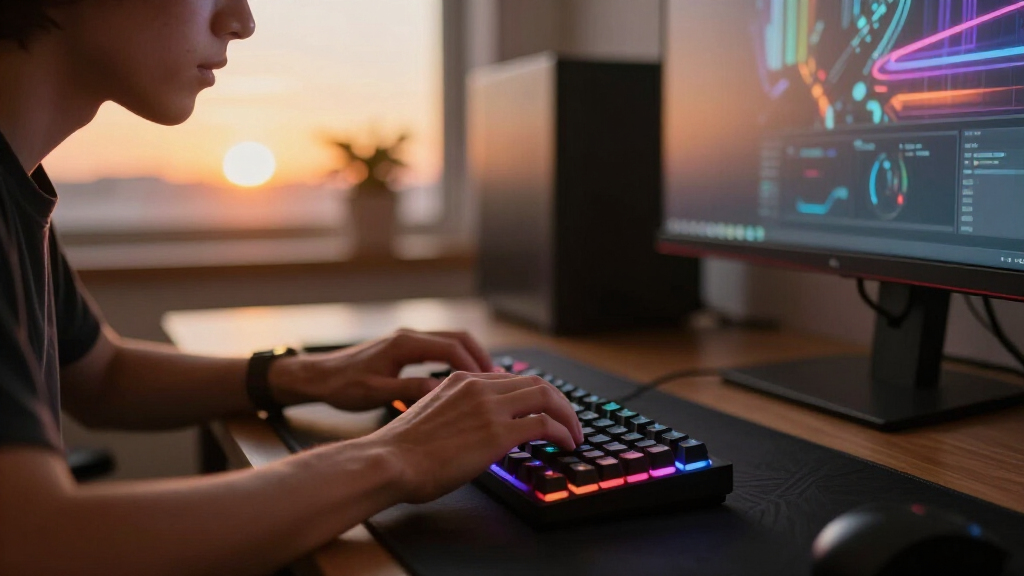
I ranked these keyboards around four buyer-relevant criteria: switch type and gaming performance (linear vs. tactile vs. clicky, actuation force, and whether rapid trigger is available), build quality (PBT vs. ABS keycaps, frame material, stabilizer feel), customization (hot-swap sockets, programmable macros, software support), and layout fit (full-size, TKL, 75%, or 60% depending on desk space and game genre). No single board wins every category, so each pick earned its rank by being the strongest option for a specific buyer rather than being all things to all people.
The ordering logic favors boards that deliver the most long-term flexibility per dollar. That’s why hot-swappable and Hall Effect models rank high — they adapt as your preferences change — while boards with fixed switches and ABS keycaps need clearer strengths, like the BlackWidow V4 X’s refined gaming experience, to justify their place. Budget picks were held to the same standard: a cheap keyboard with replaceable switches and PBT caps beats a similarly priced board that can never be upgraded.
Factors to Consider When Choosing Mechanical Gaming Keyboards
Before settling on one of the 13 boards above, it helps to understand the bigger decision points that shape mechanical keyboard purchases — and the mistakes buyers make most often.Switch Type Matters More Than RGB
The single most common mistake is buying a keyboard for its lighting rather than its switches, because switches determine how every keystroke feels and sounds for years. Linear switches (like the Razer Yellow or Cherry MX Speed in this lineup) press smoothly without a bump, which suits fast repetitive key presses in shooters and MOBAs. Tactile switches give a bump at actuation that helps typists confirm each press, while clicky switches like the CACKBIRD’s blues add an audible click that teammates on voice chat may not forgive. If you share a room or stream, sound profile should weigh as heavily as performance. And remember: switches on non-hot-swap boards are permanent, so choose based on your longest typing sessions, not just gaming hype.
Size and Layout: Match It to Your Games and Desk
Full-size boards with a numpad suit spreadsheet work and MMO players who bind macros to numpad keys, but they eat desk space and push your mouse arm outward — a real problem for low-sensitivity FPS players. 60% boards like the CACKBIRD and AULA WIN68 HE maximize mouse room but bury arrows and function keys behind layers, which frustrates anyone editing documents. The 75% layout has become the popular compromise: it keeps arrows and the function row while cutting the numpad. Before buying, measure your desk and think about how often you actually use the numpad — most gamers never touch it, but accountants and data-entry workers will miss it immediately.
Hot-Swap Sockets Are Cheap Future-Proofing
A hot-swappable board lets you pull switches out with a simple tool and try new ones without soldering, which converts one purchase into a lifetime of experimentation for the price of a switch set. This matters most at the budget end: a $40 hot-swap board with mediocre stock switches can be transformed later, while a non-hot-swap board is frozen as-is forever. Beginners especially benefit, because most people don’t know their switch preference until they’ve typed on a few — buying hot-swap means your first guess doesn’t have to be right. The tradeoff is that hot-swap sockets add slight wobble in some builds and limit you to switches with standard pins. If you already know you love a specific switch, fixed-socket premium boards like the Corsair K100 are perfectly reasonable.
Keycap Material: The Spec Everyone Ignores
Keycaps determine how the board feels under your fingertips and how it ages. ABS keycaps are smooth at first but develop a shiny, greasy wear pattern within months of heavy gaming. PBT keycaps — found on the Redragon boards and Corsair K100 here — resist shine, feel more textured, and last years longer. Replacing keycaps later costs real money, so a board that ships with PBT is often a better value than a cheaper ABS-equipped rival, even when other specs look identical. Check compatibility too: some boards use non-standard bottom rows that make aftermarket keycap sets a headache to fit. Doubling up on keycap quality is the least glamorous upgrade with the most noticeable day-to-day payoff.
Wired vs. Wireless: Latency Is No Longer the Whole Story
Modern wireless boards like the AULA F75 Pro and GravaStar Mercury K1 have closed most of the latency gap, but wired connections still offer consistency that matters in competitive play — no battery anxiety mid-match and no interference during tournaments. Wireless makes sense if you switch between devices, travel with your board, or simply want a cleaner desk. Consider connectivity options too: a tri-mode board (Bluetooth, 2.4GHz, USB-C) gives you fallbacks, while Bluetooth-only models can lag in fast games. Battery life claims vary wildly with RGB on, so halve the manufacturer’s figure for realistic expectations. The safest split: wireless for productivity-plus-casual gaming, wired when rank is on the line.
When to Pay More — and When Not To
Premium boards justify their cost through build longevity and advanced features: aluminum frames, better stabilizers, Hall Effect switches with adjustable actuation, and mature software. If you game daily for years, that investment amortizes well. But paying premium prices for features you won’t use is the second-most-common buyer mistake — a rapid trigger does nothing for strategy gamers, and an OLED display is fun for a week. Mid-range boards now deliver 80% of the flagship experience, which is why value picks rank so highly in this guide. A reasonable rule: spend more only when a specific feature (magnetic switches, hot-swap, premium caps) maps directly to how you play. Otherwise, pocket the difference and upgrade your mouse instead.
Frequently Asked Questions
Are Hall Effect magnetic switches actually better for gaming than regular mechanical switches?
Hall Effect switches like those in the AULA WIN68 HE measure exactly how far a key is pressed using magnets rather than metal contacts, which enables adjustable actuation points and rapid trigger — the key resets the instant you start lifting your finger instead of waiting to travel back past a fixed point. For competitive shooters and fighting games, this genuinely reduces reaction delay on repeated presses. They’re also more durable since there’s no physical contact to wear out. However, the benefit only materializes in fast, spam-heavy genres; for RPGs, strategy games, or typing-heavy use, a good linear or tactile switch performs equivalently. They also tend to cost more and offer fewer switch-flavored variations to choose from.
Is a 60% keyboard too small for everyday use alongside gaming?
It depends entirely on your workflow. A 60% board like the CACKBIRD or WIN68 HE forces you into function layers for arrows, Delete, and the number row’s secondary symbols, which is awkward at first but becomes muscle memory within a couple of weeks for most people. Gamers who value maximum mouse space generally adapt happily, and the compact footprint suits small desks and LAN events. Where 60% boards genuinely fail is spreadsheet-heavy work, frequent number entry, and any task that leans on the numpad or dedicated navigation cluster. If you’re torn, the 75% layout — as on the AULA F75 Pro or GravaStar Mercury K1 — adds back the arrow and function keys with only a small size penalty, which is why it’s become the default recommendation for hybrid users.
Should a beginner buy a hot-swappable keyboard even if they don’t know what switches they like yet?
Yes — that’s precisely who hot-swap boards benefit most. Most people can’t accurately predict whether they’ll prefer linear, tactile, or clicky switches until they’ve spent weeks typing on them, and a hot-swap board like the Redragon or K668 means a wrong first guess costs $20–40 for a new switch set instead of an entirely new keyboard. Buying hot-swap effectively gives you multiple keyboards for the price of one, and experimenting with switches is half the fun of the mechanical keyboard hobby. The only reasons to skip hot-swap are if you’ve already settled on a favorite switch, or if you’re choosing a premium board whose fixed switches are part of its tuned feel. For everyone else, treat hot-swap as inexpensive insurance against switch regret.
Do I need per-key RGB and software customization, or is basic backlighting enough?
Per-key RGB matters less for aesthetics than for functional lighting: with software like Razer Synapse, iCUE, or SteelSeries GG, you can set keys to flash on cooldown timers, highlight only the keys bound in your current game, or build layers of macros tied to specific profiles. If you play games with cooldowns or complex keybinds, that utility is genuinely useful rather than decorative. If you mostly want your desk to look good in the dark, static rainbow backlighting — as on the CACKBIRD — delivers 90% of the visual effect with zero software hassle. One caution: some software suites are resource-heavy and occasionally buggy, so check that the board supports onboard memory profiles if you move between machines. Casual users lose almost nothing by skipping the software entirely.
Is the SteelSeries Apex 5’s hybrid mechanical switch a real mechanical keyboard or a compromise?
The Apex 5 uses a hybrid design: a rubber dome provides the spring force while a mechanical click bar adds tactile and audible feedback at actuation. You get the crisp feel and sound people associate with mechanical boards, but the underlying mechanism is not a traditional coil-spring mechanical switch, and purists will notice a slightly mushier bottom-out compared with the Razer Yellow or Cherry MX switches elsewhere in this lineup. The practical upsides are a lower price and a consistent feel across all keys. The practical downsides are no hot-swap compatibility, a narrower aftermarket ecosystem, and a switch character you can’t change later. Treat it as a stepping stone: a fine choice if you want mechanical flavor at a lower cost, but a pass if authentic mechanical internals are the reason you’re upgrading.
Conclusion
After comparing all 13 boards, the right choice comes down to how you play and how long you plan to keep the keyboard. Best overall goes to the Razer BlackWidow V4 X — its fast Yellow linear switches, full-size layout and strong software deliver the most complete gaming package for the widest audience. For best value, the Redragon hot-swappable board is unbeatable: PBT caps and swappable switches at a budget price mean it improves over time instead of degrading. The premium crown is split by use case — the Corsair K100 with Cherry MX Speed switches and an aluminum frame for enthusiasts, and the AULA WIN68 HE for competitive players who want Hall Effect rapid trigger at a saner price. Beginners should start with the Redragon K668, whose hot-swap sockets and dedicated media controls forgive every early mistake. For specific needs: the AULA F75 Pro for wireless 75% versatility, the Womier SK80 for those who want a display screen, the CACKBIRD 60% for the tightest budgets and smallest desks, the GravaStar Mercury K1 for a distinctive design statement, the Logitech MX Mechanical for gamers who type all day, the SteelSeries Apex 5 for hybrid-switch fence-sitters, the Redragon K580 for macro-heavy MMO players, and the Logitech G413 SE for anyone who wants a clean, no-nonsense full-size board. Match the board to your genre, your desk, and your willingness to tinker — and you’ll land on the right one.
Fall Picks
fall essentials
As an affiliate, we earn on qualifying purchases.