The best DDR3 RAM overall in this roundup is the Samsung 16GB (2 x 8GB) DDR3-1600 desktop kit, a straightforward match for systems built around the widely used DDR3-1600 standard. For a higher-capacity desktop upgrade, the Gigastone 32GB kit offers four 8GB modules, while the Crucial 16GB DDR3L SODIMM kit is a standout for compatible laptops. The main tradeoffs are capacity versus motherboard support, desktop DIMMs versus laptop SODIMMs, and standard-voltage DDR3 versus lower-voltage DDR3L. Check your system’s memory limits and module type before choosing. Read on for the full comparison and guidance on picking a kit that fits your older PC.

Play games on Amazon Luna for your game nights, included with Prime
- A rotating selection of games, no download needed
- Play on TV, laptop or phone
- Fast, free delivery for your gear, too
Complete the kit



Key Takeaways
DDR3-1600 is the common ground across many picks, including Samsung, Crucial, TEAMGROUP, Timetec, and G.SKILL kits, making it a practical starting point when a system supports this speed.
Capacity changes the choice more than headline speed for most upgrades: the 32GB Gigastone and Corsair kits target systems that can use four 8GB modules, while 16GB kits suit more modest expansion plans.
Form factor rules out otherwise suitable kits: the Crucial and Timetec SODIMMs are for compatible laptops, while the 240-pin UDIMMs are desktop memory and cannot be swapped between those systems.
DDR3L compatibility deserves a motherboard check. Several kits are labeled DDR3L or dual-compatible, but supported voltage depends on the computer and its memory controller, not just the module listing.
Faster ratings are not automatic upgrades. The Corsair Vengeance Pro 2400MHz kit and Dominator Platinum 1866MHz kit only make sense when the motherboard and processor support their speeds; a compatible 1600MHz kit can be the simpler choice.




| DDR3 RAM | Capacity | Voltage | Speed | Memory Type |
|---|---|---|---|---|
| ROYEMAI 8GB | 8 GB (2 x 4 GB) | 1.5 V | 1333 MHz | DDR3 |
| Silicon Power 16GB | 16 GB (2 x 8 GB) | 1.35V / 1.5V | 1600 MHz | — |
| Corsair Dominator Platinum 32G | 32GB (4 x 8GB) | 1.5V | 1866MHz | DDR3 |
| Samsung 16GB | 16 GB (2 x 8 GB) | 1.5 V | 1600 MHz | DDR3 |
| Gigastone 32GB | 32GB (4 x 8GB) | 1.35V / 1.5V | 1600MHz | DDR3/DDR3L |
| Corsair Vengeance Pro 16GB | 16GB (2 x 8GB) | Listed as 1.65V; product information also lists 1.5V | — | DDR3 |
| TEAMGROUP Elite 16GB DDR3 Desk | 16GB (2 x 8GB) | 1.5V | 1600MHz (PC3-12800) | DDR3 |
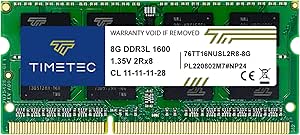
| Timetec 8GB DDR3L/DDR3 1600MHz | 8GB (1 x 8GB) | 1.35V / 1.5V | 1600MHz | DDR3L / DDR3 |
| Crucial 16GB Kit | 16GB (2 x 8GB) | 1.35V or 1.5V | 1600 MT/s (PC3-12800) | DDR3L |
| Crucial 16GB DDR3L-1600 SODIMM | 16GB (2 x 8GB) | 1.35V and 1.5V | 1600 MT/s (DDR3-1600 / PC3-12800) | DDR3L SDRAM |
| Timetec 16GB | 16GB (2 x 8GB) | 1.35V / 1.5V | 1600MHz | DDR3L / DDR3 |
| G.SKILL RipjawsX Series 16GB D | 16GB (2 x 8GB) | 1.5V | 1600 MT/s | DDR3 |
| G.SKILL RipjawsX 16GB | 16GB (2 x 8GB) | 1.5V | 1600 MT/s | DDR3 |
| Acclamator 16GB DDR3 RAM Kit | 16GB (2 x 8GB) | 1.5V | 1600MHz (PC3-12800) | — |
| Corsair Vengeance Pro 32GB | 32GB (4 x 8GB) | 1.5V | 1600MHz | Unbuffered |
More Details on Our Top Picks
ROYEMAI 8GB (2 x 4GB) DDR3-1333 PC3-10600 Desktop RAM Kit
This kit offers a straightforward solution for users upgrading older desktops or building on a tight budget. Its two 4GB modules provide moderate capacity, making it suitable for basic tasks. Compared with higher-speed options like the Corsair Dominator or Gigastone kits, the ROYEMAI kit runs at a lower 1333MHz, which may impact performance in demanding applications. However, its tested stability and lifetime warranty add confidence for less intensive use. Its main tradeoff is compatibility: it requires a system that supports DDR3 UDIMM modules at 1333MHz and may need speed adjustments for stability. This kit makes the most sense for users prioritizing affordability and compatibility with older systems, rather than maximum speed or capacity.
Pros:- Affordable price point for entry-level upgrades
- Includes two 4GB modules for dual-channel performance
- Tested for stability and compatibility
Cons:- Limited to 1333MHz speed, which may bottleneck performance
- Compatibility depends on system support for DDR3 UDIMM at this speed
Best for: Budget-conscious users with older desktops or basic needs seeking reliable, tested memory.
Not ideal for: Enthusiasts or power users who need higher speeds, larger capacities, or advanced features.
- Capacity:8 GB (2 x 4 GB)
- Memory Type:DDR3
- Speed:1333 MHz
- Module Type:UDIMM
- CAS Latency:CL9
- Voltage:1.5 V
- Pins:240
- Warranty:Lifetime
Our verdict“This kit suits users upgrading older desktops on a budget who prioritize stability over speed.”
Silicon Power 16GB (2 x 8GB) DDR3L 1600MHz Desktop Memory Kit
This 16GB kit strikes a solid balance between capacity and speed, making it ideal for users who want better multitasking without stepping into high-end territory. Its support for both 1.35V and 1.5V operation adds versatility for various systems. Compared with the Corsair Dominator’s premium build and lighting features, this kit focuses on reliable performance at a reasonable price point. Its main limitation is that it’s compatible only with systems supporting DDR3 or DDR3L UDIMM modules, which could exclude some older or specialized systems. The factory-tested stability and lifetime warranty provide peace of mind for everyday use, but it won’t deliver the high speeds of more advanced kits. This RAM makes the most sense for users seeking a reliable upgrade to enhance multitasking without paying for extras.
Pros:- Supports both 1.35V and 1.5V operation for flexibility
- Large 16GB capacity in a dual-module kit
- Factory-tested for stability and durability
Cons:- Limited to systems supporting DDR3/DDR3L UDIMM modules
- Speed capped at 1600MHz, not ideal for high-speed needs
Best for: Mid-range desktop users wanting increased capacity and decent speed for everyday multitasking.
Not ideal for: High-performance gaming or overclocking enthusiasts seeking faster speeds or premium features.
- Capacity:16 GB (2 x 8 GB)
- Memory Technology:DDR3L
- Speed:1600 MHz
- Form Factor:240-pin UDIMM
- CAS Latency:CL11
- Voltage:1.35V / 1.5V
- Compatibility:DDR3L / DDR3 motherboards
- Warranty:Lifetime
Our verdict“A well-rounded choice for users upgrading older systems or needing more multitasking capacity.”
Corsair Dominator Platinum 32GB (4 x 8GB) DDR3 1866MHz Desktop Memory
This kit is tailored for users who need maximum capacity and speed within the DDR3 platform. Its four 8GB modules run at 1866MHz, offering faster data transfer than typical 1600MHz kits like Samsung or Gigastone, making it suitable for demanding applications and multitasking. The Corsair DHX cooling technology and user-swappable white LED lighting add premium features that appeal to enthusiasts. Compared with the Gigastone or Samsung options, this kit emphasizes speed and capacity over simplicity and affordability. Its main drawback is limited compatibility—only supported by select high-end Intel motherboards—potentially excluding older or budget systems. For those who want a high-capacity, fast DDR3 setup and are willing to match compatible hardware, this kit represents a premium choice.
Pros:- Large capacity with four 8GB modules for demanding multitasking
- Fast 1866MHz DDR3 speed for improved throughput
- Premium cooling and aesthetic features
Cons:- Limited compatibility to specific Intel motherboards
- Higher price point due to premium features
Best for: High-performance desktop users needing maximum RAM capacity and speed for intensive tasks.
Not ideal for: Budget users or those with older or non-compatible motherboards who won’t support the high-speed modules.
- Capacity:32GB (4 x 8GB)
- Memory Type:DDR3
- Speed:1866MHz
- Timing:10-11-10-30
- Voltage:1.5V
- Form factor:240-pin DIMM
- Lighting:White LED light pipe
- Warranty:Limited lifetime
Our verdict“Ideal for users with compatible high-end systems seeking maximum RAM and speed for intensive tasks.”
Samsung 16GB (2 x 8GB) DDR3 1600 MHz Desktop Memory Kit
This Samsung kit offers reliable, straightforward memory for those seeking a dependable upgrade. Its 16GB capacity coupled with 1600MHz speed strikes a balance suitable for most general computing tasks. Compared with the slightly faster Corsair Dominator or Gigastone kits, Samsung’s modules prioritize stability and compatibility, making them an excellent choice for mainstream systems. The main limitation is that DDR3 format might no longer be compatible with systems requiring newer memory standards, which could limit future upgrade options. Its simple design, proven reliability, and 16GB capacity make it well-suited for users who want a no-frills upgrade without overpaying for extra features.
Pros:- Proven reliability from a reputable brand
- Good balance of capacity and speed for typical use
- Simple, non-oversized design compatible with most systems
Cons:- Limited to 1600MHz speed, not optimized for high-performance tasks
- DDR3 format may be incompatible with newer systems
Best for: Mainstream desktop users seeking a dependable, balanced memory upgrade for everyday tasks.
Not ideal for: Enthusiasts or users aiming for high-speed or overclocking performance.
- Capacity:16 GB (2 x 8 GB)
- Memory Type:DDR3
- Speed:1600 MHz
- CAS Latency:11
- Voltage:1.5 V
- Form Factor:240-pin DIMM
- Model:M378B1G73QH0-CK0
Our verdict“A solid, reliable choice for users upgrading older or mainstream systems with standard performance needs.”
Gigastone 32GB (4 x 8GB) DDR3/DDR3L 1600MHz Desktop RAM Kit
This four-module kit provides ample 32GB of memory at 1600MHz, making it attractive for users who need significant RAM without the premium price of high-end brands. Its support for both DDR3 and DDR3L and dual voltage operation adds compatibility flexibility. Compared with the Corsair or Samsung options, Gigastone offers a straightforward, no-frills approach focused on capacity and affordability. The main tradeoff is that its compatibility is limited to systems supporting DDR3/DDR3L 240-pin UDIMM modules, and it lacks advanced cooling or aesthetic features. For users who need large memory capacity and are constrained by a budget, this kit delivers solid performance, although it may require four available slots and compatible hardware.
Pros:- High capacity with four 8GB modules for demanding workloads
- Supports both DDR3 and DDR3L standards
- Dual-voltage flexibility (1.35V/1.5V)
Cons:- Requires four available slots, limiting on systems with fewer expansion bays
- Lacks premium features like cooling or aesthetic customization
Best for: Users needing large RAM capacity for multitasking or memory-intensive applications on compatible systems.
Not ideal for: Systems with fewer available slots or users looking for high-speed overclocking features.
- Capacity:32GB (4 x 8GB)
- Memory Type:DDR3/DDR3L
- Speed:1600MHz
- Voltage:1.35V / 1.5V
- Compatibility:DDR3/DDR3L 240-pin UDIMM
- Form Factor:240-pin UDIMM
- Warranty:5 years
Our verdict“A practical choice for users who need maximum RAM capacity at an affordable price on systems with sufficient slots.”
Corsair Vengeance Pro 16GB (2 x 8GB) DDR3 2400MHz Desktop RAM, Red
This is the speed-focused pick in this group: its 2400MHz rating is well above the 1600MHz ceiling of the TEAMGROUP Elite and Crucial desktop kits. The two 8GB DIMMs also give a compatible desktop a straightforward dual-channel 16GB configuration, while Intel XMP 1.3 can simplify applying its rated settings on supported hardware. That speed is conditional, though: the motherboard and processor must support the memory profile, and the listed SPD speed is only 1333MHz. Its 1.65V rating is also higher than the 1.5V TEAMGROUP Elite and dual-voltage Crucial DDR3L kit; the supplied data lists voltage inconsistently, so buyers should check the exact module requirements. Choose it for a compatible system where faster DDR3 matters, not for a routine drop-in upgrade.
Pros:- 2400MHz rated speed exceeds the 1600MHz kits in this roundup
- Two 8GB modules provide 16GB in a dual-channel configuration
- Intel XMP 1.3 support can simplify setting the rated profile on compatible systems
- Red heat spreaders provide a distinctive look
Cons:- Rated speed depends on compatible motherboard and processor support
- Listed voltage is inconsistent, with 1.65V and 1.5V both appearing in product information
- Higher voltage and XMP requirements make it less straightforward than the TEAMGROUP Elite 1600MHz kit
Best for: Desktop builders with a DDR3 motherboard and processor that support 2400MHz memory and XMP, who want a 16GB dual-channel kit.
Not ideal for: People upgrading older or specification-sensitive systems that may not support 2400MHz XMP profiles or the listed 1.65V operation.
- Capacity:16GB (2 x 8GB)
- Memory type:DDR3
- Tested latency:11-13-13-31
- CAS latency:CL11
- Voltage:Listed as 1.65V; product information also lists 1.5V
- Form factor:240-pin DIMM
- Overclocking support:Intel XMP 1.3
- SPD speed:1333MHz
Our verdict“Choose this Corsair kit when your DDR3 platform supports its XMP profile and you specifically want higher rated speed than standard 1600MHz memory.”
TEAMGROUP Elite 16GB DDR3 Desktop Memory Kit (2 x 8GB, 1600MHz)
The TEAMGROUP Elite is the uncomplicated desktop choice here: 16GB across two 8GB modules gives compatible systems a dual-channel kit at the familiar DDR3-1600 rate. Unlike the Corsair Vengeance Pro 2400MHz, it does not depend on a faster XMP profile to reach its stated speed, and its 1.5V, unbuffered, non-ECC UDIMMs suit standard desktop memory slots. The tradeoff is modest performance ambition: CL11 and 1600MHz make this a practical capacity upgrade, not the speed-oriented pick. It also cannot serve laptops, which need SO-DIMMs such as the Timetec 8GB module. The listed lifetime warranty and technical support add reassurance, but buyers still need to confirm their motherboard supports 8GB DDR3 modules and the kit’s configuration.
Pros:- 16GB supplied as two 8GB modules for dual-channel use
- Standard 1.5V operation
- Unbuffered, non-ECC 240-pin UDIMMs for compatible desktops
- Lifetime warranty and free technical support are listed
Cons:- CL11 latency is less performance-focused than the G.SKILL RipjawsX 1600MHz CL9 kit
- 1600MHz rating is below the Corsair Vengeance Pro 2400MHz kit
- Desktop UDIMM form factor does not fit laptops
Best for: Desktop owners replacing or expanding memory who want a standard-voltage 16GB DDR3-1600 kit without pursuing high-speed XMP settings.
Not ideal for: Laptop owners, or desktop builders seeking lower latency or memory speeds beyond 1600MHz.
- Capacity:16GB (2 x 8GB)
- Memory type:DDR3
- Speed:1600MHz (PC3-12800)
- Latency:CL11
- Voltage:1.5V
- Form factor:240-pin UDIMM
- ECC:Non-ECC
- Buffering:Unbuffered
- Warranty:Lifetime
Our verdict“Pick the TEAMGROUP Elite for a no-frills 16GB desktop upgrade when standard DDR3-1600 speed is enough.”
Timetec 8GB DDR3L/DDR3 1600MHz Laptop Memory, 204-Pin SO-DIMM
This Timetec module fills a different need from the desktop kits: it is a single 8GB, 204-pin SO-DIMM for compatible laptops, mini PCs, and all-in-ones. Its standout advantage is dual-voltage support, operating at either 1.35V or 1.5V, which gives it broader potential fit across DDR3L and standard DDR3 devices than a module with only one listed voltage. Compared with the Crucial 16GB SODIMM kit, it adds only one 8GB module rather than supplying a matched pair, so it is better suited to a targeted upgrade or an open slot than a full 16GB replacement. CL11 and 1600MHz are mainstream specifications, not a performance step up. Check device capacity limits and memory layout before buying; its laptop-sized form will not fit the desktop UDIMMs.
Pros:- Supports both 1.35V DDR3L and 1.5V DDR3 operation
- 8GB single-module format can suit an available laptop memory slot
- Listed compatibility includes laptops, notebooks, mini PCs, and all-in-ones
- Lifetime warranty and free technical support are listed
Cons:- Single 8GB module provides less total capacity than the Crucial 16GB SODIMM kit
- Fits only compatible 204-pin SO-DIMM devices
- CL11 and 1600MHz do not target high-performance memory upgrades
Best for: Laptop and mini-PC owners with a compatible 204-pin slot who need one 8GB DDR3 or DDR3L module and value dual-voltage support.
Not ideal for: Desktop owners or laptop users who need a matched 16GB kit rather than a single module.
- Capacity:8GB (1 x 8GB)
- Memory type:DDR3L / DDR3
- Speed:1600MHz
- Module type:204-pin SO-DIMM
- Voltage:1.35V / 1.5V
- Latency:CL11
- Rank:Dual rank (2Rx8)
- Error correction:Non-ECC
- Warranty:Lifetime
Our verdict“Choose this Timetec module for a compatible compact computer when one dual-voltage 8GB SO-DIMM is the right upgrade size.”
Crucial 16GB Kit (2 x 8GB) DDR3L-1600 CL11 UDIMM Desktop Memory
For desktops that specifically call for DDR3L, this Crucial kit pairs 16GB in two 8GB UDIMMs with support for both 1.35V and 1.5V operation. That flexibility separates it from the 1.5V-only TEAMGROUP Elite, while its standard 1600 MT/s, CL11 profile keeps the choice focused on compatibility and capacity rather than speed records. It is also a desktop kit, unlike the similarly dual-voltage Timetec SO-DIMM, so buyers need 240-pin memory slots. The dual-voltage specification does not make it universal: the motherboard must support DDR3L UDIMMs, and the listed 2Rx8 configuration may matter for older system compatibility. For a supported desktop needing 16GB, this is a more adaptable voltage choice than the TEAMGROUP kit; for a laptop, its form factor rules it out.
Pros:- 16GB kit uses two 8GB modules for dual-channel configurations
- Supports both 1.35V and 1.5V operation
- Unbuffered, non-ECC desktop UDIMM design
- Limited lifetime warranty is listed
Cons:- Requires a desktop that supports 240-pin DDR3L UDIMMs
- CL11 and 1600 MT/s are standard rather than performance-focused
- Cannot fit laptop SO-DIMM slots, unlike the Crucial 16GB SODIMM kit
Best for: Desktop owners whose motherboard supports 240-pin DDR3L UDIMMs and who want a 16GB dual-voltage kit.
Not ideal for: Laptop owners, or buyers whose desktop manual calls for standard DDR3 only and does not list DDR3L UDIMM support.
- Capacity:16GB (2 x 8GB)
- Memory type:DDR3L
- Speed:1600 MT/s (PC3-12800)
- Latency:CL11
- Voltage:1.35V or 1.5V
- Form factor:240-pin UDIMM
- ECC:Non-ECC
- Rank and configuration:2Rx8
- Warranty:Limited lifetime
Our verdict“Choose this Crucial kit when a compatible desktop needs 16GB of DDR3L memory with both 1.35V and 1.5V support.”
Crucial 16GB DDR3L-1600 SODIMM Kit (2 x 8GB)
This Crucial kit is the strongest fit here for a laptop upgrade that needs 16GB in a matched pair: two 8GB, 204-pin SO-DIMMs support dual-channel configurations in compatible notebooks. Its 1.35V and 1.5V operation also gives it useful flexibility across supported DDR3L and DDR3 systems. Compared with the Timetec 8GB SO-DIMM, it supplies twice the total capacity and arrives as a pair, but it does not offer the same single-module convenience when only one slot is being replaced. The 1600 MT/s, CL11 specification is a standard capacity upgrade, not a speed-focused choice. Crucial explicitly says this kit is not intended for Mac systems, and buyers should check their laptop’s memory limits and supported module type before ordering.
Pros:- Two 8GB modules provide 16GB total capacity
- Supports both 1.35V and 1.5V operation
- Matched SO-DIMM pair suits compatible dual-channel laptops
- Limited lifetime warranty is listed
Cons:- Not intended for Mac systems
- Requires a laptop compatible with 204-pin DDR3 SO-DIMMs
- A two-module kit is less suitable than the Timetec single module when only one slot needs an upgrade
Best for: Owners of compatible non-Mac laptops with two usable 204-pin DDR3 SO-DIMM slots who want a 16GB matched kit.
Not ideal for: Mac owners, desktop users, or laptop owners needing only one replacement module or a different memory form factor.
- Capacity:16GB (2 x 8GB)
- Memory type:DDR3L SDRAM
- Speed:1600 MT/s (DDR3-1600 / PC3-12800)
- Latency:CL11
- Voltage:1.35V and 1.5V
- Form factor:204-pin SO-DIMM
- ECC:Non-ECC
- Buffering:Unbuffered
- Warranty:Limited lifetime
Our verdict“Choose this Crucial kit for a compatible non-Mac laptop that needs a matched 16GB DDR3L upgrade rather than a single module.”
Timetec 16GB (2x8GB) DDR3L/DDR3 1600MHz 240-Pin UDIMM Desktop Memory Kit
The Timetec kit’s main advantage over the Acclamator 16GB DDR3 kit is support for both 1.35V and 1.5V, which can suit compatible desktop boards with different DDR3 voltage requirements. Its two 8GB modules provide a practical 16GB dual-channel configuration, while CL11 at 1600MHz keeps expectations grounded: this is a straightforward capacity upgrade, not a low-latency performance pick like the G.SKILL RipjawsX CL9 kit. The lifetime warranty and stated Intel and AMD desktop compatibility add reassurance for older systems. The tradeoff is a strict desktop fit: these are 240-pin UDIMMs, not laptop memory. Buyers should also check motherboard support before ordering; the dual-voltage rating does not make the kit compatible with every DDR3 system.
Pros:- Two 8GB modules provide 16GB total in a matched kit
- Supports both 1.35V and 1.5V operation
- Listed for compatible Intel and AMD desktop systems
- Lifetime warranty and free technical support
Cons:- Not compatible with laptops that require SO-DIMM memory
- CL11 timings are looser than the G.SKILL RipjawsX CL9 kits
- PCB color may vary by production batch
Best for: Desktop owners upgrading a compatible DDR3 system who want 16GB capacity and flexibility between 1.35V and 1.5V operation.
Not ideal for: Laptop owners or buyers seeking lower CL9 timings; this kit is desktop-only and rated CL11.
- Capacity:16GB (2 x 8GB)
- Memory type:DDR3L / DDR3
- Speed:1600MHz
- Form factor:240-pin UDIMM
- Voltage:1.35V / 1.5V
- Latency:CL11
- ECC / buffering:Non-ECC, unbuffered
- Warranty:Lifetime
Our verdict“Choose the Timetec kit for a compatible desktop that benefits from dual-voltage support, but pick a CL9 alternative if tighter timings matter more.”
G.SKILL RipjawsX Series 16GB DDR3 Desktop Memory Kit (2 x 8GB, 1600 MT/s, CL9)
Among these 16GB DDR3-1600 kits, the RipjawsX stands out for its specified CL9-9-9-24 timings, tighter than the CL10 G.SKILL RipjawsX F3-12800CL10D-16GBXL and the CL11 Timetec kit. That makes it the more timing-focused choice for a compatible desktop, while the matched 2 x 8GB layout supplies the same useful capacity as those alternatives. JEDEC and Intel XMP profiles give systems a standard configuration and an XMP option, but the rated speed can depend on the motherboard, processor, and BIOS settings. This is not a universal plug-in guarantee: G.SKILL cautions that mixing it with other memory kits can cause instability or system failure. It is also 1.5V DDR3 UDIMM memory, so it is not a choice for laptops or DDR3L-only requirements.
Pros:- CL9-9-9-24 timings at a rated 1600 MT/s
- Matched pair of 8GB modules for 16GB total
- Supports JEDEC defaults and an Intel XMP profile
- Limited lifetime manufacturer warranty
Cons:- Rated speed may depend on BIOS settings and system compatibility
- Mixing with other memory kits may cause instability or system failure
- 1.5V desktop UDIMMs are not laptop memory
Best for: Desktop builders with a compatible DDR3 motherboard who want 16GB in a matched kit and prefer specified CL9 timings.
Not ideal for: Laptop owners, systems that require DDR3L-only modules, or users planning to combine separate memory kits.
- Capacity:16GB (2 x 8GB)
- Memory type:DDR3
- Speed:1600 MT/s
- Timings:CL9-9-9-24
- Voltage:1.5V
- Form factor:240-pin UDIMM
- Profiles:JEDEC default and Intel XMP
- ECC:Non-ECC
Our verdict“Pick this RipjawsX kit if your desktop supports it and tighter CL9 timings matter more than dual-voltage flexibility.”
G.SKILL RipjawsX 16GB (2 x 8GB) DDR3-1600 Desktop Memory Kit
This RipjawsX kit gives desktop upgraders a balanced middle ground: 16GB in two matched modules, standard 1.5V operation, and both JEDEC and Intel XMP profiles. Compared with the other G.SKILL RipjawsX kit here, it uses CL10-10-10-30 timings rather than CL9, so it gives up some timing tightness without changing the 1600 MT/s rating. The red heatsinks add a distinct look, though their 40mm height can be a fit concern around large CPU coolers. XMP may require BIOS setup, and actual memory speed still depends on compatible hardware. Like the CL9 RipjawsX, this kit is intended for desktops, and combining it with another kit can bring instability; buyers should verify board support and avoid assuming mixed modules will run smoothly.
Pros:- Matched 2 x 8GB configuration provides 16GB
- Includes JEDEC and Intel XMP profiles
- Red heatsinks give the modules a distinctive appearance
- Specified for Intel and AMD desktop platforms
Cons:- CL10 timings are looser than the other G.SKILL RipjawsX kit’s CL9
- XMP speed may require BIOS changes and compatible hardware
- 40mm heatsink height may interfere with some CPU coolers
Best for: Desktop owners who want a matched 16GB DDR3-1600 kit with XMP support and are comfortable checking cooler clearance.
Not ideal for: Laptop owners, users prioritizing the tighter CL9 timings of the other RipjawsX kit, or builders with limited space around the CPU cooler.
- Capacity:16GB (2 x 8GB)
- Memory type:DDR3
- Speed:1600 MT/s
- Timings:CL10-10-10-30
- Voltage:1.5V
- Form factor:240-pin UDIMM
- Profiles:JEDEC and Intel XMP
- Heatsink height:40mm
Our verdict“Choose this kit for a matched 16GB XMP upgrade if CL10 suits your needs and the heatsinks clear your desktop cooler.”
Acclamator 16GB DDR3 RAM Kit (2 x 8GB), 1600MHz, CL11, 1.5V, 240-Pin UDIMM
The Acclamator is a simple 16GB DDR3-1600 desktop kit for buyers who need the standard 2 x 8GB, 1.5V UDIMM format without XMP or voltage options taking center stage. Its CL11 timing is similar to the Timetec kit, but Acclamator’s listed specification is 1.5V only; choose Timetec instead if dual-voltage operation could help match the system. Compared with the G.SKILL RipjawsX CL9 kit, this one is less timing-focused and does not list XMP profiles. That makes it a basic replacement candidate, provided the motherboard supports DDR3. Its two-module layout can support dual-channel operation on a compatible board, but it is not suitable for laptops or systems that require another memory type. The warranty is listed as unlimited within the United States.
Pros:- Two 8GB modules provide 16GB in a matched kit
- 1600MHz PC3-12800 specification for compatible DDR3 systems
- Unbuffered, non-ECC 240-pin desktop format
- Unlimited warranty within the United States
Cons:- Listed for 1.5V operation only, unlike the dual-voltage Timetec kit
- CL11 timings are looser than the G.SKILL RipjawsX CL9 option
- Not intended for laptops or motherboards that do not support DDR3
Best for: Owners of older desktop PCs with a DDR3-compatible motherboard who need a standard 16GB matched replacement kit.
Not ideal for: Laptop owners, buyers needing 1.35V DDR3L operation, or users who want specified CL9 timings and XMP profiles.
- Capacity:16GB (2 x 8GB)
- Memory technology:DDR3
- Speed:1600MHz (PC3-12800)
- CAS latency:CL11
- Voltage:1.5V
- Form factor:240-pin unbuffered UDIMM
- ECC:Non-ECC
- Warranty:Unlimited within the United States
Our verdict“Choose Acclamator as a basic 16GB desktop replacement when your DDR3 motherboard supports its 1.5V, CL11 specification.”
Corsair Vengeance Pro 32GB (4 x 8GB) DDR3 1600MHz Desktop Memory Kit, Red
This Corsair kit is the capacity pick in this group: 32GB across four 8GB modules, double the capacity of the 16GB Timetec and G.SKILL kits. Its CL9 rating is also tighter than the CL11 Acclamator and Timetec options, while the included heatsinks distinguish it from a plain replacement kit. The catch is the four-module layout: it uses all four slots on many boards, leaving no room for expansion without replacing modules, and buyers need to confirm their motherboard supports both the capacity and this DDR3 configuration. The listing names Intel Z68 and Z77 compatibility, a narrower reference than the broad desktop compatibility described for some alternatives. It is also older-generation DDR3 memory with a two-year warranty, so it suits a targeted legacy-system upgrade rather than a new build.
Pros:- 32GB total capacity from four 8GB modules
- CL9 latency at a rated 1600MHz
- Heatsinks are included
- Single four-module kit provides a matched configuration
Cons:- Four modules can occupy all available memory slots
- Compatibility listing specifically names Intel Z68 and Z77 platforms
- Two-year warranty is shorter than the lifetime warranties listed for some alternatives
Best for: Owners of compatible Intel Z68 or Z77 desktops with four usable memory slots who need 32GB in one kit.
Not ideal for: Systems with fewer than four available DIMM slots, buyers who want room to expand later, or newer builds using a different memory generation.
- Capacity:32GB (4 x 8GB)
- Memory technology:DDR3
- Speed:1600MHz
- CAS latency:CL9
- Voltage:1.5V
- Form factor:240-pin DIMM
- Memory type:Unbuffered
- Compatible devices:Intel Z68, Intel Z77
- Warranty:2 years
Our verdict“Choose the Corsair Vengeance Pro when a compatible legacy desktop needs 32GB now and has four suitable DIMM slots.”

How We Picked
I compared these 15 kits by the factors that determine whether a DDR3 upgrade works and delivers useful capacity: form factor, module count, capacity, rated speed, voltage labeling, and stated timings. I gave priority to familiar, broadly useful configurations such as 2 x 8GB DDR3-1600, while also recognizing kits with a clear purpose, including laptop SODIMMs, 32GB desktop sets, and higher-speed memory. A product’s headline capacity or frequency did not outweigh the need to match the motherboard and processor.
The ranking reflects practical fit for common upgrade jobs, not a claim that one kit will work in every DDR3 system. Options with a clear use case and widely applicable specifications rank ahead of more specialized or less flexible configurations. I also weighed tradeoffs: four-module kits can deliver more memory but need four available slots and platform support, while high-frequency kits may require compatible settings to run at their rated speed. Buyers should verify their computer’s memory type, maximum capacity, supported voltage, and module layout before ordering.
| DDR3 RAM | Memory Type |
|---|---|
| ROYEMAI 8GB | DDR3 |
| Silicon Power 16GB | — |
| Corsair Dominator Platinum 32G | DDR3 |
| Samsung 16GB | DDR3 |
| Gigastone 32GB | DDR3/DDR3L |
| Corsair Vengeance Pro 16GB | DDR3 |
| TEAMGROUP Elite 16GB DDR3 Desk | DDR3 |
| Timetec 8GB DDR3L/DDR3 1600MHz | DDR3L / DDR3 |
| Crucial 16GB Kit | DDR3L |
| Crucial 16GB DDR3L-1600 SODIMM | DDR3L SDRAM |
| Timetec 16GB | DDR3L / DDR3 |
| G.SKILL RipjawsX Series 16GB D | DDR3 |
| G.SKILL RipjawsX 16GB | DDR3 |
| Acclamator 16GB DDR3 RAM Kit | — |
| Corsair Vengeance Pro 32GB | Unbuffered |
Factors to Consider When Choosing Best DDR3 RAM
DDR3 is an older memory generation, so the right choice starts with the computer’s exact requirements rather than the biggest number on a product page. I’d check the motherboard or laptop specifications first, then balance capacity, module layout, voltage, and speed against the way the system is used.
Match the module form factor to the computer
Desktop memory and laptop memory are physically different: desktop systems usually take 240-pin UDIMMs, while many laptops use shorter 204-pin SODIMMs. A module that fits the wrong slot is not a close match; it simply will not install. Some compact desktops and all-in-ones use laptop-style memory, so the case size alone is not a reliable guide. Check the current module label or the service manual for the supported form factor and pin count. When replacing memory, also confirm whether the system needs unbuffered, non-ECC modules, since similar-looking server memory may not be supported.
Check maximum capacity and available slots
A kit’s total capacity only helps if the computer can address it. Older boards may have per-slot limits or a maximum total below the capacity offered by a 32GB kit, and some systems reserve capacity for integrated graphics. Count the memory slots and inspect what is already installed before deciding between a matched pair and four modules. Leaving open slots can make a later upgrade easier, while filling every slot may be the simplest route to a larger capacity now. Use the motherboard or system documentation rather than assuming that a processor’s published limit applies to every computer built around it.
Treat DDR3 and DDR3L voltage as a compatibility question
DDR3 and DDR3L refer to different voltage specifications, and support varies by platform. Some DDR3L modules can operate at standard DDR3 voltage in compatible systems, but that does not mean every DDR3L kit is suitable for every older motherboard. Check whether the board or laptop supports the module’s rated voltage and whether its memory controller allows the combination. Avoid relying on the words “dual voltage” or a listing’s general compatibility claim without checking the exact system model. When replacing existing memory, matching its voltage specification is a sensible way to reduce uncertainty.
Choose speed based on the slowest supported component
Memory rated at 1866MHz or 2400MHz may run below its advertised speed when the processor or motherboard sets a lower limit. Some systems also require a BIOS setting to use faster memory profiles, and older firmware may not expose those controls. A higher frequency is most useful when the complete platform supports it; otherwise, paying attention to capacity and correct fit is usually more practical. Mixing modules with different speeds can cause the system to run all memory at the slowest shared setting. For a straightforward replacement, a standard supported speed such as DDR3-1600 can be easier to match than an enthusiast-rated kit.
Prefer matched modules, but plan around existing memory
Matched kits are sold with modules intended to work together, which helps when installing a pair for dual-channel operation. Adding new memory beside an older module can work, but differences in capacity, timing, rank, or voltage may affect stability or lower the shared operating speed. If you keep the original RAM, compare its specifications with the new kit and consult the system manual for supported slot combinations. Replacing the full set costs you the use of the old modules, but it can simplify troubleshooting and configuration. Avoid buying a pair based only on total gigabytes if the system has an unusual channel or slot arrangement.
Set expectations for a legacy-platform upgrade
More RAM can help an older computer handle multiple applications or larger workloads, but it does not upgrade the processor, graphics, or storage. If the system already has enough memory for its usual tasks, extra capacity may produce little visible change. Before buying, identify the bottleneck: a slow hard drive or aging CPU can matter more than moving from 16GB to 32GB. DDR3 parts also vary in availability, so confirm the return policy and compatibility details before replacing a working kit. Match the upgrade to the computer’s remaining role rather than investing in capacity the platform cannot use.
Frequently Asked Questions
Can I use a DDR3L kit in a computer that currently has DDR3?
Possibly, but the answer depends on the computer’s memory controller and voltage support. Some DDR3L modules support operation at standard DDR3 voltage, while other systems require a specific low-voltage configuration. Check the motherboard or laptop documentation for supported memory types and voltage before mixing or replacing modules. Also confirm the kit’s exact specifications, since a broad DDR3L label does not establish compatibility with every DDR3 system. If the documentation is unclear, matching the voltage and type of the installed memory is the safer route.
Will a 2400MHz DDR3 kit run at 2400MHz in my older desktop?
Not necessarily. The motherboard, processor, BIOS, and memory settings all affect the speed the system can use. A 2400MHz-rated kit may run at a lower supported speed, and some older systems cannot enable higher-speed memory profiles. Check the platform’s supported memory rates before choosing a faster kit, and treat the rated speed as a capability rather than a guaranteed operating speed. If your system tops out at 1600MHz, a compatible 1600MHz kit may be a more sensible purchase.
Should I buy a 32GB kit or a 16GB kit for a DDR3 desktop?
Choose 32GB only if the motherboard supports that total capacity and has enough compatible slots for the kit’s modules. It can suit heavier multitasking or applications that benefit from more memory, but capacity beyond what your workload uses may not improve the computer’s responsiveness. A 16GB kit is often a more measured upgrade for everyday use, especially when the system has a modest capacity limit. Check per-slot limits as well as the total limit, since a board may not support 8GB in every slot. Your workload and platform documentation should decide the capacity, not the largest kit available.
Can I mix a new DDR3 kit with the RAM already installed?
Mixing memory can work when the modules share a supported type and voltage, but it is less predictable than using a matched kit. The system may set all modules to the slowest common speed and timings, and differences between modules can cause boot or stability problems on some older platforms. Check the computer’s supported slot arrangement and compare the installed RAM’s label with the new kit’s specifications. If reliability matters more than keeping the old modules, replacing the full set with a matched configuration is often easier to troubleshoot. Back up important data before changing hardware and test the system after installation.
How do I tell whether my laptop needs SODIMM or desktop UDIMM memory?
Most standard laptops use SODIMM modules, while desktop towers commonly use full-size UDIMMs, but small-form-factor computers can be exceptions. Look up the exact system model in its service manual or check the specifications for module type, pin count, and supported capacity. If you inspect the existing memory, compare its physical size and label with the replacement kit before ordering. A 204-pin SODIMM, such as the laptop-oriented options in this roundup, is not interchangeable with a 240-pin desktop UDIMM. Do not rely on the DDR3 label alone; it identifies the generation, not the physical format.
Conclusion
For a broadly useful desktop upgrade, I’d start with the Samsung 16GB (2 x 8GB) DDR3-1600 kit as the best overall pick, provided the system supports its form factor and capacity. The TEAMGROUP Elite 16GB kit is my best value-style choice for buyers seeking a standard 1600MHz desktop configuration, while the Corsair Dominator Platinum 32GB is the best premium-style option for a compatible system that can use four modules and its higher speed. Beginners should favor a matched 16GB DDR3-1600 kit after checking the system manual, rather than starting with a faster enthusiast set. For laptops, choose between the Crucial 16GB DDR3L SODIMM and Timetec 8GB SODIMM according to the laptop’s capacity limit and upgrade goal. For any buyer, compatibility comes first: verify the slot type, voltage, speed support, and maximum capacity before selecting a kit.
Fall Picks
fall essentials
As an affiliate, we earn on qualifying purchases.