
The best gaming mini PC for most buyers in this lineup is the ROG NUC (2025), because its RTX 5070 graphics give it the clearest gaming lead while keeping the footprint small. The MINISFORUM G1 Pro is the stronger value-minded performance pick with Ryzen 9 power and RTX 5060 graphics, while the GMKtec EVO-X2 makes sense for buyers who want a high-end AMD AI chip, huge shared memory, and console-like simplicity without a separate desktop tower. The main tradeoff is GPU class: models with RTX 5060, RTX 5070, or RTX 4060 hardware are better for modern games, while Ryzen 7 and Core Ultra integrated-GPU boxes fit lighter play, emulation, and compact desk setups. Storage, cooling, ports, and upgrade access also separate the practical picks from the spec-sheet showpieces. Keep reading for the full breakdown of which model fits each buyer type.

Play games on Amazon Luna for your game nights, included with Prime
- A rotating selection of games, no download needed
- Play on TV, laptop or phone
- Fast, free delivery for your gear, too
Key Takeaways
- ROG NUC (2025) earns the top slot because its RTX 5070 gives the strongest gaming ceiling in this group, even though it asks for premium money.
- MINISFORUM G1 Pro and TOPGRO T1-Pro are the clearest discrete-GPU alternatives; the former feels newer and tidier, while the latter leans on RTX 4060 value.
- GMKtec EVO-X2 is the most unusual pick: huge LPDDR5X memory and Ryzen AI Max+ 395 make it powerful, but it is less straightforward for buyers who want Nvidia gaming features.
- The integrated-GPU models from GEEKOM, GMKtec K11, GMKtec K16, and KAMRUI work best for 1080p tuning, esports, emulation, and living-room use.
- BOSGAME P4 Ultra is the weakest gaming-first fit here; its Ryzen 7 7730U and business-leaning spec make more sense for mixed office use than demanding games.
| GEEKOM IT15 Mini PC with Intel Ultra 9 285H, Arc 140T GPU, 32GB DDR5, 2TB SSD, WiFi 7, 8K Quad Display, Windows 11 Pro |  | Best Work-and-Play Mini PC | Processor: Intel Ultra 9 285H | Graphics: Intel Arc 140T GPU | Memory: 32GB DDR5, upgradable to 128GB | VIEW LATEST PRICE | See Our Full Breakdown |
| GMKtec EVO-X2 AI Mini PC Ryzen AI Max+ 395, 16GBx8 LPDDR5X, 2TB SSD, 8K Triple Screen, WiFi 7, USB4 |  | Best AI-Ready Performance Pick | Processor: AMD Ryzen AI Max+ 395, 16 cores, up to 5.1GHz | Graphics: AMD Radeon RX 8060S, RDNA 3.5, 40 CUs | Memory: 128GB LPDDR5X 8000MHz | VIEW LATEST PRICE | See Our Full Breakdown |
| BOSGAME P4 Ultra Mini PC Gaming, Ryzen 7 7730U, 16GB RAM, 1TB NVMe SSD, Dual 2.5G LAN, Wi-Fi 6E, Bluetooth 5.2, 4K Triple Display, Home Office & Business |  | Best Value for Light Gaming and Networking | Processor: AMD Ryzen 7 7730U, 8 cores/16 threads, up to 4.5GHz | Memory: 16GB DDR4 3200MHz, expandable to 64GB | Storage: 1TB PCIe 3.0 NVMe SSD, expandable up to 16TB | VIEW LATEST PRICE | See Our Full Breakdown |
| ROG NUC (2025) Gaming Mini PC with Intel Core Ultra 9 (Series 2), NVIDIA GeForce RTX 5070, 32GB DDR5, 1TB NVMe SSD |  | Best Premium Gaming Pick | Processor: Intel Core Ultra 9 Series 2 ARL-HX | Graphics: NVIDIA GeForce RTX 5070 Mobile | Memory: 32GB DDR5-6400 MHz | VIEW LATEST PRICE | See Our Full Breakdown |
| KAMRUI Mini Gaming PC with AMD Ryzen 7 7735HS, 24GB RAM, 512GB SSD, Triple 4K Display, WiFi 6, Bluetooth 5.2 |  | Best Compact Starter Gaming PC | Processor: AMD Ryzen 7 7735HS, 8 cores/16 threads, up to 4.75GHz | Graphics: Integrated AMD Radeon Graphics | Memory: 24GB LPDDR5 5500MT/s | VIEW LATEST PRICE | See Our Full Breakdown |
| TOPGRO T1 Mini Gaming PC Core i9-9980HK with GTX 1650 |  | Best Older Dedicated-GPU Pick | Processor: Intel Core i9-9980HK, 8 cores, 16 threads, up to 5.0GHz | Graphics: NVIDIA GeForce GTX 1650 4GB GDDR5 | Memory: 16GB DDR4, expandable up to 64GB | VIEW LATEST PRICE | See Our Full Breakdown |
| TOPGRO T1-Pro Mini Gaming PC with Core i9-13900HX and RTX 4060 | | Best Performance Pick | Processor: Intel Core i9-13900HX, 24 cores, 32 threads, up to 5.4GHz | Graphics: NVIDIA GeForce RTX 4060 8GB GDDR6 | Memory: 32GB DDR5-5200, expandable up to 64GB | VIEW LATEST PRICE | See Our Full Breakdown |
| GMKtec K16 Mini PC Gaming Desktop Computer with Ryzen 7 7735HS |  | Best for eGPU Tinkerers | Processor: AMD Ryzen 7 7735HS, 8 cores, 16 threads, up to 4.75GHz | Graphics: AMD Radeon 680M integrated GPU | Memory: 32GB LPDDR5 6400MT/s | VIEW LATEST PRICE | See Our Full Breakdown |
| N2 Pro Ryzen 7 6800H Mini Gaming PC |  | Best for High-Resolution Multi-Display Setups | Processor: AMD Ryzen 7 6800H, 8 cores, up to 4.7GHz | Graphics: AMD Radeon 680M 12-core GPU | Memory: 32GB DDR5, upgradable to 64GB | VIEW LATEST PRICE | See Our Full Breakdown |
| GMKtec M6 Ultra Gaming Mini PC Ryzen 5 7640HS |  | Best Starter Mini Gaming PC | Processor: AMD Ryzen 5 7640HS, 6 cores, up to 5.0GHz | Graphics: AMD Radeon 760M integrated GPU, 8 CUs, up to 2,600MHz | Memory: 32GB DDR5 SO-DIMM | VIEW LATEST PRICE | See Our Full Breakdown |
| GMKtec EVO-X2 AI Mini PC Ryzen AI Max+ 395 |  | Best Overall for AI-Heavy Gaming | Processor: Ryzen AI Max+ 395, up to 5.1GHz | CPU: 16 Zen 5 cores, 32 threads with SMT | Graphics: AMD Radeon RX 8060S, 40 CUs, up to 2.9GHz | VIEW LATEST PRICE | See Our Full Breakdown |
| MINISFORUM G1 Pro Mini PC Ryzen 9 8945HX RTX 5060 |  | Best RTX Value Pick | Processor: AMD Ryzen 9 8945HX, 16 cores, 32 threads, up to 5.4GHz | Graphics: NVIDIA GeForce RTX 5060 8GB | Memory: 32GB DDR5-5200MT/s, expandable to 64GB | VIEW LATEST PRICE | See Our Full Breakdown |
| GMKtec EVO-T1 AI Mini PC Ultra 9 285H |  | Best for eGPU Tinkerers | Processor: Intel Core Ultra 9 285H, 16 cores, 16 threads, up to 5.4GHz | Graphics: Intel Arc 140T GPU with 8 Xe cores | Memory: 64GB DDR5 5600MHz | VIEW LATEST PRICE | See Our Full Breakdown |
| MINISFORUM G1 Pro Gaming Mini PC Ryzen 9 8945HX GeForce RTX 5060 |  | Best Performance Gaming Mini PC | Processor: AMD Ryzen 9 8945HX, 16 cores, 32 threads, up to 5.4GHz | Graphics: NVIDIA GeForce RTX 5060 8GB GDDR7, 3840 CUDA cores | Memory: 32GB DDR5 RAM, expandable up to 96GB | VIEW LATEST PRICE | See Our Full Breakdown |
| GMKtec K11 Gaming Mini PC Ryzen 9 8945HS |  | Best Compact 4K Multitasker | Processor: AMD Ryzen 9 8945HS, 8 cores, 16 threads, up to 5.4GHz | Memory: 32GB DDR5 5600 MT/s, expandable to 128GB | Storage: 1TB PCIe 4.0 SSD, expandable up to 8TB | VIEW LATEST PRICE | See Our Full Breakdown |
More Details on Our Top Picks
GEEKOM IT15 Mini PC with Intel Ultra 9 285H, Arc 140T GPU, 32GB DDR5, 2TB SSD, WiFi 7, 8K Quad Display, Windows 11 Pro
I’d rank the GEEKOM IT15 as the best pick for buyers who want one small machine for gaming, creative apps, coding, and AI work. Compared with the BOSGAME P4 Ultra, it has a newer Intel Ultra 9 chip, faster storage, WiFi 7, and stronger multi-display support, so it fits heavier multitasking better. It is less purely gaming-focused than the ROG NUC 2025, though, since the Arc 140T GPU cannot match an RTX 5070 for demanding AAA play. The real appeal is balance: 32GB DDR5 and a 2TB Gen 4 SSD give it room for large game libraries and creator files. The tradeoff is size and cost; this is not the neatest box for a tiny desk or a budget setup.
Pros:- I like the strong CPU, NPU, and Arc GPU mix for gaming plus creative workloads
- I like the 2TB NVMe Gen 4 SSD because it gives game libraries breathing room
- I like the four-display support for streamers, creators, and desk-heavy multitaskers
- I like the WiFi 7, Bluetooth 5.4, and 2.5GbE networking package
Cons:- I would not call it especially small compared with slimmer mini PCs
- I expect the premium hardware to push it above casual gaming budgets
- I would not choose it over an RTX-based system for graphics-heavy games
Best for: I’d point this at gamers who also edit video, code, run AI tools, or need several high-resolution monitors from one compact PC.
Not ideal for: I’d skip it for buyers who only care about max frame rates in modern AAA games, since the ROG NUC 2025 has a much stronger dedicated GPU.
- Processor:Intel Ultra 9 285H
- Graphics:Intel Arc 140T GPU
- Memory:32GB DDR5, upgradable to 128GB
- Storage:2TB NVMe Gen 4 SSD
- Display Support:Up to four 8K and 4K displays
- Networking:WiFi 7, Bluetooth 5.4, 2.5Gbps Ethernet
- Operating System:Windows 11 Pro
- Warranty:3 years
Bottom line: I’d choose the GEEKOM IT15 when gaming is only one part of a heavier work-and-play setup.
GMKtec EVO-X2 AI Mini PC Ryzen AI Max+ 395, 16GBx8 LPDDR5X, 2TB SSD, 8K Triple Screen, WiFi 7, USB4
The GMKtec EVO-X2 sits high in my ranking because it brings workstation-style muscle to the gaming mini PC category. Its Ryzen AI Max+ 395, 128GB LPDDR5X memory, and Radeon RX 8060S graphics make it better suited to heavy multitasking, AI workflows, and high-resolution setups than the KAMRUI Ryzen 7 7735HS. Against the ROG NUC 2025, it trades away the clearer gaming advantage of an RTX 5070 for far more memory and a broader creator-friendly spec sheet. That makes it a smart choice for buyers who game, stream, render, and experiment with local AI. I would be realistic about the cost and setup, though. Performance Mode can draw more power, and the feature set is more than many living-room gamers need.
Pros:- I like the Ryzen AI Max+ 395 for heavy multitasking and AI-assisted workloads
- I like the 128GB LPDDR5X memory for large projects and demanding background tasks
- I like the Radeon RX 8060S because it gives the system more graphics headroom than basic integrated PCs
- I like the triple-display output and USB4 support for advanced desk setups
Cons:- I would expect high pricing compared with mainstream Ryzen 7 mini PCs
- I would not pick it for buyers who want the simplest setup process
- I would watch power draw when using Performance Mode
Best for: I’d point this at power users who want a compact PC for gaming, local AI tasks, content creation, and triple-screen work.
Not ideal for: I’d skip it for simple plug-and-play gaming setups, since the extra AI hardware, modes, and price can be overkill.
- Processor:AMD Ryzen AI Max+ 395, 16 cores, up to 5.1GHz
- Graphics:AMD Radeon RX 8060S, RDNA 3.5, 40 CUs
- Memory:128GB LPDDR5X 8000MHz
- Storage:2TB PCIe 4.0 SSD
- Display Support:Triple 8K/4K via HDMI 2.1, DisplayPort 1.4, and USB4
- Networking:WiFi 7, Bluetooth 5.4, 2.5GbE Ethernet
- Cooling:Triple fans with heatpipes and RGB lighting
- Operating Modes:Quiet, Balanced, Performance
Bottom line: I’d choose the GMKtec EVO-X2 when compact gaming needs to share space with serious AI and creator workloads.
BOSGAME P4 Ultra Mini PC Gaming, Ryzen 7 7730U, 16GB RAM, 1TB NVMe SSD, Dual 2.5G LAN, Wi-Fi 6E, Bluetooth 5.2, 4K Triple Display, Home Office & Business
I see the BOSGAME P4 Ultra as the value-minded choice in this group, especially for buyers who split time between lighter gaming, home-office work, and network-heavy tasks. Compared with the GEEKOM IT15, it gives up newer AI hardware, WiFi 7, and stronger graphics, but it still offers an 8-core Ryzen 7, triple 4K output, and dual 2.5G LAN in a compact 3.2L chassis. Next to the KAMRUI Mini Gaming PC, it has less memory but more storage out of the box. The main catch is gaming ceiling: the integrated graphics are fine for esports, older titles, and lighter settings, but I would not buy it for modern AAA games at high detail. Its best value comes from versatility, not raw GPU power.
Pros:- I like the Ryzen 7 7730U for everyday multitasking and light gaming
- I like the 1TB SSD because it is roomier than many entry mini PCs
- I like the dual 2.5G LAN ports for home labs, NAS use, or faster wired setups
- I like the triple 4K display support for productivity desks
Cons:- I would not rely on it for demanding AAA games at high settings
- I would prefer more memory out of the box for heavier creator workloads
- I would not buy it expecting meaningful CPU or GPU upgrade paths
Best for: I’d point this at home users who want light gaming, office multitasking, media use, and fast wired networking in one small box.
Not ideal for: I’d skip it for buyers chasing high-detail AAA gaming, since it lacks a dedicated graphics card.
- Processor:AMD Ryzen 7 7730U, 8 cores/16 threads, up to 4.5GHz
- Memory:16GB DDR4 3200MHz, expandable to 64GB
- Storage:1TB PCIe 3.0 NVMe SSD, expandable up to 16TB
- Graphics:Integrated graphics with 4K@60Hz support
- Display Support:Triple 4K displays
- Networking:Wi-Fi 6E, Bluetooth 5.2, Dual 2.5G LAN
- Size:3.2L chassis
- Operating System:Windows 11 Pro
Bottom line: I’d choose the BOSGAME P4 Ultra when value, connectivity, and light gaming matter more than premium graphics performance.
ROG NUC (2025) Gaming Mini PC with Intel Core Ultra 9 (Series 2), NVIDIA GeForce RTX 5070, 32GB DDR5, 1TB NVMe SSD
The ROG NUC 2025 is the clearest gaming-first choice here. I rank it above the GEEKOM IT15 and GMKtec EVO-X2 for players who care most about frame rates because its NVIDIA GeForce RTX 5070 mobile GPU gives it a real graphics advantage over integrated or hybrid GPU designs. The Intel Core Ultra 9 chip, 32GB DDR5-6400 memory, and vapor-chamber triple-fan cooling also make sense for compact high-performance play. The price of that focus is power draw, heat management, and cost. At 330 watts, it is not the quiet little office box that the BOSGAME P4 Ultra tries to be. Storage is also only 1TB, which feels tight for a premium gaming library unless the buyer plans to upgrade.
Pros:- I like the RTX 5070 mobile GPU for stronger modern game performance
- I like the Core Ultra 9 and DDR5-6400 pairing for high-refresh gaming setups
- I like the vapor-chamber triple-fan cooling in such a compact 3L design
- I like the quick-access chassis for easier memory or storage upgrades
Cons:- I would budget for higher power use due to the 330W rating
- I would want more than 1TB of storage at this performance tier
- I would not call the small form factor fully flexible for long-term GPU upgrades
Best for: I’d point this at PC gamers who want the strongest gaming performance in this batch without moving to a full-size desktop tower.
Not ideal for: I’d skip it for quiet office desks, budget builds, or buyers who mainly need AI memory capacity rather than GPU gaming speed.
- Processor:Intel Core Ultra 9 Series 2 ARL-HX
- Graphics:NVIDIA GeForce RTX 5070 Mobile
- Memory:32GB DDR5-6400 MHz
- Storage:1TB NVMe SSD
- Cooling:Triple-fan system with vapor chamber
- Video Output:HDMI, DisplayPort, Thunderbolt
- Dimensions:7.39 x 2.22 x 11.12 inches
- Power Consumption:330 Watts
Bottom line: I’d choose the ROG NUC 2025 when gaming performance is the main reason to buy a mini PC.
KAMRUI Mini Gaming PC with AMD Ryzen 7 7735HS, 24GB RAM, 512GB SSD, Triple 4K Display, WiFi 6, Bluetooth 5.2
The KAMRUI Mini Gaming PC earns its spot as my starter pick because it offers a stronger gaming-leaning Ryzen chip than many basic office mini PCs while staying more approachable than the ROG NUC 2025 or GMKtec EVO-X2. The Ryzen 7 7735HS and 24GB LPDDR5 memory should suit esports, older favorites, cloud gaming, and everyday multitasking better than ultra-cheap mini desktops. Compared with the BOSGAME P4 Ultra, it has more memory and a newer Ryzen HS-class processor, but its 512GB SSD is smaller and the lack of dedicated graphics still limits serious AAA ambitions. I would see it as a compact entertainment and productivity PC first, with gaming as a realistic bonus rather than a promise of desktop-class frame rates.
Pros:- I like the Ryzen 7 7735HS for a compact starter gaming PC
- I like the 24GB LPDDR5 memory for multitasking beyond basic mini PC use
- I like the triple 4K output for buyers who also use it as a work machine
- I like the 1.25 kg weight for desks where space and portability matter
Cons:- I would upgrade storage quickly if installing several large games
- I would not expect dedicated-GPU performance in modern AAA titles
- I would check port needs carefully because external peripherals are required
Best for: I’d point this at dorm-room, bedroom, or small-desk buyers who want casual PC gaming plus everyday Windows performance.
Not ideal for: I’d skip it for players with large game libraries or demanding AAA targets, since the 512GB SSD and integrated graphics create clear limits.
- Processor:AMD Ryzen 7 7735HS, 8 cores/16 threads, up to 4.75GHz
- Graphics:Integrated AMD Radeon Graphics
- Memory:24GB LPDDR5 5500MT/s
- Storage:512GB NVMe PCIe 3.0 SSD, expandable up to 4TB
- Display Output:Triple 4K displays up to 3840×2160
- Networking:2.5Gbps Ethernet, WiFi 6, Bluetooth 5.2
- Weight:1.25 kg
- Operating System:Windows 11 Pro
Bottom line: I’d choose the KAMRUI Mini Gaming PC as a compact first step into PC gaming, not as a replacement for a dedicated gaming rig.
TOPGRO T1 Mini Gaming PC Core i9-9980HK with GTX 1650
I would place the TOPGRO T1 below the newer TOPGRO T1-Pro for raw gaming power, but it earns a spot because its GTX 1650 still gives buyers a real dedicated GPU in a small box. That matters for older esports games, lighter Steam libraries, and users who want better driver support than an integrated Radeon chip can offer. Compared with the GMKtec M6 Ultra, this model has weaker CPU freshness and less modern graphics tech, yet the dedicated 4GB GPU can age better in some games. The tradeoff is heat, noise, and a less flexible upgrade path. I see it as a practical pick for buyers who want compact 1080p gaming without jumping to RTX pricing.
Pros:- Dedicated GTX 1650 graphics are stronger for many games than basic integrated GPUs
- Core i9-9980HK still offers strong multi-threaded performance for a compact PC
- 1TB SSD gives more starting storage than 512GB rivals like the GMKtec M6 Ultra
- WiFi 6E, Bluetooth 5.3, and dual HDMI make it easy to build a small desk setup
Cons:- Older 9th Gen CPU and GTX 1650 limit future gaming headroom
- Compact chassis may run warm or noisy under GPU-heavy loads
- Upgrade options are narrower than on a full-size gaming desktop
Best for: Players with older 1080p game libraries who want a compact Windows 11 Pro box with a dedicated NVIDIA GPU.
Not ideal for: Buyers chasing modern AAA games at high settings, since the GTX 1650 is well behind the RTX 4060 in the TOPGRO T1-Pro.
- Processor:Intel Core i9-9980HK, 8 cores, 16 threads, up to 5.0GHz
- Graphics:NVIDIA GeForce GTX 1650 4GB GDDR5
- Memory:16GB DDR4, expandable up to 64GB
- Storage:1TB PCIe 4.0 NVMe SSD, expandable up to 8TB
- Display Outputs:2 x HDMI, up to 4K at 60Hz
- Networking:WiFi 6E, Bluetooth 5.3, 1Gbps LAN
- Ports:2 x USB 2.0, 3 x USB 3.0, 1 x USB-C, 2 x HDMI
- Included Accessories:HDMI cable, power adapter, SATA cables, user manual, mounting screws, recovery USB
Bottom line: Choose this if dedicated 1080p gaming matters more than owning the newest hardware.
TOPGRO T1-Pro Mini Gaming PC with Core i9-13900HX and RTX 4060
The TOPGRO T1-Pro is the clear performance leader in this batch because it pairs a 24-core Core i9-13900HX with an RTX 4060 8GB. Compared with the regular TOPGRO T1, the jump from GTX 1650 to RTX 4060 changes the kind of buyer it serves: this is better suited to modern 1080p and 1440p gaming, streaming, and creator workloads. It also outmuscles integrated-GPU options like the GMKtec K16 and N2 Pro when games need real GPU memory. The downside is the 180W power draw, which can mean more fan noise and desk heat than lower-power AMD mini PCs. I would rank it highest here for gaming, but not for silence or low electricity use.
Pros:- RTX 4060 8GB gives it a major gaming lead over integrated Radeon models
- Core i9-13900HX is strong enough for gaming, streaming, and content creation
- 32GB DDR5 memory is a better starting point than 16GB systems
- 2.5Gbps LAN and WiFi 6E suit fast downloads and low-latency play
Cons:- Higher power draw can mean more heat in a small chassis
- Internal expansion remains limited compared with a desktop tower
- Likely costs more than integrated-GPU picks such as the GMKtec M6 Ultra
Best for: Players who want the strongest gaming frame rates in this group without moving to a full-size tower.
Not ideal for: Quiet-office users or low-power buyers, because its 180W design can create more heat and fan noise than 45W mini PCs.
- Processor:Intel Core i9-13900HX, 24 cores, 32 threads, up to 5.4GHz
- Graphics:NVIDIA GeForce RTX 4060 8GB GDDR6
- Memory:32GB DDR5-5200, expandable up to 64GB
- Storage:1TB PCIe 4.0 NVMe SSD, additional M.2 slots up to 8TB
- Operating System:Windows 11 Pro
- Networking:WiFi 6E, Bluetooth 5.3, 2.5Gbps LAN
- Ports:HDMI 2.0, DisplayPort 1.4, six USB ports, Ethernet
- Weight:3.09 pounds
- Power Consumption:180W
Bottom line: Pick this when gaming performance matters more than compact-PC silence or low power draw.
GMKtec K16 Mini PC Gaming Desktop Computer with Ryzen 7 7735HS
The GMKtec K16 makes the list less as a pure plug-and-play gaming box and more as a flexible small PC for buyers who like options. Its Ryzen 7 7735HS and Radeon 680M are capable for lighter games, but the real separator is connectivity: dual 2.5GbE LAN, USB4, dual M.2 slots, and Oculink. Compared with the N2 Pro, it has half the included SSD capacity, yet it offers broader storage expansion and a clearer path for an external GPU setup. Against the TOPGRO T1-Pro, it loses badly in built-in graphics power. I would choose it for a compact desk that may grow over time, not for buyers who want strong frame rates on day one.
Pros:- Oculink and USB4 give it more expansion flexibility than most small gaming PCs
- Ryzen 7 7735HS and 32GB LPDDR5 are strong for multitasking and lighter games
- Dual 2.5GbE LAN is useful for home labs, NAS access, and low-latency networking
- Dual M.2 slots support much higher storage ceilings than many compact rivals
Cons:- Radeon 680M integrated graphics limit demanding game settings
- 512GB starter SSD is smaller than the 1TB drives in the TOPGRO T1 and N2 Pro
- LPDDR5 memory is fast but less upgrade-friendly than socketed RAM
Best for: Tinkerers who want a compact Ryzen mini PC with fast networking, large storage expansion, and external GPU potential.
Not ideal for: Players who want strong built-in gaming performance immediately, since the TOPGRO T1-Pro has a much faster RTX 4060.
- Processor:AMD Ryzen 7 7735HS, 8 cores, 16 threads, up to 4.75GHz
- Graphics:AMD Radeon 680M integrated GPU
- Memory:32GB LPDDR5 6400MT/s
- Storage:512GB NVMe SSD, supports up to 16TB via dual M.2 slots
- Networking:Dual 2.5GbE LAN, WiFi 6E, Bluetooth 5.2
- Display Support:Up to three displays through USB4, HDMI 2.0, and DisplayPort 1.4
- Cooling:Dual-fan cooling system with copper pipes
- Power Consumption:45W
- Operating System:Windows 11 Pro
Bottom line: Buy this if expansion and connectivity matter more than the fastest built-in GPU.
N2 Pro Ryzen 7 6800H Mini Gaming PC
The N2 Pro is the display-forward choice in this group. Its Ryzen 7 6800H and Radeon 680M put it near the GMKtec K16 for integrated-GPU gaming, but the bigger draw is dual 8K output, two USB4 ports, and a 1TB SSD out of the box. Compared with the GMKtec M6 Ultra, it has an older CPU family but more included storage and stronger display claims. Compared with the TOPGRO T1-Pro, it is far less convincing for demanding games because there is no dedicated NVIDIA GPU. I would aim it at buyers who split time between casual gaming, creative monitors, and productivity. The weakness is clear: it can handle lighter play well, but high settings in newer games are not its lane.
Pros:- Dual 8K display support is stronger than typical mini PC output claims
- 1TB SSD gives it more room for games than 512GB competitors
- 32GB DDR5 memory and upgrade support to 64GB help heavier multitasking
- Two USB4 ports improve dock, display, and fast-storage flexibility
Cons:- Integrated Radeon 680M graphics cap gaming quality in newer titles
- PCIe 3.0 SSD is slower on paper than PCIe 4.0 drives in some rivals
- External peripherals are needed for a complete gaming setup
Best for: Users running large monitors who want casual gaming, media work, and multi-window productivity from one small PC.
Not ideal for: Competitive or AAA-focused players, because its Radeon 680M cannot match the RTX 4060 in the TOPGRO T1-Pro.
- Processor:AMD Ryzen 7 6800H, 8 cores, up to 4.7GHz
- Graphics:AMD Radeon 680M 12-core GPU
- Memory:32GB DDR5, upgradable to 64GB
- Storage:1TB PCIe 3.0 SSD, expandable to 4TB
- Display Support:Dual 8K at 60Hz or dual 4K at 60Hz
- Connectivity:WiFi 6E, Bluetooth 5.2, 2.5G LAN
- Ports:2 x HDMI 2.0, 2 x USB4, USB 3.2, USB-C PD/DP/10Gbps
- Operating System:Windows 11 Pro
- Color:Dark green
Bottom line: Choose the N2 Pro when display flexibility and storage matter more than dedicated-GPU gaming speed.
GMKtec M6 Ultra Gaming Mini PC Ryzen 5 7640HS
I see the GMKtec M6 Ultra as the sensible entry point for buyers who want a gaming-capable mini PC without paying for a dedicated GPU. Its Ryzen 5 7640HS is newer than the chip in the N2 Pro, and the Radeon 760M is fine for esports, emulation, and lighter PC games when expectations stay realistic. Compared with the GMKtec K16, it gives up the Ryzen 7 class CPU, Radeon 680M graphics, and Oculink flexibility, but it keeps useful strengths like 32GB DDR5, USB4, and triple 4K output. Against the TOPGRO T1-Pro, it is not in the same gaming tier. The appeal is balance: compact size, good memory, fast networking, and lower 45W power draw for everyday play.
Pros:- Ryzen 5 7640HS offers strong everyday speed with modest 45W power use
- 32GB DDR5 is generous for an entry gaming mini PC
- Triple 4K output supports multi-monitor desks for work and media
- Dual 2.5GbE LAN and WiFi 6 give it better networking than many budget boxes
Cons:- Radeon 760M integrated graphics are limited for demanding modern games
- 512GB SSD may fill quickly once several games are installed
- One-year warranty is shorter than some buyers may want for a main PC
Best for: New mini PC buyers who play lighter games and want a compact machine for work, media, and occasional gaming.
Not ideal for: Buyers expecting high-detail AAA gaming, since there is no dedicated graphics card and the TOPGRO T1-Pro is much faster.
- Processor:AMD Ryzen 5 7640HS, 6 cores, up to 5.0GHz
- Graphics:AMD Radeon 760M integrated GPU, 8 CUs, up to 2,600MHz
- Memory:32GB DDR5 SO-DIMM
- Storage:512GB PCIe SSD, expandable to 4TB
- Network:Dual 2.5GbE LAN, WiFi 6, Bluetooth 5.2
- Video Output:Triple 4K support through HDMI 2.0, DisplayPort, and USB4 8K at 60Hz
- Ports:3 x USB 3.2 Gen 2, 1 x USB 2.0, 1 x USB4, HDMI 2.0, DisplayPort, 3.5mm audio
- Power Consumption:45W
- Weight:1.45 kg
Bottom line: Pick this as a low-power starter gaming mini PC for lighter titles and everyday multitasking.
GMKtec EVO-X2 AI Mini PC Ryzen AI Max+ 395
I rank the GMKtec EVO-X2 AI highest in this group because it blends a 16-core Ryzen AI Max+ 395, Radeon RX 8060S graphics, 128GB of very fast LPDDR5X memory, and 2TB of storage in one gaming-focused box. Compared with the GMKtec K11, it has far more memory headroom and stronger creative or AI appeal; compared with the MINISFORUM G1 Pro, it trades NVIDIA RTX features for a broader all-in-one workstation feel. That makes it better for players who also edit video, run local AI tools, or keep several demanding apps open. The catch is price, complexity, and size. This is not the cleanest first mini PC purchase, and buyers who only want straightforward 1080p or 1440p gaming can spend less.
Pros:- Ryzen AI Max+ 395 and Radeon RX 8060S give it strong gaming and AI workload potential
- 128GB LPDDR5X memory is far beyond most gaming mini PCs in this batch
- 2TB PCIe 4.0 SSD gives games and creative files room from day one
- Quad 8K or 4K display support suits demanding desk setups
Cons:- Premium pricing makes it hard to justify for gaming alone
- Feature-heavy design may feel busy for beginners
- Larger than many typical mini PCs
Best for: Power users who want one compact PC for gaming, AI workloads, heavy multitasking, and multi-monitor creative work.
Not ideal for: First-time mini PC buyers who want a simple, lower-cost gaming setup without tuning modes, ports, and advanced features.
- Processor:Ryzen AI Max+ 395, up to 5.1GHz
- CPU:16 Zen 5 cores, 32 threads with SMT
- Graphics:AMD Radeon RX 8060S, 40 CUs, up to 2.9GHz
- Memory:128GB LPDDR5X 8000MHz
- Storage:2TB PCIe 4.0 SSD
- Display Support:Four 8K or 4K displays
- Networking:WiFi 7, Bluetooth 5.4, 2.5GbE Ethernet
- Cooling:Triple fans with RGB lighting
- Ports:USB4, HDMI 2.1, DisplayPort 1.4, SD 4.0 card reader
Bottom line: I would pick the EVO-X2 AI when gaming is only one part of a heavier creative, AI, and multitasking setup.
MINISFORUM G1 Pro Mini PC Ryzen 9 8945HX RTX 5060
The MINISFORUM G1 Pro makes the most sense for buyers who want real discrete graphics without jumping to the most extravagant builds. Its Ryzen 9 8945HX and RTX 5060 8GB give it a clearer gaming identity than the GMKtec EVO-T1, which leans on Intel Arc graphics and Oculink expansion instead. Against the GMKtec EVO-X2 AI, this MINISFORUM model has less memory and storage, but the NVIDIA GPU may be the better match for games that lean on ray tracing, DLSS-style upscaling, or creator apps tuned for CUDA. The main risk is the product data leaves gaps: no operating system is specified, and cooling details are thin. I would treat it as a strong value only if the final price lands well below the more detailed G1 Pro configuration.
Pros:- RTX 5060 8GB gives it stronger gaming focus than integrated-GPU mini PCs
- Ryzen 9 8945HX offers high-end CPU performance for games and work
- WiFi 7, Bluetooth 5.4, and 5G Ethernet support fast connectivity
- Memory and storage can be upgraded later
Cons:- No pre-installed operating system is listed
- Cooling and noise behavior are not described in detail
- Base 1TB storage may fill quickly with large game libraries
Best for: Gamers who want an RTX-based mini PC for modern titles and creator apps without paying for extreme memory capacity.
Not ideal for: Buyers who need a ready-to-go system with clearly stated operating system, cooling, and noise details before purchase.
- Processor:AMD Ryzen 9 8945HX, 16 cores, 32 threads, up to 5.4GHz
- Graphics:NVIDIA GeForce RTX 5060 8GB
- Memory:32GB DDR5-5200MT/s, expandable to 64GB
- Storage:1TB PCIe 4.0 SSD, expandable to 2TB
- Display Outputs:2x HDMI, 3x DisplayPort
- Maximum Resolution:3840×2160
- Connectivity:WiFi 7, Bluetooth 5.4, 5G Ethernet
- Color:White
Bottom line: I would choose this G1 Pro if RTX gaming matters more than maximum RAM or workstation extras.
GMKtec EVO-T1 AI Mini PC Ultra 9 285H
The GMKtec EVO-T1 earns its place by aiming at a different kind of gaming mini PC buyer: someone who wants a compact machine now and an Oculink eGPU path later. Its Intel Core Ultra 9 285H, 64GB DDR5, and triple M.2 storage layout make it more flexible than the GMKtec K11 for storage-heavy desks, while its Intel Arc 140T graphics are less convincing for serious gaming than the RTX 5060 in either MINISFORUM G1 Pro. That split defines the tradeoff. As a small AI, media, and productivity PC with light gaming ability, it is appealing. As a pure gaming pick, it asks buyers to add an external GPU for best results. I like it most for builders who enjoy upgrade paths, not for players who want maximum frame rates out of the box.
Pros:- Oculink PCIe x4 gives it a practical path to external GPU gaming
- 64GB DDR5 memory is generous for multitasking and creator work
- Three M.2 slots allow up to 12TB of internal SSD expansion
- Quad 8K or 4K output suits multi-display setups
Cons:- Intel Arc 140T is weaker for gaming than the RTX 5060 options here
- Cooling details are limited for sustained high-load use
- No operating system or included peripherals are listed
Best for: PC hobbyists who want a compact Intel-based mini PC with Oculink for a future external GPU setup.
Not ideal for: Gamers who want strong built-in graphics immediately and do not want to plan around an external GPU.
- Processor:Intel Core Ultra 9 285H, 16 cores, 16 threads, up to 5.4GHz
- Graphics:Intel Arc 140T GPU with 8 Xe cores
- Memory:64GB DDR5 5600MHz
- Storage:1TB PCIe 4.0 SSD, expandable up to 12TB
- Expansion:3x M.2 2280 slots, up to 4TB each
- Display Support:Quad 8K or 4K via HDMI 2.1, DisplayPort 1.4, USB-C
- Connectivity:WiFi 6, Bluetooth 5.2, 2.5GbE Ethernet
- External GPU Port:Oculink PCIe x4
- AI and Media:Intel NPU up to 13 TOPS, Quick Sync Video, AV1 encode/decode
Bottom line: I would buy the EVO-T1 as a flexible mini workstation that can grow into stronger gaming through Oculink.
MINISFORUM G1 Pro Gaming Mini PC Ryzen 9 8945HX GeForce RTX 5060
This version of the MINISFORUM G1 Pro is the most gaming-forward choice in this batch because the supporting details are stronger: a 145W RTX 5060, 100W CPU allowance, five copper heat pipes, and a 3.8L chassis built around heat management. Compared with the other G1 Pro listing, this one gives me more confidence about sustained performance. Compared with the GMKtec EVO-X2 AI, it has less memory and fewer AI-workstation bragging rights, but its GeForce RTX 5060 8GB GDDR7 is the clearer fit for modern PC games. The tradeoff is power draw and cost. A 245W performance envelope in a small vertical chassis can mean more fan activity, and the compact body still will not match a full desktop for easy upgrades.
Pros:- RTX 5060 8GB GDDR7 and Ryzen 9 8945HX create a strong gaming pairing
- Detailed 245W performance design gives clearer expectations than many mini PCs
- 3rd-Gen Glacier cooling with five copper heat pipes supports sustained loads
- Expandable memory and dual M.2 storage give it useful upgrade room
Cons:- Higher power draw can bring more heat and fan noise
- Premium hardware likely raises the price
- Compact 3.8L chassis is still tighter to service than a desktop tower
Best for: Gamers who want the strongest built-in gaming hardware in this group without moving to a full-size desktop tower.
Not ideal for: Quiet-room players or small-desk users who are sensitive to fan noise, heat output, and higher power use.
- Processor:AMD Ryzen 9 8945HX, 16 cores, 32 threads, up to 5.4GHz
- Graphics:NVIDIA GeForce RTX 5060 8GB GDDR7, 3840 CUDA cores
- Memory:32GB DDR5 RAM, expandable up to 96GB
- Storage:1TB SSD, expandable up to 8TB via dual M.2 slots
- Power:245W total performance, 145W GPU and 100W CPU
- Cooling:3rd-Gen Glacier Cooling System with five copper heat pipes
- Connectivity:5GbE Ethernet, WiFi 7, multiple USB 3.2 Gen2 ports
- Video Outputs:Up to five outputs with 3x DisplayPort and 2x HDMI, quad 4K support
- Chassis:3.8L vertical chassis with customizable RGB lighting
Bottom line: I would make this the gaming-first pick when frame-rate potential matters more than the smallest footprint or lowest noise.
GMKtec K11 Gaming Mini PC Ryzen 9 8945HS
The GMKtec K11 is the sensible middle ground for buyers who want a fast mini PC with broad display support but do not need the extreme memory of the EVO-X2 AI or the discrete RTX graphics of the MINISFORUM G1 Pro. Its Ryzen 9 8945HS, 32GB DDR5, and 1TB PCIe 4.0 SSD are plenty for everyday gaming, streaming, and heavy browser multitasking, while four 4K displays make it useful beyond play. The Oculink port also gives it more gaming upside than a basic integrated-graphics box. Still, it is not the best choice for buyers chasing high settings in the newest games without an external GPU. The fan noise in Performance mode and larger body also weaken its pitch as a quiet living-room mini PC.
Pros:- Ryzen 9 8945HS gives strong CPU performance in a compact system
- Four 4K display support is useful for gaming, work, and streaming setups
- RAM can expand to 128GB and storage up to 8TB
- Dual 2.5Gbps NIC, WiFi 6, Bluetooth 5.2, and Oculink add flexibility
Cons:- Integrated graphics limit demanding gaming unless paired with an eGPU
- Performance mode can create noticeable fan noise
- May be larger than expected for very tight spaces
Best for: Desk-based gamers who want a compact Ryzen mini PC for 4K multi-monitor use, lighter gaming, and possible eGPU expansion.
Not ideal for: Players who want high-end graphics built in for demanding new games without buying an external GPU.
- Processor:AMD Ryzen 9 8945HS, 8 cores, 16 threads, up to 5.4GHz
- Memory:32GB DDR5 5600 MT/s, expandable to 128GB
- Storage:1TB PCIe 4.0 SSD, expandable up to 8TB
- Display Support:4x 4K at 60Hz via HDMI 2.1, DisplayPort 2.1, and USB4
- Networking:Dual Intel 2.5Gbps NIC, WiFi 6, Bluetooth 5.2
- Cooling:Dual cooling fans with 360-degree airflow
- Performance Modes:Quiet, Balance, Performance
- Warranty:1-year limited warranty
Bottom line: I would choose the K11 for a balanced gaming desk PC that leaves room for upgrades without paying EVO-X2 money.
How We Picked
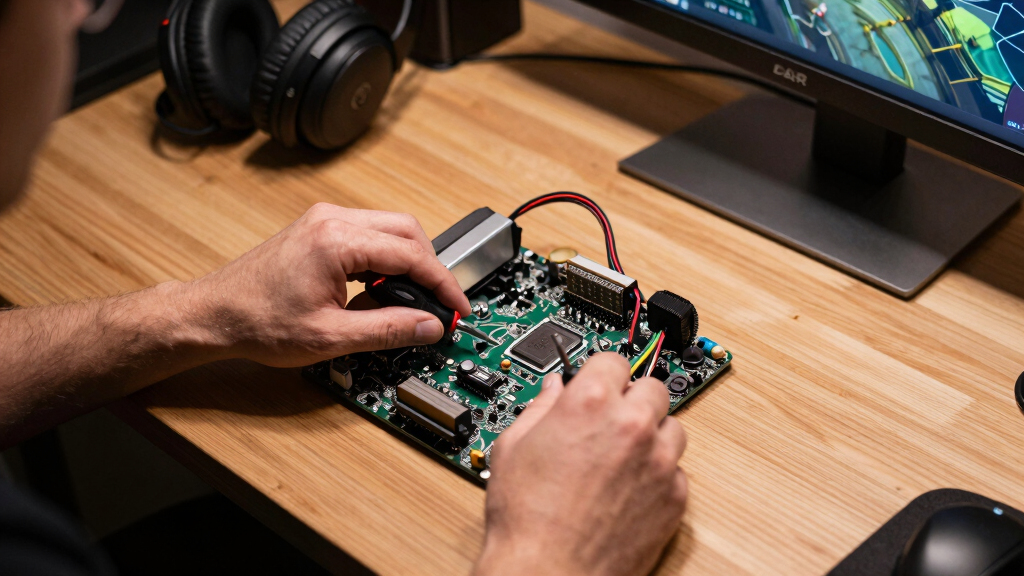
I ranked these mini PCs by the parts that change gaming most: GPU class, CPU headroom, memory bandwidth, storage, thermal design, and real-world port flexibility. Dedicated graphics moved models higher because RTX 5070, RTX 5060, and RTX 4060 hardware opens the door to smoother modern gaming than most integrated solutions. Strong integrated-GPU machines still earned places when they paired capable processors with useful extras like USB4, WiFi 7, Oculink, or unusually large memory pools. I also weighed whether each machine looks like a gaming-first buy or more like a productivity mini PC being stretched into gaming duty.
The order favors buyers who want the most dependable small-form-factor gaming result, not just the biggest spec line. The ROG NUC (2025) leads because it combines the strongest GPU with a polished gaming identity, while the MINISFORUM G1 Pro and TOPGRO T1-Pro follow as stronger value-performance alternatives. Compact integrated systems land lower because they require more settings compromise, even when they are excellent for emulation, esports, and media setups. Models with older chips, smaller SSDs, or weaker gaming alignment moved down because they create more upgrade pressure after purchase.
Factors to Consider When Choosing Best Gaming Mini PCs
The best gaming mini PC is not always the smallest one or the one with the most memory. I would start by matching the machine to the games, display, and desk setup it actually needs to support.
Start With The GPU
The biggest mistake in this category is treating every gaming mini PC as if it can handle the same library. A model with an RTX 5070, RTX 5060, or RTX 4060 is a better fit for newer AAA games because the GPU has dedicated graphics memory and support for Nvidia gaming features. Integrated graphics can still be useful, especially in the Ryzen AI Max+ 395, Ryzen 9 8945HS, and Core Ultra 9 machines, but they ask for more settings discipline. If the plan is esports, indie games, emulation, or 1080p play, an integrated model can feel clean and efficient. If the plan is 1440p, ray tracing, high refresh rates, or heavier single-player games, I would move straight to a discrete-GPU pick. That is why the ROG NUC and MINISFORUM G1 Pro sit above smaller general-purpose boxes in the ranking.
Match Performance To Your Display
A mini PC that looks powerful on paper can still feel mismatched if the display target is too ambitious. For a 1080p monitor, models like the GMKtec K11, GMKtec K16, KAMRUI Ryzen 7 7735HS, and GMKtec M6 Ultra can make sense when settings are tuned. For 1440p gaming, I would favor the MINISFORUM G1 Pro, TOPGRO T1-Pro, or ROG NUC because their dedicated GPUs offer more frame-rate headroom. Claims like 4K, 8K, triple display, or quad display often describe output support, not gaming performance at those resolutions. A machine may drive several screens for work yet struggle to play demanding games on one high-resolution panel. Buyers coming from a console should be especially careful here, because small PCs need more settings management than a fixed console setup.
Do Not Ignore Cooling
Mini PCs squeeze laptop-class parts into tight cases, so cooling design shapes the experience more than the spec sheet suggests. A high-wattage Core i9 or Ryzen 9 can look excellent, but sustained gaming depends on whether the case can keep heat under control without loud fan behavior. Premium gaming-focused models such as the ROG NUC and MINISFORUM G1 Pro have an advantage because their designs are built around heavier graphics loads. Slimmer office-leaning boxes can be easier to place on a desk, but they may run warmer or reduce clock speeds during longer play sessions. I would treat compactness as a tradeoff, not a free bonus. The smallest box is rarely the best choice for buyers who play for hours at a time.
Plan Around Ports And Upgrades
Ports matter because gaming setups usually need more than a monitor and keyboard. USB4, Oculink, dual 2.5GbE LAN, HDMI, DisplayPort, and WiFi 7 can change how long a mini PC stays useful. Oculink is especially appealing on the GMKtec EVO-T1 because it gives a path toward external GPU setups, but that also adds cost, clutter, and extra buying decisions. USB4 is useful for fast storage docks, capture gear, and compact workstation accessories, while dual LAN can help buyers who also run home servers or streaming setups. Memory and storage upgrades vary by model, so a 512GB SSD can become annoying fast if several modern games are installed. I would pay more upfront for 1TB or 2TB when the machine is hard to open or uses less flexible memory.
Know When Paying More Makes Sense
Higher prices are easiest to justify when they buy a stronger GPU, better cooling, or a longer useful life. The ROG NUC (2025) costs more because it pushes this category closest to desktop-like gaming in a very small footprint. The GMKtec EVO-X2 earns its premium in a different way, with Ryzen AI Max+ 395 power and a huge memory pool that appeals to buyers who split time between gaming, creation, and AI workloads. For budget-minded buyers, spending less on a Ryzen 7 7735HS or 7640HS box can be smart if the game library is lighter. I would not pay premium money only for 8K display support, oversized RAM, or a flashy gaming label. The extra spend should solve a clear problem: frame rate, heat, storage, ports, or multi-use performance.
Frequently Asked Questions
Should I Buy A Gaming Mini PC With Dedicated Graphics Or Integrated Graphics?
I would choose dedicated graphics if modern AAA games, 1440p monitors, ray tracing, or higher refresh rates are part of the plan. Models such as the ROG NUC, MINISFORUM G1 Pro, and TOPGRO T1-Pro have a clearer gaming advantage because RTX hardware is built for that workload. Integrated graphics are still useful for esports, emulation, indie games, and living-room play, especially in newer Ryzen and Core Ultra systems. The catch is that integrated-GPU machines need more settings cuts and depend heavily on memory bandwidth. If gaming is the main reason for buying, I would treat discrete graphics as the safer choice.
Is The ROG NUC Worth Paying More For Than The MINISFORUM G1 Pro?
The ROG NUC (2025) is worth the premium if the priority is the strongest compact gaming setup in this list. Its RTX 5070 gives it more headroom than the RTX 5060-based MINISFORUM G1 Pro, especially for buyers who keep PCs for several years. The MINISFORUM G1 Pro makes more sense when value matters and the target is strong 1080p or 1440p gaming without stepping into the highest price tier. Both are gaming-first choices, but the ROG NUC is the cleaner pick for buyers who want fewer compromises. I would choose the MINISFORUM if the saved money can go toward a better monitor, larger SSD, or peripherals.
Are 8K And Triple-Display Claims Useful For Gaming?
Most of the time, 8K support and triple-display claims are more useful for productivity than gaming. They mean the mini PC can output to those displays, not that it can run demanding games smoothly at those resolutions. A compact Ryzen 7 or Core Ultra system may handle multiple work screens while still needing 1080p settings for games. For buyers who stream, edit, trade, or work across several monitors, those display outputs can be a real advantage. For pure gaming, I would rank GPU power, cooling, and storage above headline display counts.
How Much RAM And Storage Should A Gaming Mini PC Have?
For most gaming buyers, 32GB of RAM is the sweet spot in this lineup because it gives modern games and background apps breathing room. A 16GB model can still work for lighter gaming, but it feels less future-friendly and may limit multitasking. Storage is the more immediate pain point: 512GB can fill quickly after a few large games, launchers, and Windows updates. I prefer 1TB as the practical floor and 2TB for buyers who dislike managing installs. Huge 128GB memory pools, like on the GMKtec EVO-X2, make more sense for mixed gaming, creation, and AI workloads than for gaming alone.
Which Mini PC Is Best If I Am New To PC Gaming?
For beginners, I would avoid the most complicated upgrade paths and pick a machine that balances performance, storage, and setup simplicity. The MINISFORUM G1 Pro is a strong beginner-friendly performance pick because RTX 5060 graphics reduce the amount of settings compromise. If the budget is lower, the GMKtec K11 or KAMRUI Ryzen 7 7735HS model can work for lighter game libraries and basic 1080p play. New buyers should be careful with business-leaning models like the BOSGAME P4 Ultra, because they may look capable while being less gaming-focused. I would rather start with a slightly stronger GPU than chase the smallest case or the longest feature list.
Conclusion
My best overall pick is the ROG NUC (2025), because it has the strongest gaming ceiling and the clearest small-PC gaming identity in this group. The MINISFORUM G1 Pro is my best value-performance choice for buyers who want RTX gaming power without reaching for the highest-priced option, while the GMKtec EVO-X2 is the best premium AMD-style pick for buyers who also care about AI, memory-heavy work, and compact all-in-one power. For beginners, I would start with the MINISFORUM G1 Pro if the budget allows, or the GMKtec K11 for a simpler integrated-GPU route. The GMKtec M6 Ultra and KAMRUI Ryzen 7 7735HS make the most sense for value-minded 1080p, esports, and emulation setups. Buyers who want external-GPU flexibility should look at the GMKtec EVO-T1 with Oculink, while anyone focused on demanding modern games should skip the weakest business-leaning picks and spend toward RTX hardware instead.
Evergreen bestsellers Picks
bestsellers
As an affiliate, we earn on qualifying purchases.