
The best gaming PC components depend on whether you are building from parts, upgrading a current system, or choosing a ready-made desktop. For a gaming-focused CPU, the AMD Ryzen 7 9800X3D is my best overall pick, while the Ryzen 5 9600X is a more focused choice for builds that need to balance gaming performance with the rest of the budget. Among complete systems, the Skytech King 95 stands out for buyers seeking a premium, high-performance setup. The main tradeoffs are component compatibility, upgrade flexibility, and whether a prebuilt system’s convenience outweighs its less customizable parts list. Keep reading for the full breakdown of all 15 picks and advice on matching them to your build.

Play games on Amazon Luna for your game nights, included with Prime
- A rotating selection of games, no download needed
- Play on TV, laptop or phone
- Fast, free delivery for your gear, too
Complete the kit



Key Takeaways
- The Ryzen 7 9800X3D leads the processor picks for gaming-focused builds, while the Ryzen 5 9600X is a simpler fit when the budget needs room for a graphics card and other parts.
- Power supplies are not interchangeable just because their wattage looks similar: the 750W MSI, 850W MONTECH, and 1000W Corsair models suit different system demands and upgrade plans.
- The cases offer distinct priorities: the MUSETEX K2 arrives with seven ARGB fans, the HYTE Y70 Touch Infinite emphasizes its touchscreen, and the ASUS TUF GT502 focuses on a different enclosure style.
- Prebuilt desktops span a wide range of performance and upgrade starting points, from the older Ryzen 5 2600 and GTX 1070 in the Volt X3 to the Ryzen 7 9850X3D and RTX 5080 in the Skytech King 95.
- A complete desktop is not a component-by-component substitute for a custom build: weigh the convenience of the iBUYPOWER, CyberPowerPC, YAWYORE, Volt X3, and Skytech systems against their fixed configurations and upgrade needs.
| Corsair RM1000e (2025) 1000W ATX 3.1 Fully Modular Power Supply |  | Best for High-Power GPU Builds | Wattage: 1000W | Form factor: ATX | Modularity: Fully modular | VIEW LATEST PRICE | See Our Full Breakdown |
| Volt X3 V1.2 Gaming Desktop PC, Ryzen 5 2600, GTX 1070 8GB, 16GB DDR4 RAM, 512GB NVMe SSD, White |  | Best Complete Desktop for Entry-Level 1080p Gaming | Processor: AMD Ryzen 5 2600, 6 cores / 12 threads, up to 3.9GHz | Graphics: NVIDIA GTX 1070, 8GB GDDR5 | Memory: 16GB DDR4-3200, 2 x 8GB dual-channel | VIEW LATEST PRICE | See Our Full Breakdown |
| AMD Ryzen 5 9600X 6-Core, 12-Thread Unlocked Desktop Processor |  | Best Modern Midrange CPU | Architecture: AMD Zen 5 | Cores / threads: 6 / 12 | Base speed: 3.9GHz | VIEW LATEST PRICE | See Our Full Breakdown |
| MSI MAG A750GL PCIE5 750W Fully Modular ATX Power Supply |  | Best Value for Midrange GPU Builds | Wattage: 750W | Form factor: ATX | Efficiency certification: 80 PLUS Gold | VIEW LATEST PRICE | See Our Full Breakdown |
| MONTECH Century II 850W Fully Modular ATX 3.1 80 PLUS Gold Power Supply |  | Best Balanced PSU with Quiet-Idle Features | Wattage: 850W | Form factor: ATX | Efficiency certification: 80 PLUS Gold | VIEW LATEST PRICE | See Our Full Breakdown |
| iBUYPOWER Element Gaming Desktop with AMD Ryzen 9 7900X and GeForce RTX 5070 |  | Best Ready-to-Play Gaming Desktop | Processor: AMD Ryzen 9 7900X, 4.7 GHz base, up to 5.6 GHz | Graphics: NVIDIA GeForce RTX 5070, 12GB | Memory: 32GB DDR5 RGB, 4800 MHz | VIEW LATEST PRICE | See Our Full Breakdown |
| MUSETEX K2 Mid Tower ATX PC Case with 7 PWM ARGB Fans and Dual Tempered Glass |  | Best Case for Included Fans and Showcase Builds | Case type: Mid tower | Motherboard support: ATX, Micro-ATX, Mini-ITX | Included fans: Seven 120mm PWM ARGB fans | VIEW LATEST PRICE | See Our Full Breakdown |
| HYTE Y70 Touch Infinite ATX Mid-Tower Gaming PC Case with 2.5K LCD Touchscreen, PCIe 4.0 Riser, Snow White |  | Best Premium Showcase Case | Case type: Mid tower | Motherboard support: ATX | Display: 14.9-inch LCD touchscreen, 682 × 2560, 60Hz | VIEW LATEST PRICE | See Our Full Breakdown |
| CORSAIR RM1000x 1000W Fully Modular ATX 3.1 Power Supply |  | Best Premium Power Supply for High-End GPUs | Output wattage: 1000W | Standards: ATX 3.1; PCIe 5.1 | Power design: Fully modular | VIEW LATEST PRICE | See Our Full Breakdown |
| ASUS TUF Gaming GT502 ATX Mid-Tower PC Case |  | Best Dual-Chamber Case for a Clean Custom Build | Case type: ATX mid-tower | Chamber design: Dual chamber | Motherboard compatibility: ATX | VIEW LATEST PRICE | See Our Full Breakdown |
| AMD Ryzen 7 9800X3D 8-Core, 16-Thread Desktop Processor |  | Best for a High-End Gaming Build | Architecture: Zen 5 | Cores / threads: 8 / 16 | Processor speed: 4.7 GHz | VIEW LATEST PRICE | See Our Full Breakdown |
| CyberPowerPC Gamer Master Gaming Desktop, AMD Ryzen 7 8700F, GeForce RTX 5060 Ti 8GB, 16GB DDR5, 1TB SSD |  | Best Ready-to-Play Starter Desktop | Processor: AMD Ryzen 7 8700F, 8 cores, 4.1 GHz | Graphics: NVIDIA GeForce RTX 5060 Ti, 8GB | Memory: 16GB DDR5, 4800 MHz | VIEW LATEST PRICE | See Our Full Breakdown |
| YAWYORE Gaming Desktop PC with AMD Ryzen 7 5700X and GeForce RTX 5060 |  | Best for More Memory Out of the Box | Processor: AMD Ryzen 7 5700X, 8 cores, 16 threads, up to 4.6 GHz | Motherboard: MSI B550M-A PRO | Graphics: GeForce RTX 5060, 8GB GDDR7; brand may vary | VIEW LATEST PRICE | See Our Full Breakdown |
| AMD Ryzen 7 7800X3D 8-Core, 16-Thread Desktop Processor | 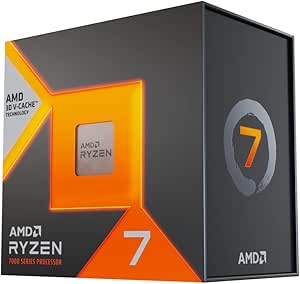 | Best AM5 Gaming Upgrade Pick | Processor series: Ryzen 7 | Processor speed: 4.2 GHz | Cores / threads: 8 / 16 | VIEW LATEST PRICE | See Our Full Breakdown |
| Skytech King 95 Gaming Desktop with Ryzen 7 9850X3D and RTX 5080 |  | Best Premium Gaming Desktop | Processor: AMD Ryzen 7 9850X3D, 4.7 GHz base, up to 5.6 GHz | Graphics: NVIDIA GeForce RTX 5080, 16GB GDDR7; brand may vary | Memory: 32GB DDR5 6000 RGB | VIEW LATEST PRICE | See Our Full Breakdown |
More Details on Our Top Picks
Corsair RM1000e (2025) 1000W ATX 3.1 Fully Modular Power Supply
I’d choose the Corsair RM1000e for a gaming build that needs generous power headroom and a current-generation GPU connection. Its 1000W capacity and native 12V-2×6 cable suit demanding systems better than the 750W MSI MAG A750GL, particularly when the build may later gain more powerful components. Fully modular cables also let me leave unused leads out of the case, while the 120mm fan and Gold-level efficiency support a quieter, less wasteful setup. The tradeoff is that this much capacity can be unnecessary for a midrange build, where the MSI’s lower wattage may be a closer fit. Its seven-year warranty is also shorter than the MSI and MONTECH units’ ten-year terms, and the 140mm length still needs case clearance.
Pros:- 1000W output provides headroom for demanding components and upgrades
- ATX 3.1 and PCIe 5.1 support with a native 12V-2×6 cable
- Fully modular cabling simplifies routing and can reduce clutter
- 120mm rifle-bearing fan and 105°C-rated capacitors support quiet operation and durability
Cons:- Seven-year warranty is shorter than the ten-year coverage listed for the MSI and MONTECH alternatives
- 1000W capacity may be more than a typical midrange gaming PC needs
- 140mm length can be a fit concern in compact or non-standard cases
Best for: Builders pairing a power-hungry graphics card with a high-end gaming system and wanting room for future upgrades.
Not ideal for: Compact-case builders or midrange PC owners who do not need 1000W and would rather prioritize a longer warranty or a smaller PSU.
- Wattage:1000W
- Form factor:ATX
- Modularity:Fully modular
- Standards:ATX 3.1 / PCIe 5.1
- GPU power cable:Native 12V-2×6
- Fan:120mm rifle-bearing
- Dimensions:5.91 x 5.51 x 3.35 inches
- Warranty:7 years
Our verdict“Choose the RM1000e for a high-power GPU build that benefits from 1000W and a native 12V-2×6 cable, but compare it with the MSI A750GL if your system needs less power.”
Volt X3 V1.2 Gaming Desktop PC, Ryzen 5 2600, GTX 1070 8GB, 16GB DDR4 RAM, 512GB NVMe SSD, White
The Volt X3 V1.2 is the only ready-to-use desktop in this group of component-focused picks, so it suits someone who wants a whole PC rather than parts for a custom build. Its Ryzen 5 2600, GTX 1070 with 8GB, and 16GB dual-channel RAM form a practical older-generation setup for 1080p gaming, while the NVMe drive, Wi-Fi, Bluetooth, and installed Windows reduce setup work. Compared with the Ryzen 5 9600X, this system is less suited to a new performance-focused build: its processor and DDR4 platform are older, and its graphics card is aimed at 1080p rather than higher-resolution gaming. The glass case, ARGB fans, and LCD monitor add visual flair, but they do not change that performance ceiling. The listing also allows the GTX 1070 manufacturer to vary.
Pros:- Complete system includes Windows 11 Pro, Wi-Fi, and Bluetooth
- GTX 1070 has 8GB of dedicated GDDR5 graphics memory
- 16GB of dual-channel DDR4 and a 512GB NVMe SSD provide a usable starting configuration
- Four ARGB fans and an LCD system monitor add case lighting and at-a-glance system information
Cons:- Ryzen 5 2600 and DDR4 platform are older than the Ryzen 5 9600X and its AM5 platform
- The listed gaming performance focus is 1080p, not demanding higher-resolution play
- Graphics card manufacturer may vary
Best for: First-time PC gamers who want a complete Windows desktop with discrete graphics, wireless connectivity, and a clear 1080p focus.
Not ideal for: Buyers planning high-resolution gaming, a modern AM5 upgrade path, or a custom build where they can select newer parts individually.
- Processor:AMD Ryzen 5 2600, 6 cores / 12 threads, up to 3.9GHz
- Graphics:NVIDIA GTX 1070, 8GB GDDR5
- Memory:16GB DDR4-3200, 2 x 8GB dual-channel
- Storage:512GB NVMe SSD
- Operating system:Windows 11 Pro 25H2, installed and activated
- Cooling:120mm CPU cooler and four synchronized ARGB fans
- Connectivity:Wi-Fi, Bluetooth, USB-C, USB 3.0, and USB 2.0
- Warranty:1-year limited hardware warranty with technical support
Our verdict“Pick the Volt X3 if you want a ready-to-play 1080p desktop, but choose newer components such as the Ryzen 5 9600X for a custom build with a more current platform.”
AMD Ryzen 5 9600X 6-Core, 12-Thread Unlocked Desktop Processor
For a new gaming build centered on a current platform, I’d put the Ryzen 5 9600X ahead of the older processor inside the Volt X3. Its Zen 5 architecture, six cores, and boost speeds up to 5.4GHz make it a strong foundation for a gaming system without stepping up to the higher core counts of the Ryzen 7 7800X3D or 9800X3D. AM5 and DDR5-5600 support also give the build a newer memory and motherboard base, while an unlocked multiplier leaves room for tuning. That does not make it a complete gaming upgrade by itself: performance still depends on the graphics card and motherboard, and PCIe 5.0 support varies by board. I’d also budget for a separate cooler, since one is not included.
Pros:- Zen 5 architecture and boost speeds up to 5.4GHz
- AM5 socket supports a modern DDR5-based build
- Unlocked for users who want the option to tune performance
- 65W TDP provides a defined power target for system planning
Cons:- CPU cooler is not included
- PCIe 5.0 availability depends on the chosen motherboard
- Six cores may be less suitable than the Ryzen 7 7800X3D or 9800X3D for buyers prioritizing higher core counts
Best for: Custom-build gamers seeking a current six-core AM5 processor for a balanced system with DDR5 memory and a separate graphics card.
Not ideal for: Builders who need an included cooler, want more than six CPU cores for heavily threaded work, or prefer an already assembled PC like the Volt X3.
- Architecture:AMD Zen 5
- Cores / threads:6 / 12
- Base speed:3.9GHz
- Max boost speed:Up to 5.4GHz
- Socket:AM5
- Memory support:DDR5-5600
- Cache:38MB
- TDP:65W
- Cooler included:No
Our verdict“Choose the Ryzen 5 9600X for a new, balanced AM5 gaming build if you are prepared to supply a cooler and pair it with a suitable motherboard.”
MSI MAG A750GL PCIE5 750W Fully Modular ATX Power Supply
The MSI MAG A750GL PCIE5 is the more restrained choice for a gaming PC that does not need the RM1000e’s 1000W output. At 750W, it can suit a midrange build while retaining ATX 3.1 and PCIe 5.1 support, plus a native dual-color 12V-2×6 cable for compatible modern GPUs. That cable’s contrasting colors make its connection easier to check during installation, and fully modular wiring helps keep unused leads out of the case. Compared with the MONTECH Century II, the MSI offers slightly less capacity but lists a ten-year warranty and a 12cm fan. Product data does not give enough detail to judge its noise behavior or protections against the MONTECH’s specified zero-RPM mode and protection set. It is a practical fit when 750W is enough, not the pick for a build needing more headroom.
Pros:- 750W output fits builds that need less capacity than the Corsair RM1000e
- ATX 3.1 and PCIe 5.1 compatibility with a native 12V-2×6 cable
- Fully modular design supports cleaner cable routing
- Ten-year limited warranty
Cons:- Lower wattage offers less headroom than the 850W MONTECH and 1000W Corsair options
- Fan behavior and noise details are not specified in the supplied product data
- Product data does not list the protection features provided for the MONTECH Century II
Best for: Midrange GPU builders who want a fully modular, current-standard PSU and do not need the RM1000e’s higher output.
Not ideal for: Owners of particularly power-hungry components who need more than 750W, or buyers who want a documented zero-RPM fan mode.
- Wattage:750W
- Form factor:ATX
- Efficiency certification:80 PLUS Gold
- Standards:ATX 3.1 / PCIe 5.1
- Modularity:Fully modular
- GPU power cable:Native dual-color 12V-2×6
- Fan:12cm
- Warranty:10-year limited
Our verdict“Choose the MSI A750GL for a midrange build that needs modern GPU power cabling and 750W, but step up to the Corsair or MONTECH if your components call for more capacity.”
MONTECH Century II 850W Fully Modular ATX 3.1 80 PLUS Gold Power Supply
The MONTECH Century II 850W lands between the MSI A750GL and Corsair RM1000e in capacity, making it a sensible middle ground for a gaming system that needs more room than 750W but does not call for 1000W. Its ATX 3.1 and PCIe 5.1 support, native 12V-2×6 cable, and fully modular design cover current build needs without leaving extra cables attached. The 135mm FDB fan includes a zero-RPM mode, so the fan can stop under lighter loads—a feature not listed for the MSI. Japanese capacitors, a defined set of protection circuits, and a ten-year warranty add useful build details. One listing inconsistency deserves attention: the stated 10 x 10 x 10-inch dimensions conflict with the claimed compact 140mm design. I’d verify case clearance before buying; the silver finish may also clash with some builds.
Pros:- 850W output sits between the MSI A750GL and Corsair RM1000e
- Native 12V-2×6 cable and ATX 3.1 / PCIe 5.1 compatibility
- 135mm FDB fan includes a zero-RPM mode for lighter loads
- Japanese capacitors, six listed protection types, and a ten-year warranty
Cons:- Listed 10 x 10 x 10-inch dimensions conflict with the claimed compact 140mm design
- Silver metallic finish may not match every PC interior
- 850W provides less capacity than the Corsair RM1000e for high-draw builds
Best for: Builders seeking an 850W ATX 3.1 supply with a zero-RPM fan mode, modern GPU cabling, and a long listed warranty.
Not ideal for: Anyone who needs confirmed case dimensions before ordering, prefers a black PSU, or has a system that calls for the Corsair RM1000e’s 1000W capacity.
- Wattage:850W
- Form factor:ATX
- Efficiency certification:80 PLUS Gold
- Standards:ATX 3.1 / PCIe 5.1
- Modularity:Fully modular
- GPU power cable:Native 12V-2×6
- Cooling:135mm FDB fan with zero-RPM mode
- Protections:OCP, OVP, UVP, SCP, OTP, OPP
- Warranty:10 years
Our verdict“Pick the Century II for a balanced 850W build with zero-RPM cooling, after confirming its physical dimensions against your case.”
iBUYPOWER Element Gaming Desktop with AMD Ryzen 9 7900X and GeForce RTX 5070
Among these options, this is the only complete gaming desktop, so it suits buyers who want a system rather than individual parts to assemble. The Ryzen 9 7900X and RTX 5070 12GB give it a capable foundation for gaming alongside editing or streaming, while 32GB of DDR5 memory and a 1TB NVMe SSD mean there is room for multitasking and a useful starting game library. A 240mm liquid cooler and included keyboard and mouse add convenience. Compared with the Skytech King 95 with RTX 5080, this configuration is less focused on flagship graphics performance; its appeal is the bundled, ready-to-use setup. The 802.11ac Wi-Fi is an older wireless standard, and the listed storage is limited to one 1TB drive with no additional capacity specified. Choose it for convenience, not maximum upgrade flexibility.
Pros:- Ryzen 9 7900X and RTX 5070 12GB combine gaming graphics with a strong multitasking processor.
- 32GB DDR5 memory and a 1TB NVMe SSD provide a practical starting configuration.
- 240mm liquid CPU cooler is included.
- Windows 11 Home, Wi-Fi, keyboard, and mouse come with the desktop.
Cons:- 802.11ac Wi-Fi is an older wireless standard.
- Only 1TB of storage is specified, with no additional drive capacity listed.
- A prebuilt system offers less choice over the individual components than a custom build.
Best for: Gamers who want a Windows desktop with a keyboard and mouse included, plus enough memory and CPU capacity for streaming or creative workloads.
Not ideal for: Builders seeking component-by-component control, more than 1TB of listed storage, or the strongest graphics configuration in this roundup.
- Processor:AMD Ryzen 9 7900X, 4.7 GHz base, up to 5.6 GHz
- Graphics:NVIDIA GeForce RTX 5070, 12GB
- Memory:32GB DDR5 RGB, 4800 MHz
- Storage:1TB NVMe SSD
- Cooling:240mm liquid CPU cooler
- Operating system:Windows 11 Home
- Wireless:802.11ac Wi-Fi
- Dimensions and weight:20 × 9.1 × 17.4 inches; 36 pounds
Our verdict“Choose this desktop if you want a ready-to-play gaming and multitasking system with core accessories included, rather than a high-end parts build.”
MUSETEX K2 Mid Tower ATX PC Case with 7 PWM ARGB Fans and Dual Tempered Glass
The MUSETEX K2 makes a strong case for builders who want lighting and a full complement of fans in the chassis from the start. Its seven pre-installed PWM ARGB fans reduce the number of cooling parts to source separately, and the 270-degree dual-glass view puts a showcase build front and center. It also has room for GPUs up to 400mm and a top-mounted 360mm radiator, matching the broad component support of the ASUS TUF Gaming GT502. The tradeoff is that fan quantity does not guarantee strong airflow: the listed maximum is 24.72 CFM per fan. The K2’s PSU clearance also depends on the hard-drive cage, so builders with a longer power supply may need to remove it. Unlike the touchscreen-equipped HYTE Y70 Touch Infinite, this case prioritizes included fans over an integrated display.
Pros:- Seven included 120mm PWM ARGB fans provide lighting and cooling without buying a full fan set separately.
- Dual tempered-glass panels create a broad view of the build.
- Supports GPUs up to 400mm and a top-mounted 360mm radiator.
- Front I/O includes USB-C and two USB 3.0 ports.
Cons:- Listed maximum fan airflow is 24.72 CFM per fan.
- PSU length is limited to 140mm with the hard-drive cage installed.
- Motherboard, graphics card, PSU, and radiator are not included.
Best for: First-time ATX builders who want pre-installed lighting and fans, panoramic component visibility, and support for a long graphics card.
Not ideal for: Builders prioritizing high airflow per fan, a discreet case, or a long PSU with the hard-drive cage installed.
- Case type:Mid tower
- Motherboard support:ATX, Micro-ATX, Mini-ITX
- Included fans:Seven 120mm PWM ARGB fans
- Maximum GPU length:400mm
- Maximum CPU cooler height:165mm
- Radiator support:Up to 360mm at the top
- Front I/O:One USB Type-C, two USB 3.0, HD Audio
- Dimensions:16.73 × 8.35 × 18.5 inches
Our verdict“Pick the K2 if you want an illuminated showcase case with fans already installed and can work within its airflow and PSU-clearance limits.”
HYTE Y70 Touch Infinite ATX Mid-Tower Gaming PC Case with 2.5K LCD Touchscreen, PCIe 4.0 Riser, Snow White
The HYTE Y70 Touch Infinite is the case for a build where the case itself is part of the project. Its 14.9-inch 2.5K touchscreen adds a customizable display surface, while the included PCIe 4.0 riser supports a vertical GPU installation without sourcing that part separately. It can house up to 10 fans and two 360mm radiators, giving custom-loop and high-cooling builds more room than the simpler ASUS TUF Gaming GT502. That extra visual and cooling flexibility comes with a more specialized fit: the screen, panoramic glass, and Snow White finish suit a statement build, not an understated workstation. The listing specifies ATX motherboard support, so builders using Micro-ATX or Mini-ITX boards should verify fit before buying. Radiator thickness limits also vary by mounting position.
Pros:- 14.9-inch capacitive touchscreen supports 10-point touch and software customization.
- Included PCIe 4.0 x16 riser enables vertical GPU mounting.
- Supports up to 10 fans and two 360mm radiators.
- Dual-chamber layout, panoramic glass, and tool-less access support display and maintenance.
Cons:- The large screen and panoramic glass make it a conspicuous choice rather than a subtle case.
- Radiator thickness limits vary by mounting position.
- Motherboard support is listed as ATX, narrowing the stated compatibility.
Best for: Enthusiast builders creating an ATX showcase PC who want an integrated customizable touchscreen and vertical GPU mounting.
Not ideal for: Builders seeking a plain, low-key case, using a non-ATX motherboard, or wanting fewer specialized display features.
- Case type:Mid tower
- Motherboard support:ATX
- Display:14.9-inch LCD touchscreen, 682 × 2560, 60Hz
- Touch capability:10-point multi-touch
- Included riser:PCIe 4.0 x16
- Maximum fan capacity:10
- Radiator support:Up to 360mm on the side and top
- Color:Snow White
Our verdict“Choose the Y70 Touch Infinite for an ATX showcase build centered on its touchscreen and vertical GPU, not for a restrained or straightforward case.”
CORSAIR RM1000x 1000W Fully Modular ATX 3.1 Power Supply
For a demanding graphics-card build, the RM1000x pairs 1000W output with ATX 3.1 and PCIe 5.1 support, including a native 12V-2×6 connector for compatible GPUs. That direct cable connection avoids relying on an adapter and makes this a more forward-facing choice than a supply without the listed connector. Its fully modular design also lets builders leave unused cables out of the case. Compared with the MSI MAG A750GL PCIE5 750W in this roundup, the Corsair offers more stated wattage headroom, but that extra capacity only makes sense when the rest of the build calls for it. Cybenetics Gold efficiency and Japanese capacitors rated to 105°C round out the specification; the unit still needs physical clearance, and the native GPU connector helps only with compatible cards.
Pros:- 1000W output and ATX 3.1 and PCIe 5.1 standards suit demanding modern builds.
- Native 12V-2×6 connector supports compatible graphics cards without an adapter.
- Fully modular cables let builders connect only what the system needs.
- Cybenetics Gold efficiency and Japanese capacitors rated to 105°C.
Cons:- The native 12V-2×6 connection is useful only with compatible graphics cards.
- 1000W capacity may be unnecessary for modest gaming systems.
- Case clearance and installation space should be checked before purchase.
Best for: Builders pairing a high-power graphics card with a compatible 12V-2×6 connection who want a modular 1000W supply for a long-term build.
Not ideal for: Compact or lower-power builds that do not need 1000W, or systems whose graphics card cannot use the native 12V-2×6 connector.
- Output wattage:1000W
- Standards:ATX 3.1; PCIe 5.1
- Power design:Fully modular
- GPU connector:Native 12V-2×6
- Efficiency:Cybenetics Gold; up to 91%
- Fan:140mm fluid dynamic bearing
- Capacitors:Japanese electrolytic, rated to 105°C
- Warranty:10 years
Our verdict“Choose the RM1000x for a high-power build that can use its native GPU connector and has room for a 1000W supply.”
ASUS TUF Gaming GT502 ATX Mid-Tower PC Case
The GT502 focuses on a practical dual-chamber layout rather than adding a built-in screen or a set of seven fans. Separating the main components from the cable-management area can make a finished build easier to organize, while tool-free glass panels simplify access when it is time to maintain or change parts. Support for GPUs up to 400mm, vertical or standard mounting, and 360mm or 280mm radiators gives it room for substantial hardware. The MUSETEX K2 includes seven ARGB fans, so it is the more convenient pick if lighting and fans are the priority; the GT502 is better suited to builders who want to choose cooling themselves. Its glass front and side expose internal components, and its 10.5kg weight makes it a substantial case to move.
Pros:- Dual-chamber layout separates the main hardware from cable management.
- Supports graphics cards up to 400mm with standard or vertical mounting.
- Fits 360mm and 280mm radiators.
- Tool-free tempered-glass panels and front USB-C simplify access and connectivity.
Cons:- Tempered-glass front and side panels leave internal components visible.
- At 10.5kg, the case is heavy to move.
- Unlike the MUSETEX K2, it does not list a set of included fans.
Best for: ATX builders who want a roomy dual-chamber layout, accessible panels, and freedom to select their own fans and cooling setup.
Not ideal for: Builders who want included ARGB fans, a discreet case that conceals hardware, or a lightweight chassis for frequent moves.
- Case type:ATX mid-tower
- Chamber design:Dual chamber
- Motherboard compatibility:ATX
- Maximum graphics card length:400mm
- Radiator support:360mm and 280mm
- Graphics card mounting:Vertical or standard
- Front USB:One USB 3.2 Gen 2 Type-C and two USB 3.0
- Dimensions and weight:17.56 × 11.22 × 17.72 inches; 10.5kg
Our verdict“Pick the GT502 if you want a roomy, accessible dual-chamber case and prefer choosing your own cooling over bundled fans or an integrated screen.”
AMD Ryzen 7 9800X3D 8-Core, 16-Thread Desktop Processor
I’d choose the Ryzen 7 9800X3D for a gaming-focused AM5 build where the processor should keep pace with a powerful graphics card. Its 96 MB of L3 cache and Zen 5 architecture set it apart from the Ryzen 7 7800X3D, while the 8 cores and 16 threads also leave room for streaming or creator tasks. The listed boost speed reaches 5.2 GHz, but the main appeal is its cache-rich design rather than core count alone. It is a processor, not a complete system, so you’ll need to select a compatible AM5 motherboard, memory, and cooler; no cooler is included. Compared with the 7800X3D, this is the newer-generation pick, but buyers on a tighter build plan may prefer to allocate more of their budget to graphics instead.
Pros:- 96 MB of L3 cache with 3D V-Cache is aimed at demanding gaming workloads.
- Zen 5 architecture and boost speeds up to 5.2 GHz.
- 8 cores and 16 threads support gaming alongside streaming or creator applications.
- Uses the Socket AM5 platform.
Cons:- No CPU cooler is included, adding a separate component to the build.
- Requires an AM5 motherboard, so it is not a drop-in upgrade for older platforms.
- Its gaming-first strengths may be less useful in builds where the graphics card is the main performance limit.
Best for: Builders pairing a high-end graphics card with an AM5 system who prioritize gaming performance and want an 8-core processor for multitasking.
Not ideal for: Budget-focused builders, anyone keeping an older non-AM5 motherboard, or buyers who need a bundled cooler.
- Architecture:Zen 5
- Cores / threads:8 / 16
- Processor speed:4.7 GHz
- Maximum clock speed:Up to 5.2 GHz
- L3 cache:96 MB
- Socket:AM5
- Wattage:140 watts
- Cooler included:No
Our verdict“Choose the Ryzen 7 9800X3D for a high-end AM5 gaming build, but plan separately for cooling and the rest of the platform.”
CyberPowerPC Gamer Master Gaming Desktop, AMD Ryzen 7 8700F, GeForce RTX 5060 Ti 8GB, 16GB DDR5, 1TB SSD
The CyberPowerPC Gamer Master makes sense for someone who wants a complete gaming desktop instead of choosing every component separately. Its Ryzen 7 8700F and RTX 5060 Ti with 8GB give it a more capable graphics pairing than the YAWYORE desktop’s RTX 5060, while the included keyboard and mouse help get a new setup started. The 1TB PCIe 4.0 NVMe SSD, Wi-Fi 6, and Bluetooth 5.3 add useful everyday convenience. Its main compromise is memory: 16GB DDR5 is a leaner starting point than the YAWYORE’s 32GB, and the graphics card’s 8GB of VRAM may constrain demanding settings or workloads. I’d pick it for a straightforward gaming setup, not for buyers who want generous memory headroom without an upgrade.
Pros:- Ryzen 7 8700F and RTX 5060 Ti provide a capable dedicated gaming configuration.
- 1TB PCIe 4.0 NVMe SSD offers room for games and quick storage access.
- Wi-Fi 6 and Bluetooth 5.3 are built in.
- Keyboard and mouse are included with the desktop.
Cons:- 16GB of DDR5 may be limiting for demanding games and multitasking.
- The RTX 5060 Ti has 8GB of VRAM, which can restrict higher-demand graphics workloads.
- A prebuilt system offers less freedom to choose each component than a custom build.
Best for: First-time PC gamers who want a complete Windows desktop with dedicated graphics, wireless connectivity, and basic peripherals included.
Not ideal for: Players who keep many demanding applications open, want more than 16GB of memory out of the box, or need a graphics card with more than 8GB of VRAM.
- Processor:AMD Ryzen 7 8700F, 8 cores, 4.1 GHz
- Graphics:NVIDIA GeForce RTX 5060 Ti, 8GB
- Memory:16GB DDR5, 4800 MHz
- Storage:1TB PCIe 4.0 NVMe SSD
- Operating system:Windows 11 Home
- Wireless:Wi-Fi 6 and Bluetooth 5.3
- Chipset:AMD B850
- Included accessories:Keyboard, mouse, and power cord
Our verdict“Buy this as a convenient first gaming desktop if you value a ready-to-use package more than generous memory headroom.”
YAWYORE Gaming Desktop PC with AMD Ryzen 7 5700X and GeForce RTX 5060
I’d shortlist the YAWYORE desktop for buyers who want 32GB of memory without configuring a custom build. Its Ryzen 7 5700X has 8 cores and 16 threads, and the RTX 5060 includes 8GB of GDDR7; compared with the CyberPowerPC Gamer Master, this system doubles the listed memory, though the CyberPowerPC pairs its processor with an RTX 5060 Ti. A 1TB NVMe SSD, Wi-Fi, Bluetooth, and liquid cooling with ARGB fans round out the setup. There are qualifications: the graphics card’s brand may vary, and the listing gives a maximum display resolution of 1920 x 1080. With only two expansion slots listed, this is a less appealing choice for buyers planning substantial future upgrades. It suits a ready-made gaming desktop better than a flexible long-term platform.
Pros:- 32GB of DDR4 memory is more generous than the CyberPowerPC Gamer Master’s 16GB.
- Ryzen 7 5700X provides 8 cores and 16 threads.
- 1TB NVMe SSD and built-in Wi-Fi and Bluetooth are included.
- Liquid cooler and ARGB fans come with the system.
Cons:- Graphics card brand may vary.
- Listed maximum display resolution is 1920 x 1080.
- Only two expansion slots are specified, limiting future expansion options.
Best for: Players who want a prebuilt desktop with 32GB of RAM for gaming and multitasking, plus wireless connectivity and included liquid cooling.
Not ideal for: Buyers planning higher-resolution display setups, frequent internal expansion, or a build where the exact graphics card brand must be known.
- Processor:AMD Ryzen 7 5700X, 8 cores, 16 threads, up to 4.6 GHz
- Motherboard:MSI B550M-A PRO
- Graphics:GeForce RTX 5060, 8GB GDDR7; brand may vary
- Memory:32GB DDR4 3200MHz (2 x 16GB)
- Storage:1TB M.2 NVMe PCIe SSD
- Power supply:650W, 80 Plus Bronze
- Cooling:Liquid cooler with ARGB fans
- Maximum display resolution:1920 x 1080
Our verdict“Choose the YAWYORE if 32GB of included memory matters more to you than the CyberPowerPC’s RTX 5060 Ti or broader upgrade flexibility.”
AMD Ryzen 7 7800X3D 8-Core, 16-Thread Desktop Processor
The Ryzen 7 7800X3D is a strong fit for builders who want an AM5 processor designed around gaming, without stepping up to the newer Ryzen 7 9800X3D. Both chips have 8 cores, 16 threads, and 96 MB of L3 cache; the 9800X3D moves to Zen 5 and lists a maximum clock speed of 5.2 GHz, while this model is specified at 4.2 GHz and 120 watts. That distinction makes the 9800X3D the more forward-leaning pick on paper, but the 7800X3D still offers the cache-focused design and AM5 socket that define this choice. It also lists integrated AMD Radeon graphics, which can be useful for basic display output or troubleshooting a discrete GPU. As with the 9800X3D, this is a standalone CPU, so the rest of the build and cooling remain your responsibility.
Pros:- 96 MB of L3 cache supports its gaming-focused design.
- 8 cores and 16 threads can handle multitasking and content creation.
- Socket AM5 offers compatibility with the AM5 platform.
- Integrated AMD Radeon graphics can provide basic display output.
Cons:- No cooler is listed as included, so cooling must be planned separately.
- Its listed 4.2 GHz processor speed is lower than the 9800X3D’s stated boost ceiling.
- A standalone processor requires a compatible motherboard and other build components.
Best for: AM5 builders who want an 8-core processor with 3D V-Cache for gaming and do not need the newer Zen 5 specification of the Ryzen 7 9800X3D.
Not ideal for: Buyers seeking a complete system, a bundled cooler, or the newer Zen 5 architecture and listed clock specifications of the Ryzen 7 9800X3D.
- Processor series:Ryzen 7
- Processor speed:4.2 GHz
- Cores / threads:8 / 16
- Cache:8 MB L2 and 96 MB L3
- Socket:AM5
- TDP:120 watts
- Integrated graphics:AMD Radeon Graphics
- Maximum operating temperature:89°C
Our verdict“Pick the 7800X3D for an AM5 gaming build centered on 3D V-Cache if you do not need the newer 9800X3D specifications.”
Skytech King 95 Gaming Desktop with Ryzen 7 9850X3D and RTX 5080
The Skytech King 95 is the premium, ready-assembled choice in this group: a Ryzen 7 9850X3D paired with an RTX 5080 with 16GB GDDR7, 32GB of DDR5, and a 2TB NVMe SSD. Compared with the CyberPowerPC Gamer Master, it steps up to a higher-tier graphics card, doubles the memory, and doubles the listed storage capacity. A 360mm AIO cooler is included, so unlike the standalone Ryzen 7 9800X3D, this system arrives with CPU cooling already specified. The tradeoffs are less control over individual parts and a few uncertain details: the graphics card brand and additional ports may vary, and images may not show the exact components. Its Wi-Fi 5 is also an older listed standard than the CyberPowerPC’s Wi-Fi 6. I’d choose it for a powerful prebuilt, not a build where every component must be fixed in advance.
Pros:- RTX 5080 with 16GB GDDR7 is a stronger listed graphics configuration than the RTX 5060 Ti in the CyberPowerPC.
- 32GB DDR5 memory and a 2TB NVMe SSD are included.
- 360mm AIO liquid cooler and ARGB fans come installed.
- Windows 11 Home and keyboard and mouse are included.
Cons:- Graphics card brand may vary, and product images may not show the exact components.
- Wi-Fi 5 is an older listed wireless standard than the CyberPowerPC’s Wi-Fi 6.
- Additional ports may vary, reducing certainty about the exact connectivity layout.
Best for: Gamers who want a high-spec, assembled desktop with an RTX 5080, 32GB DDR5, ample listed storage, and included liquid cooling.
Not ideal for: Custom-build enthusiasts who need exact component models, buyers who prefer newer listed wireless standards, or anyone seeking a modest, easily tailored system.
- Processor:AMD Ryzen 7 9850X3D, 4.7 GHz base, up to 5.6 GHz
- Graphics:NVIDIA GeForce RTX 5080, 16GB GDDR7; brand may vary
- Memory:32GB DDR5 6000 RGB
- Storage:2TB NVMe M.2 SSD
- Cooling:360mm AIO liquid CPU cooler with ARGB fans
- Operating system:Windows 11 Home 64-bit
- Wireless:Wi-Fi 5 (802.11ac)
- Warranty:1 year parts and labor
Our verdict“Choose the Skytech King 95 if you want a powerful, fully assembled gaming desktop and can accept variation in component brands and ports.”
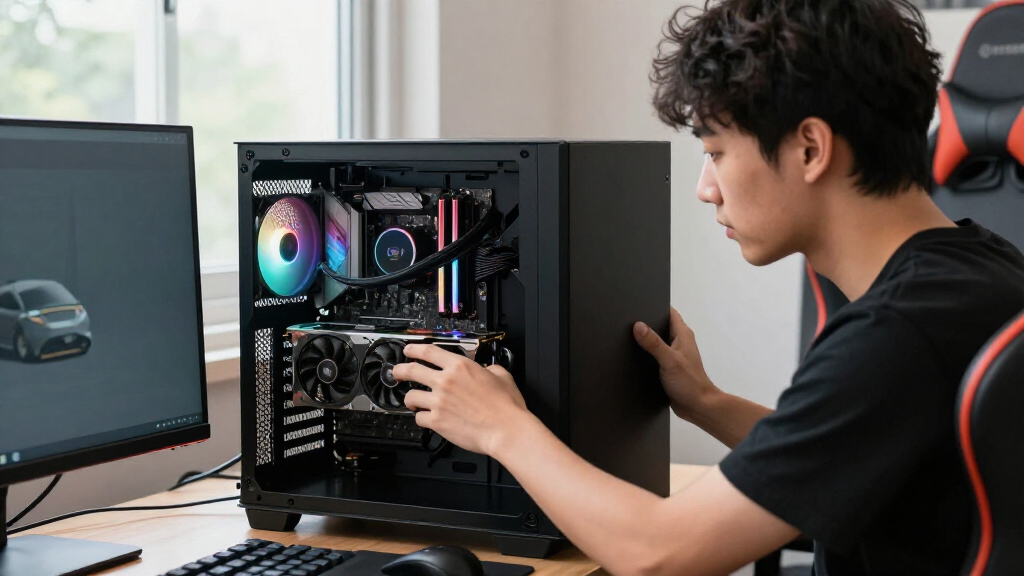
How We Picked
I grouped the 15 picks by what they actually are—processors, power supplies, cases, and complete desktops—rather than treating every listing as a direct competitor. My comparisons focus on gaming relevance, the role each product can play in a build, compatibility and upgrade considerations, and whether its distinguishing feature solves a real buyer need. For CPUs, the ranking reflects the balance between gaming focus and build flexibility; for power supplies, I weigh capacity and current connection standards against the demands of the system they will serve. Cases are judged by their practical appeal, such as included fans or a built-in display, as well as the compromises those extras can bring.
Complete PCs are compared as whole-system choices, with attention to their listed processor and graphics hardware, memory and storage where provided, and the likely appeal to buyers who prefer a ready-made setup. The ranking gives priority to picks with a clear, defensible role, not to products that simply have the largest number in their name. Since a CPU, case, power supply, and prebuilt desktop cannot be ranked on one shared performance scale, the roundup highlights their different uses and tradeoffs instead of implying they are interchangeable.
Factors to Consider When Choosing Best Gaming Pc Components
Before choosing from this list, decide whether you need a single upgrade, a full parts build, or a complete gaming PC. That choice changes what matters most: a component has to work with the parts you own, while a prebuilt is judged as a complete system and as a starting point for future changes.
Decide Between a Component Upgrade and a Complete Desktop
Start by listing what you already own and what you would have to replace alongside a new part. A processor upgrade may also require a compatible motherboard, and a new graphics card can call for a more capable power supply or more case clearance. A prebuilt avoids much of the initial assembly work, but its configuration may leave you with parts you would not have chosen yourself. Check the full component list before buying a desktop, including memory capacity, storage, motherboard details, and power supply information. If the seller does not provide a detail, treat it as unknown rather than assuming it is upgrade-friendly. A custom build makes more sense when you want control over each part; a prebuilt suits buyers who value a ready-to-use system more highly.
Match the CPU to Your Games and Graphics Card
A processor affects more than the headline frame rate: it also shapes how well a system handles high-refresh gaming, background applications, and later graphics upgrades. Competitive games played at lower graphics settings can place more weight on CPU performance than visually demanding games played at higher resolutions. Pairing a very strong CPU with a modest graphics card may leave some of its capability unused in many games, while a processor that is too weak can limit a powerful graphics card. Check benchmarks for the specific games and resolution you use rather than relying on core count alone. Also confirm motherboard socket support and BIOS compatibility before planning a CPU swap. The right choice is a balanced system, not the most expensive processor you can fit into the build.
Choose Power Supply Capacity for the Whole Build
Wattage is only one part of choosing a power supply; the graphics card, processor, and planned upgrades all contribute to the load it must handle. A 750W unit can suit a different class of system than an 850W or 1000W model, but higher capacity does not automatically make a supply a better match. Check the graphics card maker’s guidance, the PSU’s available connectors, and whether the model supports the connection standard your build needs. Modular cables can make assembly neater, although they do not remove the need to route cables safely and avoid mixing cables from different power supplies. Leave room for sensible upgrades without buying capacity you are unlikely to use. A mismatched or poorly documented supply can make a seemingly simple build harder to troubleshoot.
Treat the Case as a Fit and Cooling Decision
A case needs to fit the motherboard, graphics card, CPU cooler, and power supply—not just look right on a desk. Confirm component clearances and radiator support before ordering, especially when a large graphics card or liquid cooler is part of the plan. Included fans can save setup work, but check how many are installed, where they sit, and whether their lighting and speed controls suit your preferences. Display features and tempered-glass panels add visual appeal but may take space, add cost, or make dust and cable management more noticeable. Also check the case’s front-panel ports against the connections you use every day. Prioritize fit and airflow first, then choose the styling features you will actually enjoy.
Compare Prebuilts by Their Full Configuration
Do not judge a ready-made desktop by its processor and graphics card alone. Memory capacity and configuration, storage type and capacity, motherboard model, cooling, and power supply can affect everyday use and future upgrades. A listed 16GB of memory may be enough to start, but check whether it is installed as a matched kit and whether empty slots are available. Older platforms can still play many games, yet they may offer a shorter or less convenient upgrade path than a newer system. Look for clear warranty and support terms, and check whether the case allows standard parts to be replaced. Compare the whole system against your needs rather than assuming a newer graphics card makes every other detail irrelevant.
Spend on the Bottleneck You Can Actually Improve
When a build feels slow, identify the limiting part before replacing anything. Low frame rates may come from the graphics card, CPU, memory, temperature, or game settings, and each cause calls for a different fix. Monitor performance in the games you play and compare the results with expected behavior for your hardware. For a new build, reserve enough of the budget for the graphics card and reliable supporting parts instead of concentrating it all on the processor or case. Paying more can make sense for a premium gaming CPU, a power supply suited to a planned graphics upgrade, or a case feature you specifically want. It is less useful when the extra capability does not match your monitor, games, or upgrade plans.
Frequently Asked Questions
Should I buy a Ryzen processor or a complete gaming desktop?
Choose a processor if you already have, or plan to select, the motherboard, graphics card, memory, and other build parts yourself. A processor on its own does not make a playable gaming PC, so account for the full platform and assembly needs before comparing it with a desktop. A complete system is more convenient and gives you one ready-made configuration, though you have less control over its supporting parts. Check whether the desktop lists its motherboard, power supply, memory layout, and upgrade options before deciding. If those details are missing, factor that uncertainty into your choice.
Is the Ryzen 7 9800X3D a better choice than the Ryzen 5 9600X for every gaming build?
No; the better fit depends on the graphics card, games, resolution, and budget for the full PC. A higher-end gaming processor can help when you want very high frame rates or plan to pair it with a powerful graphics card, but it may not improve every game equally. The Ryzen 5 9600X can leave more of the build budget available for graphics, storage, or other parts. Check game-specific performance at your target resolution rather than choosing by processor tier alone. Also confirm the motherboard and cooling requirements for the system you plan to assemble.
How much power supply capacity should I plan for?
Base the decision on the exact graphics card and processor, then check the graphics card maker’s power guidance and connector requirements. The 750W, 850W, and 1000W models in this roundup cover different system plans, but their wattage figures alone do not establish the right match. If you expect to install a more demanding graphics card later, some extra capacity can reduce the chance of replacing the supply during that upgrade. Avoid oversizing without a reason, since capacity does not improve gaming performance by itself. Confirm the PSU standard and cables fit your parts before placing an order.
Are the listed prebuilts easy to upgrade later?
Some upgrades may be straightforward, but the product name and headline processor do not tell you whether a particular desktop uses standard parts. Before buying, check the motherboard model, case clearances, power supply connectors, available memory slots, and warranty terms. A graphics card upgrade can require more space and power than the original configuration provides. Older systems, such as the Volt X3 with a Ryzen 5 2600 and GTX 1070, deserve extra scrutiny if you plan to keep upgrading over time. If the seller does not identify key components, contact the seller or choose a system with clearer specifications.
Which case features should I prioritize over appearance?
Check compatibility and cooling first: the case must fit your motherboard, graphics card, cooler, and power supply, with enough room for cable routing. Then consider airflow, fan placement, front-panel connections, and how easy it will be to clean the system. Included fans can reduce the number of parts you need to buy separately, but check their layout and controls rather than counting them alone. A touchscreen or dual-glass design can be appealing, yet those features do not compensate for poor fit or unsuitable cooling. Choose visual extras after confirming the case supports the build you actually intend to assemble.
Conclusion
For a gaming-focused custom build, I recommend the Ryzen 7 9800X3D as the best overall processor pick; the Ryzen 5 9600X is the better value-minded CPU option when the budget needs more room for the graphics card. Buyers seeking a high-end complete system should look first at the Skytech King 95, while the iBUYPOWER Element and other ready-made desktops suit shoppers who want a preassembled starting point and are willing to check their supporting parts carefully. Beginners may find a complete desktop easier to get running than a self-selected parts build, but should favor listings with clear component and support details. For a new build’s power supply, match the MSI 750W, MONTECH 850W, or Corsair 1000W options to the actual hardware and upgrade plan; for a case, choose the MUSETEX, HYTE, or ASUS by fit and the features you will use. The best choice is the one whose role matches your build—not simply the one with the biggest specification.