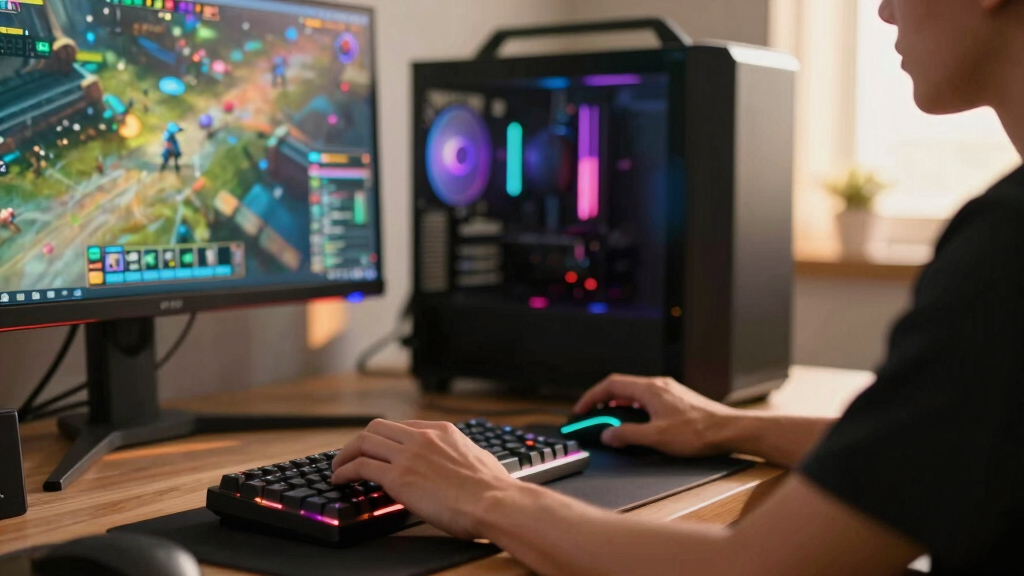

The iBUYPOWER Element Gaming PC is my best overall pick because its Ryzen 9 7900X and RTX 5070 balance high-frame-rate gaming, streaming headroom, and long-term usefulness better than most systems here. The Skytech Gaming King 95 is the stronger choice for buyers who want extra GPU power and a gaming-first CPU, while the CyberPowerPC Gamer Xtreme makes more sense for newer PC gamers who want a simpler, lower-cost entry point. The biggest tradeoffs across the best gaming PCs are GPU tier, CPU gaming performance, storage capacity, cooling, warranty support, and how much upgrade room the case leaves. Some models favor raw speed, some favor brand support, and a few win because they avoid overspending on parts that will not matter to every player. Keep reading for my full breakdown of which gaming PC fits each type of buyer.

Play games on Amazon Luna for your game nights, included with Prime
- A rotating selection of games, no download needed
- Play on TV, laptop or phone
- Fast, free delivery for your gear, too
Key Takeaways
- The iBUYPOWER Element lands at the top because it has the broadest mix of CPU power, RTX 5070 gaming performance, and practical headroom for streaming or creative work.
- The Skytech Gaming King 95 and MSI Aegis R2 AI are better fits for buyers chasing higher-end 1440p performance, but both ask for a larger budget than many players need.
- RTX 5060 and RTX 5060 Ti systems such as the Skytech Archangel 5, CyberPowerPC Gamer Master, and CyberPowerPC Gamer Xtreme make the most sense for 1080p players, not buyers expecting maxed-out 4K settings.
- Systems with 32GB of RAM stand out in this lineup because they give modern games, browsers, launchers, and background apps more room than older 16GB configurations.
- Brand support and case design separate several close picks: Alienware, Lenovo, MSI, and ASUS ROG bring stronger ecosystem appeal, while boutique-style towers from Skytech, iBUYPOWER, and CyberPowerPC often give more visible spec value.
| iBUYPOWER Element Gaming PC Desktop with AMD Ryzen 9 7900X and NVIDIA GeForce RTX 5070 |  | Best Overall Balance | Processor: AMD Ryzen 9 7900X | Graphics: NVIDIA GeForce RTX 5070 12GB | Memory: 32GB DDR5 5200MHz | VIEW LATEST PRICE | See Our Full Breakdown |
| Skytech Gaming Azure 3 Gaming PC with AMD Ryzen 7 7800X3D and NVIDIA RTX 5060 Ti |  | Best 1080p Performance Pick | Processor: AMD Ryzen 7 7800X3D, 4.2GHz up to 5.0GHz | Graphics: NVIDIA GeForce RTX 5060 Ti 16GB GDDR7 | Memory: 16GB DDR5 6000 with heat spreader | VIEW LATEST PRICE | See Our Full Breakdown |
| Alienware Aurora Gaming Desktop ACT1250 |  | Best Branded Premium Desktop | Processor: Intel Core Ultra 7 265F | Graphics: NVIDIA GeForce RTX 5070 | Memory: 32GB DDR5 | VIEW LATEST PRICE | See Our Full Breakdown |
| Horizon Autherium Dragon RGB Gaming PC with Intel Core i9 and RTX 5070 |  | Best for Power Users | Processor: Intel Core i9 Unlocked OC | Graphics: NVIDIA GeForce RTX 5070 OC 12GB | Memory: 64GB | VIEW LATEST PRICE | See Our Full Breakdown |
| Skytech Gaming King 95 Desktop PC with Ryzen 7 9800X3D and NVIDIA RTX 5070 Ti |  | Best High-FPS Gaming Pick | Processor: Ryzen 7 9800X3D, 4.7GHz up to 5.2GHz | Graphics: NVIDIA RTX 5070 Ti 16GB GDDR7 | Memory: 32GB DDR5 5600 RGB | VIEW LATEST PRICE | See Our Full Breakdown |
| MSI Codex Z2 Gaming Desktop |  | Best Balanced RTX 5070 Pick | Processor: AMD Ryzen 7 8700F | Graphics: NVIDIA GeForce RTX 5070 | Memory: 32GB DDR5 | VIEW LATEST PRICE | See Our Full Breakdown |
| ASUS ROG GM700 Gaming Desktop PC |  | Best AMD Performance Pick | Processor: AMD Ryzen 7 9800X3D | Graphics: AMD Radeon RX 9070 XT PRIME OC | Memory: 32GB DDR5 | VIEW LATEST PRICE | See Our Full Breakdown |
| MSI Aegis R2 AI Gaming Desktop |  | Best Premium NVIDIA Pick | Processor: Intel Core Ultra 9 285 | Graphics: NVIDIA GeForce RTX 5070 Ti | Graphics Memory: 16GB GDDR6 | VIEW LATEST PRICE | See Our Full Breakdown |
| ZOTAC MEK Gaming PC Desktop |  | Best Cooling-Focused Build | Processor: AMD Ryzen 7 9700X up to 5.5GHz | Graphics: NVIDIA GeForce RTX 5070 Ti 16GB GDDR7 | Memory: 32GB DDR5-6000MHz | VIEW LATEST PRICE | See Our Full Breakdown |
| Skytech Gaming Archangel 5 Gaming PC |  | Best 1080p Value Pick | Processor: AMD Ryzen 7 7700 3.8GHz, up to 5.3GHz | Graphics: NVIDIA GeForce RTX 5060 8GB GDDR7 | Memory: 32GB DDR5-6000 with heat spreader | VIEW LATEST PRICE | See Our Full Breakdown |
| CyberPowerPC Gamer Master Gaming PC with AMD Ryzen 7 8700F and GeForce RTX 5060 Ti |  | Best Balanced RTX 5060 Ti Pick | Processor: AMD Ryzen 7 8700F 4.1GHz | Motherboard: AMD B850 chipset | Memory: 16GB DDR5 4800 MT/s | VIEW LATEST PRICE | See Our Full Breakdown |
| KOTIN G60B Prebuilt Gaming PC with GeForce RTX 5070 and AMD Ryzen 7 9700X |  | Best Monitoring-Focused 4K Pick | Graphics: GeForce RTX 5070 12GB GDDR7 | Processor: AMD Ryzen 7 9700X up to 5.5GHz | Memory: 32GB DDR5 6000MHz | VIEW LATEST PRICE | See Our Full Breakdown |
| Lenovo Legion Tower 5i AI-Powered Gaming PC with Intel Core Ultra 7 265F and NVIDIA GeForce RTX 5070 Ti |  | Best Upgrade-Friendly Premium Pick | Processor: Intel Core Ultra 7 265F | Graphics: NVIDIA GeForce RTX 5070 Ti | Memory: 32GB DDR5, expandable to 128GB | VIEW LATEST PRICE | See Our Full Breakdown |
| Skytech Gaming Crystal Gaming PC with AMD Ryzen 7 5700 and NVIDIA RTX 5060 |  | Best RGB Showcase Value | Processor: AMD Ryzen 7 5700 3.7GHz, up to 4.6GHz Turbo Boost | Graphics: NVIDIA GeForce RTX 5060 8GB GDDR7 | Memory: 32GB DDR4 3200MHz | VIEW LATEST PRICE | See Our Full Breakdown |
| CyberPowerPC Gamer Xtreme Gaming PC with Intel Core i5-14400F and GeForce RTX 5060 |  | Best Entry-Level RTX 5060 Pick | Processor: Intel Core i5-14400F 2.5GHz, 10 cores | Motherboard: Intel B760 chipset | Memory: 16GB DDR5 4800 MT/s | VIEW LATEST PRICE | See Our Full Breakdown |
More Details on Our Top Picks
iBUYPOWER Element Gaming PC Desktop with AMD Ryzen 9 7900X and NVIDIA GeForce RTX 5070
I’d put the iBUYPOWER Element near the top because it balances a Ryzen 9 7900X, RTX 5070 graphics, 32GB of DDR5, and liquid cooling without leaning too far into workstation excess. Compared with the Horizon Autherium Dragon, it gives up 64GB RAM and the huge 5TB storage setup, but it should feel cleaner for buyers who want a fast gaming PC without paying mainly for storage headroom. Against the Alienware Aurora, the Element feels more practical if the included keyboard and mouse matter. The catch is size: at 36 pounds, this is a desk-dominating tower, and budget buyers may get better value from the Skytech Azure 3 if 1080p gaming is the target.
Pros:- Ryzen 9 7900X gives it strong gaming and creation headroom
- RTX 5070 with 12GB VRAM is well matched for demanding modern games
- 32GB DDR5 helps with streaming, multitasking, and heavier game libraries
- Keyboard and mouse make the setup feel more complete out of the box
Cons:- Large, heavy case is awkward for tight spaces
- Premium CPU and GPU pairing may be more than budget players need
- Only 1TB storage can fill quickly with large game installs
Best for: Players who want a powerful all-around gaming desktop for high-refresh gaming, streaming, and multitasking without stepping into the most expensive tier.
Not ideal for: Dorm rooms or compact desks, since the 36-pound tower needs real floor or desk space.
- Processor:AMD Ryzen 9 7900X
- Graphics:NVIDIA GeForce RTX 5070 12GB
- Memory:32GB DDR5 5200MHz
- Storage:1TB NVMe SSD
- Cooling:240mm liquid CPU cooler
- Operating System:Windows 11 Home
- Connectivity:Wi-Fi Ready, Gigabit Ethernet
- Dimensions:20 x 9.1 x 17.4 inches
- Weight:36 pounds
Bottom line: This is my pick for buyers who want the most balanced high-performance gaming PC in this group.
Skytech Gaming Azure 3 Gaming PC with AMD Ryzen 7 7800X3D and NVIDIA RTX 5060 Ti
The Skytech Gaming Azure 3 earns its spot because the Ryzen 7 7800X3D is especially appealing for games that love extra cache, while the RTX 5060 Ti 16GB gives it more video memory than some shoppers may expect in this class. Compared with the iBUYPOWER Element, this is a more focused gaming machine rather than a broader streaming and creation build, since it has 16GB RAM instead of 32GB. It also sits below the Skytech King 95 for raw GPU class, so I’d treat it as the smarter 1080p ultra-settings pick rather than the dream 1440p machine. The 360mm AIO is a strong cooling choice, but Wi-Fi 5 and possible GPU brand variation keep it from feeling fully premium.
Pros:- Ryzen 7 7800X3D is a smart gaming-first processor
- RTX 5060 Ti with 16GB VRAM gives useful texture and modding headroom
- 1TB Gen4 NVMe SSD supports quick boot and load times
- 360mm AIO cooler is generous for this performance tier
Cons:- 16GB RAM is less future-facing than several rivals in this roundup
- Wi-Fi 5 feels dated next to newer wireless standards
- Graphics card brand may vary, which limits buyer certainty
Best for: Competitive and single-player gamers who want strong 1080p performance with a CPU that favors high frame rates.
Not ideal for: Buyers who plan to stream, edit video, and keep many apps open at once, since 16GB RAM is less flexible than the 32GB builds here.
- Processor:AMD Ryzen 7 7800X3D, 4.2GHz up to 5.0GHz
- Graphics:NVIDIA GeForce RTX 5060 Ti 16GB GDDR7
- Memory:16GB DDR5 6000 with heat spreader
- Storage:1TB Gen4 NVMe M.2 SSD
- Cooling:360mm AIO liquid CPU cooler with ARGB fans
- Power Supply:650W Gold PSU
- Wireless:Wi-Fi 5
- Operating System:Windows 11 Home 64-bit
Bottom line: This is the one I’d choose for high-frame 1080p gaming when CPU strength matters more than luxury extras.
Alienware Aurora Gaming Desktop ACT1250
I’d choose the Alienware Aurora for buyers who care about a polished branded system as much as the parts list. Its Intel Core Ultra 7 265F, RTX 5070, 32GB DDR5, and 1000W Platinum power supply make it feel more refined than the Skytech Azure 3, especially for players who want more memory and stronger GPU class. Compared with the iBUYPOWER Element, though, the Aurora leans harder on design, AlienFX lighting, and power-delivery confidence rather than included accessories or an AMD Ryzen 9 processor. That makes the premium easier to justify for a cleaner desk setup, but harder for buyers chasing pure price-to-performance. It also lacks the Horizon Autherium Dragon’s massive RAM and storage capacity.
Pros:- RTX 5070 provides strong modern gaming performance
- 32GB DDR5 gives it better multitasking room than 16GB systems
- 1000W Platinum power supply adds headroom for demanding hardware
- AlienFX lighting and matte black design feel more polished than plain towers
Cons:- Premium pricing may trail similarly specced rivals on value
- 1TB SSD is modest for a high-end gaming library
- Large desktop footprint may not suit small workspaces
Best for: Buyers who want a premium prebuilt from a major gaming brand with strong 1440p-ready hardware and a cleaner visual identity.
Not ideal for: Value hunters who care more about the fastest parts per dollar than brand design, lighting, and a Platinum-rated power supply.
- Processor:Intel Core Ultra 7 265F
- Graphics:NVIDIA GeForce RTX 5070
- Memory:32GB DDR5
- Storage:1TB SSD
- Power Supply:1000W Platinum Rated
- Operating System:Windows 11 Home
- Design:Matte basalt black with customizable AlienFX lighting
- Panel:Clear side panel
Bottom line: The Aurora is my branded premium pick for buyers who want performance wrapped in a more finished, recognizable desktop design.
Horizon Autherium Dragon RGB Gaming PC with Intel Core i9 and RTX 5070
The Horizon Autherium Dragon is the most storage-heavy and memory-rich option in this batch, which is why I’d rank it as the power-user pick rather than the simplest gaming buy. Its 64GB RAM, 5TB total storage, Intel Core i9, and RTX 5070 OC make more sense for players who also keep creative projects, recordings, mods, and a huge game library on the same machine. Compared with the Alienware Aurora, Horizon trades big-brand polish for more capacity and Windows 11 Pro. Compared with the iBUYPOWER Element, it doubles the memory and adds a 4TB hard drive. The drawback is complexity: 11 fans, ARGB lighting, overclocking, and a heavy case are more machine than many casual players need.
Pros:- 64GB RAM is far more generous than most gaming prebuilts
- 5TB total storage suits large game libraries and media files
- RTX 5070 OC and unlocked Core i9 create strong gaming and productivity headroom
- 360mm liquid cooling and 11 fans support demanding sustained loads
Cons:- Large, heavy build may be inconvenient to place or move
- Advanced cooling, lighting, and overclocking features can feel excessive for casual users
- Hard drive storage is roomy but slower than SSD-only setups
Best for: Gamers who also record gameplay, manage large media libraries, run creative apps, or want lots of local storage from day one.
Not ideal for: First-time PC buyers who want a quiet, simple, low-maintenance desktop with minimal setup decisions.
- Processor:Intel Core i9 Unlocked OC
- Graphics:NVIDIA GeForce RTX 5070 OC 12GB
- Memory:64GB
- Storage:5TB total: 1TB NVMe SSD + 4TB HDD
- Cooling:360mm liquid cooling
- Power Supply:850W 80+ Gold
- Operating System:Windows 11 Pro
- Connectivity:Wi-Fi 2.4Gb/s, Bluetooth, 2.5Gb Ethernet
- Weight:35 pounds
Bottom line: This is my choice for buyers who want a gaming PC that can double as a serious local workstation.
Skytech Gaming King 95 Desktop PC with Ryzen 7 9800X3D and NVIDIA RTX 5070 Ti
The Skytech Gaming King 95 is the performance play in this five-product slice because it pairs a Ryzen 7 9800X3D with an RTX 5070 Ti 16GB. Compared with the Skytech Azure 3, this is the better pick for buyers moving beyond 1080p or chasing higher settings with more GPU muscle. It also edges the iBUYPOWER Element on graphics class, though the Element’s Ryzen 9 may be more attractive for mixed gaming and production work. The King 95 has the right supporting parts too: 32GB DDR5, a Gen4 NVMe SSD, 360mm AIO cooling, and an 850W Gold ATX 3.0 power supply. The tradeoff is price, plus less certainty around the exact GPU brand and future case flexibility.
Pros:- Ryzen 7 9800X3D is built for high-frame gaming performance
- RTX 5070 Ti 16GB gives it the strongest graphics position in this batch
- 32GB DDR5 is a better long-term fit than 16GB gaming builds
- 850W Gold ATX 3.0 power supply suits modern GPU demands
Cons:- High-end CPU and GPU pairing will push the price up
- Only 1TB storage may require an upgrade sooner than expected
- Exact GPU brand may vary, which can affect cooler design and noise
Best for: Enthusiast gamers targeting high-refresh 1440p play or demanding visual settings with a modern X3D CPU and stronger GPU tier.
Not ideal for: Buyers who want the most storage on day one, since the 1TB SSD can feel tight for large AAA libraries.
- Processor:Ryzen 7 9800X3D, 4.7GHz up to 5.2GHz
- Graphics:NVIDIA RTX 5070 Ti 16GB GDDR7
- Memory:32GB DDR5 5600 RGB
- Storage:1TB Gen4 NVMe SSD
- Cooling:360mm ARGB AIO liquid cooler
- Power Supply:850W Gold ATX 3.0
- Operating System:Windows 11 Home
- Case:King 95 White
- Warranty:1 year parts and labor
Bottom line: This is the gaming-first pick I’d buy when frame rate and graphics headroom matter more than bundled extras.
MSI Codex Z2 Gaming Desktop
I rank the MSI Codex Z2 as the balanced choice in this group because it pairs an RTX 5070 with 32GB DDR5 and a roomy 2TB NVMe SSD without chasing the heavier, pricier class of the MSI Aegis R2 AI or ZOTAC MEK. Compared with the Skytech Archangel 5, it has more GPU headroom for higher settings and more demanding displays, while still feeling less specialized than the ASUS ROG GM700. The tradeoff is clarity: MSI does not spell out much about future upgrades, and the Ryzen 7 8700F is strong but not as gaming-focused as the 9800X3D chips elsewhere in the roundup.
Pros:- Strong RTX 5070 graphics for modern gaming at high settings
- 32GB DDR5 memory gives games, streaming apps, and browser tabs room to run
- 2TB NVMe SSD fits a large game library without an immediate storage upgrade
- ARGB air cooling and black case styling suit a visible desk setup
Cons:- Upgrade path and extra expansion options are not clearly listed
- Ryzen 7 8700F is not as gaming-specialized as the Ryzen 7 9800X3D in the ASUS ROG GM700
- Windows 11 Home may need setup time and updates before the system feels ready
Best for: Players who want a strong all-around gaming desktop for 1440p play, multitasking, and a large installed game library.
Not ideal for: Casual players who mostly play esports or older games, since the RTX 5070 and 2TB SSD may be more machine than they need.
- Processor:AMD Ryzen 7 8700F
- Graphics:NVIDIA GeForce RTX 5070
- Memory:32GB DDR5
- Storage:2TB NVMe SSD
- Operating System:Windows 11 Home
- Cooling:Air cooler with ARGB fans
- Connectivity:USB Type-C, HDMI, DisplayPort, Ethernet
- Dimensions:16 x 8.38 x 19 inches
- Weight:21.3 pounds
Bottom line: This is the pick I would steer toward buyers who want strong RTX 5070 performance and generous storage without jumping to the biggest premium towers.
ASUS ROG GM700 Gaming Desktop PC
The ASUS ROG GM700 earns its spot as my AMD performance pick because the Ryzen 7 9800X3D is the most gaming-focused CPU in this batch, and it pairs with a Radeon RX 9070 XT PRIME OC for high-frame-rate play. Compared with the MSI Codex Z2, this model leans harder into CPU-sensitive games and creator workloads, while the ZOTAC MEK may appeal more to buyers who prefer NVIDIA features and Windows 11 Pro. The downside is value tension: this is likely a premium machine, and the listing gives less detail about case size, cooling layout, and expansion than I want at this tier.
Pros:- Ryzen 7 9800X3D is a strong gaming CPU for high frame rates
- Radeon RX 9070 XT PRIME OC suits demanding visuals and modern ray tracing
- 32GB DDR5 supports streaming, content tools, and heavy multitasking
- 2TB PCIe Gen 4 SSD cuts load times and delays storage upgrades
Cons:- Likely priced above many RTX 5070 systems with similar memory and storage
- Physical size is not clearly detailed, which matters for smaller desks
- Less appealing for buyers who prefer NVIDIA software features
Best for: AMD-focused buyers who play CPU-sensitive games, stream, or run creative apps alongside demanding titles.
Not ideal for: Shoppers who rely on NVIDIA-specific features such as CUDA workflows, since this system uses Radeon graphics.
- Processor:AMD Ryzen 7 9800X3D
- Graphics:AMD Radeon RX 9070 XT PRIME OC
- Memory:32GB DDR5
- Storage:2TB PCIe Gen 4 SSD
- Operating System:Windows 11 Home
- Best Use:Gaming, streaming, and creative workloads
Bottom line: This is the AMD-first pick I would choose for buyers who care most about gaming CPU strength and do not need an NVIDIA GPU.
MSI Aegis R2 AI Gaming Desktop
I place the MSI Aegis R2 AI above the standard Codex Z2 for buyers who want more graphics muscle, since its RTX 5070 Ti with 16GB GDDR6 gives it a higher ceiling for demanding games, VR, and heavier visual settings. Compared with the ZOTAC MEK, it offers a similarly premium GPU class but uses an Intel Core Ultra 9 285 instead of Ryzen and sticks with air cooling rather than a 360mm liquid cooler. That makes it powerful, but not the most flexible premium pick: at 26.9 pounds with only two expansion slots, it is a serious tower that may not age as gracefully for upgrade-heavy buyers.
Pros:- RTX 5070 Ti graphics provide more headroom than the RTX 5070 in the MSI Codex Z2
- Intel Core Ultra 9 285 gives the system strong multitasking performance
- 32GB DDR5 and 2TB NVMe storage fit modern games and creative apps well
- Four-fan air cooling and RGB lighting suit a performance-focused tower
Cons:- 26.9-pound weight makes it awkward to move
- Only two expansion slots may limit longer-term upgrade plans
- Air cooling may be less appealing than the ZOTAC MEK’s 360mm AIO for buyers chasing cooler sustained loads
Best for: Players who want a premium NVIDIA desktop for high-resolution gaming, VR, and demanding everyday workloads.
Not ideal for: Frequent upgraders or small-space setups, because it is heavy and lists only two expansion slots.
- Processor:Intel Core Ultra 9 285
- Graphics:NVIDIA GeForce RTX 5070 Ti
- Graphics Memory:16GB GDDR6
- Memory:32GB DDR5
- Storage:2TB M.2 NVMe SSD
- Cooling:Air cooling with 4 fans
- Expansion Slots:2
- Dimensions:19.4 x 9.1 x 19 inches
- Weight:26.9 pounds
Bottom line: This is my premium NVIDIA pick for buyers who want RTX 5070 Ti power in a full-size tower and do not plan frequent internal upgrades.
ZOTAC MEK Gaming PC Desktop
The ZOTAC MEK stands out in my ranking for its support hardware as much as its core parts. Like the MSI Aegis R2 AI, it uses an RTX 5070 Ti, but ZOTAC pairs that GPU with a 360mm AIO liquid cooler, 750W 80+ Gold PSU, WiFi 6E, and Windows 11 Pro. That makes it feel more complete for buyers who want sustained performance and stronger connectivity out of the box. The compromise is storage: its 1TB NVMe SSD is half the capacity of the MSI Codex Z2 and ASUS ROG GM700, so large game libraries may need an upgrade sooner. Fan noise under load is also a fair concern.
Pros:- RTX 5070 Ti 16GB GDDR7 is well suited to demanding modern games
- 360mm AIO liquid cooler supports steadier sustained performance
- 750W 80+ Gold power supply gives the build a stronger foundation
- WiFi 6E, Bluetooth 5.3, HDMI 2.1b, and DisplayPort 2.1b are strong connectivity perks
Cons:- 1TB SSD is smaller than the 2TB drives in the MSI Codex Z2, ASUS ROG GM700, and MSI Aegis R2 AI
- Premium hardware may push the price beyond value-focused buyers
- Multiple fans and liquid cooling hardware may produce more noise under heavy gaming loads
Best for: Performance buyers who want RTX 5070 Ti power with liquid cooling, strong wireless connectivity, and Windows 11 Pro.
Not ideal for: Players with huge game libraries who want to avoid opening the case soon, since 1TB can fill quickly.
- Processor:AMD Ryzen 7 9700X up to 5.5GHz
- Graphics:NVIDIA GeForce RTX 5070 Ti 16GB GDDR7
- Memory:32GB DDR5-6000MHz
- Storage:1TB NVMe SSD
- Power Supply:750W 80+ Gold
- Cooling:360mm AIO liquid cooler
- Operating System:Windows 11 Pro
- Wireless:WiFi 6E, Bluetooth 5.3
- Video Output:HDMI 2.1b, DisplayPort 2.1b
Bottom line: This is the one I would pick for buyers who want a cooler-running RTX 5070 Ti desktop and can live with a smaller starting SSD.
Skytech Gaming Archangel 5 Gaming PC
The Skytech Gaming Archangel 5 is the value-minded option I would keep in this batch because it focuses on smooth 1080p gaming rather than competing directly with RTX 5070 Ti towers like the ZOTAC MEK or MSI Aegis R2 AI. Its Ryzen 7 7700, RTX 5060 8GB GDDR7, and 32GB DDR5-6000 still give it enough muscle for popular games, streaming chat, and everyday work. The white case with ARGB fans also has more visual personality than many black towers here. The tradeoff is ceiling: buyers moving to 1440p ultra settings or ray tracing-heavy games will get more longevity from the MSI Codex Z2 or ASUS ROG GM700.
Pros:- Good fit for smooth 1080p gaming without paying for RTX 5070 Ti hardware
- Ryzen 7 7700 gives the system strong general performance
- 32GB DDR5-6000 memory is generous for this performance class
- White Archangel 5 case and ARGB fans give it a cleaner showcase look
Cons:- RTX 5060 has less high-resolution headroom than the MSI Codex Z2’s RTX 5070
- 1TB SSD may feel tight after installing several large games
- Graphics card brand may vary, which can affect cooler design and ports
Best for: Budget-aware players building a 1080p setup who still want a current Ryzen 7 CPU and 32GB of DDR5 memory.
Not ideal for: Buyers targeting 1440p ultra settings, heavy ray tracing, or long GPU lifespan, since the RTX 5060 sits below the RTX 5070 and RTX 5070 Ti options.
- Processor:AMD Ryzen 7 7700 3.8GHz, up to 5.3GHz
- Graphics:NVIDIA GeForce RTX 5060 8GB GDDR7
- Memory:32GB DDR5-6000 with heat spreader
- Storage:1TB NVMe M.2 SSD
- Operating System:Windows 11 Home 64-bit
- Case:Skytech Archangel 5 White
- Wireless:802.11 AC Wi-Fi
- Cooling:ARGB fans for airflow
Bottom line: This is my value pick for 1080p players who want a modern prebuilt and do not need the cost or power of the higher-ranked RTX 5070 systems.
CyberPowerPC Gamer Master Gaming PC with AMD Ryzen 7 8700F and GeForce RTX 5060 Ti
I rank the CyberPowerPC Gamer Master as the balanced RTX 5060 Ti pick because it pairs a modern Ryzen 7 8700F with DDR5 memory and a 1TB PCIe 4.0 SSD without chasing the costlier RTX 5070 class. Compared with the KOTIN G60B, it gives up 32GB RAM, liquid cooling, and the 12GB RTX 5070, so it is less compelling for 4K play or heavy content work. Against the CyberPowerPC Gamer Xtreme, though, the RTX 5060 Ti 8GB GDDR7 gives it a stronger graphics argument for buyers who want higher settings at 1080p and reasonable 1440p. The tradeoff is transparency: cooling and upgrade room are not described in much detail, which matters if I were planning long-term part swaps.
Pros:- Ryzen 7 8700F is strong enough for gaming, streaming, and multitasking
- RTX 5060 Ti 8GB GDDR7 has more graphics headroom than basic RTX 5060 builds
- 1TB PCIe 4.0 NVMe SSD keeps game loads and installs snappy
- WiFi 6, Bluetooth 5.3, and Windows 11 Home are ready out of the box
Cons:- Only 16GB RAM, while some rivals in this batch include 32GB
- Cooling setup is not described in detail
- Upgrade path is less clear than on more transparent premium towers
Best for: Players moving up from an older 1080p tower who want a balanced DDR5 system for high-setting 1080p and lighter 1440p play.
Not ideal for: Tinkerers planning a major cooling or motherboard upgrade; the listing gives little detail on internal layout and thermal hardware.
- Processor:AMD Ryzen 7 8700F 4.1GHz
- Motherboard:AMD B850 chipset
- Memory:16GB DDR5 4800 MT/s
- Storage:1TB PCIe 4.0 NVMe SSD
- Graphics:NVIDIA GeForce RTX 5060 Ti 8GB GDDR7
- Operating System:Windows 11 Home
- Connectivity:WiFi 6, Bluetooth 5.3, Ethernet LAN
- Ports:1x HDMI, 2x DisplayPort, 2x USB-C 3.2, 4x USB-A 3.2, 2x USB-A 2.0
- Case and Warranty:Tempered side panel, custom RGB lighting, 1 year parts and labor, lifetime tech support
Bottom line: I would pick this over basic RTX 5060 towers when the goal is a balanced, modern 1080p-to-1440p gaming PC without jumping to RTX 5070 pricing.
KOTIN G60B Prebuilt Gaming PC with GeForce RTX 5070 and AMD Ryzen 7 9700X
The KOTIN G60B earns the performance-monitoring role because it combines an RTX 5070 12GB, Ryzen 7 9700X, 32GB of fast DDR5, and a 360mm liquid cooler with a built-in 11.3-inch smart display. Compared with the CyberPowerPC Gamer Master, it is the more ambitious choice for 1440p high-refresh gaming and entry 4K, especially when multitasking or streaming is part of the plan. It is less tidy as a value pick than the Lenovo Legion Tower 5i, though, because the screen and cooling add cost without guaranteeing easier upgrades. I would place it above RTX 5060 systems for raw gaming headroom, but below the clearest long-term platforms if the buyer cares more about serviceability than showpiece monitoring.
Pros:- RTX 5070 12GB is better suited to 1440p and light 4K gaming than RTX 5060-class systems
- 32GB DDR5 6000MHz gives it more multitasking cushion than 16GB prebuilts
- 360mm liquid cooling is stronger on paper than basic air-cooled designs
- Built-in 11.3-inch smart display adds real-time system visibility
Cons:- Likely priced above simpler RTX 5070 desktops because of the display and cooling package
- Upgrade limits are not fully explained despite the listed expansion slots
- Only 1TB storage feels tight for a performance-focused gaming library
Best for: Streamers and performance-watchers who want an RTX 5070 build with visible system stats and liquid cooling.
Not ideal for: Value-first buyers who would rather spend every dollar on GPU, CPU, and storage than on the built-in display.
- Graphics:GeForce RTX 5070 12GB GDDR7
- Processor:AMD Ryzen 7 9700X up to 5.5GHz
- Memory:32GB DDR5 6000MHz
- Storage:1TB PCIe 4.0 SSD
- Cooling:360mm liquid cooling with digital temperature display
- Display:11.3-inch smart display
- Power Supply:850W 80 PLUS Gold
- Expansion:3 M.2 slots, 1 PCIe 5.0 slot
- Operating System:Windows 11 Home
Bottom line: I would choose this for a showpiece RTX 5070 rig where live system monitoring and liquid cooling matter as much as frame-rate headroom.
Lenovo Legion Tower 5i AI-Powered Gaming PC with Intel Core Ultra 7 265F and NVIDIA GeForce RTX 5070 Ti
I would put the Lenovo Legion Tower 5i ahead of the flashier prebuilts when upgrade planning matters. The RTX 5070 Ti makes it stronger for demanding 1440p and more credible for 4K than the KOTIN G60B’s RTX 5070, while the 32GB DDR5 ceiling can rise all the way to 128GB. That gives creators and streamers more runway than the CyberPowerPC Gamer Master or Gamer Xtreme. The compromise is that Lenovo’s up-to-180W air cooling may run louder under load than the KOTIN’s 360mm liquid setup, and the included 1TB SSD feels modest for a premium tower. I rank it highly because it balances gaming power, brand support, and tool-less access better than most spectacle-first desktops.
Pros:- RTX 5070 Ti gives it more graphics headroom than RTX 5070 and RTX 5060 systems
- 32GB DDR5 memory is expandable to 128GB
- Tool-less transparent side panel makes future access easier
- 2.5G Ethernet and WiFi 6E fit fast home networks
Cons:- Premium pricing will push some buyers toward RTX 5070 alternatives
- 1TB SSD is small for a higher-end gaming and creator desktop
- Air cooling may be noisier under sustained heavy load than liquid-cooled rivals
Best for: Creators who game at high-refresh 1440p and want memory expansion, fast networking, and easier access for later upgrades.
Not ideal for: Quiet-room players with large game libraries; the air cooling may get loud and the 1TB SSD can fill quickly.
- Processor:Intel Core Ultra 7 265F
- Graphics:NVIDIA GeForce RTX 5070 Ti
- Memory:32GB DDR5, expandable to 128GB
- Storage:1TB SSD
- Connectivity:2.5G Ethernet, WiFi 6E
- Cooling:Up to 180W air cooling
- Case Access:Tool-less transparent side panel
- Included Service:3 months Xbox Game Pass
Bottom line: I would buy this when upgrade room and RTX 5070 Ti power are worth paying more than a basic glass-and-RGB build.
Skytech Gaming Crystal Gaming PC with AMD Ryzen 7 5700 and NVIDIA RTX 5060
The Skytech Gaming Crystal is my value-leaning showcase pick: it gives buyers 32GB RAM, a 1TB NVMe SSD, ARGB fans, and triple tempered glass without stepping into RTX 5070 pricing. Compared with the CyberPowerPC Gamer Xtreme, it offers twice the memory, which helps when browser tabs, chat apps, and game launchers pile up beside a game. The tradeoff is age and certainty. Its Ryzen 7 5700 and DDR4 platform are less forward-looking than the CyberPowerPC Gamer Master’s DDR5 setup, and the note that the graphics card model may vary makes performance less predictable. I like it most for players who care about a polished desk presence and plenty of memory more than the newest CPU platform.
Pros:- 32GB RAM gives it more breathing room than many entry gaming desktops
- 1TB NVMe SSD supports fast load times and a decent game library
- Triple tempered glass and ARGB fans suit buyers who want a showpiece case
- Includes a gaming keyboard and mouse for a simpler first setup
Cons:- DDR4 platform is older than DDR5 rivals in this batch
- Graphics card model may vary, which can affect real-world performance
- Upgrade and expansion details are thin
Best for: Budget-conscious RGB fans who want 32GB RAM and a glass-heavy case for 1080p gaming without RTX 5070 pricing.
Not ideal for: Buyers who want the newest platform or a known exact GPU vendor; the DDR4 base and variable graphics card note reduce certainty.
- Processor:AMD Ryzen 7 5700 3.7GHz, up to 4.6GHz Turbo Boost
- Graphics:NVIDIA GeForce RTX 5060 8GB GDDR7
- Memory:32GB DDR4 3200MHz
- Storage:1TB NVMe M.2 SSD
- Power Supply:650W Gold PSU
- Operating System:Windows 11 Home 64-bit
- Case:Skytech Crystal with triple tempered glass
- Wireless:802.11 AC Wi-Fi
- Ports:HDMI, DisplayPort, USB 2.0, USB 3.0, USB 3.2 Gen1, HD Audio and Mic
Bottom line: I would choose this for a visible, memory-rich 1080p setup, not for buyers chasing the newest platform.
CyberPowerPC Gamer Xtreme Gaming PC with Intel Core i5-14400F and GeForce RTX 5060
The CyberPowerPC Gamer Xtreme is the easiest entry point in this group for buyers who want current RTX features without paying for an RTX 5060 Ti, 5070, or 5070 Ti tower. Its Core i5-14400F, RTX 5060, DDR5 memory, and PCIe 4.0 SSD make more sense for 1080p gaming than for 4K ambitions. Compared with the Skytech Gaming Crystal, it has less RAM and a plainer spec sheet, but the newer DDR5 platform and strong 10-core CPU give it a cleaner mainstream foundation. I would skip it for heavy creators or ultra-settings 1440p chasers; the 16GB memory and limited upgrade detail leave less cushion than the Lenovo Legion Tower 5i or KOTIN G60B.
Pros:- Core i5-14400F has 10 cores for modern games and everyday multitasking
- RTX 5060 is a sensible match for 1080p gaming
- DDR5 memory and PCIe 4.0 storage give it a current mainstream base
- WiFi 6 and Bluetooth 5.3 add modern wireless connectivity
Cons:- 16GB RAM trails several 32GB systems in this lineup
- RTX 5060 is not the best choice for demanding 1440p or 4K play
- Noise, cooling, and upgrade details are not clearly spelled out
Best for: First-time PC gamers focused on 1080p esports, shooters, and everyday media who want DDR5 and WiFi 6 in a ready tower.
Not ideal for: Players targeting ultra 1440p settings or heavy creation workloads; 16GB RAM and RTX 5060 graphics leave less headroom.
- Processor:Intel Core i5-14400F 2.5GHz, 10 cores
- Motherboard:Intel B760 chipset
- Memory:16GB DDR5 4800 MT/s
- Storage:1TB PCIe 4.0 NVMe SSD
- Graphics:NVIDIA GeForce RTX 5060 8GB
- Operating System:Windows 11 Home
- Connectivity:WiFi 6, Bluetooth 5.3, LAN
- Ports:1 HDMI, 2 DisplayPort, 2 USB-A 3.2, 6 USB-A 2.0
- Case and Warranty:Tempered side panel, RGB lighting, 1 year parts and labor, lifetime tech support
Bottom line: I would start here for a sensible RTX 5060 desktop aimed at 1080p gaming and everyday use.

How We Picked
I ranked these gaming PCs around the way I would actually shop: GPU strength first, then gaming-focused CPU performance, memory, storage, cooling potential, upgrade room, and value against nearby options. An RTX 5070 Ti system naturally gets a performance advantage over an RTX 5060 build, but it does not win automatically; a weaker value, cramped design, vague component mix, or inflated premium can push a faster PC below a more balanced one.
I also weighed buyer fit heavily. The best gaming PC for a competitive 1080p player is not the same as the best pick for someone with a 1440p high-refresh monitor, a living-room desk setup, or a preference for major-brand support. That is why each recommendation has a role: the ranking favors systems that give the clearest reason to buy them over the next closest alternative.
Factors to Consider When Choosing Best Gaming PCs
Choosing among the best gaming PCs is less about chasing the biggest spec sheet and more about matching the machine to your monitor, games, budget, and appetite for upgrades. I would start with the GPU, then check whether the CPU, RAM, storage, cooling, and case design support the way the PC will be used two or three years from now.Match The GPU To Your Monitor
The graphics card matters more than any other part for most gaming PC buyers because it sets the ceiling for resolution, visual settings, and frame rate. An RTX 5060 class system is a sensible 1080p choice, especially for esports and mainstream games, but it can feel stretched if paired with a demanding 1440p display. An RTX 5070 is the better middle ground for players who want higher settings at 1440p without paying for the most expensive tower in the lineup. The RTX 5070 Ti models make the most sense when high-refresh 1440p performance is the target. Paying for more GPU than your monitor can show is wasted money, while buying too little GPU forces earlier compromises.
Do Not Overbuy The CPU
A faster processor helps, but gaming PCs are often limited by the GPU before the CPU. Chips like the Ryzen 7 7800X3D and Ryzen 7 9800X3D are especially attractive for gaming because their cache design can lift frame rates in CPU-sensitive titles. A Ryzen 9 or Core Ultra 9 can be the smarter buy for streaming, editing, or heavy multitasking, but it may not add much for a player who only launches games and Discord. Budget buyers should be careful with premium CPU-heavy builds if the graphics card is not equally strong. I would rather choose a balanced RTX 5070 desktop than pay extra for a flagship processor paired with a weaker GPU.
RAM And Storage Affect Daily Comfort
32GB of RAM is one of the quiet strengths of this roundup because it gives modern games more breathing room alongside launchers, chat apps, browser tabs, and capture software. A PC with only enough memory for today’s minimums can feel older sooner, even when the GPU still has life left. Storage matters in the same practical way: 1TB SSDs are workable, but large game libraries can fill them quickly. A 2TB NVMe SSD, like the one in the MSI Codex Z2 configuration, reduces cleanup and reinstall friction. If two systems are close in gaming speed, I would give extra credit to the one with more storage and easier expansion.
Brand Support Versus Spec Value
Major-brand systems such as Alienware, Lenovo Legion, MSI, and ASUS ROG often appeal to buyers who want cleaner support channels, polished software, and a more predictable warranty path. The tradeoff is that these PCs can cost more than boutique-style competitors with similar headline specs. Brands like iBUYPOWER, Skytech, and CyberPowerPC often compete harder on component value, which can mean more gaming performance per dollar. The right choice depends on how comfortable you are with upgrades, troubleshooting, and part swaps. I rank stronger spec value higher when performance is the goal, but brand support still matters for first-time buyers.
Cooling, Power, And Upgrade Room Matter Later
A gaming PC is not only a CPU and GPU list; the case airflow, power supply, and motherboard layout affect noise, thermals, and future upgrades. A strong PSU, such as the 1000W Platinum unit listed with the Alienware Aurora, gives more electrical headroom, though proprietary layouts can still limit easy part swaps. Larger towers usually make GPU upgrades and extra drives simpler than compact or highly customized cases. RGB-heavy glass designs look good on a desk, but airflow should matter more than lighting. Before choosing, I would check whether the case has accessible dust filters, open intake areas, and room for a longer future graphics card.
Frequently Asked Questions
Should I Pick An RTX 5070 PC Or Spend More For An RTX 5070 Ti System?
I would choose an RTX 5070 gaming PC if the main target is smooth 1440p play, high settings, and a price that does not drift into premium territory. The RTX 5070 Ti systems are better for buyers with high-refresh 1440p monitors, heavier ray tracing goals, or a longer upgrade cycle in mind. The difference matters less for 1080p gaming, where CPU performance and refresh-rate limits can narrow the gap. In this lineup, the iBUYPOWER Element is the better balanced pick, while the Skytech King 95 and MSI Aegis R2 AI are more performance-driven choices. Pay more only if the display and games can use that extra GPU power.
Which Gaming PC Here Is Best For A First-Time PC Gamer?
The CyberPowerPC Gamer Xtreme is my beginner-friendly pick because its Core i5-14400F and RTX 5060 setup keeps the entry price more approachable while still covering mainstream 1080p gaming. It is less future-proof than the RTX 5070 and RTX 5070 Ti systems, so it is not the PC I would buy for demanding 1440p play. The Skytech Archangel 5 is another beginner-safe route if the buyer wants Ryzen, 32GB of DDR5 memory, and a little more system headroom. New buyers should also value warranty clarity, easy setup, and standard parts over chasing the flashiest tower. A simple PC that matches the monitor is often the smarter first buy.
Is 32GB RAM Necessary For A Gaming PC In 2026?
32GB RAM is not mandatory for every game, but it is the amount I prefer in a 2026 gaming PC because it leaves room for background apps and newer titles. Many systems in this roundup include 32GB, which makes lower-memory alternatives harder to justify unless the price is much lower. For pure esports at 1080p, 16GB can still work, but the savings may not age well. If a PC already has an RTX 5070 or RTX 5070 Ti, pairing it with 32GB helps the rest of the system feel matched to the GPU. I would treat 32GB as the practical sweet spot, not a luxury feature.
Are Alienware, Lenovo, MSI, And ASUS Worth Paying More For?
They can be, but only for the right buyer. Alienware, Lenovo Legion, MSI, and ASUS ROG tend to make more sense if support, brand software, cleaner warranty service, and polished industrial design matter to you. Compared with value-focused systems from Skytech, iBUYPOWER, and CyberPowerPC, the same money may buy less raw gaming hardware. That tradeoff is reasonable for someone who wants a less hands-on ownership experience. For buyers comfortable comparing parts and upgrading later, the boutique-style desktops may offer stronger performance per dollar.
Which Gaming PC Should I Buy For 1080p, 1440p, Or 4K Gaming?
For 1080p gaming, I would start with the CyberPowerPC Gamer Xtreme, Skytech Archangel 5, or Skytech Crystal, depending on budget and memory preference. For 1440p gaming, the iBUYPOWER Element, MSI Codex Z2, and Alienware Aurora are stronger fits because their RTX 5070 GPUs offer more headroom. For higher-refresh 1440p or more demanding visual settings, the Skytech King 95, MSI Aegis R2 AI, ZOTAC MEK, and Lenovo Legion Tower 5i move ahead with RTX 5070 Ti graphics. None of these should be treated as a no-compromise 4K flagship in the way an even higher GPU tier would be. Match the PC to the screen first, then decide how much extra headroom is worth paying for.
Conclusion
If I had to recommend one gaming PC for most buyers, I would choose the iBUYPOWER Element Gaming PC as the best overall because it combines a powerful Ryzen 9 CPU, RTX 5070 graphics, and broad usefulness without leaning too far into premium pricing. For best value, the MSI Codex Z2 stands out with RTX 5070 graphics, 32GB DDR5 memory, and a 2TB SSD. For best premium, I would point performance-focused buyers to the Skytech Gaming King 95 because the Ryzen 7 9800X3D and RTX 5070 Ti pairing is built around high-end gaming. For best for beginners, the CyberPowerPC Gamer Xtreme is the most approachable choice, while the Lenovo Legion Tower 5i is my pick for buyers who want stronger brand support with RTX 5070 Ti power. The short version: buy RTX 5060 for 1080p value, RTX 5070 for balanced 1440p gaming, and RTX 5070 Ti when higher refresh rates matter more than saving money.
Fall Picks
fall essentials
As an affiliate, we earn on qualifying purchases.