
The best PC RAM kits pair the capacity and speed your system can use with a configuration that fits your motherboard and processor. My best overall pick is the Patriot Viper Venom DDR5-6000 CL30 32GB kit, which balances capacity, speed, and tight timings for a current DDR5 build. For an AMD-focused option, the G.SKILL Flare X5 DDR5-6000 CL30 offers an EXPO-oriented 32GB kit, while the Corsair Vengeance LPX 32GB DDR4-3200 suits compatible DDR4 systems that do not need a platform change. The main tradeoffs are DDR4 versus DDR5 compatibility, capacity versus cost, and low-profile simplicity versus RGB styling. Read on for the full comparison, buying advice, and picks for different PC builds.

Play games on Amazon Luna for your game nights, included with Prime
- A rotating selection of games, no download needed
- Play on TV, laptop or phone
- Fast, free delivery for your gear, too
Complete the kit



Key Takeaways
- DDR5-6000 32GB kits lead the current-platform choices: Patriot Viper Venom CL30 and G.SKILL Flare X5 CL30 combine a common gaming capacity with faster memory and tighter listed timings than the CL36 and CL38 alternatives.
- DDR4 remains a sensible upgrade only for a compatible system: Corsair Vengeance LPX 32GB and G.SKILL Ripjaws V offer 3200MHz CL16 configurations, while DDR5 kits cannot substitute for DDR4 on a DDR4 motherboard.
- Capacity changes the recommendation: The 64GB G.SKILL Flare X5 is aimed at heavier multitasking and memory-intensive workloads; most general-purpose gaming builds can start with 32GB.
- RGB is a styling choice, not a performance tier: Trident Z RGB, T-Force Delta RGB, and Lexar THOR Z RGB add illuminated designs, but their listed timings and platform compatibility still deserve comparison.
- Older and slower kits solve narrower upgrade needs: Timetec DDR4-2666 and DDR3-1600 make sense only when a system specifically requires those memory generations and speeds.




| PC RAM kit | Capacity | Voltage | Form factor | Memory type |
|---|---|---|---|---|
| Corsair Vengeance LPX 16GB | 16GB (2 x 8GB) | 1.35V | 288-pin DIMM | DDR4 |
| TEAMGROUP T-Force Delta RGB DD | 32GB (2 x 16GB) | 1.35V | 288-pin DIMM | — |
| G.SKILL Ripjaws V 32GB | 32GB (2 x 16GB) | 1.35V | 288-pin UDIMM | DDR4 |
| G.SKILL Trident Z RGB 16GB | 16GB (2 x 8GB) | 1.35V | 288-pin UDIMM | DDR4 |
| Patriot Viper Venom DDR5 32GB | 32GB (2 x 16GB) | 1.35V | 288-pin DIMM, UDIMM | — |
| G.SKILL Flare X5 32GB | 32 GB (2 × 16 GB) | 1.35 V | 288-pin UDIMM | DDR5 SDRAM |
| Timetec 32GB | 32GB (2 × 16GB) | 1.2V | 288-pin UDIMM | DDR4 |
| Gigastone Game PRO 32GB | 32GB (2 × 16GB) | 1.35V | 288-pin UDIMM | DDR4 |
| Corsair Vengeance LPX 32GB | 32GB (2 × 16GB) | 1.35V | — | DDR4 |
| G.SKILL Flare X5 Series 64GB | 64GB (2 × 32GB) | 1.40V | 288-pin U-DIMM | DDR5 |
| TEAMGROUP T-Force Vulcan Z 16G | 16GB (2 x 8GB) | 1.35V | 288-pin DIMM | DDR4 |
| Timetec 16GB | 16GB (2 x 8GB) | 1.35V or 1.5V | 240-pin UDIMM | DDR3/DDR3L |
| G.SKILL Flare X5 Series 32GB D | 32GB (2 x 16GB) | 1.35V | 288-pin DIMM / UDIMM | DDR5 |
| G.SKILL Trident Z5 RGB DDR5 32 | 32GB (2 x 16GB) | 1.35V | 288-pin UDIMM | DDR5 SDRAM |
| Lexar THOR Z RGB DDR5 32GB Kit | 32GB (2 x 16GB) | 1.35V | 288-pin DIMM / UDIMM | DDR5 |
More Details on Our Top Picks
Corsair Vengeance LPX 16GB (2 x 8GB) DDR4 3200MHz Desktop Memory, Black (CMK16GX4M2E3200C16)
I’d choose this kit for a DDR4 desktop where cooler clearance matters more than extra capacity or lighting. Its 34mm-tall modules are shorter than many RGB alternatives, while the aluminum heat spreaders add passive cooling without adding bulk. The matched 2 x 8GB arrangement also supports dual-channel operation on a compatible board. Compared with the G.SKILL Ripjaws V 32GB, though, this Corsair kit gives you half the capacity, making the Ripjaws a stronger fit for heavier multitasking. Its 3200MHz CL16 rating is a sensible target for a mainstream DDR4 system, but the rated speed may require a BIOS setting such as a memory profile and depends on the CPU and motherboard. I’d skip it if you’re building a DDR5 system or want 32GB from the outset.
Pros:- 34mm height helps with CPU cooler clearance
- Two matched 8GB DIMMs enable dual-channel operation
- Aluminum heat spreaders provide passive heat dissipation
- 3200MHz CL16 rating suits many mainstream DDR4 desktops
Cons:- 16GB offers less multitasking headroom than 32GB kits such as G.SKILL Ripjaws V
- Reaching the rated speed may require BIOS adjustments and compatible hardware
- No RGB lighting for buyers seeking a visually prominent build
Best for: DDR4 builders with a large CPU cooler or compact case who want a low-profile 16GB dual-channel kit.
Not ideal for: People running memory-heavy games, creative workloads, or a new DDR5 platform; 16GB may limit headroom, and DDR4 is incompatible with DDR5 motherboards.
- Memory type:DDR4
- Capacity:16GB (2 x 8GB)
- Maximum speed:3200MHz
- Latency:CL16-20-20-38
- Voltage:1.35V
- Form factor:288-pin DIMM
- Height:34mm
- Color:Black
Our verdict“Pick this Corsair kit for a low-clearance DDR4 build that needs a straightforward 16GB dual-channel setup, not for capacity-heavy use.”
TEAMGROUP T-Force Delta RGB DDR5 Desktop Memory, 32GB (2 x 16GB), 6000MHz, CL38, White
This T-Force Delta kit is the pick I’d make when white styling and customizable RGB are part of the build plan, not an afterthought. It pairs 32GB across two DDR5 modules with a 6000MHz rating, giving a current-generation desktop a practical capacity and speed target. Support for both Intel XMP 3.0 and AMD EXPO gives builders on either platform a profile to try, although the motherboard, CPU memory controller, and BIOS still determine whether the rated speed is attainable. Compared with the non-RGB Patriot Viper Venom DDR5, this TEAMGROUP option prioritizes lighting and a white look; the Patriot instead offers tighter CL30 timings. Its CL38 rating is the tradeoff for buyers focused on latency, and I’d check the board’s compatibility list before choosing it.
Pros:- 32GB capacity across two matched 16GB modules
- Supports Intel XMP 3.0 and AMD EXPO profiles
- Customizable RGB lighting suits showcase builds
- Lifetime warranty
Cons:- CL38 timings are looser than the Patriot Viper Venom DDR5’s CL30
- Rated operating frequency depends on motherboard BIOS and CPU memory controller
- Motherboard compatibility should be checked against its QVL
Best for: Builders assembling a white-themed Intel or AMD DDR5 desktop who want 32GB, addressable-looking RGB styling, and support for either memory profile standard.
Not ideal for: Latency-focused buyers or anyone with a motherboard and CPU combination that has not been checked for compatibility; CL38 is looser than the Patriot Viper Venom’s CL30 rating.
- Memory technology:DDR5
- Capacity:32GB (2 x 16GB)
- Memory speed:6000MHz
- CAS latency:CL38
- Voltage:1.35V
- Form factor:288-pin DIMM
- Compatibility:Intel XMP 3.0 and AMD EXPO
- Additional features:Customizable RGB lighting, on-die ECC
- Warranty:Lifetime
Our verdict“Choose the T-Force Delta if white RGB styling and broad profile support matter more to you than the tighter timings of the Patriot Viper Venom.”
G.SKILL Ripjaws V 32GB (2 x 16GB) DDR4-3200 CL16 Desktop Memory Kit
For a DDR4 system that needs more room for games, browser tabs, or content work, I’d favor this matched 32GB kit over the 16GB options in this group. Two 16GB modules provide that capacity without relying on a mixed set, and the 3200 MT/s CL16 rating gives compatible systems a familiar performance target. Intel XMP 2.0 can simplify applying the rated profile, though the board, processor, and BIOS still affect the result. Compared with the Corsair Vengeance LPX 16GB, Ripjaws V doubles capacity but gives up the Corsair’s specifically stated low 34mm height, so cooler clearance deserves a check. I’d also avoid combining it with another kit: memory from separate kits can cause instability even when the nominal specifications match.
Pros:- 32GB matched capacity from two 16GB modules
- 3200 MT/s CL16 specification
- Intel XMP 2.0 profile support
- Limited lifetime warranty
Cons:- Rated speed may require BIOS adjustments and compatible components
- Mixing with another memory kit may cause instability
- DDR4 DIMMs do not fit DDR5 motherboards
Best for: DDR4 desktop owners moving to 32GB for multitasking, modern games, or moderate creative workloads who want a matched two-module kit.
Not ideal for: DDR5 platform builders, users with tight CPU-cooler clearance who have not checked module fit, or anyone planning to mix separate memory kits.
- Memory type:DDR4
- Capacity:32GB (2 x 16GB)
- Speed:Up to 3200 MT/s
- CAS latency:CL16
- Timings:16-18-18-38
- Voltage:1.35V
- Form factor:288-pin UDIMM
- Overclocking profile:Intel XMP 2.0
- Warranty:Limited lifetime
Our verdict“Choose Ripjaws V when a compatible DDR4 desktop needs 32GB in one matched kit; skip it if your system uses DDR5 or you need verified low-profile modules.”
G.SKILL Trident Z RGB 16GB (2x8GB) DDR4 3200MT/s Desktop Memory Kit
I’d put Trident Z RGB on the shortlist for a DDR4 build where lighting is a priority and 16GB is enough for the intended workload. Its two matched 8GB modules support up to 3200MT/s with CL16-18-18-38 timings, while Intel XMP 2.0 provides a profile for compatible systems. Unlike the Corsair Vengeance LPX 16GB, which emphasizes a 34mm low-profile design, this G.SKILL kit makes RGB the visual feature; buyers with a large air cooler should check physical clearance before choosing it. It also has less capacity than the Ripjaws V 32GB, so it suits lighter workloads better than demanding multitasking. The rated speed may require BIOS adjustments, and adding a separate kit later can create stability issues.
Pros:- RGB lighting adds a visual feature absent from the low-profile Corsair Vengeance LPX
- Two matched 8GB modules support dual-channel operation
- 3200MT/s rating with CL16-18-18-38 timings
- Intel XMP 2.0 support and limited lifetime warranty
Cons:- 16GB has less headroom than the G.SKILL Ripjaws V 32GB kit
- Rated speed may require BIOS adjustments and compatible hardware
- Module clearance should be checked around large CPU coolers
Best for: DDR4 builders who want a matched 16GB kit with RGB lighting for a windowed case and have confirmed module clearance.
Not ideal for: People prioritizing low-profile fit, 32GB capacity, or a DDR5 upgrade; the Corsair Vengeance LPX is the more clearance-conscious choice, while Ripjaws V offers more memory.
- Capacity:16GB (2 x 8GB)
- Memory type:DDR4
- Speed:Up to 3200MT/s
- Latency:CL16-18-18-38
- Voltage:1.35V
- Form factor:288-pin UDIMM
- Features:RGB lighting, Intel XMP 2.0
- Error correction:Non-ECC
- Warranty:Limited lifetime
Our verdict“Pick Trident Z RGB for a 16GB DDR4 system where lighting matters more than extra capacity or low-profile clearance.”
Patriot Viper Venom DDR5 32GB (2 x 16GB) 6000MHz CL30 Desktop Memory
Among the DDR5 choices here, the Viper Venom stands out for pairing 6000MHz with CL30 timings in a 32GB, two-module kit. That makes it a strong fit for buyers who want a tighter-rated kit without RGB being part of the brief. It supports both Intel XMP 3.0 and AMD EXPO, so there is a profile route for either platform, while onboard power and thermal management are part of the design. Compared with TEAMGROUP’s T-Force Delta RGB, Patriot trades customizable lighting for tighter listed timings; the Delta may suit a white showcase build better. The main catch is platform dependence: the processor’s memory controller, motherboard, and BIOS determine whether 6000MHz is attainable, so I’d check compatibility before buying.
Pros:- 6000MHz rating with CL30 timings
- Supports Intel XMP 3.0 and AMD EXPO
- Onboard power and thermal management
- Limited lifetime warranty
Cons:- Rated speed depends on motherboard, BIOS, and CPU memory controller
- No RGB lighting, unlike TEAMGROUP T-Force Delta RGB
- Compatibility needs checking for the specific platform
Best for: DDR5 desktop builders seeking a 32GB kit rated at 6000MHz with CL30 timings and support for either XMP 3.0 or EXPO.
Not ideal for: Buyers who want prominent RGB or white styling, or anyone who has not checked whether their motherboard and processor support the kit’s rated settings.
- Memory technology:DDR5
- Capacity:32GB (2 x 16GB)
- Speed:6000MHz
- Tested timings:30-40-40-76
- Voltage:1.35V
- Compatibility:Intel XMP 3.0 and AMD EXPO
- Form factor:288-pin DIMM, UDIMM
- Warranty:Limited lifetime
Our verdict“Choose Viper Venom for a compatible DDR5 build where CL30 timings matter more than RGB styling.”
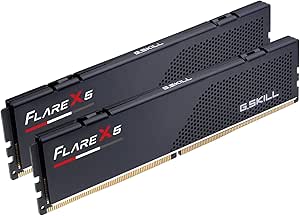
G.SKILL Flare X5 32GB (2x16GB) DDR5-6000 CL30 Desktop Memory Kit, Matte Black
For a compatible AMD desktop, this 32GB matched DDR5 kit pairs a fast rated data rate with CL30 timings, making it a balanced choice for gaming and everyday multitasking. AMD EXPO gives supported systems a simpler route to the rated profile than manual timing setup, though BIOS configuration and component compatibility still matter. Compared with the G.SKILL Flare X5 64GB kit, this 2×16GB version leaves more room to expand later but offers less capacity for heavy creative workloads. It also avoids the decorative emphasis of RGB kits such as the TEAMGROUP T-Force Delta RGB. The tradeoff is platform specificity: DDR5 and AMD EXPO support do not make it suitable for older DDR4 desktops, and mixed kits can introduce instability.
Pros:- 32GB capacity split across two matched 16GB modules
- AMD EXPO and JEDEC profile support
- 6000 MT/s rated data rate with CL30 timings
- Limited lifetime manufacturer warranty
Cons:- Rated speed may require BIOS adjustments and depends on CPU and motherboard support
- DDR5 UDIMMs cannot replace DDR4 or laptop SODIMM memory
- Combining it with a separate kit may cause instability
Best for: AMD desktop builders who want 32GB of DDR5 memory, a matched two-module configuration, and an EXPO profile for supported systems.
Not ideal for: Owners of DDR4-only or laptop systems, and workstation users who regularly need more than 32GB.
- Capacity:32 GB (2 × 16 GB)
- Memory type:DDR5 SDRAM
- Form factor:288-pin UDIMM
- Data rate:Up to 6000 MT/s
- Timings:CL30-38-38-96
- Voltage:1.35 V
- Profiles:JEDEC and AMD EXPO
- Color:Matte black
Our verdict“Choose this for a compatible AMD DDR5 system when you want a fast 32GB kit without stepping up to the 64GB Flare X5.”
Timetec 32GB (2 x 16GB) DDR4 2666MHz Desktop RAM
This Timetec kit suits buyers upgrading a compatible DDR4 desktop who care more about reaching 32GB capacity simply than chasing higher memory speeds. Its two 16GB modules are unbuffered, non-ECC UDIMMs, and the product data describes installation as plug-and-play. At 2666MHz and CL19, it is a more modest-speed choice than the 3200MHz Corsair Vengeance LPX or Gigastone Game PRO kits; that makes it a poor fit for builders seeking a performance-oriented gaming configuration, but a sensible match for systems that support this speed. Dual-rank modules are specified, while the lifetime warranty offers long-term coverage. Check the motherboard’s DDR4 UDIMM support first: this is desktop memory, not a laptop SODIMM upgrade.
Pros:- 32GB capacity in two 16GB modules
- Plug-and-play installation is specified
- Lifetime warranty
- Dual-rank, non-ECC unbuffered UDIMM configuration
Cons:- 2666MHz speed is lower than the 3200MHz Corsair Vengeance LPX and Gigastone kits
- Requires a desktop motherboard with compatible DDR4 UDIMM slots
- Not compatible with laptop SODIMM slots
Best for: Desktop and workstation owners with DDR4 288-pin UDIMM slots who want a 32GB capacity upgrade without needing a high-speed memory profile.
Not ideal for: Laptop owners, DDR5 system builders, and desktop users seeking 3200MHz-class memory for a performance-focused build.
- Capacity:32GB (2 × 16GB)
- Memory type:DDR4
- Form factor:288-pin UDIMM
- Speed:2666MHz
- CAS latency:CL19
- Voltage:1.2V
- ECC and buffering:Non-ECC, unbuffered
- Rank:Dual rank (2Rx8)
- Warranty:Lifetime
Our verdict“Pick this for a supported DDR4 desktop where capacity and uncomplicated installation matter more than higher memory speed.”
Gigastone Game PRO 32GB (2x16GB) DDR4 3200MHz Desktop Memory Kit, White
The Gigastone Game PRO is the lineup’s white 32GB DDR4 option, with 3200MHz speed and CL16 timings for buyers matching memory to a light-colored build. It supports Intel XMP 2.0 and AMD Ryzen systems, so a compatible desktop can use its rated profile rather than relying only on default memory settings. Against the black Corsair Vengeance LPX, the clearest distinction is appearance, not a major capacity or speed advantage: both offer 32GB at 3200MHz with CL16. The Corsair has a specified 34mm low-profile design, while the Gigastone’s product data does not give a height, so clearance-conscious builders have less information to work with. Compatibility is also limited to select desktops, and its five-year warranty is shorter than Timetec’s lifetime coverage.
Pros:- 32GB in a matched pair of 16GB modules
- 3200MHz speed with CL16 latency
- Intel XMP 2.0 support and stated AMD Ryzen compatibility
- White finish suits light-colored builds
Cons:- Requires a compatible DDR4 UDIMM motherboard; support is limited to select desktops
- Rated profile depends on motherboard support and configuration
- Five-year warranty is shorter than the lifetime warranty offered with the Timetec kit
Best for: Builders with a compatible DDR4 desktop who want 32GB of 3200MHz CL16 memory in a white color scheme.
Not ideal for: Laptop owners, DDR5 builders, and buyers who need explicitly documented low-profile clearance or a lifetime warranty.
- Capacity:32GB (2 × 16GB)
- Memory type:DDR4
- Speed:3200MHz (PC4-25600)
- Latency:CL16-18-18-40
- Form factor:288-pin UDIMM
- Voltage:1.35V
- ECC:Non-ECC
- Profile support:Intel XMP 2.0
- Warranty:5 years
Our verdict“Choose the Gigastone if you want a white 32GB DDR4 kit with 3200MHz CL16 specifications and your desktop supports its memory profile.”
Corsair Vengeance LPX 32GB (2 x 16GB) DDR4 3200MHz CL16 Desktop Memory, Black
The Corsair Vengeance LPX earns its place for builds where memory clearance matters: its 34mm height is explicitly specified, giving buyers useful information when a large CPU cooler or compact case limits space. It provides 32GB across two modules, with 3200MHz CL16 settings and Intel XMP 2.0 support. Compared with the Gigastone Game PRO, it trades the white finish for a documented low-profile shape and aluminum heatspreaders; both are 32GB DDR4 kits rated at 3200MHz and CL16. The Flare X5 32GB is a faster-generation alternative for DDR5 platforms, but it cannot go into a DDR4 motherboard. As with other XMP memory, the Corsair’s rated speed may call for BIOS setup, and actual support depends on the system.
Pros:- 34mm height suits many space-constrained builds
- 32GB capacity across two 16GB DIMMs
- 3200MHz speed with CL16 latency
- Intel XMP 2.0 support and aluminum heatspreaders
Cons:- Rated speed may require BIOS adjustments or overclocking
- Performance depends on motherboard and CPU compatibility
- DDR4 DIMMs are not compatible with DDR5-only systems
Best for: DDR4 desktop builders fitting memory beneath a large CPU cooler or into a compact case who want a specified low-profile 32GB kit.
Not ideal for: DDR5 system builders, buyers wanting a white kit, and anyone expecting the rated XMP speed without checking system support.
- Capacity:32GB (2 × 16GB)
- Memory type:DDR4
- Speed:3200MHz
- CAS latency:CL16
- Timings:16-20-20-38
- Voltage:1.35V
- Profile support:Intel XMP 2.0
- Height:34mm
Our verdict“Choose this Corsair kit for a compatible DDR4 build where documented 34mm clearance is more useful than the Gigastone’s white finish.”
G.SKILL Flare X5 Series 64GB (2×32GB) DDR5-6000 Desktop Memory Kit, CL30, AMD EXPO, Matte Black
When 32GB is not enough, this 64GB matched DDR5 kit offers twice the capacity of the Flare X5 32GB while retaining a rated 6000 MT/s data rate and CL30 latency. That capacity can suit demanding multitasking and memory-heavy creative work, without filling all four memory slots. AMD EXPO support provides a profile for compatible systems, although the rated speed can require BIOS adjustments and depends on the rest of the build. Compared with the 32GB Flare X5, this kit runs at 1.40V rather than 1.35V and specifies 30-40-40-96 timings, so the shared headline speed does not mean identical settings. Buyers who only game or do everyday computing may not benefit from the extra capacity; for them, the 32GB kit is the more restrained choice.
Pros:- 64GB capacity in two matched 32GB modules
- Up to 6000 MT/s with CL30 latency
- AMD EXPO and JEDEC profile support
- Limited lifetime manufacturer warranty
Cons:- Rated speed depends on compatible CPU and motherboard support and may need BIOS changes
- Higher capacity is unnecessary for many everyday and gaming workloads
- Mixing it with another memory kit may cause instability
Best for: AMD desktop users running memory-heavy creative applications, large multitasking workloads, or projects that exceed 32GB.
Not ideal for: Casual gaming and everyday-use builders who will not use 64GB, as well as owners of DDR4-only systems or laptops.
- Capacity:64GB (2 × 32GB)
- Memory type:DDR5
- Form factor:288-pin U-DIMM
- Data rate:Up to 6000 MT/s
- CAS latency:CL30
- Timings:30-40-40-96
- Voltage:1.40V
- Profiles:JEDEC and AMD EXPO
- Warranty:Limited lifetime
Our verdict“Choose this kit over the 32GB Flare X5 when your compatible AMD desktop can use the extra capacity for demanding workloads.”
TEAMGROUP T-Force Vulcan Z 16GB (2 x 8GB) DDR4 3200MHz CL16 Desktop Memory Kit, Gray
For a compatible DDR4 desktop that needs a straightforward 16GB upgrade, the T-Force Vulcan Z pairs two 8GB modules with a 3200MHz data rate and CL16 timing. The matched pair can run in dual-channel mode on supported boards, while XMP 2.0 offers a profile for setting the rated speed without entering timings manually. Compared with the older Timetec DDR3/DDR3L kit, this is for a newer memory generation and faster rated data rate, not legacy DDR3 systems. Its 16GB capacity is also less suited to heavy multitasking than the 32GB G.SKILL Ripjaws V kit elsewhere in the roundup. The tradeoff is clear: this is a practical DDR4 replacement or modest upgrade, but it cannot fit laptop slots or motherboards that do not support DDR4.
Pros:- Two matched 8GB DIMMs provide 16GB in a dual-channel kit
- 3200MHz speed and CL16 timing suit a mainstream DDR4 build
- XMP 2.0 support provides a rated memory profile
- Lifetime warranty is listed
Cons:- Works only with desktop DIMM slots and compatible DDR4 motherboards
- 16GB offers less headroom than the roundup’s 32GB kits
- Rated speed depends on motherboard and processor support
Best for: Desktop owners with a DDR4 motherboard who want a matched 16GB kit for everyday computing and gaming.
Not ideal for: Laptop owners, DDR3-system owners, or desktop users who need 32GB for heavier multitasking.
- Capacity:16GB (2 x 8GB)
- Memory type:DDR4
- Data rate:3200MHz
- Latency:CL16
- Voltage:1.35V
- Form factor:288-pin DIMM
- Memory profile:XMP 2.0
- Compatibility:Desktop; Intel and AMD motherboards
- Warranty:Lifetime
Our verdict“Choose this kit for an affordable, compatible DDR4 desktop upgrade, but pick a 32GB option if your workload needs more memory headroom.”
Timetec 16GB (2x8GB) DDR3/DDR3L 1600MHz Desktop Memory Kit
This Timetec kit serves a narrow but useful purpose: adding 16GB to a desktop that specifically takes DDR3 or DDR3L. Its two 8GB unbuffered, non-ECC UDIMMs run at 1600MHz with CL11 timings, and support for both 1.35V and 1.5V gives it flexibility across compatible systems. That makes it a better match for older hardware than the T-Force Vulcan Z, which uses DDR4 and will not fit a DDR3 board. The reverse is just as important: this kit is not an alternative for a new DDR4 or DDR5 build. It also lacks the higher data rates of newer options and is explicitly not for laptops. I would choose it for a targeted legacy-system refresh, not as a general-purpose RAM purchase.
Pros:- Two 8GB modules provide 16GB total capacity
- Supports both 1.35V DDR3L and 1.5V operation
- Lifetime warranty and free technical support are stated
- Unbuffered, non-ECC format suits compatible consumer desktops
Cons:- 1600MHz DDR3 specification is intended for older systems, not current DDR4 or DDR5 builds
- Not compatible with laptops
- PCB color may vary by production batch
Best for: Owners of older desktop PCs with compatible 240-pin DDR3/DDR3L UDIMM slots who need 16GB of memory.
Not ideal for: Laptop owners or builders with DDR4/DDR5 motherboards, since this desktop DDR3 kit will not fit or work with those systems.
- Capacity:16GB (2 x 8GB)
- Memory type:DDR3/DDR3L
- Speed:1600MHz
- Latency:CL11
- Form factor:240-pin UDIMM
- Voltage:1.35V or 1.5V
- Rank:Dual rank 2Rx8
- Error correction:Non-ECC
- Buffering:Unbuffered
Our verdict“Buy this only to upgrade a compatible DDR3 desktop; for newer systems, choose a DDR4 or DDR5 kit instead.”
G.SKILL Flare X5 Series 32GB DDR5-6000 Desktop Memory Kit (2 × 16GB), CL36, Matte Black
The Flare X5 combines a useful 32GB capacity with a 6000 MT/s rating and CL36 timings, making it a balanced choice for a modern DDR5 desktop. Its two matched 16GB DIMMs leave room for games and everyday creative work without stepping up to the 64GB Flare X5 kit, while support for AMD EXPO and Intel XMP 3.0 gives compatible systems a memory profile suited to either platform. Against the flashier G.SKILL Trident Z5 RGB, this matte-black kit prioritizes a restrained appearance over listed RGB lighting. The limitation is that 6000 MT/s is not automatic: the motherboard, processor, and BIOS must support the profile. I would also avoid combining it with unrelated memory kits, since mixed modules can cause instability.
Pros:- 32GB matched capacity balances gaming and general productivity needs
- Rated up to 6000 MT/s with CL36-36-36-96 timings
- Supports both AMD EXPO and Intel XMP 3.0
- Matte-black finish keeps the build visually understated
Cons:- Rated data rate requires compatible hardware and BIOS configuration
- Mixing it with other memory kits may cause instability or system failure
- Does not provide the listed RGB lighting of the Trident Z5 RGB
Best for: Builders choosing a matched 32GB DDR5 kit for a compatible Intel or AMD desktop who prefer understated styling.
Not ideal for: Owners of DDR4 systems, buyers who want RGB lighting, or users seeking 64GB for demanding workloads.
- Capacity:32GB (2 x 16GB)
- Memory type:DDR5
- Data rate:Up to 6000 MT/s
- Timings:CL36-36-36-96
- Voltage:1.35V
- Form factor:288-pin DIMM / UDIMM
- Memory profiles:AMD EXPO and Intel XMP 3.0
- Color:Matte black
Our verdict“Pick the Flare X5 for a restrained 32GB DDR5 build with broad profile support, provided your platform can run its rated speed.”
G.SKILL Trident Z5 RGB DDR5 32GB (2 x 16GB) 6000MT/s Desktop Memory, Matte Black
The Trident Z5 RGB pairs 32GB of DDR5 with a rated 6000 MT/s data rate, CL36 timings, and a matte-black finish with RGB lighting. It suits builders who want the lighting as part of the component choice rather than adding visual effects elsewhere, while its XMP 3.0 and AMD EXPO profiles support compatible Intel and AMD desktops. Compared with the similarly rated G.SKILL Flare X5, this kit’s defining difference is RGB styling; the Flare X5 is the plainer choice if appearance matters less. The shared 32GB capacity and CL36 timing mean the Trident Z5 RGB is not a capacity or timing upgrade over that alternative. Its rated speed also relies on compatible hardware and BIOS settings, and combining it with other kits can disrupt stability.
Pros:- 32GB matched pair suits a wide range of desktop workloads
- Rated up to 6000 MT/s with CL36-36-36-96 timings
- Supports Intel XMP 3.0 and AMD EXPO
- RGB lighting adds a customizable visual feature absent from the Flare X5
Cons:- Rated speed requires compatible hardware and BIOS settings
- Mixing with other memory kits may cause instability or system failure
- The RGB-focused design offers no listed capacity or timing advantage over the Flare X5
Best for: DDR5 desktop builders who want a 32GB matched kit with RGB lighting and profile support for compatible Intel or AMD platforms.
Not ideal for: Builders who prefer a no-lighting design, need more than 32GB, or cannot enable the rated profile on their system.
- Capacity:32GB (2 x 16GB)
- Memory type:DDR5 SDRAM
- Data rate:Up to 6000 MT/s
- Timings:CL36-36-36-96
- Voltage:1.35V
- Form factor:288-pin UDIMM
- Overclock profiles:Intel XMP 3.0 and AMD EXPO
- Color:Matte black
Our verdict“Choose the Trident Z5 RGB when lighting is part of your build plan; otherwise, the Flare X5 provides a simpler look with similar core memory specifications.”
Lexar THOR Z RGB DDR5 32GB Kit (2×16GB) 6000MHz CL38 Desktop Memory
Lexar’s THOR Z RGB brings together 32GB of DDR5-6000, customizable lighting, and an aluminum heatsink in a matched 2 x 16GB kit. It also lists a PMIC and on-die ECC, along with Intel XMP 3.0 and AMD EXPO support, giving compatible desktop builders both platform profiles. Compared with the G.SKILL Trident Z5 RGB, the Lexar has a slightly looser listed latency at CL38 rather than CL36; that makes the Trident the more appealing pick if those listed timings are the priority. The Lexar instead emphasizes its stated heatsink and feature set. As with the other 6000 MT/s kits here, that rated speed depends on compatible hardware and an enabled BIOS profile. This is a desktop-only choice, not a fit for laptop memory slots.
Pros:- 32GB matched pair rated for 6000 MT/s
- Customizable RGB lighting and aluminum heatsink are included
- Supports Intel XMP 3.0 and AMD EXPO
- Lists on-die ECC and a PMIC
Cons:- CL38 timings are looser than the CL36 Trident Z5 RGB and Flare X5 kits
- Rated speed depends on compatible CPU and motherboard with the profile enabled in BIOS
- Desktop UDIMM form factor is not suitable for laptops
Best for: Desktop builders seeking a 32GB DDR5-6000 kit with customizable RGB, an aluminum heatsink, and both major memory profiles.
Not ideal for: Laptop owners or desktop buyers who prioritize tighter listed timings over RGB and the included heatsink.
- Capacity:32GB (2 x 16GB)
- Memory type:DDR5
- Data rate:6000 MT/s
- CAS latency:CL38
- Form factor:288-pin DIMM / UDIMM
- Voltage:1.35V
- Lighting:Customizable RGB LED
- Features:Aluminum heatsink, on-die ECC, and PMIC
- Overclocking profiles:Intel XMP 3.0 and AMD EXPO
Our verdict“Choose the THOR Z RGB if its lighting and heatsink appeal to you; favor the CL36 alternatives if tighter listed timings matter more.”
How We Picked
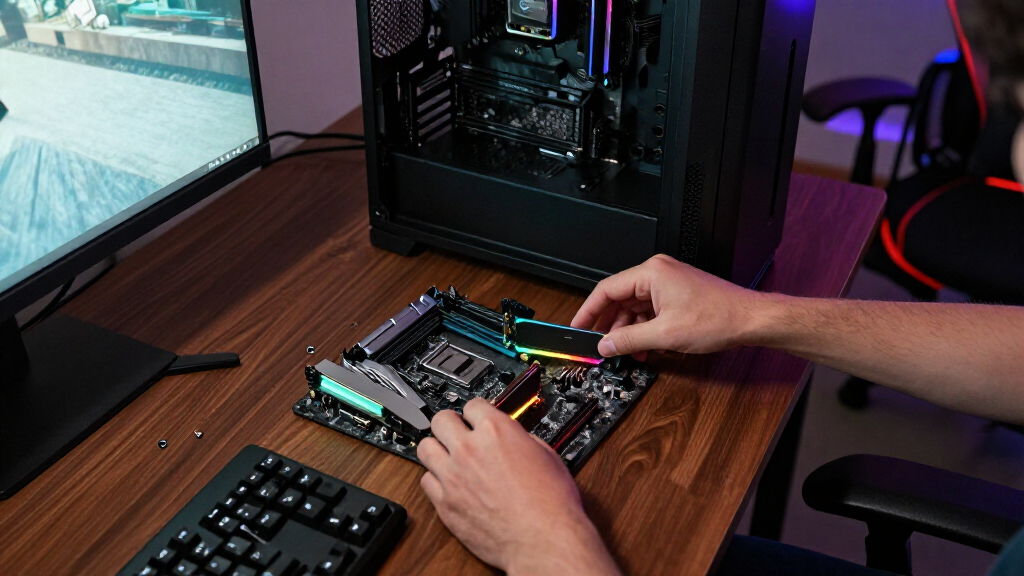
I ranked these kits by how clearly they serve common PC-build needs: gaming and everyday capacity, listed speed and timings, generation compatibility, and whether the kit’s configuration fits a practical upgrade. A 32GB dual-channel kit with DDR5-6000 and CL30 timings earns a strong position for a compatible modern platform, while a DDR4-3200 CL16 kit remains a better fit for an existing DDR4 system than a faster module that cannot be installed. I also considered capacity, low-profile designs, RGB styling, and platform-specific features such as AMD EXPO where the product information identifies them.
The order reflects the strength and breadth of each use case, not a claim that one kit works in every PC. Kits with clear capacity and speed advantages rank ahead of options with narrower use, while similarly specified products are separated by platform cues, timing, styling, or the buyer they suit. DDR3 and slower DDR4 options sit lower because they address older systems rather than most new builds. I did not treat lighting or appearance as a substitute for compatibility or useful memory specifications.
Factors to Consider When Choosing Best PC RAM Kits
Before choosing from these picks, match the kit to the system you own or plan to build. The right decision depends on more than the headline speed: generation, motherboard support, capacity, and the number of available memory slots can change which kit makes sense.
Match DDR4 or DDR5 to the motherboard
DDR4 and DDR5 are different physical and electrical standards, so a motherboard built for one generation cannot take a kit from the other. Check the motherboard specifications and processor platform before comparing speeds or choosing a style. This is especially relevant when an upgrade listing includes both older DDR4 options and newer DDR5 kits. A system that already has DDR4 may be better served by adding compatible DDR4 memory than replacing the platform just to use DDR5. For a new build, choose the memory generation supported by the motherboard rather than assuming the newest generation is automatically compatible.
Choose capacity around your workload and upgrade plan
Capacity determines how much data and how many applications can remain in memory before the system leans more heavily on storage. A 32GB kit is a flexible starting point for many gaming and general-use desktops, while 64GB can suit workloads with large projects, virtual machines, or substantial multitasking. Buying too little can create pressure during demanding tasks; buying much more than your work uses may leave capacity idle. Also check the number of memory slots and whether a future upgrade would require replacing the modules already installed. A matched kit helps avoid mixing modules with different specifications and behavior.
Compare speed and timings as a pair
A memory speed figure alone does not tell the whole performance story. Timings such as CL30, CL36, and CL38 describe latency cycles, so compare them alongside the rated transfer speed rather than treating a lower CL number as a complete verdict. Differences are most useful when comparing kits of the same generation and similar speed; cross-generation comparisons are less direct. A faster kit may also need a supported memory profile to reach its advertised setting. For a typical build, a compatible, stable configuration is a better goal than chasing a specification your workload is unlikely to notice.
Check XMP or EXPO support and setup requirements
Many kits need a memory profile enabled in the motherboard firmware to run at their advertised speed; otherwise, they may start at a lower default setting. Intel XMP and AMD EXPO are profile standards that can simplify this process, but support varies by motherboard, processor, and kit. Read the board’s memory support information and confirm the profile type before buying, especially for an AMD-focused or Intel-focused system. Profile settings count as memory overclocking, so a listed speed is not a guarantee that every processor and board combination will run it identically. If you prefer a straightforward setup, prioritize a kit with a profile supported by your platform and check the system’s stability after enabling it.
Account for cooler clearance and module height
Large CPU air coolers can overlap the memory area, making module height a practical fit issue. Low-profile designs are often easier to place beneath an oversized cooler or inside a compact case, though the exact clearance depends on the cooler and motherboard layout. RGB heat spreaders can be taller, so check product dimensions and the cooler manufacturer’s clearance guidance before ordering. Also verify that the case and motherboard leave enough room for installation, particularly if the cooler is already mounted. A visually striking kit offers little benefit if it forces a cooler adjustment or blocks a preferred slot.
Pay for features that serve your build
RGB lighting and distinctive heat spreaders can help a visible build match its theme, but they do not automatically improve memory performance. Compare kits on capacity, speed, timings, compatibility, and physical fit before paying extra attention to appearance. If the PC has a closed side panel or sits out of view, a plain kit may be the more practical choice. On the other hand, a showcase build may justify RGB if the motherboard software can control the lighting as you prefer. Spend more for a real workload or build benefit, such as higher capacity or a compatible performance profile, rather than for a feature your setup will not use.
Frequently Asked Questions
Can I use DDR5 RAM in a motherboard that currently has DDR4?
No. DDR4 and DDR5 modules use different physical layouts and electrical standards, so the motherboard must be designed for the same memory generation. Check the exact board model rather than relying only on the processor name, since platform choices can vary. If you want to move from DDR4 to DDR5, you may need a different motherboard and possibly other platform changes. For an existing DDR4 system, a compatible DDR4 kit from this list is the direct upgrade path.
Is a 32GB kit enough, or should I choose the 64GB kit?
For many gaming and everyday desktop builds, 32GB is a practical capacity without committing to memory you may not use. The 64GB Flare X5 kit is a stronger fit for workloads that keep large datasets, creative projects, virtual machines, or many demanding applications open at once. Consider how much memory your current tasks use rather than choosing solely by the largest number. Check your motherboard’s slot count and upgrade options as well, since a larger matched kit may be simpler than adding another pair later.
Will DDR5-6000 memory run at 6000 on my PC automatically?
Not always. Many systems boot using a conservative default memory setting, and reaching the kit’s rated speed may require enabling an XMP or EXPO profile in firmware. Whether that profile works depends on the motherboard, processor, and memory kit working together. Confirm the motherboard’s support information and the kit’s profile type before purchase, then check stability after enabling it. If you leave the profile off, the memory can run below its advertised speed.
Should I add another RAM kit or replace my current modules?
Adding modules can increase capacity, but mixed kits are not guaranteed to run at the same speed or timings as a matched set. Check how many slots are free, whether your current memory matches the new kit, and what configurations your motherboard supports. Replacing the existing modules with one matched kit can reduce compatibility variables, especially when moving to a higher capacity. If you add memory, test the full configuration rather than assuming the advertised profile will remain stable.
Does RGB RAM perform better than a non-RGB kit?
Lighting does not determine memory performance. Compare the actual generation, capacity, speed, timings, and supported profiles of the modules; an RGB kit can have different specifications from a plain kit, but the LEDs themselves are a visual feature. RGB may suit a windowed build where appearance matters, while a low-profile non-RGB option can be easier to fit beneath some coolers. Check module height and lighting-control compatibility if you choose a kit for its looks. Avoid paying for illumination when your build will not display or use it.
Conclusion
For a modern DDR5 gaming or general-purpose build, my best overall choice is the Patriot Viper Venom DDR5-6000 CL30 32GB kit, while the G.SKILL Flare X5 DDR5-6000 CL30 is a strong alternative for buyers who want an AMD EXPO-oriented kit. My best value in a compatible DDR4 system is the Corsair Vengeance LPX 32GB DDR4-3200 CL16; the G.SKILL Ripjaws V 32GB is another straightforward DDR4 option. For beginners, I would start by matching a 32GB kit to the motherboard generation and choosing a supported profile, rather than buying on speed alone. For heavier workloads, choose the 64GB Flare X5; for RGB styling, compare the Trident Z, T-Force Delta, and Lexar kits by fit and platform support. The Timetec DDR3 and DDR4-2666 kits are best reserved for older systems that specifically need those standards or speeds.
Fall Picks
fall essentials
As an affiliate, we earn on qualifying purchases.