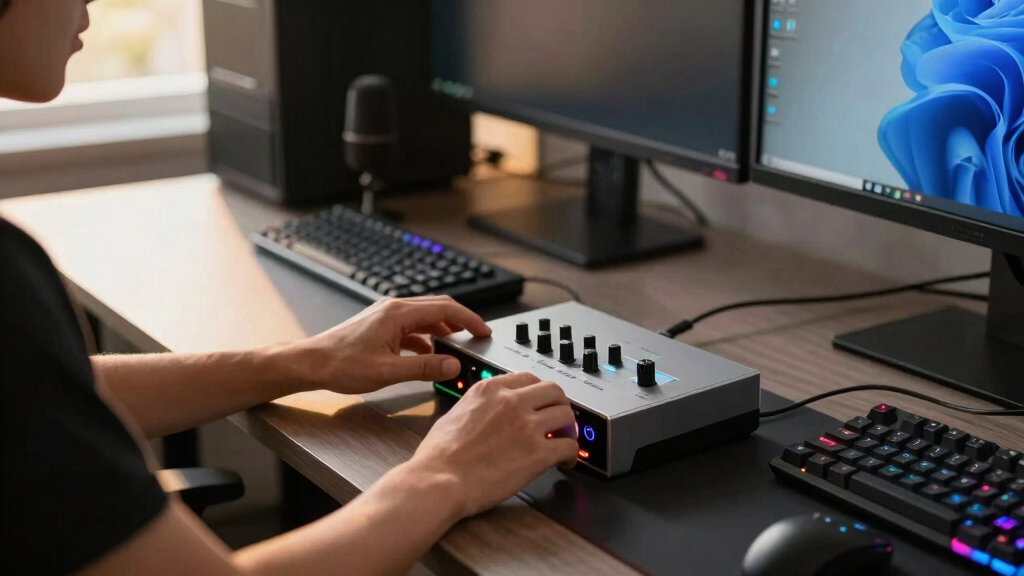

I rank the Yamaha URX22C as the best overall choice because its two combo inputs, DSP-powered monitoring, MIDI support, and built-in effects give growing streams more room than the other options here. The Focusrite Scarlett Solo 3rd Gen is my value pick: it offers clean voice capture, direct monitoring, and straightforward controls without asking a solo streamer to pay for an elaborate signal chain. For creators who want a produced broadcast sound before opening software, the Universal Audio Volt 176 stands apart with analog compression and vintage-style preamp coloration.
The main choice is not simply audio resolution. A gaming streamer needs to weigh clean gain, monitoring delay, input flexibility, and processing workflow. The Yamaha offers the broadest feature set but has a steeper learning curve. The Scarlett is easier to manage, though its single-microphone layout limits expansion. The Volt can shape a voice at the recording stage, but that coloration is less forgiving. The compact Fender AudioBox GO is the easiest to carry between setups, yet it depends more heavily on software for stream-ready processing. I ordered these picks by how well they solve streaming problems, not by how many studio specifications appear on the box.
Complete the kit



Key Takeaways
- The Yamaha URX22C ranks first because it combines two microphone-capable inputs, onboard DSP effects, MIDI I/O, and flexible monitoring in one streamer-ready unit.
- The Focusrite Scarlett Solo 3rd Gen gives solo streamers the strongest balance of clean sound, simple controls, bundled software, and warranty coverage.
- The Universal Audio Volt 176 is the better voice-shaping choice when analog compression and vintage preamp character matter more than having two microphone inputs.
- The Fender AudioBox GO suits portable or space-limited setups, but its lack of onboard DSP places more processing work on the computer or streaming software.
- A 96kHz, 192kHz, or 32-bit headline matters less for live gaming than stable drivers, adequate microphone gain, direct monitoring, and a layout that matches the streamer’s input plan.
| Yamaha URX22C 2-in/2-out USB-C Audio/MIDI Interface |  | Best Overall | Audio Resolution: Up to 32-bit/192kHz | Inputs: 2 combo XLR/TRS | Outputs: 2 main TRS | VIEW LATEST PRICE | See Our Full Breakdown |
| Focusrite Scarlett Solo 3rd Gen USB Audio Interface |  | Best Value | Microphone Input: 1 XLR with Scarlett preamp | Instrument Input: 1 high-headroom 1/4-inch input | Maximum Resolution: 24-bit/192kHz | VIEW LATEST PRICE | See Our Full Breakdown |
| Universal Audio Volt 176 USB Audio Interface |  | Best for Hardware Voice Polish | Input Configuration: 1-in interface for a microphone, line source, or instrument | Output Configuration: 2 main outputs | Preamp Character: Vintage mode inspired by the UA 610 | VIEW LATEST PRICE | See Our Full Breakdown |
| Fender AudioBox GO USB Audio Interface |  | Best Compact | Microphone Input: 1 XLR combo input | Phantom Power: +48V | Instrument Input: 1 TS input | VIEW LATEST PRICE | See Our Full Breakdown |
| audio interfaces for gaming streamer | Outputs | Phantom Power | Compatibility | Microphone Input |
|---|---|---|---|---|
| Yamaha URX22C 2-in/2-out USB-C | 2 main TRS | +48V | Windows, macOS, and iOS | — |
| Focusrite Scarlett Solo 3rd Ge | — | — | — | 1 XLR with Scarlett preamp |
| Universal Audio Volt 176 USB A | — | — | — | — |
| Fender AudioBox GO USB Audio I | 2 balanced 1/4-inch TRS | +48V | PC, Mac, and Fender Studio app | 1 XLR combo input |
More Details on Our Top Picks
Yamaha URX22C 2-in/2-out USB-C Audio/MIDI Interface
I place the Yamaha URX22C first because it offers the most complete path from a basic gaming stream to a more involved production setup. Its two XLR/TRS combo inputs can accommodate a pair of microphones, a microphone plus an instrument, or a guest without immediately requiring replacement hardware. That flexibility is a clear advantage over the Scarlett Solo and Volt 176, both of which are built more firmly around a single microphone source.
The larger reason for its lead is DSP-powered monitoring with built-in effects. A streamer can monitor a treated voice without routing every effect through the computer, which can make headphone feedback feel more immediate and reduce dependence on a growing plug-in chain. The Class-A D-PRE preamps and 32-bit/192kHz support also make the Yamaha suitable for edited podcasts, music, and voice-over work after the stream ends. MIDI I/O adds value for creators who use control surfaces, keyboards, sound cues, or music gear; none of the simpler picks matches this combination.
That breadth creates the Yamaha’s main weakness. It is less approachable than the Scarlett and asks the buyer to learn routing, DSP settings, and accompanying software. Two inputs can still become restrictive for a multi-person show, and buyers relying on older USB connections may not get the cleanest setup from its USB-C-centered design. I would choose it for a streamer who expects the channel to expand, but I would steer a buyer seeking one knob, one microphone, and minimal setup toward the Scarlett or Fender instead.
Pros:- Two combo inputs support a microphone, guest, instrument, or mixed two-source setup
- DSP-powered monitoring provides effects without depending entirely on software processing
- Class-A D-PRE preamps and 32-bit/192kHz support suit streaming and edited production
- MIDI I/O and a metal housing give it broader long-term utility
Cons:- More routing and processing controls to learn than on the Scarlett or Fender
- Two-input ceiling still limits larger panels and multi-guest productions
- USB-C requirements may complicate use with older computers
Best for: Gaming streamers who want two microphone-capable inputs, onboard voice effects, MIDI connectivity, and room to expand into podcasts or music.
Not ideal for: First-time buyers who want the smallest possible control set or creators planning a show with more than two simultaneous sources.
- Audio Resolution:Up to 32-bit/192kHz
- Inputs:2 combo XLR/TRS
- Outputs:2 main TRS
- Preamps:Class-A D-PRE
- Onboard Processing:DSP-powered monitoring with effects
- MIDI I/O:Yes
- Phantom Power:+48V
- Compatibility:Windows, macOS, and iOS
- Housing:Full-metal
Our verdict“The Yamaha URX22C is my first choice for a gaming streamer who wants low-latency voice processing and meaningful expansion options in a sturdy two-input interface.”
Focusrite Scarlett Solo 3rd Gen USB Audio Interface
The Focusrite Scarlett Solo 3rd Gen makes the strongest case for a conventional one-person stream. Its layout is easy to read during a live session, and the combination of a microphone preamp, instrument input, direct monitoring, and balanced outputs covers the core needs of a desk-based creator. I rank it behind the Yamaha because it offers less expansion and no onboard DSP, but simplicity is part of its appeal, not merely an omission.
Focusrite’s Air mode adds a brighter vocal character that may help some voices cut through gameplay and background music. It is not a substitute for microphone placement, EQ, or compression, but it gives a streamer a quick tonal option without building a complicated chain. Recording support up to 24-bit/192kHz leaves ample room for edited videos and podcasts. The bundled production software and three-year warranty also make this a friendlier purchase for someone building a first serious audio setup.
Compared with the Fender AudioBox GO, the Scarlett feels more like a permanent desktop centerpiece than a travel accessory. Compared with the Volt 176, it keeps the signal cleaner and more neutral but lacks hardware compression. The biggest restriction is its single microphone-capable input. Although it accepts a second instrument source, it is not the right interface for two XLR microphones or an in-room co-host. It also omits MIDI and built-in effects. For a solo streamer who expects to remain solo, those losses may matter less than the lower learning burden and dependable core controls.
Pros:- Straightforward controls suit first-time interface owners
- Air mode provides a quick alternative vocal tone
- 24-bit/192kHz recording supports high-quality edited content
- Broad software bundle and three-year warranty add practical value
Cons:- Only one microphone-capable input limits guest and co-host setups
- No onboard DSP, analog compressor, or built-in voice effects
- No MIDI connection for controllers or music hardware
Best for: Solo gaming streamers who want a clean XLR microphone upgrade, direct monitoring, and useful production software without a complicated hardware workflow.
Not ideal for: Two-person streams, hardware-heavy studios, or creators who want compression, EQ, and other effects processed inside the interface.
- Microphone Input:1 XLR with Scarlett preamp
- Instrument Input:1 high-headroom 1/4-inch input
- Maximum Resolution:24-bit/192kHz
- Vocal Mode:Switchable Air mode
- Monitor Outputs:2 balanced outputs
- Monitoring:Direct hardware monitoring
- Included Software:Pro Tools Intro+, Ableton Live Lite, Cubase LE, and Hitmaker Expansion
- Warranty:3 years
Our verdict“The Scarlett Solo 3rd Gen is my value recommendation for solo streamers who want reliable XLR audio and easy operation more than processing or expansion.”
Universal Audio Volt 176 USB Audio Interface
The Universal Audio Volt 176 occupies a different position from the two leaders: it is the most appealing choice here for a streamer who wants to shape a voice before it reaches recording software. Its vintage-style 610 preamp mode adds character, while the built-in 76-style analog compressor can control peaks and make commentary sound more consistent. That pairing can be useful for energetic hosts whose volume changes sharply during gameplay.
Unlike the Yamaha’s DSP effects, the Volt’s processing is tied to a more deliberate analog sound. That can produce a polished broadcast character with fewer software plug-ins, but the recorded coloration is harder to reverse. A beginner who applies too much compression may flatten vocal dynamics or raise room noise. The Scarlett is safer for someone who wants a neutral starting point; the Volt is better for someone who already knows why compression ratio, input level, and microphone technique affect the result.
Its compatibility with Mac, Windows, iPad, and iPhone gives it wider device reach than a desktop-only setup, although some Apple devices need an additional camera adapter. The external power arrangement can also add cables to a compact streaming desk. Most of all, the one-input design restricts expansion. The Volt 176 is not my pick for a co-hosted show, but it has a stronger identity than a generic single-input interface: it trades input count and neutrality for fast, tactile voice treatment.
Pros:- Vintage preamp mode gives commentary a distinct tonal option
- Built-in analog compression can control vocal peaks before software
- Works with desktop computers and supported iPads or iPhones
- Hardware processing reduces reliance on live plug-in chains
Cons:- Single input is restrictive for guests and multi-source recording
- Compression and coloration can be difficult to remove after recording
- Some mobile configurations need external power or an additional adapter
Best for: Solo streamers who want analog compression and warm preamp coloration for a produced voice without relying on a large software plug-in chain.
Not ideal for: Co-hosted streams, buyers who want a neutral signal for later editing, or beginners who do not want to manage compression while setting gain.
- Input Configuration:1-in interface for a microphone, line source, or instrument
- Output Configuration:2 main outputs
- Preamp Character:Vintage mode inspired by the UA 610
- Compression:Built-in 76-style analog compressor
- Desktop Compatibility:macOS and Windows
- Mobile Compatibility:iPad and iPhone with iOS 14 or later
- Power:External Volt power supply supported
- Apple Adapter Requirement:Lightning devices require an Apple Lightning to USB Camera Adapter
Our verdict“The Volt 176 is my specialist pick for a solo streamer who values immediate analog voice polish more than neutral capture or extra inputs.”
Fender AudioBox GO USB Audio Interface
I reserve the Fender AudioBox GO for streamers who value a small footprint and easy movement between a gaming desk, laptop bag, and mobile recording space. It is bus-powered through USB-C, while its XLR combo input, separate instrument input, headphone connection, and balanced outputs cover a practical solo setup. The 24-bit/96kHz conversion is already ample for live platforms, even though the Scarlett and Yamaha advertise higher maximum sample rates.
Its clearest advantage over the Scarlett is portability rather than extra recording power. The Fender is suited to a creator who alternates between streaming, podcast interviews, and music sketches on a laptop. Zero-latency headphone monitoring helps keep speech natural, and the included Amp & FX pack adds value for guitar-focused channels. The Scarlett still earns the higher rank because its established desktop workflow, broader software package, and longer stated warranty make it the more rounded value choice.
The compact body does not provide the Yamaha’s DSP effects or the Volt’s analog compressor. A streamer seeking noise control, EQ, gating, or vocal compression must handle those jobs in OBS, another application, or external hardware. Registration through the Fender Studio app may also be needed to access the full software offering. I see the AudioBox GO as a portable clean-input solution, not an all-in-one broadcast mixer. Buyers who rarely move their setup gain little from choosing it over the Scarlett, while mobile creators may find that its size and USB-C power outweigh its limited processing.
Pros:- Small bus-powered design is easy to move between setups
- XLR combo and dedicated instrument inputs support voice-plus-guitar workflows
- Zero-latency headphone monitoring avoids distracting software delay
- Balanced outputs and a Fender Amp & FX pack broaden its use beyond streaming
Cons:- No onboard DSP, EQ, gate, or compressor
- Only one XLR microphone connection
- Full software access may require Fender Studio app registration
Best for: Laptop-based gaming streamers, traveling creators, and guitar-focused channels that need a compact USB-C interface with direct monitoring.
Not ideal for: Creators who want onboard voice effects, hardware compression, more than one microphone, or a device that works independently of software processing.
- Microphone Input:1 XLR combo input
- Phantom Power:+48V
- Instrument Input:1 TS input
- Outputs:2 balanced 1/4-inch TRS
- Maximum Resolution:24-bit/96kHz
- Monitoring:Zero-latency headphone monitoring
- Power:Bus-powered through USB-C
- Compatibility:PC, Mac, and Fender Studio app
Our verdict“The Fender AudioBox GO is my compact recommendation for mobile solo creators who need clean USB-C capture and can handle voice processing in software.”
How We Picked
I judged these interfaces specifically as tools for gaming streams, voice chat, live commentary, and occasional content production. My first priority was the path from microphone to audience: the preamp needs to deliver a clean signal, headphone monitoring should make speaking comfortable, and the controls should remain manageable when a game, chat application, and streaming software are all running. I also looked at whether each model can grow beyond one microphone or support instruments, controllers, and mobile devices.
I gave extra weight to onboard processing and zero-latency monitoring because they can reduce software load and make a live voice easier to hear. I treated very high sample rates as secondary. They offer production flexibility, but a Twitch or YouTube audience will not receive a raw 192kHz stream. Connection type, software requirements, power arrangements, and control complexity have a more direct effect on daily use.
The ranking reflects capability balanced against friction. Yamaha takes first place because it covers the most streaming scenarios without relying entirely on plug-ins. Focusrite follows because its simpler design is a better fit for many one-person channels. Universal Audio earns a specialist position for creators who want hardware voice character, while Fender takes the compact role. I included drawbacks that can change a buying decision, such as limited microphone expansion, adapter needs, app registration, and controls that may overwhelm a first-time buyer.
| audio interfaces for gaming streamer | Compatibility | Monitoring | Power |
|---|---|---|---|
| Yamaha URX22C 2-in/2-out USB-C | Windows, macOS, and iOS | — | — |
| Focusrite Scarlett Solo 3rd Ge | — | Direct hardware monitoring | — |
| Universal Audio Volt 176 USB A | — | — | External Volt power supply supported |
| Fender AudioBox GO USB Audio I | PC, Mac, and Fender Studio app | Zero-latency headphone monitoring | Bus-powered through USB-C |
Factors to Consider When Choosing Best Audio Interfaces For Gaming Streamers
I would choose a streaming interface by working backward from the microphone, the number of live sources, and the desired monitoring workflow. Maximum sample rate belongs lower on my list than dependable gain, comfortable headphone monitoring, and controls that remain easy to manage during a live game.Match the Input Layout to the Stream
A solo XLR microphone needs only one mic-capable input, making the Scarlett Solo, Volt 176, or AudioBox GO reasonable choices. A second instrument jack does not automatically support a second XLR microphone. For a co-host, guest, stereo source, or flexible microphone-and-instrument arrangement, I would start with the Yamaha’s two combo inputs. Buyers expecting three or more speakers should skip all four and look at a larger interface or mixer.
Decide Where Voice Processing Should Happen
OBS and audio plug-ins can handle EQ, gating, noise suppression, and compression, but that adds routing work and computer load. The Yamaha processes monitoring effects through DSP, making it the most adaptable live option here. The Volt uses analog compression and preamp coloration, which is faster and more tactile but less reversible. Scarlett and Fender provide cleaner, simpler starting points for buyers who prefer software processing.
Prioritize Monitoring Over Headline Resolution
Direct or DSP monitoring sends the microphone back to the headphones without the distracting delay produced by a long software path. I rank that feature above the difference between 96kHz and 192kHz capture for gaming streams. Live platforms compress the outgoing program, and voice quality is more strongly affected by microphone choice, gain level, room reflections, and processing. Higher resolution remains useful for edited recordings, but it should not decide the purchase by itself.
Check Power, Ports, and Mobile Requirements
I would verify the computer’s available USB connections and the interface’s power arrangement before buying. The Fender’s USB-C bus power suits a travel setup, while the Volt may introduce an external supply or an adapter with some Apple devices. The Yamaha favors USB-C for its full workflow. A technically compatible interface can still become inconvenient if it consumes the laptop’s only suitable port or requires a hub beside the gaming peripherals.
Plan for the Channel You Expect to Build
The cheapest acceptable interface can become expensive if it needs replacement after the first guest episode. I would pick the Yamaha for likely expansion, the Scarlett for a stable solo desk, the Volt for a voice-focused channel with a fixed one-mic format, and the Fender for frequent travel. MIDI, second microphone support, mobile compatibility, and built-in processing only deserve added spending when they connect to a realistic content plan.
Frequently Asked Questions
Do gaming streamers need an audio interface?
An interface is useful when I want to connect an XLR microphone, studio headphones, balanced speakers, or an instrument. It provides microphone gain and converts the analog signal into digital audio for the computer. A capable USB microphone can still be the simpler choice for a basic channel, but an interface offers more control over microphone selection, monitoring, and future upgrades.
Which interface is best for a two-person gaming stream?
Among these four, I would choose the Yamaha URX22C because both combo inputs can accept microphone-level sources. The Scarlett Solo, Volt 176, and Fender AudioBox GO each center on one XLR microphone connection, even when another instrument input is present. For more than two speakers or several stereo sources, I would move beyond this lineup to a larger interface or streaming mixer.
Does 32-bit or 192kHz audio improve a live stream?
It can provide extra production headroom or detail in local recordings, but it will not automatically make a broadcast sound better. I would place microphone technique, clean gain, room acoustics, and sensible compression ahead of maximum resolution. The Fender’s 24-bit/96kHz specification is already more than adequate for streamed speech, while the Yamaha’s higher ceiling is more useful when the same interface also supports demanding recording work.
Is onboard DSP better than OBS audio filters?
Neither approach wins for every creator. Onboard DSP can provide low-delay monitoring and keep effects available without loading the computer, which favors the Yamaha. OBS filters are flexible, inexpensive, and easy to adjust for the outgoing mix, but monitoring them may introduce delay depending on routing and buffer settings. I prefer hardware processing for a repeatable live voice and software filters when experimentation matters more.
Should a beginner choose the Scarlett Solo or Volt 176?
I would direct most beginners to the Scarlett Solo because its neutral signal, simple controls, software bundle, and direct monitoring create fewer ways to record an overprocessed voice. The Volt 176 is the more distinctive choice for someone ready to learn compression and preamp coloration. Its hardware can produce a polished sound quickly, but poor gain or compressor settings may be captured along with the performance.
Conclusion
For the widest range of gaming-stream workflows, my recommendation is the Yamaha URX22C. It earns first place through two flexible inputs, DSP monitoring, effects, MIDI, and a sturdy build, though beginners should expect more setup work. Solo creators seeking a clean upgrade at a sensible level should choose the Focusrite Scarlett Solo 3rd Gen; it gives up expansion and onboard processing in exchange for clarity and ease.
I would choose the Universal Audio Volt 176 for a one-mic channel where analog compression and vintage vocal character are part of the desired sound. The Fender AudioBox GO is the better match for a mobile creator who values USB-C bus power and a small body over hardware effects. The right pick follows the stream format: Yamaha for growth, Focusrite for uncomplicated value, Universal Audio for voice character, and Fender for portability.