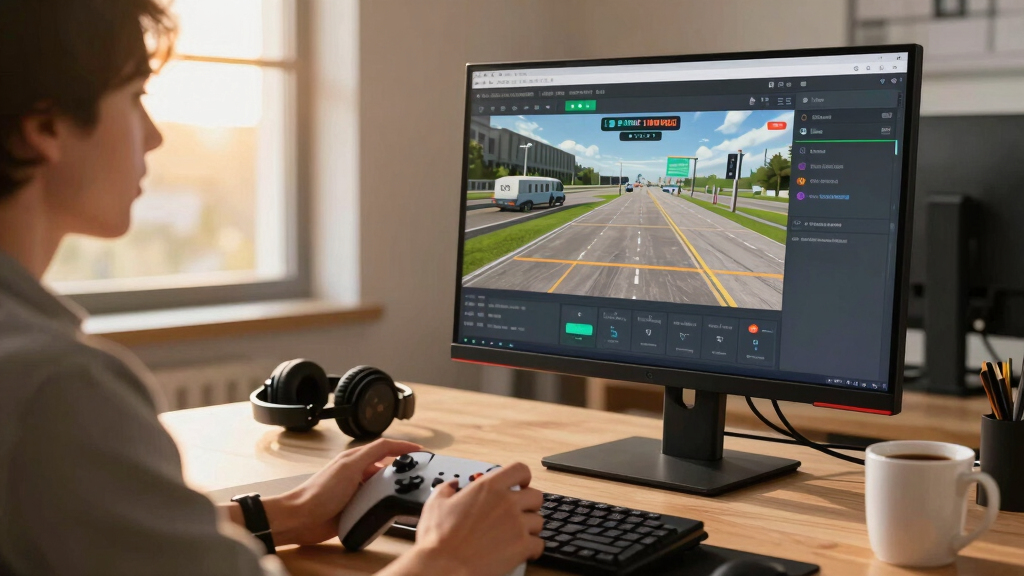

The best airport simulator games combine convincing aircraft, useful flight-planning tools, and airports that feel like working parts of a larger aviation world. I rank Microsoft Flight Simulator 2024 for Xbox Series X|S and Windows as the best overall choice because its modern world simulation and broad airport coverage create the strongest all-around package. FlightGear 2025 X on USB stands out for aircraft and airport variety, while Microsoft Flight Simulator X: Gold Edition remains the value-oriented choice for players comfortable with older Windows software. The main tradeoffs are modern graphics versus legacy flexibility, digital access versus physical media, and detailed flagship airports versus sheer location counts. Continue reading for the full breakdown and the buyer checks that matter before choosing a platform or edition.

Play games on Amazon Luna for your game nights, included with Prime
- A rotating selection of games, no download needed
- Play on TV, laptop or phone
- Fast, free delivery for your gear, too
Complete the kit



Key Takeaways
- Microsoft Flight Simulator 2024 for Xbox and Windows ranks first because it offers the best balance of current technology, airport coverage, accessibility, and long-term relevance.
- The two supplied PlayStation 5 listings appear to cover the same Standard Edition, so seller reliability, regional compatibility, and price matter more than the slightly different product names.
- FlightGear 2025 X on USB claims the widest aircraft and airport selection, but buyers are paying for packaged media and seller convenience around software that is also available as an open-source download.
- FlightGear Premium Deluxe is the physical-media specialist, although its four-disc format is less convenient for computers without an optical drive and does not automatically mean a better simulator.
- Microsoft Flight Simulator X: Gold Edition offers strong legacy value, but dated graphics, Windows compatibility work, and reliance on older add-ons keep it below the modern editions.



| airport simulator game | Edition | Aircraft | Traffic | Platform |
|---|---|---|---|---|
| Microsoft Flight Simulator 202 | Standard Edition | Over 65 | Real-time traffic | — |
| FlightGear Flight Simulator 20 | — | 600 | — | — |
| FlightGear Flight Simulator 20 | Premium Deluxe Edition | 600+ | — | — |
| Microsoft Flight Simulator 202 | Standard Edition | — | Real-time traffic | PlayStation 5 |
| Microsoft Flight Simulator 202 | Standard Edition | Over 65 | Real-time traffic | PlayStation 5 |
| Microsoft Flight Simulator X: | Gold Edition | — | — | Windows PC |
More Details on Our Top Picks
Microsoft Flight Simulator 2024 Standard Edition for Xbox Series X|S and Windows
I rank Microsoft Flight Simulator 2024 Standard Edition first because it offers the strongest balance of airport detail, aircraft variety, structured missions, and modern presentation. Its 150 handcrafted airports cannot match FlightGear Flight Simulator 2025 X’s raw count of 20,000 airports, but the curated locations are better suited to buyers who value richer environments over sheer coverage. More than 65 aircraft and real-time traffic make arrivals, departures, and passenger routes feel active, while Medevac and Search & Rescue assignments add purpose beyond free flight. The compromise is accessibility: advanced systems and physics create a steep learning curve, and capable hardware is needed for the full visual effect. Compared with the PlayStation 5 editions, this version also gives buyers a choice between Xbox and Windows.
Pros:- 150 handcrafted airports provide curated, high-detail destinations
- More than 65 aircraft support varied routes and flying styles
- Career missions give airport operations a clear purpose
- Real-time traffic and advanced physics strengthen realism
Cons:- Complex aircraft systems create a steep learning curve
- Strong performance may require expensive PC hardware
- Extra premium content may require additional purchases
Best for: Xbox Series X|S and Windows players seeking a polished airport-focused simulator with varied missions and realistic traffic
Not ideal for: Beginners wanting quick arcade-style sessions or PC owners with hardware that struggles under demanding simulations
- Platforms:Xbox Series X|S and Windows
- Edition:Standard Edition
- Aircraft:Over 65
- Handcrafted Airports:150
- Mission Types:Medevac, Search & Rescue, and Passenger Transport
- Traffic:Real-time traffic
- Simulation Systems:Advanced physics and realistic aircraft systems
- World:Digital twin of Earth
Our verdict“This is my first choice for buyers who want the best blend of airport detail, mission variety, and platform flexibility.”
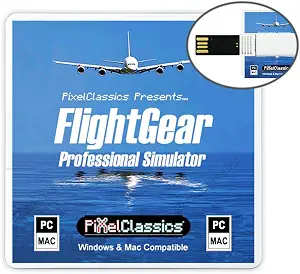
FlightGear Flight Simulator 2025 X on USB – Professional Flight Simulation with 600 Aircraft and 20,000 Airports for Windows & Mac
FlightGear Flight Simulator 2025 X on USB earns its place through scale: 20,000 airports make it the strongest choice for pilots who want to recreate routes far beyond a short curated list. Compared with Microsoft Flight Simulator 2024 Standard Edition’s 150 handcrafted airports, FlightGear favors worldwide coverage over polished airport presentation. Its 600-aircraft library also gives aviation enthusiasts far more machines to study, and the included USB drive, manual, and installation guide suit buyers who prefer physical installation media. I would not recommend it as a casual introduction, though. The manual-led learning process and professional-style controls demand patience, while older computers may fall below the stated hardware requirements. Mac compatibility is a major distinction from the Microsoft entries, making this the lineup’s broadest cross-platform specialist.
Pros:- 20,000 airports support an unusually broad range of routes
- 600 aircraft provide extensive scope for aviation study
- Supports both Windows and macOS
- USB drive, manuals, installation guidance, and support are included
Cons:- Learning the controls requires substantial manual reading
- Presentation is less curated than Microsoft Flight Simulator 2024
- Hardware requirements may exclude older computers
Best for: Windows and Mac aviation enthusiasts who prioritize worldwide airport access and a huge aircraft library
Not ideal for: Casual players who want guided missions, simplified controls, or highly polished handcrafted terminals
- Delivery Format:USB drive
- Aircraft:600
- Airports:20,000
- Operating Systems:Windows 11, Windows 10, and macOS
- Processor:Quad-core CPU
- Memory:6GB RAM
- Graphics:GPU with 2048MB VRAM
- Storage:5GB HDD space
- Included Materials:User manual, installation guide, and support
Our verdict“I recommend this edition to detail-minded desktop pilots who value airport quantity and aircraft choice more than streamlined play.”
FlightGear Flight Simulator 2025 X Premium Deluxe Edition – 4 Disc DVD/CD Set for Windows & Mac
I place FlightGear Flight Simulator 2025 X Premium Deluxe Edition in a narrower role than the USB release: it is the pick for buyers who specifically want a four-disc package. It retains the series’ 600-plus aircraft and worldwide scenery, giving virtual pilots far greater fleet breadth than Microsoft Flight Simulator 2024 Standard Edition. Yet the disc format is less convenient than FlightGear 2025 X on USB for computers without an optical drive, and both versions share a demanding, manual-heavy learning style. Support for Windows, Mac, and multiple languages broadens its audience, but this is still a study-oriented simulator, not an easy airport-management game. Buyers seeking handcrafted terminals, dynamic rescue assignments, or a modern mission structure will find Microsoft’s release more approachable. Its value rests on physical ownership and broad aviation coverage.
Pros:- More than 600 aircraft create exceptional fleet variety
- Worldwide scenery supports long-distance route planning
- Four-disc physical package suits collectors and offline installers
- Works with Windows, macOS, and multiple languages
Cons:- Requires an optical drive, unlike the FlightGear USB edition
- Complex controls and manuals make entry difficult
- Lacks the structured mission appeal of Microsoft Flight Simulator 2024
Best for: Windows or Mac simulation enthusiasts with an optical drive who prefer a multi-disc physical package and broad worldwide scenery
Not ideal for: Laptop owners without a disc drive and casual players seeking guided airport missions or arcade-style controls
- Edition:Premium Deluxe Edition
- Media:4-disc DVD/CD set
- Aircraft:600+
- Scenery:Full worldwide scenery
- Operating Systems:Windows 11, Windows 10, and macOS
- Processor:Quad-core CPU
- Memory:6GB RAM
- Graphics:GPU with 2048MB VRAM
- Languages:English, Spanish, and additional languages
Our verdict“This is my physical-media pick for committed desktop pilots who accept extra setup and study in exchange for worldwide scope.”
Microsoft Flight Simulator 2024 Standard Edition – PlayStation 5
Microsoft Flight Simulator 2024 Standard Edition for PlayStation 5 is my mission-focused console pick. Medevac, Search & Rescue, passenger assignments, and air races turn airports into active starting points rather than scenery viewed between long flights. Compared with FlightGear Flight Simulator 2025 X, this edition offers a more structured route into simulation, backed by enhanced physics, real-time traffic, and a richly modeled world. The other listed PlayStation 5 edition advertises over 65 aircraft and 150 handcrafted airports more explicitly, so buyers focused on a documented content count may prefer that listing. This version’s case rests instead on its varied activity loop. It remains a demanding simulator rather than a casual flying game, and it offers no platform flexibility outside PS5. For console pilots, though, races and service missions provide clear reasons to revisit airports.
Pros:- Mission variety gives repeated airport visits a clear purpose
- Air races add a competitive option absent from the FlightGear packages
- Real-time traffic makes airport approaches feel active
- Enhanced physics support realism across different assignments
Cons:- Restricted to PlayStation 5
- Simulation systems may overwhelm casual players
- Provided product data does not state aircraft or airport totals
Best for: PlayStation 5 owners who want realistic flying tied to rescue work, passenger assignments, and competitive air races
Not ideal for: Players without a PS5 or buyers mainly seeking simple airport construction and management mechanics
- Platform:PlayStation 5
- Edition:Standard Edition
- Simulation Year:2024
- Mission Types:Medevac, Search & Rescue, and passenger missions
- Competition:Air races
- Traffic:Real-time traffic
- Physics:Enhanced flight physics
- Environment:Detailed digital world
Our verdict“I would choose this listing for PS5 players who care more about varied aviation assignments than published fleet totals.”
Microsoft Flight Simulator 2024 Standard Edition for PlayStation 5
I rank this PlayStation 5 edition of Microsoft Flight Simulator 2024 as the better listing for buyers who want clear content numbers before purchasing. Its stated roster of more than 65 aircraft and 150 handcrafted airports provides a firmer sense of scope than the other PS5 listing, which highlights missions and physics without publishing those totals in the supplied data. Compared with FlightGear Flight Simulator 2025 X, the airport count is much smaller, but Microsoft’s emphasis on handcrafted locations favors curated detail over raw quantity. Dynamic missions, air races, flight planning, and real-time traffic also give those airports several uses. The tradeoffs mirror the other console release: PS5 ownership is mandatory, and realistic systems can frustrate casual players. I see this as the safer content-led PS5 choice, not the broadest simulator available.
Pros:- 150 handcrafted airports emphasize curated environmental detail
- More than 65 aircraft provide varied flying options
- Dynamic missions and races add structure beyond free flight
- Real-time traffic and realistic planning enrich airport operations
Cons:- Airport coverage is far smaller than FlightGear’s 20,000-airport selection
- Available only for PlayStation 5
- Realistic systems may be too complex for casual players
Best for: PlayStation 5 buyers who want a clearly stated aircraft roster and curated airport count alongside missions and races
Not ideal for: Route explorers who need thousands of airports or casual players unwilling to learn realistic flight systems
- Platform:PlayStation 5
- Edition:Standard Edition
- Aircraft:Over 65
- Handcrafted Airports:150
- Activities:Dynamic missions and air races
- Traffic:Real-time traffic
- Planning:Realistic flight planning
- Simulation:Enhanced physics and realistic aircraft systems
- World:Detailed digital twin of Earth
Our verdict“This is my PS5 pick for buyers who want clearly documented content counts and curated airports rather than maximum worldwide coverage.”
Microsoft Flight Simulator X: Gold Edition
I rank Microsoft Flight Simulator X: Gold Edition as the classic choice for players who prefer structured airport-based missions over an open-ended sandbox. Its 80-plus worldwide assignments, changing daylight, seasonal conditions, and progress tracking give each departure or arrival a defined purpose. Compared with Microsoft Flight Simulator 2024 Standard Edition, it has older graphics and less sophisticated airport detail, but its mission format provides a clearer path for building skills. FlightGear Flight Simulator 2025 X offers far more aircraft and airports, while this edition is better suited to players who value guided challenges and recognizable Microsoft controls. I would place it below the newer simulators for visual realism: the dated presentation and beginner learning curve are genuine compromises, and running legacy software on a modern PC may require extra setup.
Pros:- More than 80 missions provide structured goals across worldwide locations
- Changing daylight and seasons add variety to airport operations
- Progress tracking gives skill-focused players a clear sense of advancement
- Mission-led play is more directed than FlightGear’s broad sandbox
Cons:- Graphics and airport environments are dated beside Microsoft Flight Simulator 2024
- Legacy PC software may require compatibility work on newer systems
- The simulation systems and mission difficulty can overwhelm first-time players
Best for: PC players who want guided worldwide flight missions, airport departures and arrivals, and visible skill progression in a classic simulator
Not ideal for: Players seeking modern airport graphics, current aircraft systems, or effortless installation on recent Windows hardware
- Edition:Gold Edition
- Platform:Windows PC
- Mission Count:More than 80
- Geographic Coverage:Worldwide
- Airport Scope:Flights from local airports
- Time Simulation:Changing times of day
- Season Simulation:Seasonal variations
- Progress System:Skill and mission progress tracking
Our verdict“Choose this edition for guided, mission-based airport flying on PC, but pick a newer simulator if modern visuals and easier compatibility matter more.”
How We Picked
I ranked these games by how well they serve someone seeking airport-based flight simulation, rather than terminal construction or airline-business management. My main criteria were airport quality and coverage, aircraft depth, flight-model credibility, weather and traffic systems, control accessibility, platform support, and the amount of setup required. I gave more weight to the consistency of the airport experience than to large location counts because thousands of basic airfields do not replace a smaller number of carefully represented hubs.
I also compared software age and ongoing relevance, since a low purchase price can lose its appeal when compatibility fixes or community add-ons are needed. Physical packages were judged on installation convenience, included support, and whether their extras justify paying for software that may be downloadable elsewhere. Duplicate or near-duplicate listings received less editorial weight because they add purchasing routes rather than a different simulation experience. This logic places the modern Microsoft edition first, followed by platform-specific access, FlightGear packages for specialist needs, and Flight Simulator X for legacy-focused value.
| airport simulator game | Edition | Platform |
|---|---|---|
| Microsoft Flight Simulator 202 | Standard Edition | — |
| FlightGear Flight Simulator 20 | — | — |
| FlightGear Flight Simulator 20 | Premium Deluxe Edition | — |
| Microsoft Flight Simulator 202 | Standard Edition | PlayStation 5 |
| Microsoft Flight Simulator 202 | Standard Edition | PlayStation 5 |
| Microsoft Flight Simulator X: | Gold Edition | Windows PC |
Factors to Consider When Choosing Best Airport Simulator Games
I would choose an airport simulator by starting with the intended platform and style of flying, then checking how much setup, hardware, and third-party content the experience may require. The largest aircraft or airport count rarely identifies the best purchase on its own.
Match the Edition to the Hardware
Platform compatibility should be the first filter because these editions are not interchangeable across Windows, Xbox, PlayStation, and macOS. A console release offers simpler setup and predictable controller support, while a computer version usually leaves more room for peripherals, community content, and graphics adjustments. I would check whether a physical copy includes a disc, an activation code, or both, especially when buying from a marketplace seller. Regional restrictions and account requirements can also affect console editions. The two PS5 products in this lineup may represent different listings of the same base game, so paying extra for a title variation alone makes little sense. Computer buyers should check storage, memory, graphics capability, and internet demands before assuming that platform flexibility guarantees smooth performance.
Judge Airport Quality, Not Just Airport Count
A claim of thousands of airports usually means broad geographic access, not thousands of individually handcrafted locations. Runway layouts and basic procedures may be represented widely, while terminal accuracy, ground markings, lighting, and surrounding scenery vary from place to place. I would give extra weight to the airports a buyer expects to visit repeatedly rather than the total printed on the package. Accurate taxiways matter more for gate-to-gate airline flying, while a broad airfield network suits exploration and general aviation. Traffic behavior and air-traffic-control logic also shape whether an airport feels active. Detailed hubs and worldwide coverage serve different priorities, and the strongest choice depends on which one matters more.
Balance Modern Simulation Against Legacy Flexibility
Newer simulators tend to provide better scenery, weather, and interface design, but they can demand faster hardware, large downloads, and online services. Older software may run on modest systems and support a deep catalog of inexpensive add-ons, though getting it working can involve patches or compatibility settings. I would not treat age alone as proof of weak simulation because established communities can extend a title well beyond its original release. Still, dated menus, limited native controller support, and older visual standards affect everyday usability. Buyers who want to install and fly with little adjustment should lean toward a current platform release. Those comfortable managing files and community fixes may find legacy software offers more control per dollar.
Know What Physical FlightGear Packages Add
FlightGear is open-source software, which changes the value calculation for USB and multi-disc editions. A paid package can still make sense when it provides prepared installation media, printed guidance, bundled files, or accessible seller support. I would compare those extras against the official downloadable version before paying a premium. USB media suits computers without optical drives, while discs can help buyers who prefer an archived installer and already own a compatible drive. Neither format guarantees exclusive aircraft, better performance, or higher airport fidelity unless the seller states exactly what has been added. The real purchase is often convenience and physical delivery, not ownership of otherwise unavailable simulation software.
Plan for Controls and the Learning Curve
A gamepad is enough for casual flying, but airport operations become easier when throttle, rudder, trim, and camera controls are readily accessible. A joystick or yoke can improve precision during takeoff and landing, while rudder pedals help with taxiing and crosswind control. I would avoid buying a full cockpit setup before learning which aircraft type holds the most appeal. Airliner procedures demand more study than sightseeing in a small aircraft, even when both use the same simulator. Tutorials, assistance settings, and clear control presets make a bigger difference for beginners than an enormous fleet. Choose the learning experience before the accessory list, then add hardware only when a recurring limitation becomes clear.
Frequently Asked Questions
Are These Games About Flying From Airports or Managing an Airport?
These six products focus on piloting aircraft and operating around airports, not building terminals, hiring staff, or managing passenger flow. Airports function as departure points, destinations, and procedure-rich environments within a broader flight simulator. Buyers seeking tycoon mechanics or ground-operations management need a different category of game. I would choose from this lineup when taxiing, takeoffs, approaches, and landings are the main attraction.
Should I Buy Microsoft Flight Simulator 2024 on PC, Xbox, or PlayStation 5?
The best platform depends on whether simplicity or expandability matters more. Xbox and PS5 suit buyers who want controller-ready play without selecting graphics settings or managing computer hardware. Windows is better suited to advanced peripherals, broader configuration choices, and many third-party additions. I would choose the platform already tied to the buyer’s strongest hardware unless specific PC accessories are part of the plan. Between the two PS5 listings here, price, seller, and regional compatibility should decide the purchase if the included content is identical.
Is a Paid FlightGear USB or Disc Package Worth Buying?
A paid FlightGear package makes sense when offline installation media or seller support has clear value. FlightGear itself can be downloaded as open-source software, so the price should reflect useful packaging, documentation, bundled data, or service. The USB edition is more practical for modern computers that lack optical drives. The four-disc set better suits collectors or buyers who specifically want a physical archive. I would verify the version, included extras, update path, and return policy before choosing either package.
Is Microsoft Flight Simulator X: Gold Edition Still a Good Buy in 2026?
Flight Simulator X: Gold Edition can still be worthwhile for a Windows user interested in legacy add-ons or a low-cost entry point. Its Gold package combines the established base simulator with additional content, but its presentation and system design come from an older generation. Compatibility work may be needed on a current computer, and official online features should not be treated as equal to those in a modern release. I would choose it for experimentation, retro appeal, or access to older community content rather than visual realism. Buyers wanting a polished installation and contemporary scenery should spend more on Microsoft Flight Simulator 2024.
Does Having More Aircraft and Airports Make FlightGear the Best Choice?
Large content counts create variety, but they do not guarantee consistent detail or equally developed aircraft. Some models may have deeper systems, stronger cockpits, or better documentation than others, while many airports may rely on generalized scenery. Microsoft Flight Simulator 2024 places more emphasis on a modern, cohesive world presentation, making it easier to recommend broadly. FlightGear makes more sense for buyers who enjoy open-source flexibility and exploring a huge library. I would prioritize the quality of the aircraft and airports a buyer will revisit, not the largest number printed on the listing.
Conclusion
For most buyers, my best overall recommendation is Microsoft Flight Simulator 2024 for Xbox Series X|S and Windows because it delivers the strongest mix of modern visuals, worldwide flying, airport activity, and platform flexibility. Beginners who prefer a console should choose either verified PlayStation 5 Standard Edition listing, buying whichever offers the better seller, region, and price. Microsoft Flight Simulator X: Gold Edition is the best value for a Windows user willing to accept dated presentation and possible setup work. The FlightGear Premium Deluxe four-disc set is the premium physical-media pick, though its value lies in packaging rather than a more modern simulation engine. FlightGear 2025 X on USB makes the most sense for aircraft variety, macOS access, or installation without an optical drive. Buyers focused on current realism should stay with Microsoft Flight Simulator 2024, while FlightGear serves open-source enthusiasts and FSX Gold serves legacy fans.
Halloween Picks
halloween
As an affiliate, we earn on qualifying purchases.