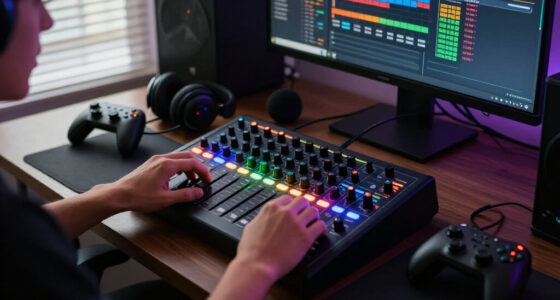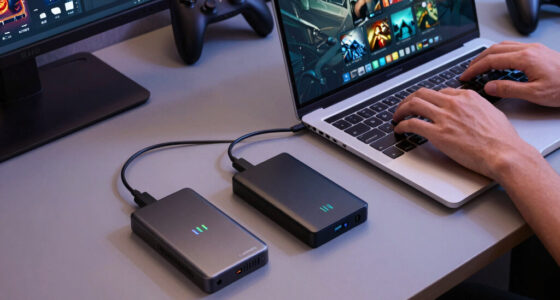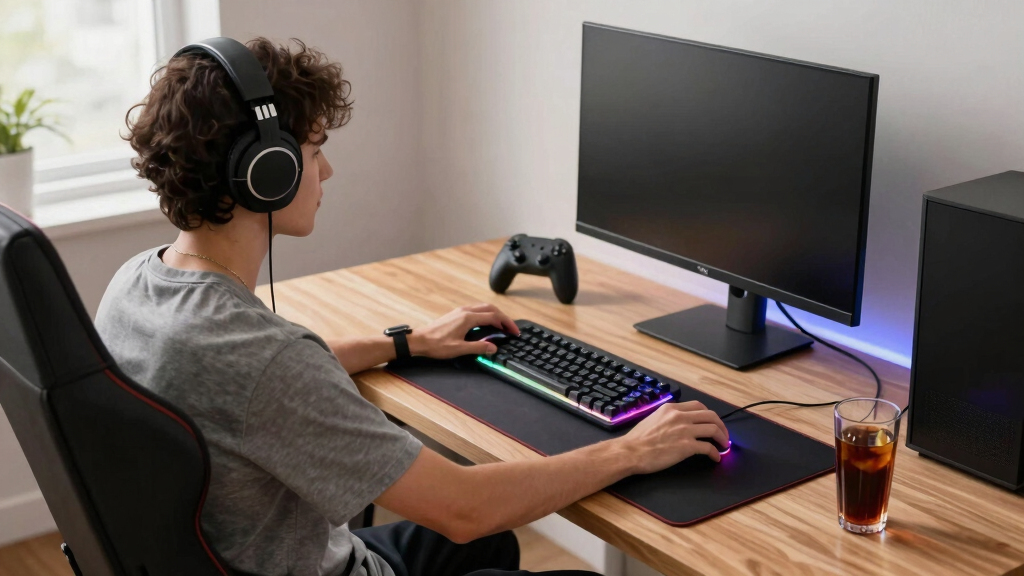

The best gaming desk accessories solve a clear setup problem without adding more clutter. I rank the Anker Nano Power Strip with Desk Clamp as the best overall pick because its 70W output, generous port selection, and clamp-on placement benefit almost any gaming station. The KDD 7 in 1 Clamp-on Desk Pegboard is the stronger choice for accessible storage, while the HUANUO FlowLift Dual Monitor Stand offers the biggest upgrade for multi-monitor ergonomics. The main tradeoffs are desk-edge compatibility, charging speed, occupied space, and whether a specialized accessory will support enough of your gear. Continue reading for the full breakdown and clear recommendations by setup type.
Open a free Amazon Business account
Business pricing, bulk buying and tax-exempt orders.
Create a free accountAs an affiliate, we earn on qualifying purchases.
Complete the kit



Key Takeaways
- Anker ranks first because its 70W charging and ten total power connections serve more gaming setups than any specialized organizer or stand in the roundup.
- KDD is the best beginner pick: its clamp-on pegboard adds flexible storage without drilling, though it occupies more visible side space than the compact UPERGO stand.
- Jgstkcity offers the strongest value case for buyers who need desk-edge power but can accept 40W charging and fewer connections than Anker provides.
- HUANUO delivers the largest ergonomic change for dual-monitor users, yet its narrow use case and installation demands place it below accessories with broader appeal.
- Besky combines the most functions, but buyers are trading the focused build of a dedicated mouse pad, charger, or phone stand for one coordinated RGB surface.
| Anker Nano Power Strip with Desk Clamp |  | Best Overall | Maximum power output: 70W | AC outlets: 6 | USB-C ports: 2 | VIEW LATEST PRICE | See Our Full Breakdown |
| KDD 7 in 1 Clamp-on Desk Pegboard |  | Best Modular Storage | Dimensions: 8.19 x 3.07 x 16.14 inches | Weight: 1.34 kg | Material: Plastic | VIEW LATEST PRICE | See Our Full Breakdown |
| Jgstkcity Desk Clamp Power Strip with USB-C | 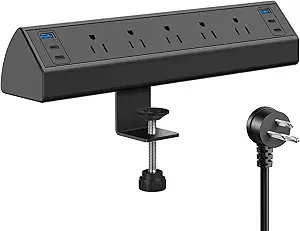 | Best for USB-C-Heavy Setups | AC outlets: 5 | USB ports: 4 USB-C | USB-C output: 20W per port; 40W total | VIEW LATEST PRICE | See Our Full Breakdown |
| HUANUO FlowLift Dual Monitor Stand |  | Best Ergonomic Upgrade | Monitor size range: 13-32 inches | Weight capacity per monitor: 4.4-19.8 lb | VESA compatibility: 75 x 75 mm or 100 x 100 mm | VIEW LATEST PRICE | See Our Full Breakdown |
| UPERGO Walnut Wood Headset Stand with Controller Holder |  | Best Design-Led Organizer | Form factor: Tower | Compatible devices: Headphones and gaming controllers | Controller compatibility: PS5, Nintendo Switch, and Xbox controllers | VIEW LATEST PRICE | See Our Full Breakdown |
| Besky Wireless Charging RGB Gaming Mouse Pad |  | Best Charging Desk Mat | Dimensions: 31.5 x 11.8 inches | Maximum Charging Power: 15W | Lighting Modes: 11 static and 4 dynamic | VIEW LATEST PRICE | See Our Full Breakdown |
| gaming desk accessorie | Dimensions |
|---|---|
| Anker Nano Power Strip with De | — |
| KDD 7 in 1 Clamp-on Desk Pegbo | 8.19 x 3.07 x 16.14 inches |
| Jgstkcity Desk Clamp Power Str | — |
| HUANUO FlowLift Dual Monitor S | — |
| UPERGO Walnut Wood Headset Sta | 4.72 x 8.27 x 6.3 inches |
| Besky Wireless Charging RGB Ga | 31.5 x 11.8 inches |
More Details on Our Top Picks
Anker Nano Power Strip with Desk Clamp
I rank the Anker Nano Power Strip first because it solves two common gaming-desk problems at once: crowded power access and loose charging cables. Its 70W USB-C output can handle many laptops and tablets, while six AC outlets leave room for a PC, monitors, speakers, and lighting. Compared with the Jgstkcity Desk Clamp Power Strip, Anker supplies an extra AC outlet and a much higher USB charging ceiling, though Jgstkcity accommodates slightly thicker desktops. The dual-zone layout also makes plugs easier to separate than on a conventional floor strip. The catch is its restrictive 0.6-to-1.8-inch clamp range and need for a flat edge. I see this as the strongest all-in-one power upgrade, but buyers with unusually thin, thick, or enclosed desks should skip it.
Pros:- 70W USB-C output can charge many laptops without a separate bulky adapter
- Six AC outlets and four USB ports support a device-heavy gaming station
- Clamp placement keeps power connections accessible and off the floor
- Dual-zone arrangement helps separate plugs and reduce cable congestion
Cons:- Clamp only fits tabletop edges from 0.6 to 1.8 inches thick
- Cannot mount securely on desks with rounded, enclosed, or obstructed edges
- Higher charging capacity may be unnecessary for setups limited to low-power peripherals
Best for: PC and console gamers who want laptop-grade USB-C charging and accessible power mounted directly to a standard desk edge
Not ideal for: Gamers with desks outside the 0.6-to-1.8-inch clamp range or desks lacking a flat, exposed mounting edge
- Maximum power output:70W
- AC outlets:6
- USB-C ports:2
- USB-A ports:2
- Extension cord length:5 ft
- Compatible desktop thickness:0.6-1.8 inches
Our verdict“I recommend this as the most balanced choice for gamers who want high-output charging, plentiful outlets, and cleaner cable routing in one accessory.”
KDD 7 in 1 Clamp-on Desk Pegboard
I give the KDD 7 in 1 Clamp-on Desk Pegboard the modular-storage role because it handles more accessory types than a basic headset hook. The movable phone stand, pen holder, box, hooks, and controller and headset hangers let buyers build storage around their own setup. Compared with the UPERGO Walnut Wood Headset Stand, KDD holds a broader mix of gear without consuming as much usable desktop space. It also avoids drilling, making it friendlier to rented rooms and dorm desks. That flexibility comes with more visual bulk, plastic construction, and an assembly process that may require patience. Its clamp also excludes desktops thicker than two inches. I would choose it for a gear-heavy station, while buyers seeking a restrained, furniture-like organizer will find UPERGO more appealing.
Pros:- Multiple modules organize several categories of gaming and desk gear
- Clamp installation requires no drilling or permanent desk modification
- Detachable layout can be rearranged as the setup changes
- Protective pads reduce the risk of scratching the desktop
Cons:- Plastic construction looks less refined than the UPERGO wood-and-metal stand
- Does not fit desktops thicker than two inches
- Assembly and module placement may feel fiddly for buyers wanting a ready-made organizer
Best for: Dorm-room and small-desk gamers who need customizable side storage for a headset, controller, phone, stationery, and loose accessories
Not ideal for: Minimalist buyers, owners of desks thicker than two inches, or anyone who prefers solid wood and metal over visible plastic modules
- Dimensions:8.19 x 3.07 x 16.14 inches
- Weight:1.34 kg
- Material:Plastic
- Finish:Polished
- Compartments:3
- Maximum desktop thickness:Less than 2 inches
Our verdict“I recommend KDD for gamers who value adaptable, space-saving storage more than premium materials or a minimalist appearance.”
Jgstkcity Desk Clamp Power Strip with USB-C
I place the Jgstkcity Desk Clamp Power Strip ahead of basic extension strips for gamers juggling phones, controllers, headsets, and other USB-C gear. Its four USB-C ports reduce dependence on separate charging bricks, while five AC outlets cover the larger parts of a gaming station. Compared with the Anker Nano Power Strip, this model accepts desk edges up to 1.96 inches and provides a longer six-foot cord plus a stated 1200-joule surge rating. Anker remains the better laptop companion because its USB-C output reaches 70W; Jgstkcity shares a lower 40W total, so several demanding devices can expose its limits. I also would not choose it for smart-control features, since none are included. This pick makes sense when port quantity matters more than charging speed.
Pros:- Four USB-C ports suit setups with several modern rechargeable peripherals
- Five AC outlets provide room for core gaming hardware
- 1200-joule surge rating adds documented protection for connected equipment
- Six-foot cord offers more placement freedom than Anker’s five-foot cable
Cons:- 40W shared USB output is modest when several demanding devices charge together
- Five AC outlets offer less expansion room than the six-outlet Anker model
- No smart scheduling, remote switching, or home-platform support
Best for: Gamers with several USB-C peripherals who need four charging connections, surge protection, and a clamp that fits desktops up to 1.96 inches thick
Not ideal for: Laptop-focused users or high-power USB-C device owners who need more than 40W of combined charging output
- AC outlets:5
- USB ports:4 USB-C
- USB-C output:20W per port; 40W total
- Maximum current:12A
- Voltage:125V
- Surge protection:1200 joules
- Extension cord length:6 ft
- Maximum desktop thickness:1.96 inches
Our verdict“I would pick Jgstkcity over Anker when four USB-C connections and broader clamp clearance matter more than high-wattage laptop charging.”
HUANUO FlowLift Dual Monitor Stand
I rank the HUANUO FlowLift Dual Monitor Stand as the best ergonomic upgrade because monitor position affects both comfort and usable desk space during long gaming sessions. It lifts two 13-to-32-inch displays while providing broad tilt, swivel, rotation, and height adjustment, so mismatched screens can be aligned more cleanly. Compared with the KDD Clamp-on Desk Pegboard, HUANUO frees a larger section of the desktop and changes the viewing setup itself, though it offers no storage for controllers or headsets. Compatibility is the deciding factor: each display must weigh 4.4 to 19.8 pounds and use a supported VESA pattern. The mount is recommended for wood, not glass or plastic, and cross beams can block installation. I would prioritize it for dual-screen PC gaming, but single-monitor and non-VESA users gain little.
Pros:- Full-motion arms support individualized positioning for two displays
- Raises monitors to recover desk space for larger mouse movements and peripherals
- Wide 13-to-32-inch compatibility covers many mainstream gaming monitors
- Integrated cable management keeps display wires closer to the arms
Cons:- Not recommended for glass or plastic desktops
- Requires supported monitor weight, VESA pattern, and desk geometry
- Cross beams or rear panels can prevent secure clamp installation
Best for: Dual-monitor PC gamers using compatible 13-to-32-inch VESA displays on a sturdy wooden desk
Not ideal for: Console-only players, single-screen setups, or owners of glass, plastic, cross-braced, or non-VESA desks and monitors
- Monitor size range:13-32 inches
- Weight capacity per monitor:4.4-19.8 lb
- VESA compatibility:75 x 75 mm or 100 x 100 mm
- Compatible desktop thickness:0.59-3.54 inches
- Tilt range:+85°/-50°
- Swivel range:±90°
- Screen rotation:360°
- Maximum height:15.75 inches
Our verdict“I recommend FlowLift for compatible dual-monitor PC stations where viewing comfort and reclaimed desk space outweigh the added installation work.”
UPERGO Walnut Wood Headset Stand with Controller Holder
I assign the UPERGO Walnut Wood Headset Stand the design-led role because it treats gaming storage like part of the room rather than utility hardware. Its walnut and metal construction provides dedicated places for a headset, controller, chargers, and small accessories, making it better suited to polished setups than brightly styled plastic organizers. Compared with the KDD 7 in 1 Clamp-on Desk Pegboard, UPERGO is simpler and more refined but stores fewer item types and occupies desktop surface. It also lacks KDD’s modular arrangement and side-mounted footprint. Compatibility covers PS5, Switch, and Xbox controllers, yet very large headphones may sit awkwardly. I see it as the best match for living-room gaming desks or gift buyers, while equipment-heavy PC users will get more practical capacity from KDD.
Pros:- Walnut wood and metal construction suits mature gaming and home-office decor
- Holds both a headset and common console controllers
- Storage base corrals chargers and other small accessories
- Tabletop design requires no clamp, drilling, or desk compatibility check
Cons:- Uses desktop space instead of mounting beside or beneath the work surface
- Offers less storage capacity and customization than the KDD pegboard
- May not accommodate very large or bulky headphones comfortably
Best for: Style-conscious console and PC gamers who want one tabletop display for a standard headset, controller, charger, and small accessories
Not ideal for: Gear-heavy setups, very small desktops, or owners of unusually large headphones that may not fit the stand comfortably
- Form factor:Tower
- Compatible devices:Headphones and gaming controllers
- Controller compatibility:PS5, Nintendo Switch, and Xbox controllers
- Mounting type:Tabletop
- Color:Wood
- Dimensions:4.72 x 8.27 x 6.3 inches
- Materials:Metal and walnut wood
Our verdict“I recommend UPERGO when visual polish and simple controller-and-headset storage matter more than maximum capacity or a space-saving clamp mount.”
Besky Wireless Charging RGB Gaming Mouse Pad
I rank the Besky Wireless Charging RGB Gaming Mouse Pad as the best charging desk mat because it combines three setup jobs in one accessory. Its 31.5-by-11.8-inch surface provides room for a keyboard and broad mouse movements, while 15W wireless charging and the foldable phone holder keep compatible devices within reach. Compared with the UPERGO Walnut Wood Headset Stand, the Besky covers more desk space and adds charging, but it lacks dedicated headset and controller storage. Against the KDD 7 in 1 Clamp-on Desk Pegboard, it offers a cleaner, flatter layout at the expense of modular organization. The main compromise is power: fast charging needs a separate QC or PD adapter, and the mat occupies too much space for compact desks. I favor it for coordinated RGB setups where charging and surface coverage matter more than vertical storage.
Pros:- 15W wireless charging reduces cable clutter for compatible devices
- Large surface accommodates a keyboard and wide mouse movements
- Foldable phone holder keeps notifications or guides visible
- Waterproof micro-weave surface and rubber base support stable daily use
Cons:- Compatible QC or PD power adapter is required for fast charging but is not included
- 31.5-inch width can overwhelm compact gaming desks
- Charging and RGB lighting depend on a wired USB-C power connection
Best for: PC gamers with wide desks who want one RGB surface for keyboard placement, mouse movement, phone display, and wireless device charging
Not ideal for: Gamers with narrow desks or limited power outlets, since the oversized mat needs a USB-C source and a separate compatible adapter for fast charging
- Dimensions:31.5 x 11.8 inches
- Maximum Charging Power:15W
- Lighting Modes:11 static and 4 dynamic
- Surface Material:Micro-weave
- Water Resistance:Waterproof surface
- Base:Non-slip rubber
- Phone Support:Built-in foldable holder
- Included Accessories:USB-C cable and user manual
Our verdict“Choose the Besky if I want an expansive RGB desk mat that doubles as a charging hub, but skip it when desk space or outlet access is tight.”
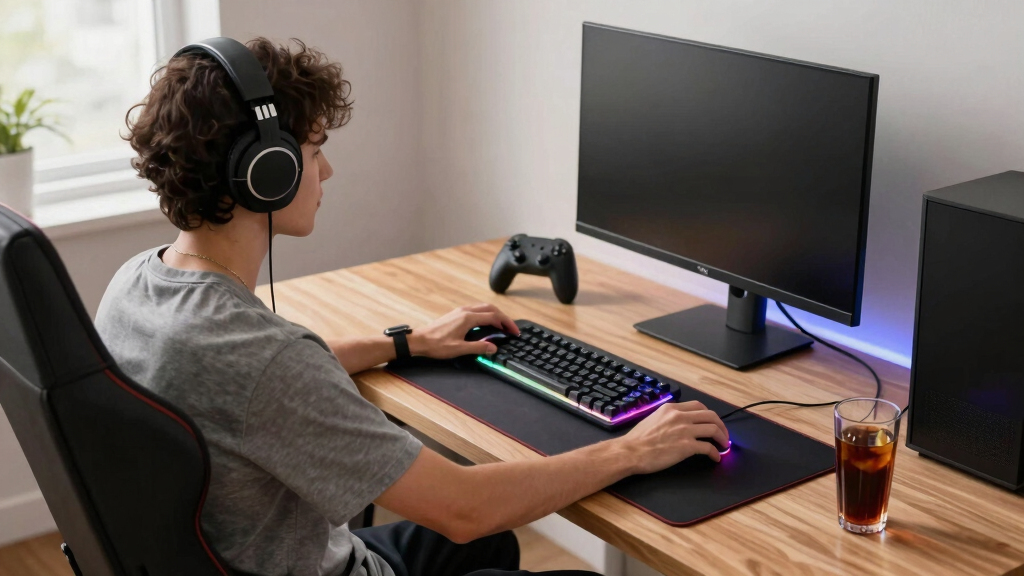
How We Picked
I ranked these gaming desk accessories by how much they improve a real desk rather than by how many features fit on a specification sheet. My main criteria were everyday usefulness, desk-space efficiency, cable control, charging capability, mounting flexibility, and compatibility with common gaming equipment. I also weighed build design, ease of setup, maintenance, and whether each accessory could replace several loose items. Products serving both gaming and general desk work received more credit than narrowly focused additions.
The Anker power strip leads because it combines broad usefulness with higher charging output and more connections than the Jgstkcity alternative. KDD places next because its modular storage can reshape a crowded desk without permanent installation, while Jgstkcity follows as the simpler value-oriented power option. HUANUO can produce a larger ergonomic benefit than either organizer, but only for buyers running two compatible monitors. UPERGO and Besky fill more specialized roles: compact gear storage and combined RGB charging, respectively, so they rank below accessories likely to help a wider range of players.
Factors to Consider When Choosing Gaming Desk Accessories
I recommend starting with the problem that interrupts play most often, whether that is inaccessible power, loose peripherals, poor monitor placement, or charging clutter. The strongest purchase is usually the accessory that removes several recurring annoyances while using little desktop space. Buyers should also check physical compatibility before paying for extra functions. A feature-rich product still offers weak value if its clamp, charging system, or footprint does not fit the setup.
Match the Accessory to the Main Desk Problem
I would identify the desk’s biggest bottleneck before comparing secondary features. A shortage of reachable outlets calls for a clamp-on power strip, while tangled controllers and headphones point toward a pegboard or dedicated stand. Dual displays sitting on bulky factory bases make a monitor arm more useful than another storage accessory. Charging mats make more sense when several compatible wireless devices already live on the desk. Buying an organizer for a power problem only moves the frustration elsewhere. This problem-first approach keeps the setup focused and makes upgrade value easier to judge.
Check Clamp, Surface, and Monitor Compatibility
Clamp-mounted accessories depend on more than the stated maximum desk thickness. I would inspect the underside for support bars, cable trays, drawers, and beveled edges that could block a flat mounting point. Thin glass tops may require manufacturer-approved hardware or a reinforcement plate, while deep rear panels can make monitor-arm installation awkward. Monitor weight and VESA mounting patterns matter just as much as screen size. A side-mounted pegboard also needs clearance for knees, chair arms, and nearby drawers. Taking a few measurements before ordering prevents the common mistake of choosing a well-specified accessory that lacks a secure mounting location.
Separate Port Count From Charging Performance
A large number of outlets does not mean every connected device will charge quickly. I would compare total USB output, per-port limits, and how power is shared when several devices are plugged in. A gaming laptop usually needs its original high-wattage adapter, even when a desk strip includes USB-C charging. Lower-output USB ports remain useful for phones, controllers, lights, and headset docks, but simultaneous charging may reduce speed. Outlet spacing also matters because oversized adapters can block neighboring sockets. The better choice balances usable connections with real charging needs, rather than winning on port count alone.
Protect Mouse Space and Comfortable Reach
Every accessory competes with the keyboard, mouse, microphone, and natural arm movement. I would place frequently handled items within easy reach and move passive equipment, such as power bricks, toward the desk edge or underside. Large mouse pads need enough uninterrupted width for low-sensitivity aiming, so built-in phone stands and charging zones should not intrude on the tracking area. Headset hooks work best where the headset can be lifted without hitting a monitor or chair. Monitor arms can reclaim broad sections of the desk, but their poles and joints still need clearance behind the screens. Good placement creates more usable movement, not merely a cleaner-looking surface.
Know When Extra Features Are Worth Paying For
I would pay more for stronger charging, stable monitor adjustment, durable mounting hardware, or a design that replaces multiple separate accessories. Decorative lighting has less practical value when it duplicates effects already provided by the keyboard, case, and monitor. Multi-function products can reduce cable count, but a failure may remove several conveniences at once. Dedicated accessories are often easier to replace and reposition as the setup changes. Premium hardware makes the most sense for equipment adjusted daily or expected to carry expensive screens. The right spending point depends on functional gains and replacement risk, not the length of the feature list.
Frequently Asked Questions
Should I Buy a Clamp-On Power Strip or a Standard Surge Protector?
A clamp-on power strip is better when outlets need to remain visible and reachable for controllers, headphones, phones, and temporary devices. A standard strip can cost less and hide beneath the desk, but plugging equipment into it may require crouching or routing longer cables. I would still check the surge-protection rating and electrical specifications rather than treating every desk strip as equal protection. Clamp placement also needs enough clearance to avoid knees, drawers, and monitor-arm hardware. Choose based on access frequency as well as outlet count.
Is a 40W USB-C Desk Strip Enough for a Gaming Setup?
40W USB-C charging is suitable for many phones, tablets, controllers, and lightweight accessories, but it is usually not a replacement for a gaming laptop’s power adapter. Devices also negotiate their own supported charging rates, so the full advertised output may not reach every product. If several USB ports share one power budget, charging can slow when they are used together. I would choose 70W over 40W when faster laptop or multi-device charging matters and the price difference fits the budget. For peripheral charging and reachable AC outlets, 40W can still be sufficient.
Will a Dual Monitor Arm Make More Difference Than a Desk Organizer?
A dual monitor arm usually creates the larger change when two factory stands consume desk depth or position the screens poorly. It can open space beneath both displays and make height, tilt, and alignment easier to adjust. An organizer is the better first purchase when the monitors already sit comfortably but controllers, headphones, and cables crowd the work area. Monitor arms also require compatible displays and a desk strong enough for the mount. I would prioritize screen ergonomics before storage when neck position or viewing height is the main complaint.
Are Wireless Charging Mouse Pads a Good Replacement for Separate Chargers?
A wireless charging mouse pad can replace several visible charging accessories when the phone and other devices support its charging system. It also keeps charging zones in one predictable location, which can reduce loose cables. The compromise is less freedom to replace the mouse surface, phone holder, or charger individually. Heat, device alignment, and case compatibility may affect charging consistency. I would choose this format for convenience and coordinated styling, not solely for maximum charging speed.
Is a Pegboard or Headset Stand Better for a Small Gaming Desk?
A clamp-on pegboard uses vertical side space and holds more categories of gear, making it better for a small desk with several loose peripherals. A headset stand occupies less visual space and offers a simpler home for one headset, a controller, and a few small items. The pegboard is more adaptable as equipment changes, though its holders can protrude beyond the desk edge. A freestanding stand is easier to move but still consumes some surface area. I would pick the pegboard for maximum storage density and the stand for a restrained, compact setup.
Conclusion
For most buyers, I recommend the Anker Nano Power Strip with Desk Clamp as the best overall gaming desk accessory because it combines high-output charging, accessible power, and broad setup compatibility. The Jgstkcity Desk Clamp Power Strip is my best value choice for buyers who need fewer connections and can live with 40W charging. Dual-monitor players seeking the best premium upgrade should choose the HUANUO FlowLift, provided their desk and displays meet its mounting requirements.
The KDD 7 in 1 Clamp-on Desk Pegboard is the best beginner option and the strongest pick for modular organization without drilling. For compact storage with a more furniture-like appearance, I would choose the UPERGO Walnut Wood Headset Stand over the larger KDD system. The Besky Wireless Charging RGB Gaming Mouse Pad makes the most sense for buyers who want RGB, a phone holder, and multi-device wireless charging combined in one coordinated surface.
College move-in / dorm season Picks
dorm essentials
As an affiliate, we earn on qualifying purchases.