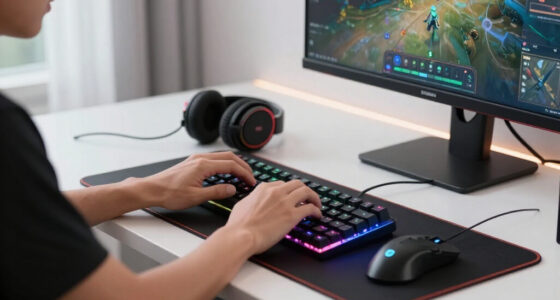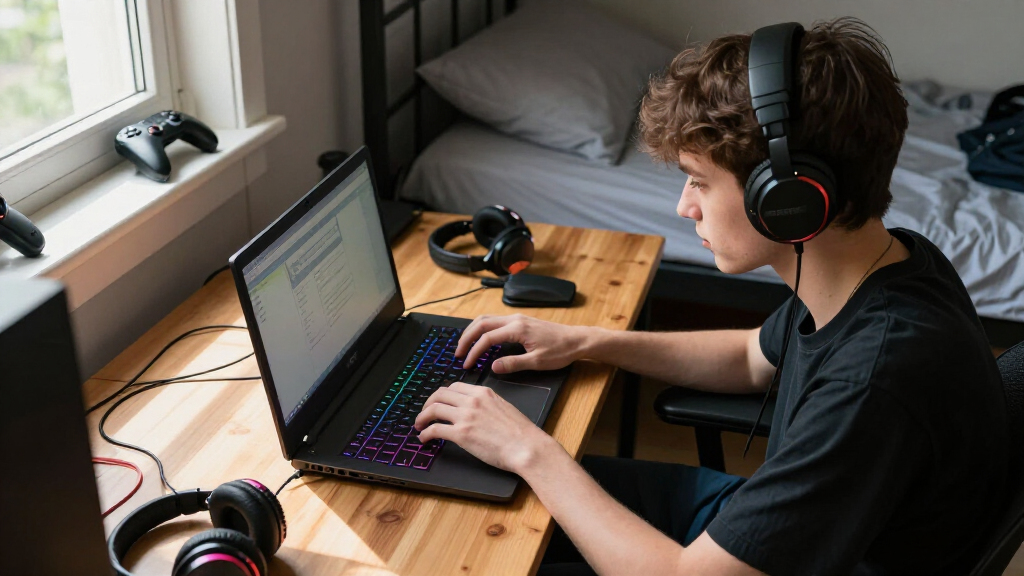

The best gaming laptop for students in 2026 is the ASUS ROG Strix G16 (2025), which pairs an RTX 5060 with a Core i7-14650HX and a 165Hz display — enough GPU muscle for modern games and serious coursework like 3D rendering or video editing, at a price a student can realistically justify. On a tighter budget, the Lenovo LOQ with RTX 4050 is the smartest value pick, delivering real ray-traced gaming performance for hundreds less. And for students whose degree leans creative rather than gaming-first, the MacBook Pro with M5 Max offers unmatched battery life and raw power, though it costs more than most used cars and can’t run many PC-exclusive titles. The core tradeoff in this category is simple: raw gaming power versus portability and battery life, with budget usually deciding which side wins. Ultra-cheap options like the NIMO or the Twin Lake N150 laptop can handle light esports and everyday classes, but buyers need to know exactly where the floor is. Keep reading for the full breakdown of what each model does well and who should skip it.

Play games on Amazon Luna for your game nights, included with Prime
- A rotating selection of games, no download needed
- Play on TV, laptop or phone
- Fast, free delivery for your gear, too
Complete the kit


Key Takeaways
- The ASUS ROG Strix G16 won best overall because it was the only mid-priced option combining a current-generation GPU (RTX 5060), a 165Hz display, and a 1TB SSD — the spec combination that lasts through a full four-year degree.
- Only two laptops in this lineup (Lenovo LOQ and ASUS ROG Strix) have dedicated GPUs capable of running modern AAA titles at 1080p; the other four rely on integrated graphics suited to esports and older games.
- Battery life inverted the rankings: the MacBook Pro M5 Max will outlast every Windows machine here by hours for note-taking and lectures, while the gaming-focused ASUS and Lenovo models need to stay near an outlet during class.
- The two sub-$600 options (NIMO and the Twin Lake N150 laptop) trade GPU power for affordability — fine for computer science or writing majors, but a poor fit for game design or media production coursework.
- RAM emerged as the real dividing line for longevity: the 16GB models will handle multitasking through graduation, while the MacBook Pro’s 36GB is overkill for students unless they’re doing professional-grade creative work.


| gaming laptops for student | Processor | Display | Storage | Ports |
|---|---|---|---|---|
| Apple 2026 MacBook Pro Laptop | Apple M5 Max, 18-core CPU / 32-core GPU | 14.2-inch Liquid Retina XDR | 2TB SSD | 3x Thunderbolt 5, MagSafe 3, SDXC, HDMI, headphone jack |
| NIMO 15.6" IPS FHD Light Gamin | AMD Ryzen 5 6600H (up to 4.5GHz) | 15.6-inch FHD (1920×1080) IPS | 512GB SSD (expandable) | HDMI 2.0, USB 3.2 x2, dual Type-C (PD+DP+Data) |
| Lenovo LOQ 15.6" Full HD Gamin | AMD Ryzen 5 7235HS | 15.6-inch FHD (1920×1080) | 512GB SSD | — |
| Gaming Laptop with 16GB RAM | Intel Core i5-8210Y (up to 3.60 GHz) | 16-inch IPS FHD (1920×1200), anti-glare | 512GB SSD | USB-A x3, HDMI, Type-C, 3.5mm headphone jack |
| ASUS ROG Strix G16 | Intel Core i7-14650HX | 16-inch FHD+ 165Hz | 1TB PCIe Gen 4 SSD | — |
| 2026 Laptop with Intel Twin La | Intel Twin Lake N150 (up to 3.6GHz) | 15.6-inch FHD | 512GB NVMe SSD (expandable to 2TB) | HDMI, 3x USB 3.2, Type-C, 3.5mm jack, TF card slot |
More Details on Our Top Picks
Apple 2026 MacBook Pro Laptop with M5 Max Chip, 14.2-inch Liquid Retina XDR Display, 36GB RAM, 2TB SSD, Space Black
The MacBook Pro with M5 Max is the money-is-no-object option on this list, and for students in demanding programs — film editing, machine learning, architecture — the 36GB of unified memory and 2TB SSD mean this machine will outlast a four-year degree without an upgrade. Compared with the ASUS ROG Strix G16, it trades raw frame rates for genuinely all-day battery life, which matters far more in lecture halls than in dorm rooms. The tradeoffs are real: it cannot match the RTX 5060 for high-refresh gaming, macOS still limits some game libraries, and at 3.59 pounds it is heavier than it looks. This pick makes the most sense for students whose coursework, not gaming, drives the purchase.
Pros:- Exceptional M5 Max performance for creative and AI workloads
- Outstanding Liquid Retina XDR display for color-critical work
- 36GB RAM and 2TB SSD carry you through an entire degree
- All-day battery life unmatched by any Windows machine here
Cons:- Premium price far above every other laptop in this roundup
- No discrete gaming GPU — high-refresh AAA gaming is off the table
Best for: Students in creative or technical majors who need workstation-class performance and battery life for editing, coding, or AI coursework
Not ideal for: Budget-conscious undergrads or competitive gamers — the price is steep and macOS game support lags Windows
- Processor:Apple M5 Max, 18-core CPU / 32-core GPU
- Display:14.2-inch Liquid Retina XDR
- Memory:36GB unified memory
- Storage:2TB SSD
- Ports:3x Thunderbolt 5, MagSafe 3, SDXC, HDMI, headphone jack
- Connectivity:Wi-Fi 7, Bluetooth 6
- Weight:3.59 lbs
- Color:Space Black
Our verdict“Buy this if your degree demands workstation power and battery endurance; skip it if gaming performance is your main goal.”
NIMO 15.6″ IPS FHD Light Gaming Laptop, AMD Ryzen 5 6600H, 16GB DDR5 RAM, 512GB SSD, Backlit Keyboard, Fingerprint Sensor
The NIMO 15.6-inch hits the sweet spot for students who need a genuine gaming-capable laptop without the four-figure price tag. Its Ryzen 5 6600H with DDR5 RAM handles esports titles, classwork, and browser-heavy multitasking comfortably, and the expandable storage means you can grow into it later rather than paying upfront. The catch is obvious next to the Lenovo LOQ: the Radeon 660M integrated graphics cannot touch a dedicated RTX 4050, so modern AAA games will need settings turned way down. Still, for a student whose gaming diet is Fortnite, Valorant, and Minecraft between study sessions, this option stands out for balancing capability against cost better than anything else here.
Pros:- Modern Ryzen 5 6600H with fast DDR5 RAM for the price
- Storage is expandable for future upgrades
- Lightweight 3.75 lb design with backlit keyboard and fingerprint reader
- Strong port selection including dual Type-C with PD and DisplayPort
Cons:- Integrated Radeon 660M graphics limit serious gaming performance
- Battery life is unspecified — expect typical budget-laptop endurance
Best for: Budget-minded students who mostly play esports and indie titles and need one affordable laptop for both class and casual gaming
Not ideal for: Students who want to run current AAA games at high settings — integrated graphics will bottleneck quickly
- Processor:AMD Ryzen 5 6600H (up to 4.5GHz)
- Graphics:AMD Radeon 660M (integrated)
- Display:15.6-inch FHD (1920×1080) IPS
- RAM:16GB DDR5
- Storage:512GB SSD (expandable)
- Battery:53.58Wh
- Weight:3.75 lbs
- Ports:HDMI 2.0, USB 3.2 x2, dual Type-C (PD+DP+Data)
Our verdict“The smartest low-cost choice for students who value everyday performance over graphical firepower.”
Lenovo LOQ 15.6″ Full HD Gaming Laptop, AMD Ryzen 5 7235HS, 16GB Memory, NVIDIA GeForce RTX 4050, 512GB SSD, Luna Grey
For most student gamers, the Lenovo LOQ is the pick I would put at the top of the list. The RTX 4050 is the key differentiator: it delivers real dedicated-GPU performance with DLSS upscaling that the NIMO simply cannot match, while costing far less than the ASUS ROG Strix G16. That positions it as the balanced middle of this lineup — capable of smooth 1080p gaming in current titles and equally comfortable running engineering software or video projects. The 512GB SSD will fill up fast once you install a few modern games, so budget for an upgrade. Battery details are also thin on the ground, and gaming laptops of this class rarely last a full school day unplugged. Still, this model makes the most sense for the largest group of buyers.
Pros:- Dedicated RTX 4050 with DLSS for smooth modern gaming
- Ryzen 5 7235HS handles gaming plus coursework multitasking
- Cheaper path to real GPU performance than premium rivals
- Sleek, understated Luna Grey design that fits classroom settings
Cons:- 512GB SSD fills quickly with modern game installs
- No stated battery life, and gaming performance requires the charger nearby
Best for: Students who want genuine 1080p AAA gaming performance and class-ready multitasking without paying premium-laptop prices
Not ideal for: Students who need long unplugged battery life for all-day lectures — gaming GPUs drain quickly
- Processor:AMD Ryzen 5 7235HS
- Graphics:NVIDIA GeForce RTX 4050
- Display:15.6-inch FHD (1920×1080)
- Memory:16GB RAM
- Storage:512GB SSD
- Design:Luna Grey, portable chassis
Our verdict“The best all-around balance of price, gaming performance, and everyday usability for the typical student.”
Gaming Laptop with 16GB RAM, 512GB SSD, 16-Inch FHD IPS Display, Intel Core i5
This 16-inch budget laptop occupies a different niche than its rivals here — it is less a gaming machine and more a roomy everyday laptop with a gamer aesthetic. The 16-inch anti-glare IPS display is the standout for students, giving more screen real estate for split-screen note-taking than the NIMO’s 15.6-inch panel at a similar price. But the internals raise flags: an i5-8210Y with DDR3 RAM is a genuinely dated combination, closer to a Chromebook-class experience than to the Ryzen 5 6600H in the NIMO. Light games, streaming, and browsing are fine; anything demanding will struggle. This option stands out only for students who prioritize screen size, connectivity, and price over performance — and who honestly do not game much.
Pros:- Large 16-inch anti-glare FHD IPS display for productivity
- Lightweight, portable design with backlit keyboard
- Generous port selection including three USB-A and HDMI
- Webcam privacy shutter for dorm security
Cons:- Aging i5-8210Y processor with DDR3 RAM lags every other laptop here
- 44Wh battery will not survive a full day of classes, let alone gaming
Best for: Students on tight budgets who mainly need a large screen for notes, streaming, and web work, with only casual gaming on the side
Not ideal for: Anyone hoping to play modern games — the older processor and DDR3 RAM will not keep up
- Processor:Intel Core i5-8210Y (up to 3.60 GHz)
- Display:16-inch IPS FHD (1920×1200), anti-glare
- RAM:16GB DDR3
- Storage:512GB SSD
- Battery:44Wh (5800mAh)
- Ports:USB-A x3, HDMI, Type-C, 3.5mm headphone jack
- Dimensions:14.1 x 9.6 inches
Our verdict“Choose this for the big screen and low price, not for gaming — performance is its weakest suit.”
ASUS ROG Strix G16 (2025) Gaming Laptop, 16″ FHD+ 165Hz, NVIDIA GeForce RTX 5060, Intel Core i7 14650HX, 16GB DDR5, 1TB SSD, Wi-Fi 7, Windows 11 Home
When gaming performance is the priority, the ASUS ROG Strix G16 is the clear step up in this lineup. The RTX 5060 plus 165Hz display combination delivers the smooth, high-framerate experience that the Lenovo LOQ’s RTX 4050 and 60Hz-class panel cannot — a difference you feel immediately in competitive shooters. The 1TB PCIe Gen 4 SSD also solves the storage squeeze that both the LOQ and NIMO impose, fitting a full game library alongside coursework files. You pay for it in two ways: a premium price well above the mid-range options, and the HX-class processor’s appetite for power, which means short unplugged sessions and a heavier chassis. This model is better suited to students who game seriously and treat the laptop as a desktop replacement.
Pros:- RTX 5060 delivers the strongest gaming performance in this roundup
- 165Hz display makes competitive play noticeably smoother
- 1TB PCIe Gen 4 SSD fits games and coursework with room to spare
- Advanced cooling sustains performance during long sessions
Cons:- Highest price in the lineup by a wide margin
- Power-hungry HX processor means short battery life away from an outlet
Best for: Students who game competitively or want a desktop-replacement machine that also powers through heavy coursework
Not ideal for: Students on a budget or needing all-day battery life — power draw and price both run high
- Processor:Intel Core i7-14650HX
- Graphics:NVIDIA GeForce RTX 5060
- Display:16-inch FHD+ 165Hz
- Memory:16GB DDR5-5600MHz
- Storage:1TB PCIe Gen 4 SSD
- Connectivity:Wi-Fi 7
- Operating System:Windows 11 Home
Our verdict“The pick for serious student gamers who want top-tier frames and storage and accept the cost and battery tradeoffs.”
2026 Laptop with Intel Twin Lake N150, 16GB RAM, 512GB SSD, 15.6″ FHD Display, Windows 11
Not every student needs to run the latest titles at max settings, and that’s exactly where this laptop finds its place. With 16GB of RAM and a 512GB NVMe SSD, it handles the actual workload of student life — lectures, browser tabs, essays, streaming — without the price penalty of a gaming rig like the Lenovo LOQ or the ASUS ROG Strix G16. Compared with the NIMO Ryzen 5 machine, this model trades raw processing muscle for a lower price and better portability, which matters when you’re hauling it between classes all day. The tradeoff is real, though: integrated graphics only, so modern AAA games will struggle or need heavy settings reductions. Esports titles and cloud gaming are its ceiling. Where it beats the pricier picks is value per dollar for non-gaming coursework, plus a solid port selection including HDMI and USB 3.2 for dorm setups.
Pros:- 16GB RAM and fast 512GB SSD handle multitasking smoothly for coursework
- Lightweight and affordable compared to dedicated gaming laptops in this lineup
- Versatile port selection including HDMI and three USB 3.2 ports
- Storage expandable up to 2TB for growing game and media libraries
Cons:- No dedicated graphics card, limiting it to esports titles and cloud gaming
- N150 processor is far weaker than the Ryzen and Core i7 chips in rival models
- Battery life claims are vague with no specific duration provided
Best for: Students on a tight budget who prioritize note-taking, research, and streaming over demanding gaming, and who want a cheap secondary machine for class
Not ideal for: Students who want to play modern AAA games locally — with no dedicated GPU, this can’t compete with the RTX-equipped Lenovo LOQ or ASUS ROG Strix G16
- Processor:Intel Twin Lake N150 (up to 3.6GHz)
- RAM:16GB DDR4
- Storage:512GB NVMe SSD (expandable to 2TB)
- Display:15.6-inch FHD
- Operating System:Windows 11
- Ports:HDMI, 3x USB 3.2, Type-C, 3.5mm jack, TF card slot
- Connectivity:WiFi 802.11ac, Bluetooth 5.0
- Graphics:Integrated (no dedicated GPU)
Our verdict“Buy this if you need a cheap, capable daily driver for schoolwork that can dabble in light gaming — skip it if serious gaming is the priority.”
How We Picked
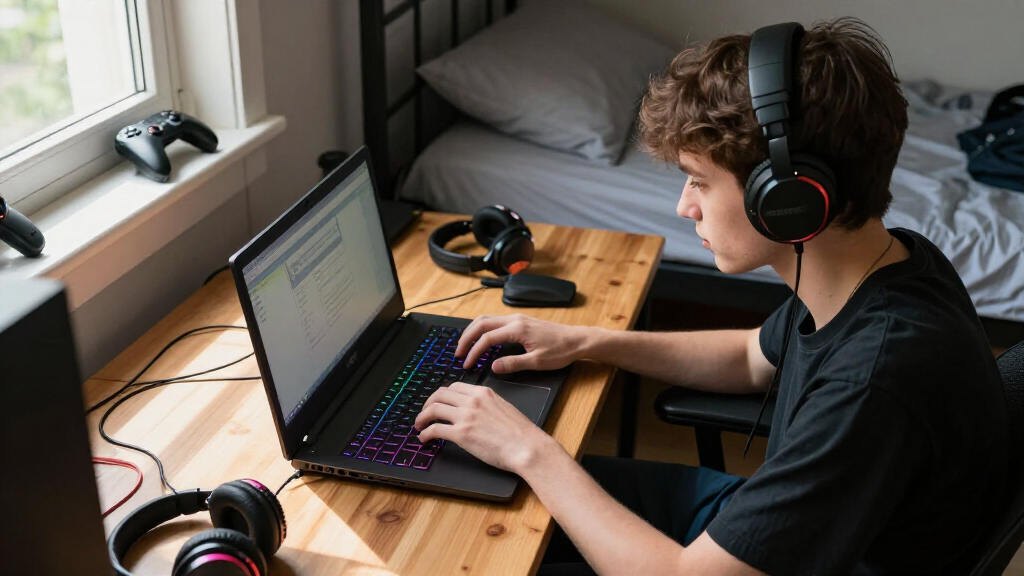
I judged every laptop against what a student actually does in a day: carrying it across campus, sitting through lectures unplugged, running engineering or creative software for assignments, and gaming in the evening on a limited budget. That meant weighing performance per dollar, weight and battery life, display quality for long study sessions, storage headroom, and thermal noise in shared spaces like libraries and dorm rooms. A machine that wins benchmarks but sounds like a hair dryer next to your roommate scores poorly here.
The ranking logic favors balance over extremes. The ASUS ROG Strix G16 took the top spot because it hits the current-gen performance sweet spot without a flagship price. The Lenovo LOQ followed as the best-value dedicated GPU option, while the MacBook Pro earned the premium slot for students whose workload rewards efficiency and battery life over PC game compatibility. The budget models ranked lower not because they’re bad laptops, but because their integrated graphics set a hard ceiling on both gaming and GPU-accelerated coursework — a tradeoff every student buyer should see clearly before clicking buy.
| gaming laptops for student | Processor | Connectivity | Graphics |
|---|---|---|---|
| Apple 2026 MacBook Pro Laptop | Apple M5 Max, 18-core CPU / 32-core GPU | Wi-Fi 7, Bluetooth 6 | — |
| NIMO 15.6" IPS FHD Light Gamin | AMD Ryzen 5 6600H (up to 4.5GHz) | — | AMD Radeon 660M (integrated) |
| Lenovo LOQ 15.6" Full HD Gamin | AMD Ryzen 5 7235HS | — | NVIDIA GeForce RTX 4050 |
| Gaming Laptop with 16GB RAM | Intel Core i5-8210Y (up to 3.60 GHz) | — | — |
| ASUS ROG Strix G16 | Intel Core i7-14650HX | Wi-Fi 7 | NVIDIA GeForce RTX 5060 |
| 2026 Laptop with Intel Twin La | Intel Twin Lake N150 (up to 3.6GHz) | WiFi 802.11ac, Bluetooth 5.0 | Integrated (no dedicated GPU) |
Factors to Consider When Choosing Gaming Laptops For Students
Choosing a gaming laptop as a student means buying one machine for two very different jobs. Before spending anything, here are the factors that actually separate a smart purchase from an expensive regret.Integrated Graphics vs. a Dedicated GPU
The single biggest fork in the road is whether the laptop has a dedicated graphics card. Integrated graphics — what you get in the NIMO, the generic 16-inch i5 model, the Twin Lake N150, and even the MacBook Pro — can run esports titles like Valorant, League of Legends, and Minecraft at playable framerates, but they hit a wall with modern AAA games and GPU-heavy software. If your degree involves game development, 3D modeling, video editing, or machine learning, a dedicated GPU like the RTX 4050 or RTX 5060 stops being a luxury and becomes a course requirement. A common mistake is buying a cheap “gaming” laptop on integrated graphics and discovering in week three that required software won’t run. My rule of thumb: if gaming is a hobby, integrated graphics can work; if gaming or GPU compute relates to your major, pay for the dedicated card.
Battery Life Is the Hidden Cost of Cheap Power
Here’s what spec sheets won’t tell you: gaming laptops rarely last more than 3-5 hours on battery doing light work, and often under 2 hours if the GPU kicks in. A student with back-to-back lectures can’t rely on outlets being available, which is why the MacBook Pro’s all-day endurance matters more than it first appears. The Windows gaming machines in this lineup — the ASUS and Lenovo especially — should be treated as desktop replacements you occasionally carry, not all-day unplugged companions. Some students solve this by keeping a cheap tablet or using the laptop in power-saving mode for notes, then gaming plugged in at the dorm. If you can’t afford that two-device workaround, weight battery ratings more heavily than raw framerate. Buying a powerful machine that dies by noon is a frustration tax you pay every single day.
Weight, Size, and the Campus Commute
Every pound matters when you’re walking 15 minutes between buildings four times a day. Sixteen-inch gaming laptops like the ASUS ROG Strix G16 typically weigh 5.5-6 pounds before you add the charger — which is often a brick nearly as heavy as a second laptop. The 15.6-inch budget models shave off a pound but usually compensate with worse build quality. A practical test before buying: load your current backpack with the laptop’s listed weight plus two textbooks and walk for twenty minutes. Also check the charger size and port selection — a laptop that needs a full-size HDMI adapter and a dongle for everything adds daily friction. Students who commute or bike should skew toward the lighter end and accept weaker gaming performance, or leave the gaming machine docked at home.
Storage and RAM: What Four Years Actually Requires
Modern games consume 100-150GB each, and course software adds another 50-100GB on top. A 512GB SSD — the standard on most of these models — fills up within two semesters of serious gaming, and running a drive near capacity slows it down. The ASUS ROG Strix’s 1TB drive is one of its quietest advantages, though external SSDs are a cheap workaround if you’re disciplined about moving finished games off the internal drive. On RAM, 16GB is the realistic minimum for 2026: it handles a browser with 20 tabs plus a game plus a Discord call without choking. The MacBook Pro’s 36GB is generous to the point of excess unless you’re editing 4K video or training models. Avoid any machine with 8GB, full stop — that’s a laptop you’ll replace before sophomore year.
The Mac Question: Know Your Software
The MacBook Pro M5 Max is the most powerful machine in this comparison and the worst pure gaming purchase, and both facts are true simultaneously. Apple’s silicon dominates in battery life, silent operation, and creative workload performance, but a large share of PC games simply don’t run on macOS, and cloud gaming is a compromised substitute for competitive play. Before choosing Mac, check whether your specific major’s required software has a native macOS version — some engineering and game design programs are Windows-only, which turns a great laptop into an expensive problem. The safe heuristic: media, music, coding, and general arts majors thrive on Mac; engineering, game development, and anyone who games seriously should stay Windows. Don’t buy a Mac expecting to “make gaming work later” — that compromise never improves.
Total Cost of Ownership Beyond the Sticker Price
The price tag is the beginning of the math, not the end. Budget an extra $50-150 for a cooling pad (gaming laptops throttle in warm dorm rooms), a sleeve or backpack with proper padding, and possibly an external drive within the first year. Consider warranty terms carefully: student laptops get dropped, spilled on, and transported daily, and manufacturer warranties often don’t cover accidental damage — campus bookstore protection plans sometimes do, at better rates. Also factor in resale value: MacBooks hold value unusually well, which softens the sting of the higher upfront cost if you’ll upgrade after graduation. Windows gaming laptops depreciate fast, so buying last year’s GPU (like the RTX 4050 over the 5060) often represents the smarter total-cost move if you plan to sell and upgrade mid-degree.
Frequently Asked Questions
Is a cheap gaming laptop under $600 actually good enough for a student?
It depends entirely on what “gaming” means to you. The NIMO and similar budget machines handle esports titles, indie games, and everyday coursework fine because those workloads lean on the CPU and integrated graphics lightly. What they can’t do is run modern AAA games at acceptable settings or accelerate GPU-dependent software like Blender, Premiere Pro, or Unity at a usable pace. If you’re a humanities, business, or computer science student who games casually, a sub-$600 laptop plus a $200 external monitor for your dorm is arguably a smarter setup than a single mid-range gaming laptop. But if gaming is a daily priority or your major touches 3D work, the Lenovo LOQ with its RTX 4050 is the real entry point, not these cheaper machines. Spending too little on a gaming laptop often means buying twice within three years.
Should a student buy the RTX 5060 ASUS or save money with the RTX 4050 Lenovo?
The RTX 5060 in the ASUS ROG Strix G16 is roughly 30-40% faster than the RTX 4050, and that gap matters most two or three years from now when games are built around newer hardware. The ASUS also doubles the storage to 1TB and adds a 165Hz display, both of which extend useful lifespan. The Lenovo LOQ counters with a meaningfully lower price and comparable CPU performance for everyday tasks, making it the better choice if budget pressure is real. My honest advice: if the price difference is less than $300 and you’ll keep the laptop all four years, pay it — the cost per semester works out small and you avoid the mid-degree upgrade trap. If you plan to sell and replace after two years anyway, the Lenovo’s lower depreciation hit makes it the sharper financial play. Students who finance purchases should lean toward the cheaper machine and avoid debt for framerate.
Can the MacBook Pro M5 Max work as a gaming laptop for a student?
For a specific type of student, yes — but be honest about which type you are. The M5 Max handles the games that do support macOS beautifully, and services like GeForce Now let you stream many PC titles, though streaming adds latency that competitive players will notice immediately. Where the MacBook genuinely dominates is non-gaming student life: all-day battery, silent fans in lectures, exceptional performance in creative software, and resale value that Windows laptops can’t touch. The dealbreaker is Windows-only coursework — some engineering, game development, and statistics programs simply won’t run natively, and virtualization workarounds are clunky for GPU tasks. If you’re a media or design student who plays games casually, the MacBook is arguably the best single purchase in this roundup. If gaming is central to how you unwind, the compromises will grate on you every week, and a Windows machine will make you happier.
How important is a 165Hz display for a student gamer?
More than most students expect, but only for certain games. A 165Hz panel like the ASUS ROG Strix’s shows up most in fast competitive titles — Valorant, CS2, Rocket League — where the extra smoothness genuinely improves tracking and reaction. For single-player games, cinematic experiences, and general coursework, the difference between 144Hz and 165Hz is barely perceptible, and even 60Hz feels fine. The bigger display factors students overlook are brightness and color accuracy, which affect outdoor usability and any visual coursework far more than refresh rate. One caution on budget laptops: some advertise high refresh rates on dim, washed-out panels, which is a worse overall experience than a bright 60Hz screen. If you play competitively, prioritize refresh rate; if you don’t, spend your attention on panel quality instead.
Will a gaming laptop last through all four years of college?
A well-chosen one will, and the deciding factors are the GPU generation, RAM, and thermals more than the brand. Buying a current-generation GPU like the RTX 5060 gives you the longest runway before games outgrow the hardware; the RTX 4050 still has three solid years in it but will feel its age sooner. Sixteen gigabytes of RAM is the floor for four-year longevity, and storage expandability matters — a laptop with a spare M.2 slot lets you add space cheaply instead of replacing the machine. Physical care matters as much as specs: gaming laptops pulled in and out of backpacks daily fail at hinges and charging ports first, so a padded sleeve and gentle handling extend life more than any spec sheet line. The realistic failure point for most students isn’t hardware death — it’s the moment the laptop can no longer run the newest game they want to play. Budget for that emotional reality, not just the technical one.
Conclusion
After comparing all six, the right choice comes down to what your degree demands and how much gaming matters to your daily life. For best overall, the ASUS ROG Strix G16 is the pick — its RTX 5060, 1TB SSD, and 165Hz display carry a student from freshman orientation to graduation without feeling outdated. The Lenovo LOQ takes best value, delivering genuine ray-traced gaming and coursework capability at the lowest price that doesn’t compromise on a dedicated GPU. For the premium buyer — creative majors, students who value silence and all-day battery above PC gaming — the MacBook Pro M5 Max is unmatched, provided your software runs on macOS and your game library doesn’t depend on Windows.
On the tightest budgets, the NIMO Ryzen 5 6600H is my pick for best for beginners: it’s the strongest of the integrated-graphics options, with a real CPU, backlit keyboard, and fingerprint reader for everyday student life. The generic Intel i5 16-inch model sits behind it — similar capability, less proven brand support. I’d steer most students away from the Twin Lake N150 laptop unless the budget is truly inflexible; its processor is built for web browsing, not gaming, and it’s the most likely machine in this lineup to need replacing before graduation. Whatever you choose, match the machine to your major first and your game library second — that order is what separates a four-year laptop from a two-year regret.
Fall Picks
fall essentials
As an affiliate, we earn on qualifying purchases.