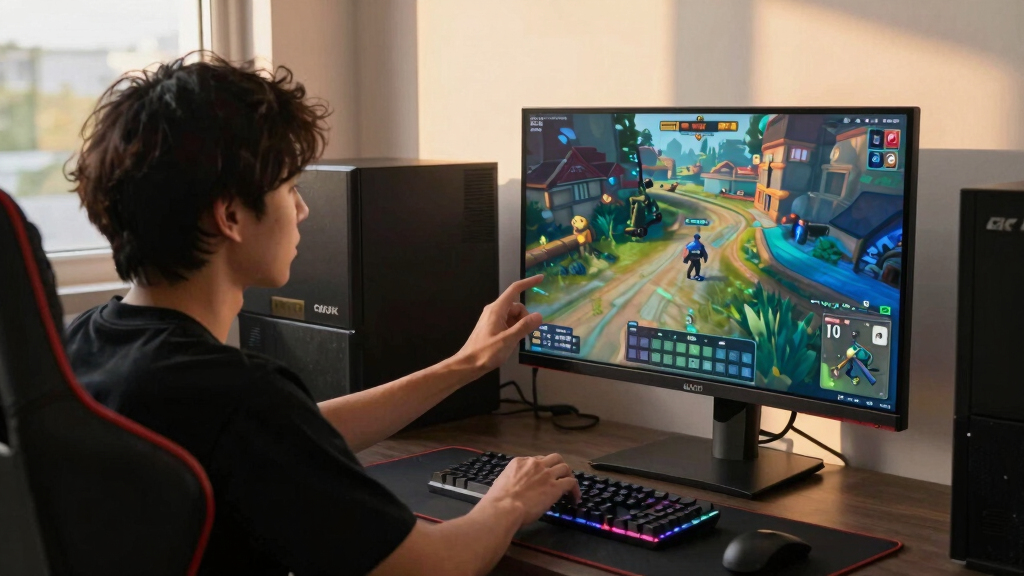

The best 4K gaming monitors for Steam Machine need more than a sharp panel; I would prioritize HDMI 2.1 bandwidth, VRR support, and refresh rates that make SteamOS feel quick at a desk or in a TV-style setup. My best overall pick is the LG 27G810A-B UltraGear because its 4K 180Hz mode and 360Hz dual-mode fallback make it useful for both cinematic PC games and competitive titles. The Acer Nitro 27-inch 4K IPS is the value play, while the ASUS ROG Swift PG32UCDM is the premium OLED choice for buyers who care more about contrast than price. The main tradeoff is between 27-inch sharpness, 32-inch OLED immersion, and the 37-inch Samsung’s larger curved format. Read on for the full breakdown of which monitor fits which Steam Machine setup.

Play games on Amazon Luna for your game nights, included with Prime
- A rotating selection of games, no download needed
- Play on TV, laptop or phone
- Fast, free delivery for your gear, too
Key Takeaways
- The LG 27G810A-B ranks first because it has the broadest Steam Machine fit: native 4K, HDMI 2.1, VRR, and a dual-mode setup for faster esports play.
- The OLED models are the premium branch: the ASUS ROG Swift PG32UCDM is the luxury pick, while the LG 32GX850A-B makes more sense for buyers who want OLED gaming without pushing as far upmarket.
- Acer wins the value fight with its 27-inch 4K Nitro, while the ASUS TUF VG27UQ1A is easier to recommend for buyers who want a familiar, lower-risk gaming monitor setup.
- The Samsung 37-inch Odyssey G7 is the scale pick, not the sharpness pick; it suits controller play and hybrid desk-couch setups better than tight desktop spaces.
- The Acer Nitro QHD is the exception in this 4K list, and I would only treat it as a budget fallback for Steam Machine owners who would rather trade native 4K for lower GPU strain.
| LG 27G810A-B 27-inch Ultragear 4K UHD Gaming Monitor |  | Best Overall for Steam Machine Flexibility | Display Size: 27 inches | Resolution: 3840 x 2160 4K UHD | Refresh Rate: 180Hz at 4K, 360Hz in FHD mode | VIEW LATEST PRICE | See Our Full Breakdown |
| Samsung 37” Odyssey G7 (G75F) 4K UHD Curved Gaming Monitor |  | Best Big-Screen Immersion | Display Size: 37 inches | Resolution: 3840 x 2160 4K UHD | Refresh Rate: 165Hz | VIEW LATEST PRICE | See Our Full Breakdown |
| Acer Nitro 27” 4K UHD Gaming IPS Monitor |  | Best Value-Minded 4K Pick | Display Size: 27 inches | Resolution: 3840 x 2160 UHD | Panel Type: IPS | VIEW LATEST PRICE | See Our Full Breakdown |
| LG 32GX850A-B 32” UltraGear 4K UHD OLED Gaming Monitor |  | Best OLED for Balanced Play | Display Size: 32 inches | Resolution: 3840 x 2160 4K UHD | Panel Type: OLED | VIEW LATEST PRICE | See Our Full Breakdown |
| ASUS ROG Swift 32” 4K OLED Gaming Monitor (PG32UCDM) |  | Best Premium 4K OLED | Display Size: 32 inches | Resolution: 3840 x 2160 4K UHD | Panel Type: QD-OLED | VIEW LATEST PRICE | See Our Full Breakdown |
| ASUS TUF Gaming 27” 4K HDR Monitor (VG27UQ1A) |  | Best Balanced 27-Inch 4K Pick | Screen Size: 27 inches | Resolution: 3840 x 2160 (4K UHD) | Refresh Rate: 160Hz | VIEW LATEST PRICE | See Our Full Breakdown |
| Acer Nitro 27-Inch QHD IPS Gaming Monitor with 180Hz Refresh Rate and FreeSync |  | Best 1440p Budget Alternative | Screen Size: 27 inches | Resolution: 2560 x 1440 (QHD) | Panel Type: IPS | VIEW LATEST PRICE | See Our Full Breakdown |
More Details on Our Top Picks
LG 27G810A-B 27-inch Ultragear 4K UHD Gaming Monitor
LG 27G810A-B is my top pick because it fits the Steam Machine idea best: a compact 27-inch 4K screen that can also drop to FHD at 360Hz for faster competitive games. Compared with the Samsung Odyssey G7 37-inch, it is easier to place on a desk and better suited to players who switch between couch-style cinematic play and mouse-and-keyboard sessions. The IPS panel, 95% DCI-P3 color, HDMI 2.1, G-Sync, and FreeSync Premium give it broad gaming PC compatibility. The tradeoff is scale: it cannot match the OLED contrast of the ASUS ROG Swift PG32UCDM or the sheer immersion of Samsung’s larger curve. It also asks for a strong GPU if 4K 180Hz is the goal.
Pros:- Dual mode supports 4K 180Hz and FHD 360Hz gaming
- HDMI 2.1 works well for modern Steam Machine-style setups
- G-Sync and FreeSync Premium widen GPU compatibility
- Fully adjustable stand helps with desk-based play
Cons:- Needs powerful hardware to make full use of 4K 180Hz
- 27-inch size may feel modest for couch-distance gaming
- HDR400 is useful but less punchy than OLED or HDR600 options
Best for: Steam Machine buyers who want one monitor for sharp 4K gaming and ultra-fast lower-resolution esports play.
Not ideal for: Players who want a large living-room-style display or OLED-level blacks, since this is a 27-inch IPS monitor.
- Display Size:27 inches
- Resolution:3840 x 2160 4K UHD
- Refresh Rate:180Hz at 4K, 360Hz in FHD mode
- Response Time:1ms GtG
- Panel Type:IPS
- Color Coverage:95% DCI-P3
- HDR:VESA DisplayHDR 400
- Adaptive Sync:NVIDIA G-Sync and AMD FreeSync Premium
- Connectivity:HDMI 2.1
Bottom line: This is the safest all-round choice if I wanted a Steam Machine monitor that can handle both 4K detail and high-speed play.
Samsung 37” Odyssey G7 (G75F) 4K UHD Curved Gaming Monitor
Samsung Odyssey G7 G75F earns its place for buyers who want a Steam Machine setup to feel less like a standard desktop and more like a focused gaming station. Its 37-inch 1000R curved VA panel gives more visual wraparound than the LG 27G810A-B, and the 3000:1 contrast ratio should make darker games feel weightier than typical IPS picks. Compared with the ASUS ROG Swift PG32UCDM, though, it trades OLED black levels and 240Hz speed for size and curve. The DisplayHDR 600 rating is a real step up from HDR400 models, but the unspecified port list is a nuisance for Steam Machine buyers who need clear HDMI or DisplayPort planning. It is also heavy and wide, so desk depth matters.
Pros:- Large 37-inch curved panel creates stronger immersion than 27-inch picks
- 165Hz refresh rate is fast enough for most 4K gaming
- DisplayHDR 600 offers better HDR headroom than HDR400 monitors
- VA contrast helps dark scenes look richer
Cons:- Unspecified ports make setup planning harder
- Large 24.7-pound body needs a roomy desk
- Not as fast or contrast-rich as premium OLED alternatives
Best for: Players building a desk-based Steam Machine setup who want a larger curved 4K screen for racing, RPGs, and cinematic action games.
Not ideal for: Small-desk users or buyers who need confirmed port details before purchase.
- Display Size:37 inches
- Resolution:3840 x 2160 4K UHD
- Refresh Rate:165Hz
- Response Time:1ms
- Panel Type:VA LED
- Contrast Ratio:3000:1
- HDR:VESA DisplayHDR 600
- Adaptive Sync:AMD FreeSync Premium Pro
- Weight:24.7 pounds
Bottom line: This is the pick I would choose for a Steam Machine setup where screen size and curve matter more than OLED speed.
Acer Nitro 27” 4K UHD Gaming IPS Monitor
Acer Nitro VG270K is the practical choice in this group: it keeps the core Steam Machine needs, including 4K resolution, HDMI 2.1, DisplayPort 1.4, FreeSync Premium, and a fast panel, without chasing the premium finish of the OLED models. Compared with the LG 27G810A-B, it gives a similar 27-inch 4K gaming target and even adds 0.5ms response time, but its ergonomics are weaker because the stand is tilt-only. It also trails the LG on listed color coverage and polish. Against the Samsung Odyssey G7, the Acer is easier to fit on a normal desk but less immersive. Its 160Hz at 4K is plenty sensible for most Steam libraries, though reaching that frame rate still depends on serious GPU power.
Pros:- Strong 4K gaming basics with 160Hz refresh
- HDMI 2.1 and DisplayPort 1.4 give flexible connection options
- 0.5ms response time supports fast action games
- Zero-frame design suits multi-monitor setups
Cons:- Tilt-only stand is limited next to LG and ASUS options
- HDR10 support is less advanced than HDR600 or True Black OLED
- 160Hz 4K gaming still requires a capable graphics setup
Best for: Budget-aware Steam Machine users who want 4K, HDMI 2.1, and fast refresh without paying OLED-level prices.
Not ideal for: Players who need height adjustment, pivot, or a more premium HDR presentation.
- Display Size:27 inches
- Resolution:3840 x 2160 UHD
- Panel Type:IPS
- Refresh Rate:160Hz at 4K, 320Hz at FHD
- Response Time:Up to 0.5ms
- Color Gamut:90% DCI-P3
- HDR:HDR10
- Ports:1 x DisplayPort 1.4, 2 x HDMI 2.1
- Mounting:100 x 100mm VESA
Bottom line: This is the value pick I would shortlist for a Steam Machine desk setup that needs speed and 4K clarity without premium extras.
LG 32GX850A-B 32” UltraGear 4K UHD OLED Gaming Monitor
LG 32GX850A-B sits between speed-focused LCD picks and the pricier ASUS QD-OLED. Its 32-inch 4K OLED panel gives Steam Machine games the contrast advantage that the LG 27G810A-B and Acer Nitro VG270K cannot match, while the 165Hz refresh rate is fast enough for most single-player and multiplayer libraries. Compared with the ASUS ROG Swift PG32UCDM, the LG is slower at 4K and lists lower brightness, but it counters with a 330Hz Full HD mode for competitive play and a fully adjustable stand. The glossy finish is the catch: it can look striking in controlled lighting but can reflect lamps and windows. OLED pricing and burn-in awareness also make it less casual than a standard IPS monitor.
Pros:- OLED panel delivers deep blacks and strong contrast
- Dual refresh behavior supports 4K 165Hz or FHD 330Hz
- G-Sync and FreeSync Premium Pro cover both major GPU camps
- Stand supports tilt, height, swivel, and pivot adjustments
Cons:- Glossy finish can reflect bright room light
- 275-nit brightness trails some premium HDR displays
- OLED ownership brings burn-in care and higher cost
Best for: Steam Machine players who want OLED contrast for story games but still want a faster Full HD mode for competitive titles.
Not ideal for: Bright rooms with windows behind the player, since the glossy panel can show reflections.
- Display Size:32 inches
- Resolution:3840 x 2160 4K UHD
- Panel Type:OLED
- Refresh Rate:165Hz, 330Hz in Full HD mode
- Response Time:0.03ms
- Brightness:275 nits
- HDR:VESA DisplayHDR True Black 400
- Adaptive Sync:G-Sync and FreeSync Premium Pro
- Stand Adjustments:Tilt, height, swivel, pivot
Bottom line: This is the OLED I would pick for a balanced Steam Machine setup where contrast matters but 4K 240Hz is not required.
ASUS ROG Swift 32” 4K OLED Gaming Monitor (PG32UCDM)
ASUS ROG Swift PG32UCDM is the most ambitious Steam Machine monitor here because it combines 4K, QD-OLED, 240Hz, and 0.03ms response in a 32-inch size. Compared with the LG 32GX850A-B, it gives more headroom at native 4K and stronger color specs with 99% DCI-P3 and true 10-bit color, making it better for players who also edit media or care about HDR color precision. It is less about value than ceiling: the Acer Nitro VG270K covers the basics for far less, while this ASUS aims at a no-compromise desk setup. The custom heatsink, graphene film, and 3-year burn-in warranty help address OLED anxiety, but burn-in risk and premium pricing still belong in the buying decision.
Pros:- 240Hz at 4K gives more speed headroom than most monitors in the lineup
- QD-OLED panel offers rich contrast and wide color coverage
- 90W USB-C adds useful single-cable flexibility for compatible devices
- Heat management and burn-in warranty reduce OLED ownership worry
Cons:- Premium price makes it harder to justify for casual Steam gaming
- OLED burn-in risk still exists despite protection features
- Peak brightness behavior may vary due to factory calibration
Best for: High-end Steam Machine builders who want 4K OLED speed, strong color coverage, and USB-C flexibility in one display.
Not ideal for: Buyers trying to keep the whole Steam Machine setup cost under control, since this is a premium QD-OLED option.
- Display Size:32 inches
- Resolution:3840 x 2160 4K UHD
- Panel Type:QD-OLED
- Refresh Rate:240Hz
- Response Time:0.03ms
- HDR:VESA DisplayHDR 400 True Black
- Color Gamut:99% DCI-P3
- Connectivity:90W USB-C
- Additional Features:Custom heatsink, graphene film, G-Sync compatible, VESA mount
Bottom line: This is the premium pick I would choose when the Steam Machine is powerful enough to justify 4K OLED at very high refresh rates.
ASUS TUF Gaming 27” 4K HDR Monitor (VG27UQ1A)
I rank the ASUS TUF Gaming VG27UQ1A as the safer 27-inch 4K choice for Steam Machine buyers who want sharp console-style play without jumping to OLED pricing. Its 160Hz refresh rate, 1ms response time, G-SYNC compatibility, and FreeSync Premium support make it better matched to variable frame rates than a basic 4K office display. Compared with the LG 32GX850A-B OLED or ASUS ROG Swift PG32UCDM, it gives up the richer blacks and premium contrast of OLED, but it should be easier to justify for a desk setup focused on SteamOS gaming. Against the Acer Nitro QHD model, this ASUS keeps the real native 4K advantage. The main tradeoffs are thin feature details around ports, speakers, and stand adjustment.
Pros:- Native 4K resolution gives SteamOS games and desktop text sharper detail than QHD alternatives
- 160Hz refresh rate and 1ms response time suit fast shooters and action games
- G-SYNC Compatible and FreeSync Premium support help smooth out variable frame rates
- 95% DCI-P3 color coverage and high brightness make games look vivid
Cons:- LCD contrast cannot match the black levels of OLED options in the same roundup
- Port selection, USB support, speakers, and stand adjustment details are unclear
- High brightness may come with higher power use
Best for: Steam Machine players who want a 27-inch native 4K monitor with fast refresh, adaptive sync, and strong color without paying OLED-tier prices.
Not ideal for: Buyers building a premium HDR setup around deep blacks, HDMI 2.1 certainty, or a highly adjustable ergonomic stand.
- Screen Size:27 inches
- Resolution:3840 x 2160 (4K UHD)
- Refresh Rate:160Hz
- Response Time:1ms
- Adaptive Sync:G-SYNC Compatible, FreeSync Premium
- Color Gamut:95% DCI-P3
- Brightness:1027.8 lm
- Screen Finish:Matte
- Weight:10.6 pounds
Bottom line: This is the 27-inch 4K pick I would steer toward for a Steam Machine setup that needs speed, sharpness, and sane pricing.
Acer Nitro 27-Inch QHD IPS Gaming Monitor with 180Hz Refresh Rate and FreeSync
The Acer Nitro KG271U is the odd one in a 4K Steam Machine roundup, so I would frame it as the value escape hatch, not a direct 4K rival. Its 2560 x 1440 QHD resolution lacks the pixel density of the ASUS TUF VG27UQ1A or Acer Nitro 4K UHD model, but that lower resolution can help a Steam Machine hold higher frame rates with less upscaling pressure. The 180Hz refresh rate and 0.5ms GTG response time make it the faster-feeling budget pick for competitive play, while 95% DCI-P3 color keeps it from looking plain. The downside is simple: if the goal is true 4K detail for cinematic games, menus, and desktop use, this model is a compromise from the start.
Pros:- 180Hz refresh rate gives it a speed advantage over many 4K LCD picks
- 0.5ms GTG response time helps reduce motion blur in fast games
- 95% DCI-P3 color coverage is strong for a lower-cost gaming display
- QHD resolution is easier for modest hardware to drive than 4K
Cons:- Not a native 4K monitor, which weakens its fit for this roundup
- HDMI 2.0 and DisplayPort 1.2 limit future-facing 4K-style flexibility
- Less suited to buyers who want one screen for gaming, productivity, and media detail
Best for: Budget-focused Steam Machine owners who care more about high frame rates and responsive 27-inch play than native 4K sharpness.
Not ideal for: Anyone specifically buying for a true 4K monitor setup, sharp desktop scaling, or HDMI-heavy device switching.
- Screen Size:27 inches
- Resolution:2560 x 1440 (QHD)
- Panel Type:IPS
- Refresh Rate:180Hz
- Response Time:0.5ms GTG
- Adaptive Sync:AMD FreeSync
- Color Coverage:95% DCI-P3
- HDR:HDR 10
- Connectivity:1 DisplayPort 1.2, 2 HDMI 2.0
Bottom line: This is the pick I would only choose when frame rate and price matter more than the 4K promise in the title.
How We Picked
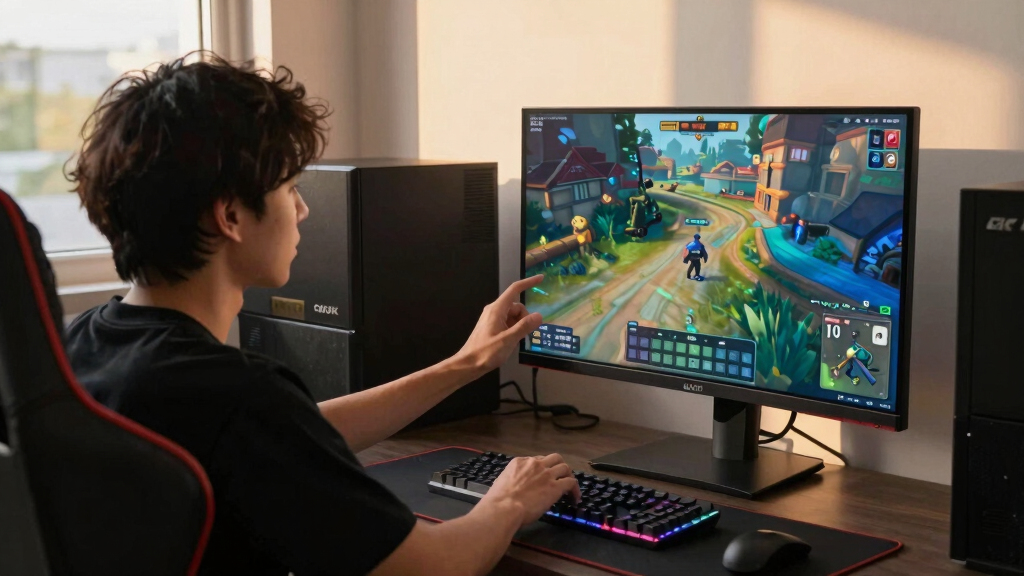
I ranked these monitors through a Steam Machine lens, not as a generic gaming monitor list. Native 4K resolution, HDMI 2.1 support, VRR compatibility, refresh rate, response time, HDR capability, and panel type carried the most weight because those specs shape how smooth and console-like the setup feels. I also gave extra credit to monitors that can handle both controller-first single-player games and faster mouse-and-keyboard sessions. That is why the LG 27G810A-B lands above flashier models: it has the best mix of speed, connection support, size, and versatility.
After that, I separated the lineup by buyer role. The ASUS ROG Swift PG32UCDM and LG 32GX850A-B rise for buyers chasing OLED contrast, while the Acer Nitro 4K and ASUS TUF VG27UQ1A compete on price and practicality. The Samsung Odyssey G7 earns a place because its 37-inch curved panel solves a different problem: making a Steam Machine feel less like a desk PC and more like a compact living-room gaming system. The Acer Nitro QHD ranks last because it is not a true 4K choice, but it still has a role for buyers who want smoother performance on a tighter budget.
Factors to Consider When Choosing Best 4K Gaming Monitors For Steam Machine
A Steam Machine can sit on a desk one day and under a TV the next, so I would buy for connection quality, screen scale, and the games you actually play before chasing the biggest spec sheet. The right monitor depends on whether your library leans toward controller-first adventures, fast shooters, strategy games, or a mix of all three.
Prioritize HDMI 2.1 and VRR
For a Steam Machine, I would start with HDMI 2.1 and variable refresh rate support because those features make the monitor feel more like a modern console display. A 4K screen can look great, but frame pacing matters just as much when games bounce between 70fps, 100fps, and 140fps. VRR helps smooth out those swings without forcing you to lower settings across the board. This is one reason the LG 27G810A-B sits above the more specialized models in my ranking. If you plan to dock the system near a TV setup, HDMI convenience matters more than chasing DisplayPort-only desktop habits. Buyers using a Steam Machine as a living-room box should treat weak HDMI support as a real drawback.
Pick Screen Size by Distance
The cleanest split in this roundup is 27 inches versus 32 inches versus 37 inches. At a desk, a 27-inch 4K monitor like the LG 27G810A-B or Acer Nitro 4K gives you high pixel density, crisp UI text, and easier mouse tracking. At 32 inches, the ASUS ROG Swift PG32UCDM and LG 32GX850A-B feel more cinematic, but they need more desk depth and make weak game textures easier to see. The Samsung 37-inch Odyssey G7 pushes even further toward a hybrid TV-monitor role. I would pick it for controller-heavy play, not for a cramped work desk. The mistake is buying the largest panel and expecting it to suit every setup.
Know When OLED Pays Off
OLED is the right upgrade when black levels, instant pixel response, and HDR drama matter more than price. The ASUS ROG Swift PG32UCDM is the premium choice because it targets buyers who want the most polished image quality in this group. The LG 32GX850A-B is still a high-end OLED route, but it makes more sense if you want premium contrast without treating the monitor as the centerpiece of the entire setup. I would not push every Steam Machine owner toward OLED, though. Static Steam menus, desktop use, and long strategy sessions make burn-in management and panel care part of the ownership equation. If you mostly play bright competitive games, a fast IPS monitor can be the smarter buy.
Balance 4K Sharpness Against Frame Rate
Native 4K is the point of this guide, but I would not ignore what it asks from the hardware. Some Steam games will run beautifully at 4K, while heavier titles may need lower settings, upscaling, or a frame-rate cap. That is where high-refresh 4K monitors like the Acer Nitro 27-inch 4K and ASUS TUF VG27UQ1A make sense: they give you room above 60Hz without forcing an OLED budget. The LG 27G810A-B goes further by adding dual-mode flexibility for games where speed matters more than resolution. The Acer Nitro QHD earns its limited role here because it reduces GPU strain. I would only choose it if smooth play matters more than native 4K detail.
Do Not Overbuy for Casual Use
A Steam Machine setup can become expensive fast if every spec looks like a must-have. For casual play, I would rather buy a balanced 4K IPS monitor than pay OLED money for features that only shine in a narrow slice of games. The Acer Nitro 4K is the best value because it keeps the core gaming specs strong without drifting into luxury pricing. The ASUS TUF VG27UQ1A is a good beginner pick because it offers familiar gaming features and fewer ownership worries than OLED. Spend more for the ASUS ROG Swift PG32UCDM only if image quality is your main reason for upgrading. Spend more for the Samsung only if the larger curved format fits your room and play style.
Frequently Asked Questions
Is 4K worth it for a Steam Machine if I mostly use a controller?
Yes, 4K can be worth it for controller play because you are often sitting farther back and looking at larger scenes rather than tiny desktop elements. It helps single-player games, racing titles, RPGs, and cinematic action games look cleaner on a monitor than QHD. The tradeoff is performance: some games will need upscaling or lower settings to stay smooth. That is why I prefer monitors with VRR and high refresh rates instead of basic 4K 60Hz panels. If your library is mostly competitive shooters, resolution matters less than latency and frame rate.
Should I buy a 27-inch, 32-inch, or 37-inch monitor for Steam Machine?
I would pick 27 inches for a normal desk, 32 inches for a more immersive desktop setup, and 37 inches only when the screen doubles as a small TV replacement. The LG 27G810A-B and Acer Nitro 4K are easier to place, sharper up close, and better for mixed gaming plus desktop use. The ASUS and LG OLED 32-inch models feel richer for cinematic games, but they need more room. The Samsung 37-inch Odyssey G7 is best when you sit farther back or use a controller most of the time. If you are unsure, 27 inches is the safest size for Steam Machine buyers.
Is OLED worth the extra cost for this setup?
OLED is worth paying for if you care most about contrast, HDR impact, and motion clarity. The ASUS ROG Swift PG32UCDM is the strongest premium pick because it gives a Steam Machine setup a more high-end visual feel than the IPS options. The LG 32GX850A-B is another strong OLED choice, especially if you want deep blacks and fast response without choosing the ASUS. I would skip OLED if the monitor will spend many hours on static menus, desktop windows, or productivity apps. For those buyers, the LG 27G810A-B or Acer Nitro 4K is more practical.
Why is a QHD monitor included in a 4K gaming monitor roundup?
The Acer Nitro QHD is included as a budget fallback, not as a true 4K recommendation. It belongs last because it does not match the title promise in native resolution. Still, it can make sense for Steam Machine owners who want smoother frame rates and lower hardware strain more than 4K detail. This is especially true for competitive games, indie games, and users sitting close enough that motion feels more valuable than extra pixels. I would not buy it if your main goal is 4K clarity.
Do I need HDMI 2.1, or is DisplayPort enough?
For a Steam Machine, I would treat HDMI 2.1 as more useful than it is on a normal desktop tower. It makes the setup cleaner if the system is placed near a TV stand, soundbar, receiver, or console-style area. DisplayPort is still excellent for a pure desk setup, but it is less convenient for living-room gear. HDMI 2.1 also pairs well with 4K high-refresh modes when the monitor supports them properly. If two monitors are close in price, I would pick the one with stronger HDMI and VRR support.
Conclusion
My final pick for most Steam Machine owners is the LG 27G810A-B UltraGear because it balances 4K sharpness, high refresh, HDMI 2.1, VRR, and dual-mode flexibility better than the rest of the field. The Acer Nitro 27-inch 4K IPS is the best value, while the ASUS TUF VG27UQ1A is the best beginner-friendly option for buyers who want a familiar gaming monitor without OLED upkeep. For premium image quality, I would choose the ASUS ROG Swift PG32UCDM; for a slightly different OLED route, the LG 32GX850A-B also fits high-end Steam libraries. The Samsung 37-inch Odyssey G7 is the best specific-needs pick for buyers who want a larger curved screen for controller play, and the Acer Nitro QHD is only the budget fallback when native 4K is less important than easier performance.
Evergreen bestsellers Picks
bestsellers
As an affiliate, we earn on qualifying purchases.