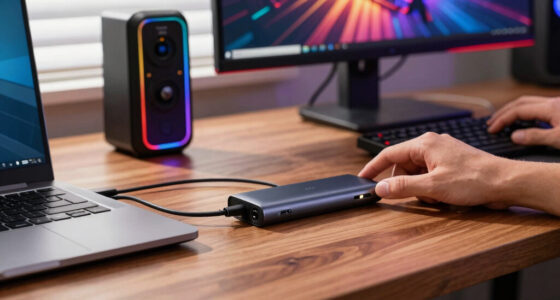
I rank gaming console accessories by the problems they actually solve: better control, cleaner charging, cooler console airflow, and less clutter around the screen or desk. My top overall pick is the PS5/Slim/Pro Stand and Cooling Station because it combines cooling, dual-controller charging, and storage in one PlayStation-focused base. For players who care more about performance than furniture, the KontrolFreek Precision Rings are the most direct gameplay upgrade here because they change thumbstick resistance instead of just organizing gear.

Play games on Amazon Luna for your game nights, included with Prime
- A rotating selection of games, no download needed
- Play on TV, laptop or phone
- Fast, free delivery for your gear, too
The main tradeoff is scope. A PS5 stand can tidy a whole setup, but it does little for Xbox or Switch players. The KDD Headphone & Controller Stand is more flexible across devices, while the Rysker RGB PS5 Stand suits buyers who want USB hubs, RGB lighting, and a more display-heavy PlayStation base. I would choose based on the bottleneck in the setup: aim control, cooling, charging speed, cable clutter, or desk space.
Key Takeaways
- I rank the PS5/Slim/Pro Stand and Cooling Station first because it handles cooling, charging, and storage better than the more style-focused Rysker stand.
- I see the KontrolFreek Precision Rings as the best gameplay-focused accessory because they affect aiming feel across PlayStation, Xbox, Switch Pro, and Scuf controllers.
- I would pick the KDD Headphone & Controller Stand for a mixed-device desk setup, but it is less console-specific than either PS5 cooling station.
- I place the Rysker RGB PS5 Stand behind the other PS5 stand because its RGB and USB hub appeal is strong, but its original-controller charge time is slower.
- I would skip a cooling stand if the console already has open airflow; in that case, a controller upgrade or desk charging hub gives a clearer daily benefit.


More Details on Our Top Picks
PS5/Slim/Pro Stand and Cooling Station with LED Controller Charging Station for PlayStation 5 Console
I rank this PS5/Slim/Pro Stand and Cooling Station first because it solves the widest set of console setup problems in one place. Compared with the KontrolFreek Precision Rings, it will not sharpen aiming feel, but it does more for the whole PlayStation area: cooling, dual-controller charging, disc storage, headset storage, and accessory organization. For a PS5 owner with controllers, games, and cables spread around the TV stand, this is the most complete fix in the lineup.
The biggest advantage over the Rysker RGB PS5 Stand is charging speed and storage clarity. This model lists controller charging at less than two hours, while the Rysker stand lists up to 3.5 hours for an original controller. It also holds up to 14 game discs, plus a headset, remote, and hard drive, so it is better for a physical-game household. The adjustable three-level fan is also more flexible than a simple always-on cooling base because I can match fan use to room temperature, console load, and noise tolerance.
The tradeoffs are real. This is a PlayStation-first accessory, so Xbox and Switch players get little value from it unless they also own a PS5. The all-white look fits a standard PS5 setup but may clash with a darker desk, and the amount of storage means the station can feel busier than the cleaner KDD stand. I would also skip it if the console already sits in an open, well-ventilated spot and the only problem is controller feel; in that case, the KontrolFreek rings are a more targeted buy.
Pros:- Strong all-in-one value for PS5 cooling, charging, and storage
- Charges two controllers at the same time in less than two hours
- Holds discs, headset, remote, and hard drive in one station
- Built-in safety protections for charging peace of mind
Cons:- Only makes sense for PlayStation 5 owners
- All-white design limits setup matching
- The full storage layout can feel bulky in a small media area
Best for: I would point this toward PS5 owners who want one base for cooling, charging, game storage, and accessory organization.
Not ideal for: I would skip it for Xbox, Switch-only, or minimalist setups where a smaller desk stand or thumbstick accessory makes more sense.
- Accessory Type:PS5 cooling, charging, and storage stand
- Compatibility:PS5 Digital Edition, Disc Edition, Slim 2023, Pro
- Cooling Fan:3-level adjustable 1.63-inch turbo fan
- Charging Ports:4 ports for controllers and accessories
- Controller Charging Time:Less than 2 hours
- Storage Capacity:Up to 14 game discs, headset, remote, hard drive
- Material:Plastic
- Color:All White
- Safety Features:Overcharge, overheat, overvoltage, and short circuit protection
Bottom line: I would choose this first for a PS5 owner who wants the neatest one-piece answer to cooling, charging, and accessory clutter.
KontrolFreek Precision Rings | Aim Assist Motion Control for PS4, PS5, Xbox One, XBX, Switch Pro & Scuf Controller
The KontrolFreek Precision Rings take second place because they are the only accessory here aimed directly at how games feel in the hands. Instead of cooling a console or cleaning up a desk, they add thumbstick resistance so small stick movements become less twitchy. Compared with the PS5/Slim/Pro Stand, this is a narrower upgrade, but it can matter more for competitive shooters, camera control, and games where over-aiming costs wins.
The mixed pack is the key reason I prefer these over a single-resistance option. Soft, medium, and hard rings let a player move from light correction to heavier resistance without buying another set. That makes them more adaptable than a fixed accessory like the KDD desk stand, which either fits the desk workflow or it does not. The broad controller support also helps: PS4, PS5, Xbox One, XBX, Switch Pro, and Scuf compatibility give this pick the widest console reach in the roundup.
The downside is the adjustment period. Added resistance can feel awkward at first, especially for players who rely on fast flicks or very loose thumbstick movement. The rings may also feel less useful in racing, platforming, party games, or RPGs where precise aiming is not the main pain point. I would not buy them as a general setup organizer; compared with either PS5 stand, they leave charging, airflow, and storage untouched. Their value is simple: they are for players who want more control from the controller they already own.
Pros:- Directly improves thumbstick control for aiming and camera movement
- Includes soft, medium, and hard resistance options
- Works with PlayStation, Xbox, Switch Pro, and Scuf controllers
- Moisture-wicking material suits longer play sessions
Cons:- Added resistance takes time to adapt to
- Some players may never like the heavier stick feel
- Color choices are limited
Best for: I would choose these for shooter, action, and competitive players who want steadier thumbstick movement across multiple controller types.
Not ideal for: I would skip them for casual players who mainly need charging, storage, cooling, or a cleaner entertainment setup.
- Accessory Type:Thumbstick resistance rings
- Material:Flexible, moisture-wicking material
- Includes:6 rings
- Resistance Levels:Soft, medium, and hard
- Compatibility:PlayStation 4, PS5, Xbox One, XBX, Switch Pro, Scuf Controllers
- Color Options:Black, Purple, Green
- UPC:850007079963
- Model Number:4005-MIX
Bottom line: I would buy this as the most focused performance accessory here, especially when better aim matters more than charging or storage.
KDD Headphone & Controller Stand with Wireless Charging, 9 Light Modes, Rotatable Headset Stand, Controller Holder with 2 USB and Type-C Ports
The KDD Headphone & Controller Stand earns its spot as the best choice for a desk-based gaming setup rather than a TV-console station. It holds headphones and controllers while adding wireless charging, two USB ports, a Type-C port, lighting modes, and cable management. Compared with the two PS5 stands, it is less tied to one console family, which makes it better for players who move between console, handheld, phone, tablet, and PC-adjacent gear.
The 360-degree rotatable headset stand gives it a practical edge over the KontrolFreek Precision Rings if the problem is clutter rather than aim. A headset arm that can swing around matters on a crowded desk because it changes where the headset rests without moving the whole base. The nine lighting modes add personality, but I treat them as a bonus rather than the main reason to buy. The cleaner argument is that this stand keeps a headset, controller, and charging cables from spreading across the desk.
It is not the best pick for a dedicated PS5 media unit. The PS5/Slim/Pro Stand and Cooling Station has a clearer console role because it cools the machine, charges controllers, and stores discs. The KDD stand also has some device caveats, including a Type-C port that cannot charge iPhones, and the lack of detailed dimensions makes desk fit harder to judge before purchase. I would choose it for a multi-device desk, not for someone who wants a console base under the PS5.
Pros:- Flexible headset and controller storage for mixed-device desks
- Wireless charging plus USB and Type-C ports
- Rotatable headset stand helps with tight desk placement
- Nine lighting modes add setup customization
Cons:- Does not cool or support a console
- Type-C port cannot charge iPhones
- Detailed dimensions are not specified
Best for: I would recommend this for desk gamers who want one visible place for a headset, controller, phone, and charging cables.
Not ideal for: I would avoid it for buyers who need PS5 cooling, disc storage, or a dedicated console stand.
- Accessory Type:Headphone, controller, and charging stand
- Lighting Modes:9
- Headphone Stand Rotation:360°
- USB Ports:2
- Type-C Ports:1
- Wireless Charging:Built in
- Material:Fire-proof plastic
- Compatibility:Headphones, controllers, phones, tablets
- Assembly:About 30 seconds
Bottom line: I would pick this for a desk where headset storage and device charging matter more than console cooling.
PS5/Slim/Pro Stand with Cooling & Charging Station, RGB Lights, Adjustable Fan, Controller Charger for PlayStation 5
The Rysker PS5/Slim/Pro Stand is the most style-forward console base in this group. It combines cooling, controller charging, RGB lights, and three USB hubs, so it suits PS5 owners who want their console station to look more like a gaming setup than a plain charging dock. Compared with the KDD stand, it is less flexible across devices, but it does more for the PS5 itself.
I rank it below the other PS5/Slim/Pro Cooling Station because the practical side is not quite as strong for every buyer. The listed charging time is 3.5 hours for an original controller and 2.5 hours for an Edge controller, while the other PS5 stand lists less than two hours. The Rysker unit fights back with three USB hubs, data-transfer support, a two-year warranty, and RGB lighting, which makes it the better match for buyers who connect accessories often or want the console to sit at the center of a lit setup.
The bulk is the main drawback. A cooling and RGB base with ports can crowd a small shelf, and it needs power connections to deliver its full feature set. It is also more installation-heavy than the KontrolFreek rings, which simply attach to a controller. I would choose this over the plainer PS5 stand only when USB expansion, RGB presentation, and the warranty matter more than faster charging and disc-heavy storage.
Pros:- Adds cooling, charging, RGB lighting, and USB hubs in one PS5 base
- Compatible with PS5, PS5 Slim, and PS5 Pro
- Three USB hubs support accessories and data transfer
- Two-year warranty adds confidence for a powered accessory
Cons:- Bulkier than smaller stands or controller-only upgrades
- Original controller charging time is slower than the top PS5 stand
- Needs power connections for full functionality
Best for: I would choose this for PS5 owners who want cooling, RGB lighting, USB expansion, and a more display-focused console base.
Not ideal for: I would skip it for small shelves, subtle living-room setups, or buyers who want the fastest controller charging.
- Accessory Type:PS5 cooling, charging, RGB, and USB hub stand
- Brand:Rysker
- Model Number:P5328X-PRO
- Compatible Consoles:PS5, PS5 Slim, PS5 Pro
- Number of Fans:1
- Charging Time:3.5 hours for original controller, 2.5 hours for Edge controller
- USB Hubs:3
- Lighting:RGB Lights
- Warranty:2 years
Bottom line: I would buy this for a PS5 setup where RGB style and USB expansion outweigh the need for the quickest charging station.
How We Picked
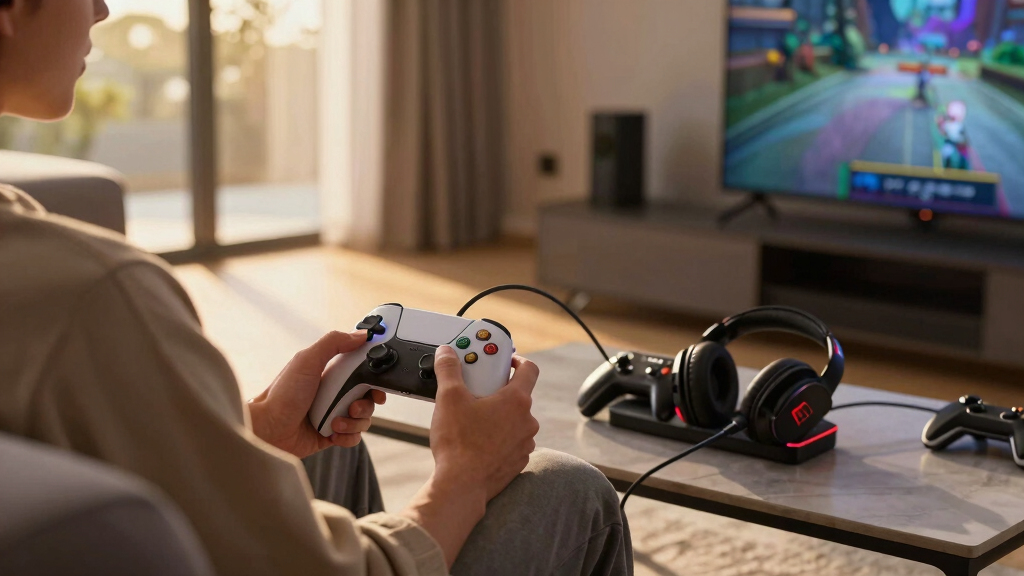
I picked and ranked these accessories by asking one buyer-focused question: does the accessory make console gaming easier, cleaner, or more precise in a way that changes daily use? I gave the most weight to setup impact, console compatibility, charging and storage usefulness, and clear tradeoffs. That is why the broad PS5 organizer ranks above the flashier RGB stand, and why the small KontrolFreek rings sit high despite being less dramatic on a shelf.
I also separated accessories that improve play from accessories that improve the station around the console. The KontrolFreek rings are about control and thumbstick feel, so they compete less with the stands on storage and more on whether they make shooters, action games, or camera-heavy games feel steadier. The PS5 stands are judged on cooling, controller charging, ports, storage, and footprint. The KDD desk stand is judged as a cross-device hub rather than a PlayStation base.
My ranking favors accessories with a clear job and a clear buyer. I do not treat RGB lighting, extra plastic, or vague convenience as enough on their own. A strong pick here needs to answer a specific console problem: controllers need charging, thumbsticks feel too loose, headsets need a home, or the PS5 setup needs better airflow and organization.
Factors to Consider When Choosing Gaming Console Accessories
I would not buy gaming console accessories by counting features alone. The better move is to match the accessory to the weak spot in the setup: play control, controller battery life, console airflow, storage, or desk clutter.
Start With The Problem
I separate console accessories into two groups: ones that change how games feel and ones that change how the setup works. The KontrolFreek Precision Rings change the feel of thumbstick movement, so they are the right lane for aiming, camera control, and player input. The PS5 cooling stands and KDD stand change the environment around the console by handling charging, storage, ports, and gear placement.
If the controller feels too loose, a stand will not fix that. If controllers are always dead, thumbstick rings will not help. My first filter is simple: buy for the annoyance that happens every week, not for the longest spec list.
Cooling Stations Make Sense For Closed Setups
A cooling stand is most useful when a PS5 sits in a tight entertainment center, near other warm electronics, or in a room where long sessions heat the area around the console. I prefer the PS5/Slim/Pro Stand and Cooling Station for most PlayStation homes because it adds cooling and fast dual-controller charging without leaning too hard on lighting. It is the cleaner utility pick.
The Rysker RGB PS5 Stand makes more sense when the console is displayed openly and extra ports matter. Its RGB lighting and USB hubs make it feel more like a command station, but the buyer pays for that with more bulk and slower listed charging for an original controller.
Control Accessories Are Small But Specific
The KontrolFreek Precision Rings are the smallest accessory here, yet they may be the most meaningful for a certain player. Added resistance can reduce over-correction during aiming, which is useful when a tiny stick movement decides whether a shot lands. The soft, medium, and hard options also give room to tune the feel.
I would be careful with them if speed matters more than control. Players who rely on very fast flick movement may dislike the resistance at first. For slower, steadier aiming, though, this is a more direct performance buy than any charging stand.
Desk Hubs Are Different From Console Stands
The KDD Headphone & Controller Stand belongs in a different buying lane than the PS5 bases. It does not cool a console or hold game discs, but it can make a desk cleaner by giving the headset, controller, phone, and cables a shared home. That matters more for players who game at a desk than for buyers with a console under a TV.
I would compare it against the PS5 stands only if the gaming space is mixed-use. For a single PlayStation living-room setup, a console stand is stronger. For a desk with headphones, controllers, and mobile devices, the KDD stand is the more natural fit.
Compatibility Should Decide The Shortlist
Compatibility is where these picks split fast. The KontrolFreek rings are the broadest because they support PlayStation, Xbox, Switch Pro, and Scuf controllers. The KDD stand is also broad, but in a looser way: it holds and charges general gear rather than serving one console.
The two PS5 stands are better only if a PlayStation 5 is the center of the setup. I would not buy either one for a household where Xbox or Switch gets most of the playtime. In that case, the controller rings or the KDD stand give more value across platforms.
Frequently Asked Questions
Which gaming console accessory should I buy first?
I would buy the accessory that fixes the most frequent problem in the setup. For a PS5 owner with controller charging, storage, and airflow issues, the PS5/Slim/Pro Stand and Cooling Station is my first pick. For a player who mainly wants better aim or steadier thumbstick control, the KontrolFreek Precision Rings make more sense because they affect gameplay directly.
Are PS5 cooling stands actually useful?
I see PS5 cooling stands as useful in the right environment, not as a must-buy for every console. If the PS5 has plenty of open air around it, cooling may be less valuable than charging or storage. If the console sits in a tighter shelf or sees long sessions, a stand with an adjustable fan, like the PS5/Slim/Pro Stand and Cooling Station, can add airflow while also organizing controllers and discs.
Are KontrolFreek Precision Rings good for casual gaming?
The KontrolFreek Precision Rings can help casual players who struggle with over-aiming, but they are most valuable for shooters and games that reward fine stick movement. I would not call them the best first accessory for party games, sports games, or RPGs where aiming precision is not a regular pain point. The mixed resistance pack helps because a player can start softer before trying a firmer feel.
Should I choose the KDD stand or a PS5 charging stand?
I would choose the KDD Headphone & Controller Stand for a desk with headphones, controllers, phones, tablets, and charging cables. I would choose a PS5 charging and cooling stand for a living-room PlayStation setup where the console itself needs a base, airflow, and controller docks. The KDD option is more flexible across devices, while the PS5 stands are more useful for one console ecosystem.
Is the Rysker RGB PS5 stand worth it over the plainer PS5 stand?
The Rysker RGB PS5 Stand is worth it if RGB lighting, USB expansion, data transfer, and a two-year warranty matter more than the fastest listed controller charging. I would still pick the PS5/Slim/Pro Stand and Cooling Station for most buyers because it has stronger storage appeal and a faster listed charge time. Rysker is the better style-and-ports pick; the other PS5 stand is the stronger utility pick.
Conclusion
My buyer-type recommendation is straightforward: choose the PS5/Slim/Pro Stand and Cooling Station if the goal is the broadest PlayStation setup upgrade, with cooling, charging, and storage in one base. Choose the KontrolFreek Precision Rings if the priority is better aim control across multiple controller platforms. Choose the KDD Headphone & Controller Stand if the gaming space is a desk with mixed devices and loose cables.
I would choose the Rysker RGB PS5 Stand for the PS5 owner who wants a brighter, port-heavy setup and accepts the larger footprint. For most buyers, I would start by deciding whether the bigger problem is how the game feels or how the setup functions; that split points to the right accessory faster than any spec sheet.
Fall Picks
fall essentials
As an affiliate, we earn on qualifying purchases.