
For the best OLED gaming monitors for Steam games in 2026, I would put the Alienware AW2725DF at the top because its QD-OLED panel, QHD resolution, and 360Hz refresh rate fit the widest range of Steam libraries. The ASUS ROG Swift OLED PG27AQDP is the speed pick for players chasing 480Hz motion clarity, while the LG 32GX850A-B makes more sense for cinematic 4K single-player games. The main tradeoff is not OLED quality, since every monitor here brings deep blacks and near-instant response, but whether you want frame rate, pixel density, ultrawide immersion, or a lower entry price. QHD models are easier to drive with midrange and upper-midrange GPUs, while 4K and ultrawide OLEDs ask more from your PC and your desk. Keep reading for the full breakdown of which monitor fits each Steam player type.

Play games on Amazon Luna for your game nights, included with Prime
- A rotating selection of games, no download needed
- Play on TV, laptop or phone
- Fast, free delivery for your gear, too
Key Takeaways
- Alienware AW2725DF earns the top slot because 1440p and 360Hz give Steam players the best mix of sharpness, speed, and GPU practicality.
- ASUS PG27AQDP is the most specialized pick; its 480Hz ceiling is brilliant for esports, but wasted on slower games or weaker PCs.
- LG 32GX850A-B and Acer Predator X32 serve 4K buyers better than value hunters, since their strengths depend on a powerful GPU and bigger budget.
- Samsung Odyssey OLED G5 is the value play, but its 180Hz panel lands below the 240Hz, 360Hz, and 480Hz options for twitch-heavy Steam titles.
- Ultrawide support is the deciding issue for the LG 34GX90SA-W; it can feel excellent in supported games and awkward in titles with fixed aspect ratios.
| Samsung 27” Odyssey OLED G5 (G50SF) QHD Gaming Monitor |  | Best Entry OLED Pick | Screen Size: 27 inches | Resolution: QHD | Panel Technology: QD-OLED | VIEW LATEST PRICE | See Our Full Breakdown |
| Acer Predator X32 31.5″ UHD Quantum Dot OLED Curved Gaming Monitor |  | Best 4K Immersion Pick | Screen Size: 31.5 inches | Resolution: 3840 x 2160 UHD | Panel Type: Quantum Dot OLED | VIEW LATEST PRICE | See Our Full Breakdown |
| LG 34GX90SA-W 34-inch UltraGear WQHD OLED Curved Gaming Monitor |  | Best Ultrawide Steam Library Pick | Screen Size: 34 inches | Resolution: 3440 x 1440 WQHD | Panel Type: OLED | VIEW LATEST PRICE | See Our Full Breakdown |
| LG 32GX850A-B 32″ UltraGear 4K UHD OLED Gaming Monitor |  | Best Dual-Mode Performance Pick | Screen Size: 32 inches | Resolution: 3840 x 2160 4K UHD | Display Type: OLED | VIEW LATEST PRICE | See Our Full Breakdown |
| ASUS ROG Strix 27” OLED Gaming Monitor (XG27AQDMGR) |  | Best 27-Inch Competitive Pick | Screen Size: 27 inches | Resolution: 2560 x 1440 QHD | Panel Type: OLED | VIEW LATEST PRICE | See Our Full Breakdown |
| Samsung 27″ Odyssey OLED G6 (G61SH) |  | Best Balanced 240Hz Pick | Display Size: 27 inches | Resolution: QHD 1440p | Refresh Rate: 240Hz | VIEW LATEST PRICE | See Our Full Breakdown |
| ASUS ROG Swift OLED PG27AQDP |  | Best for High-FPS Competitive Steam Games | Display Size: 26.5 inches | Resolution: 2560 x 1440 QHD | Refresh Rate: 480Hz | VIEW LATEST PRICE | See Our Full Breakdown |
| Alienware AW2725DF OLED Gaming Monitor |  | Best 360Hz Sweet Spot | Display Size: 26.7 inches | Resolution: 2560 x 1440 QHD | Refresh Rate: 360Hz | VIEW LATEST PRICE | See Our Full Breakdown |
More Details on Our Top Picks
Samsung 27” Odyssey OLED G5 (G50SF) QHD Gaming Monitor
I’d place the Samsung 27” Odyssey OLED G5 first for Steam players who want OLED contrast without jumping straight to the fastest or largest screens here. Its 27-inch QHD QD-OLED panel is a smart fit for broad Steam libraries: sharp enough for RPGs and indie art games, light enough on GPU demand for competitive shooters, and smoother than standard 144Hz displays at 180Hz. Compared with the ASUS ROG Strix XG27AQDMGR, it gives up 240Hz speed and burn-in helper features, but it should appeal to buyers who value color accuracy, glare control, and a simpler 16:9 setup. The tradeoff is clear: this is not the most future-facing pick, and OLED care still matters, but it is the most approachable way into this group.
Pros:- QD-OLED contrast gives darker scenes and pixel-art games stronger depth
- QHD resolution is easier to drive than 4K across large Steam libraries
- G-Sync Compatible and FreeSync support cover both NVIDIA and AMD builds
- Glare-free coating helps in brighter rooms
Cons:- 180Hz is slower than the 240Hz and higher OLED monitors in the same roundup
- OLED burn-in care is still part of ownership
- Higher cost than many non-OLED 27-inch QHD gaming monitors
Best for: Steam players moving from IPS or VA monitors who want OLED image quality at QHD without needing a flagship GPU.
Not ideal for: Esports-focused players chasing 240Hz, 360Hz, or 480Hz performance, since the 180Hz ceiling is lower than several rivals.
- Screen Size:27 inches
- Resolution:QHD
- Panel Technology:QD-OLED
- Refresh Rate:180Hz
- Response Time:0.03ms GtG
- Adaptive Sync:G-Sync Compatible, FreeSync
- HDR:HDR10
- Color Accuracy:Pantone Validated
Bottom line: I’d choose this as the sensible first OLED monitor for Steam players who want better image quality more than maximum refresh rate.
Acer Predator X32 31.5″ UHD Quantum Dot OLED Curved Gaming Monitor
The Acer Predator X32 earns its place as my 4K immersion choice because it pairs UHD resolution, a 31.5-inch curved QD-OLED panel, and 240Hz speed in one screen. For Steam games with rich worlds, dense HUDs, and detailed textures, that mix can feel more cinematic than the smaller Samsung Odyssey OLED G5. It also has a broader desk-filling presence than the ASUS ROG Strix XG27AQDMGR, making it better suited to single-player games, racing titles, and controller play. The catch is hardware demand. A 4K 240Hz OLED is only as useful as the PC behind it, and many Steam games will need setting tweaks to stay fluid. It is also large and expensive, so I would not make it the default pick for compact desks or budget-conscious builds.
Pros:- 4K OLED sharpness is excellent for detailed Steam games and large game worlds
- 240Hz refresh rate gives it stronger motion handling than many 4K OLED rivals
- 1700R curve adds wraparound presence without going ultrawide
- Strong port selection includes USB-C, DisplayPort 1.4, and HDMI 2.1
Cons:- Premium pricing narrows its audience
- 4K at high frame rates requires a powerful GPU
- Large curved panel may dominate smaller desks
Best for: Players with high-end GPUs who want one premium Steam monitor for 4K single-player games, racing, and cinematic titles.
Not ideal for: Small-desk setups or midrange PCs, because the 31.5-inch size and 4K 240Hz target ask a lot from space and hardware.
- Screen Size:31.5 inches
- Resolution:3840 x 2160 UHD
- Panel Type:Quantum Dot OLED
- Refresh Rate:240Hz
- Response Time:0.03ms
- Curvature:1700R
- HDR:VESA DisplayHDR True Black 400
- Color Gamut:99% DCI-P3
- Inputs:USB-C, 2 x DisplayPort 1.4, 2 x HDMI 2.1
Bottom line: I’d pick this for a high-end Steam setup where visual detail and immersion matter more than desk space or price.
LG 34GX90SA-W 34-inch UltraGear WQHD OLED Curved Gaming Monitor
The LG 34GX90SA-W is the most specialized pick in this batch: a 34-inch WQHD ultrawide OLED built for Steam games that benefit from extra horizontal space. Compared with the Acer Predator X32, it trades 4K pixel density for a wider view that can feel more natural in driving games, flight sims, open-world exploration, and productivity between play sessions. The 800R curve is much more aggressive than Acer’s 1700R curve, so I’d rank it higher for wraparound focus but lower for shared viewing or casual desk use. Its webOS and cloud gaming support add flexibility beyond a gaming PC, which the Samsung Odyssey OLED G5 lacks. The drawbacks are size, price, and compatibility: some Steam games still handle ultrawide better than others.
Pros:- Ultrawide OLED format adds peripheral space in supported Steam games
- 240Hz refresh rate and 0.03ms response time suit fast play
- USB-C with 65W power delivery helps simplify laptop or handheld PC setups
- Built-in webOS adds streaming and cloud gaming without a separate device
Cons:- 800R curve may feel too aggressive for some desks
- Ultrawide support varies across Steam games
- Premium price and OLED care needs raise the ownership burden
Best for: Steam players who split time between immersive sims, open-world games, cloud gaming, and a wide desktop workspace.
Not ideal for: Players who mostly play older games or competitive titles with limited ultrawide support, since the wider aspect ratio can be inconsistent.
- Screen Size:34 inches
- Resolution:3440 x 1440 WQHD
- Panel Type:OLED
- Refresh Rate:240Hz
- Response Time:0.03ms
- Curvature:800R
- Brightness:1300 nits
- Connectivity:HDMI 2.1, DisplayPort 1.4, USB-C 65W
- Warranty:2 years
Bottom line: I’d buy this for an immersive Steam station where ultrawide support is a feature, not a gamble.
LG 32GX850A-B 32″ UltraGear 4K UHD OLED Gaming Monitor
I’d give the LG 32GX850A-B the dual-mode slot because it is built for players who bounce between visual showcase games and high-speed competitive sessions. At 4K 165Hz, it suits detailed Steam releases where image clarity carries the experience; in its 330Hz mode, it has more speed headroom than the Acer Predator X32. Compared with the LG 34GX90SA-W, this model sticks to a more familiar 16:9 shape, so game support is simpler and HUD placement is less likely to feel odd. The tradeoff is that its best performance depends on serious hardware, including DisplayPort 2.1 support for the highest mode. The glossy OLED finish can make colors pop, but it also makes room lighting less forgiving.
Pros:- Dual-mode refresh rates support both 4K clarity and high-speed play
- 32-inch 4K OLED panel gives Steam games strong sharpness and contrast
- G-SYNC and FreeSync Premium Pro support help smooth variable frame rates
- Stand supports tilt, height, swivel, and pivot adjustment
Cons:- Maximum refresh performance needs high-end hardware and DisplayPort 2.1 support
- Glossy finish can show reflections in bright spaces
- Lower listed brightness than some rivals in this batch
Best for: PC gamers with powerful hardware who want one OLED for both 4K Steam adventures and faster competitive play.
Not ideal for: Users with older GPUs or bright rooms, since the display asks for modern connectivity and its glossy surface can reflect light.
- Screen Size:32 inches
- Resolution:3840 x 2160 4K UHD
- Display Type:OLED
- Refresh Rate:165Hz / 330Hz dual mode
- Response Time:0.03ms
- HDR:VESA DisplayHDR True Black 400
- Color Gamut:98.5% DCI-P3
- Adaptive Sync:NVIDIA G-SYNC, AMD FreeSync Premium Pro
- Stand Adjustments:Tilt, height, swivel, pivot
Bottom line: I’d choose this if the goal is flexibility: crisp 4K when graphics matter and extra speed when frame rate matters.
ASUS ROG Strix 27” OLED Gaming Monitor (XG27AQDMGR)
The ASUS ROG Strix XG27AQDMGR is my pick for Steam players who want the familiar feel of a 27-inch QHD monitor but with faster OLED motion than the Samsung Odyssey OLED G5. Its 240Hz refresh rate, 0.03ms response time, and 16:9 layout suit shooters, action roguelikes, fighting games, and anything where quick response matters more than a giant screen. Compared with the LG 32GX850A-B, it is easier to drive because it stays at QHD, though it lacks that model’s 4K detail and dual-mode flexibility. I also like that ASUS includes OLED Care Pro and a Neo Proximity Sensor, which makes more sense for Steam users who leave launchers, chat windows, or static HUDs onscreen. The tradeoff is the glossy finish and premium positioning.
Pros:- 240Hz QHD OLED is a strong match for fast Steam games
- OLED Care Pro and Neo Proximity Sensor help reduce burn-in risk
- 99% DCI-P3 coverage supports rich color in games and creative work
- 27-inch 16:9 format fits many desks and game genres
Cons:- Glossy finish can reflect lamps or windows
- Heavier than some 27-inch monitors at 14.6 pounds
- No 4K resolution for players who want maximum detail
Best for: Competitive Steam players who want QHD OLED speed without moving to a huge 32-inch or ultrawide display.
Not ideal for: Buyers who want maximum screen size, 4K sharpness, or a low-cost monitor, since this prioritizes speed and OLED care in a compact class.
- Screen Size:27 inches
- Resolution:2560 x 1440 QHD
- Panel Type:OLED
- Refresh Rate:240Hz
- Response Time:0.03ms
- Color Coverage:99% DCI-P3
- Brightness:1300 cd/m²
- Display Finish:Glossy
- Weight:14.6 pounds
Bottom line: I’d choose this for a compact, fast Steam setup where motion clarity and OLED maintenance features matter most.
Samsung 27″ Odyssey OLED G6 (G61SH)
Samsung Odyssey OLED G6 is my practical middle pick for Steam players who want QD-OLED color and fast motion without chasing the highest refresh rate in the group. Its 240Hz QHD panel is easier to drive than the ASUS ROG Swift OLED PG27AQDP at 480Hz, so more PCs can reach the monitor’s ceiling in demanding Steam games. Compared with the Alienware AW2725DF, it gives up 360Hz speed, but its glare control, Pantone validation, and full ergonomic stand make it feel more forgiving for mixed desk setups. The tradeoff is that buyers still pay OLED money while accepting burn-in care and some setup work. This is the sensible pick when visual richness, comfort, and broad game compatibility matter more than pure esports headroom.
Pros:- QD-OLED panel gives vivid color and deep contrast for cinematic Steam games
- 240Hz refresh rate is fast while still realistic for more gaming PCs at QHD
- Glare-Free Technology helps in brighter rooms
- Height, pivot, tilt, and swivel adjustments support longer play sessions
Cons:- OLED burn-in care is still part of ownership
- Costs more than basic 1440p gaming monitors
- Advanced picture and panel-care settings may need tuning
Best for: Steam players with midrange-to-high-end PCs who want QHD OLED image quality and smooth 240Hz play across many genres.
Not ideal for: Competitive players chasing the fastest possible refresh rate, since the ASUS ROG Swift OLED PG27AQDP and Alienware AW2725DF offer more motion headroom.
- Display Size:27 inches
- Resolution:QHD 1440p
- Refresh Rate:240Hz
- Response Time:0.03ms
- Panel Technology:QD-OLED
- HDR:HDR10
- Stand:Height adjustable, pivot, tilt, swivel
- Extra Features:OLED Safeguard, Glare-Free Technology, Pantone Validated
Bottom line: I would pick this for a balanced Steam setup where OLED image quality and everyday usability matter more than chasing 360Hz or 480Hz.
ASUS ROG Swift OLED PG27AQDP
ASUS ROG Swift OLED PG27AQDP earns the speed-first role because its 480Hz refresh rate sits above both the Samsung Odyssey OLED G6 and Alienware AW2725DF. For Steam games like Counter-Strike 2, Rocket League, or other lighter competitive titles, that extra ceiling can make motion tracking feel cleaner if the PC can feed it enough frames. The WOLED panel, 99% DCI-P3 color, and strong brightness keep it from feeling like a single-purpose esports screen. Still, this is the least forgiving choice in the batch: it costs more, asks for a very powerful GPU and CPU pairing, and has limited listed ports. I see it as a specialist monitor, not the default OLED pick for every Steam library.
Pros:- 480Hz refresh rate gives the highest motion ceiling in this group
- 0.03ms response time suits fast competitive play
- 99% DCI-P3 coverage keeps colors rich for non-esports titles too
- Custom heatsink and OLED care features support longer panel life
Cons:- High price makes sense only if the PC can push very high frame rates
- Limited listed port selection may frustrate multi-device setups
- Burn-in risk remains despite protection features
Best for: Competitive Steam players with powerful PCs who play high-frame-rate shooters, racers, or esports games at 1440p.
Not ideal for: Single-player-focused buyers or console-heavy setups, since the 480Hz ceiling and limited listed inputs may go underused.
- Display Size:26.5 inches
- Resolution:2560 x 1440 QHD
- Refresh Rate:480Hz
- Response Time:0.03ms
- Panel Type:WOLED
- Color Gamut:99% DCI-P3
- Brightness:1300 cd/m²
- Warranty:3 years with burn-in coverage
Bottom line: I would choose this only for a high-end Steam rig built around competitive 1440p frame rates.
Alienware AW2725DF OLED Gaming Monitor
Alienware AW2725DF lands between the Samsung Odyssey OLED G6 and ASUS ROG Swift OLED PG27AQDP in the way many Steam players actually shop: faster than 240Hz, less extreme than 480Hz. Its 360Hz QD-OLED panel gives competitive games more motion headroom than the Samsung, while the Delta E<2 color accuracy and 99.3% DCI-P3 coverage make story-driven games look polished too. Compared with the ASUS, it is a more balanced speed upgrade because 360fps is still demanding but less unrealistic across a broad Steam library. The drawbacks are price, OLED care, and less clarity around extras like speakers. I rank it as the smart performance pick for players who want speed and image fidelity without paying mainly for 480Hz bragging rights.
Pros:- 360Hz refresh rate gives a strong speed boost over 240Hz OLED options
- QD-OLED contrast and deep blacks suit atmospheric Steam games
- Delta E<2 color accuracy and 99.3% DCI-P3 coverage support color-rich visuals
- HDMI, DisplayPort, and USB 3.2 Gen1 give better device flexibility
Cons:- Likely expensive due to QD-OLED and 360Hz performance
- OLED burn-in care remains a long-term ownership factor
- Limited detail on built-in speakers or added convenience features
Best for: Steam players who split time between competitive games and visually rich single-player titles on a strong 1440p PC.
Not ideal for: Budget buyers or users who need clearly specified built-in audio and extra convenience features.
- Display Size:26.7 inches
- Resolution:2560 x 1440 QHD
- Refresh Rate:360Hz
- Response Time:0.03ms
- Panel Technology:QD-OLED
- HDR:VESA DisplayHDR True Black 400
- Color Coverage:99.3% DCI-P3, Delta E<2
- Connectivity:HDMI, DisplayPort, USB 3.2 Gen1
Bottom line: I would buy this as the speed-and-color sweet spot for a premium 1440p Steam gaming desk.
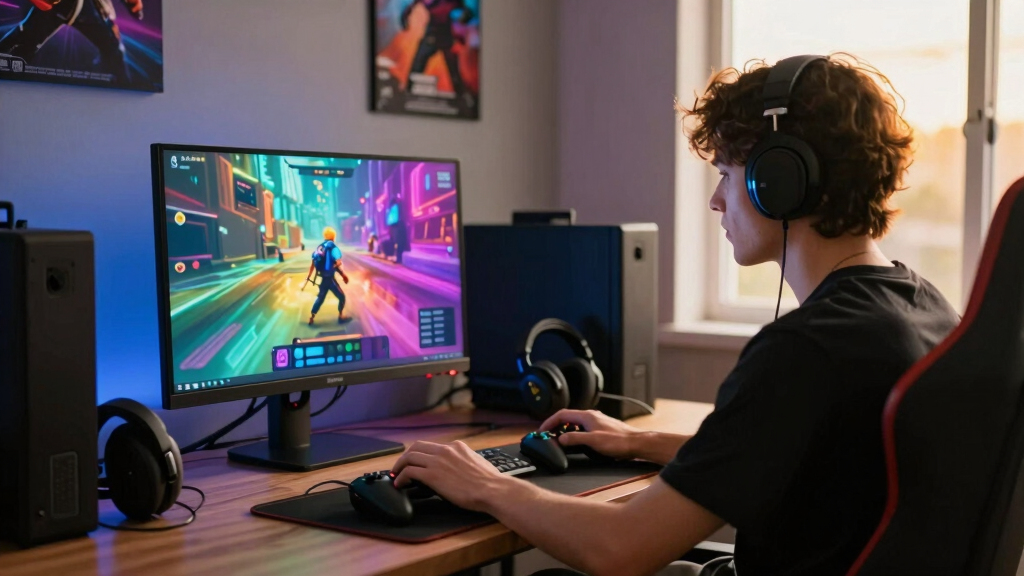
How We Picked
I ranked these monitors through a Steam-first buying lens rather than by raw spec lists alone. The highest positions went to OLED displays that balance usable resolution, high refresh rates, adaptive sync support, input-friendly sizing, and the kind of performance a real gaming PC can feed across a mixed Steam library. I gave extra weight to QHD high-refresh models because they suit competitive games, indie games, older titles, and modern AAA releases without forcing every buyer into a flagship GPU. 4K and ultrawide monitors scored well when they made a clear case for immersion, but they moved down when their benefits depended on game support, desk space, or expensive hardware.
I also looked at ownership friction: stand adjustment, port flexibility, panel finish, burn-in care expectations, and value against similar OLED rivals. The final order favors monitors that help the most players make fewer compromises, then rewards specialists for speed, cinematic image quality, compact desks, or price. That is why the Alienware AW2725DF ranks above faster or larger models: it sits at the best middle point for Steam players who want OLED without turning the rest of the setup into a project.
Factors to Consider When Choosing Best OLED Gaming Monitors For Steam Games
The right OLED monitor for Steam is less about buying the flashiest panel and more about matching your game library, your GPU, and your tolerance for maintenance. I would start with the games you play most, then decide whether smoothness, sharpness, immersion, or price should win.
Match Resolution to the Games You Actually Play
For Steam, 1440p OLED is often the easiest recommendation because it keeps text and game detail sharp while leaving enough GPU headroom for high frame rates. That is why the Alienware AW2725DF, Samsung OLED G6, ASUS XG27AQDMGR, ASUS PG27AQDP, and Samsung OLED G5 feel broadly practical next to the 4K models. 4K OLED makes more sense if your Steam time leans toward single-player games, RPGs, racing, exploration, and visual showcases. The catch is that 4K at high refresh asks far more from the graphics card, so a buyer with a midrange GPU may end up lowering settings to chase smoothness. Ultrawide WQHD sits between those worlds: it adds lateral immersion, but some games handle menus, cutscenes, and field of view better than others. I would pick resolution before chasing refresh rate, because the wrong pixel count can make the whole setup feel mismatched.
Know When High Refresh Actually Pays Off
A 240Hz OLED already feels extremely quick because OLED response is near-instant, so the jump to 360Hz or 480Hz only pays off for certain players. If your Steam library is heavy on Counter-Strike 2, The Finals, Apex Legends, Rocket League, fighting games, or rhythm games, the Alienware AW2725DF and ASUS PG27AQDP have a clearer purpose. For slower adventure games, strategy games, deckbuilders, and co-op titles, a 180Hz or 240Hz monitor may deliver nearly all the perceived benefit. The mistake is paying for a refresh rate your PC cannot feed or your games cannot use. I also weigh refresh rate against resolution, because a clean 240fps at QHD can feel better than a 4K panel stuck far below its ceiling. Frame pacing matters as much as the headline number.
Choose Panel Finish and Size for Your Room
OLED monitors are not equal once they are on a desk, especially if glare, viewing distance, and screen size are part of the setup. A 27-inch QHD model is the safest desk fit for most Steam players because it keeps the whole screen in view and pairs well with keyboard-and-mouse games. The ASUS XG27AQDMGR stands apart with its glossy TrueBlack OLED approach, which can make contrast feel punchier in controlled lighting but may be less forgiving in a bright room. A 32-inch 4K screen gives more cinematic scale, while a 34-inch ultrawide wraps more of the game around your view. Bigger is not always better for competitive play, since scanning the corners takes more effort. I would match size to both game genre and room lighting, not just desk width.
Treat Burn-In Care as Part of the Purchase
OLED burn-in risk should not scare every Steam player away, but it should shape buying habits. Steam gaming often means static HUDs, launchers, chat windows, health bars, minimaps, and taskbars, which makes pixel care features more than a spec-sheet extra. I would favor monitors with sensible panel maintenance tools, automatic refresh cycles, and easy brightness controls if the display will double as a work screen. A pure gaming setup with varied full-screen play is usually less demanding than an eight-hour desktop workflow followed by gaming at night. The tradeoff is that OLED asks for a little more discipline than an LCD: hide the taskbar, rotate content, and avoid leaving static screens up for long stretches. Warranty coverage and local service options can matter as much as peak brightness for peace of mind.
Decide Where Premium Spending Helps
Paying more for OLED is easiest to justify when the money buys a benefit you can see in your usual Steam games. The Acer Predator X32 and LG 32GX850A-B make sense for players who want 4K detail and have a GPU that can keep up, while the ASUS PG27AQDP earns its premium through extreme speed. The Alienware AW2725DF is more balanced because it does not force a choice between sharpness and high refresh as harshly. A budget-friendly OLED like the Samsung Odyssey OLED G5 can still deliver the core OLED appeal, but it gives up some headroom against the faster 240Hz, 360Hz, and 480Hz options. I would avoid paying for features that sit idle, such as 4K on a low-power PC or 480Hz for mostly cinematic games. Value comes from fit, not from the lowest price alone.
Frequently Asked Questions
Is 1440p or 4K better for Steam games on an OLED monitor?
For most Steam players, I would choose 1440p OLED before 4K because it is easier to drive at high frame rates and still looks sharp on a 27-inch screen. That is why the Alienware AW2725DF, Samsung OLED G6, and ASUS PG27AQDP rank so well in this group. 4K OLED is the better match for players who spend more time in cinematic single-player games and already own a strong GPU. The tradeoff is that 4K can push buyers into lower settings or upscaling more often. If your Steam library is mixed, QHD usually gives the cleaner balance.
Do I need 360Hz or 480Hz for Steam games?
No, most players do not need 360Hz or 480Hz, but those refresh rates can make sense for competitive Steam games where every frame helps aiming, tracking, or timing. The Alienware AW2725DF is a strong middle ground because 360Hz is faster than 240Hz without becoming as narrowly focused as the ASUS PG27AQDP. A 240Hz OLED already has excellent motion clarity because pixel response is so fast. If your PC rarely reaches 240fps, a higher-refresh monitor may spend much of its life below its headline speed. I would only pay for 480Hz if fast multiplayer games dominate your library.
Is an ultrawide OLED worth it for Steam?
An ultrawide OLED can be wonderful for supported Steam games, especially racing, flight, RPG, and exploration titles where extra horizontal view adds a stronger sense of space. The LG 34GX90SA-W is the pick in this lineup for that buyer, and its USB-C adds flexibility outside gaming. The downside is that ultrawide support is not universal, so some games may use black bars, awkward menus, or stretched interface elements. Competitive players may also prefer a smaller 16:9 display because it keeps information closer to the center of vision. I would choose ultrawide only if immersion matters more than broad game compatibility.
Which OLED monitor is best if I am new to PC gaming on Steam?
If I were buying for a newer Steam player, I would prioritize simple setup, adaptive sync support, sensible size, and a refresh rate the GPU can realistically use. The Samsung Odyssey OLED G6 fits that role well because it offers QHD, QD-OLED image quality, 240Hz speed, and an adjustable stand without pushing into the most specialized price tier. The Alienware AW2725DF is better if the budget allows and competitive games are already part of the plan. The Samsung OLED G5 costs less and is still appealing, but its 180Hz cap leaves less room to grow. Beginners should avoid overspending on 4K or 480Hz until they know which Steam genres they play most.
Are OLED gaming monitors safe for long Steam sessions?
OLED monitors are fine for long Steam sessions when buyers treat static content with care. The bigger risk comes from leaving the same HUD, desktop, or launcher visible for many hours, not from varied full-screen gaming alone. I would use auto-hide taskbars, lower desktop brightness, built-in pixel refresh tools, and varied content habits on any model in this roundup. Players who use the same monitor for work all day and Steam at night should give burn-in policy and warranty details extra weight. If that sounds like your routine, the best monitor is not only the brightest or fastest one; it is the one you can maintain without changing your day too much.
Conclusion
My overall pick is the Alienware AW2725DF, because it gives the broadest Steam audience the strongest mix of QHD sharpness, QD-OLED contrast, and 360Hz speed. The Samsung Odyssey OLED G5 is the best value choice for buyers who want OLED contrast without chasing the highest refresh rate, while the Samsung Odyssey OLED G6 is my beginner-friendly pick because its 240Hz QD-OLED spec fits more PCs and genres. For premium buyers, I would split the choice: pick the ASUS ROG Swift PG27AQDP for 480Hz esports, the LG 32GX850A-B for 4K single-player Steam games, or the Acer Predator X32 if you want a larger curved 4K QD-OLED screen. The LG 34GX90SA-W is the specific-needs pick for ultrawide immersion and USB-C flexibility, while the ASUS ROG Strix XG27AQDMGR is the compact glossy-OLED option for controlled lighting. If you are unsure, start with the Alienware or Samsung G6; if your Steam library clearly favors speed, scale, or ultrawide play, the specialist picks become easier to justify.
Fall Picks
fall essentials
As an affiliate, we earn on qualifying purchases.