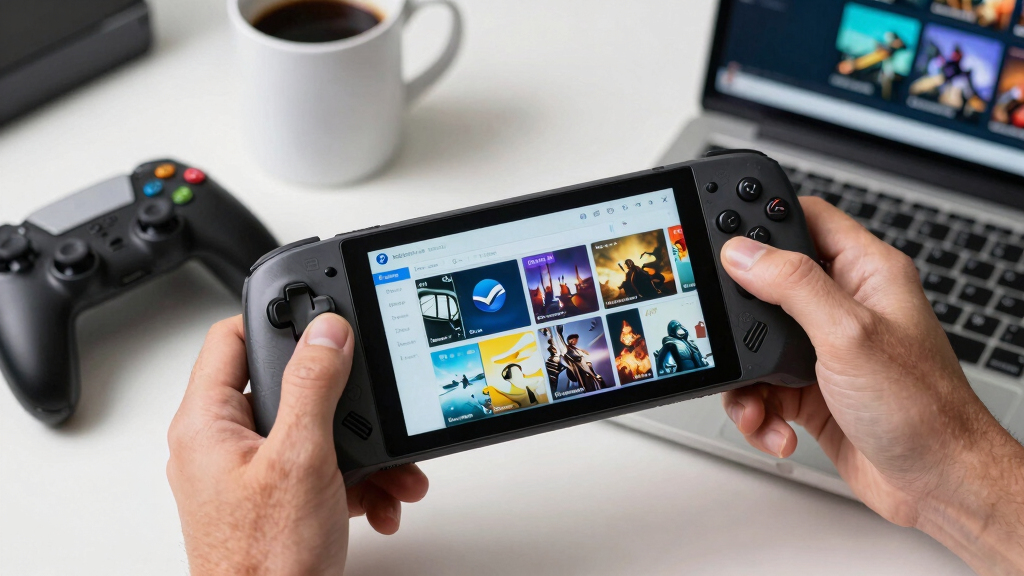

For the best gaming handhelds for Steam libraries in 2026, I rank the Valve Steam Deck OLED 512GB as the best overall pick because it keeps the Steam store, SteamOS, sleep/resume, controls, and verified-game guidance in one cleaner package than the Windows-based rivals. The Lenovo Legion Go S with SteamOS and 1TB SSD is the stronger Steam-native alternative if a larger 8-inch 120Hz screen and more built-in storage matter more than OLED contrast. The Lenovo Legion Go 8.8-inch Z1 Extreme is the big-screen performance play, while the ASUS ROG Xbox Ally makes more sense for buyers who split time between Steam and Xbox Game Pass. The tradeoffs are clear: SteamOS is simpler for Steam libraries, Windows is broader but fussier, bigger screens add immersion, and faster chips can drain batteries faster. Keep reading for the full breakdown of which handheld fits each type of Steam library.

Play games on Amazon Luna for your game nights, included with Prime
- A rotating selection of games, no download needed
- Play on TV, laptop or phone
- Fast, free delivery for your gear, too
Key Takeaways
- I gave SteamOS more weight than raw specs: the Steam Deck OLED 512GB and Legion Go S SteamOS models rank ahead of most Windows options because they reduce launcher friction for Steam-first buyers.
- I see storage as a real dividing line: the Steam Deck OLED 512GB is the cleaner value, while 1TB models make more sense for large AAA libraries and offline travel.
- Lenovo wins on screen size: the Legion Go 8.8-inch and Legion Go S 8-inch models are better suited to strategy games, RPG text, and desktop-style menus than the smaller ASUS screen.
- Windows handhelds are better for mixed libraries: the ASUS ROG Xbox Ally and Windows Legion Go models add Game Pass and launcher flexibility, but they feel less smooth for a pure Steam backlog.
- The International Version Steam Deck is a caution pick: it can be tempting when stock shifts, but warranty, charger, region, and seller support questions keep it behind the standard Valve listings.




More Details on Our Top Picks
Valve Steam Deck OLED 512GB Handheld Gaming Console
I rank the Valve Steam Deck OLED 512GB highest because it is built around the Steam library first, with SteamOS removing much of the setup friction that Windows handhelds can add. Compared with the Lenovo Legion Go 8.8-inch, it gives up screen size and raw resolution, but the OLED HDR display, longer battery claims, and console-like interface make it easier to live with for everyday Steam play. The 512GB drive is the main compromise: large AAA libraries will fill it quickly, so microSD expansion or careful installs may be part of the deal. I would pick this over the Steam Deck OLED 1TB for buyers who want the same core experience without paying for the larger SSD and etched glass.
Pros:- SteamOS is highly suited to Steam library browsing, installs, and suspend-resume play
- OLED HDR screen improves contrast and color over LCD-style handheld displays
- Better value than the 1TB Steam Deck OLED for the same core platform
- Portable, controller-first design feels less PC-like than Windows rivals
Cons:- 512GB storage is tight for modern AAA Steam games
- Lower 1280 x 800 resolution than the Lenovo Legion Go 8.8-inch display
- Linux compatibility can still be a hurdle for some anti-cheat or launcher-heavy games
Best for: Steam players who want the smoothest library-first handheld experience without chasing the highest specs.
Not ideal for: Players with huge installed libraries who dislike storage juggling, since 512GB can fill fast.
- Platform:Linux
- Display:OLED HDR screen
- Resolution:1280 x 800
- Storage:512GB
- Input:Gamepad
- Connectivity:Wi-Fi
- Wireless:Wi-Fi
- Color:Black
Bottom line: This is my default pick for Steam-first buyers who want the least fussy handheld choice.
Valve Steam Deck OLED 1TB Handheld Gaming Console
The Valve Steam Deck OLED 1TB makes the most sense when the Steam Deck experience is already the right fit and the upgrade is about comfort, storage, and polish. Compared with the Steam Deck OLED 512GB, the bigger 1TB NVMe SSD reduces library shuffling, while the anti-glare etched glass is better for players who use a handheld away from perfect indoor lighting. It still is not the most powerful option here; the Lenovo Legion Go 8.8-inch has a sharper, faster panel and Windows flexibility. The tradeoff is that SteamOS keeps library management cleaner, while the premium price narrows the audience. I would choose this for a large Steam library before adding Windows handheld complexity.
Pros:- 1TB NVMe SSD gives large Steam libraries more breathing room
- HDR OLED display with anti-glare etched glass suits portable play
- Wi-Fi 6E can speed up large game downloads on supported networks
- 50Wh battery rating is stronger than many compact PC handheld setups
Cons:- Premium price makes the 512GB Steam Deck OLED a better value for many buyers
- 1280 x 800 resolution trails sharper Windows handheld displays
- Battery range varies widely with demanding games
Best for: Steam loyalists with a larger installed library who want more storage and a more refined screen than the 512GB model.
Not ideal for: Spec hunters who want the largest, sharpest, highest-refresh display, since the Lenovo Legion Go is stronger there.
- Display:7.4-inch HDR OLED
- Resolution:1280 x 800
- Glass:Anti-glare etched glass
- Storage:1TB NVMe SSD
- Battery:50Wh, 3-12 hours of gameplay
- Processor:High-performance AMD APU
- Connectivity:Wi-Fi 6E
- Touchscreen:180Hz polling rate
- Weight:Approximately 30g lighter than LCD model
Bottom line: This is my Steam Deck pick for buyers who would rather pay more now than manage storage constantly later.
Lenovo Legion Go 8.8″ 144Hz WQXGA Handheld Touchscreen Gaming PC with AMD Ryzen Z1 Extreme, 16GB RAM, 512GB SSD
The Lenovo Legion Go 8.8-inch earns its place for Steam players who want a handheld that feels closer to a small gaming PC. Its WQXGA 144Hz touchscreen is the largest and sharpest display in this group, so strategy games, dense RPG menus, and desktop launchers are easier to read than on the Steam Deck OLED 512GB. The Ryzen Z1 Extreme also gives it a performance-minded profile compared with the Lenovo Legion Go S Ryzen Z2 Go models. The cost is simplicity: Windows handhelds tend to require more setup, updates, and interface patience than SteamOS. The 512GB SSD is also modest for a Steam backlog, making this more about screen and power than library capacity.
Pros:- Large 8.8-inch WQXGA screen makes text-heavy Steam games easier to read
- 144Hz refresh rate gives lighter games more motion headroom
- Ryzen Z1 Extreme is a strong fit for performance-focused handheld PC play
- Two USB4 40Gbps ports support flexible docking and accessories
Cons:- Windows experience is less streamlined for Steam-only use than Steam Deck OLED
- 512GB SSD can feel small for a modern Steam library
- Premium hardware may cost more than buyers need for casual handheld play
Best for: PC players who want a larger display for Steam games with small UI text, launchers, or desktop-style controls.
Not ideal for: Buyers who want a console-like Steam experience, because Windows adds more setup and maintenance than SteamOS.
- Display:8.8-inch WQXGA touchscreen
- Refresh Rate:144Hz
- Processor:AMD Ryzen Z1 Extreme
- RAM:16GB
- Storage:512GB SSD
- Weight:Under 2 pounds
- Connectivity:Two USB4 40Gbps ports
- Brightness:500 nits
Bottom line: This is my pick for Steam players who value screen size and PC flexibility over a simpler console-style feel.
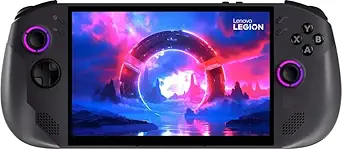
Lenovo Legion Go S Handheld Gaming Console, 16GB RAM, 1TB SSD, SteamOS, 8″ 120Hz IPS Touch Screen, AMD Ryzen Z2 Go
The Lenovo Legion Go S SteamOS 1TB is the most direct challenge to the Steam Deck formula in this batch. Compared with the Lenovo Legion Go S Glacier White, this version is better suited to Steam buyers because SteamOS puts the library front and center, and the 1TB SSD gives more room for big installs. Against the Steam Deck OLED 1TB, it trades the OLED panel and anti-glare glass for an 8-inch 120Hz IPS touchscreen and Lenovo’s hardware layout. That makes it appealing for players who want a Steam-first OS but prefer a larger, faster-refresh screen. The risk is battery uncertainty, since no battery spec is provided, and the Ryzen Z2 Go may not satisfy buyers chasing Z1 Extreme-level performance.
Pros:- SteamOS is well matched to Steam library access and handheld use
- 1TB SSD offers more internal room than 512GB models
- 8-inch 120Hz touchscreen gives more display space than Steam Deck OLED
- USB-C 4.0 ports and microSD slot add useful expansion options
Cons:- IPS LCD lacks the contrast of the Steam Deck OLED models
- Battery life is not specified in the provided product data
- Ryzen Z2 Go may trail Z1 Extreme handhelds in demanding games
Best for: Steam-first buyers who want 1TB of built-in storage and a larger 120Hz screen without moving to Windows.
Not ideal for: Players who prioritize OLED contrast or confirmed battery figures, since the Steam Deck OLED 1TB is clearer on both.
- Display:8-inch IPS LCD touchscreen
- Refresh Rate:120Hz
- Processor:AMD Ryzen Z2 Go with Zen 3 architecture
- Graphics:AMD RDNA integrated GPU
- RAM:16GB LPDDR5X
- Storage:1TB SSD
- Weight:1.62 pounds
- Connectivity:2 x USB-C 4.0 ports, microSD slot
- System OS:SteamOS
Bottom line: This is my choice for SteamOS buyers who care more about built-in storage and screen size than OLED image quality.
Lenovo Legion Go S – 2025 Mobile Gaming Console with AMD Radeon Graphics, 8″ Display, 120Hz, AMD Ryzen Z2 Go, 16GB RAM, 512GB Storage, Glacier White
The Lenovo Legion Go S Glacier White fits buyers who want a modern handheld PC feel but do not need the larger Legion Go 8.8-inch display or Z1 Extreme chip. Its 8-inch 120Hz PureSight IPS screen is more compact, while the Ryzen Z2 Go and Radeon graphics aim for capable Steam play in a less oversized package. Compared with the Lenovo Legion Go S SteamOS 1TB, the weaker point for Steam libraries is the 512GB storage, which can disappear quickly after a handful of large games. The included Game Pass perk may appeal to mixed-library players, but that also shows why this is less Steam-pure than the Steam Deck OLED. Battery size is listed, yet real runtime will depend heavily on game load.
Pros:- 8-inch 120Hz PureSight IPS display balances size and portability
- Ryzen Z2 Go with Radeon graphics suits mainstream handheld PC gaming
- 55.5Whr battery capacity is promising for portable sessions
- Includes 1 year Legion Ultimate Support and 3-month PC Game Pass
Cons:- 512GB storage is restrictive for large Steam libraries
- Less Steam-focused than the SteamOS Legion Go S or Steam Deck OLED
- Battery life can drop with demanding games despite the larger capacity
Best for: Players who split time between Steam and other PC gaming services and want an 8-inch 120Hz handheld.
Not ideal for: Steam-only buyers with large AAA libraries, because the 512GB drive and non-Steam extras are less focused than SteamOS options.
- Display:8-inch 120Hz PureSight IPS
- Processor:AMD Ryzen Z2 Go
- Graphics:AMD Radeon
- Memory:16GB
- Storage:512GB
- Battery:55.5Whr
- Color:Glacier White
- Cooling Technology:Legion ColdFront
- Included Support:1 year Legion Ultimate Support
Bottom line: This is my pick for mixed-library PC players who want Steam access but also care about Windows-style flexibility.
Lenovo Legion Go S 8APU1 8-Inch Gaming Handheld with SteamOS, 32GB RAM, 1TB SSD, Radeon 780M Graphics, AMD Ryzen Z1 Extreme
I rank the Lenovo Legion Go S 8APU1 as the strongest SteamOS choice here for buyers who want more headroom than the Valve Steam Deck OLED 512GB. Its Ryzen Z1 Extreme, Radeon 780M graphics, 32GB of RAM, and 1TB SSD give large Steam libraries more room to breathe, especially if the buyer swaps between big installs. The 8-inch 120Hz WUXGA screen is sharper and faster than the Deck OLED’s 90Hz panel, though it gives up OLED contrast. Compared with the ASUS ROG Xbox Ally, this is the more Steam-first option, while the Ally is broader for Windows storefronts. The tradeoff is portability: at about 1.61 pounds with no stated battery life, it may feel less carefree for travel.
Pros:- Ryzen Z1 Extreme and Radeon 780M provide strong handheld PC performance
- 32GB RAM gives more multitasking and game headroom than 16GB rivals
- 1TB SSD suits larger Steam libraries without immediate upgrades
- Dual USB4, Wi-Fi 6E, microSD, and audio jack give it flexible connectivity
Cons:- Battery life is not specified, which weakens its case as a travel handheld
- Heavier than the ASUS ROG Xbox Ally at about 1.61 pounds
- IPS-style speed and resolution do not match the Steam Deck OLED’s contrast
Best for: Steam library owners who want SteamOS plus extra RAM, 1TB storage, and stronger Ryzen Z1 Extreme performance for larger PC game libraries.
Not ideal for: Travel-first players who care most about known battery range, lighter weight, or detachable-control flexibility.
- Processor:AMD Ryzen Z1 Extreme, 8 cores, 3.30-5.10GHz
- Graphics:Radeon 780M RDNA 3
- Display:8-inch WUXGA 1920 x 1200 touchscreen
- Refresh Rate:120Hz
- Memory:32GB LPDDR5x
- Storage:1TB SSD
- Connectivity:Wi-Fi 6E, Bluetooth, dual USB-C USB4, microSD, 3.5mm audio
- Weight:About 1.61 lb / 730 g
Bottom line: Choose this if SteamOS matters and you want the most performance-focused Steam handheld in this batch.
Valve Steam Deck OLED 512GB SSD + 16GB RAM (International Version) – 7.4-inch Handheld Gaming Console
The Valve Steam Deck OLED 512GB gets this role because it is the most natural fit for a Steam library, even when faster handhelds are nearby. Compared with the Lenovo Legion Go S 8APU1, it has less raw CPU and GPU muscle, but SteamOS, a 7.4-inch HDR OLED screen, and a stated 3-12 hour battery range make it easier to judge as a daily Steam machine. The OLED panel also gives it richer contrast than the Legion Go S, even though Lenovo’s 120Hz display is sharper and faster on paper. Against the ASUS ROG Xbox Ally, the Deck is less flexible for non-Steam launchers, but more focused. The international-version label, missing weight, and smaller 512GB SSD are the main catches.
Pros:- SteamOS is built around Steam libraries and controller-friendly use
- HDR OLED display gives stronger contrast than LCD-based rivals
- Stated 3-12 hour battery range makes portability easier to plan
- Wi-Fi 6E and DisplayPort over USB-C support modern network and docked play
Cons:- Less raw performance headroom than the Ryzen Z1 Extreme Lenovo Legion Go S
- 512GB storage can fill quickly with large Steam installs
- International version may raise warranty or regional support concerns
Best for: Steam-first buyers who want a polished library experience, OLED image quality, and clear battery expectations over maximum specs.
Not ideal for: Players who split time across Steam, Xbox Game Pass, Epic Games, and Windows apps every day.
- Display:7.4-inch HDR OLED, 1280 x 800
- Refresh Rate:90Hz
- Processor:AMD APU Zen 2, 4 cores / 8 threads, 2.4-3.5GHz
- GPU:8 RDNA 2 CUs at 1.6GHz
- RAM:16GB LPDDR5 5500 MT/s
- Storage:512GB NVMe SSD
- Battery:50Wh, rated for 3-12 hours of gameplay
- Connectivity:Tri-band Wi-Fi 6E, Bluetooth 5.3, USB-C with DisplayPort, USB 3.2 Gen 2
Bottom line: Pick this when Steam compatibility, OLED quality, and handheld ease matter more than chasing the fastest chip.
ASUS ROG Xbox Ally – 7-inch 1080p 120Hz Touchscreen Gaming Handheld, 3-month Xbox Game Pass Premium included
The ASUS ROG Xbox Ally makes the list because some Steam owners do not live inside Steam alone. Compared with the Valve Steam Deck OLED 512GB, this handheld is better suited to buyers who also want Xbox Game Pass, Epic Games, and Windows access without treating those as side projects. Its 7-inch 1080p 120Hz display, 500-nit brightness, 16GB RAM, and 512GB SSD line up well for portable PC gaming, and the 60Whr fast-charging battery helps soften short-session anxiety. Next to the Lenovo Legion Go S 8APU1, though, it gives up SteamOS simplicity, 32GB RAM, and 1TB storage. The included Game Pass is only three months, some content is excluded, and battery-life hours are not listed.
Pros:- Windows and Xbox integration suit players with several PC game libraries
- 1080p 120Hz touchscreen is sharp and smooth for a 7-inch handheld
- 60Whr battery with fast charging reaches 50% in about 30 minutes
- Lighter than the Lenovo Legion Go S 8APU1 at 1.47 pounds
Cons:- 512GB SSD is smaller than the 1TB Lenovo Legion Go S 8APU1
- Windows flexibility can feel less streamlined than SteamOS for Steam-only play
- Game Pass benefit lasts only three months and excludes some titles or features
Best for: Steam users who also rely on Xbox Game Pass, Epic Games, and Windows launchers and want one lighter handheld for several libraries.
Not ideal for: Steam-only buyers who want the cleanest SteamOS interface or more built-in storage for large PC installs.
- Display:7-inch FHD 1080p touchscreen
- Refresh Rate:120Hz
- Processor:AMD Ryzen Z2 A
- RAM:16GB LPDDR5 6400MHz
- Storage:512GB SSD
- Battery:60Whr with fast charging, 50% in 30 minutes
- Brightness:500 nits
- Weight:1.47 lb
- Connectivity:Dual USB Type-C ports
Bottom line: Buy this if Steam is only one part of a wider PC gaming library and Windows access is a feature, not a nuisance.
How We Picked
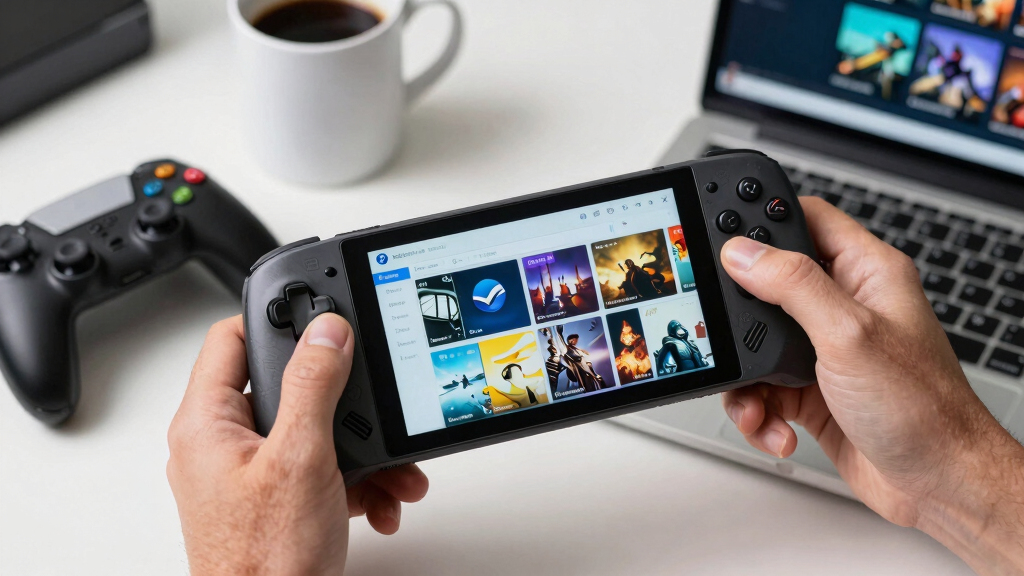
I ranked these handhelds by how well they serve a Steam-first library, not by spec sheets alone. The highest weight went to SteamOS convenience, reliable sleep/resume behavior, easy updates, controller mapping, Proton/Verified guidance, and how little menu work a buyer has to do before playing. After that, I weighed playable performance at handheld settings, screen quality, storage size, battery tradeoffs, weight, repair and upgrade paths, warranty clarity, and price. That is why the Steam Deck OLED 512GB beats some faster Windows models: it is less powerful on paper, but it asks less from a Steam-only buyer.
The middle of the ranking favors the SteamOS Legion Go S models because they bring Valve-style software to larger Lenovo hardware, with the 32GB/1TB Z1 Extreme version sitting higher for bigger libraries and heavier games. The Lenovo Legion Go 8.8-inch earns a clear role for big-screen Windows players, but its size and interface friction hold it below the simpler SteamOS picks. The ASUS ROG Xbox Ally ranks as the best hybrid choice for Steam plus Game Pass, while the International Version Steam Deck sits lower because the buyer gains little over the standard 512GB OLED and may inherit support questions.
Factors to Consider When Choosing Best Gaming Handhelds For Steam Libraries
I would treat this category as a choice between console-like Steam access and small Windows PC flexibility. A handheld that looks weaker on paper can be the better Steam device if it launches games faster, sleeps cleanly, and makes controller setup painless. The best choice depends on library size, game types, tolerance for Windows upkeep, and how often the device leaves the house.
SteamOS vs Windows
I give SteamOS handhelds an advantage when the library is mostly Steam because the store, controller profiles, shader handling, and sleep/resume flow are built around that one job. The Steam Deck OLED remains the cleanest version of that idea, while the SteamOS Legion Go S models add bigger Lenovo hardware to a similar software path. Windows models like the ASUS ROG Xbox Ally and original Legion Go are better when Steam shares space with Game Pass, Epic, Battle.net, mod tools, or desktop apps. The tradeoff is friction: Windows gives more doors, but a handheld buyer may spend more time with updates, pop-ups, launchers, and touch controls. Some anti-cheat games and certain launchers still make Windows the safer route, so the right answer depends on the games that sit at the top of the library. My rule is simple: if Steam is the main home, start with SteamOS; if Steam is only one shelf in a wider PC library, Windows earns its keep.
Screen Size and Readability
A handheld for Steam is also a screen for PC interfaces, so I care about text clarity as much as raw refresh rate. The Lenovo Legion Go 8.8-inch has the best canvas here, which helps with strategy games, dense RPG menus, launchers, and desktop mode. Its high resolution can also become a trap, since running demanding games at native WQXGA asks more from the chip than handheld batteries like to give. The Steam Deck OLED takes the opposite path: a smaller 7.4-inch panel with richer contrast, lower resolution, and a 90Hz ceiling that fits its performance target better. The ASUS ROG Xbox Ally uses a 7-inch 1080p 120Hz screen, which is sharp and smooth but less relaxed for small PC text. I would match the display to the library: large screens for management sims and RPG reading, OLED for cinematic games, and 1080p VRR panels for buyers who tweak settings often.
Storage and Library Management
Steam libraries expand quickly, and I rank 512GB handhelds differently depending on how much storage discipline they demand. The Steam Deck OLED 512GB works well for a curated mix of indies, older PC games, and a few AAA installs, especially if the buyer rotates games often. A 1TB model, such as the Steam Deck OLED 1TB or Legion Go S SteamOS 1TB, makes more sense for large RPGs, shader caches, offline travel, and anyone who dislikes uninstalling games before a trip. MicroSD cards are useful for older or lighter titles, but they can feel less elegant for huge games with frequent patches. I also give the Lenovo 1TB SteamOS models extra credit because their storage advantage pairs with a larger screen rather than acting as the only upgrade. The common mistake is buying the cheapest handheld, then paying later for cards, docks, cases, and storage swaps that erase the saving.
Performance, Battery, and Settings
For Steam libraries, performance headroom matters only when it turns into playable settings at handheld power levels. The Z1 Extreme Lenovo models have more room for demanding games than Z2 Go devices, but that advantage can shrink when heat, fan noise, and battery draw enter the picture. A buyer chasing AAA games should plan around 800p, 900p, or 1200p upscaling rather than assuming every handheld will make native resolution feel console-smooth. The Steam Deck OLED wins many lighter and midrange Steam workloads through balance rather than brute force: lower resolution, mature profiles, and a screen that flatters modest frame rates. The Legion Go S 32GB/1TB Z1 Extreme is the better pick for heavier libraries if SteamOS is still desired, but it costs more and may spend battery faster under load. I would pay for extra power only when the actual library includes modern open-world games, racing games, or shooters that will use it.
Controls, Portability, and Docking
I also weigh controls and carrying comfort because Steam libraries often mix controller-first games with PC titles that need trackpad-like precision. The Steam Deck OLED has the strongest control story for Steam because the touchpads, gyro, back buttons, and community layouts help older PC games feel less awkward. Lenovo’s larger devices give more screen and, on the original Legion Go, detachable controllers, but they ask the buyer to accept more bulk in a bag. The ASUS ROG Xbox Ally leans into familiar Xbox-style grips, which helps if the library is mostly controller-ready games and Game Pass titles. Docking is another split: Windows handhelds behave more like mini PCs on a monitor, while SteamOS devices feel more console-like when used from the couch. My advice is to treat weight, grip shape, and input layout as part of game compatibility, not as side details.
Warranty, Imports, and Long-Term Support
The International Version Steam Deck OLED 512GB is the one pick where I would slow down before chasing a low price. It can be functionally similar to the standard 512GB OLED, but warranty coverage, return windows, charger packaging, regional support, and seller reputation can change the real cost. That is why I rank it behind the regular Valve model even when the listed specs look nearly identical. For Lenovo and ASUS handhelds, I would pay attention to local retail support, repair options, and how easy it is to replace storage or accessories later. Software support matters too: SteamOS updates can improve compatibility over time, while Windows handhelds rely on a mix of Microsoft, AMD, ASUS, or Lenovo software layers. A cheaper import or marketplace deal only makes sense if the savings are large enough to justify less predictable service.
Frequently Asked Questions
Is SteamOS Better Than Windows for a Steam Library?
For a library that lives mostly in Steam, I usually favor SteamOS because it reduces the setup between buying a game and playing it on the couch. The Steam Deck OLED gives the most polished version of that flow, and the SteamOS Legion Go S models bring the same general idea to bigger Lenovo screens. Windows still has a place when the buyer wants Game Pass, native launcher support, anti-cheat titles that dislike Linux, or normal desktop software. The cost is more maintenance, more interface clutter, and more moments where touch input replaces a true console UI. My answer is SteamOS for Steam-first buyers, Windows for mixed-store PC players.
Should I Buy the Steam Deck OLED 512GB or 1TB?
I would pick the Steam Deck OLED 512GB for most buyers because it delivers the same core screen, controls, SteamOS experience, and performance as the 1TB model. The Steam Deck OLED 1TB earns its premium when the library is packed with large AAA games, when offline travel is common, or when the buyer wants the etched-glass display and more space from day one. A 512GB model plus a microSD card can be the smarter value for indie games, emulation, and older PC titles. The 1TB model is cleaner, but it is not faster in a way that changes game compatibility. My value line is simple: pay for 1TB if storage anxiety is real, stay with 512GB if the game list rotates often.
Is the Lenovo Legion Go S With SteamOS Better Than the Steam Deck OLED?
The Lenovo Legion Go S with SteamOS can be better for buyers who want a larger 8-inch 120Hz display, more built-in storage, or a higher-spec configuration than Valve currently sells. The Steam Deck OLED still has the cleaner value story because its OLED panel, controls, community support, and verified-game guidance fit Steam libraries so naturally. Lenovo’s advantage is hardware variety, especially the 1TB and 32GB RAM configurations that make larger libraries feel less cramped. Valve’s advantage is polish and predictability, which matters for buyers who want fewer settings menus. I would choose Lenovo for screen size and storage, and Valve for the easiest Steam-first package.
Do I Need a Z1 Extreme or Z2 Go Handheld for Steam Games?
A Z1 Extreme handheld makes sense if the library leans toward newer AAA games, high-refresh shooters, racing games, or titles that benefit from extra GPU headroom. A Z2 Go device can still be the better buy for indie games, older Steam favorites, visual novels, 2D games, and mainstream titles played at sensible settings. The mistake is treating the chip name as the whole purchase, since screen resolution, cooling, power limits, memory, and software can change the result. The Legion Go S 32GB/1TB Z1 Extreme is the power-focused SteamOS option in this group, while the Z2 Go Legion Go S models are more about price and balance. My cut line is the library: buy the stronger chip for demanding games, not for store browsing or light backlog play.
Is the ASUS ROG Xbox Ally a Good Choice if Most of My Games Are on Steam?
The ASUS ROG Xbox Ally is a good fit when Steam is part of a wider gaming mix that includes Xbox Game Pass, cloud saves, Microsoft Store games, and Windows launchers. For a pure Steam library, I would rank the Steam Deck OLED and SteamOS Legion Go S models higher because they remove more everyday friction. The Ally’s 7-inch 1080p 120Hz screen and Xbox-style controls make sense for controller-ready games, but Windows can feel busy on a small touchscreen. It also lacks the OLED contrast of Valve’s handheld and the larger display options from Lenovo. My recommendation is to buy the Xbox Ally for hybrid libraries, not as the default Steam-only machine.
Conclusion
My best overall recommendation is the Valve Steam Deck OLED 512GB because it gives Steam-first buyers the cleanest mix of software, display quality, controls, battery behavior, and price discipline. My best value pick is also the 512GB Steam Deck OLED unless the Lenovo Legion Go S SteamOS 1TB is close in price, since that Lenovo model adds storage and a larger 8-inch screen without leaving SteamOS. For beginners, I would choose the Steam Deck OLED 512GB; for premium plug-and-play buyers, I would move to the Valve Steam Deck OLED 1TB. The Lenovo Legion Go S 32GB/1TB Z1 Extreme is my high-spec SteamOS pick for heavier libraries, while the Lenovo Legion Go 8.8-inch Z1 Extreme is best for large-screen Windows play and desktop-style games. The Lenovo Legion Go S Glacier White 512GB is the Windows value choice, the ASUS ROG Xbox Ally is the best Steam plus Game Pass hybrid, and the International Version Steam Deck OLED 512GB is mainly a fallback when the standard Valve model is unavailable and seller support looks solid.
Fall Picks
fall essentials
As an affiliate, we earn on qualifying purchases.