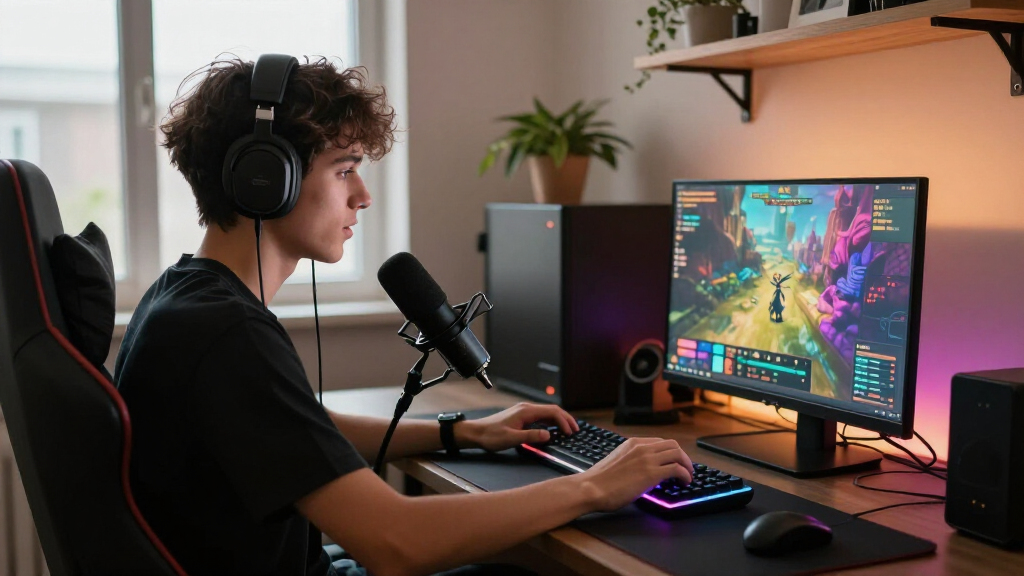
For gaming and streaming from one laptop, I’d start with the Acer Nitro V 16S AI: its RTX 5060, 32GB of memory, and 1TB SSD give it a strong balance for running a game and broadcast software together. The ASUS ROG Strix G18 is the performance-first pick, while the Acer Nitro V 15 offers a simpler entry point with an RTX 5050 and 16GB of RAM. The main tradeoff is between graphics and multitasking headroom, screen size, portability, and storage capacity. A more powerful GPU can help with demanding games and encoding, but it does not remove the need for good cooling, a stable connection, and a suitable microphone or camera. Read on for the full comparison and guidance on which compromises fit your stream.

Play games on Amazon Luna for your game nights, included with Prime
- A rotating selection of games, no download needed
- Play on TV, laptop or phone
- Fast, free delivery for your gear, too
Complete the kit



Key Takeaways
- The RTX 5060 models form the strongest middle ground. The Acer Nitro V 16S AI combines that GPU with 32GB of RAM and 1TB of storage, while the ASUS ROG Strix G16 pairs an RTX 5060 with a stronger listed Intel processor but 16GB of memory.
- The RTX 5070 ROG Strix G18 leads on listed performance. Its Core Ultra 9 275HX and larger chassis make it the performance pick, though buyers should be comfortable with an 18-inch laptop rather than a more compact setup.
- Memory capacity separates several close contenders. The Nitro V 16S AI and NIMO offer 32GB, while a number of gaming-focused options list 16GB; multitasking streamers may value that extra headroom, but the NIMO’s listed specs do not include a dedicated gaming GPU.
- Screen size changes the streaming setup. The 18-inch ASUS TUF A18 and ROG Strix G18 give more on-laptop viewing space, while the 15.6- and 16-inch models are easier to fit into a smaller desk or travel routine.
- Storage and GPU should be judged together. Several RTX 5060 picks include a 1TB SSD, whereas the Nitro V 15 lists 512GB; game libraries and recording files can fill storage quickly, even when graphics performance is adequate.
| Acer Nitro V 15 Gaming Laptop, 15.6-inch FHD 165Hz IPS, Intel Core i5-13420H, RTX 5050, 16GB RAM, 512GB SSD |  | Best Entry-Level Streaming Pick | Processor: Intel Core i5-13420H, 8 cores, 12 threads, up to 4.6GHz | Graphics: NVIDIA GeForce RTX 5050 Laptop GPU, 8GB GDDR7 | Display: 15.6-inch IPS, 1920 x 1080, 165Hz | VIEW LATEST PRICE | See Our Full Breakdown |
| ASUS TUF Gaming F16 Laptop with Intel Core i5-13450HX and NVIDIA GeForce RTX 5050 |  | Best Value for a Growing Game Library | Processor: Intel Core i5-13450HX, 10 cores, up to 4.6GHz | Graphics: NVIDIA GeForce RTX 5050 Laptop GPU, 8GB GDDR7 | Display: 16-inch IPS-level LCD, 1920 × 1200, 165Hz, 100% sRGB, G-Sync | VIEW LATEST PRICE | See Our Full Breakdown |
| ASUS ROG Strix G18 Gaming Laptop, Core Ultra 9 275HX, RTX 5070 |  | Best Premium Streaming Workstation | Processor: Intel Core Ultra 9 275HX, 24 cores, up to 5.4GHz | Graphics: NVIDIA GeForce RTX 5070 Laptop GPU, 8GB GDDR7 | Display: 18-inch, 2560 × 1600, 240Hz, 500 nits | VIEW LATEST PRICE | See Our Full Breakdown |
| ASUS TUF A18 Gaming Laptop, 18-inch FHD+ 144Hz, Ryzen 7 260, RTX 5060, 16GB DDR5, 1TB SSD |  | Best Large-Screen Midrange Pick | Processor: AMD Ryzen 7 260, 8 cores, 16 threads, up to 5.1GHz | Graphics: NVIDIA GeForce RTX 5060 Laptop GPU, 8GB GDDR7 | Display: 18-inch IPS-level anti-glare, 1920 × 1200, 144Hz, 3ms | VIEW LATEST PRICE | See Our Full Breakdown |
| MSI Katana 15 HX 15.6-Inch QHD+ 165Hz Gaming Laptop |  | Best Compact High-Performance Pick | Processor: Intel Core i9-14900HX, 24 cores | Graphics: NVIDIA GeForce RTX 5070, 8GB GDDR7 | Display: 15.6-inch, 2560 × 1600, 165Hz, matte, 100% DCI-P3 | VIEW LATEST PRICE | See Our Full Breakdown |
| NIMO 15.6-Inch FHD Laptop with AMD Ryzen 7 8745HS, 32GB DDR5 RAM, and 1TB SSD | 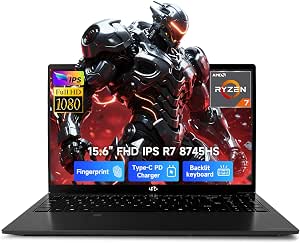 | Best for Streamers Who Prioritize Memory and Ports | Processor: AMD Ryzen 7 8745HS, 8 cores and 16 threads, up to 4.9GHz | Graphics: Integrated AMD Radeon 780M | Display: 15.6-inch Full HD, 1920 x 1080, anti-glare | VIEW LATEST PRICE | See Our Full Breakdown |
| Alienware 16 Aurora Gaming Laptop, RTX 5050, Intel Core 7 240H |  | Best for a Sharper Gaming Display | Processor: Intel Core 7 240H | Graphics: NVIDIA GeForce RTX 5050 Laptop GPU | Display: 16-inch WQXGA, 2560 x 1600, 120Hz, 300 nits | VIEW LATEST PRICE | See Our Full Breakdown |
| Acer Nitro V 16S AI Gaming Laptop, Ryzen 7 260, GeForce RTX 5060, 16-inch WUXGA 180Hz Display, 32GB DDR5, 1TB SSD |  | Best Overall for Streaming and Gaming Balance | Processor: AMD Ryzen 7 260 | Graphics: NVIDIA GeForce RTX 5060 Laptop GPU, 8GB GDDR7 | Display: 16-inch WUXGA LCD, 1920 x 1200, 180Hz, 100% sRGB | VIEW LATEST PRICE | See Our Full Breakdown |
| ASUS ROG Strix G16 Gaming Laptop (2025), 16-inch FHD+ 165Hz, Intel Core i7-14650HX, NVIDIA GeForce RTX 5060, 16GB DDR5, 1TB SSD |  | Best for CPU-Heavy Streaming Workloads | Processor: Intel Core i7-14650HX | Graphics: NVIDIA GeForce RTX 5060 Laptop GPU, 8GB | Display: 16-inch FHD+ LED, 1920 x 1200, 165Hz | VIEW LATEST PRICE | See Our Full Breakdown |
| gaming laptops for streaming | Processor | Graphics | Display | Memory |
|---|---|---|---|---|
| Acer Nitro V 15 Gaming Laptop | Intel Core i5-13420H, 8 cores, 12 threads, up to 4.6GHz | NVIDIA GeForce RTX 5050 Laptop GPU, 8GB GDDR7 | 15.6-inch IPS, 1920 x 1080, 165Hz | 16GB DDR4, expandable to 32GB |
| ASUS TUF Gaming F16 Laptop wit | Intel Core i5-13450HX, 10 cores, up to 4.6GHz | NVIDIA GeForce RTX 5050 Laptop GPU, 8GB GDDR7 | 16-inch IPS-level LCD, 1920 × 1200, 165Hz, 100% sRGB, G-Sync | 16GB DDR5 |
| ASUS ROG Strix G18 Gaming Lapt | Intel Core Ultra 9 275HX, 24 cores, up to 5.4GHz | NVIDIA GeForce RTX 5070 Laptop GPU, 8GB GDDR7 | 18-inch, 2560 × 1600, 240Hz, 500 nits | 32GB DDR5 5600MHz |
| ASUS TUF A18 Gaming Laptop | AMD Ryzen 7 260, 8 cores, 16 threads, up to 5.1GHz | NVIDIA GeForce RTX 5060 Laptop GPU, 8GB GDDR7 | 18-inch IPS-level anti-glare, 1920 × 1200, 144Hz, 3ms | 16GB DDR5 |
| MSI Katana 15 HX 15.6-Inch QHD | Intel Core i9-14900HX, 24 cores | NVIDIA GeForce RTX 5070, 8GB GDDR7 | 15.6-inch, 2560 × 1600, 165Hz, matte, 100% DCI-P3 | 32GB DDR5 |
| NIMO 15.6-Inch FHD Laptop with | AMD Ryzen 7 8745HS, 8 cores and 16 threads, up to 4.9GHz | Integrated AMD Radeon 780M | 15.6-inch Full HD, 1920 x 1080, anti-glare | 32GB DDR5 5600MHz, expandable to 64GB |
| Alienware 16 Aurora Gaming Lap | Intel Core 7 240H | NVIDIA GeForce RTX 5050 Laptop GPU | 16-inch WQXGA, 2560 x 1600, 120Hz, 300 nits | 16GB DDR5 5600MHz, maximum 32GB |
| Acer Nitro V 16S AI Gaming Lap | AMD Ryzen 7 260 | NVIDIA GeForce RTX 5060 Laptop GPU, 8GB GDDR7 | 16-inch WUXGA LCD, 1920 x 1200, 180Hz, 100% sRGB | 32GB DDR5 5600MHz |
| ASUS ROG Strix G16 Gaming Lapt | Intel Core i7-14650HX | NVIDIA GeForce RTX 5060 Laptop GPU, 8GB | 16-inch FHD+ LED, 1920 x 1200, 165Hz | 16GB DDR5-5600 |
More Details on Our Top Picks
Acer Nitro V 15 Gaming Laptop, 15.6-inch FHD 165Hz IPS, Intel Core i5-13420H, RTX 5050, 16GB RAM, 512GB SSD
I’d pick the Acer Nitro V 15 for a streamer who wants dedicated graphics and a fast gaming screen without stepping up to a larger, heavier laptop. Its RTX 5050 with 8GB GDDR7 gives it a useful graphics foundation for gaming while streaming, and the 165Hz Full HD display keeps fast gameplay looking fluid. Compared with the ASUS TUF Gaming F16, it offers less storage and DDR4 rather than DDR5 memory, so the TUF is the better fit for a larger game library and more room for stream-related apps. The Nitro’s expandable memory gives owners a practical upgrade path, but its 512GB SSD may fill quickly. I’d treat the included stand and mouse pad as handy extras, not a substitute for the laptop’s more limited storage.
Pros:- RTX 5050 graphics with 8GB GDDR7 for gaming alongside a streaming workload
- 165Hz Full HD IPS display for fluid gameplay
- 16GB DDR4 memory is expandable to 32GB
- Includes a foldable laptop stand and mouse pad
Cons:- 512GB SSD leaves less room for a large game library and recorded streams
- DDR4 memory is a step behind the ASUS TUF Gaming F16’s DDR5 configuration
- 15.6-inch screen offers less workspace than the 16- and 18-inch alternatives
Best for: New streamers who want a 15.6-inch gaming laptop with dedicated graphics, a high-refresh display, and memory they can expand later.
Not ideal for: Streamers who keep several large games installed or want more storage and DDR5 memory without upgrading.
- Processor:Intel Core i5-13420H, 8 cores, 12 threads, up to 4.6GHz
- Graphics:NVIDIA GeForce RTX 5050 Laptop GPU, 8GB GDDR7
- Display:15.6-inch IPS, 1920 x 1080, 165Hz
- Memory:16GB DDR4, expandable to 32GB
- Storage:512GB PCIe Gen 4 SSD
- Operating system:Windows 11 Home
- Ports:3 x USB-A 3.2, 1 x USB-C, HDMI 2.1
- Weight:4.63 lbs
Our verdict“Choose the Nitro V 15 if you want a relatively compact, upgradeable entry point for gaming and streaming and can live with its smaller SSD.”
ASUS TUF Gaming F16 Laptop with Intel Core i5-13450HX and NVIDIA GeForce RTX 5050
The ASUS TUF Gaming F16 is my practical pick for streamers who want the RTX 5050 class of graphics but need more breathing room for games and software. Its 1TB SSD doubles the Acer Nitro V 15’s listed capacity, while 16GB of DDR5 and an i5-13450HX make a well-rounded base for gaming, streaming tools, and multitasking. The 16-inch 1920 × 1200 screen adds vertical workspace over the Nitro’s Full HD panel, and 100% sRGB coverage is useful if you also adjust overlays or video. The 1080p camera and Thunderbolt 4 add practical streaming and connection options. It still has only 16GB of memory, so demanding multitasking may call for an upgrade; its 165Hz screen is also not a 4K panel. Compared with the premium Strix G18, it’s a more restrained setup rather than a high-end performance choice.
Pros:- 1TB NVMe SSD provides more room for games and stream software than the Acer Nitro V 15
- 16GB DDR5 memory and an i5-13450HX processor
- 16-inch 1920 × 1200, 165Hz display with G-Sync and 100% sRGB coverage
- 1080p camera, Thunderbolt 4, and broad port selection
Cons:- 16GB of memory may constrain heavy gaming, streaming, and multitasking together
- RTX 5050 graphics sit below the RTX 5060 and RTX 5070 options in this roundup
- Display resolution is 1920 × 1200 rather than 4K
Best for: Streamers who want an RTX 5050 laptop with a larger SSD, a 1080p camera, and a color-capable screen for overlays or basic content work.
Not ideal for: Creators who need 32GB of memory out of the box or want the larger, higher-resolution screen and stronger graphics tier of the ROG Strix G18.
- Processor:Intel Core i5-13450HX, 10 cores, up to 4.6GHz
- Graphics:NVIDIA GeForce RTX 5050 Laptop GPU, 8GB GDDR7
- Display:16-inch IPS-level LCD, 1920 × 1200, 165Hz, 100% sRGB, G-Sync
- Memory:16GB DDR5
- Storage:1TB PCIe NVMe M.2 SSD
- Camera:1080p FHD
- Connectivity:Thunderbolt 4, USB, HDMI, Ethernet, Wi-Fi 6, Bluetooth
- Weight:4.6 lbs
Our verdict“Pick the TUF Gaming F16 if storage, connectivity, and a balanced 16-inch setup matter more than top-tier graphics or 32GB of memory.”
ASUS ROG Strix G18 Gaming Laptop, Core Ultra 9 275HX, RTX 5070
For a streamer who wants a large built-in workspace and substantial headroom, I’d put the ASUS ROG Strix G18 ahead of the more modest TUF models. Its 24-core Core Ultra 9, RTX 5070, and 32GB of DDR5 are better suited to running a demanding game alongside broadcast tools and other apps. The 18-inch 2560 × 1600, 240Hz display gives gameplay and production windows more room than the MSI Katana 15 HX’s 15.6-inch screen, while Wi-Fi 7 and Ethernet provide flexible network options. That expansive setup has a real cost in portability: at 7.54 pounds, it is much heavier than the 5-pound Katana. The 1TB SSD is a useful starting point, though streamers who keep extensive recordings may still want additional storage.
Pros:- Core Ultra 9 275HX and RTX 5070 for demanding games and concurrent streaming tasks
- 32GB DDR5 memory supports heavier multitasking than the 16GB TUF configurations
- 18-inch 2560 × 1600, 240Hz display with 500-nit brightness
- Thunderbolt 4, HDMI 2.1, RJ45 Ethernet, and Wi-Fi 7
Cons:- At 7.54 lbs, it is the heaviest option in this batch
- 1TB storage may be limited for streamers archiving many long recordings
- Its large chassis is less convenient for frequent travel than the MSI Katana 15 HX
Best for: Streamers who mostly work at a desk and want a large, high-refresh display, 32GB of memory, and strong hardware for gaming with broadcast software.
Not ideal for: People who carry a laptop frequently or prioritize a smaller footprint; the 7.54-pound chassis is much less portable than the MSI Katana 15 HX.
- Processor:Intel Core Ultra 9 275HX, 24 cores, up to 5.4GHz
- Graphics:NVIDIA GeForce RTX 5070 Laptop GPU, 8GB GDDR7
- Display:18-inch, 2560 × 1600, 240Hz, 500 nits
- Memory:32GB DDR5 5600MHz
- Storage:1TB PCIe Gen4 NVMe M.2 SSD
- Operating system:Windows 11 Pro
- Wireless:Wi-Fi 7, Bluetooth 5.4
- Ports:Thunderbolt 4, USB-C, 3 x USB-A, HDMI 2.1, RJ45 Ethernet, 3.5mm audio
- Weight:7.54 lbs
Our verdict“Choose the ROG Strix G18 for a mostly stationary streaming setup that benefits from its large screen and 32GB of memory, not for frequent travel.”
ASUS TUF A18 Gaming Laptop, 18-inch FHD+ 144Hz, Ryzen 7 260, RTX 5060, 16GB DDR5, 1TB SSD
The ASUS TUF A18 makes the most sense for streamers who want a roomy 18-inch screen but don’t need the Strix G18’s higher-end processor, 32GB of memory, or 240Hz panel. Its RTX 5060 sits between the RTX 5050 laptops and RTX 5070 options in this group, giving it a middle-ground graphics tier for gaming and streaming. A 1TB SSD leaves more space for games than the Acer Nitro V 15’s 512GB drive, and the 1920 × 1200, 144Hz display gives menus and production tools useful screen area. The tradeoff is that its 16GB of DDR5 is less comfortable for extensive multitasking than the Strix G18’s 32GB. At 5.73 pounds, it is also easier to move than the larger Strix, though still a substantial laptop to carry.
Pros:- RTX 5060 graphics offer a middle ground between the RTX 5050 and RTX 5070 laptops here
- 18-inch 1920 × 1200 display with a 144Hz refresh rate
- 1TB NVMe SSD for games and software
- USB 4 Type-C, HDMI 2.1, Ethernet, and Wi-Fi 6E
Cons:- 16GB DDR5 is less suited to heavy simultaneous gaming and streaming than the Strix G18’s 32GB
- 144Hz refresh rate is lower than the 165Hz and 240Hz panels elsewhere in the roundup
- Weighs 5.73 lbs, making it less convenient for regular travel than the smaller Acer Nitro V 15
Best for: Streamers who want an 18-inch display, RTX 5060 graphics, and 1TB of storage without choosing the heavier, higher-spec ROG Strix G18.
Not ideal for: Streamers who regularly run many apps alongside demanding games and want 32GB of memory, or who prefer a higher-resolution panel.
- Processor:AMD Ryzen 7 260, 8 cores, 16 threads, up to 5.1GHz
- Graphics:NVIDIA GeForce RTX 5060 Laptop GPU, 8GB GDDR7
- Display:18-inch IPS-level anti-glare, 1920 × 1200, 144Hz, 3ms
- Memory:16GB DDR5
- Storage:1TB NVMe SSD
- Operating system:Windows 11 Pro
- Wireless:Wi-Fi 6E, Bluetooth 5.3
- Ports:USB 4 Type-C, USB 3.2 Type-C, 2 x USB 3.2 Type-A, USB 2.0 Type-A, HDMI 2.1, RJ45
- Weight:5.73 lbs
Our verdict“Choose the TUF A18 if a large screen and midrange graphics matter more than a 240Hz display or 32GB of memory.”
MSI Katana 15 HX 15.6-Inch QHD+ 165Hz Gaming Laptop
The MSI Katana 15 HX is the strongest fit here for streamers who want high-end components in a smaller footprint than the 18-inch ASUS models. It pairs a Core i9-14900HX, RTX 5070, and 32GB DDR5, giving it more listed memory than the TUF Gaming F16 and a more powerful graphics tier than that laptop’s RTX 5050. Its 15.6-inch 2560 × 1600 screen is compact but sharp, with 165Hz refresh and 100% DCI-P3 coverage for vivid gameplay and color-rich visuals. Cooler Boost 5 is designed for sustained gaming sessions, though the product data doesn’t specify noise levels. Compared with the ROG Strix G18, the Katana saves weight and space but gives up screen size and refresh rate. Its 1TB SSD may also feel tight for an extensive stream archive.
Pros:- Core i9-14900HX, RTX 5070, and 32GB DDR5 for demanding games and multitasking
- 15.6-inch 2560 × 1600, 165Hz display with 100% DCI-P3 coverage
- Cooler Boost 5 uses dual fans and five heat pipes
- At 5 lbs, it is substantially lighter than the ASUS ROG Strix G18
Cons:- 15.6-inch screen offers less workspace than the 18-inch ASUS TUF A18 and ROG Strix G18
- 165Hz refresh rate is below the ROG Strix G18’s 240Hz panel
- 1TB SSD may not hold a large archive of recorded streams alongside games
Best for: Streamers who want a high-spec gaming laptop with 32GB of memory and a sharp, color-rich screen in a more compact chassis than an 18-inch model.
Not ideal for: Buyers who need a large on-screen workspace, maximum refresh rate, or ample local space for extensive stream recordings.
- Processor:Intel Core i9-14900HX, 24 cores
- Graphics:NVIDIA GeForce RTX 5070, 8GB GDDR7
- Display:15.6-inch, 2560 × 1600, 165Hz, matte, 100% DCI-P3
- Memory:32GB DDR5
- Storage:1TB NVMe SSD
- Operating system:Windows 11 Home
- Cooling:Cooler Boost 5, dual fans and five heat pipes
- Connectivity:Wi-Fi 6E, Bluetooth 5.4, Ethernet, HDMI, USB-C Gen 2, USB-A
- Weight:5 lbs
Our verdict“Pick the Katana 15 HX if you want 32GB of memory and RTX 5070-class performance without carrying an 18-inch laptop.”
NIMO 15.6-Inch FHD Laptop with AMD Ryzen 7 8745HS, 32GB DDR5 RAM, and 1TB SSD
The NIMO’s 32GB of DDR5 memory gives streamers room to run broadcast software, chat, and other apps together without starting from a 16GB configuration. Its Ryzen 7 8745HS is an 8-core, 16-thread processor, but the integrated Radeon 780M graphics are the key limitation: compared with the dedicated RTX 5050 in the Alienware 16 Aurora, this is a weaker fit for demanding games while streaming. The NIMO makes more sense for lighter titles, cloud gaming, or a creator who wants a capable everyday laptop and occasional play. USB4, HDMI 2.1, and three USB-A ports simplify connecting capture and audio gear, and memory and storage can be upgraded. The tradeoff is clear: ample RAM and connectivity, but not the dedicated graphics headroom of the gaming-focused picks.
Pros:- 32GB DDR5 memory supports multitasking across streaming tools and chat
- USB4, HDMI 2.1, and three USB-A ports provide useful connection options
- Memory and 1TB SSD can be upgraded
- 75Wh battery, fingerprint reader, and backlit keyboard add everyday convenience
Cons:- Integrated Radeon 780M graphics are less suited to demanding games while streaming than a dedicated GPU
- The 15.6-inch Full HD display has less resolution and refresh-rate detail in the provided specs than the gaming-focused alternatives
- Battery-life and gaming-performance claims are based on the product listing
Best for: Streamers playing lighter games who want 32GB of memory, flexible peripheral connections, and upgradeable storage in a 15.6-inch laptop.
Not ideal for: Creators who plan to stream graphically demanding games locally; integrated graphics offer less gaming headroom than the RTX-equipped Alienware 16 Aurora or Acer Nitro V 16S AI.
- Processor:AMD Ryzen 7 8745HS, 8 cores and 16 threads, up to 4.9GHz
- Graphics:Integrated AMD Radeon 780M
- Display:15.6-inch Full HD, 1920 x 1080, anti-glare
- Memory:32GB DDR5 5600MHz, expandable to 64GB
- Storage:1TB PCIe 4.0 NVMe SSD, expandable up to 4TB
- Ports:USB4 40Gbps, full-function USB-C, HDMI 2.1, three USB-A ports, MicroSD reader
- Battery:75Wh
- Weight:3.8 pounds
Our verdict“Choose the NIMO for memory, upgrade options, and ports if your streaming games are modest, but pick an RTX-equipped laptop for demanding titles.”
Alienware 16 Aurora Gaming Laptop, RTX 5050, Intel Core 7 240H
The Alienware 16 Aurora pairs an RTX 5050 with a 16-inch, 2560 x 1600 display, giving game footage more detail than the Full HD-class panel on the Acer Nitro V 16S AI. Its 120Hz refresh rate is less fluid than that Acer’s 180Hz screen, but the higher resolution is appealing for games and general desktop work. For streaming, the dedicated GPU is a more appropriate starting point than the NIMO’s integrated graphics, while the Core 7 240H and 16GB of memory provide a capable listed configuration. The main tradeoffs are 16GB RAM with a 32GB maximum, a listed 300-nit brightness, and a 5.5-pound chassis. I’d choose it for display detail and gaming focus, not for frequent travel or the most generous multitasking capacity.
Pros:- RTX 5050 dedicated graphics are better suited to gaming than integrated graphics
- 2560 x 1600 display offers more detail than the Acer Nitro V 16S AI’s 1920 x 1200 panel
- 120Hz refresh rate supports smoother motion than a standard 60Hz screen
- Cryo-Chamber cooling design and backlit keyboard
Cons:- 5.5-pound weight makes it less convenient to carry than the lighter NIMO
- 16GB of memory is less generous than the 32GB configurations in the NIMO and Acer Nitro V 16S AI
- Display brightness is listed at 300 nits
Best for: Streamers who want a high-resolution 16-inch gaming screen and an RTX graphics processor for gaming alongside broadcast software.
Not ideal for: Traveling creators or streamers who keep many apps open; it weighs 5.5 pounds and starts with 16GB of memory, with a listed 32GB maximum.
- Processor:Intel Core 7 240H
- Graphics:NVIDIA GeForce RTX 5050 Laptop GPU
- Display:16-inch WQXGA, 2560 x 1600, 120Hz, 300 nits
- Memory:16GB DDR5 5600MHz, maximum 32GB
- Storage:1TB SSD
- Connectivity:Wi-Fi 7, Bluetooth, Ethernet, HDMI, USB
- Operating system:Windows 11 Home
- Weight:5.5 pounds
Our verdict“Pick the Alienware if display resolution matters more to you than portability, memory capacity, or a faster refresh rate.”
Acer Nitro V 16S AI Gaming Laptop, Ryzen 7 260, GeForce RTX 5060, 16-inch WUXGA 180Hz Display, 32GB DDR5, 1TB SSD
The Acer Nitro V 16S AI is the most balanced fit here for gaming while streaming: it combines an RTX 5060 with 32GB of DDR5 memory, so neither graphics nor listed RAM is as obvious a compromise as on the Alienware 16 Aurora or ASUS ROG Strix G16. Its 180Hz, 100% sRGB display favors smooth motion and color coverage, although its 1920 x 1200 resolution is less detailed than the Alienware’s 2560 x 1600 panel. The 8GB of GDDR7 graphics memory and RTX 5060 give it a stronger dedicated-GPU setup than the NIMO, whose Radeon graphics are integrated. At 4.6 pounds, it is more portable than the ASUS TUF A18, but the 65Wh battery and listed memory ceiling of 32GB leave less room for upgrades.
Pros:- RTX 5060 graphics with 8GB GDDR7 provide a dedicated-GPU foundation for gaming and streaming
- 32GB DDR5 memory is a strong starting point for multitasking
- 180Hz display with 100% sRGB coverage balances smooth motion and color coverage
- 4.6-pound weight is more manageable than the ASUS TUF A18’s 18-inch format
Cons:- 1920 x 1200 resolution is lower than the Alienware 16 Aurora’s 2560 x 1600 display
- Listed memory maximum is 32GB, with no capacity beyond the included configuration
- 65Wh battery capacity is smaller than the NIMO’s listed 75Wh battery
Best for: Streamers who want an RTX 5060, 32GB of memory, and a high-refresh display in a laptop that is easier to carry than an 18-inch model.
Not ideal for: Buyers who need a higher-resolution screen, memory expansion beyond 32GB, or a larger display for keeping stream controls visible.
- Processor:AMD Ryzen 7 260
- Graphics:NVIDIA GeForce RTX 5060 Laptop GPU, 8GB GDDR7
- Display:16-inch WUXGA LCD, 1920 x 1200, 180Hz, 100% sRGB
- Memory:32GB DDR5 5600MHz
- Storage:1TB PCIe Gen 4 SSD
- Wireless connectivity:Wi-Fi 6, Bluetooth
- Battery:65Wh lithium-ion
- Weight:4.6 pounds
Our verdict“Choose the Acer for a well-rounded streaming setup with RTX 5060 graphics, 32GB of RAM, and a fast screen without moving to an 18-inch laptop.”
ASUS ROG Strix G16 Gaming Laptop (2025), 16-inch FHD+ 165Hz, Intel Core i7-14650HX, NVIDIA GeForce RTX 5060, 16GB DDR5, 1TB SSD
The ASUS ROG Strix G16 stands out for its Core i7-14650HX and RTX 5060 pairing, a compelling base for streamers who also run CPU-heavy production tools. Compared with the Acer Nitro V 16S AI, it has a 165Hz rather than 180Hz display and 16GB instead of 32GB of memory; the Acer is the stronger out-of-box choice for multitasking. The Strix counters with tool-free RAM and SSD access, so upgrading the memory is more straightforward, and its 90Wh battery is larger than the Acer’s 65Wh unit. Tri-fan cooling and Wi-Fi 7 round out a performance-focused setup. The listed battery life is only two hours, however, and at 2.65 kg this is not a lightweight companion. I’d favor it when upgrade access matters more than immediate memory capacity.
Pros:- Intel Core i7-14650HX and RTX 5060 provide a strong CPU-and-GPU pairing for gaming and streaming
- Tool-free access makes RAM and SSD upgrades easier
- 90Wh battery capacity is larger than the Acer Nitro V 16S AI’s 65Wh battery
- Tri-fan cooling and Wi-Fi 7 suit a performance-focused setup
Cons:- 16GB of memory is half the listed capacity of the Acer Nitro V 16S AI
- Listed battery life is two hours
- At 2.65 kg, it is a substantial laptop to carry
Best for: Streamers who want an Intel Core i7 HX processor, RTX 5060 graphics, and straightforward access for future RAM and SSD upgrades.
Not ideal for: Buyers who need 32GB of memory out of the box or expect long unplugged sessions; the listed configuration has 16GB and lists two hours of battery life.
- Processor:Intel Core i7-14650HX
- Graphics:NVIDIA GeForce RTX 5060 Laptop GPU, 8GB
- Display:16-inch FHD+ LED, 1920 x 1200, 165Hz
- Memory:16GB DDR5-5600
- Storage:1TB PCIe Gen 4 SSD
- Wireless:Wi-Fi 7
- Battery capacity:90Wh
- Weight:2.65 kg
Our verdict“Choose the Strix G16 if you value its HX processor and easy upgrade access, but the Acer is the better ready-to-stream pick for 32GB of memory.”

How We Picked
I ranked these laptops for the demands of gaming and streaming on the same machine, not gaming performance alone. The main criteria were the listed GPU and processor, memory capacity for running a game alongside streaming and chat tools, and SSD space for games and recordings. I also weighed screen size and display specifications as practical factors: a larger or faster screen may help with play and stream management, but it can make a laptop less convenient to move.
The order reflects the balance of those factors, with the Acer Nitro V 16S AI first for its RTX 5060, 32GB of RAM, and 1TB SSD, and the ROG Strix G18 standing out for buyers who prioritize the strongest listed hardware. RTX 5050 laptops remain reasonable starting points, but their 16GB configurations offer less listed memory headroom than the 32GB models. I did not treat the NIMO as a direct substitute for the gaming laptops with dedicated RTX graphics: its 32GB of RAM and 1TB SSD are appealing, but its supplied description does not list a discrete GPU. Actual streaming performance can also depend on cooling, power limits, network quality, and software settings, details not established by the product names and specifications supplied here.
| gaming laptops for streaming | Operating system |
|---|---|
| Acer Nitro V 15 Gaming Laptop | Windows 11 Home |
| ASUS TUF Gaming F16 Laptop wit | — |
| ASUS ROG Strix G18 Gaming Lapt | Windows 11 Pro |
| ASUS TUF A18 Gaming Laptop | Windows 11 Pro |
| MSI Katana 15 HX 15.6-Inch QHD | Windows 11 Home |
| NIMO 15.6-Inch FHD Laptop with | — |
| Alienware 16 Aurora Gaming Lap | Windows 11 Home |
| Acer Nitro V 16S AI Gaming Lap | — |
| ASUS ROG Strix G16 Gaming Lapt | — |
Factors to Consider When Choosing Gaming Laptops For Streaming
Choosing a streaming laptop is about keeping the game, broadcast software, and your setup working together—not simply buying the biggest GPU. I’d match the hardware to the games and stream quality you plan to run, then check the practical details that product listings often leave unclear.
Choose a GPU for the games and stream you actually run
A dedicated GPU can help render demanding games and may support hardware-assisted video encoding, leaving the processor more room for other tasks. That does not mean every streamer needs the highest-tier graphics option: lighter games and less demanding stream settings may work well on a more modest configuration. Think about whether you will play graphically intensive titles, use high visual settings, or run additional graphics-heavy software. Do not choose by GPU name alone; laptop power limits and cooling affect how a chip performs, and those details may require checking the exact configuration. If a listing leaves encoder support or GPU power information unclear, verify it before treating one laptop as a guaranteed streaming upgrade.
Plan memory around multitasking, not just the game
A stream can add a browser, chat, alerts, recording software, and other background tasks to the game already using system memory. That makes 32GB a useful comfort target for multitasking, while 16GB may suit a leaner setup or a buyer willing to close unnecessary apps. The common mistake is to focus on the game’s minimum requirements and forget the streaming tools running beside it. Check whether the memory is upgradeable and whether any slots are available; a configuration that can be expanded may be more flexible than its starting capacity suggests. Also confirm the exact model’s memory layout, since product families can have variants that differ from a headline listing.
Treat SSD capacity as part of stream planning
Games, updates, downloaded assets, and recorded footage all compete for local storage. A 1TB SSD gives more breathing room than 512GB, especially if you save long sessions or keep several large games installed. Before buying, estimate how much footage you plan to retain and whether you will archive it elsewhere. External storage can help with recordings, but it adds another device and may be less convenient for frequent editing or transfers. Check whether the laptop has an accessible second storage slot or a straightforward upgrade path rather than assuming that every model can be expanded.
Balance screen space against desk and travel needs
A larger laptop display can make it easier to keep a game and stream controls visible, especially when you are not using an external monitor. A smaller chassis is easier to carry and may fit better on a crowded desk, but it leaves less screen area for managing chat and broadcast tools. Refresh rate is mainly relevant to how responsive games look; it does not by itself improve stream quality or encode a cleaner broadcast. If you plan to stream from a fixed desk, an external monitor may matter more than choosing an 18-inch laptop. For portable setups, check the laptop’s full dimensions and weight rather than relying on display size alone.
Check cooling, noise, and sustained power before buying
Gaming and encoding at the same time can keep a laptop under load for long sessions, so sustained cooling matters more than a short burst of performance. Heat can lead to fan noise or reduced performance, both of which may affect a stream: loud fans can enter a microphone, while throttling can make gameplay less consistent. Product names and core specifications do not reveal how a particular configuration behaves during extended use. Look for information on cooling design, fan controls, and performance modes, and consider whether your microphone can be positioned away from the laptop. A cooling stand may help airflow in some setups, but it cannot compensate for a laptop that is poorly suited to sustained workloads.
Budget for the rest of the broadcast setup
A laptop handles the game and software, but the viewing experience also depends on your internet connection, audio, camera, and lighting. A high-spec machine cannot fix unstable upload bandwidth or muddy microphone sound. Check that the laptop has the ports and wireless options your peripherals need, and plan how many devices you will connect at once. Buyers who already own a USB microphone, camera, or wired network adapter should confirm that their setup can connect without awkward hubs. Paying more for a faster laptop makes the most sense when the game workload is the bottleneck, not when the main issue is audio or connection quality.
Frequently Asked Questions
Is an RTX 5050 laptop enough to stream games?
It can be a reasonable starting point for streaming, particularly if you play less demanding games and use settings suited to the laptop’s capabilities. The RTX 5050 models in this roundup pair their graphics with 16GB of RAM, so heavy multitasking may leave less memory headroom than the 32GB Nitro V 16S AI. Game choice, resolution, stream settings, cooling, and the laptop’s power limits all affect the result. Check the exact configuration and test your intended game and broadcast settings before relying on one machine for every workload. If you expect demanding games and several apps open at once, an RTX 5060 model with more memory is the safer fit from this selection.
Should I choose 32GB of RAM or a stronger graphics card?
Prioritize the graphics card if your games are the main performance limit; prioritize 32GB if your current or planned setup regularly runs a game, streaming software, browser tabs, and other tools together. The Nitro V 16S AI is a useful example of a balanced listed configuration, combining an RTX 5060 with 32GB of RAM. A stronger GPU cannot prevent memory pressure when too many applications are open, and extra RAM cannot make a weak GPU render demanding games faster. Check whether the laptop’s memory can be upgraded, since that may let you start with less and expand later. Your game library, stream settings, and multitasking habits should decide the priority.
Is a laptop without a listed dedicated GPU a good choice for streaming games?
It may suit general multitasking or lighter games, but I would not treat it as equivalent to the RTX-equipped gaming laptops in this roundup for demanding game streaming. The NIMO lists a Ryzen 7 processor, 32GB of RAM, and a 1TB SSD, but its supplied product details do not name a dedicated graphics card. A large memory and storage configuration does not replace the graphics capability that demanding games may need. Verify the exact GPU before buying if gaming performance is central to your setup. For streams built around graphically intensive games, a clearly specified dedicated GPU is the more dependable starting point.
Do I need an 18-inch laptop to manage a stream while gaming?
No. An 18-inch screen can give you more room to view a game and control panels on one display, but it also means choosing a larger laptop. A 15- or 16-inch model can work well if you use an external monitor, keep your stream interface simple, or value easier transport. A high refresh rate affects how gameplay appears on the laptop screen; it does not directly improve encoding or upload quality. Decide whether you will stream at a fixed desk or move the laptop often, then compare screen area with the space and portability you need. A separate monitor can be a more flexible way to add workspace.
Should I keep stream recordings on the laptop’s internal SSD?
Keeping recordings on the internal SSD is convenient for editing and quick access, but long sessions can use storage rapidly alongside installed games. The 1TB configurations in this roundup offer more listed room than the Nitro V 15’s 512GB drive, though actual available space will be lower after system files and software. If you plan to retain many recordings, decide whether you will move finished files to external storage or a network archive. Check the laptop’s expansion options before assuming you can add another internal drive later. For frequent editing, keeping active projects on fast local storage and archiving older footage separately is a practical balance.
Conclusion
For most buyers who want one laptop to handle gaming and streaming, I’d choose the Acer Nitro V 16S AI as the best overall: its RTX 5060, 32GB of RAM, and 1TB SSD make a well-rounded listed combination. The ASUS ROG Strix G18 is my best premium pick for buyers who want the strongest listed processor and GPU here and are comfortable with a large machine. For value-minded shoppers and beginners, the Acer Nitro V 15 is the straightforward entry point among the RTX-equipped options, though its 16GB of RAM and 512GB SSD leave less room for busy multitasking and recordings. Choose the ASUS TUF A18 if a large screen is your priority, or the ROG Strix G16 if you want RTX 5060 graphics in a 16-inch format. The NIMO makes sense for buyers prioritizing memory and storage for general use, but I would verify its graphics hardware before selecting it for demanding game streams.
Fall Picks
fall essentials
As an affiliate, we earn on qualifying purchases.