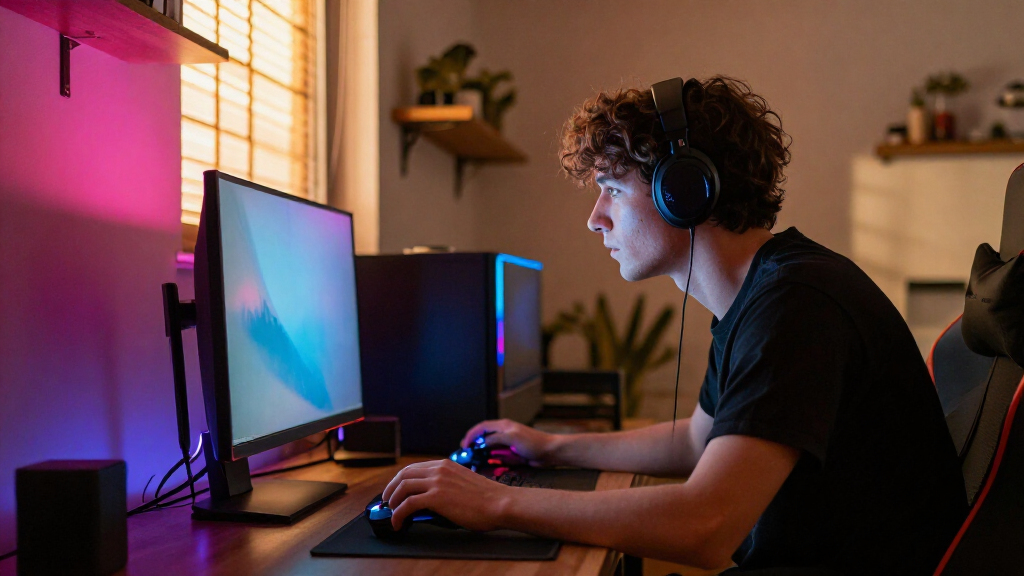
RGB gaming monitor backlights range from simple reactive strips to smart light bars that add both ambient color and task lighting. My best overall pick is the Govee G1 RGBIC Gaming Monitor Backlight, which is purpose-built for 27–34-inch screens, while the Monster Duo stands out for combining rear RGBIC ambience with front white lighting. For a strip-style setup, the Wacuaao 24-Inch Reactive RGB Monitor Backlight is a focused alternative. The main tradeoffs are screen-synced effects versus simpler lighting, monitor fit versus flexible placement, and extra controls versus setup complexity. Read on for the full breakdown, buying advice, and picks for different desk needs.

Play games on Amazon Luna for your game nights, included with Prime
- A rotating selection of games, no download needed
- Play on TV, laptop or phone
- Fast, free delivery for your gear, too
Complete the kit



Key Takeaways
- Govee G1 is the clearest monitor-specific all-rounder in this lineup because it is designed for 27–34-inch displays rather than treated as a general-purpose light.
- Monster Duo and SAMPHON combine rear ambience with front-facing illumination, making them more practical for work-and-play desks than backlight-only strips.
- Quntis offers two distinct light-bar fits: a 15.7-inch option for compact displays and a curved-monitor version for buyers whose screen shape complicates standard mounting.
- Govee’s light bars suit flexible placement around a desk, while the Govee G1 and reactive strips are more directly tied to monitor-focused lighting.
- Screen sync is not the only measure of a good backlight: monitor compatibility, glare control, cable routing, and whether you need front lighting can matter more than the number of effects.
| RZJSKJZM LED Monitor Backlight Strip with Screen and Music Sync, 24-Inch |  | Best for Screen-Reactive Effects | Screen size: 24 inches | Strip length: 41.3 inches | Power: USB corded electric | VIEW LATEST PRICE | See Our Full Breakdown |
| Monster Duo Monitor Light Bar with RGBIC Ambient and Multiwhite Front Lighting |  | Best All-in-One Light Bar | Length: 17.4 inches | Front lighting: Dimmable multiwhite LEDs | Rear lighting: 117 individually addressable RGBIC LEDs | VIEW LATEST PRICE | See Our Full Breakdown |
| Quntis 15.7-Inch Monitor Light Bar with RGB Backlight |  | Best for Compact Desk Lighting | Length: 15.7 inches (40 cm) | Lighting: Front light and RGB backlight | RGB modes: 24 (9 static and 15 dynamic) | VIEW LATEST PRICE | See Our Full Breakdown |
| Quntis Curved Monitor Light Bar with RGB Backlight |  | Best for Curved Ultrawide Monitors | Screen compatibility: Curved monitors over 34 inches or large flat screens | Monitor curvature: 800R–3000R | Maximum monitor thickness: 3.35 inches | VIEW LATEST PRICE | See Our Full Breakdown |
| Govee Smart RGBICWW Light Bars for TV and Gaming |  | Best for Flexible Smart Setup | Model: H6056 | Lighting technology: RGBICWW | Number of lights: 2 | VIEW LATEST PRICE | See Our Full Breakdown |
| SAMPHON RGB Monitor Light Bar with Dual Lighting |  | Best for Task Lighting and Ambient RGB | Power and connector: Corded electric; USB-C; 5 V | Maximum light output: 150 lumens | Wattage: 5 W | VIEW LATEST PRICE | See Our Full Breakdown |
| Govee G1 RGBIC Gaming Monitor Backlight for 27–34 Inch Monitors |  | Best for Screen-Reactive Gaming | Model: H6609 | Monitor compatibility: 27–34-inch flat or curved monitors | Light source and count: LED; 108 LEDs | VIEW LATEST PRICE | See Our Full Breakdown |
| Govee H6047 RGBIC Gaming Light Bars with Smart Controller |  | Best for Flexible Smart Lighting Control | Model: H6047 | Lighting: Multicolor LED with RGBIC effects; 16.8 million colors | Scene modes: More than 60 | VIEW LATEST PRICE | See Our Full Breakdown |
| Wacuaao 24-Inch Reactive RGB Monitor Backlight |  | Best for 24-Inch Monitor Setups | Screen size: 24 inches | Lighting: RGB LED; 60 light sources | Power: USB, 5 V; 12 W | VIEW LATEST PRICE | See Our Full Breakdown |
| RGB gaming monitor backlight | Power | Controls |
|---|---|---|
| RZJSKJZM LED Monitor Backlight | USB corded electric | SyncLight software for PC or Mac |
| Monster Duo Monitor Light Bar | USB; 5V/2A adapter not included | App, voice, touch, and inline button |
| Quntis 15.7-Inch Monitor Light | USB, 5 watts | Touch, with memory for previous settings |
| Quntis Curved Monitor Light Ba | — | Remote |
| Govee Smart RGBICWW Light Bars | 18 W, 12 V DC corded | — |
| SAMPHON RGB Monitor Light Bar | — | — |
| Govee G1 RGBIC Gaming Monitor | 18 W; 12 V DC | — |
| Govee H6047 RGBIC Gaming Light | Corded electric; 3 W | App, touch, voice, desktop dial |
| Wacuaao 24-Inch Reactive RGB M | USB, 5 V; 12 W | — |
More Details on Our Top Picks
RZJSKJZM LED Monitor Backlight Strip with Screen and Music Sync, 24-Inch
I’d pick the RZJSKJZM for a straightforward goal: make the colors behind a 24-inch monitor respond to what’s on screen or to music. Its screen and music sync give it a more reactive feel than the Quntis 15.7-Inch Monitor Light Bar, whose RGB backlight is controlled separately from its front task light. The strip connects over USB and includes adhesive tape and clips, so it can be arranged behind a compatible display without adding a tabletop fixture.
The tradeoff is that screen syncing depends on SyncLight software and a PC or Mac, and some copyrighted streaming content may not sync properly. It also lacks the separate desk illumination offered by the Quntis bars, and its three-month warranty is limited. I’d choose it for reactive color, not for a more complete work-and-gaming light.
Pros:- Screen-color and music synchronization add reactive lighting effects.
- USB power avoids a separate power supply.
- Adhesive tape and clips support flexible strip placement.
Cons:- Requires SyncLight software for screen synchronization and works only with PC or Mac.
- Screen sync may fail with some copyrighted streaming content.
- Three-month warranty is shorter than the one-year limited warranty listed for the Monster Duo.
Best for: PC or Mac gamers with a 24-inch monitor who want backlighting that reacts to screen colors or music.
Not ideal for: Console-only users, viewers who rely on protected streaming content for screen sync, or buyers who want a front-facing desk light.
- Screen size:24 inches
- Strip length:41.3 inches
- Power:USB corded electric
- Controls:SyncLight software for PC or Mac
- Lighting modes:Screen sync, music sync, and other software-controlled modes
- Color:Multicolor
- Materials:Silicone strip and plastic shade
- Warranty:3 months
Our verdict“Choose this strip for PC- or Mac-based reactive backlighting, but skip it if you need task lighting or dependable sync with protected video.”
Monster Duo Monitor Light Bar with RGBIC Ambient and Multiwhite Front Lighting
The Monster Duo earns its place by pairing two jobs that most RGB backlights keep separate: dimmable front lighting for the desk and 117 individually addressable RGBIC LEDs behind the display. That makes it a more complete single-fixture choice than the RZJSKJZM strip, which focuses on reactive color rather than task illumination. App, voice, touch, and inline controls also give it more ways to adjust than the touch-only Quntis 15.7-Inch bar, while sound-reactive effects and Razer Chroma RGB support suit a gaming setup with compatible gear.
Its compact 17.4-inch body won’t cover the rear of a large display like the Quntis Curved bar can. The power adapter is not included, so buyers need a suitable 5V/2A source, and its tabletop mount differs from a simple adhesive strip. This is the best fit when front light and smart RGB matter equally.
Pros:- Combines dimmable multiwhite front lighting with 117 addressable RGBIC rear LEDs.
- Offers app, voice, touch, and inline-button control.
- Supports sound-reactive effects and Razer Chroma RGB synchronization.
- Includes an adjustable mount and a 6-foot USB cord.
Cons:- 5V/2A power adapter is not included.
- Its 17.4-inch length may provide limited coverage behind wider displays.
- Not waterproof.
Best for: PC gamers who want one compact fixture for desk illumination and RGB ambience, especially those using Razer Chroma or voice controls.
Not ideal for: Owners of large ultrawide displays seeking broad rear coverage, or buyers who need a power adapter included.
- Length:17.4 inches
- Front lighting:Dimmable multiwhite LEDs
- Rear lighting:117 individually addressable RGBIC LEDs
- Controls:App, voice, touch, and inline button
- Compatibility:Alexa, Google Assistant, Siri Shortcuts, and Razer Chroma RGB
- Power:USB; 5V/2A adapter not included
- USB cord length:6 feet
- Warranty:Limited one year
Our verdict“Choose the Monster Duo if you want front task lighting and feature-rich RGB ambience in one fixture and already have a suitable USB power adapter.”
Quntis 15.7-Inch Monitor Light Bar with RGB Backlight
The Quntis 15.7-Inch makes the most sense when RGB is an extra, not the whole point. Its front lamp directs light toward the desk with an asymmetric, glare-reducing design, while a separate RGB backlight adds color behind the monitor. Compared with the RZJSKJZM strip, it adds useful task illumination and doesn’t depend on screen-sync software; compared with the Monster Duo, it has a more conventional clip-on form and simpler touch controls.
Five brightness levels, stepless 3000K–6500K color adjustment, and Ra95 color rendering help it serve work sessions as well as gaming. The cost of that practical focus is a shorter 15.7-inch span and 24 RGB modes rather than the Monster Duo’s addressable RGBIC effects and wider control options. Check monitor thickness before buying: the clip fits displays from 0.16 to 2.36 inches, and the light still needs USB power.
Pros:- Combines desk-facing task lighting with a separate RGB backlight.
- Adjustable brightness and color temperature support different work and gaming conditions.
- Asymmetric illumination is designed to reduce glare on the screen.
- Clip-on mount fits monitors from 0.16 to 2.36 inches thick and leaves room for a webcam.
Cons:- RGB effects are less feature-rich than the Monster Duo’s addressable RGBIC lighting.
- The 15.7-inch bar may look small on wider monitors.
- Requires USB power and is not water resistant.
Best for: Desk users with a compatible monitor who want glare-conscious work lighting alongside a modest RGB gaming accent.
Not ideal for: Gamers seeking screen-reactive lighting, extensive smart controls, or broad coverage across a large ultrawide display.
- Length:15.7 inches (40 cm)
- Lighting:Front light and RGB backlight
- RGB modes:24 (9 static and 15 dynamic)
- Brightness:5 levels
- Color temperature:3000K–6500K
- Monitor thickness compatibility:0.16–2.36 inches
- Power:USB, 5 watts
- Controls:Touch, with memory for previous settings
Our verdict“Pick this Quntis bar if compact desk lighting matters as much as RGB and your monitor falls within its clip-fit range.”
Quntis Curved Monitor Light Bar with RGB Backlight
For a large curved display, the Quntis Curved Monitor Light Bar is the specialist pick in this group. Its adjustable dual-bar design is made for curved monitors over 34 inches, with stated compatibility for 800R to 3000R curvature and screens up to 3.35 inches thick. That fit sets it apart from the 15.7-inch Quntis bar, which is more compact and has a narrower thickness range. The extended length reaches up to 26 inches, while asymmetric illumination puts light on the desk instead of directly at the screen.
Its automatic ambient-light adjustment, remote control, and included USB-C cable and power adapter make it a more self-contained large-screen setup than the Monster Duo, whose adapter is sold separately. The tradeoff is narrow use: this bar is oversized for many standard monitors, and its 15 RGB modes are not the same as screen-reactive syncing. Choose it for curved-screen fit and desk illumination, not for dynamic content matching.
Pros:- Designed for large curved screens, with stated compatibility from 800R to 3000R.
- Extends up to 26 inches and fits screens up to 3.35 inches thick.
- Asymmetric desk lighting and automatic ambient-light adjustment support comfortable use.
- Includes a 5V/2.4A adapter and a 5.9-foot USB-C cable.
Cons:- Its large-screen fit makes it a poor match for many standard monitors.
- Provides 15 RGB backlight modes rather than screen-reactive synchronization.
- Not water resistant.
Best for: Owners of curved monitors over 34 inches who want a fitted light bar, desk illumination, and RGB ambience.
Not ideal for: Users with standard or compact monitors, or gamers who prioritize screen-synced RGB effects over task lighting.
- Screen compatibility:Curved monitors over 34 inches or large flat screens
- Monitor curvature:800R–3000R
- Maximum monitor thickness:3.35 inches
- Extended length:Up to 26 inches
- Color temperature:3000K–6500K
- RGB modes:15
- Illuminance:Up to 1400 lux at center; 500 lux across a wider area
- Included accessories:5V/2.4A adapter and 5.9-foot USB-C cable
- Controls:Remote
Our verdict“Choose this Quntis model for a large curved monitor that needs a fitted bar and useful desk light, not for compact or reactive-RGB setups.”
Govee Smart RGBICWW Light Bars for TV and Gaming
The Govee Smart RGBICWW Light Bars suit buyers who want to place lighting around a display rather than attach a single bar to it. The pair can sit on a tabletop or be mounted behind a monitor, and their segmented RGBIC colors, music response, app control, and more than 60 scene modes offer broad styling choices. Matter, Alexa, and Google Home support give them a smart-home role that the software-led RZJSKJZM strip and touch-controlled Quntis 15.7-Inch bar don’t offer.
The tunable warm-to-cool white lighting adds flexibility beyond color effects, though the supplied data gives a 2200 K color-temperature figure rather than a tunable range. Unlike the Monster Duo, these bars don’t provide a dedicated front-facing task light. They’re recommended for displays under 45 inches, so the Quntis Curved bar is a better fit for a large ultrawide. A corded power connection and two separate light bars also mean more placement and cable planning than a single mounted strip.
Pros:- Two light bars support tabletop placement or mounting behind a display.
- RGBIC colors, music synchronization, and more than 60 scene modes provide varied effects.
- Supports app control, Matter, Alexa, and Google Home.
- Includes tunable warm-to-cool white lighting alongside color effects.
Cons:- Recommended for displays under 45 inches, limiting its fit for larger ultrawides.
- Requires corded power through a 12V DC connection.
- Does not provide the dedicated front task lighting found on the Monster Duo and Quntis light bars.
Best for: Smart-home users with a monitor or TV under 45 inches who want flexible placement, scene presets, and music-responsive RGB lighting.
Not ideal for: Owners of larger displays, or buyers seeking a single monitor-mounted fixture with front task lighting.
- Model:H6056
- Lighting technology:RGBICWW
- Number of lights:2
- Recommended display size:Under 45 inches
- Color temperature:2200 K
- Power:18 W, 12 V DC corded
- Smart home compatibility:Matter, Alexa, and Google Home
- Cord length:106 inches
- Special features:Color-changing and sound-activated
Our verdict“Pick these Govee bars if smart-home control and flexible placement matter more than an attached task light or coverage for a large ultrawide.”
SAMPHON RGB Monitor Light Bar with Dual Lighting
The SAMPHON is the most practical pick here for someone who wants desk illumination and RGB ambience from one monitor-mounted bar. Its front light has three color temperatures and independent brightness control, while the rear lighting offers nine RGB modes; the memory function saves the last settings. That gives it a different job from the Govee G1, which reacts to screen colors but does not provide front-facing task lighting. The 45-degree beam is intended to light the desk while limiting direct glare, and the padded retractable clip accommodates a range of flat and curved monitors. The tradeoff is a relatively restrained RGB feature set: it lacks the G1’s screen-color matching and extensive scene library. Its plastic body and need for a USB-C power source are also worth factoring in.
Pros:- Combines front-facing task lighting with rear RGB backlighting
- Independent controls let users adjust the two lighting zones separately
- Retractable silicone-padded clip suits a range of monitor shapes and thicknesses
- Memory function restores the previous settings
Cons:- Nine RGB modes offer less variety than the Govee G1’s scene options
- Requires a USB-C power source and leaves a cable at the monitor
- Plastic construction feels less substantial than a metal-bodied light bar
Best for: Desk users who read or work at their monitor and also want a simple RGB glow behind it.
Not ideal for: Gamers seeking automatic screen-color matching, elaborate effects, or lighting synchronized across a smart ecosystem.
- Power and connector:Corded electric; USB-C; 5 V
- Maximum light output:150 lumens
- Wattage:5 W
- Beam angle:45 degrees
- Lighting modes:9 RGB backlight modes; 3 front-light color temperatures
- Controls and features:Dimmable, independently controlled lights, memory function
- Mounting:Table mount with retractable monitor clip
- Dimensions and material:15.75 × 0.78 × 3.15 in; plastic
Our verdict“Choose the SAMPHON if you want useful desk lighting alongside RGB ambience, rather than screen-reactive effects.”
Govee G1 RGBIC Gaming Monitor Backlight for 27–34 Inch Monitors
For a gaming setup where the backlight should follow the action, the Govee G1 has the clearest advantage: RGBIC color matching responds to screen content instead of relying only on preset effects. Its strip is designed for 27–34-inch flat or curved monitors, and the Govee app offers 123 scenes plus 11 music modes. It can also coordinate with compatible Govee lights and Razer Chroma, giving it more room to grow into a synchronized setup than the SAMPHON light bar. That responsiveness comes with setup and content limits: screen matching requires the Govee Home app and desktop software, and some streaming content is unavailable for color matching because of copyright protection. Unlike the Govee H6047 bars, this is a monitor-mounted strip, not a pair of standalone lights with a desktop dial.
Pros:- RGBIC screen-color matching makes lighting respond to gameplay and other content
- Fits 27–34-inch flat and curved monitors
- Includes 123 scene modes and 11 music modes
- Supports synchronization with compatible Govee lights and Razer Chroma
Cons:- Screen-color matching requires both the Govee Home app and desktop software
- Some streaming content cannot be selected for color matching
- Monitor-specific strip placement is less flexible than the standalone Govee H6047 light bars
Best for: PC gamers with a 27–34-inch monitor who want backlighting that tracks on-screen colors and can join a Govee or Razer Chroma setup.
Not ideal for: Console-only players, users who want a simple plug-and-play light, or viewers who expect screen matching to work with all streaming content.
- Model:H6609
- Monitor compatibility:27–34-inch flat or curved monitors
- Light source and count:LED; 108 LEDs
- Power:18 W; 12 V DC
- Lighting features:RGBIC color matching; dimmable
- Scene and music modes:123 scene modes; 11 music modes
- Compatibility:Govee lighting synchronization; Razer Chroma
- Included components:Control box, LED strip lights, power adapter, user manual
Our verdict“Pick the Govee G1 if reactive screen lighting matters more than a simple setup or standalone light-bar placement.”
Govee H6047 RGBIC Gaming Light Bars with Smart Controller
The Govee H6047 suits buyers who want standalone RGBIC light bars with several ways to control them, rather than a strip fixed to the monitor’s rear. Wi-Fi and Bluetooth connect the bars to the Govee Home app, while a desktop dial, touch control, and voice assistants offer alternatives at the desk. More than 60 scenes, audio-reactive effects, and support for Razer Synapse 3 make these a versatile choice for a coordinated gaming space. The key distinction from the Govee G1 is that the H6047 does not read screen colors; its effects react to audio or follow selected scenes instead. It also lacks a camera, so buyers seeking automatic visual synchronization should favor the G1 or the Wacuaao strip. Plastic construction and indoor-only use limit placement options.
Pros:- RGBIC effects can show multiple colors across the bars
- Offers more than 60 scene modes and audio-reactive lighting
- Supports app, touch, voice, and desktop-dial control
- Works with Razer Synapse 3, Alexa, and Google Assistant
Cons:- Does not include a camera or support screen-color picking
- Cannot match the Govee G1’s direct screen-reactive lighting
- Plastic construction and lack of water resistance restrict placement
Best for: PC gamers who want app, desktop-dial, or voice control and prefer freestanding RGB bars with audio-reactive effects.
Not ideal for: Buyers who want colors sampled from the screen, a monitor-mounted hidden strip, or lighting for damp or outdoor spaces.
- Model:H6047
- Lighting:Multicolor LED with RGBIC effects; 16.8 million colors
- Scene modes:More than 60
- Connectivity:Wi-Fi and Bluetooth
- Controls:App, touch, voice, desktop dial
- Power:Corded electric; 3 W
- Compatibility:Razer Synapse 3, Alexa, Google Assistant
- Use and construction:Indoor use; plastic; not water resistant
Our verdict“Choose the H6047 for flexible smart control and audio-reactive effects, not for lighting that mirrors gameplay colors.”
Wacuaao 24-Inch Reactive RGB Monitor Backlight
The Wacuaao is a focused choice for a 24-inch monitor that needs a hidden, adhesive-mounted backlight. Its strip can sync with screen colors or music through the Skydimo app, making it more content-responsive than the SAMPHON’s preset RGB modes. Windows and Mac compatibility widens its appeal beyond a single operating system, and the listed 800-lumen brightness gives buyers a useful reference for its output. The limitation is the setup path: screen sync depends on Skydimo software running on a computer, so it will not sync directly with a game console or smart TV. Unlike the Govee G1, it is specified for a 24-inch screen rather than 27–34-inch monitors, and there is no physical remote for quick adjustments. Its best fit is a compact computer desk, not a mixed-device entertainment setup.
Pros:- Can sync lighting with screen content and music through the Skydimo app
- Designed for a hidden installation behind a 24-inch monitor
- Supports Windows and Mac computers
- Offers static colors and dynamic lighting modes
Cons:- Screen sync requires Skydimo software on a Windows or Mac computer
- Does not sync directly with game consoles or smart TVs
- No physical remote is included
Best for: Windows or Mac users with a 24-inch monitor who want a peel-and-stick strip that can react to computer screen content or music.
Not ideal for: Console and smart-TV players, owners of larger monitors, or anyone who wants screen sync without installing desktop software.
- Screen size:24 inches
- Lighting:RGB LED; 60 light sources
- Power:USB, 5 V; 12 W
- Brightness:800 lumens
- Color temperature:6500 K
- Control and software:Skydimo app; Windows and Mac compatibility
- Mounting and material:Peel-and-stick; plastic
- Warranty:1 year
Our verdict“Choose the Wacuaao for app-controlled reactive lighting behind a 24-inch computer monitor, but skip it for console-first setups.”

How We Picked
I ranked these RGB gaming monitor backlights by how well their design matches a real monitor setup: screen-specific fit, ambient-light coverage, front-light usefulness, control options, and the effort required to install and manage them. I also weighed versatility—whether a product can serve gaming, general desk lighting, or wider room ambience—against the extra setup and space that flexibility may require.
The order favors products with a clear, useful role and a convincing match for their intended screen or desk. The Govee G1 leads for its monitor-focused design; the Monster Duo earns a high place by combining rear color with front white light. Dedicated bars, curved-screen options, and reactive strips follow according to fit and use case. General-purpose light bars rank lower for buyers seeking a monitor-specific solution, even though they may suit broader room lighting better.
| RGB gaming monitor backlight | Controls |
|---|---|
| RZJSKJZM LED Monitor Backlight | SyncLight software for PC or Mac |
| Monster Duo Monitor Light Bar | App, voice, touch, and inline button |
| Quntis 15.7-Inch Monitor Light | Touch, with memory for previous settings |
| Quntis Curved Monitor Light Ba | Remote |
| Govee Smart RGBICWW Light Bars | — |
| SAMPHON RGB Monitor Light Bar | — |
| Govee G1 RGBIC Gaming Monitor | — |
| Govee H6047 RGBIC Gaming Light | App, touch, voice, desktop dial |
| Wacuaao 24-Inch Reactive RGB M | — |
Factors to Consider When Choosing RGB Gaming Monitor Backlights
Choosing RGB monitor lighting is less about collecting effects and more about matching light behavior to your screen, desk, and habits. I would settle these points before deciding which style fits.
Choose Screen-Reactive Lighting or Ambient Color
Reactive lighting aims to echo on-screen colors, while ambient RGB lighting creates a colored glow that may be controlled independently. The distinction affects both setup and expectations: screen-reactive products may need a camera, software, or a particular signal path, and their effect can vary with room brightness and screen content. If you mainly want a steady glow behind the display, elaborate synchronization may add little. If you play visually rich games, reactive effects can make the screen feel more connected to the surrounding desk. Check how the system reads color before buying, especially if you use multiple displays or switch among a console, PC, and streaming device. A simple, stable lighting mode can be more useful than a feature set you rarely configure.
Match the Mount to Your Monitor Shape
Measure the display width and check its rear profile, top edge, vents, and any attached webcam before choosing a strip or light bar. Curved screens can create gaps or awkward angles for accessories designed around flat panels, while unusually thin or irregular bezels may limit clip-on mounting. A light bar also needs enough clearance above the screen and a stable surface to rest on. Buyers often focus on diagonal screen size and overlook the actual top-edge design. Leave room for the mount to sit without pressing against a camera or blocking controls. If your monitor is curved or unusually wide, prioritize a design made for that shape over a longer list of lighting effects.
Decide Whether You Need Front Lighting
Rear lighting adds atmosphere and can make a desk feel less stark, but it does not illuminate a keyboard, notebook, or controller. A dual-light bar can serve both purposes, though front-facing light needs careful positioning to avoid screen reflections and eye discomfort. If the monitor is near a wall, the wall color and distance can change how vivid rear RGB looks. A matte, neutral wall tends to show a more readable wash than a dark or highly textured surface. Buyers who work at the same desk should weigh useful white task lighting against the space and adjustment that a bar introduces. For a gaming-only setup, a rear strip may be a cleaner fit.
Check Controls, Connectivity, and Daily Setup
Think about how you want to change brightness, color, and effects after installation: a physical controller, app, or screen-sync system each creates a different routine. App control can offer more customization, but it may add permissions, account steps, or another device to manage. A physical control is quick, though it may take desk space and can be awkward if placed out of reach. Also check power requirements and cable length against the route from the monitor to your outlet or USB port. Multiple light sources can create a tidy coordinated setup, but only if their controls work together in a way you will actually use. Avoid buying on connectivity claims alone; confirm that the control method suits your gaming platform and habits.
Set Expectations for Color and Room Lighting
RGB lighting is most visible when it has a surface to reflect from, so desk layout and wall distance affect the result as much as the light itself. A strip behind a monitor close to a wall may produce a more concentrated glow, while open-backed placement can spread light less evenly. Bright room lighting can mute subtle colors, but turning a backlight up too far may distract from the screen. Choose adjustable brightness and consider whether you want a fixed color for long sessions or frequent effects changes. Do not assume that more lighting zones automatically create a smoother look; placement and diffusion matter. If you share a room, quieter static modes may also be more comfortable than constant reactive changes.
Pay for Useful Flexibility, Not Extra Effects Alone
Paying more makes sense when a product solves a specific problem, such as a curved-screen fit, front task lighting, or coordinated control across several lights. A basic reactive strip may be the better choice if you only want a glow behind one display. General-purpose light bars can be more adaptable around a desk or room, but they may take more space and may not track the monitor as directly as a screen-specific system. Before choosing a feature-rich option, name the one or two functions you expect to use weekly. This prevents paying for modes that complicate setup without improving your daily experience. Prioritize compatibility and placement first, then treat extra effects as a bonus.
Frequently Asked Questions
Will a monitor backlight sync with games from a console as well as a PC?
It depends on how the product detects screen colors and which devices it supports. A camera-based system can read what appears on the display without relying on a PC game, while software-based synchronization may depend on a compatible computer and app. A light that offers independent RGB modes can still work as ambient lighting even when reactive sync is unavailable. Before buying, check compatibility with the exact console, monitor, and video setup you use. If you switch sources often, a system that does not depend on one specific PC application may be easier to live with.
Is a light bar or an LED strip a better fit for a curved monitor?
Neither style is automatically right for every curved screen; the mount and the monitor’s rear shape matter most. A bar designed for curved monitors can sit more securely on the top edge, while a flexible strip can follow a rear contour if there is enough clear mounting space. Check for a thick housing, vents, or a webcam that could interfere with a bar. For strips, plan the route before attaching anything so the bends do not pull loose or leave visible gaps. When the monitor shape is unusual, a product explicitly intended for curved displays is the safer starting point.
Do RGB backlights help reduce eye strain during gaming?
A soft glow behind a screen can reduce the visual contrast between a bright display and a dark room, but it is not a treatment for eye strain and results vary. Keep the backlight indirect and moderate rather than aiming LEDs toward your eyes or the screen. A steady neutral or low-saturation setting may be more comfortable for long sessions than rapidly changing effects. Room lighting, screen brightness, viewing distance, and breaks also affect comfort. If lighting causes glare or distraction, dim it or turn it off rather than assuming more ambient light is always better.
Can I use a monitor light bar without reflections on the screen?
Many light bars are designed to direct illumination downward, but reflection risk depends on the bar’s angle, the display coating, and nearby light sources. Position the light so it illuminates the desk rather than shining toward the panel, then check the screen from your normal seating position. Glossy displays and steep viewing angles may make reflections more noticeable. A rear-only strip avoids front-to-screen reflections, though it will not light your keyboard or desk surface. If you need both functions, look for adjustable positioning and test a low brightness setting first.
Should I choose one all-in-one light or separate backlights and task lighting?
An all-in-one light bar saves space and simplifies the number of devices, especially when you want both desk illumination and rear color. Separate lights allow more control over placement and can suit a desk where the monitor is not the only focus, but they add cables and controls. The Monster Duo and SAMPHON represent the dual-light approach in this roundup, while dedicated strips focus more narrowly on ambience. Consider whether you regularly work at the desk and need clear task lighting, or mainly want gaming atmosphere. Choose separate pieces only if the added flexibility is worth the extra setup for your layout.
Conclusion
For most monitor-focused gaming setups, I recommend the Govee G1 as the best overall choice because its 27–34-inch target gives it a clear fit. The best value-style pick is the RZJSKJZM 24-inch strip for buyers who want a straightforward screen-and-music-reactive setup without needing a dual-purpose bar. For a more feature-rich desk, the Monster Duo is my premium-style choice, adding front white lighting alongside rear RGBIC ambience. Beginners who want a more direct monitor-lighting format can start with the Quntis 15.7-inch bar, while curved-screen owners should look first at the Quntis Curved Monitor Light Bar. If broader placement around a gaming area matters more than a monitor-specific mount, consider the Govee light bars; for a reactive strip alternative, compare the Wacuaao with the RZJSKJZM. Match the pick to your monitor shape and whether you need task lighting before prioritizing extra effects.