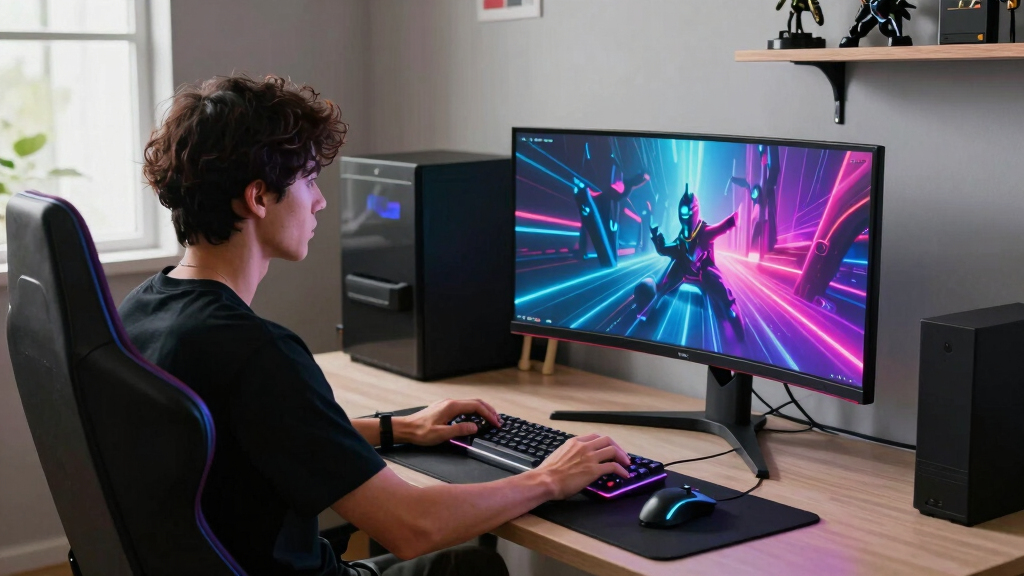

The best super ultrawide monitors for PC gaming balance width, refresh rate, panel quality, GPU demands, and desk space rather than chasing one headline spec. My best overall pick is the Samsung 49-inch Odyssey G93SC because its QD-OLED panel, 240Hz refresh rate, and Dual QHD format make the strongest case for high-end immersive PC gaming. The Samsung Odyssey OLED G9 G91SD is the more measured 49-inch OLED choice, while the ASUS TUF VG34WQML5A stands out as the value play for players who want speed without paying OLED money. The main tradeoffs are OLED contrast versus burn-in care, 49-inch immersion versus GPU load, and fast refresh rates versus price. Keep reading for the full breakdown of which monitor fits each type of PC gamer.

Play games on Amazon Luna for your game nights, included with Prime
- A rotating selection of games, no download needed
- Play on TV, laptop or phone
- Fast, free delivery for your gear, too
Key Takeaways
- The Samsung 49-inch Odyssey G93SC earns the best overall role because it pairs the widest practical gaming canvas with QD-OLED contrast and a 240Hz refresh rate.
- The 34-inch models are not as cinematic as the 49-inch picks, but they are easier to drive, easier to fit on a desk, and more sensible for midrange gaming PCs.
- OLED separates the premium picks from the rest: the G93SC, G91SD, Alienware AW3425DW, and LG 45GX900A-B offer faster pixel response and deeper blacks, but they demand more care than LCD options.
- Samsung dominates the true super ultrawide side of this lineup, while ASUS and LG offer stronger alternatives for players who want speed in a more manageable 34-inch or 45-inch format.
- The best value is not the cheapest monitor here; it is the ASUS TUF VG34WQML5A because its 250Hz panel, 0.5ms response rating, and HDR400 support make it more gaming-focused than many lower-priced ultrawides.
| LG 34G630A-B 34-Inch Ultragear WQHD Curved Gaming Monitor |  | Best Mainstream High-Refresh Pick | Screen Size: 34 inches | Resolution: 3440 x 1440 WQHD | Aspect Ratio: 21:9 | VIEW LATEST PRICE | See Our Full Breakdown |
| Samsung LS49C954UANXZA 49-Inch Business Curved Ultrawide Dual QHD Monitor |  | Best Work-and-Play 49-Inch Pick | Display Size: 49 inches | Resolution: Dual QHD | Aspect Ratio: 32:9 | VIEW LATEST PRICE | See Our Full Breakdown |
| Alienware AW3425DW 34 240Hz QD-OLED Curved Gaming Monitor |  | Best Premium OLED Pick | Size: 34.2 inches | Resolution: 3440 x 1440 WQHD | Panel Type: QD-OLED | VIEW LATEST PRICE | See Our Full Breakdown |
| ASUS TUF Gaming VG34VQ3B 34-Inch Ultra-Wide Curved Monitor |  | Best Budget-Friendly 34-Inch Pick | Size: 34 inches | Resolution: 3440 x 1440 QHD | Curvature: 1500R | VIEW LATEST PRICE | See Our Full Breakdown |
| ASUS TUF Gaming VG34WQML5A 34-Inch 1440P Ultrawide Curved Monitor |  | Best Speed-Focused LCD Pick | Screen Size: 34 inches | Resolution: 3440 x 1440 WQHD | Aspect Ratio: 21:9 | VIEW LATEST PRICE | See Our Full Breakdown |
| LG 45GX900A-B 45-Inch Ultragear WQHD OLED Curved Gaming Monitor |  | Best Immersive OLED Pick | Screen Size: 45 inches | Resolution: 3440 x 1440 WQHD | Refresh Rate: 240Hz | VIEW LATEST PRICE | See Our Full Breakdown |
| Samsung 40-Inch Odyssey G7 G75F WUHD Curved Gaming Monitor |  | Best High-Resolution 21:9 Pick | Screen Size: 40 inches | Panel Type: VA LED | Resolution: 3840 x 1600 WUHD | VIEW LATEST PRICE | See Our Full Breakdown |
| Samsung 34-Inch Odyssey G5 Ultra-Wide Gaming Monitor |  | Best Value Gateway Pick | Screen Size: 34 inches | Resolution: WQHD | Curve: 1000R | VIEW LATEST PRICE | See Our Full Breakdown |
| Samsung 49-Inch Odyssey OLED G9 G91SD Curved Gaming Monitor |  | Best 49-Inch OLED for Cinematic Play | Screen Size: 49 inches | Resolution: 5120 x 1440 Dual QHD | Panel Technology: QD-OLED | VIEW LATEST PRICE | See Our Full Breakdown |
| Samsung 49-Inch Odyssey G93SC Series Curved Gaming Monitor |  | Best Premium Performance Pick | Screen Size: 49 inches | Resolution: 5120 x 1440 Dual QHD | Display Technology: QD-OLED | VIEW LATEST PRICE | See Our Full Breakdown |
| super ultrawide monitors for PC gaming | Resolution | Refresh Rate | HDR | Response Time |
|---|---|---|---|---|
| LG 34G630A-B 34-Inch Ultragear | 3440 x 1440 WQHD | 240Hz | DisplayHDR 400 | 1ms GtG |
| Samsung LS49C954UANXZA 49-Inch | Dual QHD | 120Hz | VESA DisplayHDR 400 | — |
| Alienware AW3425DW 34 240Hz QD | 3440 x 1440 WQHD | 240Hz | DisplayHDR True Black 400 | 0.03ms |
| ASUS TUF Gaming VG34VQ3B 34-In | 3440 x 1440 QHD | 180Hz | HDR support | 1ms MPRT |
| ASUS TUF Gaming VG34WQML5A 34- | 3440 x 1440 WQHD | 250Hz overclocked | DisplayHDR 400 | 0.5ms |
| LG 45GX900A-B 45-Inch Ultragea | 3440 x 1440 WQHD | 240Hz | DisplayHDR True Black 400 | 0.03ms |
| Samsung 40-Inch Odyssey G7 G75 | 3840 x 1600 WUHD | 180Hz | DisplayHDR 600 | 1ms GtG |
| Samsung 34-Inch Odyssey G5 Ult | WQHD | 165Hz | HDR10 | 1ms |
| Samsung 49-Inch Odyssey OLED G | 5120 x 1440 Dual QHD | 144Hz | VESA DisplayHDR True Black 400 | 0.03ms |
| Samsung 49-Inch Odyssey G93SC | 5120 x 1440 Dual QHD | 240Hz | DisplayHDR True Black 400 | 0.03ms GtG |
More Details on Our Top Picks
LG 34G630A-B 34-Inch Ultragear WQHD Curved Gaming Monitor
LG 34G630A-B sits high in my ranking because it balances 240Hz speed, WQHD sharpness, USB-C, and a manageable 34-inch footprint better than most LCD rivals here. Compared with the ASUS TUF VG34VQ3B, it gives faster motion handling and broader connectivity, which matters for players who switch between a gaming PC, laptop, and console-style setup. It is less visually dramatic than the Alienware AW3425DW, since DisplayHDR 400 cannot match QD-OLED black levels, but it also avoids the premium OLED price tier. The main catch is hardware demand: pushing 3440 x 1440 at 240Hz needs a serious GPU and the right cable path. I would treat the speakers as backup audio, not a reason to buy it.
Pros:- 240Hz refresh rate gives it a clear motion advantage over 180Hz and 120Hz options
- USB-C, dual HDMI, DisplayPort, and USB-A ports make it more flexible than many gaming-first monitors
- 95% DCI-P3 color coverage helps games look richer than basic sRGB panels
- Height, tilt, and swivel adjustments make setup easier across different desks
Cons:- Full 240Hz performance depends on a strong GPU and modern display connection
- DisplayHDR 400 is limited compared with OLED HDR on the Alienware AW3425DW
- Built-in speakers are unlikely to satisfy players who care about game audio
Best for: PC gamers who want a fast 34-inch ultrawide that can also handle laptop docking and everyday multitasking.
Not ideal for: Players using midrange or older GPUs, since 3440 x 1440 at 240Hz can be hard to drive in newer games.
- Screen Size:34 inches
- Resolution:3440 x 1440 WQHD
- Aspect Ratio:21:9
- Refresh Rate:240Hz
- Response Time:1ms GtG
- HDR:DisplayHDR 400
- Color Gamut:95% DCI-P3
- Connectivity:2 HDMI, DisplayPort, USB-C, 2 USB-A
- Stand:Height, tilt, and swivel adjustment
Our verdict“This is the pick I would shortlist for a fast, practical 34-inch gaming setup without jumping to OLED pricing.”
Samsung LS49C954UANXZA 49-Inch Business Curved Ultrawide Dual QHD Monitor
Samsung LS49C954UANXZA earns its place as the practical 49-inch choice because it leans into desk-spanning immersion without acting like a pure esports display. Its 32:9 Dual QHD canvas gives racing, flight, and strategy games a wider view than the 34-inch LG 34G630A-B or ASUS VG34WQML5A, while USB-C with 90W charging makes it far better for a shared work and gaming desk. The tradeoff is speed. At 120Hz, it trails the 240Hz Alienware AW3425DW and LG 34G630A-B, so competitive shooters will feel less immediate. Picture-by-Picture also drops the refresh advantage, which matters if you plan to run two sources often. I see this as a hybrid pick, not the monitor for players chasing the fastest response.
Pros:- 49-inch 32:9 Dual QHD panel creates a much wider view than the 34-inch picks
- USB-C with 90W charging makes it strong for mixed laptop and gaming PC use
- 1000R curve helps the far edges feel more usable on a large desktop screen
- Height adjustment and eye-care features suit long work sessions
Cons:- 120Hz refresh rate is well behind the 240Hz and 250Hz models in this batch
- Picture-by-Picture mode does not keep the full refresh rate
- Large chassis needs a deep, wide desk
Best for: Sim racers, strategy players, and remote workers who want one wide monitor for PC gaming and a USB-C laptop desk.
Not ideal for: Competitive FPS players who care more about high refresh rates than screen width.
- Display Size:49 inches
- Resolution:Dual QHD
- Aspect Ratio:32:9
- Curvature:1000R
- Refresh Rate:120Hz
- HDR:VESA DisplayHDR 400
- Connectivity:DisplayPort, HDMI, USB-C, USB
- USB-C Power:90W charging
- Stand:Height adjustable
Our verdict“Choose this if the super ultrawide workspace matters as much as gaming speed.”
Alienware AW3425DW 34 240Hz QD-OLED Curved Gaming Monitor
Alienware AW3425DW is the premium pick because its QD-OLED panel changes the quality of the image, not just the speed number. Next to the LG 34G630A-B and ASUS VG34WQML5A, it pairs a similar 240Hz class refresh rate with far better contrast, near-instant 0.03ms response, and DisplayHDR True Black 400 for darker scenes that look cleaner and more dimensional. That makes it especially appealing for cinematic RPGs, horror games, space sims, and any PC title where black level and HDR punch matter. It is not the value play, though. Buyers who mostly play competitive shooters may get more refresh-per-dollar from the ASUS VG34WQML5A, and OLED care is a real ownership factor for static HUD-heavy games.
Pros:- QD-OLED contrast gives darker scenes more depth than LCD alternatives
- 240Hz refresh rate keeps it fast enough for serious competitive play
- 0.03ms response time reduces blur more than 1ms-class LCD panels
- Wide 99.3% DCI-P3 coverage supports rich color in HDR games
Cons:- Premium panel tech usually costs more than comparable LCD ultrawides
- OLED ownership calls for more care with static HUDs and desktop use
- 34-inch size is less expansive than 49-inch super ultrawide options
Best for: PC gamers who want high refresh performance plus OLED contrast for HDR-heavy single-player and cinematic games.
Not ideal for: Budget-focused esports players or users with lots of static desktop elements who do not want OLED upkeep.
- Size:34.2 inches
- Resolution:3440 x 1440 WQHD
- Panel Type:QD-OLED
- Curve Radius:1800R
- Refresh Rate:240Hz
- Response Time:0.03ms
- HDR:DisplayHDR True Black 400
- Peak HDR Brightness:1000 nits
- Adaptive Sync:G-SYNC Compatible, FreeSync Premium Pro, VESA AdaptiveSync
Our verdict“This is the one I would pick when image quality is the reason to spend more.”
ASUS TUF Gaming VG34VQ3B 34-Inch Ultra-Wide Curved Monitor
ASUS TUF Gaming VG34VQ3B makes sense as the more restrained 34-inch gaming buy. Its 180Hz refresh rate is a clear step below the LG 34G630A-B and ASUS VG34WQML5A, but it is still fast enough for a smooth WQHD ultrawide experience if your PC is not built to feed 240Hz or 250Hz in demanding games. Compared with the Samsung LS49C954UANXZA, it is easier to fit on a standard desk and better tuned for gaming motion, though it cannot match that 49-inch wraparound field. The compromises are plain: no listed built-in speakers, less color coverage than the 95% DCI-P3 models, and a setup that may feel more cable-heavy. I like it most for buyers who want the ultrawide format without paying for flagship speed.
Pros:- 180Hz refresh rate is smoother than basic ultrawides and easier to drive than 240Hz
- 3440 x 1440 resolution gives a sharp 21:9 gaming view
- 1500R curve adds immersion without the desk demands of a 49-inch panel
- FreeSync Premium helps reduce tearing on compatible systems
Cons:- Slower than the 240Hz LG and Alienware picks and the 250Hz ASUS VG34WQML5A
- No built-in speakers are listed
- 90% DCI-P3 color coverage trails the richer 95% and 99.3% options here
Best for: Gamers moving from a standard 16:9 monitor who want WQHD ultrawide play without paying for 240Hz or OLED.
Not ideal for: Players who want the fastest panel in the list or a cleaner one-cable USB-C desk setup.
- Size:34 inches
- Resolution:3440 x 1440 QHD
- Curvature:1500R
- Refresh Rate:180Hz
- Response Time:1ms MPRT
- Sync Technology:FreeSync Premium
- HDR:HDR support
- Color Gamut:90% DCI-P3
- Warranty:3 years
Our verdict“Pick this when price discipline matters more than chasing the highest refresh rate.”
ASUS TUF Gaming VG34WQML5A 34-Inch 1440P Ultrawide Curved Monitor
ASUS TUF Gaming VG34WQML5A is the speed chaser of this group, with a 250Hz overclocked refresh rate and 0.5ms response aimed at players who want every bit of motion clarity from an LCD ultrawide. It edges past the LG 34G630A-B on refresh rate and undercuts the Alienware AW3425DW on panel cost in many shopping scenarios, but the comparison is not one-sided. The Alienware still wins for contrast and HDR depth, while the LG gives clearer port and stand details. The ASUS counters with FreeSync Premium, ELMB Sync, and a high 4000:1 contrast ratio for an LCD. The big caution is the overclock: 250Hz may depend on settings, cable choice, and system stability, so I would not buy it unless speed is the main goal.
Pros:- 250Hz overclocked refresh rate is the fastest figure in this batch
- 0.5ms response time targets cleaner motion than standard 1ms LCD monitors
- 95% DCI-P3 and DisplayHDR 400 give it stronger color credentials than the ASUS VG34VQ3B
- FreeSync Premium and ELMB Sync help with tearing and blur control
Cons:- 250Hz requires overclocking and may vary by system and connection
- LCD HDR still cannot match the Alienware AW3425DW OLED contrast
- Stand adjustment details are less clear than on the LG 34G630A-B
Best for: High-refresh PC gamers who play fast shooters, racers, or action games and want LCD speed over OLED image quality.
Not ideal for: Buyers who want guaranteed out-of-box peak refresh behavior or richer OLED HDR presentation.
- Screen Size:34 inches
- Resolution:3440 x 1440 WQHD
- Aspect Ratio:21:9
- Curvature:1500R
- Refresh Rate:250Hz overclocked
- Response Time:0.5ms
- HDR:DisplayHDR 400
- Color Gamut:95% DCI-P3
- Additional Features:FreeSync Premium, ELMB Sync, DisplayWidget Center
Our verdict“This is the ASUS to buy when refresh rate sits above HDR depth and premium panel tech on your priority list.”
LG 45GX900A-B 45-Inch Ultragear WQHD OLED Curved Gaming Monitor
LG 45GX900A-B earns its place as my immersion-first pick because its 45-inch OLED panel, steep 800R curve, and 240Hz speed aim squarely at cockpit racers, space sims, and cinematic PC games. Compared with the Samsung 49-inch Odyssey G93SC, it is not as wide or as sharp, but the tighter curve can feel more enveloping from a single-seat desk setup. The 3440 x 1440 resolution is also easier to drive than Dual QHD, which helps if the buyer wants high frame rates without needing the most extreme GPU. The tradeoff is that its size and curve are not subtle: productivity users, shared desks, and players who dislike wraparound screens may find it overbearing.
Pros:- Large 45-inch OLED screen gives games strong contrast and a more enveloping field of view
- 240Hz refresh rate and 0.03ms response time suit fast PC gaming
- 800R curve is more immersive than gentler 1800R designs
- USB-C with 65W power delivery adds useful single-cable flexibility
Cons:- 3440 x 1440 resolution is less sharp than 49-inch Dual QHD options
- Steep curve can be polarizing for productivity and shared viewing
- High price and large footprint raise the setup cost
Best for: PC gamers who want OLED contrast and a deeply curved single-player or sim-focused setup without jumping to a 49-inch Dual QHD screen
Not ideal for: Players who split time between gaming and flat-screen productivity, since the 800R curve and 45-inch footprint can feel intense for everyday desktop work
- Screen Size:45 inches
- Resolution:3440 x 1440 WQHD
- Refresh Rate:240Hz
- Response Time:0.03ms
- Curve:800R
- HDR:DisplayHDR True Black 400
- Color Coverage:98.5% DCI-P3
- Connectivity:HDMI 2.1, DisplayPort 1.4, USB-C 65W
Our verdict“This is the OLED pick I would choose for maximum wraparound immersion before stepping up to a massive 49-inch screen.”
Samsung 40-Inch Odyssey G7 G75F WUHD Curved Gaming Monitor
The Samsung 40-inch Odyssey G7 G75F is the more balanced high-resolution choice in this batch. Its 3840 x 1600 WUHD panel gives PC games more vertical room than typical 3440 x 1440 ultrawides, so open-world titles and strategy games can look more detailed without moving to a huge 49-inch desk-spanning format. Compared with the Samsung 34-inch Odyssey G5, it offers a larger, sharper canvas and stronger HDR rating, while the G5 keeps the setup simpler and likely cheaper. Against OLED picks like the LG 45GX900A-B, this VA LED model lacks the same black-level punch and instant pixel response. Its 180Hz refresh rate is still quick, but buyers chasing 240Hz esports speed have better options here.
Pros:- 3840 x 1600 resolution adds useful sharpness and vertical workspace
- 40-inch 21:9 size feels expansive without reaching 49-inch desk demands
- DisplayHDR 600 is stronger than the HDR10 and HDR400 entries in this batch
- 180Hz refresh rate and FreeSync Premium Pro fit high-frame-rate PC gaming
Cons:- VA panel may trail OLED models in response feel and black-level precision
- Still needs a wide desk despite being smaller than the 49-inch options
- 180Hz is slower than the 240Hz LG 45GX900A-B and Samsung Odyssey G93SC
Best for: PC gamers who want a sharper 21:9 screen for mixed genres, especially RPGs, strategy games, and cinematic single-player titles
Not ideal for: Competitive players who mainly chase 240Hz motion and OLED response, since this VA panel sits behind the fastest models here
- Screen Size:40 inches
- Panel Type:VA LED
- Resolution:3840 x 1600 WUHD
- Aspect Ratio:21:9
- Refresh Rate:180Hz
- Response Time:1ms GtG
- HDR:DisplayHDR 600
- Adaptive Sync:AMD FreeSync Premium Pro
Our verdict“This is my pick for buyers who want more pixels and screen height without going all the way to a 49-inch super ultrawide.”
Samsung 34-Inch Odyssey G5 Ultra-Wide Gaming Monitor
Samsung Odyssey G5 34-inch is the practical gateway into curved ultrawide PC gaming. I would place it below the bigger OLED and WUHD models because its WQHD resolution, 165Hz refresh rate, and HDR10 support are less ambitious than the LG 45GX900A-B or Samsung 40-inch Odyssey G7 G75F. That lower ceiling is also the point: it is easier to fit, easier to power with a midrange graphics card, and less extreme for someone new to ultrawide gaming. The 1000R curve gives it a more focused feel than flatter budget screens, but it can still take adjustment in desktop apps. Buyers wanting OLED blacks, USB-C docking, or a true desk-dominating super ultrawide should move up the list.
Pros:- 34-inch WQHD format is easier to fit than the 40-inch, 45-inch, and 49-inch picks
- 165Hz refresh rate and 1ms response time are strong for mainstream gaming
- 1000R curve adds immersion without the full desk impact of larger displays
- FreeSync Premium helps reduce tearing on compatible systems
Cons:- HDR10 support is modest beside DisplayHDR 600 and True Black 400 models
- Less screen space than the 45-inch LG and 49-inch Samsung options
- Ultrawide support can still vary by older games and some apps
Best for: PC gamers moving from a standard 16:9 monitor who want a curved ultrawide without the size, GPU load, or cost of a 45-inch or 49-inch model
Not ideal for: Buyers who want the strongest HDR, OLED contrast, or a true multi-window 49-inch experience
- Screen Size:34 inches
- Resolution:WQHD
- Curve:1000R
- Refresh Rate:165Hz
- Response Time:1ms
- Adaptive Sync:AMD FreeSync Premium
- HDR:HDR10
Our verdict“This is the sensible starter choice for buyers who want ultrawide gaming gains without building the whole desk around the monitor.”
Samsung 49-Inch Odyssey OLED G9 G91SD Curved Gaming Monitor
The Samsung 49-inch Odyssey OLED G9 G91SD makes sense for buyers who want the Dual QHD super ultrawide format and QD-OLED image quality but do not need the 240Hz ceiling of the Samsung Odyssey G93SC. Its 144Hz refresh rate is still smooth for many single-player, racing, and simulation setups, while the 0.03ms response time keeps motion cleaner than conventional LED ultrawides. Compared with the Samsung 40-inch Odyssey G7 G75F, it gives a far wider field of view and deeper OLED contrast, but it also demands more GPU power and desk width. The biggest compromise is speed: competitive players choosing between these two 49-inch OLEDs should pay more attention to the G93SC.
Pros:- 49-inch Dual QHD screen creates a huge wraparound gaming view
- QD-OLED panel delivers deep blacks and vivid color
- 0.03ms response time supports clean motion
- Height and tilt adjustments make the large panel easier to position
Cons:- 144Hz refresh rate trails the 240Hz Odyssey G93SC and LG 45GX900A-B
- 5120 x 1440 resolution asks a lot from the GPU in demanding games
- Large 49-inch footprint can overwhelm smaller desks
Best for: Cinematic PC gamers, sim players, and multitaskers who want a 49-inch QD-OLED canvas but do not need 240Hz
Not ideal for: High-refresh competitive players who want the fastest 49-inch option, since the G93SC doubles the refresh-rate headroom
- Screen Size:49 inches
- Resolution:5120 x 1440 Dual QHD
- Panel Technology:QD-OLED
- Refresh Rate:144Hz
- Response Time:0.03ms
- HDR:VESA DisplayHDR True Black 400
- Connectivity:HDMI 2.1, Micro HDMI, DisplayPort, USB-C
- Stand Adjustments:Tilt and height adjustment
Our verdict“This is the 49-inch OLED I would pick for cinematic scale when 144Hz is enough.”
Samsung 49-Inch Odyssey G93SC Series Curved Gaming Monitor
Samsung Odyssey G93SC sits at the top for buyers who want the most aggressive gaming spec mix in this group: a 49-inch Dual QHD QD-OLED panel, 240Hz refresh rate, and 0.03ms response time. Compared with the Samsung Odyssey OLED G9 G91SD, the G93SC is the sharper pick for fast shooters, racing games, and anyone with a GPU strong enough to push high frames across 5120 x 1440. Next to the LG 45GX900A-B, it offers more horizontal space and a gentler 1800R curve, which helps with multitasking. The price, desk width, and graphics-card burden are the real barriers. This is overkill for casual play, and some games still handle 32:9 layouts better than others.
Pros:- 240Hz refresh rate and 0.03ms response time make it the fastest 49-inch OLED pick here
- Dual QHD 5120 x 1440 resolution gives wide, detailed game views
- QD-OLED contrast and color suit HDR-heavy PC games
- G-Sync compatibility and FreeSync Premium Pro support reduce tearing
Cons:- High price and large footprint make it a serious setup commitment
- Needs a powerful GPU to take full advantage of Dual QHD at 240Hz
- 32:9 game support can vary, especially in older titles and cutscenes
Best for: Enthusiast PC gamers with a high-end GPU who want a 49-inch OLED screen for both fast gaming and expansive cockpit-style immersion
Not ideal for: Casual players, small-desk setups, or midrange PCs that cannot make full use of 5120 x 1440 at very high frame rates
- Screen Size:49 inches
- Resolution:5120 x 1440 Dual QHD
- Display Technology:QD-OLED
- Curve:1800R
- Refresh Rate:240Hz
- Response Time:0.03ms GtG
- HDR:DisplayHDR True Black 400
- Connectivity:HDMI 2.1, DisplayPort, USB hub
- Stand:Adjustable height
Our verdict“This is my premium choice for buyers who want the widest high-speed OLED gaming experience and have the hardware to feed it.”
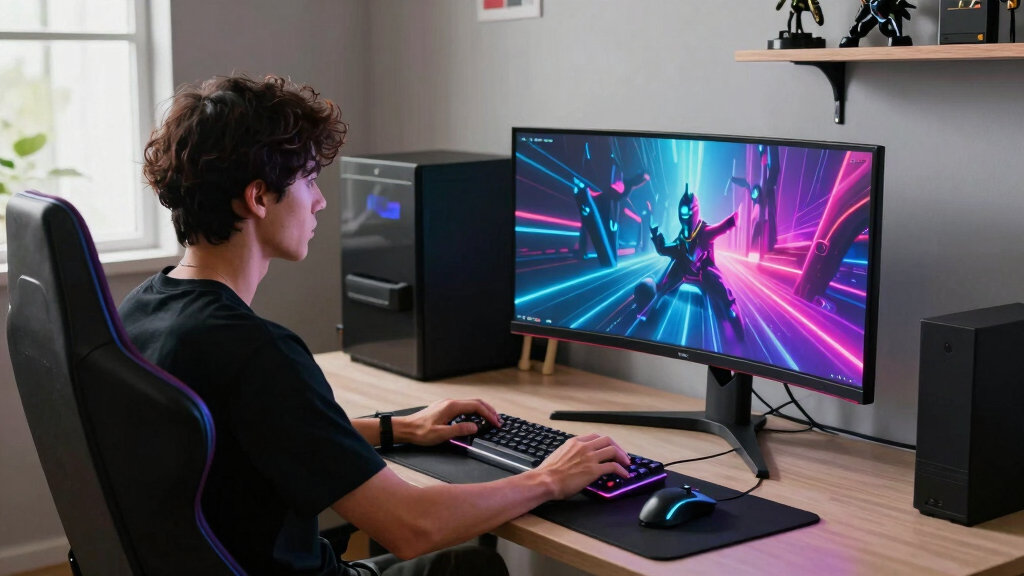
How We Picked
I ranked these monitors around the way a PC gamer actually feels the difference: screen format, motion clarity, panel type, adaptive sync support, and the hardware needed to run them well. A true 49-inch Dual QHD display gets extra weight for immersion, but only when the refresh rate, response time, and panel quality match the promise of the size. That is why the Samsung Odyssey G93SC lands above the Samsung Business LS49C954UANXZA; both are wide, but one is built around high-speed gaming while the other leans more toward productivity with gaming on the side.
I also weighed each model against the others by role, not just raw specs. The Alienware AW3425DW and LG 45GX900A-B score highly for OLED gaming quality, but their smaller or lower-density formats make them different choices than the 49-inch Samsung OLEDs. The ASUS TUF VG34WQML5A outranks cheaper 34-inch LCD options because it offers a rare mix of 250Hz speed, wide color coverage, and realistic PC demands. Models lower in the order still make sense for specific buyers, but they ask for clearer compromises around refresh rate, HDR impact, panel class, or long-term flexibility.
Factors to Consider When Choosing Best Super Ultrawide Monitors For PC Gaming
Choosing a super ultrawide gaming monitor is less about finding the biggest panel and more about matching the display to your PC, desk, games, and tolerance for tradeoffs. I would start with format and GPU demand, then narrow the field by panel type, refresh rate, curve, and day-to-day usability.
Match The Width To The Games You Actually Play
A 49-inch Dual QHD monitor can feel incredible in racing games, flight sims, RPGs, and open-world titles because the extra side view adds presence without needing a multi-monitor setup. The same width can be awkward in competitive shooters, older games, and titles with limited ultrawide support. A 34-inch ultrawide such as the ASUS TUF or Alienware models is less dramatic, but it usually works with fewer layout surprises and needs less desk depth. The LG 45GX900A-B sits between those ideas: more enveloping than a 34-inch screen, but not as wide as a 49-inch display. If your favorite games have solid ultrawide support, the Samsung 49-inch OLEDs make the most sense. If you bounce between esports, strategy, and general PC use, a smaller ultrawide may be the cleaner daily choice.
Do Not Ignore GPU Load
Dual QHD at 49 inches pushes far more pixels than a standard 1440p monitor, so a high refresh rate only matters if your graphics card can feed it. A 240Hz super ultrawide sounds ideal, but it takes a serious GPU to approach that speed in modern games at native resolution. That is why the ASUS TUF VG34WQML5A can be a smarter value than a wider OLED for many players; its 34-inch 1440p format is easier to drive while still offering very high refresh. The Samsung G93SC is the better dream display for a powerful rig, while the Samsung Odyssey G5 or ASUS VG34VQ3B fits more modest builds. Upscaling can help, but it does not erase the cost of a wider, sharper panel. I would rather pair a monitor with realistic frame rates than buy a display your PC rarely uses well.
OLED Looks Better, But LCD Is Easier To Live With
OLED and QD-OLED monitors separate themselves through instant pixel response, rich contrast, and black levels that LCD monitors cannot match. That makes the Samsung G93SC, Samsung G91SD, Alienware AW3425DW, and LG 45GX900A-B the most visually rewarding picks for dark games, HDR scenes, and fast motion. The tradeoff is care: static HUDs, desktop taskbars, and long productivity sessions make burn-in protection habits more relevant. LCD options such as the Samsung Odyssey G7 G75F or LG 34G630A-B are less dramatic, but they are more relaxed choices for mixed gaming and work. If the monitor will spend many hours on spreadsheets, browsers, or static apps, LCD deserves a closer look. If gaming is the main job and image quality matters most, OLED earns the premium.
Refresh Rate Only Helps When The Rest Keeps Up
A high refresh rate reduces blur and input feel, but panel response, adaptive sync, and game frame rates all shape the result. The Samsung G93SC and ASUS VG34WQML5A stand out because their refresh specs are paired with gaming-focused response ratings, not just big numbers on a box. A 120Hz 49-inch monitor like the Samsung Business LS49C954UANXZA can still feel smooth for casual play, but it does not have the same competitive edge as the faster gaming models. For esports-heavy buyers, I would favor a faster 34-inch or OLED ultrawide over a slower productivity-first super ultrawide. For cinematic single-player games, contrast and size may matter more than chasing every extra hertz. The better buy depends on whether you notice motion first or image depth first.
Curve, Desk Space, And Ergonomics Can Make Or Break The Setup
Super ultrawide monitors are physically demanding, and the curve is not just a style choice. A tight curve such as 1000R can make a wide screen easier to take in from a normal seated position, while a gentler curve may feel more natural for productivity. Before choosing a 49-inch model, measure your desk width, depth, speaker placement, and how far back you sit. Height adjustment matters more on these panels because poor positioning can leave the edges feeling too high, too low, or too far away. The Samsung Business LS49C954UANXZA has stronger office-style flexibility, while the OLED gaming models prioritize speed and image quality. A monitor arm can help, but only if it supports the weight and width of the panel.
Pay More Only When The Upgrade Changes Your Games
The premium picks cost more because they combine width, OLED contrast, fast response, and high refresh rates in one display. That premium makes sense if you play visually rich games, own a powerful GPU, and want the monitor to feel like the center of the setup. If your PC is midrange or your favorite games are lighter competitive titles, the ASUS TUF VG34WQML5A may deliver more useful performance per dollar. The Samsung Odyssey G5 is a better entry point if budget and simplicity matter more than HDR or OLED depth. Paying more for the LG 45GX900A-B makes sense for players who want OLED immersion but do not want the full 49-inch footprint. The mistake is buying the largest or most expensive screen without matching it to your games and graphics card.
Frequently Asked Questions
Is A 49-Inch Super Ultrawide Monitor Better Than A 34-Inch Ultrawide For PC Gaming?
A 49-inch super ultrawide is better when you want maximum immersion and play games that support very wide aspect ratios well. It gives you a wider field of view than a 34-inch model and can replace a dual-monitor setup without a bezel in the middle. A 34-inch ultrawide is usually easier to drive, easier to place, and less likely to create interface scaling problems. In this roundup, the Samsung G93SC is the stronger high-end gaming choice, while the ASUS VG34WQML5A is the more practical performance value. I would choose 49 inches for immersion-first gaming and 34 inches for a cleaner, lower-friction setup.
Should I Choose OLED Or LCD For A Super Ultrawide Gaming Monitor?
OLED is the better choice if contrast, dark-scene detail, and near-instant pixel response are high priorities. It is the reason the Samsung G93SC, Samsung G91SD, Alienware AW3425DW, and LG 45GX900A-B feel more premium than the LCD picks on paper. LCD still makes sense for buyers who use the monitor for long work sessions, static windows, or mixed household use. It avoids the same burn-in concerns and often costs less. I would pick OLED for a gaming-first setup and LCD for a monitor that has to handle gaming, work, and long static use without extra habits.
Do I Need A 240Hz Super Ultrawide Monitor For PC Gaming?
You do not need 240Hz, but it is a real advantage if your PC can produce high frame rates and you play fast games. The Samsung G93SC and ASUS VG34WQML5A make the strongest case for speed in this list because they pair high refresh with gaming-first specs. A 144Hz or 165Hz monitor can still feel excellent for single-player games, strategy titles, and general ultrawide play. The risk is paying for 240Hz on a resolution your GPU cannot push consistently. I would treat 240Hz as a premium for strong gaming PCs, not as the baseline every buyer needs.
Which Monitor In This Lineup Is Best For A Midrange Gaming PC?
For a midrange PC, the ASUS TUF VG34WQML5A is the most balanced choice because it offers high refresh gaming without the huge pixel load of a 49-inch Dual QHD panel. The ASUS VG34VQ3B and Samsung Odyssey G5 are also sensible if price matters more than peak speed. A 49-inch OLED such as the Samsung G93SC can still work with reduced settings or upscaling, but that pairing leaves more performance on the table. The LG 34G630A-B is another strong fit if USB-C and a practical 34-inch footprint matter. I would reserve the widest, fastest monitors for higher-end GPUs.
Is The Samsung Business 49-Inch LS49C954UANXZA A Good Gaming Pick?
The Samsung LS49C954UANXZA can work for gaming, but it is not the strongest gaming monitor in this group. Its 49-inch Dual QHD size, USB-C support, speakers, and height-adjustable stand make it more appealing for a work-and-play desk than for pure performance. Compared with the Samsung G93SC, it gives up OLED contrast, 240Hz speed, and gaming-focused response. The 120Hz refresh rate is fine for casual or cinematic play, but competitive players should aim higher. I would pick it only if productivity features matter almost as much as gaming width.
Conclusion
My best overall pick is the Samsung 49-inch Odyssey G93SC because it combines the most convincing super ultrawide format with QD-OLED image quality and 240Hz speed. The best value is the ASUS TUF VG34WQML5A, which gives fast PC gaming performance without the cost or GPU demand of the 49-inch OLED models. The best premium alternative is the Samsung Odyssey OLED G9 G91SD for buyers who want OLED scale but can live with 144Hz, while the LG 45GX900A-B is best for players who want a huge OLED feel without going full 49-inch. For beginners, I would point to the Samsung Odyssey G5 34-inch or ASUS VG34VQ3B because they keep the ultrawide experience simpler and more affordable. For work-and-gaming setups, the Samsung LS49C954UANXZA makes the most sense, but pure PC gamers should start their shortlist with the G93SC, VG34WQML5A, and G91SD.
Evergreen bestsellers Picks
bestsellers
As an affiliate, we earn on qualifying purchases.