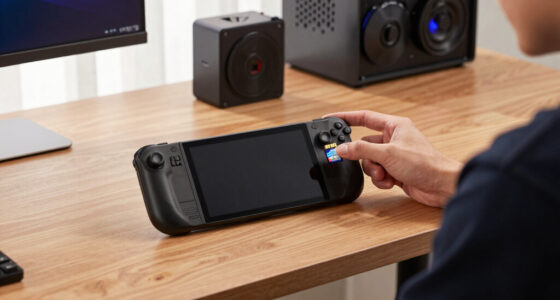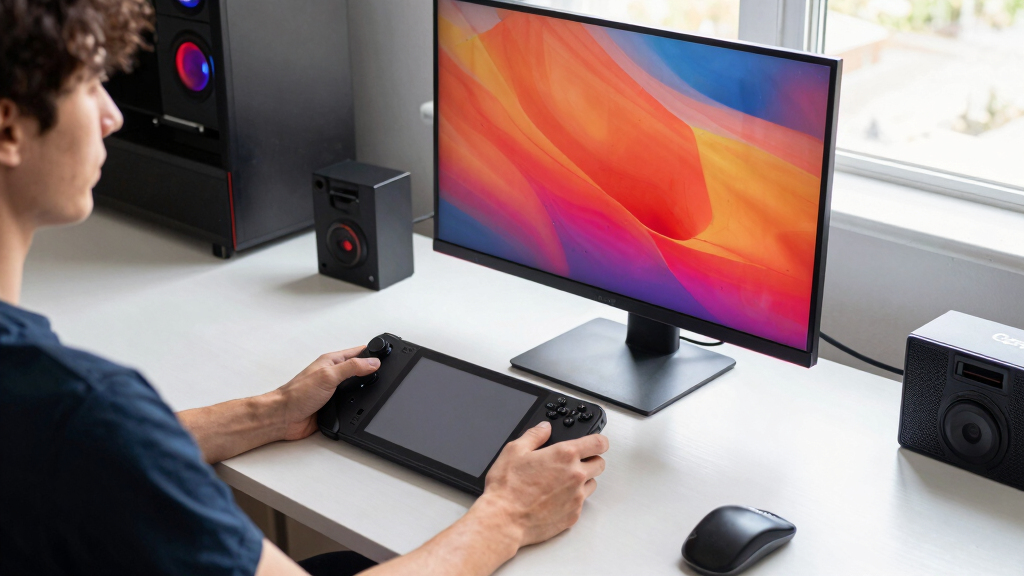

The best USB-C monitor for Steam Deck OLED depends less on raw specs and more on how you want to play. My top pick is the Dell S2725QC because it gives the Deck a roomy 27-inch 4K 120Hz screen with USB-C power delivery. For a smoother, more realistic gaming target, the Dell S2725DC is the better value at QHD and 144Hz. If travel matters most, the ViewSonic VX1655-4K-OLED is the portable pick that best matches the Deck OLED’s contrast-forward feel.
I ranked these around USB-C power delivery, resolution, refresh rate, and portable size. A 4K screen can make SteamOS, indie games, video, and desktop mode look crisp, but demanding games often make more sense at 1080p or QHD. Portable OLED models look richer, while 27-inch Dell displays are easier to live with at a desk.
Key Takeaways
- Dell S2725QC ranks first because it pairs 4K sharpness, 120Hz headroom, and 65W USB-C charging for a clean desk setup.
- Dell S2725DC is the smarter value for Deck games that run better at QHD than native 4K.
- ViewSonic VX1655-4K-OLED is the best portable match for players who care most about OLED contrast away from a desk.
- InnoView 15.6-inch 4K gives the most practical non-OLED travel setup, but its 60Hz panel and 300-nit brightness cap its gaming appeal.
- UPERFECT 13.3-inch OLED is the smallest premium pick here, and that compact size is both its main benefit and its main drawback.
| Dell 27 Plus 4K USB-C Monitor – S2725QC |  | Best Overall for Desk Play | Display Size: 27 inches | Resolution: 3840 x 2160 (4K) | Refresh Rate: 120Hz | VIEW LATEST PRICE | See Our Full Breakdown |
| Dell 27 Plus QHD USB-C Monitor – S2725DC |  | Best Value for Smoother QHD Gaming | Display Size: 27 inches | Resolution: 2560 x 1440 (QHD) | Refresh Rate: 144Hz | VIEW LATEST PRICE | See Our Full Breakdown |
| ViewSonic VX1655-4K-OLED 15.6 Inch 4K Portable Monitor |  | Best Portable OLED | Display Size: 15.6 inches | Resolution: 3840 x 2160 (4K UHD) | Panel Type: OLED | VIEW LATEST PRICE | See Our Full Breakdown |
| InnoView 15.6-Inch Portable Monitor 4K UHD 3840×2160, HDR, 60Hz, Travel Compatible with USB-C and HDMI |  | Best Practical Travel 4K | Display Size: 15.6 inches | Resolution: 3840 x 2160 (4K UHD) | Refresh Rate: 60Hz | VIEW LATEST PRICE | See Our Full Breakdown |
| UPERFECT 4K OLED Portable Monitor, 13.3-Inch UHD 3840×2160 Laptop Display, 150% sRGB, 500 Nits, 1ms Response |  | Best Ultra-Compact OLED | Display Size: 13.3 inches | Resolution: 3840 x 2160 (4K UHD) | Panel Type: OLED | VIEW LATEST PRICE | See Our Full Breakdown |
| monitors with USB-C for Steam Deck OLED | Display Size | Resolution | Refresh Rate | Connectivity |
|---|---|---|---|---|
| Dell 27 Plus 4K USB-C Monitor | 27 inches | 3840 x 2160 (4K) | 120Hz | USB-C up to 65W |
| Dell 27 Plus QHD USB-C Monitor | 27 inches | 2560 x 1440 (QHD) | 144Hz | USB-C, HDMI, DisplayPort 1.4 |
| ViewSonic VX1655-4K-OLED 15.6 | 15.6 inches | 3840 x 2160 (4K UHD) | 60Hz | USB-C, Mini HDMI |
| InnoView 15.6-Inch Portable Mo | 15.6 inches | 3840 x 2160 (4K UHD) | 60Hz | — |
| UPERFECT 4K OLED Portable Moni | 13.3 inches | 3840 x 2160 (4K UHD) | 60Hz | USB-C, HDMI |
More Details on Our Top Picks
Dell 27 Plus 4K USB-C Monitor – S2725QC
The Dell S2725QC is my first pick because it gives the Steam Deck OLED the cleanest desk setup in this group: 27-inch 4K, 120Hz refresh, and 65W USB-C power delivery. The Deck can output 4K/120 over USB-C, but many games will still look and run better at 1080p or QHD on an external panel. This monitor leaves room for those lower render targets while keeping SteamOS menus, streaming apps, lighter games, and desktop mode sharp.
Compared with the Dell S2725DC, this model favors detail over easier-to-drive QHD performance. Compared with the ViewSonic VX1655-4K-OLED, it gives up OLED contrast and travelability, but the larger screen makes controller play and desktop use feel far less cramped. The tradeoff is simple: the Steam Deck OLED will not become a 4K gaming PC just because the monitor is 4K, and the thin HDR details make it less persuasive for HDR hunters.
Pros:- Sharp 27-inch 4K panel for SteamOS, video, and desktop mode
- 120Hz refresh gives more headroom than 60Hz portable monitors
- USB-C with up to 65W power delivery suits a single-cable desk setup
- AMD FreeSync Premium helps with smoother external play
Cons:- Native 4K is too heavy for many demanding Deck games
- No detailed HDR specs in the provided data
- 27-inch size is not travel-friendly
Best for: My pick for Steam Deck OLED owners who want one USB-C desk monitor for gaming, desktop mode, and media.
Not ideal for: Skip it if portability matters more than screen size or if most of your games run better on a QHD panel.
- Display Size:27 inches
- Resolution:3840 x 2160 (4K)
- Refresh Rate:120Hz
- Response Time:0.03ms
- Color Coverage:99% sRGB
- Contrast Ratio:1500:1
- Connectivity:USB-C up to 65W
- Built-in Speakers:Yes
- Blue Light Reduction:Yes
Our verdict“I rank the Dell S2725QC first because it has the best mix of 4K clarity, 120Hz headroom, and USB-C charging for a Steam Deck OLED desk setup.”
Dell 27 Plus QHD USB-C Monitor – S2725DC
The Dell S2725DC is the practical counterpoint to the 4K Dell. Its 27-inch QHD resolution is easier for the Steam Deck OLED to drive than 4K, while the 144Hz refresh rate and 1ms response time give lighter games and desktop scrolling extra smoothness. For many Deck owners, QHD is the sweet spot: sharper than 1080p, less punishing than 4K, and still large enough to feel like a real monitor upgrade.
I would choose this over the S2725QC if game performance matters more than pixel density. It also makes more sense than the InnoView 4K portable for someone who mostly plays at a desk, because the larger panel and higher refresh rate are more useful than travel size. The compromise is that QHD will not look as crisp for desktop text as 4K, and its USB port selection is not a full dock-class hub.
Pros:- QHD resolution is a better gaming target for the Deck than 4K
- 144Hz refresh rate beats every portable monitor in this lineup
- USB-C power delivery up to 65W supports a tidy setup
- Built-in speakers add convenience for casual play
Cons:- Less crisp than the 4K Dell for text and media
- Port selection is modest beyond core display inputs
- Still a desk monitor, not a travel display
Best for: My choice for buyers who want a balanced external Deck screen without pushing every game toward 4K.
Not ideal for: Not my pick for buyers who want maximum sharpness for desktop mode, 4K video, or close-up text work.
- Display Size:27 inches
- Resolution:2560 x 1440 (QHD)
- Refresh Rate:144Hz
- Response Time:1ms
- Speakers:2 x 3W
- Connectivity:USB-C, HDMI, DisplayPort 1.4
- Power Delivery:Up to 65W USB-C
- Device Charging:Up to 15W USB-C port
- Blue Light Reduction:Yes
Our verdict“I rank the Dell S2725DC second because it is the most sensible performance-first choice for Steam Deck OLED players.”
ViewSonic VX1655-4K-OLED 15.6 Inch 4K Portable Monitor
The ViewSonic VX1655-4K-OLED earns its spot as my best portable OLED because it keeps the Deck-friendly travel idea intact while adding a 15.6-inch 4K OLED panel. Compared with the UPERFECT 13.3-inch OLED, the ViewSonic gives you more screen area for handheld-adjacent play, menus, and desktop mode. At 1.5 lbs, it still fits the portable-monitor brief without feeling like a full desk display.
The reason it sits behind the Dell monitors is usability, not image ambition. A 60Hz cap is fine for cinematic games and many indies, but it does not use the same high-refresh headroom as the Dell S2725DC or S2725QC. It also brings the usual OLED burn-in concern for static UI elements, and the 15.6-inch size means 4K sharpness can feel luxurious rather than necessary.
Pros:- 4K OLED panel gives rich contrast and crisp UI detail
- Larger than the UPERFECT while still portable
- Single USB-C cable can handle video, data, and charging with compatible devices
- Built-in stand and protective cover help with travel use
Cons:- 60Hz refresh trails both Dell monitors
- 15.6 inches can still feel small for desk play
- OLED burn-in is a long-term concern with static HUDs
Best for: My pick for travelers who want OLED contrast and 4K sharpness without carrying a 27-inch monitor.
Not ideal for: Skip it if you mainly play competitive games or want a larger screen for couch-distance viewing.
- Display Size:15.6 inches
- Resolution:3840 x 2160 (4K UHD)
- Panel Type:OLED
- Refresh Rate:60Hz
- Weight:1.5 lbs
- Thickness:0.6 inches
- Connectivity:USB-C, Mini HDMI
- Stand and Cover:Built-in stand, protective cover
- Warranty:3 years
Our verdict“The ViewSonic VX1655-4K-OLED is the portable pick I would choose when OLED contrast matters more than refresh rate.”
InnoView 15.6-Inch Portable Monitor 4K UHD 3840×2160, HDR, 60Hz, Travel Compatible with USB-C and HDMI
The InnoView 15.6-inch 4K is the portable monitor I would pick for buyers who want a practical travel screen without paying mainly for OLED. It has 4K UHD, two USB-C ports, HDMI, a headphone jack, a sleeve, and an adapter, which makes it more flexible than the smaller UPERFECT for mixed device use. Its 15.6-inch size also feels more useful for split-screen desktop mode than a 13.3-inch panel.
Against the ViewSonic OLED, the InnoView loses the richer black levels and contrast that pair so nicely with the Steam Deck OLED. Against the Dell S2725DC, it also lacks the high-refresh smoothness that helps fast games feel cleaner. The upside is travel convenience and broad port coverage; the downside is a 300-nit LCD panel and 60Hz ceiling that make it feel more practical than premium.
Pros:- 15.6-inch 4K screen is useful for portable desktop mode
- Two USB-C ports plus HDMI improve device flexibility
- Includes protective sleeve and adapter
- Light 1.65 lb build suits travel setups
Cons:- LCD contrast cannot match the OLED ViewSonic or UPERFECT
- 60Hz refresh limits fast-game appeal
- May need extra power when the Deck cannot supply enough
Best for: My pick for Deck owners who want a larger portable 4K screen with flexible ports and bundled travel extras.
Not ideal for: Not my first choice for OLED lovers, high-refresh players, or anyone using a monitor mainly at a desk.
- Display Size:15.6 inches
- Resolution:3840 x 2160 (4K UHD)
- Refresh Rate:60Hz
- Color Gamut:100% sRGB
- Brightness:300 nits
- Contrast Ratio:1200:1
- Ports:2 USB-C, HDMI, 3.5mm headphone jack
- Weight:1.65 lbs
- Warranty:18 months
Our verdict“The InnoView is the most practical non-OLED portable 4K pick, especially if ports and included accessories matter more than contrast.”
UPERFECT 4K OLED Portable Monitor, 13.3-Inch UHD 3840×2160 Laptop Display, 150% sRGB, 500 Nits, 1ms Response
The UPERFECT 13.3-inch 4K OLED is the most niche pick here, but it has a clear role: maximum image quality in the smallest package. Its 500-nit brightness, 150% sRGB claim, OLED contrast, and 1ms response make it the most spec-dense portable option on paper. Compared with the ViewSonic, it aims for a brighter, more compact premium travel screen.
I rank it fifth because the 13.3-inch size limits the main reason to buy an external Steam Deck OLED display: getting meaningfully more screen space. It is easier to carry than the ViewSonic and InnoView, but harder to justify if you want couch play, local multiplayer, or relaxed desk distance. It also may need external power in some setups, which weakens the simple one-cable appeal.
Pros:- Compact 13.3-inch OLED panel is easy to pack
- 4K resolution gives very high pixel density
- 500-nit brightness is strong for a portable monitor
- USB-C and HDMI support multiple devices
Cons:- Smallest screen in the lineup limits the external-monitor benefit
- May need external power with some setups
- Likely less comfortable than 15.6-inch or 27-inch options for long sessions
Best for: My pick for buyers who want the smallest OLED travel monitor and care more about portability than screen size.
Not ideal for: Skip it if the goal is a big-screen Deck setup or a monitor that doubles comfortably for productivity.
- Display Size:13.3 inches
- Resolution:3840 x 2160 (4K UHD)
- Panel Type:OLED
- Color Gamut:150% sRGB
- Brightness:500 nits
- Contrast Ratio:100000:1
- Response Time:1ms
- Refresh Rate:60Hz
- Connectivity:USB-C, HDMI
Our verdict“The UPERFECT is the right specialist pick for ultra-compact OLED travel, but it is too small to be my main Deck monitor.”

How We Picked
I built this ranking around Steam Deck OLED behavior on an external screen, not around monitor specs in isolation. Valve lists DisplayPort over USB-C support up to 4K at 120Hz and a 45W USB-C power system, so I favored monitors that make a single-cable setup realistic while giving the Deck sensible game-resolution targets.
My order gives the most weight to desk usability, USB-C charging, realistic gaming performance, and portable convenience. The two Dell monitors rise because they are easier to use every day. The OLED portable models score well for image quality and travel, but their smaller screens and 60Hz limits keep them behind the best desk options.
| monitors with USB-C for Steam Deck OLED | Connectivity |
|---|---|
| Dell 27 Plus 4K USB-C Monitor | USB-C up to 65W |
| Dell 27 Plus QHD USB-C Monitor | USB-C, HDMI, DisplayPort 1.4 |
| ViewSonic VX1655-4K-OLED 15.6 | USB-C, Mini HDMI |
| InnoView 15.6-Inch Portable Mo | — |
| UPERFECT 4K OLED Portable Moni | USB-C, HDMI |
Factors to Consider When Choosing Best Monitors With USB-C For Steam Deck OLED
For Steam Deck OLED, I would not shop for a USB-C monitor the same way I would shop for a gaming PC display. The Deck benefits from simple USB-C video, enough charging headroom, and resolution flexibility more than extreme specs that the hardware cannot often use.
USB-C And Power Delivery
A good Deck monitor should make setup simple. That is why I rank the two Dell models highly: each lists up to 65W USB-C power delivery, which gives the Deck more than its 45W power need while sending video through the same cable. Portable monitors can be convenient too, but the ViewSonic, InnoView, and UPERFECT may need a second power source depending on brightness, cable quality, and the connected device.
4K Versus QHD
4K is attractive on the Steam Deck OLED because it makes SteamOS, desktop mode, and video playback look crisp. For actual games, QHD or 1080p often makes more sense. That is why the Dell S2725QC wins overall for versatility, while the Dell S2725DC may be the better play-focused buy for people who value smoother frame rates over maximum sharpness.
Portable OLED Versus Bigger Screens
Portable OLED monitors are tempting because they echo the Deck OLED’s best trait: strong contrast. The ViewSonic and UPERFECT both lean into that, but size matters. A 27-inch Dell changes how the Deck feels at a desk, while a 13.3-inch UPERFECT is closer to a premium second screen than a big gaming upgrade.
Refresh Rate Matters, But Only Sometimes
The Deck OLED’s own screen runs up to 90Hz, but external monitors can go higher. A 120Hz or 144Hz monitor helps with lighter games, scrolling, latency feel, and frame-rate flexibility. The portable 4K monitors here all sit at 60Hz, which is fine for slower games and media but less appealing for fast action than the two Dell picks.
Frequently Asked Questions
Can the Steam Deck OLED use a USB-C monitor without a dock?
Yes, the Steam Deck OLED can connect directly to a compatible USB-C monitor through DisplayPort over USB-C. I would still check that the monitor supports video input over USB-C rather than charging-only USB-C. A monitor with USB-C power delivery, like the two Dell picks, gives the cleanest setup because one cable can handle video and charging.
Is 4K worth it for Steam Deck OLED?
4K is worth it if you care about sharp menus, desktop mode, streaming video, and lighter games. I would not buy 4K expecting every demanding game to run natively at that resolution. In many games, the better move is to run at 1080p or QHD and let the monitor scale the image, which is why the Dell S2725DC remains such a strong choice.
Should I choose OLED or IPS/LCD for an external Deck monitor?
I would choose OLED if travel, contrast, and cinematic image quality matter most. The ViewSonic and UPERFECT are stronger there than the LCD-style portable InnoView. For everyday desk use, I lean toward the 27-inch Dell monitors because their size, refresh rates, and charging support make them more useful across games, desktop mode, and media.
Does 120Hz or 144Hz matter with Steam Deck OLED?
It can matter, but not for every game. The Steam Deck OLED will not push heavy releases to 120fps or 144fps just because the monitor supports it. Still, higher refresh helps lighter games, older titles, system menus, and desktop movement feel smoother. That gives the Dell S2725QC and Dell S2725DC a clear advantage over the 60Hz portable monitors.
Will one USB-C cable charge the Steam Deck OLED while sending video?
It can, as long as the monitor, cable, and port support both USB-C video and power delivery. The Dell S2725QC and S2725DC list up to 65W over USB-C, which is the most reassuring setup in this lineup. With portable monitors, I would be ready to use external power if the Deck cannot supply enough for a bright 4K screen.
Conclusion
For most Steam Deck OLED owners, I would buy the Dell S2725QC because it is the best all-round desk monitor here: 4K, 120Hz, USB-C charging, and a 27-inch screen that makes the Deck feel more like a living-room or desktop device. If gaming performance matters more than 4K sharpness, I would move to the Dell S2725DC for its QHD resolution and 144Hz refresh.
For travel, my first pick is the ViewSonic VX1655-4K-OLED because it gives the best balance of OLED quality and usable portable size. I would choose the InnoView 15.6-inch 4K for a practical non-OLED travel setup, and the UPERFECT 13.3-inch OLED only if packing the smallest premium screen matters more than getting a larger external display.