
TL;DR
Steam Machine changes PC gaming in the living room by making your Steam library behave more like a console setup: one box by the TV, controller-first SteamOS, sleep/resume, cloud saves, and less Windows fiddling. It does not erase PC tradeoffs; Proton support, anti-cheat, pricing, and storage still decide whether it beats a console or a DIY mini-PC for you.
Your desktop rig hums under the desk while the best screen in the house sits ten feet away, waiting. You can almost hear the TV asking why your Steam library still lives in the office.
That is the gap Steam Machine tries to close. You will learn what changes for PC gaming in the living room, where the idea finally makes sense, and where the old console still wins by being blunt and simple.
What Steam Machine Changes for PC Gaming in the Living Room
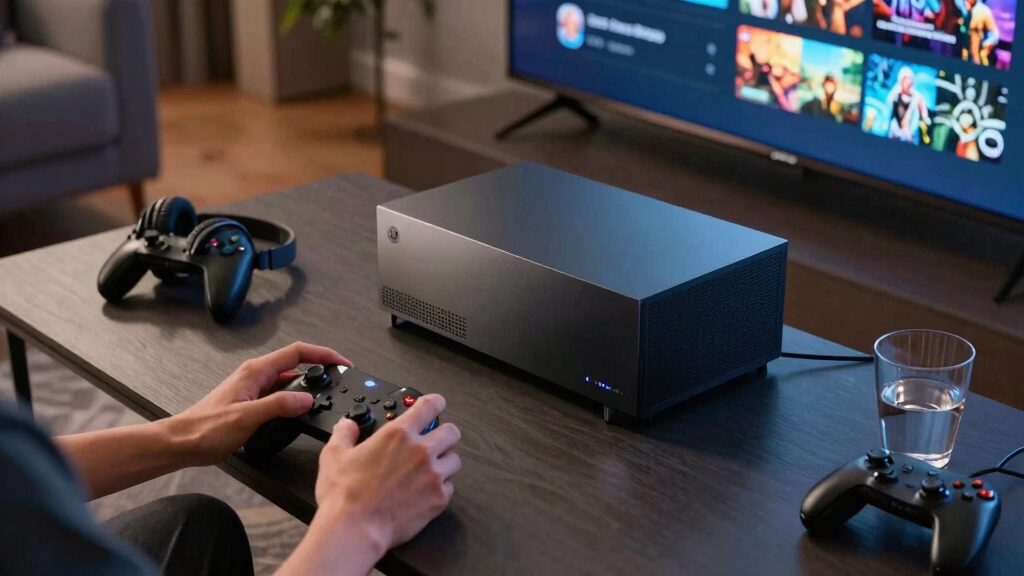
Steam Machine turns your Steam library into a TV-first setup: one box under the screen, SteamOS instead of Windows fiddling, controller-first browsing, cloud saves, and fast sleep/resume. The promise is console-like comfort without giving up the PC library you already own.
The TV becomes the next stop for your Steam library, not a separate platform.
The upgrade is less about raw silicon and more about removing the desk ritual from game night.
Valve lists 4K at 60 FPS with FSR as the design aim.
Rated at over six times Steam Deck performance.
Big tiles, controller prompts, fewer desktop interruptions.
Years of Deck testing make SteamOS more viable than 2015.
Your installed rotation matters as much as headline specs.
Some competitive games can still block the couch dream.
The more Steam games you own, the stronger the value case.
From desk ritual to couch routine
The meaningful change is habit. Instead of dragging a tower across the room or balancing a keyboard on your knees, Steam Machine makes PC gaming feel closer to choosing a movie.
Your Steam shelf moves to the TV
Purchases, saves, achievements, and cloud sync stay in the same ecosystem, but the front door is built for the sofa.
Controller-first browsing
Big-picture navigation, game tiles, and clear prompts reduce the tiny annoyances that make Windows feel awkward from ten feet away.
Sleep, resume, cloud saves
Start on desktop, continue on Deck, resume under the TV. The living room becomes another room in the same PC house.
Wake the box
Press the controller and land in a game-ready interface.
Browse Steam
Pick from the same library without a desktop detour.
Check status
Verified-style labels help set expectations before launch.
Resume save
Cloud sync keeps progress moving between devices.
Play together
The living room finally behaves like a PC-friendly venue.

Valve Steam Deck OLED 1TB Handheld Gaming Console
1TB NVMe SSD
As an affiliate, we earn on qualifying purchases.
As an affiliate, we earn on qualifying purchases.
Why this attempt has a better shot
The 2015 Steam Machine idea arrived before Proton matured and before Steam Deck normalized SteamOS. The 2026 version has a clearer hardware baseline and a stronger software story.
| What Changed | 2015 Steam Machines | 2026 Steam Machine | Living Room Impact |
|---|---|---|---|
| Hardware | Several partner-made PCs with mixed specs | One Valve-designed box with a clearer baseline | ✓ Easier buying decision |
| Game Support | Early SteamOS leaned heavily on native Linux games | SteamOS leans on Proton and Deck-tested compatibility | ✓ More games feel plausible |
| Player Habit | Most PC players still expected Windows at the TV | Steam Deck made SteamOS feel normal for many players | ~ Less education required |
| Tradeoff | Compatibility gaps felt surprising | Anti-cheat and launcher issues still matter | ✗ Not every PC game becomes console-simple |

Lenovo Legion Go S 8APU1 120Hz 8" Gaming Handheld Powered by SteamOS with 32GB RAM, 1TD SSD, Radeon 780M Graphics, and AMD Ryzen Z1 Extreme Processor (Legion Go S with standard accessories)
SteamOS-Based Gaming Experience – Runs SteamOS for fast boot, smooth updates, native access to your Steam library, cloud…
As an affiliate, we earn on qualifying purchases.
As an affiliate, we earn on qualifying purchases.
4K is the aim, not a magic spell
Valve lists a six-core Zen 4 CPU, semi-custom RDNA 3 graphics, 16GB DDR5, 8GB GDDR6 VRAM, and FSR-supported 4K/60 targets. Real results still depend on the game, settings, TV, and compatibility layer.
Hardware promise
- CPU 6-core Zen 4
- GPU RDNA 3 / 28 CU
- Memory 16GB DDR5
- VRAM 8GB GDDR6
- Storage 512GB or 2TB

GMKtec M6 Ultra Gaming Mini PC Ryzen 7640HS (Upgraded 6600H/ 6800U), 32GB RAM DDR5 1TB SSD Dual NIC LAN 2.5GbE Desktop Computers Office Home, Triple 4K Display, WiFi 6, USB4, BT 5.2, DP, HDMI 2.0
VALUE & PERFORMANCE MINI PC – GMKtec Nucbox M6 Ultra Series is equipped with the powerful AMD Ryzen…
As an affiliate, we earn on qualifying purchases.
As an affiliate, we earn on qualifying purchases.
Your library decides more than the spec sheet
Before comparing teraflops or storage tiers, check your ten most-played Steam games. The answer lives in compatibility, controller support, save sync, and whether your favorite games belong on a couch.
Steam Machine wins when
Your backlog is full of indies, RPGs, racing games, cozy sims, local co-op, and Deck-friendly titles that already behave well on SteamOS.
Console wins when
You want the bluntest path from store to play, care about exclusive ecosystems, or never want to think about Proton, launchers, or settings.
DIY mini-PC wins when
You enjoy tuning Windows, want broader launcher coverage, need specific mods, or already treat setup time as part of the hobby.
- 01 InputPair the controller and test wake before game night.
- 02 NetworkUse Ethernet when possible for downloads and Remote Play.
- 03 DisplayTurn on Game Mode, HDR, VRR, and low-lag settings.
- 04 AirflowLeave breathing room so fan noise does not fight dialogue.
- 05 LibraryInstall five couch-ready games and test each for five minutes.

FRIDEKO HOME Floor Lamp, 9W 800LM Color Changing Smart Lamp with Music Sync, App & Remote Control, Adjustable Brightness & Color Temperature Standing Light for Living Room Bedroom Gaming, Beige Shade
【Dynamic RGB Mode】To use this RGB floor lamp, start by turning it on with the foot switch. After…
As an affiliate, we earn on qualifying purchases.
As an affiliate, we earn on qualifying purchases.
Traceability: the couch chain
Key Takeaways
- Steam Machine makes living room PC gaming easier by moving SteamOS, controller-first browsing, cloud saves, and sleep/resume to the TV.
- The 2026 approach is stronger than the 2015 attempt because Proton and Steam Deck compatibility work changed the software story.
- Valve’s listed spec targets 4K at 60 FPS with FSR, but real results will still vary by game, settings, and TV features.
- Your Steam library decides the value: check your 10 most-played games before you worry about raw specs.
- A console still wins for pure simplicity, while Steam Machine wins when your Steam backlog and PC habits already have weight.
What You Gain When Steam Moves Under the TV
What Steam Machine Changes for PC Gaming in the Living Room is the path from your library to your couch. Instead of dragging a tower across carpet, balancing a keyboard on your knees, or hoping a streaming app behaves, you get a small SteamOS box built to wake, browse, and play from the sofa.
The change is small on a shelf and big in habit. Your Friday night stops feeling like PC setup time and starts feeling like choosing a movie: controller in hand, TV glowing, friends asking which co-op game loads fastest. Picture the difference between hosting a board game night with every box already on the table and making everyone wait while you dig through a closet for the dice.
Valve’s current Steam Machine page lists a TV-focused PC with SteamOS, two storage choices, expandable storage, and a controller-first interface [1]. The official page is https://store.steampowered.com/sale/steammachine, and the point is plain: keep the PC library, remove the desk ritual.
Why the New Box Has a Better Shot Than the Old One
The new Steam Machine has a better shot because Valve is no longer asking the living room to trust a scattered lineup of partner PCs. The 2015 idea arrived early, before Proton and before the Steam Deck trained millions of players to accept SteamOS as a daily gaming system.
The first wave felt like ordering pizza from five kitchens at once. One box had different specs, another had a different price, and your Windows-heavy Steam library could turn into a gray list of games that looked close but would not launch. In practice, that meant one friend could buy a pricey model for shooters, another could buy a cheaper one for indies, and both could end up unsure which games were supposed to work.
| What Changed | 2015 Steam Machines | 2026 Steam Machine |
|---|---|---|
| Hardware target | Several partner-made PCs with mixed specs | One Valve-designed box with a clearer baseline |
| Game support | Early SteamOS leaned hard on native Linux games | SteamOS now leans on Proton and years of Deck testing |
| Player habit | Most PC players still expected Windows at the TV | Steam Deck made SteamOS feel normal for many players |
| Living room feel | Often a PC in a console shell | Closer to a console that still keeps PC freedom |
The Steam Deck matters here. It turned SteamOS from a promise into muscle memory: tap a game, suspend mid-mission, resume on the train, then cloud-save back home. A player who already bounces from Hades II on Deck to Baldur’s Gate 3 on desktop understands the appeal immediately: the TV becomes the next stop, not a separate platform.
How Your Steam Library Gets Easier on the Couch
What Steam Machine Changes for PC Gaming in the Living Room is game access, not game ownership. You keep buying and launching through Steam, but the interface pushes big tiles, controller prompts, cloud saves, and sleep/resume so your library feels less like a spreadsheet and more like a shelf of cartridges.
According to Valve’s Steam Deck Verified guidance at https://www.steamdeck.com/en/verified, Steam labels games by how well they run on a SteamOS handheld or TV-style setup [2]. That matters when your friend drops onto the couch and you want a clean answer fast: green check, press play.
The catch is the same one Deck players already know. A single-player RPG may run smoothly with crisp controller glyphs, while a competitive shooter with strict anti-cheat may refuse to run under Proton until the publisher supports it. One night, that could mean Stardew Valley, Elden Ring, or a racing game opens like a console title; the next, your favorite ranked shooter sends you back to the desktop because its anti-cheat treats Linux like a locked side door.
If your library is heavy on indies, RPGs, racing games, cozy sims, and couch co-op, the Steam Machine looks roomy. If your evenings revolve around a specific esports title, check its SteamOS status before you buy snacks, invite people over, and find out the Play button has a padlock.
What the Specs Mean for 4K, Heat, and Storage
The specs mean the Steam Machine aims for living room smoothness, not bragging rights under a glass side panel. Valve lists a six-core Zen 4 CPU, a semi-custom RDNA 3 GPU with 28 compute units, 16 GB of DDR5, and 8 GB of GDDR6 VRAM [1].
Valve says the box targets 4K at 60 FPS with FSR and rates it at over six times Steam Deck performance [1]. In real life, that means a big open-world game may lean on upscaling, while a lighter indie game can look razor-clean on a 55-inch TV. Think of FSR like putting a sharp projector lens on a smaller image: it can make the picture feel big-screen ready, but it is still doing clever work behind the curtain.
Storage changes the nightly ritual too. A 512 GB model can fill fast when one blockbuster eats 120 GB, while the 2 TB model gives you room for a rotation: the shooter, the racing game, the huge RPG, and the party game you only launch when people are over. If Call of Duty, Cyberpunk 2077, Baldur’s Gate 3, and a few Game Pass-style live-service giants are your normal diet, 512 GB starts to feel like a mini fridge at a holiday dinner.
Heat and noise matter because your living room has softer rules than a desk. You notice a fan when it competes with quiet dialogue, a rain scene, or the low hum of a soundbar at midnight.
A 20-Minute Setup That Makes PC Games Feel Console-Simple
A good Steam Machine setup makes PC games feel console-simple by removing tiny annoyances before they ruin the first night. You want the TV input named, the controller paired, downloads done, and Ethernet ready before anyone is sitting there with a cold drink and a blank update screen.
- Put the box where it can breathe. Leave a few inches behind it; a tight cabinet turns warm air into a wool blanket.
- Use Ethernet if you can. Wi-Fi 6E is helpful, but a cable still keeps downloads and Remote Play steadier.
- Pair the controller and test wake. The magic is pressing one button and seeing the TV light up.
- Turn on Game Mode on your TV. Check HDR, VRR, and input lag settings before you judge performance.
- Install five couch-ready games. Test each for five minutes so the first real session starts with play, not troubleshooting.
A practical first-night lineup might be one local co-op game, one racing game, one big single-player showcase, one low-stress indie, and one favorite you already know inside out. That mix tells you quickly whether the controller, TV settings, storage, and Proton behavior are all working together.
Do this once and game night changes texture. Instead of squinting at a Windows login from nine feet away, you hear the controller chime, see your library fill the screen, and land in a save file before the pizza box hits the table.
Where a Console Still Wins, and Where Steam Machine Pulls Ahead
A console still wins when you want the lowest-friction box for a narrow set of games, while Steam Machine pulls ahead when your Steam library, mods, saves, and PC habits already carry value. The right choice depends on what you play on Tuesday night, not platform loyalty.
| Your Situation | Better Fit | Why |
|---|---|---|
| You play a few major exclusives | Console | Publisher support is direct and predictable |
| You own a large Steam backlog | Steam Machine | Your existing purchases, saves, and friends list come with you |
| You use many Windows-only tools | DIY Windows mini-PC | SteamOS may add friction for launchers and utilities |
| You play couch co-op often | Steam Machine or console | Both work well when the games have strong controller support |
Say you already own 300 Steam games and your cloud saves hop between Deck and desktop. Steam Machine acts like a train station for that library: the same tickets, a bigger platform, fewer stairs. You finish a quest on your desktop, pick up the same save on the TV, then keep a lighter game ready for the Deck when the room gets crowded.
If you mostly play a game that lives outside Steam or requires a launcher that hates controllers, a Windows mini-PC may still fit better. The Steam Machine trims PC fuss; it does not turn every PC game into a console game. It is more like moving your kitchen closer to the dining room: dinner gets easier, but recipes with strange tools still need extra attention.
What You Should Check Before You Spend Living Room Money
What Steam Machine Changes for PC Gaming in the Living Room is worth money only if your games, TV, and habits line up. Before you buy, check compatibility, storage, network, and controller needs like you would measure a couch before carrying it up three flights of stairs.
- Check your top 10 games. Use Steam’s compatibility labels and recent player reports before you assume a favorite works [2].
- Plan storage honestly. If you bounce between giant live-service games and huge RPGs, 2 TB will feel calmer than 512 GB.
- Budget for the living room bits. A controller, long HDMI cable, Ethernet run, or tiny wireless keyboard can matter more than one extra graphics setting.
- Name your deal breakers. If one unsupported anti-cheat game owns your week, do not hand-wave it away.
- Check your TV features. HDR, VRR, and low-latency mode can make the same frame rate feel cleaner.
Here is a useful pretend receipt. If your top 10 includes six Verified or Playable Steam games, two indies that already work beautifully on Deck, one unsupported shooter, and one odd launcher game, you are really deciding whether those last two games are exceptions or anchors.
The easiest test is boring and useful: open your Steam library, sort by playtime, and write down the 10 games you actually play. If eight of them work well on SteamOS and two are occasional desktop games, your answer is almost glowing in the dark.
Frequently Asked Questions
What is Steam Machine in simple terms?
Steam Machine is a compact gaming PC built around SteamOS for TV play. You use it like a console, but it still connects to your Steam library, cloud saves, controllers, and many PC-style settings.
Will every Steam game work on Steam Machine?
No. Many games should work through SteamOS and Proton, but some games with strict anti-cheat, odd launchers, or weak controller support may still cause trouble. Check Valve’s compatibility labels and your own most-played games before you buy [2].
Is a Steam Deck plugged into a TV enough?
For many players, yes. A docked Steam Deck is a cheaper way to test whether you like SteamOS on a TV, but the Steam Machine is built for higher living room performance, more stable power, and a cleaner always-connected setup.
Can Steam Machine replace a Windows gaming PC?
Sometimes. It can replace a Windows PC for players who mostly use Steam, controller-friendly games, and SteamOS-compatible titles. If you rely on Windows-only mods, launchers, work apps, or unsupported competitive games, keep a Windows PC in the mix.
Where do the specs and compatibility claims come from?
The hardware numbers come from Valve’s Steam Machine page at https://store.steampowered.com/sale/steammachine [1]. The compatibility framing comes from Valve’s Steam Deck Verified guidance at https://www.steamdeck.com/en/verified [2].
Conclusion
Steam Machine is not magic. It is a practical bet that your Steam library deserves the biggest screen in the house without making you manage a desktop from the couch.
Start with your games, not the hype. If your favorites run well on SteamOS, the living room stops being console-only territory and starts looking like the warm, glowing end of your PC setup.