
TL;DR

Play games on Amazon Luna for your game nights, included with Prime
- A rotating selection of games, no download needed
- Play on TV, laptop or phone
- Fast, free delivery for your gear, too
Steam Machine vs Console Storefronts Explained comes down to flexibility versus simplicity: Steam gives you PC pricing, mods, multiple hardware choices, and a broad back catalog, while console stores offer predictable compatibility and controller-first convenience. Your purchases usually remain locked to the storefront where you bought them, so your existing library matters more than a single sale price.
A cheap game can become an expensive decision when the purchase ties you to a store, an account, and a piece of hardware for years. You may spot the same release glowing on Steam, PlayStation Store, Xbox Store, and Nintendo eShop, yet each buy button leads to a different mix of rules, features, and future costs. The price tag tells only the first part of the story.
This guide uses Steam Machine as a practical label for a living-room PC built around Steam, whether that means an older SteamOS box, a compact Windows PC, or similar hardware connected to your television. Valve’s original partner-built Steam Machines reached consumers in 2015, but the label is now used loosely; any claims about an unannounced new Valve console remain unconfirmed rumors. The Steam Deck belongs in the wider conversation, though it is a handheld PC rather than a direct replacement for a television console.
You will see how the stores differ on game access, sales, licenses, mods, subscriptions, and convenience. You will also learn why a game that runs beautifully on one Steam device can cough and stutter on another, while a console release generally targets one fixed hardware profile. Think of this as an overview suitable for anyone choosing where to build a long-term library, with the noisy details stripped away and the real tradeoffs left on the table.
Treat a Steam Machine as a configurable PC connected to your television, not as one fixed console specification.
Assume a digital purchase stays with its original storefront unless a game explicitly advertises cross-buy.
Compare three-year costs, including multiplayer subscriptions, storage, controllers, and duplicate game purchases.
Check cross-play, current Steam Deck compatibility, operating system support, and mod restrictions for each game separately.
Use regional age ratings alongside purchase controls, communication settings, and user-generated-content rules.
Steam Machine vs Console Storefronts Explained
Flexibility meets simplicity. Steam brings PC pricing, mods, hardware choice, and a broad back catalog; console stores trade those levers for predictable compatibility and controller-first convenience.
One label, very different machines
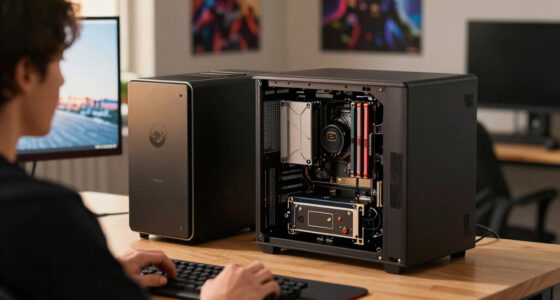
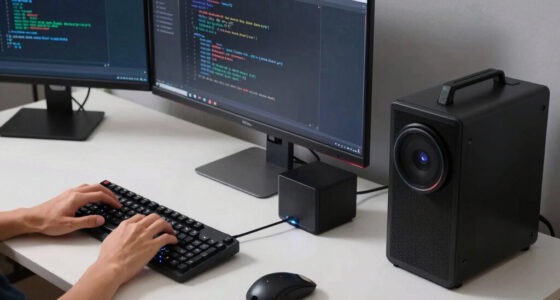
A “Steam Machine” is best understood as a living-room PC built around Steam—not one fixed console specification. It might be an older SteamOS box, a compact Windows PC, or similar hardware connected to a television.
Steam Machine
Processor, graphics hardware, operating system, drivers, storage, and cooling all affect the experience. You can gain flexibility, but performance varies between devices.
Best for · choice, mods, upgradesHome console
Developers optimize for a known hardware family. Players generally choose labeled quality or performance modes instead of tuning a full PC settings menu.
Best for · consistency, quick setupSteam Deck
Valve’s handheld PC belongs in the broader Steam ecosystem, but it is not a direct television-console replacement. Compatibility and performance still need game-by-game checks.
Best for · portable PC librariesWhat each storefront actually changes
The storefront controls more than checkout. It connects your license, account, downloads, refunds, updates, cloud features, social tools, parental controls, and sometimes multiplayer access.
| Feature | Steam on a living-room PC | Console storefronts |
|---|---|---|
| Hardware | +Many possible PC configurations | Fixed models within each console family |
| Compatibility | ~Depends on OS, drivers, and components | +Certified for a named console version |
| Pricing | Store sales, bundles, and authorized PC key sellers | Platform sales and approved retail codes or cards |
| Mods | +Broad support in selected games and Workshop titles | ~Limited to approved games and curated systems |
| Physical media | Rare for modern PC releases | Available where a disc or cartridge drive exists |
| Online play | +No platform-wide Steam multiplayer fee | ~Many paid games require a subscription |
| Upgrades | Possible on many PCs, depending on case and parts | Usually means a newer model or console generation |
| Couch experience | Can be excellent, but launchers or system prompts may intrude | +Controller, UI, profiles, and television output designed together |
A sale price is only the opening move
Compare the full three-year commitment: hardware, games, storage, multiplayer subscriptions, controllers, accessories, and any duplicate purchases needed to follow friends or switch ecosystems.
Long-term cost drivers
Decision-weight index · illustrative comparison tool
What follows you—and what usually does not
Cross-platform accounts can sometimes carry characters, progress, or cosmetics. The game license usually remains with the storefront that sold it unless the publisher explicitly offers cross-buy.
Choose a storefront
Steam, PlayStation Store, Xbox Store, or Nintendo eShop.
Buy a license
The purchase attaches to a platform account and its terms.
Use compatible hardware
The game runs only where that store and release are supported.
Connect game accounts
Some publishers synchronize progress, profiles, or cosmetics.
Switch platforms
Expect another purchase unless cross-buy is clearly promised.
Five checks before you commit
The strongest choice follows the friction you can tolerate. Evaluate individual games and your household’s habits instead of declaring one ecosystem the universal winner.
Treat Steam hardware as a PC
Check processor, graphics, operating system, drivers, storage, and controller support—not just the Steam logo.
Assume licenses stay put
Do not expect a Steam purchase to unlock a console copy unless cross-buy is stated explicitly.
Model three-year costs
Add multiplayer subscriptions, storage, controllers, upgrades, accessories, and duplicate games.
Verify every important game
Check cross-play, current Steam Deck status, OS support, cloud saves, anti-cheat, and mod restrictions separately.
Review family protections
Pair regional age ratings with purchase controls, communication settings, profiles, and user-generated-content rules.
Test the couch workflow
Consider suspend behavior, local profiles, launcher logins, controller prompts, television output, and update interruptions.
Build the library that fits your habits
Steam offers more levers. Console storefronts remove more decisions. Neither wins every category, and rumors of an unannounced new Valve console should not drive a purchase until officially confirmed.
You value flexibility
You want hardware choice, PC sales, broad back-catalog access, mods, multiple-PC installs, and the freedom to tune or upgrade.
Accept · setup variation and troubleshootingYou value predictability
You want certified releases, consistent controller behavior, streamlined family profiles, local multiplayer, and fewer system-level decisions.
Accept · tighter platform boundariesWhat You Actually Get From a Steam Machine
Steam Machine vs Console Storefronts Explained starts with one distinction: a Steam Machine is PC hardware running Steam, while a console storefront is a store tied to a controlled hardware family. Steam provides the library and interface, but the machine’s processor, graphics chip, operating system, and drivers still decide what runs well.
A storefront is more than a digital shelf. It is the gatekeeper that handles your license, downloads, refunds, updates, cloud saves, social tools, and sometimes multiplayer access. You hear a soft click, watch the download bar fill, and the whole arrangement feels effortless, but a thick bundle of account rules sits behind that bright green play button.
Valve introduced the original Steam Machine idea as a way to bring PC games into the living room through SteamOS and a controller-friendly interface. Partner systems varied in price and power, which made them flexible but harder to explain than a single console model. According to Valve’s Steam documentation, Steam supports account libraries, cloud features for participating games, community tools, and controller-focused interfaces, though individual publishers choose which features their games use [1].
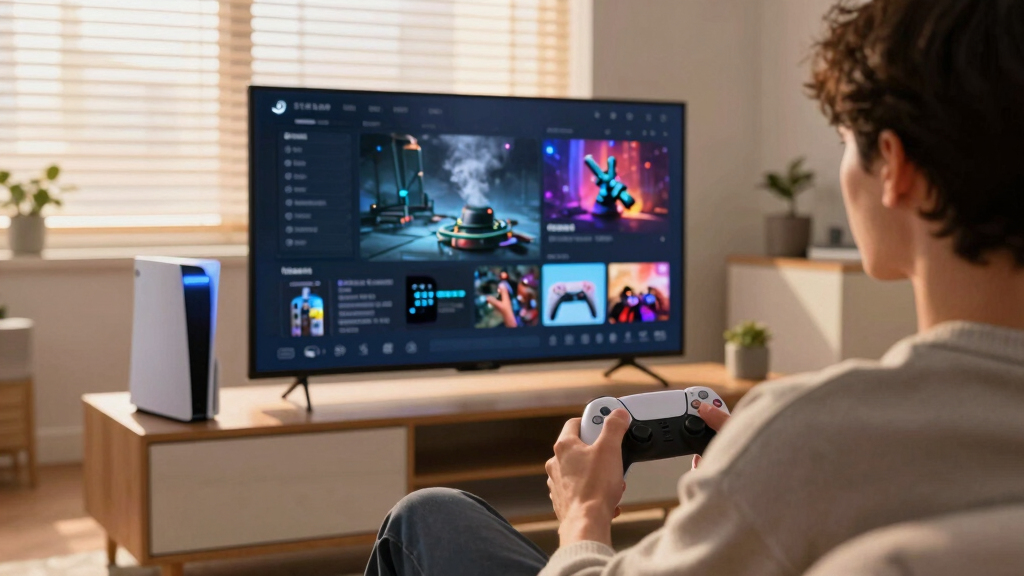
For example, imagine connecting a compact Steam PC to a 4K television. An indie platformer may run silently at a smooth frame rate, while a new blockbuster makes the fans go whirr and needs lower shadows or resolution scaling. On a PlayStation 5 or Xbox Series console, developers work with a known hardware target, so you usually choose between labeled modes such as quality and performance instead of adjusting a row of PC settings.
Steam gives you more levers; consoles remove more decisions. One approach rewards tinkering, while the other protects your Saturday night from becoming a graphics-settings workshop.
As an affiliate, we earn on qualifying purchases.
See the Biggest Storefront Differences at a Glance
Steam Machine vs Console Storefronts Explained is easiest to grasp as a side-by-side choice between open-ended PC access and tightly managed console ecosystems. Steam usually offers more hardware freedom, mods, and competing key sellers, while PlayStation, Xbox, and Nintendo provide a more consistent experience built around their own controllers, services, and certification rules.
| Feature | Steam on a living-room PC | Console storefronts |
|---|---|---|
| Hardware | Many possible PC configurations | Fixed models within each console family |
| Game compatibility | Depends on operating system, drivers, and components | Certified for a named console version |
| Pricing | Steam sales, publisher sales, and authorized PC key sellers | Platform sales and approved retail codes or cards |
| Mods | Broad support in selected games, including Steam Workshop | Limited to approved games and curated systems |
| Physical games | Rare for modern PC releases | Available on consoles with disc or cartridge drives |
| Online multiplayer fees | Steam does not charge a platform-wide multiplayer fee | Many paid games require a platform subscription for online play |
| Upgrades | Possible on many PCs, but dependent on the case and parts | Usually requires a newer console model or generation |
Say you want to play a strategy game at a desk on Monday and continue from the sofa on Friday. Steam may let you install the same purchase on both of your PCs and synchronize saves when the game supports Steam Cloud. A console purchase usually stays within its hardware family, although remote play and cloud services can extend where you access it.
The console advantage appears when friends arrive with two controllers and want to start immediately. The store, operating system, controller prompts, suspend features, and television output were designed together, so there are fewer loose wires in the experience. On a Steam PC, the same evening can be just as smooth, but a launcher login, missing controller profile, or Windows pop-up may interrupt the couch-first flow.
Neither column wins every row. A person who installs community maps for Skyrim or Cities: Skylines gains more from Steam’s flexibility, while a family sharing a television may value predictable local profiles and parental controls more than mod folders. Your best choice follows the friction you can tolerate, not the longest feature list.
As an affiliate, we earn on qualifying purchases.
Know Where Your Games and Saves Will Follow You
Steam Machine vs Console Storefronts Explained reveals a hard limit that sales pages often hide: your game license normally stays with the store that sold it. Buying a Steam copy usually does not grant a console copy, and owning a PlayStation, Xbox, or Nintendo version rarely places that game in your Steam library.
What are you really buying when no disc changes hands? In most cases, you receive a revocable digital license governed by the platform agreement and publisher terms, not unrestricted ownership of the software. Steam and console stores both connect that license to an account, so protecting your login, recovery email, and two-factor authentication matters as much as protecting the hardware.
Cross-play, cross-save, and cross-buy sound similar, but they solve different problems. Cross-play lets people on different platforms join the same match. Cross-save moves progress through a publisher account, while cross-buy grants multiple versions through a specific promotion or ecosystem; you should never assume one feature includes the others.
- Cross-play: You play with friends on another platform.
- Cross-save: Your progress follows you when supported.
- Cross-buy: One purchase grants more than one platform version under stated terms.
- Cloud streaming: You run a remote copy through a compatible service and subscription.
Consider Fortnite, a free-to-play game that uses an Epic account to carry supported progress and purchases across several devices. That convenience does not create a general rule for paid releases. If you buy a $70 role-playing game on Steam and later move to PlayStation, you may need to buy it again even when your publisher account can import a character.
Physical console media adds another wrinkle. A disc can sometimes be resold or lent, but patches, downloadable content, account checks, and a compatible drive may still shape access. Some retail boxes contain only a code, so check the packaging before treating a shiny plastic case as a transferable copy.
As an affiliate, we earn on qualifying purchases.
Find the Lower Price Without Falling for the Cheapest Tag
Steam Machine vs Console Storefronts Explained shows that the lowest checkout price is not always the lowest total cost. Steam often gives you more places to find authorized discounts, while console stores may pair sales with subscriptions, physical resale, or platform rewards. Hardware, multiplayer fees, storage, and repeat purchases can outweigh a one-night bargain.
Steam’s seasonal events turn the store into a wall of red discount labels, and older PC games regularly fall below $10. Console stores also run frequent promotions, including publisher sales and subscriber discounts. The difference is competition: PC publishers can sell legitimate Steam keys through authorized retailers, while digital console purchases usually pass through the console holder’s storefront or approved code system.
A console can still cost less for your actual routine. Suppose you buy three major releases each year, play them once, and resell the discs. A console with a disc drive may return part of your spending, while a Steam license remains attached to your account. If you mostly collect decade-old strategy games during sales, the Steam route can stretch the same budget much further.
- List five games you expect to play during the next year.
- Check their normal prices, recent sale patterns, and whether you need a subscription for multiplayer.
- Add the cost of usable storage, controllers, and any television-friendly keyboard or mouse.
- Check whether you already own compatible games, saves, or downloadable content elsewhere.
- Compare the three-year total, not just today’s hardware bundle.
For example, paying an extra $100 for hardware can make sense if your existing Steam library contains 80 games you still enjoy. The cheaper console becomes more expensive after you repurchase six favorites at $20 each. The reverse also happens when a console subscription supplies the games you want and saves you from buying them separately.
Subscriptions deserve careful reading because catalogs rotate. Xbox Game Pass and PlayStation Plus tiers can offer broad access, but a game may leave before you finish it; Nintendo’s services use their own catalog and access rules. Steam has publisher-specific subscriptions and free weekends, but it does not provide one platform-wide catalog that directly mirrors those console services.
As an affiliate, we earn on qualifying purchases.
Choose Between Mods, Easy Setup, and Predictable Performance
Steam Machine vs Console Storefronts Explained becomes a choice about how much control you want after pressing play. A Steam-based PC can offer mods, graphics settings, unusual controllers, and component upgrades, while consoles favor certified releases and predictable controls. More freedom can fix a problem, but it can also create one.
Want to replace gray castle walls with mossy stone, add a fan-made quest, or turn a farming game into a humming maze of automated machines? PC modding can reshape a familiar game beyond recognition. Steam Workshop makes installation simple for participating titles, though other games require manual files, version matching, or third-party tools.
Console mods remain narrower because platform holders and publishers control what can run. Games such as Skyrim Special Edition and Fallout 4 support selected mods on some consoles, but available content and restrictions differ by platform. Check the store page and the publisher’s current rules before choosing a version for mods.
Performance follows the same freedom-versus-consistency split. A console game targets known hardware and passes a platform certification process, yet frame-rate drops and bugs can still occur. A Steam listing gives minimum and recommended PC specifications, but those figures cannot cover every driver, operating system update, thermal limit, or television setting.
The Steam Deck adds a useful compatibility signal through Valve’s Deck Verified program [1]. Ratings such as Verified, Playable, Unsupported, or Unknown refer to the tested Steam Deck experience, not every Steam Machine or Linux PC. A game’s status can change after game patches, anti-cheat updates, or new testing, so check the current store badge and compatibility details rather than relying on an old screenshot.
Imagine launching a competitive shooter after an update and finding that its anti-cheat no longer works on your Linux-based setup. The same game may still run on Windows or a supported console. If you want to spend your evening playing instead of searching forums while the PC fans hum, fixed console support carries real value.
Use This Five-Minute Check Before You Pick a Store
Your best storefront is the one that supports the games you already play, the people you play with, and the friction you accept. Check compatibility, social connections, recurring costs, content ratings, and portability before buying hardware. Five focused minutes can prevent years of duplicate purchases and scattered saves.
Start with your friends. If your regular group plays a title without cross-play on Xbox, choosing Steam for a small discount could leave you outside the party chat while everyone else hears the match countdown go beep, beep, beep. Check each game separately because cross-platform support can differ by mode, generation, and publisher account.
- Library check: Count the games you genuinely plan to replay, not every title gathered in bundles.
- Compatibility check: Review operating system support, PC specifications, console generation, and controller requirements.
- Social check: Confirm cross-play, voice chat, and the platform used by your regular group.
- Cost check: Include multiplayer subscriptions, storage expansion, extra controllers, and likely repeat purchases.
- Household check: Read family-sharing, child-account, refund, and offline-play rules.
Age ratings also deserve a direct look when children use the system. Console stores commonly display regional ratings such as ESRB in North America or PEGI across much of Europe, alongside content descriptions [2]. Steam listings may show regional ratings and content notices, but coverage varies because PC releases and rating requirements differ by market.
A rating describes content; it does not automatically control access. Set the platform’s family tools, require a purchase PIN, and review communication features separately. A brightly colored game rated for younger players can still include open voice chat, user-created material, or purchases that deserve their own household rules.
Finally, test your living-room habits. If you enjoy adjusting fan curves, installing texture packs, and using one library across a desktop and television PC, Steam fits that pattern. If you want one controller, one store, and a game that wakes from sleep before your tea cools, a console storefront may serve you better.
Frequently Asked Questions
Can I play games bought on Steam on a PlayStation, Xbox, or Nintendo console?
Usually, no. Your Steam purchase grants the PC version tied to your Steam account, not a console license. A publisher account may synchronize progress or cosmetic items, but you normally need a separate console copy.
Is a Steam Machine the same thing as a Steam Deck?
No. Steam Deck is Valve’s handheld PC running SteamOS, while Steam Machine usually describes a television-connected PC designed around Steam. You can dock a Steam Deck for television play, but its hardware, portability, and Deck Verified labels make it a distinct product.
Do Steam games run without an internet connection?
Many games work through Steam Offline Mode after installation and an initial online login, but support depends on the game and any third-party launcher or DRM. Test offline access before a trip because some titles need periodic checks, server connections, or account authentication.
Are Steam games always cheaper than console games?
No. Steam has frequent sales and authorized key retailers, but console discounts, used physical copies, and subscription catalogs can produce a lower cost for certain players. Compare the games you will actually play plus subscriptions, storage, and accessories.
Does Steam charge for online multiplayer?
Steam does not charge a platform-wide multiplayer subscription fee. Individual games may require their own subscription, expansion, or paid service. Many console games require an active platform membership for online multiplayer, although free-to-play exceptions and plan rules vary.
Will every Steam game work on a SteamOS living-room PC?
No. Windows games may run through Valve’s Proton compatibility layer, but anti-cheat systems, third-party launchers, codecs, or new updates can cause problems. Check the game’s current operating system details, community reports, and any Deck compatibility notes before buying.
Conclusion
Choose your library before you choose your box. Write down the five games you expect to play most, check where your friends play, and calculate the real three-year cost. Steam suits you when you value mods, hardware choice, and a portable PC library; a console store suits you when predictable support and a controller-first experience matter more than adjustable settings.
The sharpest difference is simple: Steam asks you to manage freedom, while console storefronts ask you to accept boundaries. Neither choice is automatically cheaper or better. Pick the set of compromises that fades into the background when the room goes dark, the television glows, and you press play.
Halloween Picks
halloween
As an affiliate, we earn on qualifying purchases.