
TL;DR

Play games on Amazon Luna for your game nights, included with Prime
- A rotating selection of games, no download needed
- Play on TV, laptop or phone
- Fast, free delivery for your gear, too
Steam Machine compatibility starts with Steam Deck because Valve uses Deck testing, SteamOS, Proton, and controller-first design as the baseline for its wider hardware plan. If a game earns Steam Deck Verified, Valve says it is guaranteed to be Steam Machine Verified too, though some games may still behave differently on a TV setup [1].
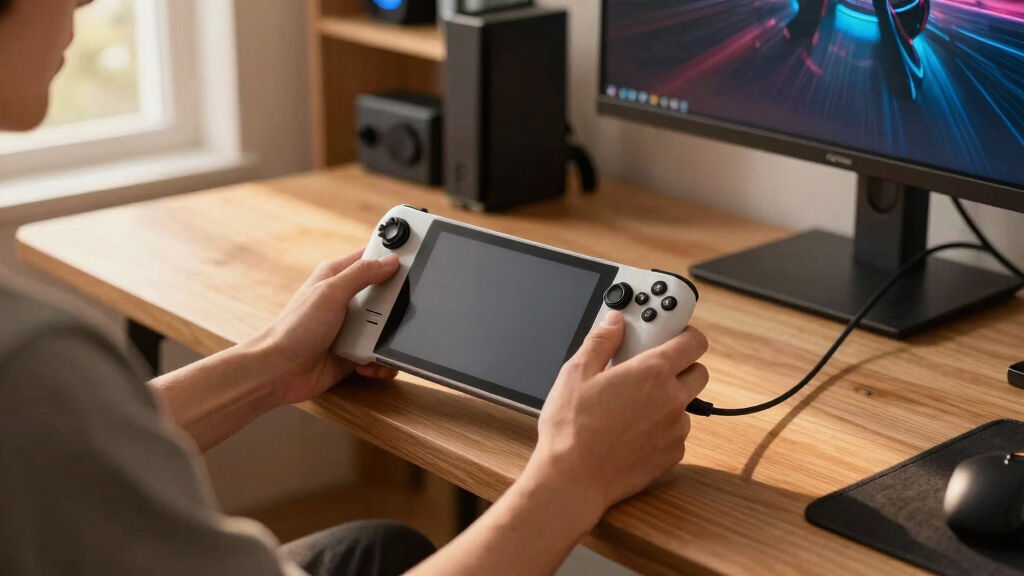
The smallest screen in Valve’s hardware family now tells you a lot about the box under your TV.
If you play on Steam Deck, you have already seen the future of Steam Machine compatibility in miniature: Proton doing translation work, SteamOS smoothing over PC rough edges, and controller prompts trying to behave like they belong in your hands.
This guide explains why Steam Machine compatibility starts with Deck, what the badges really mean, and how you can read them without getting fooled by a shiny Verified label.
Why Steam Machine Compatibility Starts With Steam Deck
Steam Deck is Valve’s smallest stress test for the living room. If a game can survive SteamOS, Proton, controller-first input, readable text, and a tight performance target on Deck, Steam Machine starts from a much cleaner place under the TV.
Valve says any game that earns Steam Deck Verified status is guaranteed to be Steam Machine Verified too.
Steam Machine is described as roughly six times more powerful than Steam Deck, but software friction can still follow.
Deck sets the floor; Machine raises the ceiling.
A better GPU can lift frame rate. It cannot fix a launcher that ignores your controller.
Deck Is the Compatibility Floor, Not a Side Quest
Compatibility means more than reaching a title screen. It means clean launch behavior, controller access, legible text, sane text entry, working middleware, save syncing, and performance that does not demand twenty minutes of tinkering.
Controller-first is the living-room test.
Deck exposes weak prompts, missing focus states, and mouse-only menus before those same flaws land on the couch.
Linux behavior becomes mainstream behavior.
SteamOS turns Proton, graphics translation, sleep, cloud sync, and launcher handling into the shared baseline.
Small-screen fixes scale upward.
If fonts, menus, and inputs work on a handheld, they usually enter the TV setup with fewer rough edges.
Boot
The game launches without broken middleware or launcher traps.
Input
All core actions are reachable through Deck or Steam Controller inputs.
Read
Text survives handheld use and remains useful at TV distance.
Run
Performance clears the expected target without constant settings work.
Resume
Cloud saves and per-device settings keep sessions portable.
Verified Badges Turn PC Chaos Into a Readable Signal
Deck and Machine reviews share the same practical concerns: controller reach, launchers, text input, performance, and Proton. The label helps, but the details still matter.
| Check | Steam Deck | Steam Machine | What Players Should Read |
|---|---|---|---|
| Performance | 30fps at 800p | 30fps at 1080p | ✓ More headroom helps, but it does not solve bad UI. |
| Controls | Deck controls reach all content | Steam Controller inputs reach all content | ✓ Look for notes about community mappings or mouse fallbacks. |
| Text | Readable around 12 inches / 30 cm | TV and monitor distance varies | ~ Tiny Deck text can become thin couch text. |
| Windows Games | Run through Proton unless native Linux exists | Run through Proton unless native Linux exists | ~ Anti-cheat, codecs, and launchers still deserve scrutiny. |
| Badges | Best handheld signal | Best couch signal | ✗ Never treat Playable as friction-free. |
Proton Turns Deck Testing Into SteamOS Testing
Proton is the bridge that lets many Windows games run on SteamOS. Deck put that bridge under real pressure first, which is why its compatibility lessons flow directly into Steam Machine.
Windows library, Linux hardware plan.
Proton uses a modified Wine stack and graphics API tools to translate Windows executables for Linux-based Steam hardware. That helps thousands of PC games move across without every title needing a native Linux port.
But anti-cheat, media codecs, .NET launchers, and odd video systems can still break the session before raw power ever matters.
Compatibility spectrum
Five Checks Before You Trust the Badge
The badge is a weather report, not a trophy case. Read the details before buying, installing, or downloading a massive game for the living room.
- Check badge details. Playable can mean one tiny keyboard pop-up or a launcher you will hate.
- Look for controller notes. Community mappings can work well, but they signal extra setup.
- Watch text size. If menus look small on Deck, they may look thin from across the room.
- Scan Proton reports. Anti-cheat and codec failures matter more than raw frame rate.
- Keep graphics settings local. Deck’s low-power settings should not smear your TV session.
The couch test is won before the couch.
You play a city builder on Deck during a train ride, then continue on Steam Machine at home. Steam Cloud brings the save over. Great. But if Deck’s low resolution settings sync too, your TV image can look soft until you fix it.
Valve’s developer guidance calls out this exact risk: saves should travel, graphics settings should stay per-device.
The Real Rule: Fix Deck Pain, Fix Machine Pain
Developers who solve Steam Deck friction usually solve the hardest Steam Machine friction at the same time. The hardware changes; the compatibility questions stay familiar.
Deck Verified is the strongest starting signal.
If a game is Deck Verified, Valve says it is guaranteed to be Machine Verified too. Still read notes for launchers, text input, anti-cheat, and cloud settings.
The smallest screen reveals the biggest problems.
Readable UI, controller focus, Proton health, and per-device settings make the difference between a PC game that merely runs and one that belongs in the living room.
Key Takeaways
- Steam Deck Verified is the strongest starting signal because Valve says Deck Verified games are guaranteed to be Steam Machine Verified.
- Steam Machine has more power, but controller support, launchers, Proton, anti-cheat, text input, and cloud settings still decide how smooth the session feels.
- Deck targets 30fps at 800p, while Steam Machine targets 30fps at 1080p, so performance headroom improves but software problems can remain.
- Players should read badge details before buying or installing, especially when a game is marked Playable or Unsupported.
- Developers who fix Deck pain points often fix Steam Machine pain points at the same time.
As an affiliate, we earn on qualifying purchases.
Why Deck Is the Compatibility Floor, Not a Side Quest
Why Steam Machine Compatibility Starts With Steam Deck comes down to one blunt fact: Valve already treats Deck as the proving ground for SteamOS games. According to Valve’s Steamworks documentation, any game that earns Steam Deck Verified status is guaranteed to be Steam Machine Verified too [1].
Compatibility means more than booting to a menu. It means the game launches cleanly, reads your controller, shows legible text, handles text entry, avoids broken middleware, and keeps a playable frame rate without asking you to fiddle for 20 minutes.
Think of Deck as the narrowest doorway. If a bulky PC game can squeeze through with readable menus, working prompts, and smooth controls, the Steam Machine gets a cleaner starting point. Deck sets the floor; Machine raises the ceiling.
A game that works well on the smaller, stricter device has already passed the tests that make living-room play feel easy.
Say you install a strategy game that was built for a mouse, a keyboard, and a desk lamp. On Deck, tiny fonts and a launcher that needs a cursor feel rough right away. Fix those problems there, and your couch session on a Steam Machine already feels less like office work.
As an affiliate, we earn on qualifying purchases.
What Steam Deck Proves Before a Game Reaches the Living Room
Steam Deck is the compatibility floor because it squeezes PC games through the tightest version of Valve’s hardware plan: small screen, handheld controls, Linux-based SteamOS, and a modest power budget. If a game feels good there, the living-room box starts from a stronger place.
According to Valve’s Steam Deck tech specs, the OLED model uses SteamOS 3, an Arch-based system, plus an AMD APU with Zen 2 CPU cores, RDNA 2 graphics, and 16GB LPDDR5 RAM [2]. That is not monster desktop hardware. It is a disciplined target.
That discipline matters. A shooter that keeps a steady 30fps on Deck at 800p has already answered the boring but necessary questions: does it wake from sleep, does it show the right glyphs, does the save sync, does the UI survive on a small screen?
Now move that same game to a Steam Machine. You are on a TV, maybe ten feet away, with a controller in your lap and a drink sweating on the table. More power helps, but the old problems still follow you if the game never learned to behave without a keyboard.
As an affiliate, we earn on qualifying purchases.
How Deck Verified and Machine Verified Differ in Real Use
Why Steam Machine Compatibility Starts With Steam Deck shows up most clearly in Valve’s badges: Deck and Machine reviews share controller, text input, launcher, performance, and Proton checks. The badges do not promise magic, but they turn messy PC variables into a readable signal.
| Check | Steam Deck | Steam Machine |
|---|---|---|
| Performance target | 30fps at 800p | 30fps at 1080p |
| Controls | Deck controls must reach all content | Steam Controller inputs must reach all content |
| Text | Text must be readable about 12 inches / 30 cm from the screen | Display tests vary because TVs and monitors vary |
| Windows games | Run through Proton unless a native Linux build exists | Run through Proton unless a native Linux build exists |
| Best signal | Great for handheld and portable play | Great for couch, TV, and small PC setups |
Here is the tradeoff. Deck is stricter about screen size, battery-friendly performance, and portable play. Machine has more headroom, and Valve says the device is roughly 6 times more powerful than Steam Deck [3].
Does more power solve everything? No. If a game opens a launcher with a tiny checkbox and no controller focus, the Steam Machine can still leave you squinting from the couch. Power fixes frame rate. It does not fix clumsy menus.
As an affiliate, we earn on qualifying purchases.
Why Proton Turns Deck Testing Into SteamOS Testing
Proton is the bridge that lets many Windows games run on SteamOS, and that bridge was stress-tested first by Steam Deck. According to Valve, Proton uses a modified Wine stack plus graphics API tools to run Windows executables on Linux-based Steam hardware [4].
That means your Windows library does not need every game to get a native Linux port. Proton handles a lot of the translation work in the background, like a patient interpreter whispering between DirectX, Vulkan, Windows calls, and Linux.
The catch is that some games depend on sticky Windows-specific parts. Anti-cheat, media codecs, .NET launchers, and odd video playback systems can still break the mood. Valve says Proton supports common anti-cheat middleware such as Easy Anti-Cheat and BattlEye, but some titles need manual setup from developers [4].
Imagine booting a multiplayer shooter on a Friday night. The splash screen glows, the music hits, then anti-cheat refuses to start. That is not a GPU problem. That is exactly the kind of SteamOS compatibility issue Deck testing can reveal before Steam Machine players hit the same wall.
5 Checks That Tell You a Game Is Ready for the Couch
Why Steam Machine Compatibility Starts With Steam Deck gives you a simple buying habit: check the Deck experience first, then ask whether the TV setup changes anything. For players, the badge is not a trophy case; it is a quick weather report before you spend an evening downloading 90GB.
- Check the badge details, not just the badge color. Playable can mean one tiny keyboard pop-up or a messy launcher you will hate.
- Look for controller notes. If the game needs community mappings, expect a little setup before it feels natural.
- Watch text size. If menus look small on Deck, they may look thin and scratchy from across the room too.
- Scan Proton reports. Anti-cheat and codec issues matter more than raw frame rate.
- Keep graphics settings local. A good game should not sync your low-power Deck settings onto a TV session.
Here is a normal scenario. You play a cozy city builder on Deck during a train ride, then continue on a Steam Machine at home. Steam Cloud brings the save over. Great. But if the game also drags over Deck’s low resolution settings, your TV image can look soft and smeared until you change it back.
Valve’s developer recommendations call out that exact risk: cloud saves are good, but graphics settings should stay per-device [5]. That one small detail can decide whether your living-room session starts with a warm glow or a settings menu.
Where Deck Standards Still Leave Room for Surprises
Steam Deck standards help Steam Machine compatibility, but they do not erase every PC wrinkle. A game can clear the performance bar and still irritate you with tiny menus, a stubborn launcher, broken anti-cheat, or cloud settings that drag handheld graphics choices onto your TV.
Valve’s review results also do not block sale or ownership. Your Steam library appears across Deck and Machine, and store pages explain what Valve’s testing found [1]. That gives you access, but access is not the same as comfort.
The biggest exceptions are games built around a desk. Grand strategy games, MMO launchers, mod managers, and old PC RPGs can run beautifully yet still feel awkward when you are leaning back with a controller. You may get the game. You may not get the mood.
- Great Deck result: strong sign for Steam Machine play.
- Playable Deck result: read the exact reason before assuming the TV will fix it.
- Unsupported Deck result: check whether the issue is performance, Proton, anti-cheat, VR, or input.
Antithesis helps here: Steam Machine makes PC gaming feel more like a console, but it does not make every PC game act like a console game.
What Players and Developers Should Do Next
The practical move is simple: use Deck as your first filter, then judge the parts Deck cannot fully predict. Players should read the badge details, and developers should fix the small frictions that make a couch session feel like desk work in disguise.
If you are a player, start with Steam Deck Verified, then check the notes. A Verified game should be the safest bet. A Playable game may still be worth your time if the only issue is manually opening the keyboard once to name your character.
If you are a developer, Steam Machine compatibility starts with input, text, launchers, and Proton before it starts with 4K dreams. Valve recommends default controller support, automatic on-screen keyboard calls, mixed input for gyro and trackpads, Vulkan where practical, and launcher-free flows when possible [5].
Think of it like cleaning a window before you admire the view. A stronger GPU can paint richer shadows and sharper edges, but the player notices the smudge first: the wrong button prompt, the tiny login box, the save that refuses to follow them home.
Frequently Asked Questions
Does Steam Deck Verified mean a game will work on Steam Machine?
Yes, Valve says any game that is Steam Deck Verified is guaranteed to be Steam Machine Verified too [1]. That guarantee runs from Deck to Machine, but you should still check details for TV-specific comfort, such as text size and controller feel.
Will Steam Machine run games better than Steam Deck?
In many cases, yes. Valve says Steam Machine is roughly 6 times more powerful than Steam Deck [3]. That extra power helps frame rate and resolution, but it will not fix a broken launcher, missing controller prompts, or unsupported anti-cheat by itself.
Why does Proton matter for Steam Machine compatibility?
Proton lets many Windows games run on SteamOS without a native Linux version. Since both Steam Deck and Steam Machine use SteamOS and Proton for Windows games, a Proton bug found on Deck can also matter on Machine.
Are Steam Deck and Steam Machine the same kind of device?
No. Steam Deck is a handheld PC with a built-in screen and controls, while Steam Machine is a small living-room gaming PC running SteamOS. They share enough software and testing rules that Deck compatibility gives you the first useful clue.
What should I check before buying a game for Steam Machine?
Start with the Steam Deck or Steam Machine badge, then read the reason behind it. Pay close attention to controller support, launcher behavior, text readability, Proton issues, and whether the game syncs graphics settings across devices.
Conclusion
Remember this: Steam Deck is not just Valve’s handheld. It is the test bench for the wider SteamOS living room.
Before you trust a Steam Machine setup, look at how the game behaves on Deck: the buttons, the text, the launcher, the save, the first five quiet minutes after you press Play. That is where compatibility stops being a badge and starts feeling like a game night.
Fall Picks
fall essentials
As an affiliate, we earn on qualifying purchases.