
TL;DR
Listen free for 30 days with Audible
Thousands of audiobooks and originals — cancel anytime.
Start your free trialAs an affiliate, we earn on qualifying purchases.
VR motion sickness is a form of visually induced motion sickness caused by a sensory conflict: your eyes report movement while your inner ear reports stillness. The terms that matter most — vection, motion-to-photon latency, field of view, refresh rate, 6DoF, and locomotion type — each name a trigger you can actually control. Start with teleportation-based games, keep early sessions under 30 minutes, and stop at the first hint of nausea to build lasting VR legs.
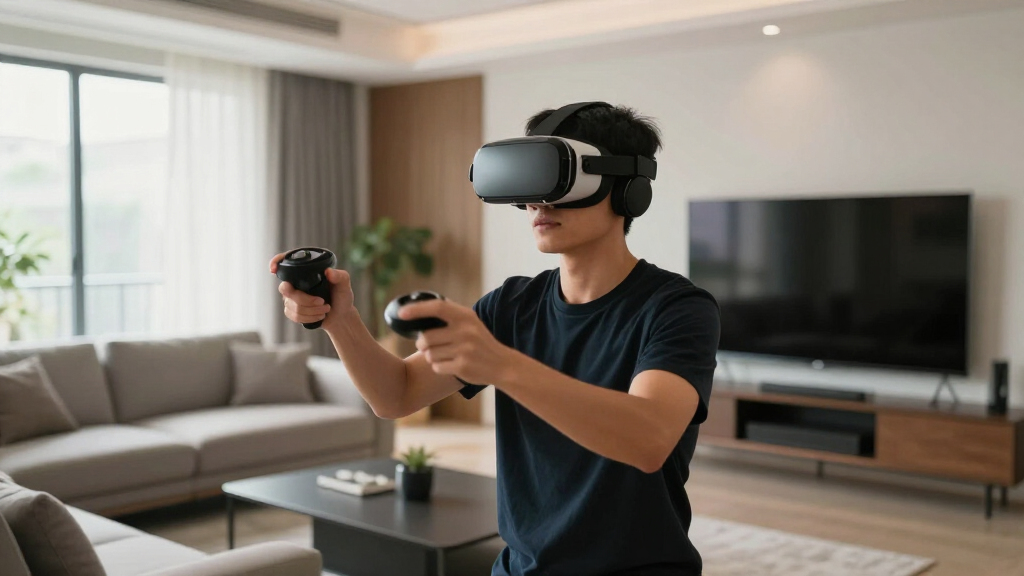
Your first VR roller coaster feels like magic — right up to the moment your stomach files a formal complaint. You’re standing perfectly still in your living room, your body knows it, but your eyes just watched you plummet 300 feet down a steel drop. Now the room is tilting, your palms are sweating, and you’re yanking the headset off.
What you just met is VR motion sickness, and it comes with a vocabulary all its own: cybersickness, vection, latency, tunneling, VR legs. This guide translates every term that matters into plain English, so the next time a comfort menu asks whether you want snap turning or a vignette, you’ll know exactly which switch to flip.
You’ll learn why the sickness happens, which hardware specs quietly decide how a headset feels, which in-game movement styles rank from harmless to brutal, and how to build real tolerance in about two weeks. No jargon left unexplained — promise.
VR motion sickness is a sensory conflict: your eyes report motion while your inner ear reports stillness — and vection, the visual self-motion illusion, is wha…
Motion-to-photon latency above ~20 ms and refresh rates below 90 Hz are the core hardware triggers; modern headsets like Quest 3 and PSVR2 target 90–120 Hz per…
Locomotion is the trigger you control: room-scale walking and teleportation sit at the low-risk end, while smooth analog movement and smooth turning sit at the…
Build VR legs with 15–30 minute comfort-first sessions and stop at the first symptom — pushing through nausea can condition an aversion that makes sickness arr…
Correct IPD and headset fit remove the eye strain that compounds sickness; ginger, fans, and acupressure bands are useful assists, not substitutes for comfort…
VR Motion Sickness Terms Explained
Your first VR roller coaster feels like magic — right up to the moment your stomach files a formal complaint. Your eyes just watched you plummet 300 feet; your inner ear knows you never moved. That argument has a name — cybersickness — and a vocabulary: vection, latency, tunneling, VR legs. Here is every term that matters, translated, so the next comfort menu you open makes instant sense.
Your Eyes Are Arguing With Your Inner Ear
VR motion sickness is a form of visually induced motion sickness caused by a sensory conflict. Your eyes report movement through space; your vestibular system — the balance organs in your inner ear — reports that your body is standing still. Your brain reads the disagreement as a danger signal, and nausea, dizziness, cold sweats, eye strain, and headache follow. Two theories explain why, and both may be true at once.
Sensory Conflict Theory
The leading explanation: symptoms appear when what you see and what your body feels disagree. Vision says “moving,” the inner ear says “stationary” — and your stomach gets caught in the middle of the argument.
Vection
The illusion of self-motion created by visuals alone. You’ve felt it at a train station — the train beside you pulls out and your gut insists you’re the one rolling backward. VR weaponizes that illusion at full screen width.
Postural Instability Theory
The challenger: you get sick because VR quietly erodes your ability to hold a steady stance over long stretches. It explains why some people wobble before they ever feel queasy.
The Eyes Report
“We are moving — plummeting, banking, sprinting through space.”
The Inner Ear Reports
“We are standing perfectly still in a living room.”
Every Term, Translated Into Plain English
Every term in the VR sickness vocabulary describes one of three things: a body part, a hardware behavior, or a software comfort trick. Decode any comfort menu, spec sheet, or forum thread in seconds.
| Term | Category | What It Actually Means |
|---|---|---|
| Vestibular System | Body | Your inner-ear balance organs. They sense acceleration, rotation, and gravity — the “stationary” voice in the conflict. |
| Sensory Conflict Theory | Body | The dominant explanation for cybersickness: symptoms appear when what you see and what you feel disagree. |
| Vection | Body | The illusion of self-motion from visuals alone — like feeling you move when a neighboring train pulls out. |
| Motion-to-Photon Latency | Hardware | The delay between moving your head and the display updating. Above roughly 20 ms, discomfort climbs fast. |
| Field of View (FOV) | Hardware | How much of the world the headset shows you. Wider means more immersion — and stronger vection. |
| Refresh / Frame Rate | Hardware | How often the image updates per second. 90 Hz+ is the standard comfort target; unstable frames cause judder. |
| Judder | Hardware | Visible stutter when frames drop or duplicate — one of the fastest routes to eye strain and nausea. |
| Reprojection / ATW / ASW | Hardware | Compensation tricks that synthesize frames when the GPU falls behind — smoothing motion at the cost of small artifacts. |
| 3DoF vs 6DoF | Hardware | 3DoF tracks head rotation only; 6DoF adds positional movement, so leaning in VR matches what your inner ear feels. |
| Smooth Locomotion | Software | Analog-stick gliding through the world. The most sickness-inducing way to move. |
| Teleportation | Software | Point, blink, arrive. Near-zero sickness; the standard comfort alternative. |
| Snap Turning | Software | Rotating in fixed 30–45° steps instead of a smooth spin, killing the vection that smooth turning creates. |
| Comfort Vignette / Tunneling | Software | A soft darkening at the edge of your vision during artificial movement that shrinks FOV and calms the conflict. |
| IPD | Hardware | Interpupillary distance — the gap between your pupils. A mismatched setting causes eye strain that compounds sickness. |
| VAC | Hardware | Vergence-accommodation conflict: your eyes focus at a fixed screen distance while converging on virtual depths — a separate source of eye strain. |
| VR Legs | Body | Your brain’s learned tolerance, built through short, repeated sessions — like a sailor’s sea legs. |
| Simulator vs Cybersickness | Body | Simulator sickness is the older flight-sim term; cybersickness is VR-specific and can strike with zero real motion. |
| Postural Instability Theory | Body | The rival explanation: you get sick because VR quietly erodes your balance control over long stretches. |
Specs That Quietly Decide How Sick You Get
Three specifications predict most of a headset’s comfort: motion-to-photon latency, refresh rate, and degrees of freedom. High latency feels like the world trailing a beat behind your head — a smear your stomach reads as wrongness.
The Latency Danger Scale
Motion-to-Photon Delay · 0–50 msBelow ~20 ms your brain accepts the illusion. Above it, the lag between head movement and display update becomes a known sickness trigger — which is why modern headsets obsess over tracking pipelines and display speed.
Refresh Rate vs Comfort
Frames Per Second · Comfort RatingQuest 3 and PSVR2 target 90–120 Hz per their published specs — the accepted comfort zone.
3DoF
Rotation Only · Legacy- Tracks head rotation — look left, right, up, down
- Lean forward and the world comes with you
- Creates a positional mismatch your inner ear flags
6DoF
Rotation + Position · The Standard- Tracks rotation plus physical movement through space
- Lean, crouch, and sidestep — VR matches your body
- Removes the mismatch; the modern comfort baseline
Locomotion, Ranked From Harmless to Brutal
How a game moves you through the world is the single biggest sickness variable you choose. Relative discomfort by movement style:
The pattern: the more the visuals move while your body doesn’t, the worse it gets. Start with teleportation-based games, flip on snap turning and a comfort vignette, and save the roller coasters for when your VR legs arrive.
How to Build Your “VR Legs”
VR legs are the gradual acclimatization your brain develops through repeated, short sessions — the same way sailors earn their sea legs. The golden rule: stop at the first symptom. Pushing through nausea can condition an aversion that makes sickness arrive faster next time.
Days 1–3 · Comfort Only
15-minute sessions, teleportation games only, seated if possible. Set your IPD correctly and check headset fit first.
Days 4–7 · Extend
Stretch toward 20–30 minutes. Keep snap turning and the comfort vignette on. A fan pointed at your face genuinely helps.
Week 2 · Add Smooth Loco
Introduce short bursts of smooth locomotion with the vignette active, then retreat to teleportation before symptoms build.
Ongoing · Hold the Line
Stop at the first hint of nausea — never push through. Ginger or acupressure bands are useful assists, not substitutes.
Name the Mechanism, Name the Fix
Nearly every term in this glossary describes the same fight from a different angle — vision versus balance, with your stomach caught in the middle. World trails your head? That’s latency — check refresh rate. Queasy while gliding? That’s vection — switch to teleportation and snap turning. Headache behind the eyes? Check your IPD. Once you can name the mechanism, you can usually name the switch to flip.
Why VR Motion Sickness Happens: Your Eyes Are Arguing With Your Inner Ear
VR motion sickness — often called cybersickness — is a form of visually induced motion sickness caused by a sensory conflict [1]. Your eyes report that you’re moving through space. Your vestibular system, the balance organs tucked inside your inner ear, reports that your body is standing still. Your brain reads that disagreement as a danger signal, and nausea, dizziness, cold sweats, eye strain, and headache follow.
The leading explanation is sensory conflict theory: sickness appears when visual and vestibular signals disagree [1]. Your eyes swear you’re moving; your inner ear swears you’re not. There’s also a rival idea worth knowing — postural instability theory — which says you get sick because VR quietly wrecks your ability to hold a steady stance for long stretches [1]. Both may be true at once, which explains why some people wobble before they ever feel queasy.
Then there’s vection: the illusion of self-motion created by visuals alone. You’ve felt it at a train station — the train beside you pulls out, and for a split second your gut insists you’re the one rolling backward. VR weaponizes that illusion. In plain terms: your balance system never evolved for a world where the eyes lie this convincingly, and the queasiness is the price of the trick.
As an affiliate, we earn on qualifying purchases.
Every VR Sickness Term, Translated Into Plain English
The vocabulary of VR motion sickness sounds intimidating, but every term describes one of three things: a body part, a hardware behavior, or a software comfort trick. This glossary puts the key facts and plain-language meanings side by side, so you can decode any comfort menu, spec sheet, or forum thread in seconds.
| Term | What it actually means |
|---|---|
| Vestibular system | Your inner-ear balance organs. They sense acceleration, rotation, and gravity — the ‘stationary’ voice in the conflict. |
| Sensory conflict theory | The dominant explanation for cybersickness: symptoms appear when what you see and what your body feels disagree. |
| Vection | The illusion of self-motion from visuals alone — like feeling you move when a neighboring train pulls out. |
| Motion-to-photon latency | The delay between moving your head and the display updating. Above roughly 20 ms, discomfort climbs fast. |
| Field of view (FOV) | How much of the world the headset shows you. Wider means more immersion — and stronger vection. |
| Refresh rate / frame rate | How often the image updates per second. 90 Hz+ is the standard comfort target; unstable frames cause judder. |
| Judder | Visible stutter when frames drop or duplicate — one of the fastest routes to eye strain and nausea. |
| Reprojection / ATW / ASW | Compensation tricks that synthesize frames when the GPU falls behind, smoothing motion at the cost of small artifacts. |
| 3DoF vs 6DoF | 3DoF tracks head rotation only; 6DoF adds positional movement, so leaning in VR matches what your inner ear feels. |
| Smooth locomotion | Analog-stick gliding through the world. The most sickness-inducing way to move. |
| Teleportation | Point, blink, arrive. Near-zero sickness; the standard comfort alternative. |
| Snap turning | Rotating in fixed 30–45° steps instead of a smooth spin, killing the vection that smooth turning creates. |
| Comfort vignette / tunneling | A soft darkening at the edge of your vision during artificial movement that shrinks FOV and calms the conflict. |
| IPD | Interpupillary distance — the gap between your pupils. A mismatched setting causes eye strain that compounds sickness. |
| VAC | Vergence-accommodation conflict: your eyes focus at a fixed screen distance while converging on virtual depths — a separate source of eye strain. |
| VR legs | Your brain’s learned tolerance, built through short, repeated sessions — like a sailor’s sea legs. |
| Simulator sickness vs cybersickness | Simulator sickness is the older flight-sim term; cybersickness is VR-specific and can strike with zero real motion. |
| Postural instability theory | The rival explanation: you get sick because VR quietly erodes your balance control over long stretches. |
Notice the pattern: nearly every row describes the same fight from a different angle — vision versus balance, with your stomach caught in the middle. Once you can name the mechanism, you can usually name the fix, and that’s exactly what the next sections do.
As an affiliate, we earn on qualifying purchases.
The Hardware Specs That Quietly Decide How Sick You Get
Three specifications predict most of a headset’s comfort: motion-to-photon latency, refresh rate, and degrees of freedom. Latency above roughly 20 milliseconds is a known sickness trigger [1], 90 Hz is the accepted comfort floor for refresh rate, and 6DoF positional tracking removes the mismatch that rotation-only 3DoF creates.
Here’s what latency feels like from the inside. You turn your head to check a virtual doorway, and the world trails a beat behind — a smear of a few dozen milliseconds that your stomach reads as wrongness. When the GPU can’t keep up, frames drop or duplicate, producing judder: a visible stutter that’s one of the fastest routes to nausea. Compensation techniques like reprojection and asynchronous timewarp/spacewarp (ATW/ASW) synthesize in-between frames to smooth things over, trading small visual artifacts for steadier motion [2].
Modern hardware has genuinely moved the needle. Per their published platform specs, Meta Quest 3 and PlayStation VR2 both run at 90–120 Hz with inside-out 6DoF tracking — a big reason baseline discomfort is lower than in the first consumer headsets [2]. Two fit factors matter as much as raw specs: set your IPD correctly or you’ll stack eye strain on top of sickness, and remember that the vergence-accommodation conflict — eyes focusing at a fixed screen distance while converging on virtual depths — causes fatigue no current consumer display fully fixes [2]. Research labs are testing galvanic vestibular stimulation and varifocal displays, but those remain prototypes, not features you can buy today [2].
As an affiliate, we earn on qualifying purchases.
VR Movement Styles, Ranked From Gentle to Brutal
Locomotion — how a game moves you through its world — is the single biggest VR motion sickness trigger you actually get to choose. Room-scale natural walking is the most comfortable because your visual and vestibular signals match perfectly; smooth analog-stick movement is the most sickness-inducing because your eyes travel while your body stays parked on the carpet [1].
| Movement style | What it feels like | Sickness risk |
|---|---|---|
| Room-scale walking | You physically walk; visuals and inner ear agree completely | Lowest — the gold standard |
| Teleportation | Point at a spot, blink, you’re there | Very low — the comfort default |
| Snap turning | The world rotates in 45° chunks, no spinning | Very low |
| Smooth locomotion + vignette | Gliding with the edges of vision darkened | Moderate — varies by person |
| Smooth locomotion, no assists | Gliding at full field of view | High |
| Smooth turning, cockpits, coasters | Strong vection, sweeping camera motion | Highest — save for later |
Picture two ways to play the same sprawling VR RPG. With smooth locomotion, you hold the stick forward and glide across a continent — glorious for ten minutes, then your breakfast starts negotiating. With teleportation, you point at a ridge, blink, and you’re standing on it; your inner ear never objects because it never expected motion in the first place. App stores now telegraph this risk: Meta’s store labels titles Comfortable, Moderate, or Intense based on movement intensity, and other platforms publish similar notes — check the listing for your specific headset before buying [2].
As an affiliate, we earn on qualifying purchases.
How to Build Your ‘VR Legs’ in About Two Weeks
VR legs are the gradual acclimatization your brain develops through repeated, short VR sessions — the same way sailors earn their sea legs [1]. The method is consistent across research and hard-won community experience: brief exposures, comfort-first settings, and stopping at the very first symptom. Most people notice real improvement within one to two weeks [2].
- Start seated and stationary. Spend your first two or three sessions — 15 to 20 minutes each — in experiences where the world stays put, like a puzzle game or a guided 360-degree tour.
- Move up to teleport-only games. Pick titles built around teleportation and snap turning; store listings marked ‘Comfortable’ are your friend here.
- Dial in fit and IPD. A crooked headset or wrong lens spacing adds eye strain that compounds nausea — take the extra minute before every session.
- Point a desk fan at your face. Cool airflow gives your body a steady real-world anchor, and many players find it delays symptoms well past the 20-minute mark.
- Stop at the first whisper of nausea. Not when you’re green — when warmth, sweat, or a faint stomach flutter shows up. End every session on a good note.
- Graduate to smooth locomotion in small doses. After a week or two, try 10-minute smooth-movement sessions with the comfort vignette on, then build from there.
Think of your first week like training for a 5K. You wouldn’t sprint the full distance on day one — you’d jog a block, walk a block, and come back tomorrow. Your vestibular system learns the same way: short, repeatable exposures teach it that ‘eyes moving, body still’ is weird but safe [1].
The one rule that matters most: never push through VR sickness. Forcing yourself to endure nausea can condition your brain to associate the headset with feeling ill, so symptoms arrive faster next session. Stopping early isn’t weakness — that’s the training working [2].
5 VR Sickness Myths That Keep People Queasy
Most folklore about VR motion sickness falls into two camps: harmless superstition and active sabotage. The worst offender is the ‘push through it’ mantra — deliberately enduring nausea can condition an aversion that makes you sicker, faster, next time [2]. Here are the myths worth unlearning before your next session.
- Myth: A pricier headset cures sickness. Reality: per platform specs, mainstream headsets since Quest 2 already hit 90 Hz+ with 6DoF tracking [2]. Your choice of game and settings now matters far more than your budget.
- Myth: Ginger, bands, and pills are pure placebo. Reality: ginger and acupressure wristbands have mixed but genuine real-world support as folk remedies [1]. Anti-nausea medication helps some people but can cause drowsiness — treat all of these as assists, not substitutes for comfort settings.
- Myth: If you get sick, VR isn’t for you. Reality: susceptibility varies enormously, some research suggests women report higher rates on average, and experience strongly reduces symptoms [1]. Most people improve with the gradual method above.
- Myth: Standing is always worse than sitting. Reality: sitting helps in smooth-locomotion games because your body expects stillness; standing feels better in room-scale games where you genuinely move. Match your posture to the experience [1].
- Myth: Kids are immune to VR sickness. Reality: children can absolutely get cybersick, and platforms set their own age rules — Meta requires parent-managed accounts for ages 10–12, and many manufacturers recommend 12 or 13 and up. Check each game’s ESRB or PEGI rating and keep sessions short [2].
Your First-Month Comfort Checklist
Everything in this guide compresses into a handful of habits. Run this checklist before and during your first month in VR, and you’ll sidestep the vast majority of what makes newcomers sick [2].
- Before you buy a game: check its comfort label — Comfortable, Moderate, or Intense on Meta’s store, with equivalent notes on other platforms — and scan reviews for the phrase ‘smooth locomotion.’
- Before each session: adjust the strap, set your IPD, clear the play space, and switch on the fan.
- In the settings menu: pick teleportation, snap turning, and the comfort vignette before your first step. You can always loosen them later.
- During play: cap sessions at 15–30 minutes for week one, take the headset off at the first symptom, and drink water.
- After play: expect mild wobbliness for a few minutes — that’s your postural system recalibrating, and it passes [1]. If queasiness lingers past an hour or two, rest and shorten the next session.
And if you ever feel odd after VR — a faint sense that the real world drifts when you turn your head — don’t panic. That ‘land-sickness’ echo is your vestibular system readjusting to honest physics again, and it fades quickly [1].
Frequently Asked Questions
Why does VR make me nauseous when regular video games don’t?
A flat screen fills only a small slice of your vision, so the stable room around it keeps your vestibular system anchored. A VR headset fills nearly your entire field of view and tracks your head, which creates powerful vection — the illusion of self-motion [1]. Your eyes vote ‘moving,’ your inner ear votes ‘still,’ and the resulting sensory conflict is what a TV screen never triggers.
How long does VR motion sickness last after I take the headset off?
For most people, symptoms fade within minutes to a couple of hours [2]. A mild foggy or wobbly feeling can linger a bit longer while your balance system recalibrates. If nausea regularly persists for many hours, shorten your sessions, switch to teleportation-only games, and stop at the very first symptom next time.
Is VR motion sickness dangerous or harmful long-term?
There’s no evidence that cybersickness itself causes lasting harm — it’s unpleasant, not damaging [1]. The real risk is practical: dizziness can make you lose balance, so sit down or hold something stable if symptoms hit. People with vestibular disorders or who are prone to severe migraines should check with a doctor before long sessions.
Do ginger, Dramamine, or acupressure bands actually work for VR?
The evidence is mixed but not zero. Ginger and acupressure wristbands have genuine folk-remedy support, and some players swear by them [1]. Anti-nausea medication like Dramamine can help but often causes drowsiness, which clashes with an active hobby. Treat all three as assists layered on top of comfort settings — never as a replacement for teleportation, snap turning, and short sessions.
Can children use VR, and are they more susceptible to sickness?
Children can get cybersick just like adults, and platforms set firm age rules: Meta requires parent-managed accounts for ages 10–12, while many manufacturers recommend 12 or 13 and up [2]. Check each game’s ESRB or PEGI age rating, stick to ‘Comfortable’-rated titles, and keep sessions short with adult supervision. Manufacturer guidance for your specific headset model always wins.
Can I feel weird in the real world after playing VR?
Yes, and it’s normal. Some players notice a brief ‘land-sickness’ echo — a faint drift when turning their head, or mild unsteadiness — after longer sessions [1]. That’s your vestibular system readjusting to a world where the visuals finally tell the truth again. It typically passes within minutes to a few hours and becomes rarer as your VR legs develop.
Conclusion
Here’s the one thing to remember: your stomach isn’t rejecting VR — it’s asking for a translation. Every term in this guide, from vection to motion-to-photon latency to VR legs, names a specific lever you can pull. Pick teleportation over gliding, favor 90 Hz and up, set your IPD, keep sessions short, and stop at the first flutter of nausea. Do that, and the vocabulary stops being a warning label and becomes a user manual.
So go back to that roller coaster — the one that had you peeling the headset off with clammy hands. Ride it again in three weeks, once your VR legs come in. The drop will feel exactly the same. You won’t.
NFL season / tailgating Picks
team gear
As an affiliate, we earn on qualifying purchases.