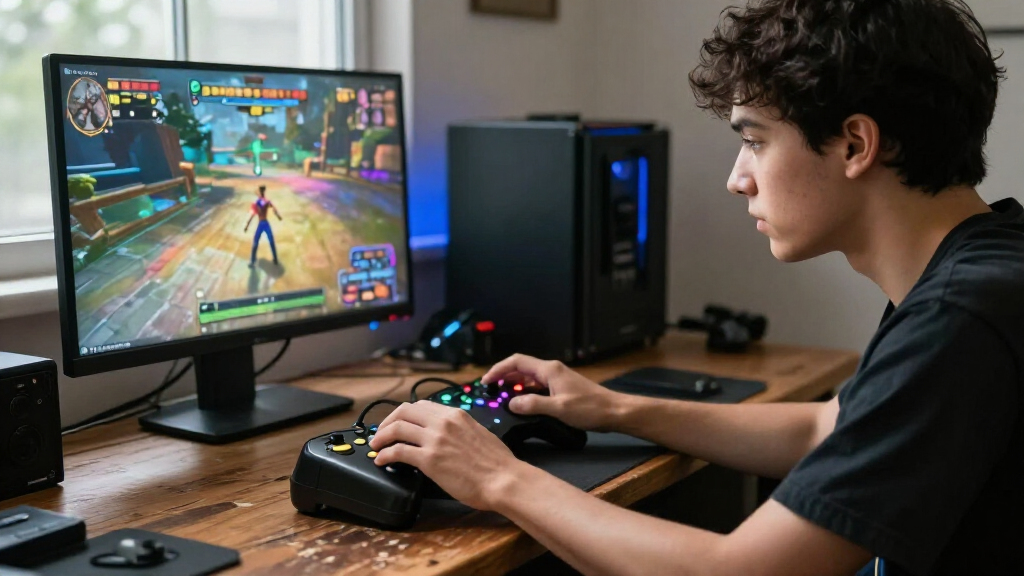
Mechanical gaming controllers pair familiar gamepad layouts with tactile, click-style buttons, but features and platform support vary widely. My best overall pick is the BEITONG KP20 with TMR joysticks and mechanical keys, since it combines the clearest mechanical-control focus with programmable inputs. The GameSir G7 Pro stands out for Xbox and PC players seeking TMR sticks, while the 8BitDo Ultimate 2C is a simpler wireless option for Windows and Android. The main tradeoffs are tactile feedback versus quieter controls, broad compatibility versus platform-specific features, and extra customization versus straightforward setup. Read on for the full breakdown and guidance on choosing the right controller for your setup.

Play games on Amazon Luna for your game nights, included with Prime
- A rotating selection of games, no download needed
- Play on TV, laptop or phone
- Fast, free delivery for your gear, too
Complete the kit



Key Takeaways
- The BEITONG KP20 with TMR sticks and mechanical keys is the most directly aligned with this roundup: its listed mechanical keys and three programmable keys make it the clearest choice for players seeking extra tactile inputs and customization.
- Mechanical controls are not the same as Hall Effect or TMR sticks: several picks advertise drift-resistant stick or trigger technology, but only a subset explicitly lists mechanical keys.
- Platform support changes the shortlist: the GameSir G7 Pro Xbox model is aimed at Xbox and PC, while the BEITONG KP20 and EasySMX X20 list broader device compatibility.
- Wireless convenience comes in different forms: the EasySMX D10 includes a charging dock, while wired options such as the FLYDIGI Vader 5S avoid battery management but restrict movement.
- There is no single feature winner for every buyer: the SCUF Envision Pro V2 is a PC-focused premium-style option, while the 8BitDo Ultimate 2C keeps the feature set simpler for Windows and Android.
| AceGamer Hypershadow D4 Wireless Gaming Controller | 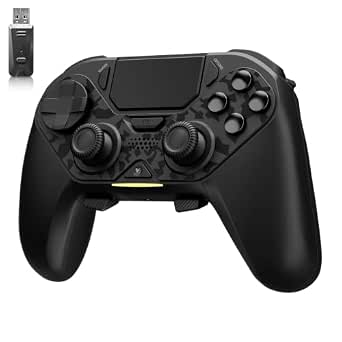 | Best for Multi-Platform Mechanical Controls | Compatible devices: PS4, Nintendo Switch, PC, iOS, Android, Steam Deck | Connectivity: Bluetooth, wired USB, 2.4G receiver | Joystick type: TMR | VIEW LATEST PRICE | See Our Full Breakdown |
| BEITONG Asura 2 Pro+ Wireless Gaming Controller with Hall Effect Joysticks and Triggers |  | Best for Short-Travel Mechanical Buttons | Compatible devices: PC, Android, iOS, Nintendo Switch, Steam Deck | Connectivity: 2.4GHz dongle, Bluetooth 5.0, USB | Joysticks and triggers: Hall Effect | VIEW LATEST PRICE | See Our Full Breakdown |
| FLYDIGI Vader 5S Wired Controller for Xbox Series X|S, Xbox One, and Windows |  | Best for Xbox Mechanical Precision | Compatible devices: Xbox Series X, Xbox Series S, Xbox One, Windows | Connectivity: Wired | Joystick technology: Hall Effect | VIEW LATEST PRICE | See Our Full Breakdown |
| BIGBIG WON Storm (Gale 2) Wireless Gaming Controller |  | Best Lightweight Customizable Pick | Compatible platforms: Windows PC, Nintendo Switch, Nintendo Switch 2, Android, iOS | Connectivity: Bluetooth, wired, 2.4 GHz | Polling rate: Up to 2000 Hz in wired PC mode | VIEW LATEST PRICE | See Our Full Breakdown |
| BEITONG KP20 Wireless Game Controller for PC, Nintendo Switch, Android, TV, and Steam Deck |  | Best for TMR Sticks and Hall-Effect Triggers | Compatible devices: PC, Nintendo Switch, Android, Windows | Connectivity: USB, Bluetooth, 2.4 GHz wireless | Polling rate: Up to 1000 Hz | VIEW LATEST PRICE | See Our Full Breakdown |
| GameSir G7 Pro Wireless Gaming Controller – Wuchang: Fallen Feathers Edition |  | Best for Xbox and Android Cross-Play | Compatible devices: PC, Windows, Xbox One, Xbox Series X|S, Android | Connectivity: 2.4 GHz wireless, Bluetooth 5.3, USB-C | Stick technology: GameSir Mag-Res TMR | VIEW LATEST PRICE | See Our Full Breakdown |
| 8BitDo Ultimate 2C Wireless Controller for Windows and Android (Green) |  | Best Value for PC and Android | Compatible devices: Windows, Android | Connectivity: 2.4 GHz wireless, USB | Polling rate: 1000 Hz over 2.4 GHz and wired connections | VIEW LATEST PRICE | See Our Full Breakdown |
| EasySMX D10 Wireless Gaming Controller with Charging Dock |  | Best for Tactile Mechanical Inputs | Compatibility: PC, Switch 2, Switch, Android, iOS | Connectivity: 2.4 GHz wireless, Bluetooth, USB-C | Joysticks: TMR anti-drift | VIEW LATEST PRICE | See Our Full Breakdown |
| EasySMX X05Pro Wireless Gaming Controller |  | Best for Quiet Play | Compatible devices: PC, Nintendo Switch/Switch 2, Android, iOS | Connectivity: USB-C, 2.4 GHz wireless, Bluetooth | Polling rate: 1000 Hz wired/2.4 GHz; 125 Hz Bluetooth | VIEW LATEST PRICE | See Our Full Breakdown |
| GameSir G7 Pro Controller for Xbox, PC, and Android with TMR Sticks and Hall Effect Triggers | 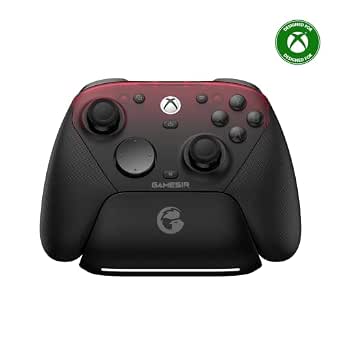 | Best for Customizable Xbox Control | Compatible devices: Xbox Series X|S, Xbox One, PC, Android | Connectivity: Wired, 2.4 GHz wireless, Bluetooth | Stick technology: TMR | VIEW LATEST PRICE | See Our Full Breakdown |
| BEITONG KP20 Wireless Gaming Controller with TMR Joysticks, Hall Effect Triggers, Mechanical Keys, and 3 Programmable Keys |  | Best for Tactile Precision | Controller type: Gamepad | Connectivity: Bluetooth wireless | Joystick technology: TMR electromagnetic | VIEW LATEST PRICE | See Our Full Breakdown |
| SCUF Envision Pro V2 Wireless PC Controller, Steel Gray (Renewed) |  | Best for Advanced PC Remapping | Condition: Renewed | Compatibility: PC (Windows 10/11) | Connectivity: RF wireless and USB | VIEW LATEST PRICE | See Our Full Breakdown |
| MSI Force GC30 V2 Wireless Gaming Controller for PC and Android |  | Best for Straightforward PC and Android Play | Compatible devices: PC and Android | Connectivity: Wireless and USB | Buttons: 17 | VIEW LATEST PRICE | See Our Full Breakdown |
| EasySMX X20 Wireless Gaming Controller for PC, Steam Deck, Switch, Android, and iOS |  | Best Multi-Platform Feature Set | Compatible devices: PC, Steam Deck, Nintendo Switch 1/2, Android, and iOS | Connectivity: Bluetooth, 2.4G wireless, and wired USB-C | Polling rate: 1000 Hz on 2.4G and wired connections | VIEW LATEST PRICE | See Our Full Breakdown |
| AceGamer Aurora II Wireless Gaming Controller with Hall Effect Joysticks | 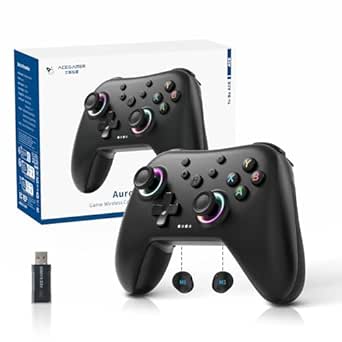 | Best Simple Multi-Platform Pick | Controller type: Gamepad | Connectivity: 2.4 GHz wireless and Bluetooth | Compatible platforms: PC (Windows 7 and later), Nintendo Switch, Nintendo Switch 2, iOS, Android, and Steam Deck | VIEW LATEST PRICE | See Our Full Breakdown |
| mechanical gaming controller | Connectivity | Compatible devices | Polling rate |
|---|---|---|---|
| AceGamer Hypershadow D4 Wirele | Bluetooth, wired USB, 2.4G receiver | PS4, Nintendo Switch, PC, iOS, Android, Steam Deck | — |
| BEITONG Asura 2 Pro+ Wireless | 2.4GHz dongle, Bluetooth 5.0, USB | PC, Android, iOS, Nintendo Switch, Steam Deck | 600Hz in overclocking mode |
| FLYDIGI Vader 5S Wired Control | Wired | Xbox Series X, Xbox Series S, Xbox One, Windows | — |
| BIGBIG WON Storm | Bluetooth, wired, 2.4 GHz | — | Up to 2000 Hz in wired PC mode |
| BEITONG KP20 Wireless Game Con | USB, Bluetooth, 2.4 GHz wireless | PC, Nintendo Switch, Android, Windows | Up to 1000 Hz |
| GameSir G7 Pro Wireless Gaming | 2.4 GHz wireless, Bluetooth 5.3, USB-C | PC, Windows, Xbox One, Xbox Series X|S, Android | 1000 Hz |
| 8BitDo Ultimate 2C Wireless Co | 2.4 GHz wireless, USB | Windows, Android | 1000 Hz over 2.4 GHz and wired connections |
| EasySMX D10 Wireless Gaming Co | 2.4 GHz wireless, Bluetooth, USB-C | — | 1000 Hz in wired and 2.4 GHz modes |
| EasySMX X05Pro Wireless Gaming | USB-C, 2.4 GHz wireless, Bluetooth | PC, Nintendo Switch/Switch 2, Android, iOS | 1000 Hz wired/2.4 GHz; 125 Hz Bluetooth |
| GameSir G7 Pro Controller for | Wired, 2.4 GHz wireless, Bluetooth | Xbox Series X|S, Xbox One, PC, Android | — |
| BEITONG KP20 Wireless Gaming C | Bluetooth wireless | — | 1000 Hz |
| SCUF Envision Pro V2 Wireless | RF wireless and USB | — | — |
| MSI Force GC30 V2 Wireless Gam | Wireless and USB | PC and Android | — |
| EasySMX X20 Wireless Gaming Co | Bluetooth, 2.4G wireless, and wired USB-C | PC, Steam Deck, Nintendo Switch 1/2, Android, and iOS | 1000 Hz on 2.4G and wired connections |
| AceGamer Aurora II Wireless Ga | 2.4 GHz wireless and Bluetooth | — | — |
More Details on Our Top Picks
AceGamer Hypershadow D4 Wireless Gaming Controller
The Hypershadow D4 makes the most sense for players who move between consoles, handhelds, phones, and PC and want mechanical buttons rather than a basic gamepad layout. Its micro-switch ABXY and shoulder buttons pair with four programmable back buttons, while switchable micro-switch and Hall-effect trigger modes let you choose quick inputs or smoother control. Compared with the PC-focused, wired FLYDIGI Vader 5S, the D4 offers more connection types and broader platform support; the Vader 5S is the clearer Xbox choice. TMR sticks, adjustable turbo, gyro, and grip vibration add flexibility, but the feature set comes with setup quirks: it must be charged by wire before first use, and PS4 requires wireless connection without the 2.4G receiver. Skip it for Xbox, which it does not support.
Pros:- Supports PS4, Nintendo Switch, PC, iOS, Android, and Steam Deck.
- Mechanical ABXY and shoulder buttons pair with four programmable back buttons.
- TMR joysticks and switchable micro-switch or Hall-effect trigger modes offer varied input styles.
- Includes adjustable turbo, 6-axis motion sensing, and grip vibration.
Cons:- Not compatible with Xbox.
- PS4 does not support the 2.4G receiver, and trigger vibration works only on PC.
- Requires a wired charge before first use to unlock the controller.
Best for: Players who use a mix of PS4, Switch, PC, mobile devices, or Steam Deck and want mechanical buttons plus programmable rear controls.
Not ideal for: Xbox owners, or PS4 players who specifically need a 2.4G receiver connection; trigger vibration is also limited to PC.
- Compatible devices:PS4, Nintendo Switch, PC, iOS, Android, Steam Deck
- Connectivity:Bluetooth, wired USB, 2.4G receiver
- Joystick type:TMR
- Trigger modes:Micro-switch and Hall-effect linear
- Buttons:Micro-switch ABXY and shoulder buttons; 4 programmable back buttons
- Macro capacity:Up to 24 inputs per macro
- Motion sensing:6-axis gyro
- Vibration:Dual-rotor grip vibration; trigger vibration on PC
Our verdict“Choose the Hypershadow D4 if broad platform coverage and mechanical controls matter more than Xbox support or a simple first-time setup.”
BEITONG Asura 2 Pro+ Wireless Gaming Controller with Hall Effect Joysticks and Triggers
The Asura 2 Pro+ is the pick for players who want a crisp, short button press and wireless flexibility without needing a large set of rear controls. Its 0.7 mm mechanical button stroke is a defining difference from the Hypershadow D4, whose appeal leans more toward four programmable back buttons and wider console coverage. Here, two macro buttons, Hall-effect sticks and triggers, and adjustable dead zones give PC and Switch players a compact set of customization tools. The stated 600 Hz overclocking polling rate and 0.1 mm trigger accuracy speak to fine input control, though device support is narrower: this model excludes Mac, Xbox, PS4, and PS5. Battery life is specified at 12–17 hours, but actual results can vary by setup. Its audience is focused, not universal.
Pros:- Mechanical buttons have a specified 0.7 mm trigger stroke.
- Hall-effect joysticks and triggers support contactless input sensing.
- Offers 2.4GHz, Bluetooth 5.0, and USB connectivity.
- Includes two macro buttons, motion sensing, rumble, turbo, and adjustable dead zones.
Cons:- Not compatible with Mac, Xbox consoles, PS4, or PS5.
- Only two customizable macro buttons, fewer than the four rear controls on the Hypershadow D4.
- Battery life and connectivity can vary by device and setup.
Best for: PC, Android, iOS, Switch, or Steam Deck players who prefer short-travel mechanical buttons and two configurable macro controls.
Not ideal for: Mac or Xbox owners, and players seeking PS4 or PS5 compatibility or a larger bank of programmable back buttons.
- Compatible devices:PC, Android, iOS, Nintendo Switch, Steam Deck
- Connectivity:2.4GHz dongle, Bluetooth 5.0, USB
- Joysticks and triggers:Hall Effect
- Polling rate:600Hz in overclocking mode
- Button trigger stroke:0.7mm
- Customizable buttons:2 macro buttons (M1/M2)
- Battery:600mAh; specified 12–17 hours of play
- Weight:0.42 kg
Our verdict“Pick the Asura 2 Pro+ if short-travel mechanical buttons and Hall-effect controls matter more than broad console compatibility or numerous macro buttons.”
FLYDIGI Vader 5S Wired Controller for Xbox Series X|S, Xbox One, and Windows
For Xbox players, the Vader 5S stands apart from the other four picks because it supports Xbox Series X|S and Xbox One, rather than concentrating on Switch and mobile platforms. Its wired connection trades freedom of movement for a direct, uncomplicated link, while adjustable stick tension lets players tune resistance across a 40–100 gf range. Switchable micro-click and Hall-effect linear triggers suit different demands: quick firing inputs or controlled acceleration. Six remappable buttons and four-motor vibration add meaningful customization, though the 450 g body is heavier than the 250 g Storm (Gale 2). Software-based customization also requires a compatible PC, so the Xbox focus does not mean every adjustment happens on the console. Choose this for a cable-first Xbox setup, not for wireless play or portability.
Pros:- Compatible with Xbox Series X|S, Xbox One, and Windows.
- Hall-effect sticks have adjustable 40–100 gf tension.
- Switches between micro-click and Hall-effect linear trigger modes.
- Six remappable buttons and four-motor trigger and grip vibration support tailored control.
Cons:- Wired connectivity limits movement and makes it less suited to handheld or couch use.
- Advanced customization through FLYDIGI software requires a compatible PC.
- At 450 g, it is heavier than the 250 g Storm (Gale 2).
Best for: Xbox Series X|S and Xbox One players who want adjustable stick resistance, trigger modes, and remappable controls for a wired setup.
Not ideal for: Players who need wireless use, frequent handheld gaming, or advanced software configuration without access to a compatible PC.
- Compatible devices:Xbox Series X, Xbox Series S, Xbox One, Windows
- Connectivity:Wired
- Joystick technology:Hall Effect
- Adjustable joystick tension:40–100 gf
- Trigger modes:Micro-click and Hall-effect linear
- Remappable buttons:6
- Vibration:Four motors in triggers and grips
- Weight:450 g
Our verdict“Choose the Vader 5S for Xbox-compatible mechanical-style control and adjustable inputs if a wired connection is acceptable.”
BIGBIG WON Storm (Gale 2) Wireless Gaming Controller
The Storm (Gale 2) is the lightest listed option at 250 g, making it a strong fit for players who want mechanical controls and rear paddles without the 450 g weight of the wired Vader 5S. Its four customizable back paddles, 16 mechanical buttons, and dual-mode triggers give it a more configurable layout than the Asura 2 Pro+, which has two macro buttons. Connection choices are broad—wired, 2.4 GHz, or Bluetooth—and the TMR sticks specify 4096-level resolution. The headline 2000 Hz polling rate is restricted to wired PC mode, so it should not be treated as a universal wireless advantage. Platform support also centers on PC, Switch, Switch 2, Android, and iOS, not Xbox or PlayStation. Best for customization and low weight, with some features tied to specific modes.
Pros:- Weighs 250 g, less than the 450 g Vader 5S.
- Four customizable back paddles and button remapping provide extensive control options.
- TMR sticks specify 4096-level resolution, with dual-mode micro-switch and linear triggers.
- Supports Bluetooth, wired, and 2.4 GHz connections.
Cons:- The up-to-2000 Hz polling rate is available only in wired PC mode.
- Does not list Xbox or PlayStation compatibility.
- Some mapping support varies, including for unsupported Android games.
Best for: Players on Windows PC, Switch, Switch 2, Android, or iOS who want a light controller with four rear paddles and multiple connection options.
Not ideal for: Xbox or PlayStation owners, or wireless PC players expecting the maximum 2000 Hz polling rate in every connection mode.
- Compatible platforms:Windows PC, Nintendo Switch, Nintendo Switch 2, Android, iOS
- Connectivity:Bluetooth, wired, 2.4 GHz
- Polling rate:Up to 2000 Hz in wired PC mode
- Analog sticks:TMR, 4096-level resolution
- Buttons:16 mechanical buttons
- Back paddles:4 customizable
- Motion sensing:6-axis, 1000 Hz
- Weight:250 g
Our verdict“Choose the Storm (Gale 2) if a lightweight build, four back paddles, and flexible connections matter more than Xbox support or mode-independent polling performance.”
BEITONG KP20 Wireless Game Controller for PC, Nintendo Switch, Android, TV, and Steam Deck
The BEITONG KP20 combines mechanical ABXY buttons with TMR sticks and Hall-effect triggers, giving it a well-rounded input mix for PC, Switch, Android, and Steam Deck play. Compared with the Asura 2 Pro+, the KP20 adds TMR sticks, three macro keys, and up to 1000 Hz polling, while the Asura specifies a 0.7 mm button stroke and broader Bluetooth 5.0 detail. The KP20 also supports USB, Bluetooth, and 2.4 GHz, but connection choices depend on the platform; customization and firmware updates require Beitong’s assistant software. Its 0.5 kg weight makes it substantially heavier than the 250 g Storm (Gale 2), despite the KP20’s portable-device compatibility. A versatile feature set is the draw; buyers should be comfortable with software setup and a heavier body.
Pros:- Combines TMR joysticks with Hall-effect triggers and mechanical ABXY buttons.
- Supports USB, Bluetooth, and 2.4 GHz connections, with platform-dependent availability.
- Includes a 6-axis gyroscope, vibration, and three customizable macro keys.
- Polling rate is specified up to 1000 Hz, and ABXY buttons are rated for over 10 million presses.
Cons:- At 0.5 kg, it is heavier than the 250 g Storm (Gale 2).
- Customization and firmware updates require the Beitong Gamepad Assistant.
- Connection options vary by platform.
Best for: PC, Switch, Android, or Steam Deck players seeking mechanical ABXY controls, TMR sticks, Hall-effect triggers, and three macro keys.
Not ideal for: Players who prioritize a lightweight handheld controller or want to customize controls and update firmware without companion software.
- Compatible devices:PC, Nintendo Switch, Android, Windows
- Connectivity:USB, Bluetooth, 2.4 GHz wireless
- Polling rate:Up to 1000 Hz
- Joystick type:TMR
- Triggers:Hall effect; adjustable light-touch and linear modes
- Gyroscope:6-axis
- Customizable controls:Dead zone, turbo speed, vibration strength, RGB lighting, and macros
- Weight:0.5 kg
Our verdict“Choose the KP20 for its mix of TMR sticks, Hall-effect triggers, and macro controls if its weight and software-dependent setup suit your play style.”
GameSir G7 Pro Wireless Gaming Controller – Wuchang: Fallen Feathers Edition
The G7 Pro is the clearest fit here for someone splitting play between Xbox, PC, and Android. Its TMR sticks and Hall Effect analog triggers prioritize precise input, while hair-trigger mode gives players a quicker trigger option for games that reward fast firing. Compared with the 8BitDo Ultimate 2C, it adds Xbox support and a charging station, but the 8BitDo has extra remappable bumpers and a turbo function.
The dock’s receiver storage keeps the wireless setup together, though the supplied details don’t state battery life or charging time. Also, its connection options depend on the device: Xbox uses the dongle or USB-C, while Bluetooth is specified for Android. I’d pick it for multi-device Xbox households, not for buyers expecting Bluetooth on every platform.
Pros:- Supports Xbox, PC, and Android through platform-specific connection options.
- TMR sticks and Hall Effect triggers are designed for precise, drift-resistant input.
- Hair-trigger mode offers a faster trigger response option.
- Charging station includes storage for the wireless receiver.
Cons:- Bluetooth is specified for Android, while Xbox and PC use the receiver or USB-C.
- Battery life and charging time are not stated.
Best for: Xbox players who also use a Windows PC and Android device and want one controller with a charging dock.
Not ideal for: Players who need Bluetooth connectivity on Xbox or PC, or who want stated battery-life and recharge-time figures before choosing.
- Compatible devices:PC, Windows, Xbox One, Xbox Series X|S, Android
- Connectivity:2.4 GHz wireless, Bluetooth 5.3, USB-C
- Stick technology:GameSir Mag-Res TMR
- Trigger technology:Hall Effect analog triggers
- Polling rate:1000 Hz
- Battery capacity:1200 mAh
- Weight:9.6 ounces
- Included accessory:Smart charging station with wireless receiver storage
Our verdict“Choose the G7 Pro if Xbox compatibility and a dock matter more than universal Bluetooth or published battery figures.”
8BitDo Ultimate 2C Wireless Controller for Windows and Android (Green)
The Ultimate 2C keeps its appeal focused: Hall Effect sticks and triggers, a 1000 Hz polling rate over 2.4 GHz or wired connections, and useful extra controls without requiring software for button mapping. The remappable L4/R4 bumpers give players more input options than the GameSir G7 Pro’s listed controls, while the G7 Pro is the better match for Xbox owners and includes a dock.
This controller’s limits are just as clear as its strengths. Compatibility is listed for Windows and Android only, so console players should look elsewhere. Its turbo function and onboard mapping suit players who want to adjust controls quickly, but the description provides little detail about battery life or charging. I’d favor it for a straightforward PC setup, rather than a multi-console living room.
Pros:- Hall Effect joysticks and triggers are designed to resist wear-related drift.
- 1000 Hz polling is supported over 2.4 GHz wireless and wired connections.
- L4/R4 bumpers can be remapped without software.
- Turbo function adds an alternate input option.
Cons:- Compatibility is listed only for Windows and Android.
- Battery life and charging details are not specified.
Best for: Windows and Android players who want Hall Effect controls, fast polling, and remappable extra bumpers without relying on mapping software.
Not ideal for: Xbox, PlayStation, or Nintendo Switch owners, since those platforms are not listed as compatible.
- Compatible devices:Windows, Android
- Connectivity:2.4 GHz wireless, USB
- Polling rate:1000 Hz over 2.4 GHz and wired connections
- Joysticks and triggers:Hall Effect
- Buttons:14
- Additional controls:Remappable L4/R4 bumpers
- Additional features:Turbo function; custom button mapping without software
- Weight:280 g
Our verdict“Pick the Ultimate 2C for a PC-and-Android setup with extra remappable controls, but skip it if console support is a requirement.”
EasySMX D10 Wireless Gaming Controller with Charging Dock
The D10 is the most directly mechanical-feeling choice in this group, pairing mechanical ABXY buttons and a D-pad with TMR sticks and triggers that can switch between Hall Effect and micro-switch modes. That combination gives buyers more control over input feel than the EasySMX X05Pro, whose buttons are designed to be quiet rather than mechanical. The D10 also covers PC, Switch, Switch 2, Android, and iOS, with wired, Bluetooth, and 2.4 GHz connections.
Its dock, programmable rear buttons, and up-to-10-hour battery figure make it a more fully equipped option than the 8BitDo Ultimate 2C, but the broader feature set comes with limits: it does not support Xbox, PlayStation, Luna, or GeForce Now. A roughly three-hour recharge also calls for some planning. I’d choose it for tactile controls across supported platforms, not for console-universal use.
Pros:- Mechanical ABXY buttons and D-pad provide tactile inputs.
- TMR sticks and selectable Hall Effect or micro-switch trigger modes offer control choices.
- Two programmable back buttons can be configured directly on the controller.
- Charging dock is included, with up to 10 hours of stated playtime.
Cons:- Not compatible with Xbox, PlayStation, Luna, or GeForce Now.
- Recharge time is about three hours.
- The 11.2-ounce weight is greater than the listed weight of the GameSir G7 Pro.
Best for: Players using PC, Switch, Switch 2, Android, or iOS who want mechanical face buttons, configurable rear controls, and a charging dock.
Not ideal for: Xbox or PlayStation owners, and players using Luna or GeForce Now, because those platforms are not supported.
- Compatibility:PC, Switch 2, Switch, Android, iOS
- Connectivity:2.4 GHz wireless, Bluetooth, USB-C
- Joysticks:TMR anti-drift
- Buttons:Mechanical ABXY buttons and D-pad
- Programmable back buttons:2
- Polling rate:1000 Hz in wired and 2.4 GHz modes
- Battery:1000 mAh; up to 10 hours of playtime
- Charging:Charging dock; about 3 hours to recharge
Our verdict“Choose the D10 when tactile mechanical buttons and wide support across PC, Switch, and mobile matter more than Xbox or PlayStation compatibility.”
EasySMX X05Pro Wireless Gaming Controller
The X05Pro suits shared rooms and late sessions better than the D10 because its silicone-damped buttons are designed to reduce button noise. It still brings Hall Effect joysticks, adjustable dual-stage triggers, two programmable top buttons, and four rumble motors, so quiet operation does not mean stripping away customization. Its wired, 2.4 GHz, and Bluetooth connections cover PC, Switch, Android, and iOS.
For players specifically seeking mechanical key feel, the EasySMX D10 is the stronger match: its ABXY buttons and D-pad are mechanical, while the X05Pro’s selling point is quieter, damped input. The X05Pro also drops to 125 Hz polling over Bluetooth, compared with 1000 Hz in wired and 2.4 GHz modes. I’d use Bluetooth for convenience, but favor the other modes when responsiveness is the priority. Xbox and PlayStation support are not listed.
Pros:- Silicone-damped buttons are designed for quieter play.
- 11-bit Hall Effect joysticks are designed to resist drift.
- Adjustable triggers and two programmable top buttons add control options.
- Offers wired, 2.4 GHz wireless, and Bluetooth connections.
Cons:- Bluetooth polling is 125 Hz, below the 1000 Hz wired and 2.4 GHz modes.
- Not compatible with Xbox, PlayStation, Luna, or GeForce Now.
- Buttons are damped rather than mechanical, unlike the EasySMX D10.
Best for: PC, Switch, and mobile players who share a room or play at night and prefer quieter button presses with adjustable controls.
Not ideal for: Buyers seeking mechanical face buttons, Xbox or PlayStation compatibility, or the same polling rate across Bluetooth and other connections.
- Compatible devices:PC, Nintendo Switch/Switch 2, Android, iOS
- Connectivity:USB-C, 2.4 GHz wireless, Bluetooth
- Polling rate:1000 Hz wired/2.4 GHz; 125 Hz Bluetooth
- Joysticks:11-bit Hall Effect
- Triggers:Dual-stage adjustable
- Programmable buttons:2 top-mounted buttons
- Rumble motors:4 (2+2)
- Battery capacity:1000 mAh
Our verdict“Choose the X05Pro for quieter play and connection flexibility, but pick the D10 if mechanical button feel is your main priority.”
GameSir G7 Pro Controller for Xbox, PC, and Android with TMR Sticks and Hall Effect Triggers
This G7 Pro is the better pick for Xbox and PC players who want extra inputs to shape around their games. It combines TMR sticks, Hall Effect analog triggers with micro-switch trigger stops, and four customizable buttons; the PC-only gyroscope adds another control option for compatible setups. Compared with the Wuchang: Fallen Feathers edition in this lineup, it lists four extra buttons, a 3.5 mm audio jack, and a one-year warranty, while sharing the same broad Xbox, PC, and Android focus.
The connection rules vary by platform: Xbox play is wired, PC supports wired or 2.4 GHz wireless, and Android uses Bluetooth. Its 1000 Hz polling figure applies to PC, not every device. The charging station is convenient, but buyers wanting wireless Xbox play should look elsewhere. This is a more control-customizable choice than the 8BitDo Ultimate 2C, whose listed compatibility excludes Xbox.
Pros:- TMR sticks and Hall Effect analog triggers are designed for precise control.
- Four extra customizable buttons support tailored control layouts.
- Micro-switch trigger stops offer an alternate trigger feel.
- Charging station starts and stops charging automatically.
Cons:- Xbox play is wired; 2.4 GHz wireless is specified for PC.
- Gyroscope functionality and the 1000 Hz polling rate are specified for PC.
- Android connectivity is Bluetooth, with no Android polling-rate figure provided.
Best for: Xbox and PC players who want wired Xbox play, wireless PC options, extra customizable buttons, and trigger-stop choices.
Not ideal for: Players who require wireless Xbox connectivity, or those who need the gyroscope and 1000 Hz polling rate across platforms rather than PC.
- Compatible devices:Xbox Series X|S, Xbox One, PC, Android
- Connectivity:Wired, 2.4 GHz wireless, Bluetooth
- Stick technology:TMR
- Trigger technology:Hall Effect analog triggers with Micro Switch trigger stops
- PC polling rate:Up to 1000 Hz
- Customizable buttons:4 extra buttons
- Gyroscope:PC-only
- Audio jack:3.5 mm
Our verdict“Choose this G7 Pro for its extra controls and trigger options on Xbox and PC, but skip it if wireless Xbox play is essential.”
BEITONG KP20 Wireless Gaming Controller with TMR Joysticks, Hall Effect Triggers, Mechanical Keys, and 3 Programmable Keys
The BEITONG KP20 is the clearest fit here for players who want mechanical-feeling input alongside contactless stick and trigger sensing. Its responsive mechanical keys give button presses a more tactile character than the MSI Force GC30 V2, which focuses on conventional gamepad controls and vibration. TMR joysticks, Hall Effect linear triggers, and a stated 1000 Hz polling rate make the KP20 appealing for precise play, while three programmable keys add room to tailor controls without the larger remapping suite of the SCUF Envision Pro V2.
The tradeoff is platform reach: this version supports PC and Nintendo Switch, not Xbox or PS5, and the listed connectivity is Bluetooth wireless. Choose it for tactile controls and useful sensor technology on supported systems; skip it if you need broader console compatibility or more extensive onboard customization.
Pros:- TMR electromagnetic joysticks are designed for precise sensing and reduced contact wear.
- Hall Effect linear triggers provide smooth, friction-free sensing.
- Three programmable keys allow useful control remapping.
- Combines 6-axis motion control, vibration feedback, and a stated 1000 Hz polling rate.
Cons:- Not compatible with Xbox or PS5.
- Bluetooth is the only listed connection, with no wired mode specified.
- Three programmable keys offer less remapping flexibility than the SCUF Envision Pro V2’s paddles and G-Keys.
Best for: PC and Nintendo Switch players who prefer tactile mechanical keys, precise stick and trigger sensing, and a few custom inputs.
Not ideal for: Xbox or PS5 owners, or players who need a wired connection or a larger number of programmable controls.
- Controller type:Gamepad
- Connectivity:Bluetooth wireless
- Joystick technology:TMR electromagnetic
- Trigger technology:Hall Effect linear triggers
- Keys:Enhanced mechanical keys
- Programmable keys:3
- Polling rate:1000 Hz
- Compatibility:PC and Nintendo Switch; not compatible with Xbox or PS5
Our verdict“Choose the KP20 for tactile mechanical keys and TMR/Hall Effect sensing on PC or Switch, but not for Xbox or PS5 play.”
SCUF Envision Pro V2 Wireless PC Controller, Steel Gray (Renewed)
For PC players who want mechanical buttons and many ways to move commands off the face controls, the SCUF Envision Pro V2 is the most customization-focused pick in this group. Its Omron mechanical face buttons and D-pad supply tactile input, while four rear paddles and five programmable G-Keys give it a wider remapping toolkit than the BEITONG KP20’s three programmable keys. Adjustable dual-mode triggers and removable side buttons add further control over the layout.
That flexibility comes with caveats. The controller is PC-only, and software-based remapping requires iCUE, adding a setup step absent from simpler options such as the AceGamer Aurora II. It is also listed as renewed, so buyers should weigh that condition against their preference for a new unit. I’d choose it for a customized PC setup, not for straightforward multi-platform use.
Pros:- Omron mechanical face buttons and D-pad provide tactile input.
- Four rear paddles and five programmable G-Keys support extensive remapping.
- Hall Effect thumbsticks and two additional swappable stick sets offer choice and reduced contact wear.
- Adjustable triggers and removable side buttons allow a more tailored layout.
Cons:- Compatible with PC only.
- Software-based button remapping requires iCUE.
- Listed as renewed, which may not suit buyers seeking a new controller.
Best for: Windows PC players who want tactile mechanical buttons, extensive remapping, adjustable triggers, and multiple stick options.
Not ideal for: Console or mobile players, buyers who want plug-and-play remapping, or anyone specifically seeking a new rather than renewed controller.
- Condition:Renewed
- Compatibility:PC (Windows 10/11)
- Connectivity:RF wireless and USB
- Wireless range:Up to 45 feet
- Thumbsticks:Hall Effect; two additional swappable sets included
- Buttons:Omron mechanical face buttons and D-pad
- Customizable inputs:4 rear paddles and 5 programmable G-Keys
- Triggers:Adjustable dual-mode
- Charging:USB-C
Our verdict“Pick the SCUF Envision Pro V2 for deeply customizable mechanical controls on Windows, provided PC-only support and iCUE setup suit your needs.”
MSI Force GC30 V2 Wireless Gaming Controller for PC and Android
The MSI Force GC30 V2 is the straightforward choice in this set for someone who wants a familiar gamepad for PC or Android rather than a controller built around mechanical switches. Its dual vibration motors add tactile feedback, and interchangeable D-pads let players choose a directional layout that suits their games. Wireless and USB connectivity also give it a practical fallback when a wired session is preferable.
Compared with the BEITONG KP20 or SCUF Envision Pro V2, the MSI does not list mechanical keys, Hall Effect controls, or programmable inputs. That makes it a less specialized fit for buyers specifically seeking mechanical gaming controls, but a simpler option for general play. Its battery is rated for at least 8 hours, so frequent long sessions may call for charging breaks or USB use. I’d choose it for basic compatibility and familiar controls, not advanced input customization.
Pros:- Supports both wireless and USB connectivity.
- Works with PC and Android devices.
- Dual vibration motors provide tactile feedback.
- Interchangeable D-pads let players change directional control feel.
Cons:- Mechanical keys and programmable controls are not listed.
- Battery life is rated at least 8 hours, which may mean charging during frequent extended sessions.
- No Hall Effect or TMR joystick technology is specified.
Best for: PC and Android players who want a conventional wireless gamepad with interchangeable D-pads and the option to play over USB.
Not ideal for: Players specifically seeking mechanical buttons, Hall Effect sticks, programmable rear controls, or a stated high polling rate.
- Compatible devices:PC and Android
- Connectivity:Wireless and USB
- Buttons:17
- Vibration:Dual vibration motors
- Battery:Lithium-ion
- Battery life:At least 8 hours
- Weight:212 g
- Dimensions:4.13 x 6.14 x 2.46 inches
Our verdict“Choose the MSI Force GC30 V2 for familiar PC and Android play with USB backup, but look elsewhere for mechanical keys or advanced remapping.”
EasySMX X20 Wireless Gaming Controller for PC, Steam Deck, Switch, Android, and iOS
The EasySMX X20 is the broadest platform pick in this group: it supports PC, Steam Deck, Nintendo Switch, Android, and iOS, with Bluetooth, 2.4G wireless, and wired USB-C connections. Its detachable, adjustable two-stage Hall Effect joysticks, six-axis gyro, trigger locks, and four programmable inputs give players more ways to tune control than the more focused BEITONG KP20. The 1000 Hz polling rate is specified for 2.4G and wired play, which helps clarify when that faster connection is available.
The X20 is not a mechanical-key controller based on the supplied details, so buyers focused on tactile mechanical buttons may prefer the SCUF Envision Pro V2. Its 8–10-hour battery life is useful but finite, and compatibility excludes Xbox, PlayStation, Luna, and GeForce Now. This is the versatile pick for players moving between supported devices, not for someone who needs those excluded services or consoles.
Pros:- Works with PC, Steam Deck, Nintendo Switch 1/2, Android, and iOS.
- Bluetooth, 2.4G wireless, and wired USB-C provide flexible connection choices.
- Detachable, adjustable Hall Effect joysticks and switchable trigger locks support control tuning.
- Includes six-axis gyro and four programmable inputs.
Cons:- Not compatible with Xbox, PlayStation, Luna, or GeForce Now.
- The 1000 Hz polling rate applies to 2.4G and wired connections, not Bluetooth.
- Stated battery life is 8–10 hours per charge.
Best for: Players who switch among PC, Steam Deck, Switch, Android, and iOS and want multiple connection modes plus adjustable Hall Effect sticks.
Not ideal for: Xbox and PlayStation owners, Luna or GeForce Now users, or buyers whose priority is mechanical button switches rather than broad compatibility.
- Compatible devices:PC, Steam Deck, Nintendo Switch 1/2, Android, and iOS
- Connectivity:Bluetooth, 2.4G wireless, and wired USB-C
- Polling rate:1000 Hz on 2.4G and wired connections
- Joysticks:Adjustable, detachable two-stage Hall Effect
- Triggers:Two-stage trigger lock
- Gyroscope:6-axis
- Programmable inputs:4
- Battery:1000 mAh; 8–10 hours per charge
- Not compatible with:Xbox, PlayStation, Luna, and GeForce Now
Our verdict“Choose the X20 for supported multi-platform play and flexible Hall Effect controls, but not for Xbox, PlayStation, or mechanical-button priorities.”
AceGamer Aurora II Wireless Gaming Controller with Hall Effect Joysticks
The AceGamer Aurora II suits players who want Hall Effect sticks and a small amount of back-button customization without the X20’s larger feature set. Its two programmable back buttons, Bluetooth, and 2.4 GHz wireless support cover a useful range of play across PC, Switch, mobile devices, and Steam Deck. Compared with the EasySMX X20, it lists fewer specialty controls: there is no stated gyro, trigger lock, wired mode, or 1000 Hz polling rate. That simpler feature mix may be easier to match to everyday play, but offers less scope for fine-tuning.
The Aurora II is also not a mechanical-key controller based on the supplied specifications; its standout input technology is Hall Effect joysticks. Buyers should note that Xbox systems are unsupported, and 2.4 GHz pairing requires a specific button sequence and receiver. I’d pick it for broad supported-device coverage and modest back-button mapping, rather than advanced customization or mechanical switches.
Pros:- Hall Effect joysticks are designed for precise sensing and reduced contact wear.
- Two programmable back buttons provide convenient control mapping.
- Supports both 2.4 GHz wireless and Bluetooth.
- Compatible with PC, Nintendo Switch, iOS, Android, and Steam Deck.
Cons:- Not compatible with Xbox systems.
- 2.4 GHz pairing requires a specific button sequence and receiver.
- Mechanical buttons, wired connectivity, gyro, and trigger locks are not listed.
Best for: PC, Switch, Steam Deck, iOS, or Android players seeking Hall Effect sticks and two back buttons without a large remapping suite.
Not ideal for: Xbox players, buyers who require mechanical buttons or a wired connection, and users who want advanced features such as gyro or trigger locks.
- Controller type:Gamepad
- Connectivity:2.4 GHz wireless and Bluetooth
- Compatible platforms:PC (Windows 7 and later), Nintendo Switch, Nintendo Switch 2, iOS, Android, and Steam Deck
- Joystick technology:Hall Effect
- Programmable back buttons:2
- Button quantity:12
- Battery capacity:1000 mAh
- Automatic sleep:After 5 minutes of inactivity
- Xbox compatibility:Not compatible
Our verdict“Choose the Aurora II for simple back-button customization and Hall Effect sticks across supported platforms, but skip it if you need Xbox or mechanical switches.”

How We Picked
I ranked these controllers by how well their listed features serve buyers specifically seeking mechanical gaming controls, not by treating every gamepad as interchangeable. I gave greater weight to models that explicitly name mechanical keys, programmable inputs, and relevant stick or trigger technology. I also considered platform compatibility, connection type, included accessories such as a charging dock, and how much setup or feature complexity a buyer may need to manage.
The order favors clear fit and useful combinations over the longest feature list. The BEITONG KP20 with TMR joysticks, Hall Effect triggers, mechanical keys, and programmable inputs leads because its listed controls most directly match the category. Other models rank for distinct needs such as Xbox compatibility, wireless simplicity, or broad device support. Product names alone do not confirm switch feel, latency, durability, or compatibility with every game, so I treat those as points buyers should verify before purchase rather than assumed advantages.
Factors to Consider When Choosing Mechanical Gaming Controllers
Before choosing a controller, separate the meaning of “mechanical” from other features that often appear beside it. A model can have Hall Effect triggers or TMR joysticks without mechanical face buttons, and a wireless gamepad is not automatically suited to every platform. These checks can narrow the options more effectively than comparing feature lists alone.
Check Which Controls Are Actually Mechanical
Start by identifying which buttons use mechanical switches: face buttons, a directional pad, rear controls, or some combination. Product wording may use “mechanical” for one part of the controller, so do not assume every button shares the same feel. Tactile clicks may suit games with frequent inputs, but they can sound louder and feel less soft than membrane-style buttons. If you play in a shared room or prefer a quieter press, seek clear descriptions of switch type and noise rather than relying on the category label. When those details are missing, treat the mechanical feel as unconfirmed and check the manufacturer’s specifications before buying.
Separate Button Switches From Stick and Trigger Technology
Mechanical buttons, Hall Effect sensors, and TMR sticks describe different parts of a controller. Hall Effect or TMR technology refers to sensing in sticks or triggers, while mechanical switches describe the button mechanism and tactile response. A controller with advanced sticks may help match a buyer’s preference for sensor design, but that does not prove its face buttons are mechanical. Avoid paying extra for a sensor feature if your main goal is clicky buttons, or overlooking mechanical keys because a listing highlights stick technology. Match each advertised feature to the control you want to improve.
Confirm Platform and Feature Compatibility
Compatibility labels can cover basic connection while leaving some functions unavailable on a particular device. Check the exact console or operating system, connection method, and whether remapping or companion software works on that platform. A controller that lists PC, mobile, and Switch support may still have different button prompts or feature access across devices. Xbox buyers should verify that the specific model is licensed and supported for their console, rather than inferring compatibility from a similar name. If you move between devices, prioritize explicit support for each one over a broad but vague compatibility claim.
Choose Wired or Wireless Around Your Setup
Wired play removes battery charging from the routine and can be a practical fit for a desk setup, though cable length and placement matter. Wireless models allow more freedom around a couch or handheld setup, but add charging, pairing, and battery upkeep. A charging dock can make returning a controller to charge easier, but it takes space and does not replace checking connection support. Do not assume that wireless means low latency or that wired guarantees a better competitive result; those claims require model-specific evidence. Pick the connection that fits where you play and how you manage charging.
Pay for Customization Only If You Will Use It
Programmable keys, remapping, profiles, and extra inputs can help players who use repeatable commands or switch games often. They also add setup steps, and some customization may depend on software or a particular platform. Beginners who mainly want a familiar layout may be better served by clear compatibility and uncomplicated controls than by a long list of programmable functions. Before paying for extra controls, identify a real task they will handle, such as assigning a frequently used action. If you cannot name that task, a simpler controller may be easier to live with.
Check Size, Layout, and Included Accessories
Grip shape, button reach, and controller weight affect comfort more than a headline feature count. Buyers with smaller hands or long sessions should look for dimensions and layout details, since product names rarely reveal whether the controls will feel easy to reach. Accessories such as a dock can reduce day-to-day friction, while a renewed product may call for closer attention to condition, included parts, and seller terms. Compare what is in the box as well as the controller itself. A good feature match is less useful if the layout or upkeep does not fit your routine.
Frequently Asked Questions
Does a controller with Hall Effect sticks count as a mechanical gaming controller?
Not by that feature alone. Hall Effect describes a sensing method used in sticks or triggers, while “mechanical” usually refers to a switch-based button mechanism. A controller may have Hall Effect sticks and conventional face buttons, or it may list both technologies separately. Check the exact controls named in the specifications if tactile mechanical buttons are your priority.
Which option in this roundup explicitly lists mechanical keys?
The BEITONG KP20 with TMR joysticks, Hall Effect triggers, mechanical keys, and three programmable keys explicitly includes mechanical keys in its product name. The other BEITONG KP20 listing does not name mechanical keys in the provided title, so do not assume the two versions share that feature. Confirm the exact model and its control specifications before ordering. This distinction matters because similar names can refer to different feature sets.
Can I use one controller across Xbox, PC, Switch, and mobile?
Do not assume one model supports every platform just because it connects wirelessly. The roundup includes specific Xbox-and-PC options, alongside controllers whose listed compatibility includes devices such as Switch, Android, or Steam Deck. Check support for each exact device and connection method, plus whether remapping or extra controls work there. If you need one controller for several platforms, explicit compatibility for all of them should outweigh a broader-sounding product name.
Is a wired controller a better choice for competitive gaming?
Wired connection can simplify charging and avoid wireless pairing, which suits a stationary PC or console setup. That alone does not establish lower input delay or better competitive performance for a particular model. Connection quality, polling behavior, game support, and the controller’s own design also matter. Choose wired if the cable fits your setup and you value a direct connection, but look for model-specific performance information before treating it as a competitive advantage.
Should I pay for programmable buttons if I mostly play casually?
Only if you already have a use for them, such as mapping a repeated action or keeping a preferred layout across games. Programmable inputs can add flexibility, but setup may take time and some features may depend on software or platform support. For casual play, straightforward compatibility and a comfortable layout may matter more than extra controls. The KP20’s listed programmable keys make sense for customization-minded buyers, while a simpler option may be a better fit if you want minimal setup.
Conclusion
For the clearest match to mechanical gaming controls, I recommend the BEITONG KP20 with TMR joysticks, Hall Effect triggers, mechanical keys, and three programmable keys as the best overall pick. The 8BitDo Ultimate 2C is my best value-style choice for buyers who want a simpler wireless controller for Windows and Android, while the SCUF Envision Pro V2 is the premium-leaning PC option for shoppers drawn to a more specialized setup. Beginners should start with a familiar layout and clear platform support, such as the 8BitDo, rather than paying for controls they may not use. For Xbox and PC, check the GameSir G7 Pro; for broad device support, compare the BEITONG KP20 and EasySMX X20; for a docked charging routine, look at the EasySMX D10. Before choosing, verify the exact model’s mechanical-button details and compatibility with your devices.