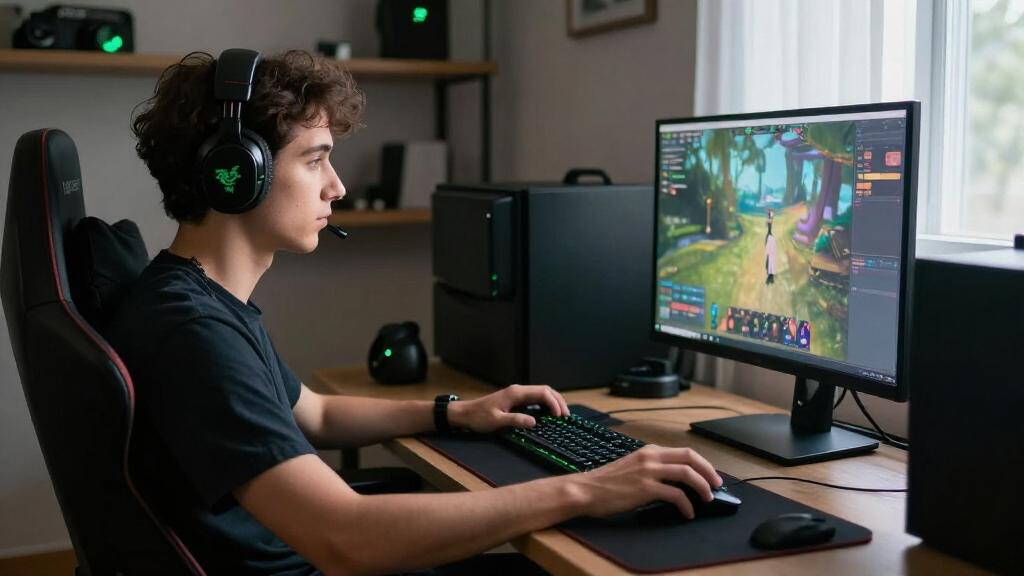

For most players seeking the best Razer gaming products, I’d start with the Razer Viper V4 Pro Wireless: its 49-gram design makes it the clearest pick for fast, competitive mouse play. The BlackShark V3 X HyperSpeed adds wireless freedom for headset buyers, while the BlackWidow V4 X brings mechanical keys and dedicated controls to a full desktop setup. The main tradeoffs are specialization versus versatility, wired simplicity versus wireless convenience, and lightweight designs versus extra controls. No single Razer product suits every game or grip style. Read on for the full breakdown and a pick matched to your needs.

Play games on Amazon Luna for your game nights, included with Prime
- A rotating selection of games, no download needed
- Play on TV, laptop or phone
- Fast, free delivery for your gear, too
Complete the kit



Key Takeaways
- The Viper V4 Pro Wireless leads for competitive play because its 49-gram build prioritizes quick, low-effort movement; buyers who need side buttons for MMO commands should look at the Naga V3 Pro instead.
- Razer’s mouse lineup splits by shape and control style: Viper models favor a streamlined esports feel, Basilisk models add ergonomic support and extra controls, and the Naga is built around swappable side plates.
- Wireless does not automatically mean a better fit. The wired Basilisk V3 and DeathAdder Essential avoid charging, while the Viper V3 HyperSpeed and Basilisk V3 X HyperSpeed suit buyers who want wireless without choosing a flagship model.
- Headset choice is a wired-versus-wireless decision: the BlackShark V2 X keeps things straightforward with a cable, while the BlackShark V3 X HyperSpeed is the more flexible pick for a wireless setup.
- The strongest picks depend on the whole setup, not just one spec. The BlackWidow V4 X adds a keyboard, the Tartarus V2 offers a dedicated left-hand keypad, and the Mako X RGB speakers are for buyers who want desktop audio outside a headset.
| Razer Viper V4 Pro Wireless Esports Gaming Mouse, 49 g, Black |  | Best for Competitive FPS | Weight: 49 g | Connectivity: HyperSpeed Wireless Gen-2; USB-C wired | Polling rate: Up to 8000 Hz | VIEW LATEST PRICE | See Our Full Breakdown |
| Razer BlackShark V2 X Gaming Headset |  | Best Wired Headset for Multi-Platform Use | Driver size: 50 mm | Connection: 3.5 mm audio jack | Weight: 240 g | VIEW LATEST PRICE | See Our Full Breakdown |
| Razer Viper V3 Pro Wireless Esports Gaming Mouse, Black |  | Best Lightweight Alternative | Weight: 54 g | Shape: Right-handed symmetrical | Sensor: Focus Pro 35K Optical Sensor Gen-2 | VIEW LATEST PRICE | See Our Full Breakdown |
| Razer Naga V3 Pro Wireless MMO Gaming Mouse with Swappable Side Plates |  | Best for MMO and Button-Heavy Games | Side plate layouts: 12, 6, or 2 buttons | Programmable buttons: Up to 23 | Connectivity: HyperSpeed Wireless, Bluetooth, USB-C wired | VIEW LATEST PRICE | See Our Full Breakdown |
| Razer Mako X RGB 2.0 Desktop Speakers |  | Best Compact Desktop Speakers | Speaker configuration: 2.0 | Drivers: 2.75-inch full-range | Passive radiators: Dual | VIEW LATEST PRICE | See Our Full Breakdown |
| Razer Viper V3 HyperSpeed Wireless Gaming Mouse |  | Best for Long-Lasting Wireless Play | Sensor: Focus Pro 30K optical | Maximum sensitivity: 30,000 DPI | Weight: 82 g | VIEW LATEST PRICE | See Our Full Breakdown |
| Razer Tartarus V2 Left-Handed Gaming Keypad | 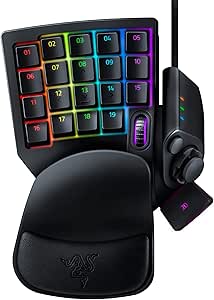 | Best for Programmable Left-Hand Controls | Switch type: Mecha-Membrane | Number of keys: 32 | Hand orientation: Left | VIEW LATEST PRICE | See Our Full Breakdown |
| Razer DeathAdder Essential Ergonomic Wired Gaming Mouse | 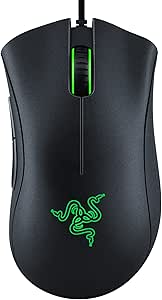 | Best for Straightforward Ergonomic Control | Connectivity: Wired | Sensor: Optical | Maximum sensitivity: 6,400 DPI | VIEW LATEST PRICE | See Our Full Breakdown |
| Razer Basilisk V3 Wired Ergonomic Gaming Mouse, Black |  | Best for Button-Rich Wired Control | Connectivity: USB wired | Maximum sensitivity: 26,000 DPI | Buttons: 11 programmable | VIEW LATEST PRICE | See Our Full Breakdown |
| Razer BlackShark V3 X HyperSpeed Wireless Gaming Headset, Black | 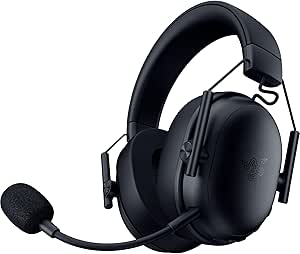 | Best for Multi-Device Wireless Audio | Driver size: 50 mm Gen-2 | Microphone: Detachable HyperClear cardioid, 9.9 mm | Connectivity: 2.4 GHz wireless, Bluetooth, USB | VIEW LATEST PRICE | See Our Full Breakdown |
| Razer Basilisk V4 Pro Wireless Gaming Mouse, Black |  | Best Premium Control | Sensor: Focus Pro Optical Sensor Gen-3, up to 50,000 DPI | Tracking speed: 930 IPS | Acceleration: 90G | VIEW LATEST PRICE | See Our Full Breakdown |
| Razer Basilisk V3 X HyperSpeed Wireless Gaming Mouse |  | Best for Battery Life | Sensor: Razer 5G Advanced 18K Optical Sensor, 18,000 DPI | Connectivity: Razer HyperSpeed Wireless and Bluetooth | Battery life: Up to 285 hours on HyperSpeed; up to 535 hours on Bluetooth | VIEW LATEST PRICE | See Our Full Breakdown |
| Razer BlackWidow V4 X Mechanical Gaming Keyboard, Yellow Switches, Black |  | Best for Quiet, Fast Keystrokes | Switch type: Razer Yellow linear switches | Actuation: 1.2mm; 45g force | Connectivity: Wired | VIEW LATEST PRICE | See Our Full Breakdown |
| Razer Basilisk V3 Pro 35K Wireless Gaming Mouse |  | Best Balanced Wireless Upgrade | Sensor: Razer Focus Pro 35K Optical Sensor Gen-2 | Connectivity: HyperSpeed 2.4GHz wireless, Bluetooth, wired USB-C | Battery life: Up to 140 hours on 2.4GHz; up to 210 hours on Bluetooth | VIEW LATEST PRICE | See Our Full Breakdown |
| Razer Cobra Wired Gaming Mouse, 58 g, Black |  | Best Lightweight Wired Pick | Weight: 58 g | Sensor: Optical, 8,500 DPI | Connectivity: USB wired | VIEW LATEST PRICE | See Our Full Breakdown |
| Razer gaming product | Connectivity | Sensor | Battery life |
|---|---|---|---|
| Razer Viper V4 Pro Wireless Es | HyperSpeed Wireless Gen-2; USB-C wired | Focus Pro 50K Optical Sensor Gen-3 | Up to 180 hours at 1000 Hz; up to 45 hours at 8000 Hz |
| Razer BlackShark V2 X Gaming H | — | — | — |
| Razer Viper V3 Pro Wireless Es | — | Focus Pro 35K Optical Sensor Gen-2 | Up to 95 hours at 1000 Hz |
| Razer Naga V3 Pro Wireless MMO | HyperSpeed Wireless, Bluetooth, USB-C wired | Focus Pro 50K Optical Sensor Gen-3 | Up to 155 hours on HyperSpeed; up to 280 hours on Bluetooth |
| Razer Mako X RGB 2.0 Desktop S | USB-C, Bluetooth 5.3, 3.5 mm input | — | — |
| Razer Viper V3 HyperSpeed Wire | — | Focus Pro 30K optical | Up to 280 hours |
| Razer Tartarus V2 Left-Handed | USB-A | — | — |
| Razer DeathAdder Essential Erg | Wired | Optical | — |
| Razer Basilisk V3 Wired Ergono | USB wired | — | — |
| Razer BlackShark V3 X HyperSpe | 2.4 GHz wireless, Bluetooth, USB | — | Up to 70 hours |
| Razer Basilisk V4 Pro Wireless | 2.4GHz wireless, Bluetooth 6.2, USB | Focus Pro Optical Sensor Gen-3, up to 50,000 DPI | Up to 200 hours at 1,000Hz |
| Razer Basilisk V3 X HyperSpeed | Razer HyperSpeed Wireless and Bluetooth | Razer 5G Advanced 18K Optical Sensor, 18,000 DPI | Up to 285 hours on HyperSpeed; up to 535 hours on Bluetooth |
| Razer BlackWidow V4 X Mechanic | Wired | — | — |
| Razer Basilisk V3 Pro 35K Wire | HyperSpeed 2.4GHz wireless, Bluetooth, wired USB-C | Razer Focus Pro 35K Optical Sensor Gen-2 | Up to 140 hours on 2.4GHz; up to 210 hours on Bluetooth |
| Razer Cobra Wired Gaming Mouse | USB wired | Optical, 8,500 DPI | — |
More Details on Our Top Picks
Razer Viper V4 Pro Wireless Esports Gaming Mouse, 49 g, Black
The Viper V4 Pro is the strongest fit here for players who prize quick, controlled mouse movement over extra buttons. At 49 g, it is lighter than the Viper V3 Pro, while its 50,000 DPI sensor and support for up to 8000 Hz polling give it a newer, higher-spec setup for demanding play. Optical switches and an optical scroll wheel are designed for consistent input, and the symmetrical shape suits a range of grips. The main compromise is power use: battery life falls from up to 180 hours at 1000 Hz to 45 hours at 8000 Hz. This is a more focused choice than the button-rich Naga V3 Pro, and its advanced customization depends on Synapse 4.
Pros:- 49 g symmetrical design supports fast, controlled movement.
- Offers up to 8000 Hz wireless polling.
- 50,000 DPI sensor and Gen-4 optical switches.
- Up to 180 hours of battery life at 1000 Hz.
Cons:- Battery life is up to 45 hours at 8000 Hz.
- Advanced customization requires Razer Synapse 4.
Best for: Competitive FPS players who want a very light wireless mouse, high polling options, and a symmetrical shape.
Not ideal for: MMO players who need multiple thumb buttons, or wireless users who want long runtimes while keeping 8000 Hz polling enabled.
- Weight:49 g
- Connectivity:HyperSpeed Wireless Gen-2; USB-C wired
- Polling rate:Up to 8000 Hz
- Sensor:Focus Pro 50K Optical Sensor Gen-3
- Maximum sensitivity:50,000 DPI
- Tracking speed:930 IPS
- Switches:Gen-4 optical; rated for over 100 million clicks
- Battery life:Up to 180 hours at 1000 Hz; up to 45 hours at 8000 Hz
Our verdict“Choose the Viper V4 Pro for lightweight competitive play and high polling options; pick the Naga V3 Pro instead if configurable MMO buttons matter more.”
Razer BlackShark V2 X Gaming Headset
The BlackShark V2 X is a straightforward wired headset for players who want one 3.5 mm connection to cover several systems. Its 240 g weight and breathable foam cushions make it a lighter, simpler alternative to shopping for separate platform-specific headsets, while the cardioid microphone is designed to focus on your voice. The 50 mm drivers are tuned across highs, mids, and lows, giving this model more gaming-oriented detail than a basic stereo headset. Its main limitation is that the advertised 7.1 surround sound is software-enabled and limited to 64-bit Windows 10. Compared with the wireless BlackShark V3 X HyperSpeed, the V2 X avoids wireless charging but keeps you tethered, and Xbox One may require a separately sold stereo adapter.
Pros:- Light 240 g over-ear design.
- Breathable foam cushions.
- Cardioid microphone is designed to focus on voice.
- 3.5 mm connection supports several listed platforms.
Cons:- 7.1 surround sound is limited to 64-bit Windows 10.
- Xbox One may require a stereo adapter sold separately.
Best for: Players who use a 3.5 mm headset across PC, Mac, PlayStation 4, Xbox One, or Nintendo Switch and prefer a light wired setup.
Not ideal for: Players who want wireless freedom, or Xbox One users who do not want to source a separate stereo adapter.
- Driver size:50 mm
- Connection:3.5 mm audio jack
- Weight:240 g
- Microphone:Razer HyperClear cardioid
- Fit:Over-ear
- Audio:Software-enabled 7.1 surround sound on 64-bit Windows 10
- Compatibility:PC, Mac, PS4, Xbox One, Nintendo Switch
- Warranty:2 years
Our verdict“Choose the BlackShark V2 X for light, multi-platform wired gaming; select the BlackShark V3 X HyperSpeed if wireless play is a priority.”
Razer Viper V3 Pro Wireless Esports Gaming Mouse, Black
The Viper V3 Pro suits competitive players who want a light wireless mouse but do not need the Viper V4 Pro’s newer 50K sensor or Gen-4 switches. Its 54 g body, included HyperPolling dongle, and up-to-8000 Hz wireless polling keep it firmly focused on responsive play. The Focus Pro 35K sensor also supports glass-surface tracking and 1-DPI adjustments, which gives careful sensitivity tuning a practical advantage. Its stated battery life reaches up to 95 hours at 1000 Hz, but the supplied figure does not cover 8000 Hz use. The right-handed symmetrical shape is less neutral than the Viper V4 Pro’s general symmetrical design, and it has fewer programmable buttons than the Naga V3 Pro. The tradeoff is a capable esports mouse with a simpler feature set.
Pros:- Light 54 g wireless design.
- Focus Pro 35K sensor supports glass-surface tracking and 1-DPI adjustments.
- Includes a HyperPolling Wireless Dongle for up to 8000 Hz polling.
- Up to 95 hours of battery life at 1000 Hz.
Cons:- Battery-life specification applies to 1000 Hz, not 8000 Hz polling.
- Right-handed symmetrical shape may not suit left-handed players.
Best for: Competitive players seeking a lightweight wireless mouse with fine sensitivity adjustment and an included high-polling dongle.
Not ideal for: Left-handed users, players who need extensive side-button controls, or buyers prioritizing the Viper V4 Pro’s lighter weight and newer sensor generation.
- Weight:54 g
- Shape:Right-handed symmetrical
- Sensor:Focus Pro 35K Optical Sensor Gen-2
- Maximum sensitivity:35,000 DPI
- Wireless polling rate:Up to 8000 Hz
- Tracking speed:750 IPS
- Battery life:Up to 95 hours at 1000 Hz
- Buttons:6 programmable
Our verdict“Pick the Viper V3 Pro for lightweight, finely adjustable wireless play, while the Viper V4 Pro is the better fit if lower weight and newer hardware take precedence.”
Razer Naga V3 Pro Wireless MMO Gaming Mouse with Swappable Side Plates
The Naga V3 Pro is the most adaptable mouse in this group for players whose games call for many commands close at hand. Its magnetic side plates swap between 12-, 6-, and 2-button layouts, letting one mouse cover MMO hotkeys as well as less crowded game or work setups. Add up to 23 programmable buttons, a tilt wheel with tactile and free-spin modes, and HyperSpeed, Bluetooth, or USB-C connectivity, and it offers far more control options than the Viper V4 Pro. That flexibility comes with a more involved layout and a clear software caveat: full Synapse customization is available on Windows, while macOS gets core functions and onboard settings. It is also less suited to players who favor the Viper’s low-weight, minimalist design.
Pros:- Three magnetic side plates provide 12-, 6-, or 2-button layouts.
- Up to 23 programmable buttons support command-heavy games.
- HyperSpeed Wireless, Bluetooth, and USB-C wired connectivity.
- Long stated battery life of up to 155 hours on HyperSpeed or 280 hours on Bluetooth.
Cons:- Full Razer Synapse customization is available only on Windows.
- Wireless charging systems are sold separately.
Best for: MMO and action-game players who want configurable thumb buttons, multiple connection choices, and one mouse for different control layouts.
Not ideal for: FPS players who want a lightweight, uncluttered mouse, or macOS users who need full Synapse customization.
- Side plate layouts:12, 6, or 2 buttons
- Programmable buttons:Up to 23
- Connectivity:HyperSpeed Wireless, Bluetooth, USB-C wired
- Sensor:Focus Pro 50K Optical Sensor Gen-3
- Maximum sensitivity:50,000 DPI
- Scroll wheel:Tactile and free-spin modes; four-direction tilt
- Battery life:Up to 155 hours on HyperSpeed; up to 280 hours on Bluetooth
- Software compatibility:Full Synapse customization on Windows; core functions and onboard settings on macOS
Our verdict“Choose the Naga V3 Pro for configurable MMO controls and varied connectivity; choose the Viper V4 Pro for a lighter, simpler competitive mouse.”
Razer Mako X RGB 2.0 Desktop Speakers
The Mako X RGB 2.0 makes the most sense for a gaming desk where speakers need to fit without taking over the space. Its compact tabletop design angles sound toward the listener, while dual passive radiators are intended to add bass from a small 2.0 system. USB-C, Bluetooth 5.3, and 3.5 mm inputs make it easier to switch between a gaming PC and other audio sources than a USB-only setup. The 10-zone Chroma underglow adds coordinated lighting, but it does not replace dedicated room lighting or change the system’s compact stereo configuration. Virtual 7.1 is software-based, so buyers seeking a true multi-speaker surround setup should look elsewhere. Compared with the BlackShark V2 X headset, the Mako X is for shared desk listening, not private or voice-focused play.
Pros:- Compact tabletop design helps conserve desk space.
- Angled cabinets direct sound toward the listener.
- Dual passive radiators are designed to enhance bass.
- USB-C, Bluetooth 5.3, and 3.5 mm inputs offer flexible connections.
Cons:- Virtual 7.1 surround sound is software-based.
- Not waterproof.
Best for: PC gamers and desk listeners who want compact speakers with several input options and Chroma lighting.
Not ideal for: Players who need headphones for private late-night sessions or expect hardware-based multi-speaker surround sound.
- Speaker configuration:2.0
- Drivers:2.75-inch full-range
- Passive radiators:Dual
- Sound mode:Virtual 7.1 surround
- Lighting:10-zone Razer Chroma RGB underglow
- Connectivity:USB-C, Bluetooth 5.3, 3.5 mm input
- Design:40-degree angled tabletop speakers
- Controls:Push button
Our verdict“Choose the Mako X for compact, multi-input desk audio, but opt for the BlackShark V2 X when private listening and voice chat matter more.”
Razer Viper V3 HyperSpeed Wireless Gaming Mouse
The Viper V3 HyperSpeed is the wireless pick for players who want long stretches between battery changes without moving to a heavier, more feature-packed mouse. Its 82 g ambidextrous body suits claw and fingertip grips, while the Focus Pro 30K sensor offers precise tracking, including on glass. Compared with the wired Razer Cobra, it gives you more freedom to reposition and up to 280 hours of battery life; it is not as light as that 58 g alternative, though. The included AA battery keeps charging out of the routine, but some buyers will prefer a rechargeable design. Six buttons and on-mouse DPI control cover the essentials, while Windows 10 or later compatibility makes this a less flexible choice for Mac users.
Pros:- 82 g ambidextrous shape supports claw and fingertip grips
- Focus Pro 30K sensor tracks on a variety of surfaces, including glass
- Up to 280 hours of battery life from one included AA battery
- Six buttons and five on-mouse DPI stages allow quick adjustments
Cons:- Uses a replaceable AA battery rather than a rechargeable battery
- Listed operating system compatibility is limited to Windows 10 or later
- Heavier than the 58 g wired Razer Cobra
Best for: PC players who prefer claw or fingertip grip, want wireless freedom, and value long battery life over a rechargeable battery.
Not ideal for: Mac users, players seeking an especially light mouse, or anyone who does not want to replace AA batteries.
- Sensor:Focus Pro 30K optical
- Maximum sensitivity:30,000 DPI
- Weight:82 g
- Buttons:6
- Grip styles:Claw or fingertip
- Battery life:Up to 280 hours
- Battery:1 included AA battery
- Compatibility:PC; Windows 10 or later
Our verdict“Choose the Viper V3 HyperSpeed if you want a capable wireless mouse with long AA-powered battery life and do not mind its extra weight or Windows-focused compatibility.”
Razer Tartarus V2 Left-Handed Gaming Keypad
The Tartarus V2 offers a different kind of control from the mice and headset elsewhere in this roundup: its 32 programmable keys put macros and game commands under the left hand, while an eight-way thumbpad handles movement. The adjustable palm rest helps tailor the position, and the Mecha-Membrane keys combine tactile feedback with a cushioned press. Compared with using a standard keyboard alongside a mouse such as the Razer Basilisk V3, this keypad gives players more dedicated, reassignable controls in a compact hand position. That flexibility comes with a narrow audience: it is designed for left-handed use and needs Razer Synapse for full functionality. Its wired USB-A connection also means it is not a wireless option, and setup may feel excessive for players who only need basic keyboard inputs.
Pros:- 32 programmable keys support extensive command and macro layouts
- Eight-way thumbpad offers a dedicated movement control
- Adjustable palm rest helps tailor hand positioning
- Mecha-Membrane keys pair tactile feedback with a cushioned press
Cons:- Left-handed design limits its usefulness for many players
- Full functionality depends on Razer Synapse software
- USB-A wired connection does not offer wireless placement
Best for: Left-handed PC players who want programmable macros and a thumb-controlled movement pad for games with many commands.
Not ideal for: Right-handed players, anyone seeking a wireless control device, or buyers who want full functionality without Razer Synapse.
- Switch type:Mecha-Membrane
- Number of keys:32
- Hand orientation:Left
- Directional control:8-way thumbpad
- Connectivity:USB-A
- Backlighting:RGB, 16.8 million colors
- Dimensions:6.02 × 2.36 × 0.8 in
- Compatible operating systems:Windows, Mac, Linux
Our verdict“Pick the Tartarus V2 if you are a left-handed player who wants a dedicated macro keypad and thumbpad, rather than a conventional keyboard-and-mouse setup.”
Razer DeathAdder Essential Ergonomic Wired Gaming Mouse
The DeathAdder Essential keeps the focus on a familiar right-handed shape and practical controls rather than wireless features or extensive customization. Its 5 programmable buttons cover common remaps and macros, while the 6,400 DPI optical sensor gives everyday players sensitivity adjustment without the higher ceiling of the Razer Basilisk V3 at 26,000 DPI. That lower sensor specification is a reasonable fit for buyers who do not need the Basilisk’s 11-button layout or dual-mode scroll wheel. The ridged, rubberized wheel adds grip during scrolling, and the wired connection avoids battery upkeep. In exchange, the cable limits movement, and the right-handed form leaves left-handed users out. Its switches are rated for up to 10 million clicks, below the Viper V3 HyperSpeed’s 60-million-click rating.
Pros:- Ergonomic right-handed form is suited to extended play
- Five programmable buttons support remapping and macros
- Adjustable sensitivity reaches 6,400 DPI
- Rubberized ridged scroll wheel offers a more controlled grip
Cons:- Wired connection restricts movement compared with the Viper V3 HyperSpeed
- Right-handed shape does not suit left-handed users
- Switches are rated for up to 10 million clicks, below the Viper V3 HyperSpeed rating
Best for: Right-handed PC or console players who want a basic ergonomic wired mouse with a few programmable buttons and no battery to manage.
Not ideal for: Left-handed buyers, players who need wireless movement, or those seeking a high-DPI sensor and many programmable controls.
- Connectivity:Wired
- Sensor:Optical
- Maximum sensitivity:6,400 DPI
- Buttons:5 programmable
- Hand orientation:Right-handed
- Switch durability:Up to 10 million clicks
- Weight:0.13 kg
- Compatibility:Gaming console, laptop, personal computer
Our verdict“Choose the DeathAdder Essential if you want a no-battery, ergonomic wired mouse with basic programmable controls and do not need premium sensor or button specifications.”
Razer Basilisk V3 Wired Ergonomic Gaming Mouse, Black
The Basilisk V3 is the most control-heavy wired mouse in this group, with 11 programmable buttons, a thumb rest, and a dual-mode tilt wheel. That setup suits players who want macros and quick access to secondary commands without adding a separate keypad like the Razer Tartarus V2. Its wheel can switch between tactile scrolling and free-spin, making it useful for both deliberate weapon or menu selection and fast movement through long pages. The 26,000 DPI sensor and 11 Chroma zones add flexibility, but not every buyer needs this many controls or lighting options. Unlike the wireless Viper V3 HyperSpeed, the Basilisk stays tethered by USB, and its right-handed shape rules out left-hand use. Windows 10 and 11 are the listed operating systems, so other system users should check compatibility first.
Pros:- 11 programmable buttons support macros and secondary commands
- Thumb rest and ergonomic right-handed shape provide a dedicated hand position
- Dual-mode tilt wheel switches between tactile and free-spin scrolling
- 26,000 DPI optical sensor and 11 customizable Chroma zones
Cons:- Wired USB connection offers less freedom of movement than the Viper V3 HyperSpeed
- Right-handed design excludes left-handed players
- Listed operating system compatibility is limited to Windows 10 and Windows 11
Best for: Right-handed PC players who want many programmable commands, a thumb rest, and a scroll wheel that adapts to both precise and fast scrolling.
Not ideal for: Left-handed users, wireless-first players, or those who want a simple mouse with fewer controls and less setup.
- Connectivity:USB wired
- Maximum sensitivity:26,000 DPI
- Buttons:11 programmable
- Scroll wheel:Dual-mode HyperScroll tilt wheel
- Design:Ergonomic with thumb rest
- RGB lighting:11 Chroma zones
- Cable length:5.0 meters
- Compatible operating systems:Windows 10, Windows 11
Our verdict“The Basilisk V3 makes sense for right-handed PC players who will use its programmable controls and versatile scroll wheel, but wireless seekers should choose another mouse.”
Razer BlackShark V3 X HyperSpeed Wireless Gaming Headset, Black
The BlackShark V3 X HyperSpeed stands apart from the mice and keypad in this batch by combining gaming audio with three connection options: 2.4 GHz wireless, Bluetooth, and USB. That range makes it a more adaptable choice than a headset with a single wireless link, while its detachable cardioid microphone can be removed when voice chat is not needed. At 270 g, it keeps the over-ear design relatively light, and 50 mm Gen-2 drivers with 7.1 surround sound are intended to help distinguish positional audio. Compared with the Razer BlackShark V2 X in the wider roundup, this model’s listed standouts are its multiple connection modes and up-to-70-hour battery life. The tradeoffs are an over-ear fit that may not suit everyone and a microphone that must be attached for chat.
Pros:- Connects through 2.4 GHz wireless, Bluetooth, or USB
- Detachable cardioid microphone focuses on voice pickup when attached
- 270 g weight and plush earcups support a lightweight over-ear fit
- Up to 70 hours of battery life
Cons:- Over-ear fit may not suit every wearer
- Microphone must be attached when voice chat is needed
- Three connection options may be unnecessary for players with a single-device setup
Best for: Players who switch between wireless gaming, Bluetooth devices, and USB connections and want a detachable mic for voice chat.
Not ideal for: Buyers who dislike over-ear headsets, need a built-in microphone that is always ready, or do not need multiple connection modes.
- Driver size:50 mm Gen-2
- Microphone:Detachable HyperClear cardioid, 9.9 mm
- Connectivity:2.4 GHz wireless, Bluetooth, USB
- Audio:7.1 surround sound
- Weight:270 g
- Fit:Over-ear
- Battery life:Up to 70 hours
- Warranty:2 years
Our verdict“Choose the BlackShark V3 X HyperSpeed if you want a lightweight gaming headset that can switch among wireless, Bluetooth, and USB connections.”
Razer Basilisk V4 Pro Wireless Gaming Mouse, Black
The Basilisk V4 Pro is the most feature-rich mouse in this group for right-handed players who want to tailor many controls and scrolling behavior. Its 14 customizable controls and wheel modes cover both deliberate, tactile scrolling and fast free-spin movement; compared with the Basilisk V3 Pro 35K, it adds one customizable control and offers a higher stated sensor ceiling. The 50K DPI sensor and support for up to 8,000Hz polling also give spec-focused players room to tune tracking and responsiveness, though the high polling rate can increase power use. Its wireless, Bluetooth, and wired options make it more adaptable than the wired Cobra, while up to 200 hours of battery life is stated at 1,000Hz. The tradeoff is a relatively heavy 6.08-ounce body, a right-handed shape, and advanced features that may take setup to use well.
Pros:- Four scroll behaviors accommodate both precise menu movement and rapid long-page scrolling.
- Fourteen customizable controls suit players who use macros, shortcuts, or secondary commands.
- Supports 2.4GHz wireless, Bluetooth, and wired USB connections.
- Up to 200 hours of stated battery life at 1,000Hz and Gen-4 optical switches rated for over 100 million clicks.
Cons:- The right-handed ergonomic shape excludes left-handed users.
- At 6.08 ounces, it is heavier than the 58 g wired Cobra.
- Advanced controls, polling options, and RGB lighting may require configuration.
Best for: Right-handed players who want extensive button remapping, multiple scroll modes, and wireless or wired flexibility in one premium mouse.
Not ideal for: Left-handed users, lightweight-mouse seekers, or players who want a simple plug-and-play device with few settings to manage.
- Sensor:Focus Pro Optical Sensor Gen-3, up to 50,000 DPI
- Tracking speed:930 IPS
- Acceleration:90G
- Polling rate:Up to 8,000Hz
- Connectivity:2.4GHz wireless, Bluetooth 6.2, USB
- Customizable controls:14
- Battery life:Up to 200 hours at 1,000Hz
- Weight and orientation:6.08 ounces; right-handed
Our verdict“Choose the Basilisk V4 Pro if you want a highly configurable, right-handed wireless mouse and accept extra weight and setup.”
Razer Basilisk V3 X HyperSpeed Wireless Gaming Mouse
The Basilisk V3 X HyperSpeed is the practical pick for right-handed gamers who want wireless convenience without frequent charging. Its standout is endurance: Razer lists up to 535 hours on Bluetooth and 285 hours on HyperSpeed, powered by an included AA battery rather than a rechargeable internal battery. That makes it a different proposition from the Basilisk V4 Pro, whose richer scroll system, higher polling options, and larger control count favor players who want more ways to customize. Here, nine programmable buttons and an 18,000 DPI sensor cover everyday gaming and shortcut use without the same feature load. The compromises are the battery replacement routine, a 1,000Hz polling ceiling, and a right-handed shape. Compared with the wired Cobra, it frees the desk from a cable, but its AA power source adds a consumable to manage.
Pros:- Long stated battery life of up to 535 hours on Bluetooth or 285 hours on HyperSpeed.
- Dual wireless connectivity supports Bluetooth and Razer HyperSpeed.
- Nine programmable buttons provide useful room for game commands and shortcuts.
- 18,000 DPI optical sensor and 60-million-click-rated mechanical switches.
Cons:- Uses an AA battery instead of a built-in rechargeable battery.
- Right-handed ergonomic shape is unsuitable for left-handed use.
- Polling is limited to 1,000Hz, below the higher options on the Basilisk V4 Pro.
Best for: Right-handed players who want a wireless mouse for long stretches between battery changes and value Bluetooth alongside low-latency wireless.
Not ideal for: Left-handed gamers, players who prefer rechargeable built-in batteries, or competitive users seeking polling rates above 1,000Hz.
- Sensor:Razer 5G Advanced 18K Optical Sensor, 18,000 DPI
- Connectivity:Razer HyperSpeed Wireless and Bluetooth
- Battery life:Up to 285 hours on HyperSpeed; up to 535 hours on Bluetooth
- Power source:One included AA battery
- Controls:9 programmable buttons
- Polling rate:1,000Hz
- Tracking speed and acceleration:450 IPS; 40G
- Switches:Gen-2 mechanical switches, rated for 60 million clicks
Our verdict“Pick the Basilisk V3 X if long battery life and wireless flexibility matter more than recharging or advanced polling options.”
Razer BlackWidow V4 X Mechanical Gaming Keyboard, Yellow Switches, Black
The BlackWidow V4 X stands out as the keyboard choice for players who want quick linear keystrokes and dedicated controls without moving to a compact layout. Its Yellow switches actuate at 1.2mm with 45g of force, which can suit rapid inputs and a quieter typing feel; sound dampening adds to that character. Six macro keys give frequently used commands a dedicated home, while the roller and media cluster make volume and playback changes easier than reaching for software controls. Unlike the wireless Basilisk mice in this roundup, this keyboard is wired-only, so it needs a fixed desk connection. Its 104-key QWERTY layout also takes more room than a compact board, and it lacks water resistance. Buyers who want a broad key layout and direct media access may prefer it over a minimalist setup, but it is not the pick for a clutter-free or spill-prone desk.
Pros:- Linear Yellow switches use 1.2mm actuation and 45g force for quick, low-force inputs.
- Six programmable macro keys support game commands and productivity shortcuts.
- Roller and media controls offer direct access to volume, playback, and brightness.
- Per-key Chroma RGB lighting and doubleshot ABS keycaps.
Cons:- Wired-only connection limits placement flexibility.
- Full-size 104-key layout occupies substantial desk space.
- Not water resistant, so spills can cause damage.
Best for: PC gamers who want fast, quiet linear switches, a full-size layout, and dedicated macro and media controls.
Not ideal for: Players who need wireless placement, a compact keyboard, or protection against spills.
- Switch type:Razer Yellow linear switches
- Actuation:1.2mm; 45g force
- Connectivity:Wired
- Layout and keys:QWERTY; 104 keys
- Programmable keys:6 macro keys
- Lighting:Per-key Razer Chroma RGB
- Keycaps:Doubleshot ABS
- Dimensions:20.5 × 8 × 2 inches
Our verdict“Choose the BlackWidow V4 X if you want a full-size, wired gaming keyboard with quiet linear switches and dedicated macros.”
Razer Basilisk V3 Pro 35K Wireless Gaming Mouse
The Basilisk V3 Pro 35K balances customization and everyday wireless use without matching the V4 Pro’s highest stated sensor ceiling. Its 35K Focus Pro sensor, 13 customizable controls, and tactile, free-spin, and Smart-Reel scrolling give it broad flexibility for games and general desktop use. Compared with the Basilisk V4 Pro, it has one fewer customizable control and lower maximum DPI, but keeps the key multi-mode wheel and tri-connectivity while listing up to 140 hours on 2.4GHz or 210 hours on Bluetooth. That makes it a strong fit for players who want a feature-rich Basilisk without making maximum sensor specifications the deciding factor. It remains right-handed and weighs 0.43kg, so it is not a lightweight alternative to the 58 g Cobra. The 8,000Hz polling option also requires a separately sold accessory.
Pros:- 2.4GHz wireless, Bluetooth, and wired USB-C connectivity provide flexible setups.
- Configurable scroll wheel offers tactile, free-spin, and Smart-Reel modes.
- Thirteen customizable controls support commands, macros, and alternate functions.
- Stated battery life reaches up to 140 hours on 2.4GHz or 210 hours on Bluetooth.
Cons:- Right-handed shape does not suit left-handed users.
- The 8,000Hz polling rate requires a separately sold Mouse Dock Pro or HyperPolling Wireless Dongle.
- At 0.43kg, it is substantially heavier than the 58 g Cobra.
Best for: Right-handed PC gamers who want a customizable wireless mouse with multiple scroll modes and the option to connect over USB-C.
Not ideal for: Left-handed players, lightweight-mouse fans, or buyers who expect 8,000Hz polling without purchasing an extra accessory.
- Sensor:Razer Focus Pro 35K Optical Sensor Gen-2
- Connectivity:HyperSpeed 2.4GHz wireless, Bluetooth, wired USB-C
- Battery life:Up to 140 hours on 2.4GHz; up to 210 hours on Bluetooth
- Customizable controls:13
- Scroll modes:Tactile cycling, free-spin, Smart-Reel
- Lighting:13-zone Chroma RGB with underglow
- Polling rate:Up to 8,000Hz with separately sold accessory
- Weight and orientation:0.43kg; right-handed
Our verdict“Choose the Basilisk V3 Pro 35K for broad wireless connectivity and configurable controls without prioritizing the V4 Pro’s higher sensor ceiling.”
Razer Cobra Wired Gaming Mouse, 58 g, Black
The Razer Cobra is the straightforward choice for players who want a light mouse and do not need wireless freedom or a large button array. At 58g, it is far lighter than the Basilisk V4 Pro and Basilisk V3 Pro 35K, making it better suited to quick repositioning and users who prefer less weight in hand. Its six buttons, 8,500 DPI sensor, flexible Speedflex cable, and PTFE feet focus on simple, low-drag movement rather than extensive macros or scroll-wheel customization. The ambidextrous design also makes it more accommodating than the right-handed Basilisk models. Gen-3 optical switches are rated for 90 million clicks, but the wired USB connection is a clear compromise for players who want an uncluttered desk. RGB gradient underglow adds visual flair, though the overall control set is modest.
Pros:- 58 g body is much lighter than either Basilisk wireless mouse in this group.
- Ambidextrous shape accommodates a wider range of users than right-handed Basilisk models.
- Gen-3 optical switches are rated for a 90-million-click lifecycle.
- Speedflex cable and 100% PTFE feet support low-drag movement.
Cons:- USB-only connectivity restricts movement compared with the wireless Basilisk options.
- Six buttons offer fewer customization options than the Basilisk mice.
- The 8,500 DPI sensor has a lower stated maximum than the other mice in this group.
Best for: Players who prefer a lightweight, ambidextrous wired mouse for quick movement and simple controls.
Not ideal for: Wireless users, gamers who need many programmable buttons, or players seeking high-DPI sensor specifications.
- Weight:58 g
- Sensor:Optical, 8,500 DPI
- Connectivity:USB wired
- Buttons:6
- Hand orientation:Ambidextrous
- Switches:Gen-3 optical, rated for 90 million clicks
- Lighting:Chroma RGB gradient underglow
- Cable and feet:Speedflex cable; 100% PTFE feet
Our verdict“Pick the Cobra if low weight and ambidextrous handling matter more than wireless use or extensive controls.”
How We Picked
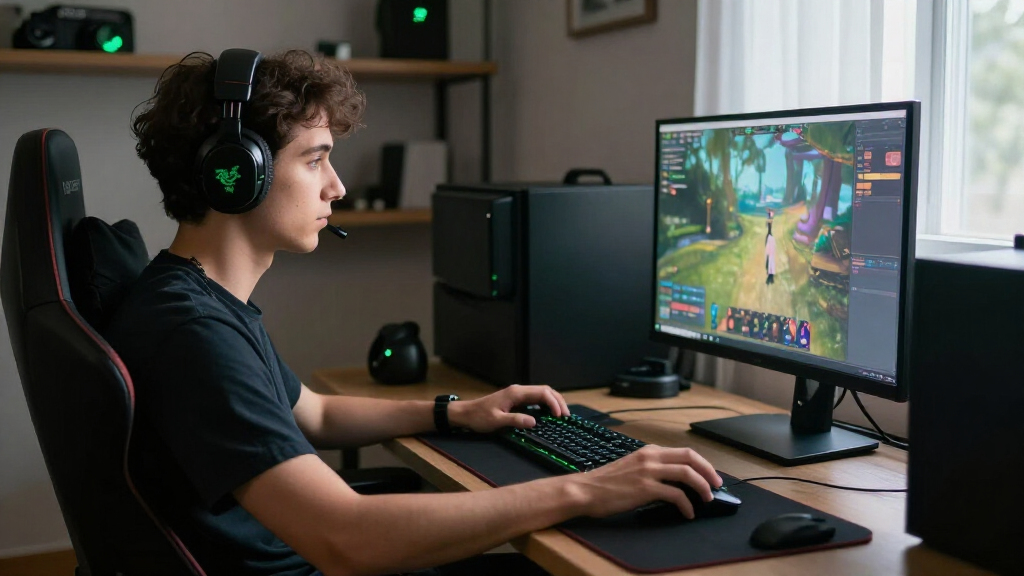
I ranked these 15 Razer products by how clearly each serves a particular gaming need, rather than treating every device as a direct competitor. For mice, I weighed shape and intended play style, connection type, weight where stated, and whether extra controls make the mouse more useful or more specialized. For headsets, keyboard, keypad, and speakers, I focused on their role in a setup, ease of use, and the tradeoffs between a focused device and a more flexible one.
The Viper V4 Pro Wireless ranks first because its lightweight esports focus gives it a clear role and broad appeal among competitive mouse buyers. Other products rank higher or lower according to how well their particular design matches a narrower need: the Naga’s swappable plates favor MMO players, wired models trade freedom for simplicity, and full-size or add-on devices only make sense for certain setups. I also considered where overlap makes a cheaper or simpler option the more sensible choice, and where a premium or specialized design earns its place through a distinct function.
Factors to Consider When Choosing Best Razer Gaming Products
Before choosing among Razer’s mice, audio gear, and input devices, decide what problem you want the purchase to solve. These factors help narrow the field without simply chasing the newest model or the longest feature list.
Match Mouse Shape to Your Grip and Games
Mouse shape affects comfort and control over a long session more than a headline sensor figure may suggest. A low-profile, lightweight design can suit quick aim corrections, while a more contoured shape may feel steadier for players who prefer fuller palm support. Side buttons help with commands in games that use many shortcuts, but they can get in the way if you mainly want an uncluttered shell. If possible, compare the dimensions and shape with a mouse you already find comfortable. A common mistake is choosing by a product family name alone, since Viper, Basilisk, DeathAdder, and Naga designs serve different hand positions and play styles. Pick the shape first, then compare the features available on models that fit it.
Choose Wireless for Freedom, Wired for Simplicity
Wireless mice and headsets reduce cable clutter and make repositioning easier, but they bring charging and connection choices into the setup. A wired device avoids battery upkeep and can be a sensible choice for a fixed desk or a buyer who prefers fewer things to manage. Do not assume that wireless is automatically more responsive or more convenient for every person; a depleted battery can be more disruptive than a cable. Think about where you play, how often you move between devices, and whether you already have a charging routine. Also check the connection method and compatibility for your system before buying. Paying for wireless makes the most sense when the freedom solves a real problem in your space.
Pay for Controls You Will Actually Use
Extra buttons, side plates, scroll options, and keypad keys can make complex games easier to control, but they add bulk and setup decisions. MMO players may benefit from a mouse designed around programmable commands, while a player focused on aim may prefer fewer buttons and more room for a consistent grip. A separate keypad can keep specialized commands within reach without replacing a standard keyboard. Before choosing a feature-rich device, list the actions you would map to its controls and how often you would use them. If that list is short, a simpler mouse or keyboard may be easier to learn and maintain. More control is useful only when it fits your games and habits.
Set a Whole-Setup Priority Before Buying
A gaming mouse is only one part of the experience, and replacing a weak link in your setup may matter more than upgrading a device that already works well. If you lack a headset, keyboard, or desktop audio, a focused purchase in that category can add more day-to-day value than a second mouse with overlapping strengths. Speakers also serve a different purpose from a headset: they suit shared or casual listening, while headphones keep sound private. Check your available desk space and connection needs before adding another peripheral. Buyers often over-invest in several similar mice while leaving a more pressing setup need unresolved. Choose the next device by the task it adds or improves.
Treat Premium Features as a Fit Question
A premium model is worthwhile when its specific design advantages match how you play, not simply because it sits above another model in a product family. Wireless operation, specialist controls, lighter construction, or expanded customization can matter greatly to one player and little to another. Compare the premium option with simpler wired or wireless alternatives in the same lineup, then identify the concrete difference you would notice every session. If you cannot name that difference, the simpler device may be the better purchase for your needs. Keep maintenance in view too: wireless models need charging, while devices with more controls may call for more configuration. Spend extra for a feature you will use, not for a label.
Frequently Asked Questions
Which Razer mouse should I choose if I play both competitive shooters and MMO games?
Start with the game you play most and the control style you prefer, because a lightweight esports mouse and an MMO-focused mouse solve different problems. The Viper V4 Pro is the leading choice here for fast, streamlined competitive play, while the Naga V3 Pro is better suited to games where accessible commands matter more than a minimal shell. A Basilisk model can serve as a middle ground if you want an ergonomic shape and added controls without choosing a mouse centered on swappable MMO side plates. Consider how many mapped commands you actually use in a typical session. If you switch genres often, a versatile shape may be more useful than maximizing performance for only one game.
Is a wired Razer mouse still a sensible choice for a gaming setup?
Yes, especially if your desk is stationary and you would rather avoid charging another device. The Basilisk V3 and DeathAdder Essential provide wired options with distinct ergonomic styles, while the Cobra offers a lighter, simpler design. A cable can restrict movement or add clutter, so its practicality depends on your desk layout and how you position your mouse. Wireless models make more sense when cable freedom is a priority or you regularly move between setups. Compare the shape and controls first; connection type should be the tie-breaker when both options otherwise fit your needs.
Should I buy a wireless headset or a wired headset for gaming?
Choose based on how you use your setup, rather than treating one connection type as universally better. The wired BlackShark V2 X is a straightforward fit if you play at one desk and want to avoid headset charging. The BlackShark V3 X HyperSpeed suits players who value freedom to move around or dislike a cable across their workspace. Check that the headset’s connection works with your intended devices before buying, particularly if you plan to use it across more than one system. Also weigh how often you would need to recharge it against how much the cable would bother you.
Do I need the Naga V3 Pro if I play MMOs only occasionally?
Not necessarily; its swappable side plates are most useful when you regularly rely on extra mouse commands or want to change the control layout for different games. If MMO play is occasional and your action bar needs are modest, a Basilisk or another less specialized mouse may cover more of your everyday gaming. The Viper line is a better match when quick, uncluttered movement matters more than a large set of side controls. Think about whether you will configure and use the additional buttons consistently. A specialized mouse earns its place when those controls reduce repeated keyboard reaches, not simply because a game includes many abilities.
Which Razer product should I buy first if I am building a gaming setup from scratch?
Start with the device that fills the biggest gap in the setup you already have, rather than buying a matching collection at once. If you have no reliable mouse, choose a shape and connection type that suit your games; the DeathAdder Essential and Basilisk V3 are accessible wired options, while the Viper V3 HyperSpeed adds wireless use. If a headset or keyboard is missing, the BlackShark models and BlackWidow V4 X address those needs directly. The Tartarus V2 is more specialized and is best treated as an add-on for players who want a dedicated keypad. Leave speakers and extra peripherals until you know they solve a real need in your space.
Conclusion
For the best overall pick, I recommend the Viper V4 Pro Wireless to players who want a lightweight mouse built around competitive play. The best value-minded choices are the simpler wired options, particularly the DeathAdder Essential or Basilisk V3, for buyers who want dependable basics without wireless upkeep. For a premium, specialized mouse, choose the Naga V3 Pro if MMO controls and swappable plates match your games; choose a Basilisk Pro model if its broader control set and wireless design suit your grip. The best starting point for beginners is a straightforward mouse such as the DeathAdder Essential, while buyers building out a complete desk should look at the BlackWidow V4 X or BlackShark V3 X HyperSpeed to fill a specific gap. For specific needs, the Tartarus V2 serves keypad-focused play, and the Mako X RGB speakers suit desktop listening beyond a headset. Pick the device that solves your main setup problem first, then add specialized gear only when your games call for it.