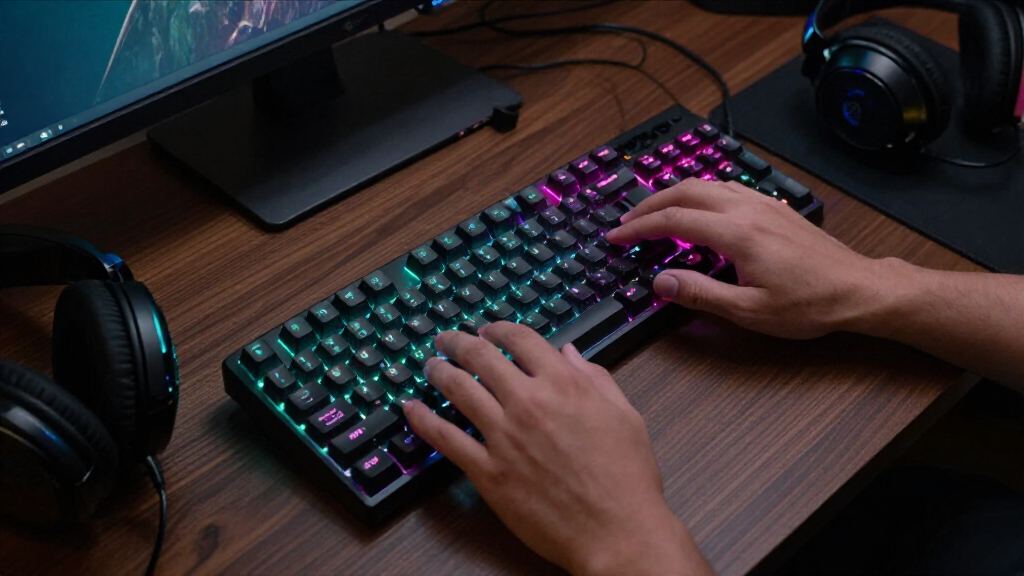

For Black Friday gaming keyboard deals, my best overall pick is the RK Royal Kludge R65, whose hot-swappable switches, PBT keycaps, and QMK/VIA support give it room to adapt beyond basic gaming. The AULA WIN68 HE stands out for players who want Hall Effect magnetic switches, while the Logitech G PRO TKL suits those who prefer a compact layout with familiar clicky switches. The main tradeoffs are size, switch feel, connection options, and how much customization you actually need. A smaller keyboard frees desk space but drops keys, while extra features can add setup complexity without improving every player’s experience. Read on for the full breakdown and help matching a keyboard to your setup.

Play games on Amazon Luna for your game nights, included with Prime
- A rotating selection of games, no download needed
- Play on TV, laptop or phone
- Fast, free delivery for your gear, too
Complete the kit



Key Takeaways
- The R65 leads on customization: hot-swappable Cream switches, PBT keycaps, and QMK/VIA make it the most adaptable pick in this lineup, though its wired 66-key layout is not for everyone.
- The AULA WIN68 HE is the specialist gaming pick: Hall Effect magnetic switches distinguish it from conventional mechanical boards, but buyers should confirm they want this switch technology rather than a familiar fixed-switch setup.
- Compact boards dominate the feature-rich options: 60% to 75% layouts save desk space, while models such as the Redragon K582 and Logitech G213 retain a full-size layout for number-pad users.
- Wireless flexibility appears in just one listed model: the AULA F75 Pro is the clear choice for buyers who want a wireless board, while most alternatives here are wired.
- Entry-level simplicity and enthusiast customization are different priorities: the K1 combo and G213 keep the setup straightforward, while QMK/VIA and hot-swap features on the R65 favor buyers willing to customize.
| AJAZZ AK820 75% Hot-Swappable Mechanical Keyboard with Linear Red Switches |  | Best for Switch Customization | Layout: 75%, 82-key QWERTY | Switches: Pre-lubed linear red | Hot-swap support: 3-pin and 5-pin switches | VIEW LATEST PRICE | See Our Full Breakdown |
| Logitech G PRO Tenkeyless Mechanical Gaming Keyboard with GX Blue Clicky Switches |  | Best for Clicky Feedback | Layout: Tenkeyless QWERTY | Number of keys: 90 | Switches: GX Blue Clicky | VIEW LATEST PRICE | See Our Full Breakdown |
| AULA WIN68 HE 68-Key Compact Gaming Keyboard with Hall Effect Magnetic Switches |  | Best for Adjustable Actuation | Layout: 60% QWERTY, 68 keys | Switches: Linear Hall Effect magnetic | Actuation range: 0.02–3.44 mm | VIEW LATEST PRICE | See Our Full Breakdown |
| Logitech G213 Prodigy Wired RGB Gaming Keyboard |  | Best Full-Size Spill-Resistant Pick | Layout: Full-size QWERTY | Number of keys: 104 | Switch type: Tactile Mech-Dome | VIEW LATEST PRICE | See Our Full Breakdown |
| K1 RGB Wired Gaming Keyboard and Mouse Combo, 104-Key, Black |  | Best Complete Starter Set | Included components: Keyboard and optical mouse | Keyboard layout: Full-size QWERTY, 104 keys | Keyboard backlighting: RGB; 8 colors and 5 lighting modes | VIEW LATEST PRICE | See Our Full Breakdown |
| SteelSeries Apex 3 Gaming Keyboard, Black |  | Best for Quiet, Spill-Resistant Gaming | Layout: 104-key QWERTY | Connectivity: Wired | Switch type: Whisper Quiet | VIEW LATEST PRICE | See Our Full Breakdown |
| wegear 75% Mechanical Gaming Keyboard with Knob, 79-Key, Black |  | Best for Flexible Wireless Customization | Layout: 75%, 79-key QWERTY | Connectivity: USB-C wired, 2.4 GHz wireless, Bluetooth | Switches: Hot-swappable linear POK | VIEW LATEST PRICE | See Our Full Breakdown |
| GEODMAER 65% Wired Gaming Keyboard with RGB Backlighting |  | Best Compact Membrane Pick | Layout: 65%, 68-key QWERTY | Keyboard type: Membrane | Connection: Wired, detachable USB-C cable | VIEW LATEST PRICE | See Our Full Breakdown |
| CACKBIRD 60% Wired Mechanical Gaming Keyboard with Blue Switches and RGB Backlighting |  | Best for Clicky Mechanical Feedback | Layout: 60%, 61-key QWERTY | Connection: Wired, detachable USB Type-C | Switches: Blue mechanical | VIEW LATEST PRICE | See Our Full Breakdown |
| Newmen GM611 60% Mechanical Gaming Keyboard with Red Switches |  | Best Compact Linear-Switch Pick | Layout: 60%, 61-key QWERTY | Connectivity: Wired Micro USB | Switches: Linear red mechanical | VIEW LATEST PRICE | See Our Full Breakdown |
| Redragon K580 VATA Wired RGB Mechanical Gaming Keyboard |  | Best for Macros and Media Controls | Layout: 104-key QWERTY | Connectivity: Wired USB-C | Switches: Hot-swappable Outemu Blue, clicky | VIEW LATEST PRICE | See Our Full Breakdown |
| RK Royal Kludge R65 66-Key Wired Mechanical Gaming Keyboard with Volume Knob, RGB Backlighting, Hot-Swappable Cream Switches, PBT Keycaps, and QMK/VIA |  | Best Compact Wired Customization Pick | Layout: 66-key QWERTY | Connectivity: Wired USB-C | Switches: Hot-swappable linear Cream | VIEW LATEST PRICE | See Our Full Breakdown |
| Razer BlackWidow V4 X Mechanical Gaming Keyboard with Yellow Linear Switches |  | Best for Quiet Full-Size Gaming | Layout: 104-key QWERTY | Connectivity: Wired | Switches: Linear Yellow | VIEW LATEST PRICE | See Our Full Breakdown |
| Redragon K582 104-Key Wired RGB Mechanical Gaming Keyboard |  | Best Value Full-Size Linear Option | Layout: 104-key QWERTY | Connectivity: Wired USB | Switches: Linear Red mechanical | VIEW LATEST PRICE | See Our Full Breakdown |
| AULA F75 Pro 75% Wireless Mechanical Keyboard with Knob |  | Best Wireless Multi-Device Pick | Layout: 75%, 81 keys; QWERTZ | Connectivity: Bluetooth 5.0, 2.4GHz wireless, and USB-C | Device support: Up to five connected devices | VIEW LATEST PRICE | See Our Full Breakdown |
| black friday gaming keyboard deal | Layout | Connectivity | Switches | Backlighting |
|---|---|---|---|---|
| AJAZZ AK820 75% Hot-Swappable | 75%, 82-key QWERTY | Wired USB-C | Pre-lubed linear red | White LED with 20 effects |
| Logitech G PRO Tenkeyless Mech | Tenkeyless QWERTY | Wired, detachable 1.8 m Micro USB cable | GX Blue Clicky | RGB LIGHTSYNC, 16.8 million colors |
| AULA WIN68 HE 68-Key Compact G | 60% QWERTY, 68 keys | Wired USB-C | Linear Hall Effect magnetic | RGB, 16.8 million colors, 14 preset effects |
| Logitech G213 Prodigy Wired RG | Full-size QWERTY | Wired USB | — | RGB, 5 customizable zones |
| K1 RGB Wired Gaming Keyboard a | — | Wired USB 2.0 | — | — |
| SteelSeries Apex 3 Gaming Keyb | 104-key QWERTY | Wired | — | 10-zone RGB |
| wegear 75% Mechanical Gaming K | 75%, 79-key QWERTY | USB-C wired, 2.4 GHz wireless, Bluetooth | Hot-swappable linear POK | RGB, 16.8 million colors, 12 preset modes |
| GEODMAER 65% Wired Gaming Keyb | 65%, 68-key QWERTY | — | — | RGB with steady and breathing modes |
| CACKBIRD 60% Wired Mechanical | 60%, 61-key QWERTY | — | Blue mechanical | Rainbow RGB with 18 effects |
| Newmen GM611 60% Mechanical Ga | 60%, 61-key QWERTY | Wired Micro USB | Linear red mechanical | 19 rainbow effects, 4 brightness levels, 5 speed levels |
| Redragon K580 VATA Wired RGB M | 104-key QWERTY | Wired USB-C | Hot-swappable Outemu Blue, clicky | — |
| RK Royal Kludge R65 66-Key Wir | 66-key QWERTY | Wired USB-C | Hot-swappable linear Cream | — |
| Razer BlackWidow V4 X Mechanic | 104-key QWERTY | Wired | Linear Yellow | — |
| Redragon K582 104-Key Wired RG | 104-key QWERTY | Wired USB | Linear Red mechanical | — |
| AULA F75 Pro 75% Wireless Mech | 75%, 81 keys; QWERTZ | Bluetooth 5.0, 2.4GHz wireless, and USB-C | Pre-lubed linear Reaper; hot-swappable 3-pin and 5-pin | — |
More Details on Our Top Picks
AJAZZ AK820 75% Hot-Swappable Mechanical Keyboard with Linear Red Switches
For a Black Friday keyboard shortlist, I’d rank the AK820 highly for buyers who want a compact mechanical board they can tune over time. Its 75% layout keeps a dedicated key arrangement while taking up less room than the full-size Logitech G213 Prodigy. The hot-swap sockets support 3-pin and 5-pin switches, so you can change the feel without replacing the whole keyboard. A gasket mount, five sound-dampening layers, and a PC plate target a softer, quieter typing sound than the more direct, clicky Logitech G PRO TKL. The tradeoffs are straightforward: this is wired only, and its backlighting is white rather than RGB. I’d choose it for customization and a compact footprint, not for wireless freedom or colorful lighting.
Pros:- Hot-swap sockets accept both 3-pin and 5-pin switches.
- Gasket mounting and five sound-dampening layers are designed for a softer typing sound.
- Compact 82-key layout retains a dedicated key arrangement.
- Aluminum media knob and adjustable white LED effects add control and personalization.
Cons:- Wired USB-C connectivity limits placement flexibility.
- White-only backlighting lacks the RGB color range of the Logitech G PRO TKL.
- Switch customization requires buying compatible replacement switches separately.
Best for: Mechanical-keyboard buyers who want a compact 75% layout and the option to change switches later.
Not ideal for: Wireless users or RGB-focused buyers, since it connects by USB-C cable and has single-color white lighting.
- Layout:75%, 82-key QWERTY
- Switches:Pre-lubed linear red
- Hot-swap support:3-pin and 5-pin switches
- Connectivity:Wired USB-C
- Mount and dampening:Gasket mount with five sound-dampening layers
- Backlighting:White LED with 20 effects
- Media control:CNC-machined aluminum knob
- Keycaps:OEM profile; PBT listed in item highlights
Our verdict“Choose the AK820 if switch swapping and a quieter compact mechanical layout matter more than wireless use or RGB lighting.”
Logitech G PRO Tenkeyless Mechanical Gaming Keyboard with GX Blue Clicky Switches
I’d put the Logitech G PRO TKL on the list for players who want a familiar mechanical layout and audible, tactile GX Blue switches, rather than the quieter linear feel of the AJAZZ AK820. Its tenkeyless design removes the number pad, leaving more room for mouse movement without adopting the tighter 68-key arrangement of the AULA WIN68 HE. RGB LIGHTSYNC and onboard memory let saved lighting patterns travel with the keyboard, while the detachable Micro USB cable is useful when packing it for another setup. The compromises matter: key and lighting programming requires G HUB, the cable uses Micro USB rather than USB-C, and the board is not water resistant. I’d favor it for clicky feedback and portability, but skip it if a quieter room or spill protection is a priority.
Pros:- GX Blue switches provide audible and tactile feedback.
- Tenkeyless layout leaves more desk space for mouse movement than a full-size board.
- Onboard memory stores RGB lighting patterns.
- Detachable cable and adjustable feet support transport and stable placement.
Cons:- GX Blue switches can be disruptive in quiet or shared spaces.
- Key and lighting programming requires Logitech G HUB.
- Not water resistant and uses a Micro USB cable.
Best for: PC gamers who prefer loud, tactile key feedback and want a tenkeyless board that is easier to transport.
Not ideal for: Shared-room users who need quieter switches, or players who want water resistance or software-free customization.
- Layout:Tenkeyless QWERTY
- Number of keys:90
- Switches:GX Blue Clicky
- Connectivity:Wired, detachable 1.8 m Micro USB cable
- Backlighting:RGB LIGHTSYNC, 16.8 million colors
- Onboard memory:Stores lighting patterns
- Adjustable angles:3
- Water resistance:Not water resistant
Our verdict“Pick the G PRO TKL if you want clicky mechanical feedback in a portable tenkeyless design and can accept its software and spill-protection limits.”
AULA WIN68 HE 68-Key Compact Gaming Keyboard with Hall Effect Magnetic Switches
The AULA WIN68 HE is the most specialized pick here: its Hall Effect switches let Windows users adjust actuation from 0.02 to 3.44 mm, offering more control over key response than the fixed linear reds in the AJAZZ AK820. The 8,000 Hz polling rate and compact 68-key layout are aimed at gaming setups where fast input and a small footprint take priority. Unlike the 60% boards in the wider roundup, this layout retains arrow keys and basic function keys, though extra commands still depend on Fn combinations. Its detachable USB-C cable helps with portability. The main limitation is customization access: advanced web-driver settings are Windows-only, while the AK820’s listed compatibility includes Mac. I’d choose the AULA for adjustable input, not for full-size convenience or cross-platform software control.
Pros:- Adjustable Hall Effect actuation ranges from 0.02 to 3.44 mm.
- 8,000 Hz polling rate targets responsive gaming input.
- 68-key layout retains arrow keys and basic function keys.
- Detachable USB-C cable and customizable RGB lighting.
Cons:- Advanced web-driver customization is limited to Windows.
- Fn combinations are needed for additional commands.
- Plastic enclosure offers a less substantial material feel than the AK820’s aluminum media knob and damped construction.
Best for: Windows-based competitive players who want to tune key actuation and keep arrow keys in a compact gaming layout.
Not ideal for: Mac users who need advanced settings, or buyers who prefer a full-size keyboard with a dedicated number pad.
- Layout:60% QWERTY, 68 keys
- Switches:Linear Hall Effect magnetic
- Actuation range:0.02–3.44 mm
- Polling rate:8,000 Hz
- Connectivity:Wired USB-C
- Backlighting:RGB, 16.8 million colors, 14 preset effects
- Compatibility:Windows 11; gaming consoles, laptops, and PCs
- Enclosure:Plastic
Our verdict“Choose the WIN68 HE for adjustable Hall Effect input on Windows, but pick the AK820 if broader listed OS compatibility and switch swapping matter more.”
Logitech G213 Prodigy Wired RGB Gaming Keyboard
For buyers who want a conventional keyboard for games and everyday typing, I’d place the Logitech G213 Prodigy ahead of the compact mechanical options. Its 104-key layout, integrated palm rest, and dedicated media controls make it more useful for a mixed work-and-play desk than the 90-key Logitech G PRO TKL or the 68-key AULA WIN68 HE. Five-zone RGB lighting and anti-ghosting add gaming-focused features, while spill-resistant construction offers more protection than the G PRO TKL, which is not water resistant. That does not make the G213 waterproof, and its tactile Mech-Dome keys are not a substitute for the mechanical switches in the AK820. The wired USB connection also limits placement. I’d choose it for full-size comfort and practical controls, rather than mechanical customization or a compact desk footprint.
Pros:- Full-size 104-key layout includes a number pad.
- Integrated palm rest and adjustable feet support longer sessions.
- Dedicated media controls provide quick playback and volume access.
- Five-zone RGB lighting, anti-ghosting, and spill-resistant construction.
Cons:- Mech-Dome keys do not offer the mechanical switch customization of the AJAZZ AK820.
- Wired USB connection restricts placement flexibility.
- Spill resistance does not mean the keyboard is fully waterproof.
Best for: Players who also type or work at their desk and want a full-size layout, palm rest, media keys, and spill resistance.
Not ideal for: Mechanical-switch enthusiasts or compact-desk users who want hot-swap options and a smaller footprint.
- Layout:Full-size QWERTY
- Number of keys:104
- Switch type:Tactile Mech-Dome
- Connectivity:Wired USB
- Backlighting:RGB, 5 customizable zones
- Gaming features:Anti-ghosting
- Comfort and controls:Integrated palm rest, adjustable feet, dedicated media controls
- Water resistance:Spill-resistant construction
Our verdict“Pick the G213 if you want a comfortable full-size gaming and everyday keyboard with media controls and spill resistance, not a compact mechanical board.”
K1 RGB Wired Gaming Keyboard and Mouse Combo, 104-Key, Black
The K1 combo makes the most sense for a first gaming setup that needs both a keyboard and mouse in one package. Its full-size 104-key layout includes a number pad, while the bundled optical mouse offers six selectable speed levels up to 3,200. That makes it a more complete starting point than the Logitech G213, which includes a palm rest and media controls but no mouse. The K1 is also listed for Windows, macOS, and Linux, whereas the G213 is specified for Windows. The tradeoff is that this is a basic, wired set: its keyboard is not described as mechanical or hot-swappable like the AJAZZ AK820, and its lighting offers preset colors and modes rather than the deeper customization of Logitech G HUB. I’d treat it as a practical starter bundle, not a keyboard upgrade for switch enthusiasts.
Pros:- Includes both a full-size keyboard and an optical mouse.
- Mouse offers six selectable speed levels from 600 to 3,200.
- Keyboard lighting includes eight colors and five modes.
- Plug-and-play USB connection and listed Windows, macOS, and Linux compatibility.
Cons:- Keyboard is not specified as mechanical or hot-swappable, unlike the AJAZZ AK820.
- Keyboard and mouse are both wired.
- Keyboard compatibility is specified only through Windows 10.
Best for: New PC gamers who need a full-size keyboard and a basic adjustable-speed mouse in one wired set.
Not ideal for: Mechanical-keyboard buyers who want switch customization, or users seeking wireless gear and detailed software control.
- Included components:Keyboard and optical mouse
- Keyboard layout:Full-size QWERTY, 104 keys
- Keyboard backlighting:RGB; 8 colors and 5 lighting modes
- Mouse speed levels:6
- Mouse speed settings:600, 800, 1200, 1600, 2400, 3200
- Connectivity:Wired USB 2.0
- Compatibility:Windows XP/Vista/7/8/10, macOS, Linux
- Power source:Corded electric
Our verdict“Choose the K1 if you need an accessible full-size keyboard-and-mouse set to start gaming, but look at the AK820 for mechanical switches and customization.”
SteelSeries Apex 3 Gaming Keyboard, Black
The SteelSeries Apex 3 is the sensible pick for shared rooms or desks where a drink might get knocked over. Its quiet switches avoid the pronounced click of the CACKBIRD’s blue mechanical switches, while IP32 water resistance adds a measure of protection against accidental spills. A magnetic wrist rest and dedicated media controls also make it feel more complete for everyday use than the compact GEODMAER GM68.
The tradeoff is that this is a wired, full-size membrane-style option, not a conventional mechanical keyboard. Its 104-key layout provides a number pad, but takes up more room than the 60% choices, and the cable limits placement flexibility. For buyers prioritizing quiet typing, familiar full-size controls, and spill protection over mechanical switch feel, it offers a distinct alternative in this lineup.
Pros:- IP32 water resistance helps guard against accidental spills.
- Quiet switches are rated for 20 million keypresses.
- Magnetic wrist rest provides palm support.
- Dedicated multimedia controls and 10-zone RGB lighting.
Cons:- Wired connection limits placement flexibility.
- Quiet switch design will not satisfy buyers seeking a conventional mechanical feel.
- Full-size layout occupies more desk space than the compact options.
Best for: Players who share a room, want a full-size layout with a number pad, and value quieter typing and basic spill protection.
Not ideal for: Mechanical-switch enthusiasts or compact-desk users who want a smaller keyboard or wireless connection.
- Layout:104-key QWERTY
- Connectivity:Wired
- Switch type:Whisper Quiet
- Switch lifespan:20 million keypresses
- Backlighting:10-zone RGB
- Water resistance:IP32
- Additional features:Magnetic wrist rest, dedicated multimedia controls, anti-ghosting
- Compatible devices:Windows, macOS, Xbox Series S|X, PS4, PS5
Our verdict“Choose the Apex 3 if you want quiet, full-size gaming controls and spill protection more than mechanical switches or a compact footprint.”
wegear 75% Mechanical Gaming Keyboard with Knob, 79-Key, Black
The wegear GK470 stands out for combining a space-conscious 75% layout with three connection modes: USB-C, 2.4 GHz wireless, and Bluetooth. That makes it more adaptable across a gaming PC, laptop, and mobile devices than the wired Newmen GM611 or CACKBIRD 60%. Its hot-swappable linear switches also give buyers a path to change the switch feel later, while the gasket-mounted layers are designed to soften key bottom-outs.
This flexibility comes with tradeoffs. The enclosure is plastic, so buyers seeking a more substantial case may prefer another option, and its headline battery runtime applies to Bluetooth use with RGB off—not every setup. At 79 keys, it saves space but gives up the number pad and some dedicated keys found on the full-size Apex 3. I’d shortlist it for people who want one compact keyboard for several devices.
Pros:- USB-C, 2.4 GHz wireless, and Bluetooth provide flexible connection choices.
- Hot-swappable linear switches allow later switch changes.
- Gasket-mounted layered construction is designed to soften typing impact.
- Rechargeable 5000 mAh battery and shine-through keycaps support wireless, low-light use.
Cons:- Plastic enclosure may feel less substantial than a metal-cased keyboard.
- Stated 3700-hour runtime is limited to Bluetooth use with RGB off.
- Compact layout omits a number pad and some dedicated keys.
Best for: Multi-device gamers and typists who want a compact mechanical keyboard with wireless options and the ability to swap switches.
Not ideal for: Buyers who need a number pad, prefer a metal enclosure, or expect long battery life with RGB lighting enabled.
- Layout:75%, 79-key QWERTY
- Connectivity:USB-C wired, 2.4 GHz wireless, Bluetooth
- Switches:Hot-swappable linear POK
- Battery:5000 mAh; up to 3700 hours in Bluetooth mode with RGB off
- Backlighting:RGB, 16.8 million colors, 12 preset modes
- Mounting:5-layer gasket mount
- Keycaps:Double-shot ABS with shine-through legends
- Compatibility:Windows, macOS, Android, iOS, iPadOS
Our verdict“Pick the GK470 if you want a compact mechanical board that can move between wired and wireless devices, and accept a plastic case and fewer keys.”
GEODMAER 65% Wired Gaming Keyboard with RGB Backlighting
The GEODMAER GM68 suits buyers who want a small, straightforward keyboard without moving to mechanical switches. Its 68-key layout keeps separate arrow keys, a useful distinction from the CACKBIRD and Newmen 60% boards, where navigation depends more heavily on Fn combinations. Eleven media buttons add quick controls, and the detachable USB-C cable makes packing or replacing the cable simpler than with a fixed connection.
It is still a wired membrane keyboard, so it won’t deliver the mechanical feel or switch customization of the wegear GK470. The 65% layout also leaves out a number pad, and its plastic construction keeps the design practical rather than premium. Adjustable steady and breathing RGB modes offer basic lighting choices rather than the richer customization listed for several mechanical competitors. I’d choose it for a compact desk setup where arrows and media controls matter more than switch feel.
Pros:- Compact 68-key format saves desk space while retaining separate arrow keys.
- Eleven media buttons provide convenient dedicated controls.
- Detachable USB-C cable is easier to pack or replace.
- 26-key no-conflict rollover and Windows key lock support gaming use.
Cons:- Membrane switches lack the mechanical feel and customization offered by the wegear GK470.
- No number pad limits convenience for frequent data entry.
- Lighting options are more basic than the multi-effect mechanical alternatives.
Best for: Compact-desk gamers who want dedicated arrow keys and media controls in an affordable-feeling, easy-to-carry membrane format.
Not ideal for: Players who want mechanical switches, a number pad, or extensive per-key lighting customization.
- Layout:65%, 68-key QWERTY
- Keyboard type:Membrane
- Connection:Wired, detachable USB-C cable
- Backlighting:RGB with steady and breathing modes
- Key rollover:26-key no-conflict
- Media buttons:11
- Keystroke lifespan:Over 10 million keystrokes
- Compatibility:Windows, macOS
Our verdict“Choose the GM68 if you want a compact membrane keyboard with dedicated arrows and media buttons, not mechanical switches or a number pad.”
CACKBIRD 60% Wired Mechanical Gaming Keyboard with Blue Switches and RGB Backlighting
The CACKBIRD 60% is the pick here for buyers who specifically want audible, tactile-feeling clicks in a very small mechanical board. Its blue switches make keystrokes more noticeable than the linear red switches in the Newmen GM611, while the detachable USB-C cable and all-key anti-ghosting give it practical gaming credentials. Its 61-key format also leaves more desk space than the full-size SteelSeries Apex 3.
That compactness demands adjustment: dedicated arrow keys are absent, so directional input uses an Fn combination, and the clicky switches can be distracting in shared spaces. The Newmen GM611 is a better fit for players who prefer quieter linear switches and software macros; the CACKBIRD instead favors direct, no-software setup and prominent feedback. Its rainbow lighting offers multiple effects, but this is a wired keyboard rather than a wireless compact option.
Pros:- Clicky blue mechanical switches provide distinct audible feedback.
- 61-key layout leaves more desk space than full-size boards.
- All-key anti-ghosting supports simultaneous key presses.
- Detachable USB Type-C cable and multiple adjustable lighting effects.
Cons:- Blue switches are loud and can disturb nearby people.
- Arrow keys require an Fn combination, which may slow frequent navigation.
- Wired-only connection lacks the flexibility of the wegear GK470.
Best for: Players who want a small wired mechanical keyboard with audible blue-switch feedback and room for a mouse on a crowded desk.
Not ideal for: People in quiet shared spaces or users who need dedicated arrow keys and full-size navigation controls.
- Layout:60%, 61-key QWERTY
- Connection:Wired, detachable USB Type-C
- Switches:Blue mechanical
- Backlighting:Rainbow RGB with 18 effects
- Anti-ghosting:All keys
- Keycaps:Double-injection ABS
- Additional features:Foldable kickstands, keycap puller, water resistant
- Compatibility:Windows 10/8/7/XP/Vista, Mac OS
Our verdict“Choose the CACKBIRD if you want a compact, clicky mechanical board and can live without dedicated arrows or quiet operation.”
Newmen GM611 60% Mechanical Gaming Keyboard with Red Switches
The Newmen GM611 gives compact-keyboard buyers a different feel from the CACKBIRD: its linear red mechanical switches avoid the latter’s audible blue-switch clicks. The 61-key footprint frees desk space, while N-key rollover and anti-ghosting support simultaneous inputs during busy games. Software support for macros and key bindings also adds a level of customization that the CACKBIRD’s listed feature set does not emphasize.
The small layout means fewer dedicated keys than the SteelSeries Apex 3, and this board is limited to a wired Micro USB connection. That older-style cable is less convenient than the detachable USB-C connection on the CACKBIRD or GEODMAER GM68. Its plastic enclosure and Windows-focused compatibility also make it less adaptable than the wireless, multi-platform wegear GK470. I’d choose it when a quiet-leaning linear feel and programmable controls matter more than wireless use or full-size convenience.
Pros:- Linear red mechanical switches offer an alternative to clicky blue switches.
- N-key rollover and anti-ghosting support simultaneous inputs.
- Software allows macro and key-binding customization.
- Detachable cable and adjustable rainbow backlighting.
Cons:- Wired Micro USB connection is less convenient than USB-C or wireless options.
- Compact 61-key layout lacks many dedicated keys and a number pad.
- Listed compatibility is limited to Windows PCs and laptops.
Best for: Windows gamers seeking a compact mechanical keyboard with linear red switches, anti-ghosting, and macro or key-binding software.
Not ideal for: Wireless users, Mac-focused buyers, or anyone who needs dedicated navigation keys and a number pad.
- Layout:60%, 61-key QWERTY
- Connectivity:Wired Micro USB
- Switches:Linear red mechanical
- Backlighting:19 rainbow effects, 4 brightness levels, 5 speed levels
- Key rollover:N-key rollover with anti-ghosting
- Customization:Software support for macros and key bindings
- Keycaps:Double-color injection-molded
- Compatibility:Windows PCs and laptops
Our verdict“Pick the GM611 for compact linear mechanical gaming and programmable controls if you can accept wired Micro USB and a reduced key set.”
Redragon K580 VATA Wired RGB Mechanical Gaming Keyboard
For a Black Friday shortlist centered on useful gaming extras, the Redragon K580 VATA earns its place with five onboard macro keys, dedicated media controls, and a volume roller. Its onboard macro recording works without software, which makes quick command setup simpler than the K582’s software-based remapping. The full-size layout keeps the number pad, while hot-swappable Outemu Blue switches let owners replace compatible switches without soldering.
The tradeoff is sound: these switches are clicky and audible, unlike the quieter linear switches in the Razer BlackWidow V4 X. The K580 also relies on optional software for advanced lighting and deeper macro customization. I’d rank it ahead of a basic full-size board for buyers who will use its extra controls, but not for shared rooms where switch noise is a concern.
Pros:- Five onboard macro keys support recording without software.
- Dedicated media controls and a volume roller provide quick adjustments during play.
- Hot-swappable switches allow compatible replacements without soldering.
- Double-shot keycaps and switches rated for 50 million keystrokes support extended use.
Cons:- Outemu Blue switches produce pronounced click sounds.
- Advanced RGB effects and deeper macro profiles require optional software.
Best for: Full-size keyboard buyers who want onboard macro recording, quick media access, and replaceable clicky switches.
Not ideal for: Players in quiet shared rooms or anyone who prefers a compact layout and quiet linear keystrokes.
- Layout:104-key QWERTY
- Connectivity:Wired USB-C
- Switches:Hot-swappable Outemu Blue, clicky
- Lighting:RGB backlighting
- Macro controls:Five onboard keys, G1–G5
- Media controls:Dedicated controls and volume roller
- Key rollover:Full anti-ghosting
- Keycaps:Double-shot
Our verdict“Choose the K580 if you want a full-size board with hardware macro recording and media controls, and can live with clicky switches.”
RK Royal Kludge R65 66-Key Wired Mechanical Gaming Keyboard with Volume Knob, RGB Backlighting, Hot-Swappable Cream Switches, PBT Keycaps, and QMK/VIA
The RK Royal Kludge R65 is the customization-focused compact pick in this group. Its QMK/VIA support gives buyers key-remapping options beyond the K580 VATA’s convenient onboard macro recording, while hot-swap sockets accept compatible 3-pin and 5-pin switches. A gasket mount and five sound-absorbing layers are designed to soften vibration, and the linear Cream switches avoid the pronounced click of the K580’s Outemu Blues.
That compact 66-key layout is a real compromise: buyers give up many dedicated keys found on full-size choices such as the Razer BlackWidow V4 X, so some functions may require layers or remapping. The R65 is wired only, too. I’d put it ahead of larger boards for desk-space-conscious users who like configuring their setup, but it is a poor match for anyone who needs a number pad or wireless connection.
Pros:- QMK/VIA support allows extensive key remapping.
- Hot-swap sockets support compatible 3-pin and 5-pin switches.
- Gasket mounting and five sound-absorbing layers are designed to reduce vibration.
- Double-shot PBT keycaps and an aluminum volume knob add durable materials and convenient control.
Cons:- The 66-key layout omits many dedicated keys and requires adapting to a compact arrangement.
- Wired USB-C connectivity does not offer wireless use.
Best for: Compact-keyboard buyers who want programmable layers, hot-swap flexibility, and a quieter-feeling wired setup.
Not ideal for: Users who rely on a number pad, many dedicated keys, or wireless play and device switching.
- Layout:66-key QWERTY
- Connectivity:Wired USB-C
- Switches:Hot-swappable linear Cream
- Mounting:Gasket mount with five sound-absorbing layers
- Keycaps:Double-shot PBT, MDA profile
- Programming:QMK/VIA
- Lighting:RGB with over 20 built-in modes
- Volume control:Aluminum CNC knob
Our verdict“Pick the R65 for compact size and deeper key customization, but choose a full-size model if dedicated keys matter more.”
Razer BlackWidow V4 X Mechanical Gaming Keyboard with Yellow Linear Switches
Among these full-size wired boards, the Razer BlackWidow V4 X makes the strongest case for players who want fast, quieter linear keystrokes alongside dedicated controls. Its Yellow switches have a 1.2 mm actuation point and built-in sound dampeners, setting it apart from the clicky Redragon K580 VATA. Six programmable macro keys also give it one more dedicated macro key than the K580, while per-key Chroma RGB offers finer lighting customization.
The price of that feature set is a full-size footprint and a wired-only connection; the compact R65 takes up less desk space, though it has far fewer keys. The BlackWidow is also not water resistant, so spills remain a concern. I’d rank it above the Redragon boards for quiet linear play and programmable controls, but not for buyers who need a compact or spill-resistant keyboard.
Pros:- Yellow linear switches are designed for quiet operation and have built-in sound dampeners.
- Six programmable macro keys offer dedicated command access.
- Per-key Chroma RGB supports individual lighting customization.
- Doubleshot ABS keycaps and lubricated stabilizers are designed for durability and reduced noise.
Cons:- The full-size layout occupies more desk space than compact options such as the R65.
- Wired-only connectivity limits placement and wireless use.
- The keyboard is not water resistant.
Best for: Full-size PC gamers who prefer quiet linear switches, per-key lighting, and several dedicated programmable macros.
Not ideal for: Buyers seeking wireless connectivity, a compact footprint, or protection against liquid spills.
- Layout:104-key QWERTY
- Connectivity:Wired
- Switches:Linear Yellow
- Actuation:1.2 mm actuation point; 45 g force
- Lighting:Per-key Chroma RGB
- Macro keys:Six programmable keys
- Media controls:Multifunction roller and secondary media keys
- Keycaps:Doubleshot ABS
Our verdict“Choose the BlackWidow V4 X for quiet, responsive full-size gaming with dedicated macros, provided you do not need wireless or spill protection.”
Redragon K582 104-Key Wired RGB Mechanical Gaming Keyboard
The Redragon K582 is the straightforward full-size choice for buyers who want linear mechanical switches, RGB, and programmable keys without paying for a separate macro-key cluster or elaborate media controls. Its N-key rollover and 100% anti-ghosting are useful when several keys need to register together, and the companion software supports remapping, macros, and lighting changes. Compared with the K580 VATA, the K582 swaps onboard macro recording and a volume roller for linear Red switches without a tactile bump.
That switch feel will not suit everyone: buyers who want a clear tactile click may prefer the K580’s Outemu Blues. The K582 also stays wired and lacks the dedicated media controls found on the K580 and Razer BlackWidow V4 X. I’d rank it as the practical full-size pick for gamers who value core features over hardware shortcuts, not for those seeking wireless freedom or a compact board.
Pros:- Linear Red switches provide responsive keystrokes without a tactile bump.
- N-key rollover and 100% anti-ghosting support simultaneous key presses.
- Software supports key remapping, macros, and lighting customization.
- RGB includes 18 backlight modes and six lighting themes.
Cons:- Linear switches lack the tactile feedback of clicky options such as the K580 VATA.
- The wired USB connection does not support wireless use.
- Media controls are not listed among its features.
Best for: Budget-minded buyers who want a full-size wired board with linear switches, RGB, and software-based remapping.
Not ideal for: Players who want tactile or clicky feedback, onboard macro recording, dedicated media controls, or wireless connectivity.
- Layout:104-key QWERTY
- Connectivity:Wired USB
- Switches:Linear Red mechanical
- Lighting:RGB, 16.8 million colors
- Lighting modes:18 backlight modes and six lighting themes
- Key rollover:N-key rollover with 100% anti-ghosting
- Programmability:Software-based remapping and macros
- Compatibility:Windows, macOS, and Linux
Our verdict“Pick the K582 for a no-frills full-size linear gaming keyboard with programmable features, but look elsewhere for tactile switches or dedicated controls.”
AULA F75 Pro 75% Wireless Mechanical Keyboard with Knob
The AULA F75 Pro is the only keyboard in this five-product set that combines Bluetooth, 2.4GHz wireless, and USB-C, making it the clearest pick for players who also switch between a PC, laptop, or tablet. It supports up to five connected devices, while the R65 and the full-size Redragon and Razer boards are wired-only. Hot-swap support, pre-lubed linear Reaper switches, PBT keycaps, and layered sound damping add customization and a softer-feeling typing setup.
Its 75% layout saves space compared with the K580 VATA, but it gives up the number pad and other full-size keys. The listed QWERTZ layout may also be a dealbreaker for QWERTY users, despite the broad connectivity. I’d rank it highest here for flexible device use, not for buyers who need a conventional QWERTY full-size board or prefer a wired-only desk setup.
Pros:- Bluetooth, 2.4GHz wireless, and USB-C support flexible connection choices.
- Can connect to up to five devices.
- Hot-swap sockets accept compatible 3-pin and 5-pin switches.
- Side-printed PBT keycaps and layered sound-dampening materials support a durable, softer typing feel.
Cons:- The 75% layout omits the number pad and has fewer keys than full-size options.
- The listed QWERTZ layout may not suit buyers accustomed to QWERTY.
- The 4000mAh battery requires recharging for wireless use.
Best for: Gamers who alternate among several devices and want wireless options, a compact layout, and switch customization.
Not ideal for: QWERTY-only users, number-pad users, and players who prefer a full-size wired keyboard.
- Layout:75%, 81 keys; QWERTZ
- Connectivity:Bluetooth 5.0, 2.4GHz wireless, and USB-C
- Device support:Up to five connected devices
- Switches:Pre-lubed linear Reaper; hot-swappable 3-pin and 5-pin
- Keycaps:Side-printed PBT
- Lighting:RGB, 16.8 million colors
- Battery:4000mAh rechargeable
- Controls and features:Multi-function knob, programmable keys, N-key rollover, and Windows key lock
Our verdict“Choose the F75 Pro if multi-device wireless flexibility matters more than a full-size layout or QWERTY key arrangement.”
How We Picked
I compared the 15 listed keyboards by how well their features answer real gaming and setup needs: layout, switch type, connectivity, customization, and included extras. I gave weight to practical outcomes, such as whether a compact board leaves room for mouse movement, whether a full-size layout keeps a number pad, and whether hot-swappable switches make future changes easier. I also separated specialist features, like Hall Effect magnetic switches, from familiar mechanical and membrane-style options so readers can match technology to their preferences.
The order prioritizes versatility and useful differentiation rather than treating every keyboard as interchangeable. The R65 ranks first for its combination of hot-swap support, PBT keycaps, and QMK/VIA; the WIN68 HE follows for players seeking magnetic switches. Full-size and straightforward boards remain worthwhile for buyers who value familiar layouts or an uncomplicated setup, but they rank lower when they offer fewer options for tailoring the keyboard. No Black Friday deal or final checkout price is assumed: compare the actual offer, included features, and return terms before buying.
Factors to Consider When Choosing Black Friday Gaming Keyboard Deals
Before choosing among these Black Friday gaming keyboard deals, decide which compromises matter to your setup. A board can look feature-rich yet be a poor fit if its layout removes keys you use or its switch feel bothers you during long sessions.
Choose a layout around the keys you actually use
Full-size keyboards preserve the number pad and a familiar spread of keys, which can help with data entry, shortcuts, and games that use many commands. Tenkeyless removes the number pad, while 75%, 65%, and 60% layouts reduce more keys to leave extra room for mouse movement. Smaller does not always mean easier: compact boards may require function-layer shortcuts for navigation or media controls. Before ordering, check the exact layout diagram rather than relying on the percentage label alone. If you switch often between games, work, and chat, a layout with dedicated navigation keys may be a better daily fit than the smallest board. Choose compact only when the space savings outweigh the keys you give up.
Match switch feel to your room and play style
Linear switches move without a tactile bump, while clicky switches add audible feedback that some typists enjoy. Sound carries beyond the player, so a loud click can be a poor choice for shared rooms, voice calls, or late-night sessions. Hall Effect magnetic switches use a different sensing approach from conventional mechanical switches, making them a distinct option rather than a guaranteed upgrade for every game. Membrane-style boards can suit buyers who favor a more familiar, straightforward keyboard over mechanical customization. If you cannot try a switch in person, read the product details carefully and check the seller’s return policy. Do not choose by switch color alone; names and feel can vary between manufacturers.
Separate useful customization from feature overload
Hot-swappable sockets let you change compatible switches without soldering, which can extend a keyboard’s usefulness if your preferences change. Software support such as QMK/VIA adds deeper control over key mappings and layers, but it can take time to configure. A volume knob or media controls are convenient for frequent adjustments, yet they should not outweigh layout and switch comfort if you rarely use them. RGB lighting is mainly a visibility and appearance feature; it does not make a board more responsive. Ask whether you will use each extra before treating it as added value. For a plug-in-and-play setup, a simpler board may be easier to live with than a model built around extensive customization.
Compare wired and wireless needs honestly
A wired keyboard avoids charging and keeps the connection simple, which suits a permanent desktop setup. Wireless can reduce cable clutter and make it easier to move a keyboard between locations, but check the exact connection modes and battery details for the model rather than assuming them from the word wireless. The lineup includes both wired choices and a wireless AULA F75 Pro, so this decision can narrow the field quickly. Competitive players may prefer a direct wired connection, while a casual or mixed-use setup may benefit more from a cleaner desk. Think about where the cable will run and whether it interferes with your mouse space. Do not pay for wireless convenience if the keyboard will stay connected in one place.
Judge a Black Friday offer by the complete setup
A deal is only useful if the keyboard fits your needs and the final listing describes the same configuration you intend to buy. Check switch type, layout, included accessories, and whether the listed version is wired or wireless. A keyboard-and-mouse combo can help someone starting from scratch, but it may be a compromise if the mouse is not a good fit. Compare the actual checkout total and seller return terms, not just a promotional label. Also check whether the keyboard needs software for lighting or remapping, especially if you use more than one computer. Focus on the features you will use rather than paying extra for specifications that sound impressive but do not change your setup.
Frequently Asked Questions
Which keyboard in this roundup is the best fit for competitive gaming?
The AULA WIN68 HE is the clearest specialist option here because its Hall Effect magnetic switches set it apart from the conventional mechanical boards. The Razer BlackWidow V4 X offers linear switches in a more familiar mechanical format, while compact models can leave more room for mouse movement. Competitive needs differ, so check the exact switch behavior and layout against the games you play. A specialized switch is not automatically better if you prefer another feel or rely on keys the compact layout omits. Connection and comfort should factor into the choice alongside gaming features.
Should I choose a 60% or 65% keyboard for my first gaming setup?
A 60% board saves the most desk space but removes more dedicated keys, so navigation and function commands may require key combinations. A 65% layout usually retains some additional keys while staying compact, which can be easier to adjust to. If you use a number pad or many keyboard shortcuts, either size may feel restrictive compared with a full-size board. The GEODMAER and CACKBIRD represent compact wired options, while the R65 adds hot-swap and software customization to a compact layout. Check the key map before buying and choose based on your everyday tasks, not only the smaller footprint.
Is a hot-swappable keyboard worth choosing if I have never changed switches?
Hot-swap support can be useful even for a beginner because it leaves open the option to change compatible switches later without soldering. It does not mean every switch will fit, so confirm socket compatibility before purchasing replacements. The RK Royal Kludge R65 pairs hot-swap support with QMK/VIA, offering more room to customize than a basic fixed-switch keyboard. If you want a board that works without any setup, those features may go unused. Choose hot-swap when experimentation or future repair matters to you, not just because the specification sounds advanced.
Does a gaming keyboard need to be mechanical?
No. Mechanical boards offer a range of switch feels and often provide more room for customization, but those features are not a requirement for gaming. The Logitech G213 is a straightforward wired option for buyers who prefer a less involved setup, while the mechanical choices offer distinct linear, clicky, or magnetic designs. Noise, key feel, and personal comfort matter more than the label alone. If you share a room, a loud clicky model may be less suitable regardless of its mechanical design. Compare the way you want the keys to feel and sound before deciding.
How should I compare Black Friday keyboard deals when the prices change?
Compare the exact model and configuration first, since listings can differ by switch type, layout, and included accessories. Then check the final checkout total, shipping, seller, and return policy rather than relying on the size of a discount claim. A combo may suit a new setup, while an enthusiast board may be a better fit if customization is your priority. Make a short list of non-negotiables, such as a number pad, wireless connection, or quiet switches, and rule out listings that miss them. Recheck the listing before purchase so the deal still matches the keyboard you intended to buy.
Conclusion
For the strongest mix of customization and everyday flexibility, I recommend the RK Royal Kludge R65 as best overall, provided its compact layout suits you. The best value for a straightforward setup is the Logitech G213 or the K1 keyboard-and-mouse combo for buyers who need both peripherals, though the combo is a more basic choice. For a premium-feature pick, consider the Razer BlackWidow V4 X for linear switches or the AULA WIN68 HE if magnetic switches are the priority. Beginners who want a familiar full-size layout can start with the Redragon K582, while the Logitech G PRO TKL suits those who want tenkeyless sizing and clicky switches. For specific needs, choose the AULA F75 Pro for wireless flexibility, a 60% model for minimal desk footprint, or the Redragon K580 VATA when you want a full-size mechanical board with RGB. Compare the exact Black Friday listing and return terms before choosing; the right deal is the one that fits your layout, switch preference, and setup.