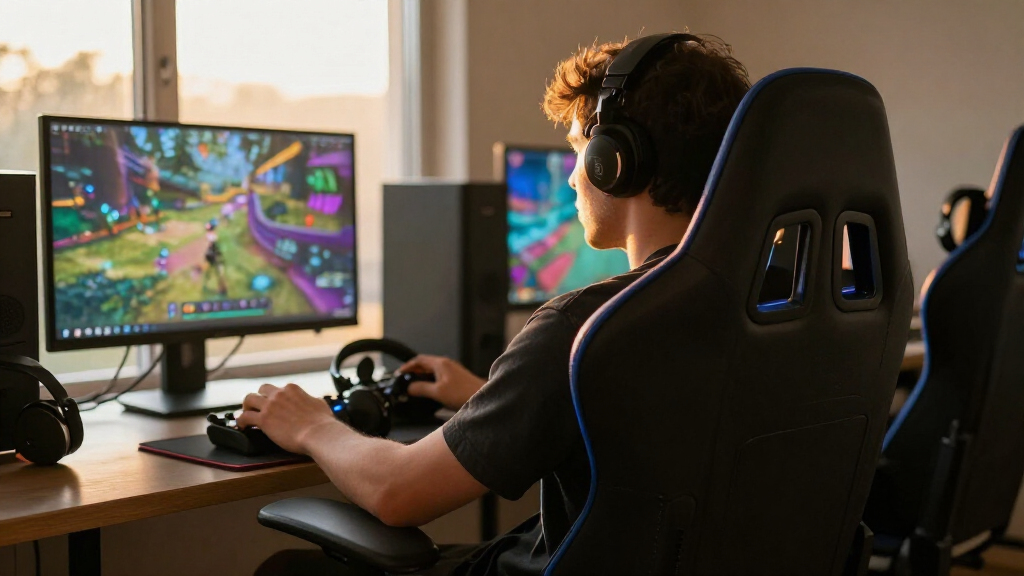

The best immersive gaming chairs pair lasting comfort with features that bring you closer to the action, whether that means built-in audio, reactive lighting, or a supportive seat for long sessions. I’d put the Razer Enki at the top for its built-in lumbar support and focus on ergonomic comfort, while the X Rocker Galaxy 2.0 stands out for floor seating and Bluetooth audio. The Razer Soma Chroma is the pick for players who want RGB lighting to shape their setup. The main tradeoff is choosing between ergonomic support, sensory features, and a chair style that fits your room and body. Read on for how all 15 options compare and which one suits your setup.

Play games on Amazon Luna for your game nights, included with Prime
- A rotating selection of games, no download needed
- Play on TV, laptop or phone
- Fast, free delivery for your gear, too
Complete the kit


Key Takeaways
- The Razer Enki is the strongest all-around ergonomic choice in this lineup, while the X Rocker Galaxy 2.0 is more focused on floor seating and Bluetooth audio.
- Immersion means different things here: the Razer Soma Chroma emphasizes reactive RGB lighting, while the GTPLAYER Bluetooth Speakers chair puts audio directly into the chair.
- Footrests appear across many picks, but they do not make chairs interchangeable. Seat size, support style, and recline still shape comfort and fit.
- Big-and-tall models target a different need from standard gaming chairs. The Dowinx lists a 500 lb capacity, while the GTPLAYER Big and Tall also puts size and support at the center of its design.
- The ASUS ROG Destrier Core and Razer Enki options favor a more ergonomics-led setup than the floor rocker or chairs whose main draw is added audio or lighting.
| Razer Enki Gaming Chair with Built-In Lumbar Support |  | Best Overall for Ergonomic Immersion | Brand and model: Razer Enki | Seat base width: 54 cm | Maximum recline: 152 degrees | VIEW LATEST PRICE | See Our Full Breakdown |
| GTPLAYER Big and Tall Gaming Chair with Footrest, Carbon Black |  | Best for Big-and-Tall Support | Brand and model: GTPLAYER L-CH510 | Maximum weight capacity: 400 pounds | Frame material: Metal | VIEW LATEST PRICE | See Our Full Breakdown |
| JECQCUPG Gaming Chair with Footrest and Reclining Backrest |  | Best for Flexible Seating Positions | Brand and model: JECQCUPG RJ091101 | Seat width: 51 cm | Recline positions: 90, 110, and 135 degrees | VIEW LATEST PRICE | See Our Full Breakdown |
| Video Gaming Chair for Adults with Footrest, Ergonomic Computer Living Room |  | Best for Customizable Pillow Support | Seat width: 51 cm | Published load information: Description states load testing up to 163 kg; supplied listing also states 330 lb capacity | Backrest recline: Stepless from 90 to 135 degrees | VIEW LATEST PRICE | See Our Full Breakdown |
| Razer Soma Chroma Ergonomic Reactive RGB Lighting Gaming Chair |  | Best for Reactive RGB Immersion | Brand and model: Razer Soma Chroma | RGB lighting: Razer Chroma RGB; syncs with more than 300 supported games | Wireless connectivity: 2.4 GHz and Bluetooth | VIEW LATEST PRICE | See Our Full Breakdown |
| GTPLAYER Gaming Chair with Pocket Spring Cushion, Linkage Armrests and Footrest, Black |  | Best for Seat-Cushion Comfort | Model: 2025-LR002 | Upholstery: Leathaire fabric | Seat cushion: Pocket springs with polyurethane foam | VIEW LATEST PRICE | See Our Full Breakdown |
| X Rocker Galaxy 2.0 Bluetooth Floor Gaming Chair |  | Best for Audio Immersion in Small Spaces | Model: Galaxy Floor Rocker 2.0 BT | Connectivity: Wireless Bluetooth or wired | Speakers: Two headrest-mounted speakers | VIEW LATEST PRICE | See Our Full Breakdown |
| GTPLAYER Gaming Chair with Footrest and Lumbar Support |  | Best for First-Time Gaming Chair Buyers | Model: GT800A | Upholstery: Faux leather | Frame: Metal and plastic | VIEW LATEST PRICE | See Our Full Breakdown |
| N-GEN GAMING High-Back Gaming Chair with Footrest, Lumbar Support, and Reclining Backrest |  | Best for Adjustable Desk-to-Recline Use | Model: NG2601 | Upholstery: PU leather | Foam: High-density | VIEW LATEST PRICE | See Our Full Breakdown |
| GTPLAYER Gaming Chair with Bluetooth Speakers and Footrest, Dragon Series Video Game Chair, Heavy Duty Ergonomic Chair, Esports Gaming Chair, Computer Office Desk Chair (DEEP Black) |  | Best for Built-In Wireless Audio | Audio connectivity: Bluetooth 5.1 | Listed playback time: Up to 15 hours | Backrest recline: Up to 150 degrees | VIEW LATEST PRICE | See Our Full Breakdown |
| GTPLAYER Gaming Chair with Footrest, Moon Gray |  | Best for Big-and-Tall Reclining Comfort | Model: F59731 | Color: Moon gray | Maximum weight recommendation: 350 pounds | VIEW LATEST PRICE | See Our Full Breakdown |
| Dowinx Big and Tall Gaming Chair with Footrest, 500 lb Capacity, Brown |  | Best for High-Capacity Support | Model: LS-66D5A | Color: Brown | Maximum weight recommendation: 500 pounds | VIEW LATEST PRICE | See Our Full Breakdown |
| Wismestr Ergonomic Gaming Chair with Footrest and Lumbar Support, Black |  | Best for Essential Adjustability | Model: ZEGMC8556 | Color: Black | Upholstery: Faux leather | VIEW LATEST PRICE | See Our Full Breakdown |
| Razer Enki Gaming Chair with Built-In Lumbar Arch, Black/Green |  | Best for Built-In Back Support | Model: Enki | Color: Black/Green | Seat base width: 54 cm | VIEW LATEST PRICE | See Our Full Breakdown |
| ASUS ROG Destrier Core Ergo Gaming Chair |  | Best for Mobile Gaming Ergonomics | Model: ROG Destrier Core (SL400C) | Color: Black | Materials: Polyamide nylon, breathable mesh, PU foam | VIEW LATEST PRICE | See Our Full Breakdown |
| immersive gaming chair | Upholstery | Maximum weight recommendation | Model |
|---|---|---|---|
| Razer Enki Gaming Chair with B | Dual-textured synthetic leather | 300 pounds | — |
| GTPLAYER Big and Tall Gaming C | Faux leather | — | — |
| JECQCUPG Gaming Chair with Foo | — | 124 kg | — |
| Video Gaming Chair for Adults | Faux leather | — | — |
| Razer Soma Chroma Ergonomic Re | — | — | — |
| GTPLAYER Gaming Chair with Poc | Leathaire fabric | 300 pounds | 2025-LR002 |
| X Rocker Galaxy 2.0 Bluetooth | — | 300 pounds | Galaxy Floor Rocker 2.0 BT |
| GTPLAYER Gaming Chair with Foo | Faux leather | 250 pounds | GT800A |
| N-GEN GAMING High-Back Gaming | PU leather | — | NG2601 |
| GTPLAYER Gaming Chair with Blu | PU leather | — | — |
| GTPLAYER Gaming Chair with Foo | Sweat-resistant PU leather | 350 pounds | F59731 |
| Dowinx Big and Tall Gaming Cha | Leather | 500 pounds | LS-66D5A |
| Wismestr Ergonomic Gaming Chai | Faux leather | — | ZEGMC8556 |
| Razer Enki Gaming Chair with B | — | 300 pounds | Enki |
| ASUS ROG Destrier Core Ergo Ga | — | 120 kg | ROG Destrier Core (SL400C) |
More Details on Our Top Picks
Razer Enki Gaming Chair with Built-In Lumbar Support
The Enki puts support and adaptable reclining ahead of spectacle. Its built-in lumbar arch avoids the separate lower-back pillow used by chairs such as the JECQCUPG, while a 54 cm seat base and differentiated cushion firmness are designed to spread pressure across longer sessions. The reactive seat tilt and recline to 152 degrees also make it easier to move between focused play and relaxed viewing. Four-way armrests and the included memory foam head cushion add useful adjustment without making RGB lighting the centerpiece, unlike the Razer Soma Chroma. The tradeoff is that the Enki offers no listed footrest or reactive lighting, and its synthetic leather may not suit buyers who prefer fabric. I’d rank it as the most balanced pick here for players who want a conventional desk chair built around sustained comfort.
Pros:- Built-in lumbar arch provides support without a separate lumbar pillow.
- 54 cm seat base and differentiated cushion firmness are designed for weight distribution.
- Reactive seat tilt and recline up to 152 degrees suit both active play and relaxed viewing.
- Four-way adjustable armrests and included memory foam head cushion add fit options.
Cons:- No footrest or reactive RGB lighting is listed.
- Dual-textured synthetic leather may feel less breathable than fabric.
- Assembly is required.
Best for: PC and console players who want built-in lumbar support, adjustable armrests, and a broad seat for long sessions.
Not ideal for: Buyers seeking built-in RGB effects, a footrest, or breathable fabric upholstery.
- Brand and model:Razer Enki
- Seat base width:54 cm
- Maximum recline:152 degrees
- Shoulder arch angle:110 degrees
- Armrest adjustment:Height, angle, forward, and backward
- Maximum weight recommendation:300 pounds
- Upholstery:Dual-textured synthetic leather
- Included component:Memory foam head cushion
Our verdict“Choose the Enki if you want a well-rounded, support-focused gaming chair rather than RGB effects or a footrest.”
GTPLAYER Big and Tall Gaming Chair with Footrest, Carbon Black
Among these desk-style picks, the GTPLAYER stands out for capacity and a supportive seat build, with a stated 400-pound maximum and a metal frame. Spring lumbar support and a triple-pad memory foam seat aim to provide more structure than the separate adjustable cushions on the JECQCUPG. Its reclining range, 90 to 135 degrees, is more limited than the Razer Enki’s 152 degrees, so this is less suited to near-flat lounging. The adjustable headrest and footrest make it a practical choice for switching from work to a break, while embossed faux leather is easy to wipe clean. The tradeoffs are the synthetic upholstery and the less expansive recline; I’d favor this over the Enki when higher stated capacity matters more than deeper reclining or a wider set of adjustments.
Pros:- 400-pound maximum weight capacity and metal frame.
- Spring lumbar support and triple-pad memory foam seat cushion.
- Backrest reclines from 90 to 135 degrees and includes an adjustable headrest.
- Embossed faux leather is described as scratch-resistant and easy to wipe clean.
Cons:- Faux leather may feel less breathable than fabric during long sessions.
- Maximum recline is shallower than the Razer Enki and Razer Soma Chroma.
- Assembly is required.
Best for: Bigger-bodied players who want a high stated weight capacity, built-in spring lumbar support, and a footrest for desk-to-lounge use.
Not ideal for: Buyers who prefer breathable fabric, a recline beyond 135 degrees, or extensive armrest adjustment.
- Brand and model:GTPLAYER L-CH510
- Maximum weight capacity:400 pounds
- Frame material:Metal
- Seat material:Memory foam
- Lumbar support:Built-in spring support
- Backrest recline:90 to 135 degrees
- Upholstery:Faux leather
- Manufacturer warranty:1 year
Our verdict“Pick this GTPLAYER if higher stated capacity and a footrest matter more to you than a deeper recline.”
JECQCUPG Gaming Chair with Footrest and Reclining Backrest
The JECQCUPG is the movement-friendly alternative to the more structured Razer Enki: its 51 cm wingless seat leaves room to change position, while the Enki’s built-in lumbar arch and tilt focus more on supported desk sitting. Dual-layer foam paired with pocket springs is intended to resist flattening, and the armrests move with the backrest across three set recline positions. That linkage can help keep arm support aligned while leaning back, though the 135-degree maximum is less reclined than the Enki or the Razer Soma Chroma. A footrest adds a relaxation option, and the PU leather cover wipes clean. The main limits are its 124 kg weight recommendation and only 10 cm of height adjustment. I’d choose it for posture flexibility, not for the highest capacity or the broadest adjustment range.
Pros:- 51 cm wingless seat allows more freedom to change sitting positions.
- Dual-layer high-density foam and pocket springs are designed to resist flattening.
- Armrests move with the backrest across three recline positions.
- Footrest and wipe-clean PU leather support relaxed use and straightforward cleanup.
Cons:- 124 kg maximum weight recommendation is lower than the GTPLAYER Big and Tall chair’s.
- Height adjustment is limited to 10 cm.
- 135-degree maximum recline is shallower than the Razer Enki and Razer Soma Chroma.
Best for: Players who shift between upright play, lounging, and varied sitting positions and want a wingless seat with a footrest.
Not ideal for: Buyers above the 124 kg weight recommendation or those who need more than 10 cm of height adjustment or a deeper recline.
- Brand and model:JECQCUPG RJ091101
- Seat width:51 cm
- Recline positions:90, 110, and 135 degrees
- Height adjustment:Up to 10 cm
- Maximum weight recommendation:124 kg
- Cushioning:Dual-layer high-density foam with pocket springs
- Frame:One-piece steel frame with reinforced five-star base
- Additional feature:Footrest
Our verdict“Choose the JECQCUPG if a roomy wingless seat and linked armrests matter more than higher capacity or deep reclining.”
Video Gaming Chair for Adults with Footrest, Ergonomic Computer Living Room
This chair’s strongest immersive-gaming case is adjustable neck and lumbar cushions paired with a 51 cm wingless seat, giving buyers more freedom to position themselves than the high-backed, built-in-support Razer Enki. Its backrest reclines steplessly from 90 to 135 degrees and locks at any angle, a useful distinction from the JECQCUPG’s three fixed positions. A retractable footrest supports relaxed viewing, and the listed 163 kg load test gives a clear capacity reference. However, the supplied product information also lists a 330 lb capacity, so I would verify the applicable specification before buying. The description highlights a reinforced steel structure, but the seat fill is listed as sponge and the materials are less fully specified than on the Razer Soma Chroma. This is best for buyers who value flexible pillow placement over integrated lumbar shaping or lighting.
Pros:- Independent adjustable neck and lumbar pillows allow personalized placement.
- 51 cm wingless seat allows more varied sitting positions.
- Stepless recline from 90 to 135 degrees locks at the chosen angle.
- Retractable footrest supports relaxed gaming and viewing.
Cons:- The supplied description lists both a 163 kg load test and a 330 lb capacity, so buyers should confirm the applicable figure.
- Recline stops at 135 degrees, less than the Razer Enki and Razer Soma Chroma.
- Materials are less fully specified than on the Razer Soma Chroma.
Best for: Players who want separately adjustable neck and lower-back pillows, a wingless seat, and continuously selectable recline angles.
Not ideal for: Buyers who want reactive RGB, a built-in lumbar design, or a clearly consistent published capacity specification.
- Seat width:51 cm
- Published load information:Description states load testing up to 163 kg; supplied listing also states 330 lb capacity
- Backrest recline:Stepless from 90 to 135 degrees
- Height adjustment:10 cm
- Seat depth:20.08 inches
- Item dimensions:54.68 x 27.35 x 27.35 inches
- Frame material:Metal
- Upholstery:Faux leather
Our verdict“Choose this chair if individually positionable support pillows and stepless reclining matter more than RGB or a built-in lumbar arch.”
Razer Soma Chroma Ergonomic Reactive RGB Lighting Gaming Chair
The Soma Chroma makes the strongest case for visual and game-linked immersion: its RGB lighting syncs with more than 300 supported games, while wireless connectivity and USB-C power options help keep a setup less cluttered. That gives it a different purpose from the Razer Enki, which prioritizes adjustable armrests and a broad seat rather than reactive effects. For comfort, Soma combines a built-in lumbar arch with dual-density foam and reclines to 155 degrees, slightly beyond the Enki’s 152 degrees. A reinforced steel frame supports the build, but the supplied specs do not state a maximum weight recommendation or seat-base width, making fit harder to compare with the GTPLAYER Big and Tall. I’d choose Soma for an RGB-centered battlestation; buyers who do not care about lighting may get more useful seating adjustments from the Enki.
Pros:- Razer Chroma RGB lighting syncs with more than 300 supported games.
- Wireless connectivity supports 2.4 GHz and Bluetooth.
- Built-in lumbar arch and dual-density foam cushion support extended sessions.
- Reclines up to 155 degrees and uses a reinforced steel frame.
Cons:- RGB and wireless features may add little value for buyers seeking a straightforward ergonomic chair.
- No maximum weight recommendation or seat-base width is provided in the supplied specs.
- Armrest adjustment details are not provided.
Best for: Gamers and streamers building a Razer Chroma setup who want reactive lighting, wireless control options, and a reclining chair.
Not ideal for: Buyers who do not value RGB, need a stated maximum weight capacity, or prioritize detailed seat-fit information and adjustable armrests.
- Brand and model:Razer Soma Chroma
- RGB lighting:Razer Chroma RGB; syncs with more than 300 supported games
- Wireless connectivity:2.4 GHz and Bluetooth
- Power connection:USB-C
- Cushion:Dual-density foam
- Lumbar support:Built-in ergonomic lumbar arch
- Maximum recline:155 degrees
- Frame material:Carbon steel
- Manufacturer warranty:3 years
Our verdict“Pick the Soma Chroma if reactive, game-synced lighting is central to your setup; choose the Enki for more clearly specified seating adjustments.”
GTPLAYER Gaming Chair with Pocket Spring Cushion, Linkage Armrests and Footrest, Black
I’d put this GTPLAYER ahead of more basic foam-only chairs for players who want a more supportive-feeling seat during long sessions. Its pocket-spring cushion sits beneath polyurethane foam, while quilted Leathaire upholstery offers a more textured, breathable surface than the smooth PU leather on the N-GEN GAMING NG2601. The backrest reclines without fixed steps, and linkage armrests move with it, keeping arm support more consistent as you lean back. A footrest adds a useful option for breaks, though it does not make this a sound-focused immersion chair like the X Rocker Galaxy 2.0. The tradeoff is a more involved, required assembly and no warranty terms listed in the supplied details; buyers must ask customer service. I’d choose it for seat comfort, not integrated entertainment features.
Pros:- Pocket springs beneath foam add a distinct seat-support feature.
- Quilted Leathaire upholstery is described as breathable.
- Linkage armrests move with the reclining backrest.
- Included footrest supports relaxed breaks.
Cons:- Assembly is required.
- Warranty details must be requested from customer service.
- No built-in speakers for audio-led immersion.
Best for: Desk gamers who want a spring-supported seat, reclining comfort, and an included footrest for longer play sessions.
Not ideal for: Players who want built-in audio, a compact fold-away chair, or clear warranty terms before buying.
- Model:2025-LR002
- Upholstery:Leathaire fabric
- Seat cushion:Pocket springs with polyurethane foam
- Frame:Iron
- Recline:Step-free recliner
- Maximum weight recommendation:300 pounds
- Dimensions:21.5 × 20 × 51 inches
- Included features:Linkage armrests and footrest
Our verdict“Choose this GTPLAYER if seat cushioning and coordinated recline matter more to you than speakers or easy storage.”
X Rocker Galaxy 2.0 Bluetooth Floor Gaming Chair
For immersion that comes from sound and movement rather than a tall, desk-style setup, the X Rocker Galaxy 2.0 is the clearest specialist in this group. Two speakers sit by the headrest, with Bluetooth and wired connections giving it more direct audio integration than the GTPLAYER chairs, which focus on recline, cushions, or footrests. Its rocking floor-chair format can make console play feel more relaxed, and it folds for storage, a practical advantage over full-size options such as the N-GEN GAMING NG2601. That compactness comes with limits: it is designed for indoor use on hard floors, and some TVs need a separately sold digital audio transmitter. At just 16.14 inches high, it also lacks the elevated desk-chair posture many PC players prefer. I’d pick it for console rooms where built-in headrest audio matters most.
Pros:- Two headrest-mounted speakers place audio close to the listener.
- Bluetooth and wired connections support multiple compatible setups.
- Rocks and reclines for a more relaxed console posture.
- Folds for easier storage than full-size gaming chairs.
Cons:- Some TV setups may need a separately sold digital audio transmitter.
- Floor-level design is less suited to standard desk use.
- Specified for indoor use on hard floors.
Best for: Console players in shared or space-limited rooms who want chair-mounted speakers and a floor-level rocking seat.
Not ideal for: PC gamers who need desk-height seating, or TV owners whose setup requires an audio transmitter they do not plan to buy separately.
- Model:Galaxy Floor Rocker 2.0 BT
- Connectivity:Wireless Bluetooth or wired
- Speakers:Two headrest-mounted speakers
- Material:Vegan leather (printed PU)
- Frame:Metal
- Dimensions:33.46 × 25.59 × 16.14 inches
- Weight:15.4 pounds
- Maximum weight recommendation:300 pounds
- Features:Rocks, reclines, and folds for storage
Our verdict“Pick the Galaxy 2.0 for foldable, speaker-equipped console seating, not as a replacement for a desk chair.”
GTPLAYER Gaming Chair with Footrest and Lumbar Support
This GTPLAYER keeps the feature set familiar and straightforward: a reclining back, headrest, lumbar pillow, padded armrests, and a retractable footrest. That makes it an accessible starting point for someone moving from a basic office chair into a more relaxed gaming setup. Compared with the GTPLAYER 2025-LR002, it lacks the pocket-spring cushion and breathable quilted fabric, so its appeal is less about seat construction and more about having the core comfort accessories in one chair. Its wipe-clean faux leather is convenient for routine spills, but buyers who dislike synthetic upholstery may prefer a fabric-covered option. The stated 250-pound maximum recommendation is also lower than the 300-pound figures listed for the Galaxy 2.0 and 2025-LR002. I’d favor this model for a modestly equipped desk setup, not for audio features or a higher stated capacity.
Pros:- Includes headrest, lumbar pillow, and padded armrests.
- Retractable footrest supports reclined breaks.
- Faux leather can be wiped clean.
- Metal-and-plastic frame construction is specified.
Cons:- Maximum weight recommendation is 250 pounds.
- Faux leather may not suit buyers who prefer fabric.
- Assembly is required.
Best for: First-time gaming chair buyers who want a reclining desk chair with a footrest, headrest, and lumbar pillow.
Not ideal for: Buyers seeking built-in speakers, fabric upholstery, or a chair with a higher stated weight recommendation.
- Model:GT800A
- Upholstery:Faux leather
- Frame:Metal and plastic
- Fill material:Foam
- Maximum weight recommendation:250 pounds
- Adjustments:Adjustable height and reclining back
- Included supports:Headrest, lumbar pillow, and padded armrests
- Footrest:Retractable
Our verdict“Choose this model as a straightforward first gaming chair if you want basic reclining comfort rather than specialized immersion features.”
N-GEN GAMING High-Back Gaming Chair with Footrest, Lumbar Support, and Reclining Backrest
The N-GEN GAMING NG2601 is the most clearly specified conventional desk chair in this batch: its backrest reclines from 90° to 135°, while seat height, swivel, and linkage armrests cover everyday positioning. Neck and lumbar cushions plus a retractable footrest make it easier to shift from focused desk play to a relaxed posture. Compared with the X Rocker Galaxy 2.0, it gives you a raised, rolling chair rather than headrest speakers and a floor-level rocking format; compared with the GTPLAYER 2025-LR002, it lists a reinforced steel frame and a one-year warranty, but uses PU leather and high-density foam instead of a pocket-spring seat. The tradeoff is that its immersion comes from posture and comfort, not integrated sound. I’d choose it for a flexible computer setup where the stated construction details matter.
Pros:- Backrest reclines from 90° to 135°.
- Linkage armrests, adjustable height, and 360° swivel support desk use.
- Includes neck and lumbar cushions plus a retractable footrest.
- Reinforced steel frame and SGS-certified gas lift are specified.
Cons:- PU leather may need regular care.
- No built-in audio features.
- Indoor use only.
Best for: PC and office gamers who want adjustable desk seating that can recline for breaks, with neck and lumbar cushions.
Not ideal for: Console players seeking built-in speakers, or buyers who prefer breathable fabric over PU leather.
- Model:NG2601
- Upholstery:PU leather
- Foam:High-density
- Frame:Reinforced, rust-resistant steel
- Backrest recline:90° to 135°
- Movement:360° swivel
- Base:Nylon
- Included features:Retractable footrest, linkage armrests, neck and lumbar cushions
- Warranty:1 year
Our verdict“Pick the NG2601 if you want a sturdy, adjustable desk chair that reclines, rather than a floor rocker with integrated speakers.”
GTPLAYER Gaming Chair with Bluetooth Speakers and Footrest, Dragon Series Video Game Chair, Heavy Duty Ergonomic Chair, Esports Gaming Chair, Computer Office Desk Chair (DEEP Black)
This Dragon Series GTPLAYER combines a desk-chair format with Bluetooth 5.1 speakers, making it the strongest match here for players who want audio built into their seat without moving to a floor rocker. The listed playback time is up to 15 hours, while a separately sold USB adapter is described for compatible console connections. Compared with the X Rocker Galaxy 2.0, this chair adds a retractable footrest, linkage armrests, and a backrest that reclines up to 150 degrees; the X Rocker is lighter and folds away, but its floor-level design serves a different setup. This GTPLAYER also specifies an alloy frame and high-density foam. The tradeoffs are PU leather that needs care, required assembly, and limited clarity on warranty terms in the supplied product details. I’d choose it for wireless audio and reclining comfort in a desk-chair form.
Pros:- Bluetooth 5.1 speakers are built into the chair.
- Listed playback time reaches up to 15 hours.
- Backrest reclines up to 150 degrees with linkage armrests.
- Retractable footrest and high-density foam support relaxed sessions.
Cons:- Some compatible console connections require a separately sold USB adapter.
- PU leather requires care and may not suit fabric-preferring buyers.
- Assembly is required, and warranty details must be confirmed with customer service.
Best for: Desk gamers who want integrated Bluetooth audio, a deep recline, and a footrest in one chair.
Not ideal for: Buyers who need a foldable floor chair, prefer fabric upholstery, or want console audio without purchasing an additional adapter where needed.
- Audio connectivity:Bluetooth 5.1
- Listed playback time:Up to 15 hours
- Backrest recline:Up to 150 degrees
- Upholstery:PU leather
- Frame:Alloy frame
- Fill material:High-density foam
- Footrest:Retractable
- Dimensions:16.79 × 21.26 × 49.12 inches
- Weight:40.8 pounds
Our verdict“Choose this Dragon Series chair if built-in wireless sound and deep recline matter more than foldability or fabric upholstery.”
GTPLAYER Gaming Chair with Footrest, Moon Gray
The GTPLAYER Moon Gray makes the most sense for larger players who want room to shift position, rather than the close-fitting side wings common on many gaming chairs. Its 20.1-by-19.7-inch wingless seat and 350-pound capacity give it a clear fit advantage over the Razer Enki, which has a 300-pound recommended limit. The adjustable headrest and lumbar support, memory foam cushion, and pull-out footrest also make it better suited to long gaming sessions that include reclined breaks.
The tradeoff is a more limited recline ceiling: it reaches 155 degrees, while still offering three reclining positions, but the chair is built around padded support rather than specialized immersion features such as the ASUS ROG Destrier Core’s acoustic panel. Assembly is required, and the one-year warranty is a modest coverage period. I’d choose it for generous seating and relaxation, not for breathable mesh or compact dimensions.
Pros:- Wide, wingless seat gives larger users more room to shift position.
- Supports up to 350 pounds, more than the Razer Enki’s 300-pound recommendation.
- Adjustable headrest and lumbar support pair with a memory foam cushion.
- Reclining backrest and extendable footrest support relaxed gaming breaks.
Cons:- Assembly is required.
- Indoor-use design is not suited to outdoor setups.
- One-year warranty provides limited coverage.
Best for: Big-and-tall gamers who want a wide, wingless seat, adjustable lumbar support, and an included footrest for reclined play.
Not ideal for: Buyers who prioritize breathable mesh, a smaller footprint, or a chair with built-in audio or acoustic features.
- Model:F59731
- Color:Moon gray
- Maximum weight recommendation:350 pounds
- Seat dimensions:20.1 in W × 19.7 in D
- Recline range:90°–155°
- Upholstery:Sweat-resistant PU leather
- Cushion:High-density memory foam
- Base and gas cylinder:BIFMA-certified heavy-duty base; Class 3, SGS-certified gas cylinder
- Warranty:1 year
Our verdict“Choose the GTPLAYER Moon Gray if a roomy seat and footrest matter more than mesh ventilation or specialized immersion features.”
Dowinx Big and Tall Gaming Chair with Footrest, 500 lb Capacity, Brown
For buyers who need the highest stated weight capacity in this group, the Dowinx Big and Tall is the standout: it is rated for 500 pounds, well above the GTPLAYER Moon Gray’s 350-pound recommendation. Its roomy seat and enlarged backrest are paired with dual-layer high-density foam, giving this chair a support-focused feel on paper rather than the lighter, more mobile approach of the ASUS ROG Destrier Core.
The pull-out footrest and linkage armrests that move with the recline make it practical for switching from upright computer work to relaxed gaming. Its 90°–135° recline is more limited than the GTPLAYER’s 155-degree range, though, so it is less suited to near-flat lounging. Leather is easy to wipe down, but it calls for regular care, and the chair is for indoor use. I’d pick it for capacity and padded support, not for maximum recline or breathable upholstery.
Pros:- 500-pound maximum weight recommendation is the highest among these five chairs.
- Roomy seat and enlarged backrest are designed for larger users.
- Dual-layer high-density foam adds padded support.
- Linkage armrests move with the reclining backrest, while a pull-out footrest supports lounging.
Cons:- Reclines only to 135 degrees, less than the GTPLAYER Moon Gray’s 155-degree range.
- Leather upholstery needs regular wiping to stay clean.
- Indoor-use design does not suit outdoor gaming setups.
Best for: Larger gamers who need a high-capacity chair with a roomy backrest, padded support, and a footrest for indoor gaming or office use.
Not ideal for: Buyers who want a near-flat recline, breathable mesh, or upholstery that needs little routine cleaning.
- Model:LS-66D5A
- Color:Brown
- Maximum weight recommendation:500 pounds
- Recline range:90°–135°
- Upholstery:Leather
- Frame material:FSC-certified wood
- Cushioning:Dual-layer high-density foam
- Footrest:Pull-out
- Armrests:Padded linkage armrests
Our verdict“Choose the Dowinx if a 500-pound capacity and generous padded proportions matter more than a wide recline range.”
Wismestr Ergonomic Gaming Chair with Footrest and Lumbar Support, Black
The Wismestr ZEGMC8556 is a straightforward pick for players who want the core adjustments—backrest, height, and lumbar support—along with a retractable footrest. That combination gives it more posture flexibility than a basic fixed gaming seat. Compared with the Razer Enki, which emphasizes a built-in lumbar arch and a wide seat, Wismestr lists adjustable lumbar support but gives no seat dimensions or weight capacity, so it is harder to judge fit before buying.
Its reinforced frame, metal base, and quiet, scratch-resistant casters are useful details for an indoor setup where chair movement and floor care matter. The tradeoffs are limited published fit information and faux leather that needs spot or wipe cleaning. The product data also describes the swivel as both 360 and 372 degrees, so I would not rely on the more unusual figure as a meaningful advantage. This is a feature-led option, not the clearest choice for shoppers who need verified sizing or capacity.
Pros:- Backrest, chair height, and lumbar support are adjustable.
- Retractable footrest adds a relaxed seating option.
- Reinforced frame and stable metal base are specified.
- Casters are described as quiet and scratch-resistant for indoor floors.
Cons:- No seat dimensions or maximum weight recommendation are provided.
- Faux leather needs spot or wipe cleaning.
- Swivel details are inconsistent, described as both 360° and 372°.
Best for: Gamers seeking adjustable lumbar support, seat height, and a retractable footrest for an indoor desk setup.
Not ideal for: Buyers who need a stated weight capacity or seat dimensions to confirm fit, or who prefer breathable fabric over faux leather.
- Model:ZEGMC8556
- Color:Black
- Upholstery:Faux leather
- Frame material:Wood
- Seat fill:Cotton, foam, and sponge
- Adjustable features:Backrest, height, and lumbar support
- Footrest:Retractable
- Base:Metal
- Usage:Indoor
Our verdict“Choose the Wismestr for basic ergonomic adjustments and a footrest, but skip it if you need clear sizing or capacity data.”
Razer Enki Gaming Chair with Built-In Lumbar Arch, Black/Green
The Razer Enki suits gamers who want a chair shaped around supportive positioning rather than a large capacity rating or included footrest. Its built-in lumbar arch removes the need to position a separate lumbar cushion, while the wide 54 cm seat base is designed to distribute weight. That makes it a more focused back-support choice than the Wismestr, whose lumbar support is adjustable but whose seat dimensions are not listed.
The softer seat base, firmer back, and reactive recline up to 152 degrees give it a distinct support profile, and the included memory foam head cushion adds adjustable comfort around the neck. Still, the Enki is rated for up to 300 pounds, below both the GTPLAYER Moon Gray and Dowinx. It also lacks a footrest, so those chairs are better for leg support during reclined breaks. I’d choose the Enki for its integrated back design, not for high-capacity seating or all-in-one lounging.
Pros:- Built-in lumbar arch provides integrated lower-back support.
- 54 cm seat base is designed to distribute weight across a wide area.
- Reactive recline reaches up to 152 degrees.
- Included memory foam head cushion can be shaped for head and neck support.
Cons:- 300-pound maximum weight recommendation is lower than the GTPLAYER Moon Gray and Dowinx.
- No footrest is included.
- Assembly is required, and the chair is intended for indoor use.
Best for: Gamers who want a built-in lumbar arch, a wide seat base, and a memory foam head cushion for extended seated play.
Not ideal for: Buyers who need a high-capacity chair, an included footrest, or breathable mesh upholstery.
- Model:Enki
- Color:Black/Green
- Seat base width:54 cm
- Maximum weight recommendation:300 pounds
- Recline:Up to 152 degrees
- Material:Dual-textured synthetic leather
- Support features:Built-in lumbar arch
- Included component:Memory foam head cushion
- Usage:Indoor
Our verdict“Choose the Razer Enki if integrated lumbar support and a wide seat matter more than a footrest or higher weight capacity.”
ASUS ROG Destrier Core Ergo Gaming Chair
The ASUS ROG Destrier Core is the most distinctive option here for players who change posture or use a mobile device while seated. Its armrests raise up to 14 cm and rotate 360 degrees, giving more adjustment freedom for handheld gaming than the fixed-feature descriptions of the Dowinx or Razer Enki. An included acoustic panel is designed to reduce distractions, adding an immersion-focused feature that none of those chairs list.
Breathable mesh and PU foam also set it apart from the faux- and synthetic-leather options, particularly for buyers who prefer a less enclosed seating surface. The tradeoff is a 120 kg maximum recommendation, far below the Dowinx’s 500-pound capacity, and there is no footrest listed. At 22.5 kg and 33.07 by 28.35 by 54.13 inches, it also needs room for its large overall dimensions. I’d favor it for arm positioning and focused play, not big-and-tall seating or reclined lounging.
Pros:- Armrests raise up to 14 cm and rotate 360 degrees for varied play positions.
- Includes an acoustic panel designed to reduce distractions.
- Breathable mesh and PU foam offer an alternative to leather upholstery.
- Adjustable seat and armrests support multiple seating positions.
Cons:- Maximum weight recommendation of 120 kg is much lower than the Dowinx’s 500-pound capacity.
- No footrest is listed.
- Large overall dimensions may be difficult to fit in compact gaming spaces.
Best for: Gamers who play on handheld devices or vary arm position and want breathable mesh plus an acoustic panel for a more focused setup.
Not ideal for: Big-and-tall buyers, players who want an included footrest, or anyone with limited room for a large chair.
- Model:ROG Destrier Core (SL400C)
- Color:Black
- Materials:Polyamide nylon, breathable mesh, PU foam
- Maximum weight recommendation:120 kg
- Armrest adjustment:Height adjustable; rotates 360°
- Armrest lift:Up to 14 cm
- Seat height:19.2 inches
- Dimensions:33.07 × 28.35 × 54.13 inches
- Included feature:Acoustic panel
Our verdict“Choose the ROG Destrier Core for flexible arm positioning and a distraction-conscious mesh setup, not for high-capacity lounging.”
How We Picked
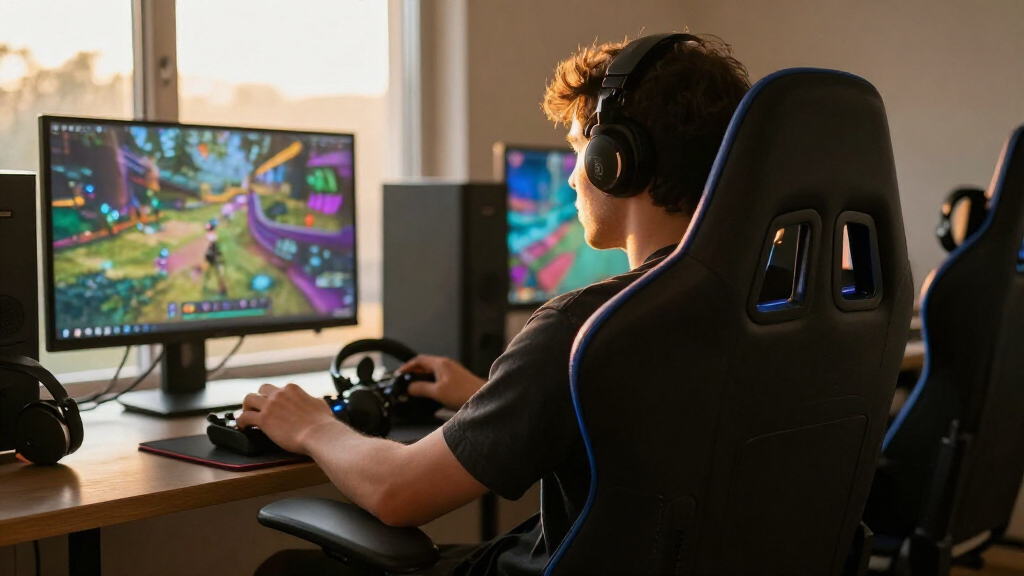
I ranked these chairs by how well their features support an immersive gaming setup without making comfort, fit, or daily usability an afterthought. My criteria included the type of immersion on offer—such as built-in speakers, Bluetooth audio, or RGB lighting—alongside ergonomic support, seat and back design, recline and footrest flexibility, stated capacity, and versatility beyond gaming. I also weighed how clearly each chair’s standout feature serves a particular buyer, since a sound-focused rocker and a desk chair with lumbar support solve different problems.
The order reflects a balance of immersive features and practical seating value, not the number of add-ons. Ergonomics-led options rank higher for players who want one chair for extended sessions, while chairs centered on lighting, audio, floor seating, or larger-body support fill more specialized roles. Similar GTPLAYER models are separated by their listed differences—such as pocket-spring cushioning, Bluetooth speakers, color, and stated size focus—rather than treated as equivalent. Product names and listed features provide the basis for comparison; where fit or compatibility depends on individual measurements or equipment, buyers should check the manufacturer’s specifications.
| immersive gaming chair | Upholstery |
|---|---|
| Razer Enki Gaming Chair with B | Dual-textured synthetic leather |
| GTPLAYER Big and Tall Gaming C | Faux leather |
| JECQCUPG Gaming Chair with Foo | — |
| Video Gaming Chair for Adults | Faux leather |
| Razer Soma Chroma Ergonomic Re | — |
| GTPLAYER Gaming Chair with Poc | Leathaire fabric |
| X Rocker Galaxy 2.0 Bluetooth | — |
| GTPLAYER Gaming Chair with Foo | Faux leather |
| N-GEN GAMING High-Back Gaming | PU leather |
| GTPLAYER Gaming Chair with Blu | PU leather |
| GTPLAYER Gaming Chair with Foo | Sweat-resistant PU leather |
| Dowinx Big and Tall Gaming Cha | Leather |
| Wismestr Ergonomic Gaming Chai | Faux leather |
| Razer Enki Gaming Chair with B | — |
| ASUS ROG Destrier Core Ergo Ga | — |
Factors to Consider When Choosing Best Immersive Gaming Chairs
Immersion is not a single feature, and the most appealing extra can be a poor trade if it does not fit your room, body, or gaming setup. I’d choose the kind of experience you want first, then check seating fit and everyday practicality before deciding which extras matter.
Decide What Immersion Means for Your Setup
Start by choosing whether you want sound, lighting, or a different seating position; buying all three is rarely necessary. Built-in speakers can keep audio close to the seat, but they may not replace headphones or a separate sound system for every game and room. Reactive RGB adds visual atmosphere, yet it does not change sound or posture. A floor rocker creates a more console-centered feel, while a desk chair is easier to pair with a computer workstation. Check the connection method and compatibility with your console, PC, or display before treating audio features as a deciding factor. The common mistake is to pay attention to the most eye-catching feature before confirming it works with the equipment you own.
Match the Chair to Your Body, Not Just Its Style
A chair’s gaming-racer appearance says little about whether its seat and back will fit you. Compare the maker’s measurements and stated capacity with your own height, weight, shoulder width, and preferred sitting position. Big-and-tall labels can point toward a roomier or higher-capacity design, but they do not replace checking actual dimensions. Lumbar support may help maintain a more comfortable posture, while a headrest and armrests affect how well the chair suits your desk and reach. Avoid assuming a footrest or reclining backrest compensates for a seat that is too narrow or a back that does not support you. When fit information is vague, a model with clearer dimensions is the less risky choice.
Think Through Long Sessions and Daily Use
For extended play, support and adjustability matter more than a long feature list. Consider whether the chair offers the posture support you need and whether its recline, armrests, or footrest suit the way you play. A reclining position can be relaxing between matches, but it may be less practical for active play at a desk. Added cushions or spring-style seating may change how a seat feels, though they cannot guarantee a fit that works for every body. Also account for setup time, care instructions, and the space needed to recline or extend a footrest. A chair used for work as well as games should suit both upright desk tasks and relaxed sessions.
Measure Your Room and Plan for Chair Placement
Immersive features need room to function well: a reclining chair and extended footrest require clear floor space, and speaker placement can affect who else hears your game. A floor rocker may suit a console area where a desk chair feels out of place, but it is not automatically a good match for a standard desk. Check the chair’s footprint, seat height, and movement against your desk, flooring, and storage habits. Consider whether you need to move or stow the chair after play, since a larger chair can reshape a shared room. Measure the full reclined position rather than only the space it occupies upright. This simple check can prevent a feature-rich chair from becoming awkward to use.
Pay for the Feature You Will Actually Use
Paying more makes sense when a chair delivers a feature you will use often or solves a real fit requirement. A buyer who wants audio integrated into the seating may value a speaker-equipped model; someone who needs greater stated capacity should prioritize the chair’s published limit and dimensions. If your priority is a supportive desk chair, RGB effects may matter less than lumbar design and fit. Compare similarly shaped chairs by their materials, adjustments, and stated specifications rather than assuming a feature count signals better value. Check warranty terms and care guidance before purchase, especially for electronics or upholstery that may need extra attention. The best value is the chair whose defining feature matches your routine, not the one with the most extras.
Frequently Asked Questions
Do built-in chair speakers replace a gaming headset?
Not necessarily. Chair speakers can make audio feel closer to your seat and may suit relaxed play or shared, casual gaming. A headset usually offers more private listening and may be preferable when you need clear voice chat or do not want sound carrying through the room. Check how the chair connects to your gaming device, since compatibility and setup can vary. If you already prefer headphones, speakers may be a bonus rather than a reason to choose a chair.
Is a floor gaming chair a good choice for PC gaming?
A floor chair can work for PC gaming when your screen and input devices are positioned for low seating, but it may not pair naturally with a standard desk. Before choosing one, check your screen height, keyboard and controller setup, and whether sitting close to the floor is comfortable for you. A floor rocker can suit a console area where a conventional desk chair would feel out of place. If you switch between desk work and play, a desk-style chair is usually more flexible. Room layout matters as much as the chair’s gaming features.
How should I choose between an ergonomic chair and one with lighting or speakers?
Start with the problem you want the chair to solve most often. If you sit for long sessions or also use the chair at a desk, prioritize fit and ergonomic support; lighting and speakers are secondary additions. If your current seating already works and you want your setup to feel more theatrical, RGB or integrated audio may bring more value to your gaming space. Make sure the feature works with your equipment and will not create noise or light you dislike. When uncertain, a comfort-first chair is the more adaptable foundation.
Does a big-and-tall label mean a chair will fit me?
No label can confirm fit on its own. Compare the published seat width, back dimensions, height range, and weight capacity with your measurements and preferred posture. Capacity alone does not tell you whether the seat will feel roomy or whether the back will support your shoulders. Check how the manufacturer defines the chair’s fit range, and contact the seller if key measurements are missing. Choosing from dimensions rather than a label lowers the risk of buying a chair that supports your weight but feels cramped.
Should I choose a chair with a footrest if I mostly sit upright?
A footrest is useful when you regularly recline or want to change position during breaks, but it may add little if you sit upright throughout play. It also needs room to extend and may affect how easily you move the chair around your setup. Think about whether you will use it often enough to justify the extra bulk and complexity. If upright desk posture is your priority, seat fit, back support, and armrest placement deserve more attention. A footrest is a useful convenience, not a substitute for a chair that fits.
Conclusion
For most players who want one chair to anchor an immersive gaming setup, I’d choose the Razer Enki as best overall for its ergonomics-led design and built-in lumbar support. The GTPLAYER Gaming Chair with Footrest and Lumbar Support is a sensible best-value direction for buyers who want familiar desk-chair features without making audio or lighting the priority; compare its fit and specifications with your needs before buying. For a best premium-style pick focused on visual atmosphere, consider the Razer Soma Chroma, while the N-GEN High-Back Gaming Chair is a straightforward beginner-friendly option with a footrest, lumbar support, and reclining backrest. Choose the X Rocker Galaxy 2.0 for floor seating and Bluetooth audio, the GTPLAYER Bluetooth Speakers chair for built-in sound in a desk-chair format, or the Dowinx Big and Tall for its stated 500 lb capacity. If your priority is a more ergonomics-focused alternative, compare the ASUS ROG Destrier Core and the two Razer Enki listings by their exact fit and specifications. My final pick should match your body, room, and play style before it matches the look of your setup.