
TL;DR

Play games on Amazon Luna for your game nights, included with Prime
- A rotating selection of games, no download needed
- Play on TV, laptop or phone
- Fast, free delivery for your gear, too
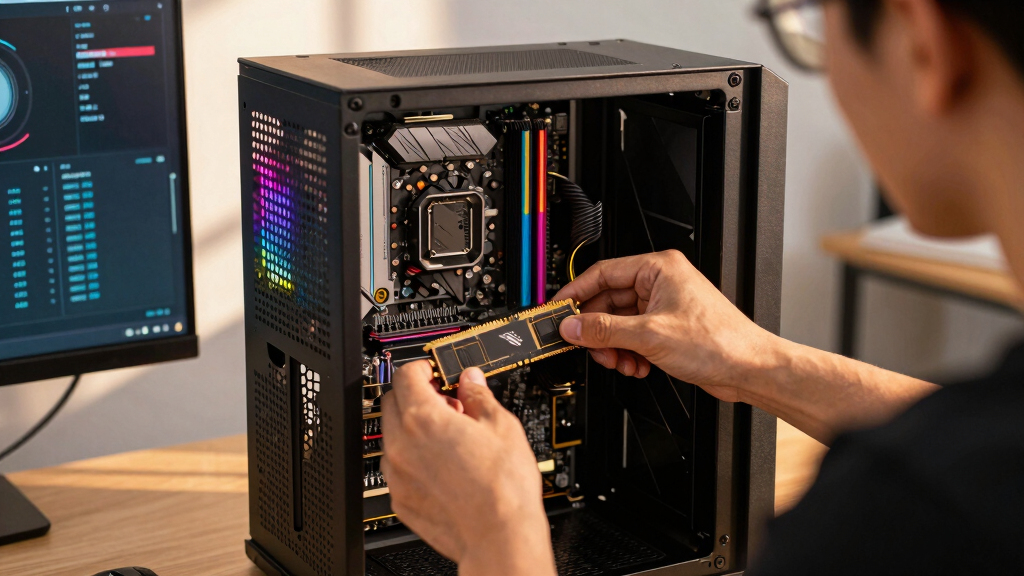
DDR5 RAM capacity explained for gaming PCs: 16GB is the workable floor, 32GB is the best fit for most modern gaming desktops, and 64GB is for streaming, heavy mods, creation work, or running many apps at once. More RAM does not automatically raise FPS; it helps when your system would otherwise spill into slower storage.
Your expensive graphics card can still feel bad if Windows starts treating your SSD like emergency memory.
DDR5 capacity decides how much room your games, browser tabs, voice chat, launchers, overlays, and recording tools get before everything starts bumping elbows. This guide gives you ram capacity explained in plain language, with real numbers instead of fog.
You will learn when 16GB is enough, why 32GB has become the comfortable pick for gaming PCs, and when 64GB stops being silly. You will also see the upgrade traps that catch Steam players, especially if you are comparing desktop DDR5 with Steam Deck memory.
DDR5 RAM Capacity Explained for Gaming PCs
TL;DR: 16GB is the workable floor, 32GB is the best fit for most modern gaming desktops, and 64GB is for streaming, heavy mods, creation work, or running many apps at once. More RAM does not automatically raise FPS; it helps when Windows would otherwise spill into slower storage.
32GB
Usually as 2x16GB DDR5 for a balanced gaming PC with real multitasking room.
4800 MT/s
JEDEC DDR5 began at 4800 MT/s, while formal DDR4 topped out at 3200 MT/s.
Capacity is the space. Speed is how quickly data moves through that space.
Lean gaming, fewer background apps, budget-first builds.
AAA games, Discord, launchers, browser guides, overlays.
Streaming, recording, editing, huge mods, creator workflows.
Soldered LPDDR5, shared by CPU and GPU, not desktop-upgradeable.
Pick Capacity by How You Actually Play
RAM is your gaming desk. A bigger desk does not make your hands faster, but it stops the game, Discord, Steam, capture tools, and browser tabs from bumping elbows.
16GB DDR5
Best fit: esports titles, lighter games, one chat app, and the discipline to close Chrome before a demanding launch.
32GB DDR5
Best fit: Windows 11 gaming with Steam, Discord, browser guides, hardware monitors, overlays, and normal desktop mess.
64GB DDR5
Best fit: streamers, recorders, editors, giant mod packs, sim-heavy games, and apps left open while playing.
Capacity Is Not FPS Dust
More DDR5 only helps when your game and background apps were running out of room. Once everything fits, graphics card, CPU limits, memory speed, latency, and settings matter more.
| Scenario | 16GB | 32GB | 64GB | Practical Read |
|---|---|---|---|---|
| Esports game plus one chat app | ✓ | ✓ | ~ | 16GB can still work when the desktop stays tidy. |
| AAA game, browser map, Discord, Steam, overlays | ~ | ✓ | ✓ | 32GB is calmer and reduces pressure on the SSD page file. |
| Heavy texture mods or simulation worlds | ✗ | ~ | ✓ | 64GB starts making sense when the game is no longer alone. |
| Streaming, recording, editing clips while playing | ✗ | ~ | ✓ | Extra headroom supports capture tools and creative apps. |
Compatibility Checks Before You Buy
DDR5 capacity is decided by more than the kit in your cart. Your motherboard, CPU, BIOS, memory slots, and module pairing decide whether the build runs smoothly.
Board Type
DDR4 and DDR5 do not mix. The notch and electrical design are different.
CPU Support
Intel 12th Gen and newer can use DDR5 on the right board. Ryzen 7000 uses DDR5 on AM5.
Capacity Limit
Many gaming boards support 128GB or 192GB, with some gains after BIOS updates.
Matched Kit
2x16GB or 2x32GB is usually easier than mixing sticks bought months apart.
BIOS Ready
Larger 48GB and 64GB modules may need newer firmware for stable operation.
Upgrade Trap
Check the motherboard QVL or memory support page.
It will name tested capacities, speeds, and module layouts.
Keep speed and latency in the conversation.
Capacity prevents slowdowns from running out of room; speed and latency shape access once data is already in RAM.
Steam Deck Is a Different Memory Story
Steam Deck owners should not shop for desktop DDR5 sticks as an upgrade path. The memory is soldered LPDDR5 and shared between CPU and GPU.
Steam Deck LCD
Valve lists the LCD model with 16GB LPDDR5-5500. It is part of the device, not a removable desktop module.
- Shared CPU and GPU memory pool.
- Texture settings can squeeze available room.
- Check Deck compatibility and Proton notes first.
Steam Deck OLED
Valve lists the OLED model with 16GB LPDDR5-6400. Same capacity, faster memory, still soldered.
- Not upgraded like a desktop gaming PC.
- Windows handheld advice may not transfer cleanly.
- Age ratings do not predict RAM demand.
The Real-World Memory Chain
Your expensive graphics card can still feel bad if Windows starts treating your SSD like emergency memory. The goal is to keep active game data and desktop noise in fast RAM.
Levels, textures, simulation state.
Discord, party tools, overlays.
Maps, guides, music, videos.
Streaming, recording, clips.
Drivers, services, launchers.
The slower fallback to avoid.
Key Takeaways
- Choose 32GB DDR5, usually as 2x16GB, for the most balanced modern gaming PC build.
- Use 16GB only when budget matters more than background-app headroom.
- Move to 64GB when you stream, record, edit, run huge mods, or keep heavy apps open while playing.
- DDR4 and DDR5 do not mix; your motherboard and CPU decide which memory type and capacity you can use.
- Steam Deck memory is soldered LPDDR5, so desktop DDR5 buying advice does not apply as an upgrade path.
As an affiliate, we earn on qualifying purchases.
What DDR5 Capacity Actually Gives You During Play
DDR5 RAM Capacity Explained for Gaming PCs starts with a simple rule: capacity is the amount of fast memory your system can use before games and apps fight for breathing room. For most players, 32GB feels roomy, 16GB still works, and 64GB only helps when your game is not alone.
Think of RAM as your desk during a long build session. The game is open, Discord is humming, Steam is downloading a patch, and your browser has a boss guide waiting in the corner. A bigger desk does not make your hands faster, but it stops papers from sliding onto the floor.
According to JEDEC, DDR5 began with official data rates starting at 4800 MT/s, while DDR4’s formal range topped out at 3200 MT/s [1]. Capacity is the space; speed is how fast data moves through that space. You need both, but they solve different problems.
Capacity prevents slowdowns when you run out of room. Speed and latency shape how quickly the CPU can use the data already in memory.
As an affiliate, we earn on qualifying purchases.
16GB, 32GB, or 64GB: The Right Pick for Your Setup
DDR5 RAM Capacity Explained for Gaming PCs gets much easier when you match capacity to what you actually run. Choose 16GB for lean gaming, 32GB for a modern desktop that multitasks, and 64GB for streaming, heavy mods, video work, or flight-sim-style worlds packed with detail.
| DDR5 Capacity | Best Fit | Real-World Example | Tradeoff |
|---|---|---|---|
| 16GB | Budget gaming builds | You play esports titles, keep one chat app open, and close Chrome before launching a demanding game. | Less headroom for newer games, mods, and background apps. |
| 32GB | Most gaming PCs | You play AAA games on Windows 11 while Discord, Steam, a browser guide, and a hardware monitor stay open. | Costs more than 16GB, but the extra room feels calm and practical. |
| 64GB | Gaming plus heavy work | You stream, record, edit clips, run large mod packs, or keep creation tools open beside the game. | Extra capacity may sit unused in normal play. |
If you want the plain answer, 32GB is the safest default for a new DDR5 gaming desktop. It gives you enough space for messy real life: launchers, overlays, voice chat, screenshots, capture software, and the one browser tab that somehow becomes twelve.
As an affiliate, we earn on qualifying purchases.
Why More RAM Does Not Automatically Mean More FPS
More DDR5 RAM does not raise frame rates by itself once your game and background apps already fit in memory. The gain appears when you were short on capacity before. Then the upgrade can reduce hitching, loading pauses, and that sharp little silence when a game stutters mid-fight.
Say you run a large open-world game on a Windows 11 desktop with 16GB, Discord, a browser map, RGB software, and a recording tool. The system may push some data to the page file on your SSD. When the game asks for that data again, the smooth glassy motion can crack for a moment.
Move that same messy setup to 32GB, and the benefit is not magic FPS dust. It is fewer trips to slower storage. The game gets to keep more of its world nearby, like a kitchen with every pan already on the counter.
For gaming PCs, including important aspects like speed, latency, and graphics settings keeps the capacity decision honest. A slow GPU will not become fast because you bought 64GB. A CPU-limited game will not suddenly stretch its legs because the memory meter looks huge.
As an affiliate, we earn on qualifying purchases.
Compatibility Checks That Keep You From Buying the Wrong Kit
DDR5 RAM Capacity Explained for Gaming PCs also means checking the parts around the memory. DDR5 only works with DDR5 motherboards, and your CPU, motherboard, BIOS, and slot layout decide which capacities and speeds your system can run without drama.
- Check the motherboard memory type. DDR4 and DDR5 sticks have different notches and electrical needs. You cannot turn a DDR4 board into a DDR5 board with a clever shopping cart.
- Read the board’s memory capacity limit. Many gaming boards support 128GB or 192GB, while higher-end models may support more after BIOS updates.
- Check CPU support. Intel 12th Gen and newer desktop platforms can use DDR5 on the right board, and AMD Ryzen 7000 series uses DDR5 on AM5 boards.
- Favor matched kits. A 2x16GB or 2x32GB kit is tested together, which usually behaves better than mixing sticks bought months apart.
- Update BIOS when needed. Larger DDR5 modules, such as 48GB or 64GB sticks, often rely on newer board firmware.
A common trap looks simple: you buy one 32GB stick now and plan to add another later. That can work, but a matched 2x16GB kit usually gives better odds for stable dual-channel operation today. Less suspense, fewer late-night memory errors.
What Steam Deck Owners Should Know Before Shopping
Steam Deck players should not shop for desktop DDR5 RAM as an upgrade path, because Steam Deck memory is soldered LPDDR5. According to Valve, the Steam Deck LCD uses 16GB LPDDR5-5500, while the Steam Deck OLED uses 16GB LPDDR5-6400 [2]. That memory is part of the device, not a swappable stick.
This matters when you read PC requirements on Steam. A game that lists 16GB RAM for Windows does not mean your Steam Deck behaves like a desktop with replaceable DIMMs. The Deck shares memory between CPU and GPU, so texture settings and background load can squeeze the same pool.
If a game runs poorly on Steam Deck, check the game’s Steam Deck compatibility status, Proton notes, and the exact model you own before blaming capacity. Performance claims should name the platform and version: Steam Deck LCD, Steam Deck OLED, Windows handheld, or desktop PC. Same game, different memory story.
Age ratings such as ESRB and PEGI tell you who the content suits. They do not tell you how much RAM the game wants. A cozy teen-rated game can still be hungry if it loads a huge world with high-resolution textures.
When 64GB Starts Making Real Sense
64GB of DDR5 makes sense when your PC is doing more than playing the game in front of you. You benefit most when streaming, recording, editing, running virtual machines, loading giant mod packs, or keeping memory-heavy creative apps open beside your game.
- Streaming and recording: You play at 1440p, capture footage, keep chat open, and run overlays without closing half your desktop.
- Heavy modding: Large texture packs and simulation mods can turn a tidy game install into a crowded attic.
- Creation work: You edit clips, export thumbnails, or keep a game engine open while testing builds.
- Work plus play: You leave dozens of browser tabs, Slack, music, and a spreadsheet open, then launch a demanding game anyway.
For example, a player building a heavily modded city while recording a tutorial may chew through memory in a way a simple shooter session will not. The city keeps asking for assets, the recorder keeps eating space, and the browser quietly sips more in the background. At 64GB, the machine stops sounding annoyed.
For a pure gaming PC, though, 64GB can be a plush couch in an empty room. Nice to have. Not always used.
A Simple Buying Framework for Your Next DDR5 Kit
The best DDR5 capacity choice starts with your real habits, then checks motherboard support and budget. Pick 32GB for a new gaming PC unless you are building ultra-budget or heavy mixed-use. Then choose a matched two-stick kit your motherboard lists as supported.
- Start at 32GB. For most gaming desktops, a 2x16GB DDR5 kit gives the cleanest mix of headroom, cost, and compatibility.
- Drop to 16GB only for tight budgets. It can still work, especially for esports and lighter games, but close background apps before play.
- Move to 64GB for heavy side tasks. Choose 2x32GB if you stream, edit, mod heavily, or run creation tools with games.
- Check the motherboard’s support page. Look for the capacity, speed, and stick count you plan to buy.
- Avoid mixing random kits. Even matching brand names can hide different memory chips under the heat spreader.
Here is a clean shopping example: you are building a Ryzen 7000 or newer AM5 gaming PC for Steam, Discord, browsers, and AAA games. A 2x16GB DDR5 kit is the sensible pick. Spend the leftover budget on the GPU, SSD, cooler, or a quieter case fan you will hear less at midnight.
What to Trust When Game Requirements Sound Inflated
Treat leaked or rumored RAM requirements as unconfirmed until the developer or publisher posts official PC specs. A screenshot on social media may be wrong, outdated, or tied to a test build. Trust the game’s store page, support site, patch notes, and verified benchmark coverage that names hardware clearly.
If a leak says a game needs 64GB, call it unconfirmed until official requirements say the same.
PC requirement charts also need context. Minimum specs usually mean the game runs at low settings, while recommended specs may target smoother play, higher texture settings, or a specific resolution. If the chart does not name resolution, graphics preset, or platform, treat it as a rough signpost.
A practical move: read the requirement line beside your own habits. If a game asks for 16GB and you always run Discord, Chrome, recording software, and a mod manager, your lived requirement may be closer to 32GB. The number on the store page is the start, not the whole map.
Frequently Asked Questions
Is 16GB DDR5 enough for gaming?
Yes, 16GB DDR5 can still be enough for many games, especially esports titles and lighter Steam games. It feels tighter when you play newer AAA games with Discord, browsers, overlays, and capture tools open. If you are building fresh, 32GB gives you more breathing room.
Is 32GB DDR5 overkill for gaming PCs?
No, 32GB DDR5 is not overkill for most new gaming PCs. It is the comfortable middle ground because modern games, launchers, browsers, and chat apps often run together. A 2x16GB kit is the clean default for many desktop builds.
Will 64GB DDR5 improve gaming performance?
64GB DDR5 will not automatically improve FPS if your games already fit inside 16GB or 32GB. It helps when you run heavy mods, stream, record, edit video, or keep large apps open while playing. For pure gaming, the money may help more in the GPU or SSD budget.
Can I upgrade from DDR4 to DDR5 by changing the sticks?
No. DDR4 and DDR5 use different slots and electrical designs, so you need a DDR5-compatible motherboard and CPU platform. If your current board is DDR4, a DDR5 kit will not fit or work.
Does Steam Deck use normal DDR5 RAM?
No. Steam Deck uses soldered LPDDR5 memory, not desktop DDR5 DIMMs. The Steam Deck LCD has 16GB LPDDR5-5500, and the Steam Deck OLED has 16GB LPDDR5-6400 according to Valve [2]. You cannot upgrade it like a desktop gaming PC.
Conclusion
The clean rule is simple: buy the capacity that matches your habits, not the biggest number on the shelf. For most new gaming PCs, that means 32GB of DDR5 in a matched two-stick kit.
Give your games enough room to breathe, and the whole PC feels calmer: fewer hiccups, fewer angry loading pauses, and less of that sharp silence when the action should be roaring.
Fall Picks
fall essentials
As an affiliate, we earn on qualifying purchases.