TL;DR

Play games on Amazon Luna for your game nights, included with Prime
- A rotating selection of games, no download needed
- Play on TV, laptop or phone
- Fast, free delivery for your gear, too
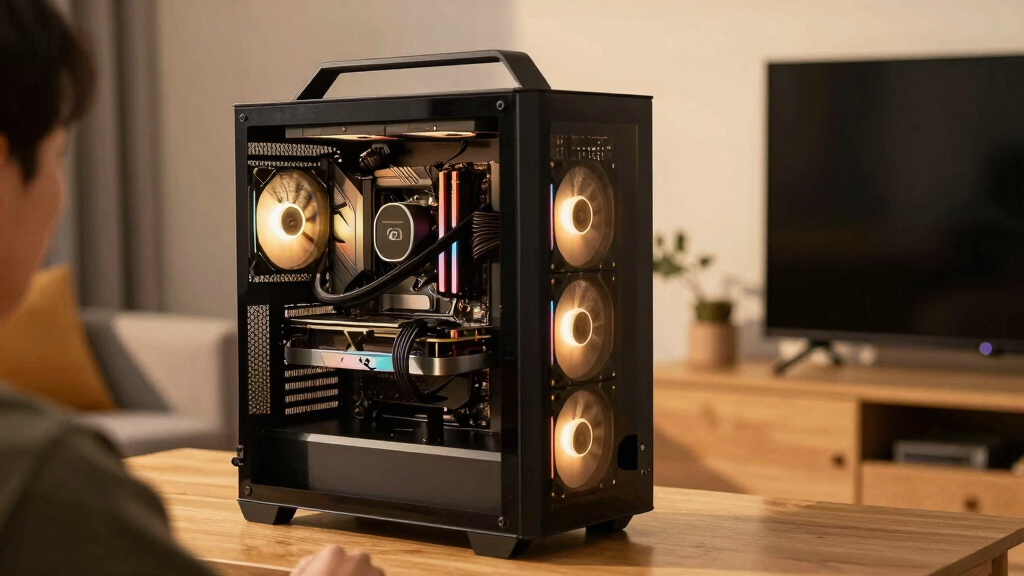
A quiet gaming PC for living-room play is a heat-control project first and a parts list second. Pick efficient components, use large slow fans, tune gentle fan curves, and place the case where airflow can breathe instead of fighting a TV cabinet.
The loudest thing in your living room should not be the PC sitting under the TV.
You want the glow of a 4K screen, the soft click of a controller, and the game audio wrapping around the couch. What you do not want is a thin fan whine cutting through a quiet dialogue scene like a phone buzzing on a glass table.
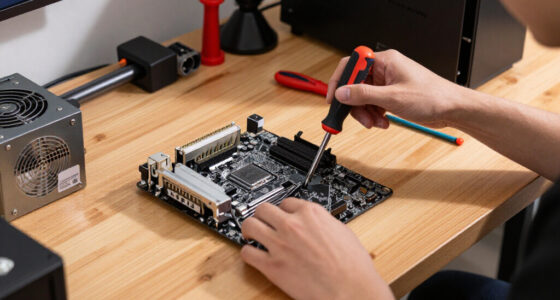
This guide gives you an overview of quiet gaming PC builds explained for living-room play, with real choices you can make before and after you buy parts. You will learn where noise starts, which parts matter most, and how to make a Steam or PC setup suitable for a shared room.
Quiet Gaming PC Builds Explained for Living-Room Play
The quiet couch PC is a heat-control project first.
TL;DR: Pick efficient parts, move air with large slow fans, tune gentle fan curves, and keep the case out of suffocating TV furniture. The loudest thing under the screen should be the game, not a thin fan whine during a quiet dialogue scene.
Aim for a smooth, low tone at the sofa instead of chasing total silence beside the case.
Normal conversation is roughly this loud, while a whisper sits near 30 dB.
A soft whoosh disappears. A sharp whine cuts through a movie night.
mm fans usually sound calmer at low RPM.
efficiency at 50% load on 115 V certification tables.
efficiency at the same 50% load point.
minimum clearance behind exhaust vents when possible.
Where quiet starts
Every watt becomes heat, and every trapped pocket of heat asks the fans to work harder. Build the living-room PC around the real target: the couch, the TV, the games, and the room noise already there.
Efficient beats extreme
A 65 W-class CPU or strong integrated graphics setup can keep indie games, older esports titles, emulation, cloud play, and streaming calm.
Match the screen
Choose the lowest-power card that meets your real target: 1080p/60, 1440p/60, or 4K with upscaling on your current driver.
Use SSDs only
Hard drives can add clicking, vibration, and motor hum that feels especially obvious beside a TV stand.
Name platform, patch, resolution, preset, and TV refresh rate.
Set a ceiling before shopping for coolers or cases.
Pick airflow paths before falling for tiny furniture-friendly boxes.
Use more surface area so fans can stay slow.
Two or three smooth fans beat one fan fighting heat.
BIOS curves and GPU power limits finish the build.
Cooling tradeoffs
Air and liquid cooling can both work, but the living room rewards low mechanical tone, simple airflow, and predictable behavior during menus, downloads, and pause screens.
| Cooling Choice | Quiet Strength | Tradeoff | Living-Room Fit | Calm Score |
|---|---|---|---|---|
| Large air cooler | Low RPM, simple design, no pump tone. | Needs case height and clear airflow. | A 65 W CPU stays calm in a controller-friendly RPG at 60 FPS. | ✓ |
| 240 mm liquid cooler | Moves CPU heat to a radiator with bigger fan area. | Pump hum can stand out in a silent room. | A slim case under the TV uses a side radiator when a tower cooler will not fit. | ~ |
| Fanless or semi-passive | Silent at idle or very light loads. | Limited gaming power and higher component cost. | Cloud play, 2D games, and media use stay silent; demanding games still need airflow. | ~ |
| Tiny hot case | Looks tidy in furniture. | Small fans ramp hard when heat has nowhere to go. | Closed shelves can turn a mild fan into a hollow cabinet sound. | ✗ |
Tune the sound, not just the temperature
Fan curves decide whether the PC fades into the room or keeps calling attention to itself. The goal is slow movement, delayed reactions, and fewer sudden RPM jumps.
The calm curve checklist
- RPMKeep case fans near 500–700 RPM during desktop use and light play.
- WAITAdd fan response delay so one-second CPU spikes do not wake the whole case.
- GPUTry a modest power limit before chasing noise with more hardware.
- SOFAListen from the couch, because side-panel noise can exaggerate the problem.
Placement can make or break it
A quiet parts list can still sound rude when trapped inside a cabinet. Give intake and exhaust paths room, isolate vibration, and keep dust away from vents.
Give exhaust a path
Leave at least 10 cm behind exhaust vents when possible, and more for small form factor cases that push heat sideways into furniture.
Do not seal the shelf
A closed TV cabinet traps warm air, raises fan speed, and can turn a mild airflow tone into a resonant wooden box.
Control vibration
Rubber feet or a soft mat can reduce shelf buzz, especially with heavier coolers, PSU fans, or older storage mounts.
Verify every claim
Name the game patch, driver, platform, resolution, and TV refresh rate before trusting performance numbers or quiet-build anecdotes.
Traceability: from parts to couch calm
Resolution, FPS, preset, patch, driver.
Efficient CPU, modest GPU, high-efficiency PSU.
Large slow fans, open paths, clean intake.
Gentle curves, delays, power caps.
Low tone at the couch, not silence at the case.
Key Takeaways
- Set a noise goal at the couch, not beside the case; a smooth 30 to 36 dBA target is more useful than chasing total silence.
- Choose efficient CPUs, modest GPUs, SSD storage, and Gold or Platinum PSUs before spending money on exotic cooling.
- Large slow fans, open airflow, rubber vibration control, and gentle fan curves usually beat tiny hot cases with aggressive fan speeds.
- Name the platform, game patch, driver, resolution, and TV refresh rate before trusting any performance claim.
- Treat leaks and rumors as unconfirmed, and remember that Steam Deck Verified status can change after updates.
As an affiliate, we earn on qualifying purchases.
Set a Noise Target Your Couch Can Actually Hide
Quiet gaming PC builds explained for living-room play start with a simple target: make the PC quieter than the room around it. If your couch is three meters from the TV, fan tone matters more than lab silence. A soft whoosh disappears; a sharp whine pokes through a movie night.
According to CDC and NIOSH noise examples, a whisper sits near 30 dB, while normal conversation sits near 60 dB [1]. Your living room may already have fridge hum, traffic, HVAC airflow, or a soundbar idling in the background. Aim for a smooth 30 to 36 dBA at the couch during light play, then accept a little more during heavy games.
Try a simple test before you buy anything. Sit where you play, mute the TV, and listen for the room itself. If you hear the fridge from the kitchen, a low case fan will probably blend in; if the room is library-quiet, even a mild GPU fan can step forward.
For living-room play, tone beats total silence: low, steady airflow fades faster than a thin, rising whine.
As an affiliate, we earn on qualifying purchases.
Choose Parts That Create Less Heat From the Start
Quiet gaming PC builds explained for living-room play work best when you cut heat at the source. Every watt you burn becomes heat the fans must carry away. For couch gaming, a 65 W CPU and a modest GPU often feel better than a hot tower that sighs under the TV.
The important aspects of the build are heat, airflow, vibration, and control. A fast chip can still be quiet, but only if the cooler and case have room to move warm air without sprinting. Think of the PC as a tiny space heater with a game library attached.
- CPU: Pick an efficient desktop CPU, or use integrated graphics for indie games, older esports titles, emulation, cloud play, and Steam streaming.
- GPU: Choose the lowest-power card that meets your real target, such as 1080p/60, 1440p/60, or 4K with upscaling on Windows 11 and your current driver.
- Power supply: According to 80 PLUS certification tables, a 115 V Gold PSU must hit 90% efficiency at 50% load; Platinum rises to 92% at the same load [2]. Less waste heat usually means less PSU fan noise.
- Storage: Use SSDs. Hard drives can add clicking, vibration, and a low motor hum that feels out of place beside a TV stand.
- Case fans: Large 120 mm or 140 mm fans at low RPM usually sound calmer than smaller fans spinning hard.
For a real couch setup, imagine a 55-inch TV at 1080p/60 with Steam Big Picture mode. A balanced midrange build may feel smoother and quieter than a tiny high-power box that cooks itself inside a closed shelf.
As an affiliate, we earn on qualifying purchases.
Build in This Order to Avoid Noisy Mistakes
Quiet gaming PC builds explained for living-room play are easiest when you follow a build order instead of chasing silence one part at a time. Start with the games and TV resolution, then choose the lowest-heat parts that meet that target. The case and fans come after the heat budget.
- Pick your real play target: Name the platform, game version, resolution, graphics preset, and TV refresh rate before judging performance.
- Set a power ceiling: Lower CPU and GPU power usually means lower fan speed, lower case temperature, and less heat trapped near the TV.
- Choose the case around airflow: A compact case can work, but it needs clear intake and exhaust paths.
- Add a large CPU cooler: More metal surface area lets the fan spin slowly during menus, downloads, and lighter games.
- Use quiet case fans: Two or three good fans often beat one fan screaming against hot air.
- Tune after the first boot: BIOS fan curves and GPU limits finish the job that hardware starts.
This order saves you from the classic living-room mistake: buying a beautiful small case, then stuffing it with hot parts and wondering why the TV stand sounds busy. Build for the heat you will actually create.
As an affiliate, we earn on qualifying purchases.
Pick Air or Liquid Cooling With the Right Tradeoff
Air cooling usually suits living-room PCs because large heatsinks and big fans can move heat slowly. Liquid cooling can be quiet too, but it adds a pump, tubing, and more failure points. The quieter choice depends on heat load, case space, and whether pump hum annoys you at couch distance.
| Cooling choice | Quiet strength | Tradeoff | Living-room example |
|---|---|---|---|
| Large air cooler | Low RPM, simple, no pump tone | Needs case height and clear airflow | A 65 W CPU stays calm while you play a controller-friendly RPG at 60 FPS. |
| 240 mm liquid cooler | Moves CPU heat to a radiator with bigger fan area | Pump noise can stand out in a silent room | A slim case under the TV uses a side radiator because a tower cooler will not fit. |
| Fanless or semi-passive cooling | Silent at idle or very light loads | Limited gaming power and higher part cost | Cloud play, 2D games, and media use stay silent; demanding games still need airflow. |
A big air cooler at 600 to 800 RPM can sound like distant air through a vent. A pump, even a quiet one, has a small mechanical voice. If that voice sits near your TV speakers, you may notice it during pause screens.
Tune Fan Curves So the PC Stops Calling Attention to Itself
Fan curves make a quiet build feel finished because they tell the PC when to stay calm and when to work harder. A good curve avoids sudden speed jumps, the little rising-and-falling howl that makes a menu screen sound busy. Set it once, then test in the games you actually play.
Start in BIOS or your motherboard app. Keep case fans near 500 to 700 RPM until temperatures rise past normal desktop use, then let them climb slowly. Add a delay if your software supports it, so a one-second CPU spike does not wake every fan in the case.
- Use gentle steps: Avoid jumps from 700 RPM to 1400 RPM unless temperatures truly demand it.
- Cap power before chasing noise: A small GPU power limit can trim heat with a smaller FPS hit than you expect, especially at 60 Hz.
- Test real scenes: A quiet menu means little if a dense city area makes the fans surge every 20 seconds.
- Listen at the couch: Your ear at the side panel hears drama that your sofa may never hear.
The curve should act like a calm stage manager. It should keep the show moving, handle the heat, and stay out of the spotlight.
Place the PC Where the Room Helps You
Placement matters because furniture can turn a mild fan sound into a hollow wooden drum. Give the case breathing room, aim exhaust away from walls, and keep intake vents out of carpet dust. A quiet PC on paper can sound rude when wedged inside a closed TV cabinet.
Leave at least 10 cm behind exhaust vents if you can, and more for small form factor cases that push heat sideways. A soft rubber mat can cut vibration through a shelf, but do not wrap the case in foam. Heat needs a path out.
- Open shelf: Usually the easiest quiet placement because heat can leave without fan panic.
- Closed cabinet: Works only with rear venting, added airflow, or doors open during play.
- Floor placement: Can reduce ear-level noise, but dust builds faster and carpet can block intakes.
- Behind the TV: Can hide the case, but watch cable strain, Wi-Fi signal, and trapped heat.
Picture a Saturday night setup: two people on the couch, a co-op game on the TV, snacks on the table, and the PC on an open side shelf. That extra bit of air around the case can be the difference between a soft background hush and a fan that keeps asking for attention.
Know When Silence Costs Too Much
Total silence is possible only in narrow cases: light games, passive cooling, low power, and plenty of patience. For most Steam and PC players, the better goal is controlled, low-pitched noise during play. You want the PC to fade behind the controller clicks, not vanish under all loads.
Most questions related to quiet gaming PC builds come back to one tradeoff: smaller, cheaper, faster, or quieter. You can usually get two or three at once, but all four fight each other. A shoebox-sized 4K gaming PC can be quiet, but it needs careful power limits and often costs more.
Be strict about claims. Treat leaked GPU power numbers, miracle fanless cases, and rumor-based performance charts as unconfirmed until official specs and independent testing exist. Steam Deck Verified labels can also change after game updates, so do not treat Deck status as proof that a Windows 11 living-room PC will run the same game quietly.
Shared rooms add one more layer: age ratings. If kids use the TV, set separate OS or Steam profiles and watch ESRB or PEGI ratings before an M-rated or PEGI 18 game lands on the big screen. Quiet hardware does not make loud content more private.
Frequently Asked Questions
Can a powerful gaming PC be completely silent in the living room?
Yes, but only in limited cases. Fanless builds can handle light games, media, cloud gaming, and some indie titles, but high-end 3D games create too much heat for true silence in a small TV setup.
For most players, quiet under load is the better goal than silent under every load.
Is liquid cooling quieter than air cooling for couch gaming?
Liquid cooling can be quieter when the case has radiator space and the pump is well controlled. Air cooling often wins for living rooms because it has no pump tone and uses big fans that can spin slowly.
If you are sensitive to faint buzzing or humming, test pump noise before committing to a liquid setup.
What should you upgrade first to reduce noise from an existing gaming PC?
Start with cleaning dust, fixing fan curves, and checking whether the case has blocked intakes. Those changes cost little and can drop fan speed fast.
After that, replace loud case fans, add rubber isolation, and set a modest GPU power limit for 60 Hz TV play.
Can you build a quiet gaming PC on a limited budget?
Yes, if you spend on the parts that change noise most: case airflow, case fans, SSD storage, and an efficient power supply. You do not need the most expensive CPU cooler for a low-power CPU.
A budget living-room build suitable for a 1080p/60 TV often sounds calmer than a compact high-end build pushed too hard.
Does Steam Deck Verified mean a game will run quietly on a living-room PC?
No. Steam Deck Verified is a Steam Deck compatibility label, and it can change when games or Proton support change.
For living-room PC claims, use the actual platform and version: Windows 11 or Linux, driver version, game patch, resolution, graphics preset, and TV refresh rate.
Conclusion
Build for heat first, then shape the sound. A quiet living-room PC does not need exotic parts; it needs sane power targets, open airflow, rubber where parts buzz, and fan curves that rise gently instead of jumping at every loading screen.
When you get it right, the machine stops being the main character. The TV glows, the controller clicks, and the only thing you notice is the game.
Evergreen bestsellers Picks
bestsellers
As an affiliate, we earn on qualifying purchases.