
TL;DR
Listen free for 30 days with Audible
Thousands of audiobooks and originals — cancel anytime.
Start your free trialAs an affiliate, we earn on qualifying purchases.
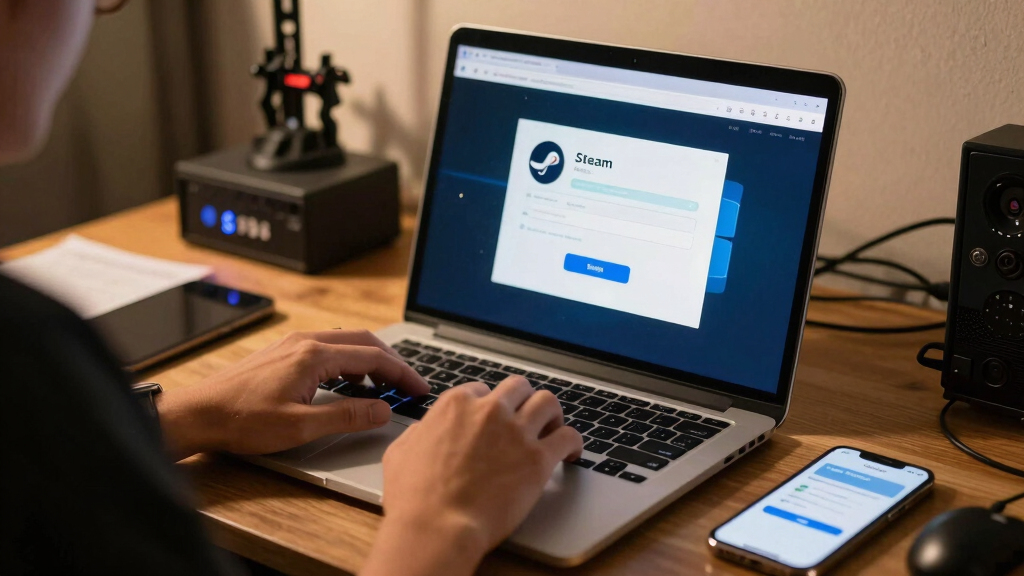
Steam Account Recovery Explained Without Panic means using Steam’s official recovery page, proving ownership with email, phone, payment details, receipts, or CD keys, and avoiding paid third-party “recovery” offers. Recovery can take a few hours or several days, especially when your email or phone is also lost. Your safest first move is to secure your email, start Steam’s official form, and gather proof before you make repeated login attempts.
The moment Steam says your password is wrong, your stomach can drop like an elevator with cut cables.
You might be thinking about your library, your Counter-Strike skins, your Steam Deck saves, your wallet balance, or the payment card tied to the account. Steam account recovery is not magic, though. It is a proof trail.
This guide shows you what to do first, what proof Steam may ask for, how to spot recovery scams, and how to lock the door after you get back in. Calm hands. Clear steps.
Steam account recovery is a proof trail, not a panic sprint.
When Steam says your password is wrong, start with the official recovery page, secure your email, and gather ownership proof before repeated login attempts. The calm path is slower-looking, but it protects your library, wallet, skins, saves, and friends list.
Official tools first. Clean evidence second. Paid recovery offers never.
Steam recovery is free through Steam Support. Anyone asking for your password, Steam Guard code, QR approval, or payment is increasing the risk.
Start Here When Steam Will Not Let You In
Do the boring security work first. A compromised email inbox can undo every Steam reset you try, so protect the mailbox before you race through forms.
Secure the inbox
Change your email password, review forwarding rules, remove suspicious sessions, and check for Steam security messages.
Use official recovery
Go to Steam’s official help flow for sign-in trouble, password reset, hijacked accounts, and authenticator recovery.
Gather evidence
Prepare receipts, old emails, payment clues, PayPal records, wallet codes, and CD keys before Steam Support asks.
Calm Recovery Flow
Follow the path in order. Repeated tickets with changing stories can slow verification, while a clean sequence helps Steam Support confirm the real owner.
Pause
Stop guessing passwords after a couple of failed attempts.
Lock Email
Reset the linked email password and review account activity.
Reset Steam
Try email or phone recovery through Steam’s official tools.
Prove Owner
Submit purchase, wallet, CD key, and payment evidence.
Harden
Enable Steam Guard, remove devices, and warn friends.
Choose the Right Recovery Path
The fastest path depends on what you still control. Steam Support cares about account ownership, not age ratings, game genre, or how expensive your library feels.
| What happened | Best first move | Useful proof | Speed | Risk signal |
|---|---|---|---|---|
| You forgot the password | Use Steam password reset | Email access, phone access | ✓ | Low if email is secure |
| Email works, but Steam login fails | Reset password and review Steam emails | Recent receipts, login notices | ✓ | Medium if new login alerts appear |
| Email or phone was changed | Use account recovery form | Old email, payment records, CD keys | ~ | High hijack possibility |
| Steam Guard codes are gone | Use authenticator recovery prompts | Phone number, recovery code, purchases | ~ | Medium if device was lost |
| Someone offers paid recovery | Do not engage | No third-party proof sharing | ✗ | Scam risk |
Build the Ownership Packet Before You Submit
A clean proof packet reduces back-and-forth. Do not send full card numbers or extra identity documents unless Steam specifically requests them inside the official support flow.
- Original email address used on the account, even if you no longer control it.
- Steam purchase receipts with order dates and transaction IDs.
- Last four digits of a card previously used on Steam.
- PayPal, bank, or store records showing Steam purchases.
- Retail CD keys activated on the account.
- Steam Wallet codes, especially physical card redemptions.
Scam Signals Are Loud When You Know the Pattern
Recovery scams promise speed, certainty, or secret access. Real Steam Support does not recover accounts through Discord, private messages, paid agents, QR approvals, or password sharing.
Anyone asking for your Steam password, Steam Guard code, QR login approval, wallet payment, or item transfer in exchange for recovery is not helping you recover the account.
After You Get Back In, Lock the Door
Recovery is not finished when the password works. The final step is removing attacker access and making the next theft attempt harder.
Enable Steam Guard Mobile Authenticator
Use the Steam mobile app for login confirmations and stronger second-factor control than email-only codes.
Store the backup code offline
Write down the recovery code and keep your phone number current before replacing a device.
Remove unknown devices
Review authorized devices and active sessions so the attacker does not keep a foothold after recovery.
Warn people if messages were sent
If scam links went out from your account, tell friends to ignore them and secure their own accounts.
The No-Panic Summary
Steam Account Recovery Explained Without Panic comes down to ownership, patience, and official channels. Slow verification can be frustrating, but it exists to keep the wrong person out.
Remember
- Secure email before resetting Steam if hijacking is possible.
- Use official Steam help tools and avoid third-party recovery offers.
- Collect receipts, payment clues, wallet codes, and CD keys.
- Expect minutes for simple resets and days for complex proof reviews.
Key Takeaways
- Use Steam’s official recovery tools first; account recovery is free and third-party paid help is a scam risk.
- Secure your email before resetting Steam if you suspect a hijack, because email control can decide the whole recovery.
- The best proof includes old emails, purchase receipts, payment details, Steam Wallet codes, and CD keys tied to the account.
- Recovery can take a few hours or several days when Steam Support needs to verify ownership.
- After recovery, turn on Steam Guard Mobile Authenticator, save your recovery code, remove unknown devices, and warn friends if scam messages were sent.
As an affiliate, we earn on qualifying purchases.
Start Here When Steam Will Not Let You In
- Secure your email first if you suspect a hijack, because a stolen email inbox can undo every Steam reset you try.
- Go only to Steam’s official help page and choose the option for trouble signing in.
- Try password reset through your linked email or phone number before using the longer account recovery form.
- Gather ownership proof, including receipts, card details, PayPal records, Steam Wallet codes, or old CD keys.
- Wait for Steam Support instead of sending repeated tickets with different stories.
Steam Account Recovery Explained Without Panic starts with one plain rule: use the official Steam recovery flow and build a clean proof trail. According to Steam Support, account help begins through Steam’s sign-in recovery tools, including password reset and account recovery for hijacked accounts [1].
Say you open your Steam Deck on the train and Steam asks you to log in again. Your password fails twice. Instead of hammering the keyboard, you open your email on your phone, check for Steam security messages, and reset the email password if anything looks off.
That small pause matters. If your email account is compromised, a thief can intercept Steam messages like someone grabbing letters from your mailbox before you reach the porch.
Steam Guard authentication devices
As an affiliate, we earn on qualifying purchases.
As an affiliate, we earn on qualifying purchases.
Know Which Recovery Path Fits Your Problem
Steam account recovery works fastest when you choose the path that matches what you still control. If you still have your email or phone, password reset is usually the quickest route. If your email, phone, or account details were changed, you need the account recovery form and ownership proof.
| What happened | Best first move | Proof that helps |
|---|---|---|
| You forgot the password | Use Steam password reset | Email access, phone access |
| Your email still works, but Steam login fails | Reset password and review recent Steam emails | Recent receipts, login emails |
| Your email or phone was changed | Use the account recovery form | Old email, payment records, CD keys |
| Your Steam Guard codes are gone | Use Steam’s recovery prompts for the authenticator | Phone number, recovery code, purchase proof |
| Your account is banned or locked | Contact Steam Support through the account page | Account details and any support messages |
For example, losing access to an old university email is different from a hijacker changing your contact details overnight. In the first case, you may still know your password and own purchase receipts. In the second, Steam needs to know the real owner, not just the person currently holding the login.
Age ratings do not affect recovery. Whether your library holds E-rated puzzle games or M-rated shooters, Steam Support cares about account ownership, payment history, and security signals.
As an affiliate, we earn on qualifying purchases.
Gather Proof Before Steam Asks For It
Steam account recovery moves more smoothly when you prepare proof before you submit your request. Steam may ask for details that connect you to the account’s purchase history, old login identity, or payment trail. The clearer your evidence, the less back-and-forth you create.
- Original email address used on the account, even if you no longer control it.
- Steam purchase receipts from your inbox, including order dates and transaction IDs.
- Payment method clues, such as the last four digits of a card used on Steam.
- PayPal or bank records showing Steam purchases.
- Retail CD keys activated on the account.
- Steam Wallet codes you redeemed, especially from physical cards.
Imagine you bought a game during the 2023 Winter Sale and still have the receipt buried under pizza coupons and shipping emails. Search your inbox for “Steam purchase” or “Thank you for your purchase.” That one old receipt can act like a stamped passport.
Do not send full card numbers or extra personal documents unless Steam specifically requests them through the official support flow. A clean answer beats a messy pile of screenshots.
As an affiliate, we earn on qualifying purchases.
Spot Recovery Scams Before They Take More
Steam recovery scams usually promise speed, certainty, or secret access that Steam Support never offers. Account recovery is free through Steam, and paid “recovery agents” can steal your password, Steam Guard code, wallet balance, or tradable items. According to Steam’s scam guidance, fake support messages and phishing links are common account theft tools [2].
Warning: Anyone asking for your Steam password, Steam Guard code, QR login approval, or payment in exchange for recovery is not helping you recover the account.
A common trick looks harmless at first. A stranger messages you on Discord claiming your account was “reported by mistake,” then sends a fake Steam staff profile and asks you to prove ownership. Real Steam Support does not handle account recovery through Discord chat.
Rumors and leaks about new Steam security features should be treated as unconfirmed until Valve posts them through official Steam channels. If a video claims there is a “new 2026 bypass” for faster recovery, treat it like a neon sign above a trapdoor.
Use Steam Guard Without Locking Yourself Out Again
Steam Guard is Steam’s extra login protection, and the mobile authenticator gives stronger control than email-only codes. After recovery, you should turn it on, save your recovery code, and keep your phone number current. Steam Guard helps block attackers who know your password but do not control your second factor.
Think of your password as the front door key and Steam Guard as the chain lock you slide into place at night. A stolen key still matters, but it no longer opens everything by itself.
On Steam Deck, this still matters even when the device feels like a console. If someone gets into your main Steam account on PC, the same account ties into your Deck library, cloud saves, friends list, and store access. Platform matters for performance claims, but account security is shared across PC, Steam Deck, and the Steam mobile app.
- Use the Steam mobile app for authenticator codes and login confirmations.
- Write down the recovery code and store it somewhere offline.
- Keep your phone number updated before you replace your device.
- Remove unknown devices after you regain access.
Understand How Long Recovery May Take
Steam account recovery can take minutes when you control your email and phone, but it can stretch from a few hours to several days when Steam Support needs ownership proof. The delay usually protects you. A fast answer to the wrong person would be worse than a slower answer to you.
For a simple forgotten password, you may reset it over coffee. For a hijacked account with changed email, missing phone access, and old purchases from three payment methods, expect a slower trail. Steam has to sort the real owner from the person currently holding the account.
Do not open five tickets with five versions of the story. You create fog. Send one clear recovery request with the oldest email you remember, recent purchase proof, and a short timeline of what happened.
If you traded items or used the Steam Community Market, patience matters even more. Security holds and trade limits can apply after account or authenticator changes, and those rules may change over time, so check Steam’s current support pages before making item-transfer plans [1].
Clean Up the Damage After You Get Back In
Getting back into Steam is only the midpoint; the next job is removing the attacker’s access. Change passwords, review account details, check connected devices, and inspect your inventory, wallet, friends list, and recent messages. You want the account to feel like your desk after a break-in: drawers closed, locks changed, missing items listed.
- Change your Steam password to a unique one you do not use anywhere else.
- Change your email password and add two-factor protection there too.
- Deauthorize other devices from Steam account settings.
- Review recent purchases and wallet activity for charges you do not recognize.
- Check your inventory and trade history if you own marketable items.
- Warn friends if your account sent scam links while hijacked.
Here is a real-world scenario: your friend says your account sent a “free skin” link at 1:12 a.m. You recover the account at lunch. Before playing anything, you change the email password, remove unknown devices, and message the friends who received the link.
If a payment method was abused, contact your bank or payment provider as well as Steam Support. Steam can help with account records, but your bank handles card security and payment disputes.
Prevent the Next Lockout With Boring Habits That Work
The best Steam recovery plan is making the next recovery less likely and less painful. Use a unique password, protect your email, save recovery codes, and slow down around trade links, tournament invites, and “free game” messages. Boring habits beat dramatic rescue missions.
A password manager helps because you stop reusing the same password across Steam, email, game forums, and old store accounts. If one dusty forum database leaks, your Steam account does not have to fall with it.
Be extra careful with links during big sales, esports events, and giveaway seasons. Scam pages often copy Steam’s dark colors, small type, and familiar login boxes so closely that your brain fills in the missing trust.
- Bookmark Steam’s real site instead of clicking login links from chat.
- Check the URL before entering credentials.
- Never approve a Steam mobile login you did not start.
- Keep your recovery email active and accessible.
- Review account security after buying a new phone.
Frequently Asked Questions
Can I recover my Steam account without my email?
Yes, you can still use Steam’s account recovery form if you no longer control the linked email. You will need stronger ownership proof, such as old purchase receipts, payment details, Steam Wallet codes, or CD keys tied to the account.
How long does Steam account recovery take?
Simple password resets can be quick when you still control your email or phone. Hijacked accounts or accounts with changed contact details may take a few hours to several days because Steam Support needs to verify ownership.
Is Steam account recovery free?
Yes. Steam account recovery through official Steam Support is free. Anyone charging money, asking for your Steam Guard code, or offering private recovery access should be treated as a scam risk.
What should I do if my Steam account sent scam links to friends?
Recover the account, change your Steam and email passwords, remove unknown devices, and turn on Steam Guard. Then message affected friends directly so they know not to click the link your account sent.
Can Steam recover my skins, items, or wallet balance after a hijack?
Steam Support can review account activity, but item and wallet outcomes depend on Steam’s current policies and the details of the case. Check your inventory, trade history, and wallet activity after recovery, then report anything suspicious through official support.
Conclusion
Your Steam account is recoverable when you treat it like a paper trail, not a panic button. Secure your email, use Steam’s official form, gather proof, and let the evidence do the talking.
Once you are back in, lock it down while the memory is still sharp. Future you should open Steam to the soft blue glow of your library, not another password error.
NFL season / tailgating Picks
team gear
As an affiliate, we earn on qualifying purchases.