
TL;DR

Play games on Amazon Luna for your game nights, included with Prime
- A rotating selection of games, no download needed
- Play on TV, laptop or phone
- Fast, free delivery for your gear, too
Steam Deck Verified Status for June 21, 2026 shows Cyberpunk 2077 and Forza Horizon 6 as Verified, with MECCHA CHAMELEON, Cyberpunk 2077: Ultimate Edition, and Escape the Backrooms as Playable in the snapshot. Verified is the low-friction pick; Playable can still be a good night on the couch, but you should check the store detail panel for manual setup, tiny text, launcher, or input notes before buying.
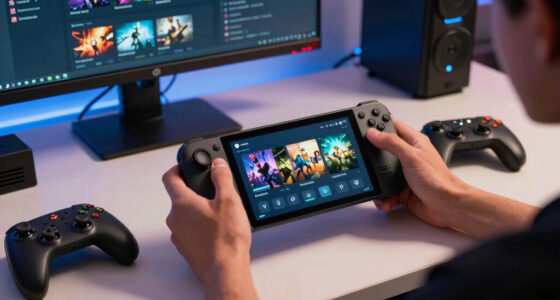
Your Steam Deck can turn a huge download into a quiet win or a 9 p.m. settings chore, depending on one small badge.
This June 21, 2026 check highlights five top and new Steam games, including Cyberpunk 2077, Forza Horizon 6, MECCHA CHAMELEON, and Escape the Backrooms. You will see which ones are low-friction picks, which ones need a little patience, and why a Playable badge can still be worth your time.
Think of the badge as a traffic light on a rainy street. Green does not make the road perfect, but it tells you the next few turns should be cleaner.
- Cyberpunk 2077 — Verified
- Forza Horizon 6 — Verified
- MECCHA CHAMELEON — Playable
- Cyberpunk 2077: Ultimate Edition — Playable
- Escape the Backrooms — Playable
Steam Deck compatibility for current top & new games, as of 2026-06-21.
Key Takeaways
- The June 21, 2026 snapshot lists 2 Verified games and 3 Playable games, with no highlighted title marked Unsupported.
- Cyberpunk 2077 and Forza Horizon 6 are the safest first installs if you want the least setup friction on Steam Deck.
- Playable does not mean bad; it means you should check for launcher, input, keyboard, or text-size notes before planning a session.
- Age and content notes still matter: Cyberpunk 2077 has mature-content warnings, while Forza Horizon 6 lists PEGI 3+ with online interactivity and in-game purchases.
- The Cyberpunk 2077: Ultimate Edition row needs verification because the listed app ID resolves to STAR WARS Empire at War – Gold Pack on Steam.
As an affiliate, we earn on qualifying purchases.
See the Five Games Worth Checking First
Steam Deck Verified Status on June 21, 2026 gives you a fast buy-or-wait read: two highlighted games are Verified, three are Playable, and none are marked Unsupported in the Skeldrift snapshot [3]. If you only have one night free, start with the green badges and inspect the yellow ones before installing.
| Game | Status on 2026-06-21 | Best read for Deck owners |
|---|---|---|
| Cyberpunk 2077 | Verified | Start here if you want the least setup friction. Steam also shows a mature-content gate for violence, nudity, and sexual material [4]. |
| Forza Horizon 6 | Verified | A newer AAA racing pick. Steam lists a May 18, 2026 release date and PEGI 3+ rating with online interactivity and in-game purchases [5]. |
| MECCHA CHAMELEON | Playable | Good for curious party-game sessions, but test the controls before an online match. Steam lists Online PvP, in-game chat, and online interactivity [6]. |
| Cyberpunk 2077: Ultimate Edition | Playable in the snapshot | Check the app page before buying. The listed app ID resolves to STAR WARS Empire at War – Gold Pack on Steam, not Cyberpunk [8]. |
| Escape the Backrooms | Playable | Good candidate for co-op horror if every player checks controls and setup first. Steam lists 1-4 player co-op and 30+ eerie levels [7]. |
For a real evening, that table changes your plan. If you are curled up on the sofa with 45 minutes left before bed, a Verified game is the cleaner call; if friends are waiting in voice chat, test a Playable game before everyone hears menu music for ten awkward minutes.
As an affiliate, we earn on qualifying purchases.
Know Exactly What Each Badge Buys You
Steam Deck Verified Status is Valve’s shorthand for the amount of friction you should expect before play, not a review score. According to Steam, Verified titles work well out of the box, Playable titles may need manual tweaking, Unsupported titles are currently not functional, and Unknown titles have not been checked [1].
| Badge | What it means in plain English | What you might feel on Deck |
|---|---|---|
| Verified | The game passes Steam’s compatibility checks. | You tap Play, hold the Deck, and usually stay in the game instead of settings. |
| Playable | The game functions, but may ask for manual work. | You may need a community controller layout, touchscreen launcher tap, or keyboard prompt. |
| Unsupported | The game does not currently function on the device. | You save your storage space and wait for a patch, Proton fix, or re-review. |
| Unknown | Steam has not finished the compatibility review. | You are testing without the signposts, like walking into a dark arcade with a pocket flashlight. |
Steamworks documentation gives the badge real teeth: for Steam Deck, the default configuration must hit a playable 30 fps at 800p, while Steam Machine uses 30 fps at 1080p [2]. Deck display checks also look for 1280×800 or 1280×720 support, readable text at 12 inches or 30 cm, and a 9-pixel minimum font height, with 12 pixels preferred [2].
A green badge lowers setup friction; it does not promise that you will like the controls, battery draw, or visual tradeoffs.
Say you tap Play on a train and a launcher asks for a tiny mouse click. That one screen can be the difference between a smooth commute and balancing the Deck on your knee while the carriage rocks.
As an affiliate, we earn on qualifying purchases.
Start With These Two Verified Picks
Steam Deck Verified Status puts Cyberpunk 2077 and Forza Horizon 6 in the safer starter lane for this date, because both are listed as Verified in the June 21 snapshot [3]. Pick Cyberpunk when you want dense neon RPG sprawl; pick Forza when you want a crisp race before dinner.
- Cyberpunk 2077: This is the big, moody choice, all rain-slick streets, red brake lights, and humming neon. Steam’s age gate flags strong language, intense violence, blood and gore, nudity, and sexual material, so check household settings before handing the Deck to a younger player [4].
- Forza Horizon 6: This is the cleaner quick-session pick if you want engines, bright roads, and a clear event loop. Steam lists it as released on May 18, 2026, with a PEGI 3+ rating plus online interactivity and in-game purchases [5].
The tradeoff is taste, not just tech. Cyberpunk can swallow a whole evening with side quests and heavy themes; Forza lets you chase one race, hear gravel spit under the tires, and put the Deck down before your coffee gets cold.
As an affiliate, we earn on qualifying purchases.
Treat Playable as a Yellow Light, Not a Stop Sign
Steam Deck Verified Status labels MECCHA CHAMELEON, Cyberpunk 2077: Ultimate Edition, and Escape the Backrooms as Playable in this snapshot, so you should expect the game to function with a possible hitch [3]. That hitch might be a launcher, a text box, a controller layout, or a screen you poke with your thumb.
- MECCHA CHAMELEON: Steam lists a June 9, 2026 release date, Online PvP, in-game chat, and online interactivity [6]. If you plan to host a public match or stream, launch it once alone first so your first live moment is play, not menu fiddling.
- Escape the Backrooms: Steam describes it as a 1-4 player co-op horror exploration game with 30+ eerie levels [7]. Before a Friday-night co-op session, have each friend check the Deck detail panel and accept any EULA or account prompts early.
- Cyberpunk 2077: Ultimate Edition: Treat this row with care. The listed app ID, 32470, resolves to STAR WARS Empire at War – Gold Pack on Steam, a 2006 strategy game with an ESRB fantasy violence note [8]. Until the title and app page agree, call this listing unconfirmed.
Playable can still be excellent. The trick is to spend two minutes up front, because two minutes alone in settings feels calm, while two minutes with three friends waiting can feel like a smoke alarm in a library.
Check Today’s Badge in 60 Seconds
Steam Deck Verified Status can change after patches, Proton fixes, store updates, or a fresh compatibility review, so your best move is a quick live check before you spend money. Steam says compatibility details appear in the store and your library after review, which gives you the reason behind the badge instead of a bare icon [1].
- Open the game’s Steam store page on your Deck or desktop.
- Find the Steam Deck Compatibility panel near the purchase area or library details.
- Open Details and read the exact note about controls, launcher behavior, text, or Proton support.
- Check age and content notes, especially for horror, mature RPGs, online chat, and in-game purchases.
- Recheck after major patches, because a new build can change the badge or the practical feel.
If an older page says knowledge cutoff in October 2023 or i can provide a general overview, treat it as background. A page that says it does not have specific information gives you a general overview of what such a report covers; it does not replace today’s Steam badge.
Turn the Badge Into a Smarter Download Choice
Steam Deck Verified Status helps you choose the right game for the moment: Verified for low-setup play, Playable when you can spare five minutes to check settings, and Unsupported when you want to wait. That matters more on a handheld, where the room lights, your battery, and tiny text all push back.
For example, a Verified racing game is the better pick when you have one short lunch break and want to finish two events without touching a settings menu. A Playable co-op horror game is better saved for a night when you can launch it early, check voice chat, and make sure the first prompt does not need a keyboard.
On a desktop, you can shrug off a keyboard prompt. On the Deck, that same prompt can break the spell while you are sitting in a hotel room, the fan whispering, the charger stretched across the carpet like a tripwire.
Keep performance claims tied to the platform. Steamworks names 30 fps at 800p for Steam Deck default configuration and 30 fps at 1080p for Steam Machine, so do not copy desktop expectations onto handheld play [2].
Also separate official badges from forum rumors. If a post says a Playable game is about to become Verified, treat that as unconfirmed until Steam shows the new rating on the store page or in your library.
Use These Sources Before You Buy
Use these sources to separate live Steam facts from dated roundups, stale snippets, and unconfirmed chatter. The safest workflow is simple: read the snapshot, open the matching Steam page, then trust the current app title, badge panel, age rating, and content notes shown by Steam at checkout.
- [1] Valve, Steam Deck Deck Verified page: https://www.steamdeck.com/en/verified
- [2] Valve Steamworks Documentation, Steam Deck and Steam Machine Compatibility Review: https://partner.steamgames.com/doc/steamhardware/compat
- [3] Skeldrift Deck-status snapshot for June 21, 2026.
- [4] Cyberpunk 2077 Steam store page: https://store.steampowered.com/app/1091500/
- [5] Forza Horizon 6 Steam store page: https://store.steampowered.com/app/2483190/
- [6] MECCHA CHAMELEON Steam store page: https://store.steampowered.com/app/4704690/
- [7] Escape the Backrooms Steam store page: https://store.steampowered.com/app/1943950/
- [8] STAR WARS Empire at War – Gold Pack Steam store page for app 32470: https://store.steampowered.com/app/32470/
Frequently Asked Questions
What does Steam Deck Verified Status mean?
Steam Deck Verified Status is Valve’s compatibility label for Steam Deck. It tells you whether a game passed checks for controls, display, launch flow, and system support, including Proton for Windows builds [1][2].
Is Playable worse than Verified?
Playable is not a bad score. It means the game works on Deck but may ask you to do something extra, like choose a controller config, use the touchscreen for a launcher, or bring up the on-screen keyboard yourself [2].
Which June 21 games are Verified?
Cyberpunk 2077 and Forza Horizon 6 are the two Verified games in this June 21, 2026 snapshot [3]. If you want the least setup friction, put those at the top of your download queue.
Can a Steam Deck badge change?
Yes. Steam says the compatibility review process is ongoing, with new titles and game updates arriving every day [1]. A patch, Proton fix, or re-review can move a game into a better or worse bucket.
Why call out the Cyberpunk Ultimate Edition row?
Because the listed app ID, 32470, resolves to STAR WARS Empire at War – Gold Pack on Steam, not Cyberpunk 2077: Ultimate Edition [8]. Treat that row as unconfirmed until the Steam title and app link match.
Conclusion
Use the badge as your first filter, then read the details panel before you buy. For June 21, 2026, the cleanest Deck starts are Cyberpunk 2077 and Forza Horizon 6; the Playable games may still be worth it when you have a few spare minutes for setup.
The best Steam Deck night is quiet: a charged handheld, a game that respects the controls, and no surprise keyboard box glowing back at you.
Fall Picks
fall essentials
As an affiliate, we earn on qualifying purchases.