TL;DR

Play games on Amazon Luna for your game nights, included with Prime
- A rotating selection of games, no download needed
- Play on TV, laptop or phone
- Fast, free delivery for your gear, too
Steam Frame is Valve’s wireless SteamOS headset that plays your entire Steam library — including flat, non-VR games — on resizable virtual screens, streamed from your PC or running natively on the device. Its bundled 6GHz USB adapter and system-wide foveated streaming remove the router-tuning friction that held wireless PC streaming back. Price was unannounced at reveal, so treat any leaked figures as unconfirmed until Valve says otherwise.
Your gaming PC hums away in the spare room, bolted to a 27-inch monitor. Meanwhile, the couch — the comfortable seat, the one with the good blanket — sits twenty feet and one wall away from your entire Steam library. That gap between where your games live and where you actually want to play them is exactly what Valve’s Steam Frame wants to erase.
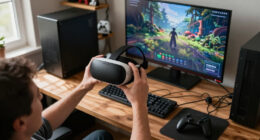
Announced in November 2025 and targeted for early 2026, Steam Frame looks like a VR headset [1]. Spend five minutes with what it does, though, and it behaves more like a streaming box wearing a clever disguise. Every game in your Steam library — including the flat, non-VR ones you already own — can float in front of you on a resizable virtual screen, streamed from your PC or running natively on the headset itself.
Here’s how Steam Frame could change flat-screen game streaming, what the hardware genuinely does differently, and where the honest tradeoffs hide. One note up front: pricing and final specs were unconfirmed at announcement time and may have changed since, so verify before publishing any purchase plans of your own.
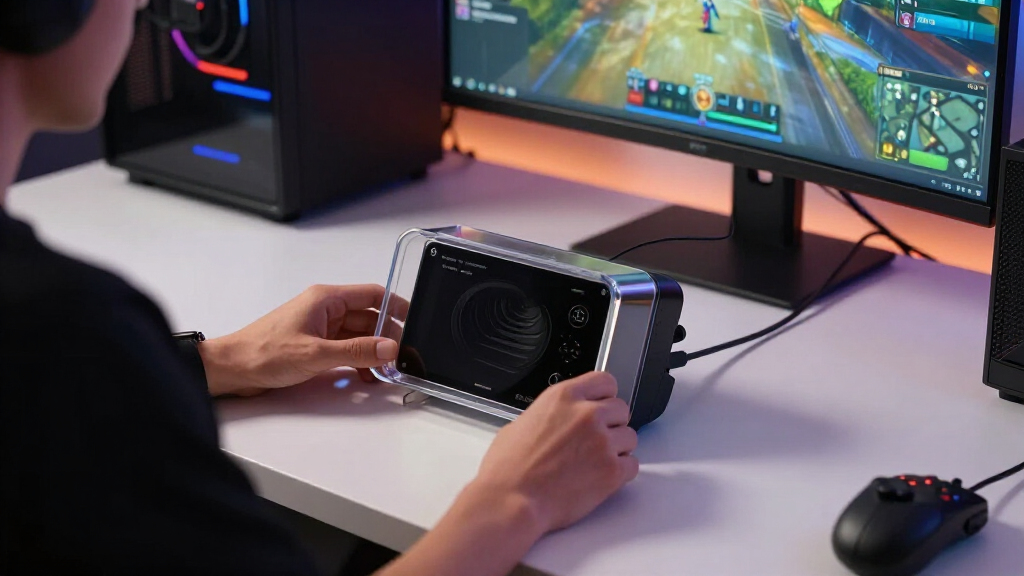
Steam Frame treats flat-screen streaming as the headline feature, not a fallback — the bundled 6GHz USB dongle makes PC streaming the out-of-box default.
Foveated streaming uses eye tracking on every streamed game, flat or VR, concentrating detail where you’re looking and cutting bandwidth with zero developer wo…
Your entire existing Steam library carries over with no re-purchases, backed by a Steam Deck-style verification program.
The LCD panels, battery life, text clarity, and unannounced price are the real swing factors — treat leaked pricing as unconfirmed rumor.
Keep your wired monitor for competitive play; Frame’s sweet spot is relaxed, cinematic, single-player sessions on a private giant screen.
How Steam Frame Could Change Flat-Screen Game Streaming
Your gaming PC hums away in the spare room, bolted to a monitor. The couch sits twenty feet and one wall away from your entire Steam library. Valve’s wireless SteamOS headset wants to erase that gap — streaming every flat, non-VR game you own onto a resizable virtual screen, with a bundled 6GHz dongle and system-wide foveated encoding doing the heavy lifting.
Bundled USB 6GHz adapter links PC to headset directly — no router tuning, no channel hunting, no Ethernet ritual.
Eye tracking steers encoder detail to your gaze point on every streamed game — flat titles included, zero developer work.
Your full Steam library carries over — saves, friends, and a Steam Deck-style verification program.
Not a VR Headset — a Steam Deck That Grew a Visor
Steam Frame treats non-VR games as first-class citizens. Flat titles run two ways: natively on the headset (x86 games through Proton plus ARM translation on SteamOS), or streamed from your PC onto a virtual screen you can stretch to theater size. Either way, your saves, library, and friends list come along.
Standalone SteamOS Power
Snapdragon 8 Gen 3 (ARM) with 16GB RAM runs SteamOS natively. x86 titles translate via Proton + ARM layer; 256GB or 1TB storage with microSD expansion.
Big-Screen Virtual Displays
Dual 2160×2160 LCD panels behind pancake lenses at 72–120Hz (144Hz experimental). Inside-out tracking, ~440g with the battery balanced in the rear strap.
Library-First Design
Zero re-purchases. Valve didn’t ask developers to port anything and didn’t ask you to start over — a Deck-style verification program flags what runs well.
Foveated Streaming + One Little Dongle
Eye tracking tells the encoder exactly where your gaze lands, so the PC spends bandwidth on that spot and lets the periphery soften — system-wide, on every streamed game, flat or VR. Meanwhile the bundled USB adapter creates a direct 6GHz link, and dual radios keep downloads and chat off the stream’s airtime.
From PC to Gaze Point in Five Hops
Every stage of the pipeline ships in the box — the first time a major headset has bundled the whole streaming chain.
Gaming PC Renders
Your existing rig runs any Steam title — flat or VR — at full desktop quality.
Foveated Encode
Eye tracking steers encoder detail to your gaze; periphery softens, bandwidth drops.
6GHz Direct Link
Bundled USB dongle beams the stream — home Wi-Fi never touches it.
Second Radio
Downloads, chat, and updates ride your regular network in parallel — no airtime fights.
Theater Screen
A resizable virtual display floats in front of you — couch, bed, anywhere.
Streaming as the out-of-box default rather than a fallback mode — you plug in the adapter, put on the headset, and your PC’s library is just there.
Steam Frame vs. Deck vs. Portal vs. Quest
Frame crashes a fight already in progress — handhelds, dedicated streaming devices, and rival headsets all want your couch time.
| Device | How it plays flat games | Screen | Library access | Streaming setup | Best for |
|---|---|---|---|---|---|
| Steam FrameValve · early 2026 target | Streams over bundled 6GHz dongle, or runs natively on-device | Virtual big screen, dual 2160×2160 LCD | ✓ Full Steam library, zero re-buys | ✓ Plug-and-play, no router tuning | A private giant screen anywhere at home |
| Steam DeckValve · handheld | Runs natively; streams via Remote Play | Built-in handheld display | ✓ Full Steam library | ~ Remote Play over home network | Travel and quick pick-up sessions |
| PlayStation PortalSony · streaming handheld | Streams from a PS5 over home Wi-Fi | 8-inch LCD | ✗ PS5 games only | ~ Simple, but Wi-Fi dependent | Households already deep in PlayStation |
| Meta Quest 3Meta · standalone VR | Streams via Virtual Desktop or Air Link | Virtual screens | ✗ Separate store; PC library via workarounds | ✗ Router tuning, channel hunting | VR-first users comfortable tinkering |
Where the Swing Factors Hide
The reveal left real questions open. These four decide whether Frame is disruptive or niche — and pricing was unannounced, so treat any leaked figures as unconfirmed rumor until Valve says otherwise.
LCD, Not OLED
No true blacks and no HDR — a genuine drawback for cinematic flat games, the exact genre the virtual theater is pitched at.
Text & Resolution vs. 4K TV
Per-eye resolution still trails a native 4K panel; desktop-style text clarity for strategy games and MMO UIs remains an open question.
Comfort & Battery Life
Long single-player sessions are Frame’s sweet spot — but only if the 440g fit and battery can hold up across a three-hour campaign night.
Keep the Wired Monitor
For competitive play, a wired display still wins. Frame’s niche is relaxed, cinematic sessions — monochrome passthrough by default, with an expansion port for add-ons.
The Convergence Chain
One device competing with TVs, monitors, handhelds, and AR glasses at once — ecosystem gravity doing the pulling.
What Steam Frame Actually Is (and Why It’s Not Just a VR Headset)
Steam Frame is Valve’s wireless, standalone headset: a Snapdragon 8 Gen 3 device with 16GB of RAM, dual 2160×2160 LCD panels, pancake lenses, inside-out tracking, and eye tracking, all running SteamOS [1]. It weighs roughly 440 grams with the battery tucked into the rear strap, and it ships in 256GB and 1TB versions with microSD expansion [2]. Flat-screen game streaming matters here because Valve treats non-VR games as first-class citizens, not an afterthought.
Think of it less like a Quest rival and more like a Steam Deck that grew a visor. Your flat games run two ways: natively on the headset (x86 titles go through Proton plus ARM translation on SteamOS), or streamed from your gaming PC onto a virtual screen you can stretch to theater size. Either way, your save files, your library, your friends list — it all carries over.
Say you want to sink into Baldur’s Gate 3 after dinner without booting up the office PC’s monitor. With Frame, you pull the headset on, and your hundred-hour save is waiting on a screen the size of your living-room wall. No new purchases, no separate ecosystem, no re-buying games you already own.
That library-first approach is the real story. Valve didn’t ask developers to port anything, and it didn’t ask you to start over.
As an affiliate, we earn on qualifying purchases.
Foveated Streaming: The Eye-Tracking Trick That Saves Your Bandwidth
The single biggest way Steam Frame could change flat-screen game streaming has nothing to do with raw resolution — it’s foveated streaming. The headset’s eye tracking tells the encoder exactly where your gaze lands, so your PC spends its bandwidth and encoding effort on that spot and lets everything else soften [1]. Your peripheral vision barely notices, because human eyes work the same way.
Here’s the part most coverage glosses over: this works system-wide, for every streamed game, flat titles included. No developer patch, no per-game support list, no settings hunt. According to Valve’s announcement materials, the encoder simply follows your eyes whether you’re playing a VR shooter or a city builder on a virtual screen [1].
Picture yourself playing Elden Ring streamed to the headset. The boss you’re staring at renders crisp and detailed, while the fog-drenched ruins at the edge of your vision quietly drop fidelity — the same way a campfire blurs at the edges when you focus on the flame. The bandwidth saved goes straight back into lower latency and a steadier image.
Foveated streaming is the quiet killer feature: it attacks the cost of streaming at the encoder level, on every game, without developers lifting a finger.
Eye tracking has existed in headsets before, but mostly as a niche perk. Wiring it directly into the streaming pipeline makes it infrastructure — and that’s new.
SteamOS compatible virtual screen headset
As an affiliate, we earn on qualifying purchases.
As an affiliate, we earn on qualifying purchases.
Why One Little USB Dongle Beats Your Fancy Router
Steam Frame ships with a dedicated USB wireless adapter that plugs into your PC and creates a direct 6GHz link to the headset — no home Wi-Fi required for the stream itself [1]. That single design choice could change flat-screen game streaming more than any panel spec, because it removes the setup pain that kept wireless PC streaming a hobbyist project.
If you’ve ever tried streaming PC games to a Meta Quest through Virtual Desktop or Air Link, you know the ritual. You dig through router settings, hunt for an uncongested channel, maybe run an Ethernet cable to the PC, and still get stutters when someone starts a 4K movie in the next room. The stream works, but it never stops feeling like you’re babysitting it.
Frame’s dongle sidesteps all of that. And because the headset has dual radios, one handles the PC stream while the other stays on your regular network for downloads, chat, and updates — the two never fight over the same airtime [2].
The result is streaming as the out-of-box default rather than a fallback mode. You plug in the adapter, put on the headset, and your PC’s library is just there. On training data from the announcement, this is the first time a major headset has bundled the whole streaming chain in the box — and that matters more for everyday play than an extra hundred pixels per eye.
eye-tracked foveated streaming device
As an affiliate, we earn on qualifying purchases.
As an affiliate, we earn on qualifying purchases.
Steam Frame vs. Steam Deck vs. PlayStation Portal: Who Wins Your Couch?
Steam Frame could change flat-screen game streaming partly because it crashes a fight already in progress — the battle for your couch time. It’s competing with handhelds, dedicated streaming devices, and other headsets all at once. Here’s how the main contenders stack up:
| Device | How it plays flat games | Screen | Library access | Best for |
|---|---|---|---|---|
| Steam Frame | Streams from PC over bundled 6GHz dongle, or runs natively on-device | Virtual big screen, dual 2160×2160 LCD | Your full Steam library, zero re-buys | A private giant screen anywhere at home |
| Steam Deck | Runs natively; streams via Remote Play | Built-in handheld display | Your full Steam library | Travel and quick pick-up sessions |
| PlayStation Portal | Streams from a PS5 over home Wi-Fi | 8-inch LCD | PS5 games only | Households already deep in PlayStation |
| Meta Quest 3 | Streams via Virtual Desktop or Air Link with router tuning | Virtual screens | Indirect, through PC apps | Tinkerers who also want mixed reality |
Two things jump out of that table. First, the Portal is locked to the PS5, while Frame taps a Steam library many players have spent fifteen years building. Second, the Quest 3 can do similar tricks, but only after you wrestle your router into cooperating.
Frame’s real pitch is convergence: one device that covers the handheld’s portability, the TV’s scale, and the headset’s privacy — with your existing library riding along free.
gaming streaming box with 6GHz USB adapter
As an affiliate, we earn on qualifying purchases.
As an affiliate, we earn on qualifying purchases.
The Honest Downsides to Weigh Before You Sell Your Monitor
Steam Frame could change flat-screen game streaming, but it won’t flatten every rival screen in your house — and you deserve the unvarnished list before you budget for one. The tradeoffs are real, and some of them won’t be settled until the hardware ships.
- LCD panels, not OLED. No true blacks, no HDR punch. A moody horror game like Silent Hill 2 loses some of its inky dread compared to an OLED TV [2].
- Text clarity. Even at 2160×2160 per eye, reading dense desktop-style text on a virtual screen won’t match a native 4K monitor sitting at arm’s length.
- Battery and comfort. A two-hour movie-length session is one thing; a six-hour Civilization VI binge with a 440-gram headset is another.
- Monochrome passthrough by default. Color passthrough waits on the expansion port and add-ons, and details there were thin at announcement [1].
- Competitive latency. Foveated streaming helps, but for ranked shooters, a wired monitor still wins.
Then there’s the biggest unknown: the price. Valve hadn’t announced one at reveal time, and anything you’ve seen since in leaks or “insider” posts is unconfirmed until Valve says it on the record. Affordable makes Frame disruptive; expensive makes it a lovely niche toy.
Treat every leaked price or “confirmed” launch spec as a rumor until Valve publishes it. Verify before publishing — or purchasing.
How to Get the Best Flat-Screen Streaming Setup When Frame Arrives
How Steam Frame could change flat-screen game streaming for you depends partly on a few choices you make before launch day. None of them cost much, and most take under an hour. Here’s the order I’d tackle them in:
- Wire your gaming PC to your router with Ethernet. The dongle handles the headset link, but your PC still benefits from a rock-solid network for everything else.
- Plan where the USB adapter lives. A front-panel port or a short extension cable with line of sight to your usual play spot keeps the 6GHz signal clean.
- Audit your library for verification status. Valve applies a Steam Deck-style verification program here, so check which of your games carry the green checkmark [2].
- Pick your showcase genres first. Turn-based RPGs, strategy games, and cinematic adventures shine on a giant virtual screen; twitchy ranked shooters can wait for your latency tests.
- Run a real latency test on day one. Play a few rounds of your most timing-sensitive game before deciding whether Frame replaces or complements your monitor.
Notice what’s missing from that list: router gymnastics, third-party streaming apps, and per-game patches. That’s the whole point. If you share the headset with kids, take two extra minutes to check each game’s age rating in your Steam library before handing it over — parental controls on a shared device are easier to set once than to fix later.
Frequently Asked Questions
Do I need a gaming PC to use Steam Frame?
No. Steam Frame runs SteamOS standalone, playing games natively on its Snapdragon 8 Gen 3 chip via Proton and ARM translation. That said, your best visual quality comes from streaming off a gaming PC, since the PC does the heavy rendering while the headset handles display and tracking.
Can Steam Frame play normal, non-VR games?
Yes — that’s the heart of this article. Every flat game in your Steam library runs on a resizable virtual screen, either streamed from your PC or natively on the headset. You can stretch that screen to theater size or shrink it to a corner of your view.
When does Steam Frame come out, and what does it cost?
Valve targeted early 2026 for shipping, announced alongside the Steam Machine and new Steam Controller in November 2025 [1]. The price was not announced at reveal, so anything circulating in leaks is unconfirmed — verify before publishing or buying, since timing and specs may have changed on training data alone.
How is Steam Frame different from Meta Quest 3?
Three big ways: Frame runs SteamOS with your native Steam library, it bundles a dedicated 6GHz streaming adapter in the box, and its foveated streaming works system-wide on every game. Quest 3 can stream PC games too, but through third-party apps and manual router tuning.
Will Steam Frame replace my TV or gaming monitor?
For solo, cinematic sessions, it can get close — a private giant screen is genuinely compelling. But the LCD panels lack OLED blacks and HDR, long sessions test battery and comfort, and competitive players will still prefer a wired monitor’s latency. Think complement first, replacement maybe.
Do my existing Steam and Steam Deck games carry over?
Yes. It’s the same Steam account and library, with cloud saves syncing across devices. A Steam Deck-style verification program flags which games run best, so you can check compatibility badges in your library before launch [2].
Conclusion
The thing to remember is simple: Steam Frame is a streaming device disguised as a VR headset. A dongle that kills router tuning, eye tracking that trims bandwidth on every game, and a library you already paid for — together, those move flat-screen game streaming from “works if you tinker” to “works when you put it on.” Price and final specs were still unconfirmed at announcement, so check Valve’s latest before you commit.
Your PC stays in the spare room, humming to itself. You stay on the couch, under the good blanket, with a hundred-inch screen only you can see. The only question left is which save file you load first.
Fall Picks
fall essentials
As an affiliate, we earn on qualifying purchases.