The best mechanical keyboards for PC gaming split into three clear camps this year: premium all-rounders, budget hot-swap boards, and niche picks built around macros or compact layouts. After comparing ten of the most popular options, the ASUS ROG Strix Scope II 96 Wireless takes the top spot because it pairs near-full-size practicality with low-latency wireless and pre-lubed switches that feel far better than its price suggests. If money is no object, the Corsair K100 RGB remains the premium benchmark with its Cherry MX Speed Silver switches and tank-like build, while the Redragon K556 proves you can get an aluminum frame and hot-swappable switches for a fraction of that cost. The main tradeoffs you will face are wired versus wireless, linear versus tactile switches, and how much desk space you are willing to give up for a numpad. Read on for the full breakdown of all ten picks, who each one suits, and who should skip it.
Listen free for 30 days with Audible
Thousands of audiobooks and originals — cancel anytime.
Start your free trialAs an affiliate, we earn on qualifying purchases.
Complete the kit



Key Takeaways
- Wireless latency is no longer a real compromise: the ASUS ROG Strix Scope II 96 Wireless outranked every wired board in this lineup because its 2.4GHz connection is effectively indistinguishable from a cable in play.
- Redragon dominated the budget tier with three entries, and its hot-swappable, PBT-capped boards made the sub-$60 Razer and Logitech options look thin on features by comparison.
- The Logitech G213 Prodigy is not actually mechanical, yet it sells at the same price as genuine entry-level mechanical boards — a reminder that brand names do not guarantee switch quality at the low end.
- Switch choice separated the rankings more than brand or price: linear and speed switches pushed boards toward the top for FPS play, while clicky green switches limited the Razer BlackWidow V3’s appeal for shared spaces.
- Macro keys are the dividing line for MMO and MOBA players: only the Redragon K580 and Razer BlackWidow V4 X offer dedicated macro columns, and both ranked ahead of cleaner boards for that audience.
| ASUS ROG Strix Scope II 96 Wireless Mechanical Gaming Keyboard |  | Best Overall | Size: 96% full-size with num pad | Connectivity: Bluetooth, 2.4GHz wireless, USB wired | Switches: Hot-swappable ROG NX Snow linear or NX Storm clicky | VIEW LATEST PRICE | See Our Full Breakdown |
| Razer BlackWidow V4 X Mechanical Gaming Keyboard, Yellow Switches, Black |  | Best for Competitive FPS Play | Switch Type: Yellow Mechanical Linear | Actuation Distance: 1.2mm | Actuation Force: 45g | VIEW LATEST PRICE | See Our Full Breakdown |
| Redragon K580 Wired RGB Mechanical Gaming Keyboard with Macro Keys and Media Controls |  | Best Value Pick | Switch Type: Blue tactile, clicky | Key Count: 104 | Macro Keys: 5 (G1–G5) | VIEW LATEST PRICE | See Our Full Breakdown |
| Logitech G413 SE Full-Size Mechanical Gaming Keyboard – Black |  | Best for Beginners | Switches: Tactile mechanical | Keycaps: PBT, heat- and wear-resistant | Lighting: White LED backlit | VIEW LATEST PRICE | See Our Full Breakdown |
| Razer BlackWidow V3 Mechanical Gaming Keyboard, Green Mechanical Switches, Chroma RGB, Compact |  | Best Compact Pick | Switch Type: Green mechanical (tactile, clicky) | Form Factor: Compact | Lighting: Chroma RGB | VIEW LATEST PRICE | See Our Full Breakdown |
| ASUS ROG Strix Scope II X Wired Mechanical Gaming Keyboard |  | Best Overall | Connectivity: Wired USB-C | Switch Type: Hot-swappable ROG NX V2 (Snow linear or Storm clicky) | Keycaps: PBT doubleshot | VIEW LATEST PRICE | See Our Full Breakdown |
| Redragon Mechanical Gaming Keyboard Wired, Hot-Swappable Red Switch |  | Best Value Pick | Connectivity: Wired | Switch Type: Hot-swappable linear red (Cherry MX Red style) | Key Count: 104 | VIEW LATEST PRICE | See Our Full Breakdown |
| Corsair K100 RGB Mechanical Gaming Keyboard – Cherry MX Speed RGB Silver |  | Best Premium | Switch Type: Cherry MX Speed RGB Silver | Actuation: 1.2mm | Durability: 100 million keystrokes | VIEW LATEST PRICE | See Our Full Breakdown |
| Redragon K556 Wired RGB Mechanical Gaming Keyboard, Hot-swap Tactile Brown Switches |  | Best for Typing and Gaming | Switch Type: Hot-swap tactile brown | Key Count: 104 | Build Material: Aluminum | VIEW LATEST PRICE | See Our Full Breakdown |
| Logitech G213 Prodigy Wired RGB Gaming Keyboard |  | Best for Beginners | Connectivity: Wired USB | Switch Type: Tactile membrane | Backlighting: RGB, 16.8 million colors | VIEW LATEST PRICE | See Our Full Breakdown |
| mechanical keyboards for PC gaming | Connectivity | Switch Type | Compatibility | Keycaps |
|---|---|---|---|---|
| ASUS ROG Strix Scope II 96 Wir | Bluetooth, 2.4GHz wireless, USB wired | — | PC and Mac | — |
| Razer BlackWidow V4 X Mechanic | Wired (USB) | Yellow Mechanical Linear | — | — |
| Redragon K580 Wired RGB Mechan | Wired | Blue tactile, clicky | — | Double-shot |
| Logitech G413 SE Full-Size Mec | Wired (USB) | — | Windows and macOS | PBT, heat- and wear-resistant |
| Razer BlackWidow V3 Mechanical | — | Green mechanical (tactile, clicky) | — | — |
| ASUS ROG Strix Scope II X Wire | Wired USB-C | Hot-swappable ROG NX V2 (Snow linear or Storm clicky) | — | PBT doubleshot |
| Redragon Mechanical Gaming Key | Wired | Hot-swappable linear red (Cherry MX Red style) | Windows | Double-shot PBT |
| Corsair K100 RGB Mechanical Ga | Wired | Cherry MX Speed RGB Silver | — | PBT double-shot |
| Redragon K556 Wired RGB Mechan | Wired, plug-and-play | Hot-swap tactile brown | Windows and Mac | — |
| Logitech G213 Prodigy Wired RG | Wired USB | Tactile membrane | PC | — |
More Details on Our Top Picks
ASUS ROG Strix Scope II 96 Wireless Mechanical Gaming Keyboard
The ASUS ROG Strix Scope II 96 earns the top slot because it refuses to make you pick a lane. You get a near-full layout with a num pad in a 96% frame, tri-mode connectivity (Bluetooth, 2.4GHz, wired), and hot-swappable ROG NX switches so you can change the feel later without soldering. The Razer BlackWidow V4 X matches it on gaming polish but chains you to a cable, and the Logitech G413 SE costs far less while offering a fraction of the flexibility. Battery life rated up to 1,500 hours means wireless play without charging anxiety. The catch is price and complexity: this costs more than most boards here, and buyers new to mechanical keyboards may never touch the switch puller. If you want one keyboard that covers gaming, work, and multi-device setups, this is the one I’d put my money on.
Pros:- Tri-mode connectivity covers PC, Mac, and multi-device setups without re-pairing hassle
- Hot-swappable switches let you change feel later without soldering
- 96% layout keeps the num pad while freeing desk space versus full-size boards
- Up to 1,500 hours of wireless battery life
Cons:- Highest price in this lineup by a clear margin
- Feature depth can overwhelm buyers new to mechanical keyboards
- Only two stock switch flavors (Snow linear, Storm clicky) before you start swapping
Best for: PC gamers who want one do-everything board — wireless freedom, a num pad, and switch-swapping headroom for the future
Not ideal for: Budget buyers and first-time mechanical users, who will pay for hot-swap and tri-mode features they may never use
- Size:96% full-size with num pad
- Connectivity:Bluetooth, 2.4GHz wireless, USB wired
- Switches:Hot-swappable ROG NX Snow linear or NX Storm clicky
- Battery Life:Up to 1,500 hours (wireless)
- Lighting:Per-key RGB
- Compatibility:PC and Mac
- Included:Wrist rest, keycap & switch puller, receiver, USB cable
Our verdict“The right buy if you want a single premium keyboard that handles gaming, work, and wireless life without compromise.”
Razer BlackWidow V4 X Mechanical Gaming Keyboard, Yellow Switches, Black
Speed is the whole pitch here. The Razer BlackWidow V4 X uses Yellow linear switches with a short 1.2mm actuation point and a light 45g force, so inputs register with minimal finger travel — exactly what twitch shooters reward. Sound-dampening foam keeps it far quieter than the clicky Razer BlackWidow V3, which matters on late-night sessions or shared spaces. Six dedicated macro keys and a multi-function roller give it more on-board control than the ASUS ROG Strix Scope II 96 offers, though the ASUS counters with wireless freedom this board simply doesn’t have. The tradeoffs: you’re locked into linear switches, tethered by a cable, and paying a premium for the privilege. I’d steer typing-heavy users toward something tactile, but for pure reaction-time gaming, few boards in this lineup keep up.
Pros:- 1.2mm actuation and 45g force make inputs register fast with little effort
- Sound dampeners keep linear switches quiet for shared spaces
- Six dedicated macro keys plus a multi-function roller for on-board control
- Doubleshot ABS keycaps resist legend wear
Cons:- No wireless option at this price, unlike the ASUS ROG Strix Scope II 96
- Linear-only switch offering excludes tactile and clicky fans
- Premium pricing for a wired board
Best for: FPS and battle-royale players who prioritize fast, quiet, low-resistance keystrokes over wireless convenience
Not ideal for: Cable-free desk setups and anyone who wants tactile or clicky feedback — it’s wired-only and linear-only
- Switch Type:Yellow Mechanical Linear
- Actuation Distance:1.2mm
- Actuation Force:45g
- Macro Keys:6 dedicated
- Lighting:Chroma RGB, per-key
- Keycap Material:Doubleshot ABS
- Extras:Multi-function roller, media controls, sound-dampening foam
- Connectivity:Wired (USB)
Our verdict“The pick for competitive players who want the fastest, quietest wired keystrokes and can live without wireless.”
Redragon K580 Wired RGB Mechanical Gaming Keyboard with Macro Keys and Media Controls
The Redragon K580 undercuts everything else in this roundup while still checking the boxes that matter for gaming: five dedicated macro keys, full anti-ghosting, media controls, and switches rated for 50 million keystrokes. The tactile blue switches deliver loud, clicky feedback — satisfying under the fingers, but a genuine problem in a shared room, where the dampened Razer BlackWidow V4 X would behave far better. Compared with the similarly affordable Logitech G413 SE, the K580 gives you real macro keys instead of FN-key shortcuts, though Logitech’s PBT keycaps and aluminum deck feel sturdier in hand. The compromises show up in polish: advanced RGB effects require software, and the overall fit and finish sit a tier below the ASUS ROG Strix Scope II 96. At this price, that’s a trade I’d take without hesitation.
Pros:- Five dedicated macro keys at a budget price
- Full anti-ghosting holds up in frantic multi-key moments
- Rated for 50 million keystrokes
- Double-shot keycaps and onboard media controls included
Cons:- Advanced RGB effects depend on software rather than onboard controls
- Blue switches are loud enough to be a problem in shared rooms
- Build finish trails pricier boards like the ASUS and Logitech picks
Best for: Budget-conscious MMO and MOBA players who want dedicated macro keys and full anti-ghosting without spending triple digits
Not ideal for: Shared spaces and streamers on open mic — the clicky blue switches are loud, and there’s no quieter switch variant
- Switch Type:Blue tactile, clicky
- Key Count:104
- Macro Keys:5 (G1–G5)
- Connectivity:Wired
- Anti-Ghosting:Full N-key rollover
- Durability:50 million keystrokes
- Keycaps:Double-shot
Our verdict“The most gaming hardware per dollar here, as long as loud clicky switches fit your household.”
Logitech G413 SE Full-Size Mechanical Gaming Keyboard – Black
Not everyone needs per-key RGB and hot-swappable switches. The Logitech G413 SE strips the formula down to tactile mechanical switches, PBT keycaps that resist shine and heat, and an aluminum top case that feels more expensive than it is. White LED backlighting keeps legends readable without the software rabbit hole the Redragon K580’s RGB drags you into. That simplicity is the point — and also the limit. The 6-key rollover falls short of the full anti-ghosting on the Redragon, which can surface in frantic multi-key moments, and there’s no wireless option like the ASUS ROG Strix Scope II 96 offers. Media controls live behind FN keys rather than dedicated buttons. I’d hand this to a first-time mechanical buyer upgrading from a membrane board; enthusiasts chasing macros and lighting effects will outgrow it fast.
Pros:- PBT keycaps resist shine and wear better than the ABS on most rivals
- Aluminum top case gives a sturdy, premium feel for the price
- Tactile switches and white backlighting work out of the box, no software needed
- TKL variant available for smaller desks
Cons:- 6-key rollover trails the full anti-ghosting on the Redragon K580
- No macro keys, no RGB, and media controls require FN combos
- Wired only, with no wireless upgrade path
Best for: First-time mechanical keyboard buyers who want durable build quality and a clean look without software setup or gimmicks
Not ideal for: Power users who need macro keys, full N-key rollover, or RGB — the feature set is deliberately bare-bones
- Switches:Tactile mechanical
- Keycaps:PBT, heat- and wear-resistant
- Lighting:White LED backlit
- Layout:Full-size (TKL option available)
- Frame:Aluminum top case
- Rollover:6-key anti-ghosting
- Compatibility:Windows and macOS
- Connectivity:Wired (USB)
Our verdict“The sensible first mechanical keyboard — durable and distraction-free, but easy to outgrow.”
Razer BlackWidow V3 Mechanical Gaming Keyboard, Green Mechanical Switches, Chroma RGB, Compact
Desk space is a real constraint, and the Razer BlackWidow V3 Compact is the answer for setups where the full-size Razer BlackWidow V4 X simply won’t fit. Its green mechanical switches are tactile and clicky with an 80-million-keystroke rating, and the bundled ergonomic wrist rest is a comfort extra the Logitech G413 SE skips entirely. Chroma RGB and macro programmability carry over from Razer’s bigger boards, so shrinking the footprint doesn’t gut the feature set, and grooved cable routing keeps a tight desk tidy. The honest drawbacks: green switches are loud enough to annoy roommates or stream audiences, the UV-coated ABS keycaps will show shine sooner than the G413 SE’s PBT, and the condensed layout hides some keys behind function layers. I’d pick it for a cramped battlestation — not for quiet households.
Pros:- Compact footprint frees mouse space for low-sensitivity play
- Clicky green switches rated for 80 million keystrokes
- Ergonomic wrist rest included in the box
- Chroma RGB and programmable macros match Razer’s full-size boards
Cons:- Green switches are among the loudest in this roundup
- UV-coated ABS keycaps shine faster than PBT alternatives
- Condensed layout buries some keys behind function layers
Best for: Gamers with small desks or laptop-adjacent setups who still want full Razer RGB and macro features in a compact frame
Not ideal for: Quiet households and heavy numpad users — the green switches are loud and the compact layout cuts dedicated keys
- Switch Type:Green mechanical (tactile, clicky)
- Form Factor:Compact
- Lighting:Chroma RGB
- Keycap Material:UV-coated ABS
- Key Lifespan:80 million keystrokes
- Media Controls:Digital roller and media keys
- Wrist Rest:Ergonomic, included
- Cable Management:Grooved routing channels
Our verdict“The right call when desk space is the bottleneck and you can live with loud, clicky switches.”
ASUS ROG Strix Scope II X Wired Mechanical Gaming Keyboard
This pick makes the most sense for the widest range of PC gamers. The hot-swappable ROG NX V2 switches come in linear Snow or clicky Storm flavors and can be swapped without soldering — something the Corsair K100 RGB doesn’t offer despite costing more. The PBT doubleshot keycaps resist the shiny wear cheaper ABS caps develop, so the board holds up over years of heavy use. Compared with the Redragon K556, you pay extra, but the aluminum top plate, detachable wrist rest, and multi-function wheel justify the gap. The tradeoffs are real: it’s wired only, so a wireless desk is off the table, and the price sits far above entry picks like the Logitech G213 Prodigy. I’d call it the balanced choice — not the cheapest, not the fastest, but the one fewest buyers will regret.
Pros:- Hot-swappable ROG NX V2 switches in linear Snow or clicky Storm options
- PBT doubleshot keycaps and aluminum top plate hold up to heavy use
- Detachable wrist rest keeps long sessions comfortable
- Macro-programmable keys and multi-function wheel add control
Cons:- Wired only despite the premium price
- Costs far more than capable budget boards like the Redragon options
- Full-size footprint demands a lot of desk space
Best for: PC gamers who want one do-it-all wired board with switch-swapping room to grow
Not ideal for: Budget buyers and cable-free setups — it’s wired only and priced well above entry-level boards
- Connectivity:Wired USB-C
- Switch Type:Hot-swappable ROG NX V2 (Snow linear or Storm clicky)
- Keycaps:PBT doubleshot
- Backlighting:RGB
- Layout:Full-size with number pad
- Frame:Aluminum top plate
- Extras:Detachable wrist rest, macro keys, multi-function wheel
Our verdict“The wired board I’d recommend to most PC gamers: quick, well-built, and customizable enough to grow with you.”
Redragon Mechanical Gaming Keyboard Wired, Hot-Swappable Red Switch
Among the budget boards here, this one packs in the most mechanical keyboard per dollar. Its hot-swappable linear red switches are light and smooth, so rapid double-taps in shooters take little finger effort — a different league from the rubber-dome Logitech G213 Prodigy, which sells at a similar price without true mechanical switches. I also like the double-shot PBT keycaps at this price; the Redragon K556 counters with an aluminum frame, while this model answers with better keycap material and equally easy switch swaps. Where it gives ground: the ABS plastic chassis flexes more than the K556’s metal build, the lighting software is clunkier than what Logitech and ASUS ship, and there’s no wireless option. For a first mechanical board, those are compromises most buyers can live with.
Pros:- True mechanical hot-swap red switches at an entry-level price
- Double-shot PBT keycaps resist wear and keep legends crisp
- Macro editing and anti-ghosting support fast-paced play
- 11 backlit modes adjustable without software
Cons:- ABS plastic chassis flexes more than metal-framed rivals
- Lighting software setup can be confusing
- No wireless connectivity
Best for: First-time mechanical keyboard buyers who want real switches and PBT keycaps on a tight budget
Not ideal for: Players who want a rigid premium chassis or polished software — the plastic build and fiddly app show the price
- Connectivity:Wired
- Switch Type:Hot-swappable linear red (Cherry MX Red style)
- Key Count:104
- Keycaps:Double-shot PBT
- Backlighting:RGB with 11 modes
- Enclosure:ABS plastic
- Dimensions:17.13 x 4.88 x 1.42 inches
- Compatibility:Windows
Our verdict“The cheapest way into real mechanical switches here without giving up PBT keycaps or hot-swap flexibility.”
Corsair K100 RGB Mechanical Gaming Keyboard – Cherry MX Speed RGB Silver
This model is better suited to competitive players who want every millisecond accounted for. The Cherry MX Speed Silver switches actuate at 1.2mm, roughly a third earlier than standard switches, and AXON processing pushes polling to 4000Hz — inputs reach the game faster than on the ASUS ROG Strix Scope II X. That edge pays off in high-level shooters, less so in casual play. Build quality matches the flagship billing: an aluminum frame, PBT double-shot keycaps rated for 100 million keystrokes, and an iCUE wheel that handles volume and macros. The catches are the price, which sits well above the ASUS, switches that aren’t hot-swappable, so you’re locked into Speed Silvers, and iCUE software with a steeper learning curve than ASUS’s Armoury Crate. Worth the premium only if raw speed tops your list.
Pros:- 1.2mm actuation and 4000Hz polling deliver tournament-level speed
- Aluminum frame with PBT double-shot keycaps rated for 100 million keystrokes
- Per-key RGB with LightEdge looks striking on a desk
- iCUE control wheel handles volume and macros intuitively
Cons:- One of the most expensive wired boards in the roundup
- Switches aren’t hot-swappable, so no easy customization
- iCUE software carries a real learning curve
Best for: Competitive FPS players chasing the fastest actuation and polling money can buy
Not ideal for: Casual gamers and tinkerers — the premium is hard to justify outside high-level play, and switches can’t be swapped
- Switch Type:Cherry MX Speed RGB Silver
- Actuation:1.2mm
- Durability:100 million keystrokes
- Processing:AXON Hyper-Processing, 4000Hz polling
- Keycaps:PBT double-shot
- Backlighting:Per-key RGB with LightEdge
- Frame:Aluminum
- Connectivity:Wired
Our verdict“Buy it for tournament-grade speed and flagship build; skip it if those extra milliseconds won’t change your games.”
Redragon K556 Wired RGB Mechanical Gaming Keyboard, Hot-swap Tactile Brown Switches
Where the other Redragon in this lineup uses linear reds, the K556 runs hot-swap tactile brown switches — a small bump on each press that improves typing accuracy without the loud click that annoys roommates. That makes it the model I’d point toward for mixed work-and-play desks. The aluminum base keeps it planted during aggressive sessions, a steadier foundation than the plastic chassis on Redragon’s cheaper board, and the hot-swap sockets let you experiment with other switch types later, no soldering needed. The downsides: the 20 preset lighting modes cover the basics, but deeper customization depends on software that’s rougher than what ASUS or Logitech provide, and brown switches won’t satisfy anyone chasing the hair-trigger linear feel of the Corsair K100 RGB. Wired only, as expected at this price.
Pros:- Aluminum build stays planted during intense sessions
- Hot-swap tactile brown switches balance typing comfort and gaming
- 20 preset RGB modes work out of the box
- Plug-and-play with both Windows and Mac
Cons:- Advanced customization requires clunky software
- Brown switches won’t please linear or clicky loyalists
- Wired connection only
Best for: Hybrid workers who type all day and game at night, and prefer a tactile bump over linear speed
Not ideal for: Esports players who want feather-light linear switches, or anyone unwilling to install companion software
- Switch Type:Hot-swap tactile brown
- Key Count:104
- Build Material:Aluminum
- Backlighting:RGB with 20 preset modes
- Connectivity:Wired, plug-and-play
- Anti-Ghosting:Full key rollover
- Compatibility:Windows and Mac
Our verdict“The right pick when typing comfort matters as much as gaming, at a mid-range price.”
Logitech G213 Prodigy Wired RGB Gaming Keyboard
Full disclosure: this is the one keyboard on the list that isn’t truly mechanical — it uses tactile membrane keys tuned to mimic a mechanical press. It still earns a spot as the gentlest on-ramp for new PC gamers. The spill-resistant design shrugs off knocked-over drinks, which none of the true mechanical boards here claim, and the quiet keypresses plus dedicated media controls suit shared rooms and younger players. Measured against the Redragon K556 and its hot-swap sibling at a similar price, you give up real mechanical switches, PBT keycaps, and any switch-swapping flexibility — a genuine sacrifice in feel and lifespan. What you keep is Logitech’s dependable software and a lower-stakes first purchase. Already sure you want mechanical? Skip straight to either Redragon; this one’s for cautious starters.
Pros:- Spill-resistant build shrugs off drink accidents
- Quiet keys and dedicated media controls suit shared spaces
- Customizable RGB across 16.8 million colors
- Affordable, low-risk entry into PC gaming
Cons:- Membrane keys, not true mechanical switches
- No hot-swap sockets or PBT keycaps
- Wired only and limited to PC
Best for: New PC gamers, younger players, and spill-prone desks needing a quiet, forgiving starter board
Not ideal for: Buyers set on true mechanical switches — both Redragon boards deliver that at a similar price
- Connectivity:Wired USB
- Switch Type:Tactile membrane
- Backlighting:RGB, 16.8 million colors
- Layout:Full-size QWERTY
- Spill Resistance:Yes
- Media Controls:Dedicated
- Anti-Ghosting:Yes
- Compatibility:PC
Our verdict“A sensible, spill-proof starter board — as long as you know going in that it isn’t truly mechanical.”
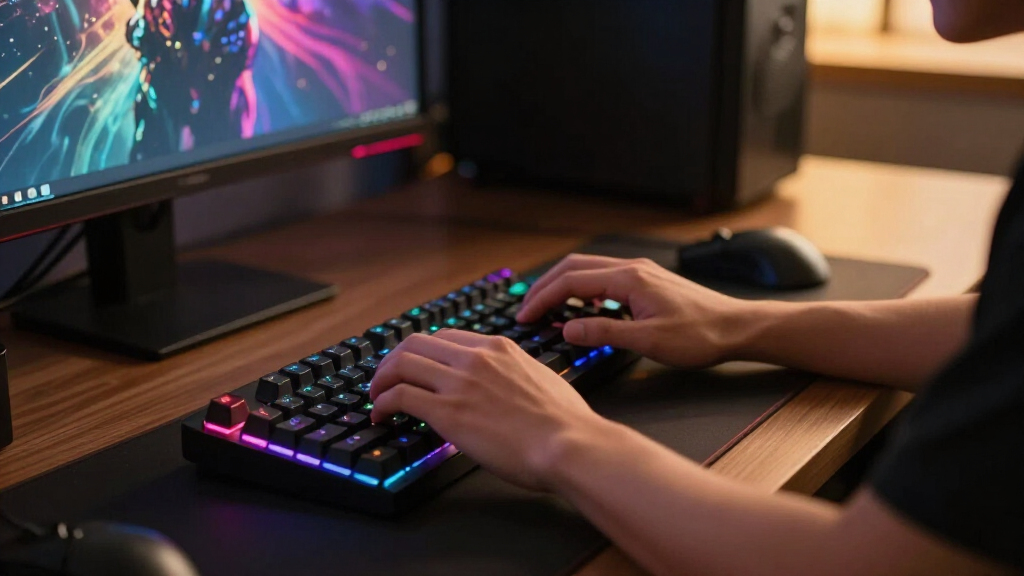
How We Picked
I evaluated all ten keyboards on five criteria that matter most for PC gaming: switch performance and latency, build quality (frame material, keycap plastic, stabilizer rattle), layout and desk footprint, software and macro support, and value per dollar. Switch performance came first because it is the one thing you feel in every match — boards with fast, consistent linear switches scored higher for shooters, while tactile options earned credit for mixed gaming-and-typing use.
The ranking logic rewards versatility. Boards that perform well across genres and setups sit at the top, which is why the ASUS ROG Strix Scope II 96 Wireless leads: it covers competitive play, everyday typing, and a clean desk setup in one package. Premium boards like the Corsair K100 were judged on whether their price buys something real, not just RGB and branding. Budget boards were ranked by what they keep, not what they cut — the Redragon K556 scores well because it holds onto an aluminum frame and hot-swap sockets, while boards that drop to membrane switches or hollow plastic frames at similar prices fell down the order. Every pick below earns its place by being the best answer for a specific kind of buyer.
| mechanical keyboards for PC gaming | Connectivity | Compatibility | Keycaps | Backlighting |
|---|---|---|---|---|
| ASUS ROG Strix Scope II 96 Wir | Bluetooth, 2.4GHz wireless, USB wired | PC and Mac | — | — |
| Razer BlackWidow V4 X Mechanic | Wired (USB) | — | — | — |
| Redragon K580 Wired RGB Mechan | Wired | — | Double-shot | — |
| Logitech G413 SE Full-Size Mec | Wired (USB) | Windows and macOS | PBT, heat- and wear-resistant | — |
| Razer BlackWidow V3 Mechanical | — | — | — | — |
| ASUS ROG Strix Scope II X Wire | Wired USB-C | — | PBT doubleshot | RGB |
| Redragon Mechanical Gaming Key | Wired | Windows | Double-shot PBT | RGB with 11 modes |
| Corsair K100 RGB Mechanical Ga | Wired | — | PBT double-shot | Per-key RGB with LightEdge |
| Redragon K556 Wired RGB Mechan | Wired, plug-and-play | Windows and Mac | — | RGB with 20 preset modes |
| Logitech G213 Prodigy Wired RG | Wired USB | PC | — | RGB, 16.8 million colors |
Factors to Consider When Choosing Best Mechanical Keyboards For PC Gaming
The product reviews tell you which boards are good. This guide explains how to decide which one is good for you — including the mistakes I see buyers make most often in this category.
Switch Type Matters More Than Brand
The single biggest decision in a gaming keyboard is the switch under the keycaps, and it matters more than the logo on the frame. Linear switches (reds, speed silvers, Razer’s yellows) press straight down with no bump, which makes double-taps and rapid strafing easier in shooters. Tactile switches (browns) give a small bump you can feel, which helps if you type as much as you game. Clicky switches (greens, blues) add an audible snap that some people love and every roommate or Discord teammate hates. The most common mistake I see is buyers choosing clicky switches because they sound satisfying in a video, then regretting it within a week. Match the switch to your primary genre: linear for FPS and battle royale, tactile for MMOs and mixed use, clicky only if you play solo and love the sound.
Layout and Desk Space Are a Real Tradeoff
Full-size boards with numpads are comfortable for MMO players, streamers, and anyone who enters numbers regularly, but they push your mouse hand far to the right. If you play low-DPI shooters with big arm movements, that lost mouse space costs you more than the numpad gains you. Compact and tenkeyless layouts free up room and center your posture, which is why so many competitive players prefer them. The 96% layout is the interesting middle ground: it squeezes a numpad into nearly the footprint of a tenkeyless, which is exactly why the ASUS ROG Strix Scope II 96 works for so many setups. Measure your desk and mousepad before you buy, not after.
Wired vs Wireless in 2026
The old rule that wireless means lag no longer holds. Modern 2.4GHz gaming wireless from ASUS, Logitech, and Razer runs at 1ms report rates that are effectively identical to a cable in real play. What wireless still costs you is money (usually a $30–60 premium), battery management, and the occasional firmware hiccup. Bluetooth is a different story — fine for typing, not reliable enough for ranked matches, so always game on the 2.4GHz dongle. Wired still makes sense if you never move your keyboard, want to save money, or simply do not want another device to charge. My rule of thumb: if your desk setup is permanent, spend the wireless premium on better switches instead.
Keycaps and Build Quality You Can Actually Feel
Two spec-sheet lines that genuinely change daily use are PBT versus ABS keycaps and aluminum versus plastic frames. ABS caps develop a greasy shine within months, especially on WASD, while PBT stays textured for years — it is one of the few upgrades you will notice every single day. Frame material affects sound and flex: an aluminum top plate, like the one on the Redragon K556, gives a firmer, deader typing sound, while plastic frames flex and ping more under heavy keypresses. Stabilizers on the big keys (spacebar, shift, enter) are the hidden quality marker — rattly stabilizers make an expensive board feel cheap. None of this shows up in marketing photos, which is why it is worth reading for these details specifically.
Software, Macros, and Media Controls
Every major brand now requires software — Razer Synapse, Corsair iCUE, Logitech G HUB, ASUS Armoury Crate — and the quality gap between them is real. If you play MMOs, MOBAs, or MMO-adjacent games, dedicated macro keys and good remapping software pay off daily; the Redragon K580 and Razer BlackWidow V4 X exist for exactly this buyer. If you play shooters, onboard memory matters more, because you can save your profile to the keyboard and skip running bloated software at boot. Media controls sound like a luxury until you have a volume roller — then going back feels broken. One caution: some budget boards advertise macro support that only works while their software runs in the background, so check whether bindings are stored onboard.
How Much Should You Actually Spend?
This roundup spans roughly $40 to $250, and the returns are not linear. The $40–70 tier (Redragon’s lineup) now buys hot-swap sockets, PBT caps, and aluminum frames — genuinely good boards with minor compromises in software polish and warranty support. The $100–150 tier is the sweet spot, where you get refined switches, wireless, and mature software. Above $180, you are paying for premium materials, optical or speed switches, and extras like the Corsair K100’s control wheel — nice, but rarely performance you can feel in-game. My advice: buy the best board in the middle tier, unless a specific premium feature solves a specific problem for you. Hot-swap sockets are the exception worth paying for at any price, since they let you change switches later without buying a whole new keyboard.
Frequently Asked Questions
Is a mechanical keyboard actually better for gaming than a membrane one?
For most PC gaming, yes — and this roundup accidentally proves the point. The Logitech G213 Prodigy is a membrane board priced alongside genuine mechanical options like the Redragon K556, and it ranked near the bottom for that reason. Mechanical switches actuate at a consistent point with consistent force, so your inputs register the same way every time, which matters when you are chaining abilities or counter-strafing. Membrane keys require a full press into a rubber dome, which feels mushier and wears unevenly over time. Mechanical boards also last far longer — most switches are rated for 50 to 100 million presses. The one case for membrane is budget absolute minimums or quiet shared spaces, and even then, a silent linear mechanical switch is usually the better answer.
What switch type is best for FPS games?
Linear switches with light actuation are the standard choice for FPS play, and every top-ranked board in this lineup for shooters uses them. Speed switches like the Cherry MX Speed Silver in the Corsair K100 actuate at 1.2mm, which shaves a fraction of a millisecond off each input — a small edge that adds up over thousands of keypresses. Standard linear reds or Razer’s yellow switches (as in the BlackWidow V4 X) actuate a bit deeper but feel less twitchy for everyday typing. Avoid clicky switches for FPS games: the tactile bump slightly slows rapid re-presses, and the noise will make you unpopular on voice chat. If you are unsure, hot-swappable boards like the Redragon K556 let you start with one switch type and swap later for the cost of a switch pack.
Is wireless fast enough for competitive gaming now?
Yes, with one condition: use the 2.4GHz dongle, not Bluetooth. The ASUS ROG Strix Scope II 96 Wireless topped this roundup while being wireless, which would have been unthinkable five years ago — its 2.4GHz connection polls at 1000Hz, the same rate as wired gaming boards, and independent latency testing across the industry consistently shows differences of less than a millisecond. Bluetooth adds 8–15ms of latency and occasional interference, so treat it as a typing and travel mode only. The real costs of wireless are battery management and a higher price, not performance. If you are playing ranked and want zero variables, wired boards like the ASUS ROG Strix Scope II X deliver the same speed with nothing to charge.
Are hot-swappable keyboards worth paying extra for?
For most buyers, yes — hot-swap sockets are the best long-term feature to appear in budget keyboards this decade. A hot-swappable board like the Redragon K556 or the Redragon 11-mode backlit model lets you pull switches out with a cheap tool and drop in new ones, no soldering required. That matters for two reasons. Practically, a single dead switch no longer means a dead keyboard. Strategically, your taste in switches will likely change — many buyers start with clicky or tactile switches and later move to linears for gaming, and hot-swap turns that preference shift into a $20 switch purchase instead of a $100 keyboard purchase. One caveat: most budget hot-swap boards accept 3-pin or 5-pin Outemu-style switches, so check socket compatibility before buying replacements.
Should I buy a full-size or compact keyboard for PC gaming?
It depends on two things: your genre and your desk. Full-size boards like the Logitech G413 SE and Corsair K100 suit MMO players, flight sim fans, and anyone who uses the numpad for work — the extra keys are genuinely useful there. Compact boards like the Razer BlackWidow V3 Compact suit FPS players with low mouse sensitivity, because the smaller footprint gives your mouse arm room to swing. The mistake to avoid is buying full-size by default and then discovering your mouse keeps hitting the keyboard edge mid-flick. If you want both, a 96% layout like the ASUS ROG Strix Scope II 96 compresses the numpad into a near-tenkeyless footprint and is the best of both worlds for most desks. When in doubt, measure your mousepad space first — that number decides for you.
Conclusion
All ten boards in this roundup are the right keyboard for someone — the trick is matching the board to the buyer. If you want the best overall option, the ASUS ROG Strix Scope II 96 Wireless earns its top ranking by doing everything well: fast wireless, a space-efficient layout, and switches that feel premium out of the box. The best value pick is the Redragon K556, which delivers an aluminum frame, hot-swap sockets, and PBT keycaps at a price that embarrasses boards costing twice as much. For the best premium experience, the Corsair K100 justifies its price with Cherry MX Speed Silver switches and build quality nothing else here matches. Beginners should start with the Logitech G413 SE — it strips away software bloat and macros in favor of a simple, durable board that just works. MMO and MOBA players who live on ability rotations should go straight to the Redragon K580 or Razer BlackWidow V4 X for their dedicated macro keys, and FPS players short on desk space will be happiest with the Razer BlackWidow V3 Compact. Pick the row that matches your games, your desk, and your budget — that is the whole decision.
Flea & tick season Picks
flea and tick prevention
As an affiliate, we earn on qualifying purchases.