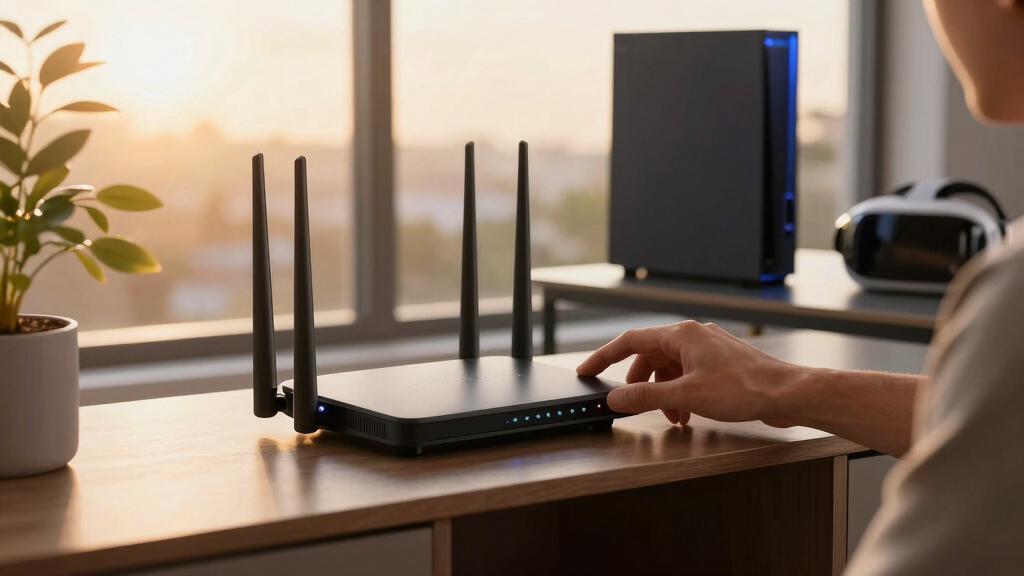

The NETGEAR Orbi 770 Series is my best overall tri-band mesh router for VR streaming because it combines Wi-Fi 7 performance, broad three-node coverage, and multi-gig connectivity without reaching the price tier of the fastest flagship systems. The TP-Link Deco BE14000 is the stronger premium choice for demanding multi-gig networks, while the Deco XE75 Pro offers a more accessible route to 6 GHz Wi-Fi. Buyers must choose between newer wireless technology, dedicated or shared backhaul capacity, whole-home coverage, and the added cost of multi-gig ports. Headset compatibility and node placement can matter more than the largest advertised speed number. Continue reading for my full breakdown of which system fits each home, budget, and VR setup.

Play games on Amazon Luna for your game nights, included with Prime
- A rotating selection of games, no download needed
- Play on TV, laptop or phone
- Fast, free delivery for your gear, too
Complete the kit



Key Takeaways
- The Orbi 770 Series takes the top position because its Wi-Fi 7 platform, three-node package, and multi-gig support offer the strongest balance of VR latency, coverage, and price in this group.
- The Deco BE14000 is the performance leader, but its added wireless capacity and faster wired connections make the most sense with multi-gig internet, wired backhaul, or many heavy network users.
- The Deco XE75 Pro remains the value sweet spot for buyers who have a 6 GHz-compatible headset and do not need to pay for Wi-Fi 7 hardware.
- The Archer AXE75 and Archer BE550 are not complete mesh kits; I rank them as expandable starting points for smaller spaces rather than direct substitutes for the three-pack Orbi and Deco systems.
- Renewed three-pack systems cut the cost of large-home coverage, though shorter warranty coverage, uncertain component history, and inconsistent accessory condition weaken their value for buyers who want low-risk ownership.
| NETGEAR Orbi RBK753P |  | Best WiFi 6 Coverage | WiFi class: AX5200 WiFi 6 | Maximum combined speed: Up to 5.2Gbps | Coverage: Up to 7,500 sq. ft. | VIEW LATEST PRICE | See Our Full Breakdown |
| TP-Link Archer AXE75 |  | Best Budget 6GHz Starter | WiFi standard: WiFi 6E | WiFi speed: Up to 5,400Mbps | Bands: 2.4 GHz, 5 GHz, and 6 GHz | VIEW LATEST PRICE | See Our Full Breakdown |
| TP-Link Deco XE75 Pro |  | Best Expandable Mesh Starter | WiFi standard: WiFi 6E | Bands: 2.4 GHz, 5 GHz, and 6 GHz | Total speed: Up to 5,400Mbps | VIEW LATEST PRICE | See Our Full Breakdown |
| NETGEAR Orbi 770 Series RBE773 |  | Best Premium Performance | WiFi standard: WiFi 7 | Bands: Tri-band | Maximum speed: Up to 11Gbps | VIEW LATEST PRICE | See Our Full Breakdown |
| TP-Link Deco 7 Pro BE63 |  | Best Overall | WiFi standard: Tri-band WiFi 7 | 6 GHz speed: Up to 5,188Mbps | 5 GHz speed: Up to 4,324Mbps | VIEW LATEST PRICE | See Our Full Breakdown |
| NETGEAR Orbi RBK852 Tri-Band WiFi 6 Mesh System |  | Best for Dense Device Loads | Wi-Fi Class: AX6000 Wi-Fi 6 | Maximum Speed: Up to 6 Gbps | Coverage: Up to 5,000 sq. ft. | VIEW LATEST PRICE | See Our Full Breakdown |
| TP-Link Deco XE75 Pro AXE5400 WiFi 6E Mesh System (3-Pack, Renewed) | 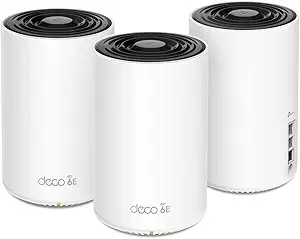 | Best Value Wi-Fi 6E Mesh | Wi-Fi Class: AXE5400 Wi-Fi 6E | Bands: 6 GHz, 5 GHz, and 2.4 GHz | Maximum Speed: 5,400 Mbps | VIEW LATEST PRICE | See Our Full Breakdown |
| TP-Link Deco 7 Pro BE14000 Wi-Fi 7 Mesh System (3-Pack) |  | Best Premium Wi-Fi 7 System | Wi-Fi Standard: Wi-Fi 7 | Total Speed: Up to 14 Gbps | Coverage: Up to 8,100 sq. ft. | VIEW LATEST PRICE | See Our Full Breakdown |
| TP-Link Archer BE550 Tri-Band WiFi 7 Router |  | Best Expandable Starter | Wi-Fi Standard: Wi-Fi 7 | Bands: Tri-band | 6 GHz Speed: Up to 5,760 Mbps | VIEW LATEST PRICE | See Our Full Breakdown |
| NETGEAR Orbi RBK763 AX5400 Tri-Band WiFi 6 Mesh System (Renewed) |  | Best Three-Node Wi-Fi 6 Orbi | Wi-Fi Standard: Wi-Fi 6 | Wi-Fi Class: AX5400 | Maximum Speed: Up to 5.4 Gbps | VIEW LATEST PRICE | See Our Full Breakdown |
| tri-band mesh routers for VR streaming | Coverage | Included units | Device capacity | Security |
|---|---|---|---|---|
| NETGEAR Orbi RBK753P | Up to 7,500 sq. ft. | 1 router and 2 satellites | Up to 75 devices | NETGEAR Armor |
| TP-Link Archer AXE75 | — | — | — | WPA3, VPN server/client, and HomeShield |
| TP-Link Deco XE75 Pro | Up to 2,900 sq. ft. | 1 | Up to 200 devices | TP-Link HomeShield |
| NETGEAR Orbi 770 Series RBE773 | Up to 8,000 sq. ft. | 1 router and 2 satellites | Up to 100 devices | — |
| TP-Link Deco 7 Pro BE63 | Up to 7,600 sq. ft. | 3 | More than 200 devices | — |
| NETGEAR Orbi RBK852 Tri-Band W | Up to 5,000 sq. ft. | 1 router and 1 satellite | Up to 100 devices | NETGEAR Armor |
| TP-Link Deco XE75 Pro AXE5400 | Up to 7,200 sq. ft. | 3 | — | TP-Link HomeShield |
| TP-Link Deco 7 Pro BE14000 Wi- | Up to 8,100 sq. ft. | 3 | 200+ devices | HomeShield with advanced cybersecurity |
| TP-Link Archer BE550 Tri-Band | Up to 2,000 sq. ft. | — | — | — |
| NETGEAR Orbi RBK763 AX5400 Tri | — | 1 router and 2 satellites | — | — |
More Details on Our Top Picks
NETGEAR Orbi RBK753P
I rank the NETGEAR Orbi RBK753P as the strongest WiFi 6 choice for buyers who value wide, ready-made mesh coverage over newer 6 GHz access. Its router and two satellites cover up to 7,500 square feet, giving a VR headset more room to roam without reconnecting to distant nodes. Compared with the single-unit TP-Link Deco XE75 Pro, this package is far better prepared for a large multistory home from day one. The tradeoff is longevity: AX5200 WiFi 6 lacks the cleaner 6 GHz band found on the Deco XE75 Pro and the WiFi 7 capability of the Orbi 770. Its stated compatibility also stops at 1Gbps internet service. I see it as a coverage-first system, not the pick for multi-gig upgrades.
Pros:- Three included units cover up to 7,500 square feet
- Supports as many as 75 connected devices
- Dedicated mesh package is ready for large homes without immediate expansion
- Multiple Ethernet ports support wired consoles, PCs, and backhaul options
Cons:- No 6 GHz band for compatible VR headsets
- Stated ISP compatibility is limited to plans up to 1Gbps
- Expanding beyond the included coverage requires separately purchased satellites
Best for: Owners of large multistory homes who want three-node WiFi 6 coverage for wireless PC VR and many household devices
Not ideal for: Buyers with WiFi 6E or WiFi 7 headsets and multi-gig internet plans, since this system lacks 6 GHz access and targets service up to 1Gbps
- WiFi class:AX5200 WiFi 6
- Maximum combined speed:Up to 5.2Gbps
- Coverage:Up to 7,500 sq. ft.
- Device capacity:Up to 75 devices
- Included units:1 router and 2 satellites
- Ethernet ports:3 on router; 2 on each satellite
- ISP compatibility:Any provider up to 1Gbps
- Security:NETGEAR Armor
Our verdict“I recommend the Orbi RBK753P for broad WiFi 6 coverage, but buyers pursuing 6 GHz or multi-gig networking should move higher in the lineup.”
TP-Link Archer AXE75
The TP-Link Archer AXE75 earns my budget role because it brings a dedicated 6 GHz band and a 2.5Gbps WAN port without forcing buyers into a three-node package. That cleaner band can reduce contention for a nearby WiFi 6E VR headset, especially when older household devices remain on 2.4 or 5 GHz. Unlike the TP-Link Deco XE75 Pro, however, the Archer is not a complete mesh system by itself; whole-home roaming requires compatible OneMesh expansion hardware. Its traditional router setup can also feel more involved than the Deco app workflow. I would choose it for one primary play space and gradual expansion, while the Deco BE63 makes more sense when broad coverage is needed immediately. The 5400Mbps aggregate rating is attractive, but buyers still need a separate modem.
Pros:- 6 GHz band offers a less congested path for compatible VR headsets
- 2.5Gbps WAN port supports internet plans above gigabit speed
- OneMesh support allows staged coverage expansion
- WPA3, VPN features, QoS, and parental controls add useful management options
Cons:- Not a complete mesh system without separately purchased OneMesh hardware
- Setup and network controls may be demanding for less technical buyers
- Requires a separate modem with most internet providers
Best for: Budget-minded WiFi 6E headset owners with one main VR room who want to add compatible mesh extenders later
Not ideal for: Buyers expecting whole-home mesh coverage in the box, because the single router needs separate OneMesh-compatible hardware for expansion
- WiFi standard:WiFi 6E
- WiFi speed:Up to 5,400Mbps
- Bands:2.4 GHz, 5 GHz, and 6 GHz
- Processor:1.0GHz dual-core
- Memory:512MB
- WAN port:2.5Gbps
- Mesh support:TP-Link OneMesh
- Security:WPA3, VPN server/client, and HomeShield
Our verdict“I recommend the Archer AXE75 as an affordable 6 GHz starting point for one VR zone, not as an instant whole-home mesh package.”
TP-Link Deco XE75 Pro
I see the TP-Link Deco XE75 Pro as the best starting node for buyers who want a true mesh platform but do not yet need a full kit. Its 6 GHz band gives compatible VR headsets a cleaner connection, while the 2.5Gbps WAN/LAN port avoids the 1Gbps service ceiling associated with the Orbi RBK753P. Setup through the Deco app is also friendlier than configuring the Archer AXE75. The limitation is physical reach: this listing contains only one unit and covers up to 2,900 square feet, so larger or heavily divided homes will need more Deco nodes. Some HomeShield functions may also sit behind a subscription. With capacity for up to 200 devices, it has ample headroom, but I rank it below complete systems because expansion adds cost and planning.
Pros:- 6 GHz connectivity can reduce interference for compatible VR headsets
- 2.5Gbps WAN/LAN port supports multi-gig service or wired networking
- Deco app provides a comparatively approachable setup process
- Supports up to 200 devices for busy connected homes
Cons:- One-node package cannot provide broad multistory mesh coverage by itself
- Additional Deco units raise the total system cost
- Some advanced HomeShield capabilities may require a subscription
Best for: Apartment owners and small-home buyers who want WiFi 6E VR performance now with the option to add matching Deco nodes later
Not ideal for: Large-home buyers seeking complete mesh coverage from one purchase, since this package contains a single 2,900-square-foot node
- WiFi standard:WiFi 6E
- Bands:2.4 GHz, 5 GHz, and 6 GHz
- Total speed:Up to 5,400Mbps
- Coverage:Up to 2,900 sq. ft.
- Device capacity:Up to 200 devices
- Included units:1
- Ports:1 x 2.5Gbps WAN/LAN; 2 x Gigabit LAN
- Security:TP-Link HomeShield
Our verdict“I recommend the Deco XE75 Pro for a small home or apartment that needs a capable first mesh node with a clear expansion path.”
NETGEAR Orbi 770 Series RBE773
The NETGEAR Orbi 770 Series RBE773 takes my premium slot with WiFi 7 throughput up to 11Gbps, three included units, and the widest stated coverage in this group. That combination suits large homes where a VR headset shares the network with high-resolution streams, gaming PCs, and dozens of smart devices. It outruns the WiFi 6 Orbi RBK753P and offers 400 square feet more stated reach than the TP-Link Deco BE63. Yet raw wireless speed comes with a higher expected price, and many current headsets cannot make full use of WiFi 7. The supplied data identifies a 2.5Gbps internet port, so the wireless headline also exceeds the listed WAN rate. I reserve this model for buyers paying for maximum reach and capacity, rather than value seekers.
Pros:- WiFi 7 speed rating reaches up to 11Gbps
- Three-node package covers up to 8,000 square feet
- Supports as many as 100 devices
- 2.5Gbps internet port accommodates multi-gig service
Cons:- Costs more than basic WiFi 6 and WiFi 6E systems
- Older VR hardware cannot use the full WiFi 7 feature set
- Listed 2.5Gbps internet port is far below the aggregate 11Gbps wireless rating
Best for: Large-home owners with a WiFi 7 headset or planned device upgrades who need three-node coverage for up to 100 devices
Not ideal for: Value-focused households using older headsets and gigabit service, since much of the WiFi 7 performance may go unused
- WiFi standard:WiFi 7
- Bands:Tri-band
- Maximum speed:Up to 11Gbps
- Coverage:Up to 8,000 sq. ft.
- Device capacity:Up to 100 devices
- Included units:1 router and 2 satellites
- Internet port:2.5Gbps
Our verdict“I recommend the Orbi 770 for buyers willing to pay for expansive WiFi 7 coverage and high household capacity.”
TP-Link Deco 7 Pro BE63
I give the TP-Link Deco 7 Pro BE63 the overall win because it balances WiFi 7, three-node coverage, and flexible 2.5Gbps ports better than the other picks. Its 7,600-square-foot range nearly matches the Orbi 770, while support for more than 200 devices doubles the Orbi’s stated capacity. AI-driven roaming can keep a moving headset attached to the most suitable node, and four 2.5G WAN/LAN ports create useful wired options for a gaming PC or backhaul. The Orbi 770 remains faster on paper at 11Gbps and covers a little more space, so performance-first buyers may prefer it. The BE63 also requires a separate modem, and node placement can heavily affect wireless VR latency. Still, its stronger balance of capacity and connectivity makes it my broadest recommendation.
Pros:- Three units cover up to 7,600 square feet
- Supports more than 200 connected devices
- Four 2.5G WAN/LAN ports provide flexible multi-gig wired connections
- AI-driven roaming helps devices move between mesh nodes
Cons:- Peak speed is lower than the Orbi 770’s stated 11Gbps
- Requires a separate modem for most internet services
- Wireless performance and VR latency remain sensitive to node placement and home construction
Best for: Large, device-heavy households wanting a three-node WiFi 7 mesh with multi-gig wired options for VR PCs and backhaul
Not ideal for: Small homes with older WiFi 5 or WiFi 6 headsets, where the three-node system and WiFi 7 hardware would be excessive
- WiFi standard:Tri-band WiFi 7
- 6 GHz speed:Up to 5,188Mbps
- 5 GHz speed:Up to 4,324Mbps
- 2.4 GHz speed:Up to 574Mbps
- Coverage:Up to 7,600 sq. ft.
- Included units:3
- Device capacity:More than 200 devices
- Ports:4 x 2.5G WAN/LAN; 1 x USB 3.0
- Features:VPN, HomeShield, and AI roaming
Our verdict“I recommend the Deco BE63 as the best all-around choice for buyers seeking broad WiFi 7 mesh coverage, high capacity, and useful multi-gig ports.”
NETGEAR Orbi RBK852 Tri-Band WiFi 6 Mesh System
I rank the NETGEAR Orbi RBK852 as the strongest option here for a large, busy household because it supports up to 100 devices while covering 5,000 square feet with two units. Its four Gigabit Ethernet ports per node are especially useful for keeping a VR gaming PC wired while reserving wireless capacity for the headset. The smaller kit is simpler to place than a three-node system, but difficult multistory layouts may require a separately sold satellite. Compared with the TP-Link Deco 7 Pro BE14000, this Orbi lacks Wi-Fi 7, a 6 GHz band, and multi-gig LAN connections, limiting its appeal for newer headsets and high-speed local streaming. I favor it for proven Wi-Fi 6 capacity rather than cutting-edge hardware.
Pros:- Supports up to 100 devices across a busy home network
- AX6000 performance provides ample capacity for VR and simultaneous streaming
- Four Gigabit Ethernet ports on both the router and satellite
- Two-unit system covers up to 5,000 square feet
Cons:- Wi-Fi 6 hardware lacks the cleaner 6 GHz band available on newer systems
- Gigabit LAN ports can bottleneck multi-gig local VR streaming
- Extra coverage requires separately purchased satellites
Best for: Large households running wireless VR alongside many phones, TVs, computers, and smart-home devices
Not ideal for: Owners of 6 GHz VR headsets or multi-gig home servers who need newer wireless and wired connections
- Wi-Fi Class:AX6000 Wi-Fi 6
- Maximum Speed:Up to 6 Gbps
- Coverage:Up to 5,000 sq. ft.
- Device Capacity:Up to 100 devices
- Included Units:1 router and 1 satellite
- Ethernet Ports:4 Gigabit ports on each unit
- Internet Compatibility:ISPs with plans up to 2.5 Gbps
- Security:NETGEAR Armor
Our verdict“I recommend the RBK852 for device-heavy large homes that value broad Wi-Fi 6 capacity more than 6 GHz access or multi-gig LAN.”
TP-Link Deco XE75 Pro AXE5400 WiFi 6E Mesh System (3-Pack, Renewed)
The renewed TP-Link Deco XE75 Pro earns my value position by combining three-node coverage with a low-interference 6 GHz band, which can give compatible VR headsets a cleaner link than Wi-Fi 6 systems. Its 7,200-square-foot rating also makes it better suited to wide or irregular homes than the two-unit Orbi RBK852. A 2.5 Gbps WAN/LAN port per unit accommodates faster internet or a wired gaming PC, although the other ports remain Gigabit. Compared with the Deco 7 Pro BE14000, it gives up Wi-Fi 7 speed, 10 Gbps connectivity, and capacity for more than 200 devices. The renewed condition also introduces warranty uncertainty, while some HomeShield tools carry an added subscription cost. I see it as the practical middle ground for 6 GHz VR without flagship hardware.
Pros:- 6 GHz band can reduce interference for compatible VR headsets
- Three units cover up to 7,200 square feet
- Each node includes a flexible 2.5 Gbps WAN/LAN port
- Deco app and AI-driven mesh simplify management and roaming
Cons:- Renewed condition may come with less warranty coverage than a new system
- Only one port per unit supports 2.5 Gbps
- HomeShield Pro features require an added subscription
Best for: Value-focused buyers with a 6 GHz-capable VR headset and a large home needing three mesh nodes
Not ideal for: Buyers who require a full new-product warranty or multiple multi-gig ports on every node
- Wi-Fi Class:AXE5400 Wi-Fi 6E
- Bands:6 GHz, 5 GHz, and 2.4 GHz
- Maximum Speed:5,400 Mbps
- Coverage:Up to 7,200 sq. ft.
- Included Units:3
- Ports per Unit:1 x 2.5 Gbps WAN/LAN and 2 x Gigabit LAN
- ISP Compatibility:All major ISPs; separate modem usually required
- Security:TP-Link HomeShield
Our verdict“I recommend this renewed XE75 Pro kit to buyers seeking broad 6 GHz mesh coverage without paying for Wi-Fi 7.”
TP-Link Deco 7 Pro BE14000 Wi-Fi 7 Mesh System (3-Pack)
I place the TP-Link Deco 7 Pro BE14000 at the premium end because it pairs Wi-Fi 7 with 10 Gbps wired backhaul, allowing traffic between nodes to avoid competing with a wireless VR session. Coverage reaches 8,100 square feet, and capacity for more than 200 devices suits large connected homes. Compared with the Deco XE75 Pro, its 14 Gbps aggregate rating and multi-gig ports provide far more headroom for local PC-to-headset streaming, though a single headset will never receive that entire aggregate figure. It also outruns the Orbi RBK852 in wired flexibility and wireless generation. The catch is scale: three high-end nodes can be excessive for a small home, a modem remains necessary, and some security functions may require payment. I reserve this pick for demanding networks that can use its headroom.
Pros:- Wi-Fi 7 platform offers up to 14 Gbps of aggregate bandwidth
- 10 Gbps wired backhaul supports fast communication between nodes
- Three units cover up to 8,100 square feet
- Supports more than 200 connected devices
Cons:- Three premium nodes are excessive for many smaller homes
- A separate modem is required for internet access
- Some advanced HomeShield security features may require a subscription
Best for: Enthusiasts with Wi-Fi 7 clients, a multi-gig gaming PC, and a large home wired for fast backhaul
Not ideal for: Apartment residents or Wi-Fi 6 headset owners who would pay for speed and coverage they cannot use
- Wi-Fi Standard:Wi-Fi 7
- Total Speed:Up to 14 Gbps
- Coverage:Up to 8,100 sq. ft.
- Device Capacity:200+ devices
- Included Units:3
- WAN/LAN Ports:10 Gbps, 2.5 Gbps, and 1 Gbps
- Backhaul:Up to 10 Gbps wired
- Security:HomeShield with advanced cybersecurity
- VPN Support:Yes
Our verdict“I recommend the Deco 7 Pro BE14000 for large, multi-gig homes that can put its Wi-Fi 7 speed and 10 Gbps backhaul to work.”
TP-Link Archer BE550 Tri-Band WiFi 7 Router
The TP-Link Archer BE550 is my starter pick for buyers who want strong VR performance in one room now and the option to build a mesh later. Its five 2.5 Gbps Ethernet ports make it unusually capable for connecting a gaming PC, network storage, and other wired hardware without an extra multi-gig switch. Wi-Fi 7 and the 6 GHz band also suit newer headsets. Unlike the Deco XE75 Pro three-pack, however, this is a single router rather than a complete mesh kit; its 2,000-square-foot rating is much smaller, and extending coverage requires separate EasyMesh hardware. The Tether app aids setup, but advanced controls may feel dense to newcomers. I rank it below packaged mesh systems for whole-home VR, yet its start-small flexibility makes more sense when one well-placed router can cover the current play area.
Pros:- Wi-Fi 7 tri-band connection includes a 6 GHz band for compatible headsets
- One 2.5 Gbps WAN and four 2.5 Gbps LAN ports support multi-gig wired hardware
- EasyMesh support allows later expansion
- WPA3, HomeShield, and VPN support provide broad network controls
Cons:- Not a complete mesh system out of the box
- Coverage is limited to about 2,000 square feet before expansion
- Advanced settings may be difficult for less technical buyers
Best for: Buyers starting with one VR room who want Wi-Fi 7 and plan to add EasyMesh nodes only if needed
Not ideal for: Large or multistory homes needing seamless mesh coverage immediately, since only one router is included
- Wi-Fi Standard:Wi-Fi 7
- Bands:Tri-band
- 6 GHz Speed:Up to 5,760 Mbps
- 5 GHz Speed:Up to 2,880 Mbps
- 2.4 GHz Speed:Up to 574 Mbps
- Ports:1 x 2.5G WAN and 4 x 2.5G LAN
- Coverage:Up to 2,000 sq. ft.
- Antennas:6 internal antennas
- Mesh Support:EasyMesh
Our verdict“I recommend the Archer BE550 when one VR room needs multi-gig Wi-Fi 7 today and mesh expansion can wait.”
NETGEAR Orbi RBK763 AX5400 Tri-Band WiFi 6 Mesh System (Renewed)
I choose the renewed NETGEAR Orbi RBK763 for buyers who want three-node Orbi coverage without stepping up to the brand’s newer Wi-Fi 7 range. The router and two satellites can spread a 5.4 Gbps tri-band Wi-Fi 6 network across a large or awkward home, while seven Gigabit LAN ports provide useful wired connections for gaming PCs and consoles. Compared with the two-unit Orbi RBK852, it supplies an extra satellite but has a lower wireless class, making node placement its main advantage rather than peak capacity. The Deco XE75 Pro is a better match for 6 GHz headsets and includes 2.5 Gbps connectivity. Here, Gigabit-only ports and no 6 GHz band limit future growth, setup may challenge newcomers, and renewed status can mean reduced warranty protection. I favor it for coverage-led Wi-Fi 6 upgrades.
Pros:- Router and two satellites provide a ready-made three-node layout
- AX5400 tri-band capacity supports gaming and simultaneous household traffic
- Seven Gigabit LAN ports accommodate several wired devices
- System can be expanded with additional compatible satellites
Cons:- Renewed status may involve limited warranty coverage
- Wi-Fi 6 platform lacks a 6 GHz band
- Gigabit LAN ports restrict multi-gig local streaming
Best for: Orbi buyers with a large or irregular home who need three included nodes and use Wi-Fi 6 VR hardware
Not ideal for: Owners seeking 6 GHz headset access, multi-gig Ethernet, or full new-product warranty coverage
- Wi-Fi Standard:Wi-Fi 6
- Wi-Fi Class:AX5400
- Maximum Speed:Up to 5.4 Gbps
- Bands:Tri-band
- Included Units:1 router and 2 satellites
- LAN Ports:7 Gigabit ports across the system
- Voice Control:Amazon Alexa and Google Assistant
Our verdict“I recommend the renewed RBK763 for large Wi-Fi 6 homes that value three-node Orbi coverage over newer 6 GHz and multi-gig hardware.”
How We Picked
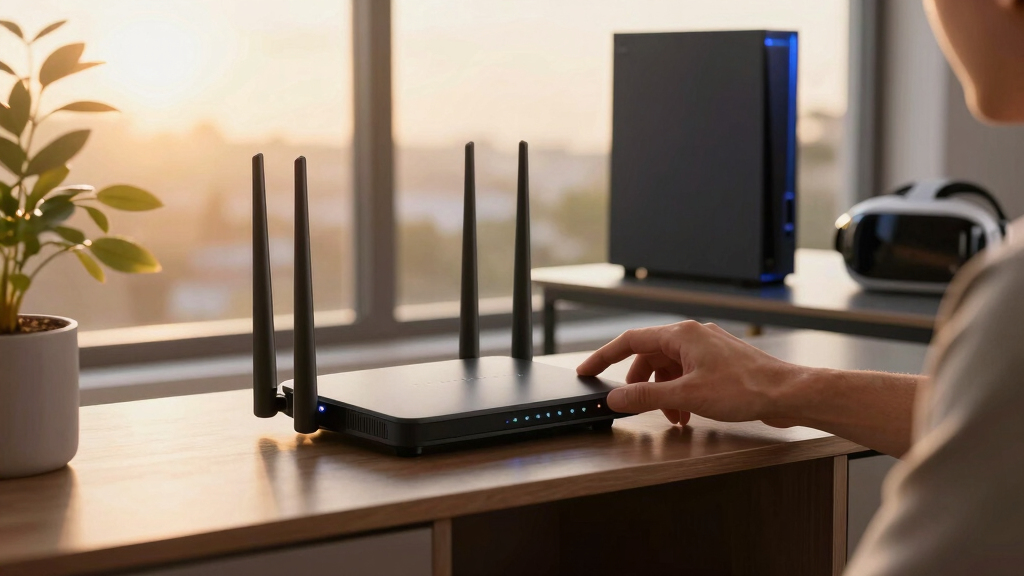
I ranked these products around the needs of wireless VR rather than headline throughput alone. My highest weights went to latency stability near the play area, usable capacity between mesh nodes, 6 GHz availability, wired backhaul support, and the ability to place a node close to the headset. I also compared port speeds, node count, coverage flexibility, network management, security costs, and whether each package creates a working mesh without another purchase. Systems with Wi-Fi 7 and multi-gig ports moved upward when those features delivered a practical path for newer headsets and faster home networks.
The ranking also accounts for price relative to the included hardware, ease of expansion, and the risks attached to renewed equipment. I gave complete multi-node kits an advantage over standalone routers because most readers searching for mesh coverage need more than one access point. The Archer AXE75 and Archer BE550 remain useful choices, but I treated them as expandable router foundations rather than ready-to-run whole-home packages. Older Wi-Fi 6 Orbi systems still rank well for broad coverage and stable backhaul, yet they sit below newer 6 GHz models when direct headset capacity is the priority.
| tri-band mesh routers for VR streaming | Security |
|---|---|
| NETGEAR Orbi RBK753P | NETGEAR Armor |
| TP-Link Archer AXE75 | WPA3, VPN server/client, and HomeShield |
| TP-Link Deco XE75 Pro | TP-Link HomeShield |
| NETGEAR Orbi 770 Series RBE773 | — |
| TP-Link Deco 7 Pro BE63 | — |
| NETGEAR Orbi RBK852 Tri-Band W | NETGEAR Armor |
| TP-Link Deco XE75 Pro AXE5400 | TP-Link HomeShield |
| TP-Link Deco 7 Pro BE14000 Wi- | HomeShield with advanced cybersecurity |
| TP-Link Archer BE550 Tri-Band | — |
| NETGEAR Orbi RBK763 AX5400 Tri | — |
Factors to Consider When Choosing Best Tri-band Mesh Routers For VR Streaming
Choosing among these systems starts with the connection path between the headset and gaming device, not the speed printed on the box. I would match the router to the headset’s supported bands, the home’s wiring, and the distance between nodes before paying for extra theoretical throughput. The following factors explain when Wi-Fi 7, 6 GHz, multi-gig ports, or an extra satellite will produce a visible benefit.
Match the Wireless Generation to the Headset
A Wi-Fi 7 mesh can offer lower contention and features such as Multi-Link Operation, but the headset must support those features before they help the final wireless hop. A Wi-Fi 6E headset can still benefit from the clean 6 GHz band on either a 6E or Wi-Fi 7 system. Headsets limited to 5 GHz gain more from strong placement and available airtime than from a Wi-Fi 7 badge. I would choose the Deco XE75 Pro for a 6E-focused setup and reserve the Orbi 770 or Deco BE models for newer clients or a longer upgrade cycle. Paying extra for Wi-Fi 7 also makes more sense when laptops, phones, and gaming computers can share its added capacity. Check each headset’s actual radio support rather than assuming every recent VR model uses the newest router features.
Protect Capacity Between Mesh Nodes
Wireless VR traffic may cross two links: headset to satellite and satellite to the main router. If both links compete for the same channel, activity elsewhere in the home can create latency spikes even when an internet speed test looks fast. Some systems reserve more capacity for inter-node traffic, while others dynamically share their bands between clients and backhaul. A wired Ethernet backhaul removes much of that competition and frees the wireless bands for headsets and other devices. Without Ethernet, I would favor a complete three-node system with strong backhaul design over a high-speed standalone router placed several rooms away. Avoid adding more nodes than the floor plan needs, since closely spaced access points can increase interference and roaming decisions.
Place a Node Near the VR Play Area
Short distance and clear sight lines often improve VR streaming more than a higher advertised AX or BE rating. The best layout places a mesh node in or beside the play area while keeping that node connected cleanly to the router. Six-gigahertz signals offer wide, relatively quiet channels, but they lose strength faster through walls than 5 GHz signals. A three-pack helps across a large or multi-level home, yet a compact apartment may perform better with one or two carefully positioned units. I would not hide the play-area node inside a cabinet, behind a television, or beside dense metal objects. Use coverage claims only as rough comparisons because wall material, neighboring networks, and floor layout shape the real result.
Choose Ports Around the Local VR Path
For PC-based wireless VR, the gaming computer should usually connect by Ethernet to the nearest suitable node or main router. A 2.5GbE port raises the ceiling for local transfers and multi-gig internet, though a stable gigabit connection already carries far more bandwidth than one compressed VR stream normally needs. Multiple multi-gig ports become valuable when the modem, gaming PC, network storage, and wired backhaul all need fast connections. A model with one 2.5GbE socket may force that port to serve the internet connection, leaving gigabit ports for everything else. This port allocation separates the Deco BE14000 and newer Wi-Fi 7 choices from cheaper 6E and Wi-Fi 6 systems. I would pay for extra multi-gig ports only when the wired devices and internet plan can use them.
Balance New, Renewed, and Subscription Costs
A renewed three-pack can cost less than a new two-node system, making it attractive for a large home on a fixed budget. The tradeoff is less predictable hardware history, packaging condition, warranty coverage, and remaining service life. Confirm that every satellite, power adapter, and Ethernet cable is included, since replacements can erase the initial saving. Router apps may also place advanced security or parental controls behind recurring plans, so the purchase price is not always the full ownership cost. I favor new hardware for buyers who depend on the network for daily work and want straightforward warranty support. Renewed Orbi or Deco packages make more sense for experienced buyers who can verify firmware, factory-reset every unit, and return an incomplete kit promptly.
Frequently Asked Questions
Do I Need Wi-Fi 7 for Smooth Wireless VR Streaming?
No, Wi-Fi 7 is not mandatory for smooth VR streaming. A well-placed Wi-Fi 6E system such as the Deco XE75 Pro can provide a fast 6 GHz link with little local interference when the headset supports that band. Wi-Fi 7 becomes more attractive when the headset supports its newer features, several demanding devices share the network, or the buyer plans to keep the mesh for many years. The Orbi 770 offers a useful middle ground, while the Deco BE14000 targets buyers willing to pay for greater multi-gig capacity. I would prioritize placement and backhaul quality before spending more solely for the Wi-Fi 7 label.
Should I Use 6 GHz for the Headset or for Wireless Backhaul?
The better choice depends on whether the mesh can maintain both links without forcing them to compete heavily. Giving the headset a nearby 6 GHz connection can reduce congestion, but weak 6 GHz reception between distant nodes may make wireless backhaul unstable. Ethernet backhaul solves the conflict by leaving the radio capacity available to clients. In a home without Ethernet, place the nodes close enough to maintain a strong inter-node link and compare the system’s available backhaul settings. I would favor a reliable 5 GHz headset link over a weak 6 GHz connection chosen only because it is newer.
Can the Archer AXE75 or Archer BE550 Replace a Full Mesh Kit?
Either Archer can work alone in a small home, and both provide a path for compatible mesh expansion. They are not equivalent to an included router-and-satellite package, however, because the buyer must purchase and configure additional compatible hardware. This difference matters when the VR room is far from the modem or sits on another floor. The Archer models make the most sense when one router may be enough today and expansion can wait. For immediate whole-home coverage, I would choose an Orbi or Deco multi-pack instead.
Is Ethernet Backhaul Worth Installing for VR Streaming?
Ethernet backhaul is one of the most dependable upgrades for a mesh-based VR setup because it removes wireless competition between nodes. It is especially useful in homes with thick walls, busy neighboring networks, or several simultaneous streams. The gaming PC should also use a wired connection whenever practical, leaving only the headset’s final hop on Wi-Fi. Gigabit Ethernet is adequate for most single-headset setups, while 2.5GbE better serves multi-gig internet, network storage, and several heavy users. I would spend on wiring before moving from a capable 6E kit to a premium Wi-Fi 7 system if unstable backhaul is the real problem.
Are Renewed Orbi and Deco Systems a Safe Value Choice?
Renewed systems can be worthwhile when the discount is large and the seller provides a clear return window. The renewed Deco XE75 Pro and Orbi RBK763 packages offer three-node coverage for less, but their condition and warranty may differ from new retail units. Check that all nodes accept current firmware, pair correctly, and include matching power supplies immediately after delivery. I would also factory-reset every unit and replace any inherited administrator credentials before connecting personal devices. Buyers who want predictable support and longer service life should pay more for a new system.
Conclusion
For most buyers, I recommend the NETGEAR Orbi 770 Series as the best overall choice because it balances Wi-Fi 7 capability, three-node coverage, and multi-gig networking without moving into flagship pricing. The renewed Deco XE75 Pro three-pack is my best value pick for buyers comfortable with refurbished hardware, while the new one-pack version is a sensible starting point for a smaller home. For beginners, the new Deco XE75 Pro offers approachable app management and 6 GHz access without requiring a Wi-Fi 7 budget. The Deco BE14000 is my premium recommendation for multi-gig households, wired backhaul, and many demanding clients. Large-home buyers who value expansive coverage over 6 GHz headset access should favor the Orbi RBK753P, while the Archer BE550 suits compact spaces that may need mesh expansion later. Matching the system to the headset’s radio support, backhaul method, and play-area location will produce a better choice than simply buying the model with the largest speed number.
Halloween Picks
halloween
As an affiliate, we earn on qualifying purchases.