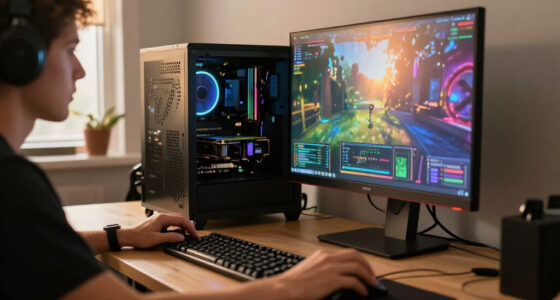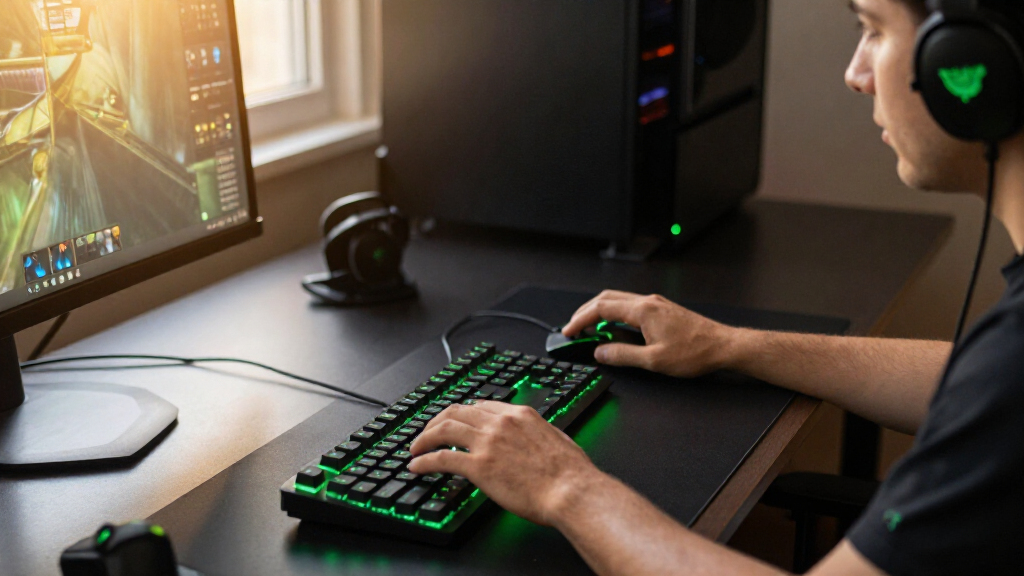

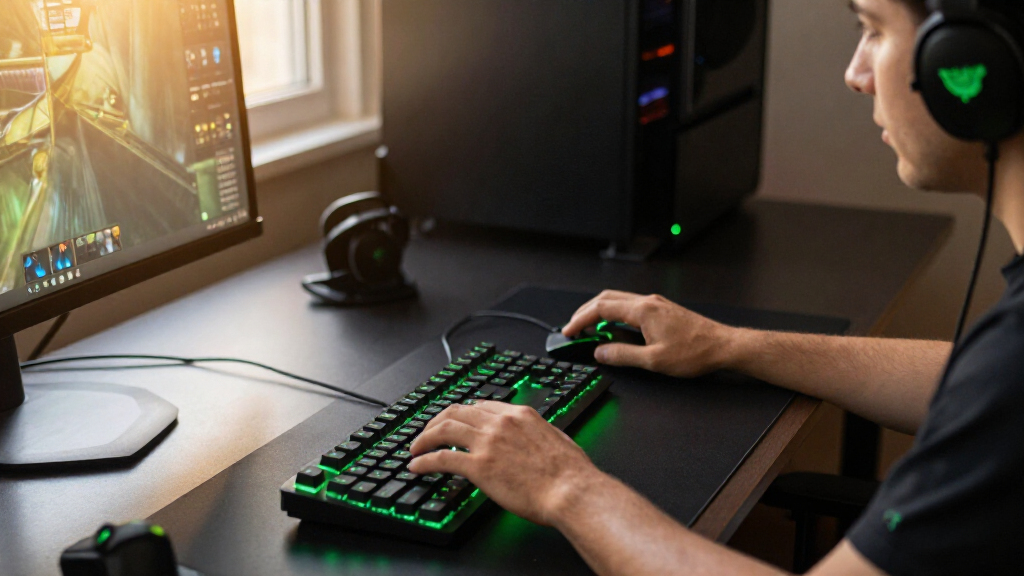
The best Razer gaming peripherals depend on whether you value lightweight aim, extra controls, wireless freedom, or a feature-rich desk setup. I name the DeathAdder V3 Pro my best overall pick for its focused, lightweight wireless design, while the Basilisk V3 stands out for configurable controls and the BlackShark V3 Pro for premium headset features. The main tradeoffs are wired simplicity versus wireless flexibility, specialized controls versus a lighter design, and premium features versus a more straightforward setup. No single device suits every game or hand shape. Read on for the full breakdown of all 14 picks and how I’d match them to different players.

Play games on Amazon Luna for your game nights, included with Prime
- A rotating selection of games, no download needed
- Play on TV, laptop or phone
- Fast, free delivery for your gear, too
Complete the kit


Key Takeaways
- The DeathAdder V3 Pro is the strongest all-around mouse pick for players who want a lightweight wireless shape without MMO side controls.
- The Basilisk models prioritize versatility over minimal weight; their extra controls suit players who want shortcuts close at hand.
- The Naga V3 Pro and Naga V2 Pro target MMO play, where swappable side controls can matter more than a simple, lightweight shell.
- Headset choice splits between convenience and premium features: the wired BlackShark V2 X is straightforward, while the BlackShark V3 Pro adds wireless and active noise cancellation.
- Keyboard and keypad picks fill different roles: the BlackWidow models are full keyboards with distinct switch feels, while the Tartarus V2 adds programmable controls alongside a regular keyboard.
| Razer BlackShark V2 X Wired Gaming Headset with Microphone |  | Best Lightweight Wired Headset | Connection: Wired, 3.5 mm jack | Driver size: 50 mm | Microphone: HyperClear cardioid | VIEW LATEST PRICE | See Our Full Breakdown |
| Razer DeathAdder V3 Pro Wireless Gaming Mouse | 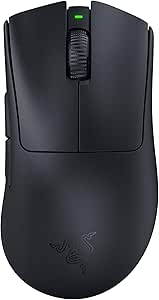 | Best Lightweight Wireless Mouse | Weight: 63 g | Connectivity: Wireless, Bluetooth, USB | Sensor: Focus Pro 30K optical sensor | VIEW LATEST PRICE | See Our Full Breakdown |
| Razer Basilisk V4 HyperSpeed Wireless Gaming Mouse |  | Best for Custom Controls | Connectivity: 2.4 GHz wireless, Bluetooth, USB | Sensor: Razer Focus X 33K Optical Sensor Gen-3 | Maximum DPI: 33,000 | VIEW LATEST PRICE | See Our Full Breakdown |
| Razer Tartarus V2 Left-Handed Gaming Keypad, 32 Programmable Keys | 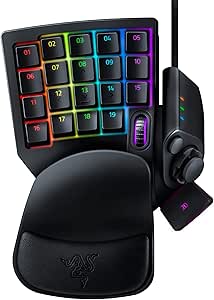 | Best for Macro-Heavy Play | Key count: 32 | Switch type: Mecha-Membrane | Hand orientation: Left | VIEW LATEST PRICE | See Our Full Breakdown |
| Razer DeathAdder Essential Ergonomic Wired Gaming Mouse, Black | 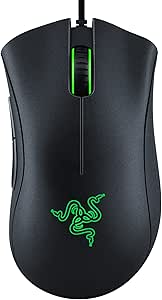 | Best Basic Wired Mouse | Connectivity: Wired | Sensor: Optical | Maximum sensitivity: 6,400 DPI | VIEW LATEST PRICE | See Our Full Breakdown |
| Razer BlackWidow V4 X Mechanical Gaming Keyboard, Yellow Linear Switches, Black |  | Best Quiet Mechanical Keyboard | Switches: Razer Yellow linear and silent | Actuation: 1.2 mm; 45 g | Connectivity: Wired | VIEW LATEST PRICE | See Our Full Breakdown |
| Razer Basilisk V3 Wired Ergonomic Gaming Mouse with Customizable RGB |  | Best Wired Ergonomic Mouse | Connectivity: USB wired | Hand orientation: Right-handed | Buttons: 11 programmable | VIEW LATEST PRICE | See Our Full Breakdown |
| Razer BlackWidow V4 Pro Mechanical Gaming Keyboard with Green Tactile Switches |  | Best Feature-Rich Clicky Keyboard | Switches: Razer Green tactile and clicky | Connectivity: Wired | Layout: QWERTY | VIEW LATEST PRICE | See Our Full Breakdown |
| Razer BlackShark V3 X HyperSpeed Wireless Gaming Headset, Black | 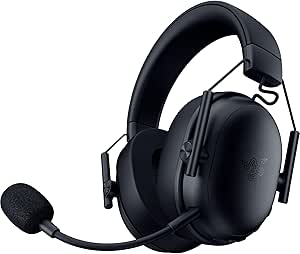 | Best Long-Battery Wireless Headset | Drivers: 50 mm | Microphone: Detachable 9.9 mm cardioid | Connectivity: 2.4 GHz wireless, Bluetooth, and USB | VIEW LATEST PRICE | See Our Full Breakdown |
| Razer Basilisk V3 X HyperSpeed Customizable Wireless Gaming Mouse, Black |  | Best Wireless Battery Life | Connectivity: Razer HyperSpeed Wireless and Bluetooth | Buttons and controls: 7 buttons; 9 customizable controls | Sensor: Razer 5G Advanced Optical Sensor; up to 18,000 DPI | VIEW LATEST PRICE | See Our Full Breakdown |
| Razer Naga V3 Pro Wireless MMO Gaming Mouse with Swappable Side Plates |  | Best for MMO Players Who Want Maximum Control | Side plate layouts: 12-button, 6-button, and 2-button | Programmable buttons: Up to 23 | Sensor: Razer Focus Pro 50K Optical Sensor Gen-3 | VIEW LATEST PRICE | See Our Full Breakdown |
| Razer Naga V2 Pro Wireless MMO Gaming Mouse |  | Best for Adjustable Scroll Control | Side plates: Magnetic 12-, 6-, and 2-button layouts | Programmable buttons: Up to 20 | Sensor: Focus Pro 30K optical sensor | VIEW LATEST PRICE | See Our Full Breakdown |
| Razer BlackShark V3 Pro Wireless ANC Gaming Headset |  | Best Premium Headset for Competitive Play | Connectivity: 2.4 GHz wireless, Bluetooth 5.3, USB, 3.5 mm wired | Driver size: 50 mm TriForce Bio-Cellulose Gen-2 | Frequency response: 12 Hz–28 kHz | VIEW LATEST PRICE | See Our Full Breakdown |
| Razer Viper V4 Pro Wireless Gaming Mouse – 49 g, 180-hour battery, Black |  | Best Ultralight Mouse for Esports | Weight: 49 g | Polling rate: Up to 8000 Hz; 1000 Hz option for extended battery life | DPI: Up to 50,000 | VIEW LATEST PRICE | See Our Full Breakdown |
| Razer gaming peripheral | Connectivity | Sensor | Battery life | Weight |
|---|---|---|---|---|
| Razer BlackShark V2 X Wired Ga | — | — | — | 240 g |
| Razer DeathAdder V3 Pro Wirele | Wireless, Bluetooth, USB | Focus Pro 30K optical sensor | Up to 90 hours | 63 g |
| Razer Basilisk V4 HyperSpeed W | 2.4 GHz wireless, Bluetooth, USB | Razer Focus X 33K Optical Sensor Gen-3 | Up to 140 hours wireless; up to 225 hours Bluetooth | — |
| Razer Tartarus V2 Left-Handed | USB-A | — | — | — |
| Razer DeathAdder Essential Erg | Wired | Optical | — | 0.13 kg |
| Razer BlackWidow V4 X Mechanic | Wired | — | — | — |
| Razer Basilisk V3 Wired Ergono | USB wired | Optical; up to 26,000 DPI | — | — |
| Razer BlackWidow V4 Pro Mechan | Wired | — | — | 3.6 lb |
| Razer BlackShark V3 X HyperSpe | 2.4 GHz wireless, Bluetooth, and USB | — | Up to 70 hours | 270 g |
| Razer Basilisk V3 X HyperSpeed | Razer HyperSpeed Wireless and Bluetooth | Razer 5G Advanced Optical Sensor; up to 18,000 DPI | Up to 285 hours on HyperSpeed; up to 535 hours on Bluetooth | — |
| Razer Naga V3 Pro Wireless MMO | Razer HyperSpeed Wireless, Bluetooth, USB-C wired | Razer Focus Pro 50K Optical Sensor Gen-3 | Up to 155 hours with HyperSpeed Wireless or 280 hours with Bluetooth | — |
| Razer Naga V2 Pro Wireless MMO | 2.4 GHz wireless, Bluetooth, USB | Focus Pro 30K optical sensor | Up to 150 hours on HyperSpeed or 300 hours on Bluetooth | — |
| Razer BlackShark V3 Pro Wirele | 2.4 GHz wireless, Bluetooth 5.3, USB, 3.5 mm wired | — | Up to 70 hours on 2.4 GHz | Approximately 367 g |
| Razer Viper V4 Pro Wireless Ga | Razer HyperSpeed Wireless Gen-2; USB Type-A to USB-C wired | Focus Pro 50K Optical Sensor Gen-3 | Up to 180 hours at 1000 Hz or 45 hours at 8000 Hz | 49 g |
More Details on Our Top Picks
Razer BlackShark V2 X Wired Gaming Headset with Microphone
The BlackShark V2 X is a straightforward headset pick for players who want a light fit and a direct wired connection without moving to a wireless model such as the BlackShark V3 X HyperSpeed. At 240 g, its breathable foam cushions and closed earcups are suited to longer sessions and help limit surrounding noise. The 50 mm TriForce Titanium drivers separate highs, mids, and lows, while the HyperClear cardioid microphone focuses pickup on your voice for team chat. Its 3.5 mm connection also gives it broad console and computer compatibility. The tradeoff is fewer wireless conveniences, and its software-enabled 7.1 surround sound is limited to 64-bit Windows 10. Xbox One users may need a separate stereo adapter.
Pros:- Light 240 g construction and breathable foam cushions suit extended play.
- Closed earcups help reduce surrounding noise.
- 50 mm TriForce Titanium drivers tune highs, mids, and lows separately.
- Cardioid microphone focuses on voice pickup for team communication.
Cons:- Wired 3.5 mm connection limits movement compared with the BlackShark V3 X HyperSpeed.
- Software-enabled 7.1 surround sound is available only on 64-bit Windows 10.
- Xbox One may require a separately purchased stereo adapter.
Best for: PC and console players who want a lightweight, 3.5 mm headset for voice chat and can play near their device.
Not ideal for: Players who want wireless freedom, or Xbox One users who need an adapter-free setup.
- Connection:Wired, 3.5 mm jack
- Driver size:50 mm
- Microphone:HyperClear cardioid
- Weight:240 g
- Cable length:1.3 m
- Compatibility:PC, Mac, PS4, Xbox One, Nintendo Switch
- Surround sound:Software-enabled 7.1 on 64-bit Windows 10
- Warranty:2 years
Our verdict“Choose the BlackShark V2 X if a light, cross-platform wired headset matters more than wireless freedom or platform-independent surround sound.”
Razer DeathAdder V3 Pro Wireless Gaming Mouse
The DeathAdder V3 Pro is the lineup’s focused choice for players who prioritize a light, ergonomic mouse over extra controls. Its 63 g body is easier to reposition during fast play than the feature-heavy Basilisk V4 HyperSpeed, which adds a tilt wheel and more customizable controls. The Focus Pro 30K sensor tracks on varied surfaces, including glass, while Gen-3 optical switches are rated for 90 million clicks and list 0.2 ms actuation. Up to 90 hours of battery life and USB-C recharging reduce charging interruptions. The streamlined shape comes with a real compromise: just five programmable buttons, rather than the Basilisk’s 12 customizable controls. It is also listed for Windows 11 and macOS, so buyers should check OS fit before choosing it.
Pros:- 63 g weight supports quick repositioning and low-effort movement.
- Ergonomic shape is developed with esports professionals.
- Focus Pro 30K sensor supports tracking on glass and other surfaces.
- Up to 90 hours of battery life with USB-C recharging.
Cons:- Five programmable buttons offer less command access than the Basilisk V4 HyperSpeed.
- Wireless use depends on a battery and requires charging.
- Windows 11 is listed as the minimum required operating system version.
Best for: Competitive PC players who want a light ergonomic wireless mouse with a high-resolution sensor and few extra controls.
Not ideal for: Players who need many programmable inputs, or Windows users whose system does not meet the listed Windows 11 requirement.
- Weight:63 g
- Connectivity:Wireless, Bluetooth, USB
- Sensor:Focus Pro 30K optical sensor
- Maximum sensitivity:30,000 DPI
- Buttons:5 programmable
- Switches:Gen-3 optical, 90-million-click lifecycle, 0.2 ms actuation
- Battery life:Up to 90 hours
- Charging:USB Type-C
- Compatibility:Mac, PC; Windows and macOS
Our verdict“Pick the DeathAdder V3 Pro for lightweight wireless control, but choose the Basilisk V4 HyperSpeed if extra buttons and scroll-wheel options matter more.”
Razer Basilisk V4 HyperSpeed Wireless Gaming Mouse
Where the DeathAdder V3 Pro keeps its design light and spare, the Basilisk V4 HyperSpeed puts more controls within reach. Its 4-way tilt wheel switches between tactile and free-spin modes, giving players both deliberate scrolling and faster movement through long lists; the 12 customizable controls also suit games and workflows that benefit from remapped inputs. The Focus X 33K sensor offers fine 1-DPI adjustments and glass tracking, while battery life is listed at up to 140 hours on HyperSpeed Wireless or 225 hours over Bluetooth. That feature-rich design is not the better fit for everyone: it is right-handed, battery-powered, and less focused on minimum weight than the DeathAdder. The 8000 Hz polling option also requires optional accessories.
Pros:- Tactile and free-spin modes with 4-way tilt offer flexible scrolling.
- 12 customizable controls provide more input options than the DeathAdder V3 Pro.
- Up to 140 hours on HyperSpeed Wireless or 225 hours over Bluetooth.
- Focus X 33K sensor supports fine DPI adjustment and glass tracking.
Cons:- Right-handed shape excludes left-handed users.
- 8000 Hz polling requires optional accessories.
- Battery-powered design adds a battery-related maintenance tradeoff.
Best for: Right-handed PC players who want extensive remapping, a multi-mode scroll wheel, and long stated battery life.
Not ideal for: Left-handed players or anyone seeking a simple, lightweight mouse with no optional accessories for higher polling.
- Connectivity:2.4 GHz wireless, Bluetooth, USB
- Sensor:Razer Focus X 33K Optical Sensor Gen-3
- Maximum DPI:33,000
- Resolution accuracy:99.8%
- Battery life:Up to 140 hours wireless; up to 225 hours Bluetooth
- Customizable controls:12
- Scroll wheel:4-way tilt with tactile and free-spin modes
- Switch durability:Over 100 million actuations
- Hand orientation:Right
Our verdict“Choose the Basilisk V4 HyperSpeed for customizable controls and versatile scrolling; choose the DeathAdder V3 Pro for a lighter, simpler mouse.”
Razer Tartarus V2 Left-Handed Gaming Keypad, 32 Programmable Keys
The Tartarus V2 adds a dedicated bank of left-hand controls for players who want more than a standard keyboard’s key layout. Its 32 programmable Mecha-Membrane keys, 8-way thumbpad, and 3-way scroll wheel let players assign movement, macros, and other commands to one hand. That makes it a different kind of upgrade from a full keyboard such as the BlackWidow V4 X: it supplements a keyboard rather than replacing one, and its two-position palm rest helps adjust the hand position. The tradeoff is a specialized setup. It is designed for left-handed, single-hand use and connects by USB-A, so it is less adaptable for players wanting a wireless or conventional keyboard experience. Its value depends on whether custom commands will actually simplify your play.
Pros:- 32 programmable keys support remapped commands and macros.
- 8-way thumbpad and 3-way scroll wheel expand control options.
- Two-position adjustable palm rest allows some positioning flexibility.
- Individually backlit RGB keys offer per-key color choices.
Cons:- Specialized single-hand layout is less useful for players who do not need custom commands.
- Left-handed design limits its fit for many users.
- USB-A wired connection offers less placement flexibility than wireless peripherals.
Best for: PC players who want a dedicated left-hand keypad for macros, custom movement layouts, or command-heavy games.
Not ideal for: Players who want a full keyboard, wireless controls, or a keypad designed for right-handed use.
- Key count:32
- Switch type:Mecha-Membrane
- Hand orientation:Left
- Connectivity:USB-A
- Backlighting:RGB, 16.8 million color options
- Controls:8-way thumbpad and 3-way scroll wheel
- Programmable features:Remappable keys and macros
- Palm rest:Adjustable, two positions
- Dimensions:6.02 × 2.36 × 0.8 in
Our verdict“Choose the Tartarus V2 if you want a dedicated left-hand command surface alongside your keyboard, not a replacement for one.”
Razer DeathAdder Essential Ergonomic Wired Gaming Mouse, Black
The DeathAdder Essential is the simpler wired alternative to the wireless DeathAdder V3 Pro. Its right-handed ergonomic shape, five programmable buttons, and 6,400 DPI optical sensor cover the basics for players who want adjustable sensitivity and a familiar grip without wireless charging. The ridged rubberized scroll wheel adds tactile grip, and the 5.0 m cable gives more reach than a short desk connection may provide. Compared with the Basilisk V4 HyperSpeed, this model offers fewer controls and a less advanced listed sensor; its appeal is a straightforward feature set rather than extensive customization. The cord also restricts movement relative to either wireless mouse, and the 0.13 kg weight is substantially higher than the DeathAdder V3 Pro’s 63 g. It makes the most sense when simplicity and a wired setup are priorities.
Pros:- Ergonomic right-handed shape is intended for extended use.
- Five programmable buttons support remapping and macros.
- Dedicated DPI buttons allow sensitivity changes.
- Ridged rubberized scroll wheel provides a tactile grip.
Cons:- Wired connection restricts movement compared with the DeathAdder V3 Pro and Basilisk V4 HyperSpeed.
- At 0.13 kg, it is heavier than the DeathAdder V3 Pro.
- 6,400 DPI sensor and five buttons offer fewer listed capabilities than the Basilisk V4 HyperSpeed.
Best for: Right-handed players seeking a basic wired mouse with programmable side controls and no battery charging.
Not ideal for: Players who want a lightweight wireless mouse, a high-resolution sensor, or the extra controls and scroll modes of the Basilisk V4 HyperSpeed.
- Connectivity:Wired
- Sensor:Optical
- Maximum sensitivity:6,400 DPI
- Buttons:5 programmable
- Switch durability:Up to 10 million clicks
- Hand orientation:Right-handed
- Weight:0.13 kg
- Cable length:5.0 meters
- Compatible operating systems:Windows, macOS, Linux
Our verdict“Choose the DeathAdder Essential for a simple, programmable wired mouse, but opt for the DeathAdder V3 Pro if low weight and wireless play matter more.”
Razer BlackWidow V4 X Mechanical Gaming Keyboard, Yellow Linear Switches, Black
I’d pick the BlackWidow V4 X with Yellow switches for players who want mechanical-key response without the sharp click of the Green-switch BlackWidow V4 Pro. Its 1.2 mm actuation point and 45 g force suit quick, light keystrokes, while built-in dampening helps keep typing less intrusive in a shared room. The six programmable macro keys and media roller add useful controls without requiring a separate keypad. Per-key Chroma lighting and doubleshot keycaps leave room for personalization, though the ABS caps are less premium than higher-end materials. This is a wired, full-size board, so it trades desk flexibility for a direct connection and includes no water resistance. Compared with the feature-heavier V4 Pro, it favors quieter switches and a simpler control layout.
Pros:- Yellow linear switches have a light 45 g actuation force and built-in sound dampening.
- Six programmable macro keys support game-specific commands and shortcuts.
- Multifunction roller and media controls provide quick audio adjustments.
- Per-key Chroma RGB and doubleshot ABS keycaps support customization.
Cons:- Wired-only connectivity limits placement flexibility.
- The keyboard is not water resistant.
- ABS keycaps feel less premium than higher-end keycap materials.
Best for: Players who want a full-size, wired Razer keyboard with quieter linear switches, dedicated macros, and media controls for a shared gaming or home-office space.
Not ideal for: Buyers who need a wireless keyboard, spill protection, or the tactile click and expanded control options of the BlackWidow V4 Pro.
- Switches:Razer Yellow linear and silent
- Actuation:1.2 mm; 45 g
- Connectivity:Wired
- Layout and keys:QWERTY; 104 keys
- Macro keys:6 programmable
- Lighting:Per-key Razer Chroma RGB
- Keycaps:Doubleshot ABS
- Dimensions:20.5 × 8 × 2 in
Our verdict“Choose this BlackWidow if quieter linear typing and six dedicated macros matter more than wireless freedom or the V4 Pro’s extra controls.”
Razer Basilisk V3 Wired Ergonomic Gaming Mouse with Customizable RGB
The Basilisk V3 is the wired pick for right-handed players who want a supportive shape and many reachable controls rather than the freedom of the wireless Basilisk V3 X HyperSpeed. Its thumb rest and 11 programmable buttons suit games and work that benefit from macros, while the dual-mode HyperScroll wheel can switch between tactile scrolling and a freer spin for long lists. The 26,000 DPI sensor offers a wide sensitivity range, but high DPI alone will not make a mouse a better fit for every player. This model’s main compromise is practical: the cable limits movement, and the shape is made for right-handed use. I’d favor it over the Basilisk V3 X when the extra buttons and scroll-wheel modes matter more than wireless convenience.
Pros:- Ergonomic right-handed shape includes a thumb rest.
- Eleven programmable buttons provide room for macros and secondary actions.
- Dual-mode HyperScroll wheel supports tactile and free-spin scrolling.
- Eleven Chroma RGB zones allow detailed lighting customization.
Cons:- USB wired connectivity restricts movement compared with the Basilisk V3 X HyperSpeed.
- The design is specifically for right-handed use.
- Windows 10 and Windows 11 are the listed operating systems.
Best for: Right-handed PC players who want a thumb-rest shape, extensive remapping, and a scroll wheel that handles both game controls and long documents.
Not ideal for: Left-handed buyers or players who need a cordless setup; the Basilisk V3 X HyperSpeed is the better fit for wireless use.
- Connectivity:USB wired
- Hand orientation:Right-handed
- Buttons:11 programmable
- Sensor:Optical; up to 26,000 DPI
- Scroll wheel:Dual-mode HyperScroll tilt wheel
- Lighting:11 customizable Chroma RGB zones
- Cable length:5.0 m
- Compatibility:Laptops and PCs; Windows 10 and Windows 11
Our verdict“Pick the Basilisk V3 if you want a wired, right-handed mouse with more buttons and scroll-wheel options than the wireless V3 X.”
Razer BlackWidow V4 Pro Mechanical Gaming Keyboard with Green Tactile Switches
For players who want a keyboard to double as a command center, the BlackWidow V4 Pro brings a programmable dial, eight dedicated macro keys, and per-key RGB together in one wired board. Its Green switches provide tactile, clicky feedback, a distinctly different feel from the quieter Yellow switches on the BlackWidow V4 X. That feedback can make key presses feel more deliberate, but it also makes this a poor match for shared rooms or noise-sensitive calls. The three-sided underglow is listed for use with the wrist rest, adding a lighting effect beyond the V4 X’s per-key illumination. The tradeoff is a heavy, wired design with no water resistance. I’d choose it for control and feedback, not for quiet typing or a flexible desk setup.
Pros:- Eight dedicated macro keys and a programmable command dial offer flexible control.
- Green switches provide tactile, clicky feedback.
- Per-key RGB and three-sided underglow with the wrist rest expand lighting options.
- Doubleshot ABS keycaps have wear-resistant legends.
Cons:- Clicky switches can be disruptive in shared spaces.
- Wired connectivity limits placement flexibility.
- The keyboard is not water resistant.
Best for: Players and streamers who want dedicated macros, a programmable command dial, and clicky tactile feedback in a wired gaming keyboard.
Not ideal for: People typing near roommates or on calls, and buyers who prefer quieter linear switches, wireless placement, or spill protection.
- Switches:Razer Green tactile and clicky
- Connectivity:Wired
- Layout:QWERTY
- Macro keys:8 dedicated
- Programmable control:Command dial
- Lighting:Per-key RGB; three-sided underglow with wrist rest
- Keycaps:Doubleshot ABS
- Weight:3.6 lb
Our verdict“Choose the BlackWidow V4 Pro for its dial, macros, and audible tactile switches, but favor the BlackWidow V4 X for quieter typing.”
Razer BlackShark V3 X HyperSpeed Wireless Gaming Headset, Black
The BlackShark V3 X HyperSpeed suits players who want a lightweight wireless headset that can move between a gaming connection and Bluetooth devices. Its 2.4 GHz, Bluetooth, and USB connectivity gives it more connection choices than a basic wired headset such as the BlackShark V2 X, while the listed battery life reaches up to 70 hours. The 50 mm drivers are designed for clear audio and positional awareness, and the detachable cardioid mic keeps voice chat focused when attached. At 270 g, it also avoids the feel of a heavier headset during long sessions. The compromises are that 7.1 surround sound is limited to Windows and the mic must be attached for voice communication. I’d shortlist it for wireless endurance, not for users who need the BlackShark V3 Pro’s listed ANC.
Pros:- Supports 2.4 GHz wireless, Bluetooth 5.3, and USB connectivity.
- Up to 70 hours of battery life reduces charging interruptions.
- Lightweight 270 g build and memory foam cushions suit extended sessions.
- Detachable cardioid microphone supports focused voice chat when attached.
Cons:- 7.1 surround sound is available on Windows only.
- The detachable microphone must be attached for voice communication.
- It does not list the active noise cancellation offered by the BlackShark V3 Pro.
Best for: Players who switch between PC gaming and Bluetooth devices and want a lightweight headset with long battery life and a detachable chat microphone.
Not ideal for: Buyers who need active noise cancellation, or those who want 7.1 surround sound on an operating system other than Windows.
- Drivers:50 mm
- Microphone:Detachable 9.9 mm cardioid
- Connectivity:2.4 GHz wireless, Bluetooth, and USB
- Bluetooth:Version 5.3
- Battery life:Up to 70 hours
- Weight:270 g
- Surround sound:7.1 on Windows
- Ear cushions:Hybrid fabric and leatherette memory foam
Our verdict“Choose this BlackShark for lightweight wireless use and long battery life, but opt for the V3 Pro if active noise cancellation is a priority.”
Razer Basilisk V3 X HyperSpeed Customizable Wireless Gaming Mouse, Black
The Basilisk V3 X HyperSpeed is a practical choice for right-handed players who want a familiar ergonomic shape without a cable across the desk. It offers HyperSpeed Wireless and Bluetooth, letting buyers choose a low-latency gaming connection or a mode rated for longer battery life. Its listed endurance reaches up to 285 hours on HyperSpeed and 535 hours on Bluetooth, powered by an included AA battery. Compared with the wired Basilisk V3, this model gives up four programmable buttons and the dual-mode HyperScroll wheel, so it is less suited to players who rely on numerous shortcuts or varied scrolling. The 18,000 DPI sensor and seven buttons still cover a broad range of gaming needs. Its right-handed design and replaceable battery are the main fit and convenience compromises.
Pros:- HyperSpeed Wireless and Bluetooth offer different connection and battery-use options.
- Listed battery life reaches up to 285 hours on HyperSpeed or 535 hours on Bluetooth.
- Ergonomic right-handed shape and nine customizable controls support gaming and shortcuts.
- Onboard profile storage supports saved control setups.
Cons:- Requires an AA battery, rather than charging through a built-in battery.
- Seven physical buttons provide fewer inputs than the wired Basilisk V3’s 11.
- Designed for right-handed use.
Best for: Right-handed PC or Mac players who want wireless freedom, a familiar ergonomic shape, and long battery life without frequent charging.
Not ideal for: Left-handed users or players who want the Basilisk V3’s 11 buttons and dual-mode HyperScroll wheel.
- Connectivity:Razer HyperSpeed Wireless and Bluetooth
- Buttons and controls:7 buttons; 9 customizable controls
- Sensor:Razer 5G Advanced Optical Sensor; up to 18,000 DPI
- Tracking:450 IPS; 40G acceleration
- Polling rate:1,000 Hz
- Battery:1 included AA battery
- Battery life:Up to 285 hours on HyperSpeed; up to 535 hours on Bluetooth
- Compatibility:Mac and PC; Windows and macOS
Our verdict“Pick the Basilisk V3 X HyperSpeed for wireless convenience and long battery life, but choose the wired Basilisk V3 for more buttons and scroll-wheel modes.”
Razer Naga V3 Pro Wireless MMO Gaming Mouse with Swappable Side Plates
The Naga V3 Pro is the most adaptable choice here for players who want a different button layout for different games. Its magnetic plates switch between 12-, 6-, and 2-button arrangements, while up to 23 programmable buttons give MMO players room for abilities, macros, and shortcuts. Compared with the Naga V2 Pro, it raises the programmable-button count and upgrades to a 50K sensor and Gen-4 optical switches. HyperSpeed, Bluetooth, and USB-C wired connections also let it serve across a gaming PC and other devices. The tradeoff is a larger learning curve than a simpler mouse such as the Viper V4 Pro, and the full Synapse customization experience is Windows-focused. Optional wireless charging hardware costs extra.
Pros:- Three magnetic side plates suit MMO, hybrid, and general-purpose button needs.
- Up to 23 programmable buttons provide extensive access to abilities and shortcuts.
- HyperSpeed wireless, Bluetooth, and USB-C wired connections support flexible device use.
- Gen-4 optical switches are rated for over 100 million clicks.
Cons:- The many controls and layout options can feel excessive for players who mainly use a few buttons.
- Full Razer Synapse customization is available on Windows; macOS supports core functions and onboard settings.
- Wireless charging systems are sold separately.
Best for: MMO and strategy players who want interchangeable side-button layouts and extensive programmable controls.
Not ideal for: Competitive FPS players who prioritize a very light, streamlined mouse, or macOS users who need full Synapse customization.
- Side plate layouts:12-button, 6-button, and 2-button
- Programmable buttons:Up to 23
- Sensor:Razer Focus Pro 50K Optical Sensor Gen-3
- Maximum DPI:50,000
- Tracking speed:930 IPS
- Connectivity:Razer HyperSpeed Wireless, Bluetooth, USB-C wired
- Battery life:Up to 155 hours with HyperSpeed Wireless or 280 hours with Bluetooth
- Switch lifecycle:Over 100 million clicks
Our verdict“Choose the Naga V3 Pro if adaptable MMO controls matter more than a lightweight, uncomplicated mouse.”
Razer Naga V2 Pro Wireless MMO Gaming Mouse
The Naga V2 Pro pairs the Naga family’s interchangeable side plates with a scroll wheel whose tactility and resistance can be adjusted. That makes it a strong fit for players who want to tune both thumb controls and scrolling, rather than simply maximize button count. It offers up to 20 programmable buttons—three fewer than the Naga V3 Pro—and uses a 30K optical sensor with Gen-3 switches. Those differences make the V3 Pro the more capable pick on paper, while the V2 Pro still covers a wide range of MMO and general gaming needs. Its long Bluetooth battery specification is useful for less latency-sensitive use, but the mouse is right-handed only, and optional wireless charging requires separate hardware.
Pros:- Magnetic 12-, 6-, and 2-button plates adapt the mouse to different game genres.
- Adjustable scroll-wheel tactility and resistance let users tailor scrolling behavior.
- Up to 20 programmable buttons support MMO abilities and frequently used commands.
- Supports 2.4 GHz wireless, Bluetooth, and USB, with long stated battery life.
Cons:- Right-handed design excludes left-handed mouse users.
- The Naga V3 Pro offers more programmable buttons and a higher maximum DPI.
- The wireless charging dock or puck is sold separately.
Best for: Right-handed MMO players who want interchangeable thumb-button layouts and fine control over scroll-wheel feel.
Not ideal for: Left-handed users or players who want the newer Naga V3 Pro’s higher sensor specification and greater programmable-button count.
- Side plates:Magnetic 12-, 6-, and 2-button layouts
- Programmable buttons:Up to 20
- Sensor:Focus Pro 30K optical sensor
- Maximum sensitivity:30,000 DPI
- Scroll wheel:HyperScroll Pro with adjustable tactility and resistance
- Connectivity:2.4 GHz wireless, Bluetooth, USB
- Battery life:Up to 150 hours on HyperSpeed or 300 hours on Bluetooth
- Hand orientation:Right-handed
Our verdict“Pick the Naga V2 Pro if adjustable scroll feel and flexible side plates matter more than having the latest Naga specifications.”
Razer BlackShark V3 Pro Wireless ANC Gaming Headset
The BlackShark V3 Pro is the headset pick for players who need wireless responsiveness, noise reduction, and several ways to connect. Its stated 10 ms HyperSpeed Wireless Gen-2 latency targets competitive play, while hybrid ANC can reduce surrounding distractions during matches or voice chat. The detachable HyperClear microphone and simultaneous 2.4 GHz and Bluetooth mixing add practical flexibility that the wired BlackShark V2 X does not offer. Its 50 mm drivers and THX Spatial Audio aim to help with positional cues, but THX Spatial Audio is limited to supported Windows systems. At approximately 367 g, it is also heavier than a simple wired headset, so players sensitive to headset weight may prefer a lighter option.
Pros:- HyperSpeed Wireless Gen-2 is specified for ultra-low 10 ms latency.
- Hybrid active noise cancellation can reduce ambient distractions.
- 2.4 GHz and Bluetooth can be used simultaneously for mixed audio.
- Up to 70 hours of battery life on 2.4 GHz wireless.
Cons:- Approximate 367 g weight may feel heavy during long sessions.
- THX Spatial Audio is limited to supported Windows systems.
- Its wireless and ANC feature set is more involved than the wired BlackShark V2 X.
Best for: Competitive PC and console players who want wireless play, active noise cancellation, and the option to mix Bluetooth audio.
Not ideal for: Players who prioritize a light headset, rely on THX Spatial Audio outside supported Windows systems, or prefer a simple wired setup.
- Connectivity:2.4 GHz wireless, Bluetooth 5.3, USB, 3.5 mm wired
- Driver size:50 mm TriForce Bio-Cellulose Gen-2
- Frequency response:12 Hz–28 kHz
- Microphone:Detachable HyperClear Full Band 12 mm
- Battery life:Up to 70 hours on 2.4 GHz
- Weight:Approximately 367 g
- Audio features:Hybrid ANC, THX Spatial Audio (7.1.4 Surround)
- Compatibility:PC, Mac, PlayStation, Nintendo Switch, mobile
Our verdict“Choose the BlackShark V3 Pro if competitive wireless performance and ANC justify a heavier, more feature-rich headset.”
Razer Viper V4 Pro Wireless Gaming Mouse – 49 g, 180-hour battery, Black
At 49 g, the Viper V4 Pro is the clear specialist in this group for fast, repeated mouse movements. Its lightweight build and 8000 Hz polling target players who prioritize low-latency tracking, while the Focus Pro 50K sensor and Gen-4 optical switches give it a high-end technical profile. Compared with the button-heavy Naga V3 Pro, the Viper favors a simpler esports-oriented setup over MMO controls and interchangeable side plates. Battery life varies sharply with polling rate: the stated maximum is 180 hours at 1000 Hz, but it falls to up to 45 hours at 8000 Hz. That makes high-rate operation a tradeoff rather than a free upgrade, and Synapse 4 customization is limited to PC and Mac.
Pros:- 49 g weight supports quick movements with less mass to reposition.
- HyperSpeed Wireless Gen-2 supports true 8000 Hz polling.
- Focus Pro 50K sensor is specified for up to 50,000 DPI and 930 IPS tracking.
- Gen-4 optical switches are rated for 100 million clicks.
Cons:- Battery life drops to up to 45 hours at 8000 Hz polling.
- Its streamlined control set is less suited to MMO players than either Naga model.
- Customization through Razer Synapse 4 is specified for PC and Mac.
Best for: Esports and FPS players who want a very light wireless mouse and are willing to manage polling rate for longer battery life.
Not ideal for: MMO players who need numerous programmable thumb buttons, or users who want long battery life while keeping 8000 Hz polling enabled.
- Weight:49 g
- Polling rate:Up to 8000 Hz; 1000 Hz option for extended battery life
- DPI:Up to 50,000
- Sensor:Focus Pro 50K Optical Sensor Gen-3
- Battery life:Up to 180 hours at 1000 Hz or 45 hours at 8000 Hz
- Connectivity:Razer HyperSpeed Wireless Gen-2; USB Type-A to USB-C wired
- Switches:Gen-4 Razer Optical Mouse Switches, rated for 100 million clicks
- Compatibility:PC and Mac with Razer Synapse 4
Our verdict“Pick the Viper V4 Pro for lightweight, high-polling esports play if you can accept shorter battery life at 8000 Hz.”
How We Picked
I compared these 14 products by the job they do, then ranked them for how well their design and features serve that job. For mice, I weighed shape and control layout against weight, connection type, and whether the extra buttons justify a more involved design. For headsets, I focused on wired or wireless use, microphone and noise-control features, and the compromises involved in choosing a simpler model. For keyboards and the Tartarus keypad, I considered switch feel, programmable controls, and how each device fits into an existing setup.
The ranking favors versatile choices that suit a broad range of players, then gives specialized products credit when their particular strengths justify a narrower audience. I also weighed usability and practical tradeoffs: a premium feature set is not automatically a better fit, and a simpler wired device can make more sense than a complex wireless one. Since this lineup spans different device types, the placements are best read within each category rather than as a claim that a mouse is inherently better than a headset or keyboard.
Factors to Consider When Choosing Best Razer Gaming Peripherals
I’d start with the way you play and the space your setup gives each device, rather than choosing a peripheral by its feature list alone. These distinctions can help you avoid paying for controls or connectivity you won’t use.
Match the Mouse Shape and Controls to Your Games
Mouse shape affects comfort and control more than a long feature list suggests, so think about how you hold a mouse and how much room you have to move it. A lightweight, simpler design can suit aim-focused play, while a fuller shell with more buttons may help when you need shortcuts within reach. Extra controls can also add bulk and create more chances for accidental presses if you prefer a minimal grip. For MMO play, side-button layouts can reduce reliance on keyboard commands, but they are most useful when you’ll assign and learn those commands. A common mistake is to choose by button count alone instead of checking whether the layout matches your games and hand position.
Decide Whether Wireless Freedom Is Worth the Tradeoffs
Wireless peripherals reduce cable clutter and give you more freedom to place devices, but they also make charging and connection management part of your routine. Wired models avoid battery upkeep and can be a sensible choice for a fixed desk or a player who wants a simple plug-in setup. Before choosing wireless, check how the device connects and whether its battery approach fits the way you play. A high-capacity battery does not help if you dislike remembering to recharge, while a cable may feel restrictive if it catches on your desk. Don’t pay extra for wireless features unless the freedom will improve your actual setup.
Choose Headset Features Around Your Listening Environment
Start by asking whether you play in a quiet room, share space with others, or need to move around while connected. A wired headset can keep the setup simple, whereas wireless models offer more freedom at the cost of charging and connection choices. Active noise cancellation can be useful in a noisy environment, but it is not a substitute for a comfortable fit or a microphone that suits your communication needs. Also think about whether you’ll use the headset only for gaming or across several devices, since connection flexibility may matter more than a gaming-specific feature. A common misstep is to focus on sound features while overlooking comfort during longer sessions.
Treat Keyboard Switch Feel as a Personal Fit
Switch feel is a hands-on preference, not a simple measure of quality. Linear switches have a smooth press, while tactile switches provide a noticeable bump; the right choice depends on what feels comfortable and how much typing you do alongside gaming. A full-size mechanical keyboard takes more desk space but puts a complete layout in one device. A separate programmable keypad adds dedicated commands without replacing your everyday keyboard, though it asks you to adjust your layout and habits. If possible, compare switch types in person before committing, especially if keyboard noise or frequent typing is part of your routine.
Pay for Specialization Only When You’ll Use It
Premium models can bundle controls, wireless features, or noise management that are useful for particular setups but unnecessary for others. List the functions you expect to use weekly, then distinguish those from features that merely sound appealing. For instance, a player who relies on many in-game commands has a stronger case for a specialized mouse or keypad than someone who mainly plays titles with simple controls. Likewise, a premium headset feature matters most when your room or routine calls for it. This approach avoids confusing a larger feature set with a better personal fit.
Plan for the Whole Setup, Not One Device
Peripherals share limited desk space, USB ports, and attention, so consider how a new device will fit alongside what you already own. A separate keypad can compete for space with a mouse, while a large keyboard may limit room for broad mouse movements. Wireless devices can reduce cable clutter, but multiple charging routines can become inconvenient. Check which controls you already use before adding programmable buttons, since overlapping functions may bring little benefit. A balanced setup often feels better than replacing every device at once with a more feature-heavy option.
Frequently Asked Questions
Which Razer mouse makes the most sense if I play both shooters and everyday games?
I’d choose based on whether you favor quick, broad mouse movement or extra controls within reach. The DeathAdder V3 Pro is the more focused pick for players who want a lightweight wireless design, while the Basilisk V3 offers more configurable controls for varied commands and everyday tasks. The Viper V4 Pro is another lightweight option in this lineup, but its appeal is strongest if you specifically want that style of minimalist mouse. Hand fit and grip matter as much as the game list, so check shape before settling on a model.
Should I choose the Naga V3 Pro or Naga V2 Pro for MMO gaming?
Both are specialized wireless MMO mice, so the best choice depends on the exact control layout and feature differences that matter to you. Compare the included side-plate options and connection requirements before buying; a swappable layout only helps if you’ll actually change it for different games. If you mainly use one set of commands, a more straightforward mouse may be easier to learn and manage. Also check that your hand can reach the side buttons comfortably, since a dense control layout is less useful when it strains your grip.
Is a wireless headset a better choice than the wired BlackShark V2 X?
Wireless is a better fit if cable freedom matters in your room or you want to move away from your desk without disconnecting. The wired BlackShark V2 X makes more sense if you prefer a direct, simple setup and don’t want another device to charge. Higher-end wireless features, such as active noise cancellation on the BlackShark V3 Pro, are most useful when your environment calls for them. Before choosing, check your device compatibility and whether the connection options suit every system you plan to use.
Can the Tartarus V2 replace a full gaming keyboard?
No: the Tartarus V2 is a left-handed programmable keypad, so it serves as an additional control device rather than a complete keyboard replacement. It can make sense if you want game commands close to your left hand while keeping a regular keyboard for typing. It also takes up desk space and requires time to configure and learn, which can outweigh its benefits for casual use. If you want one device for both gaming and everyday typing, a full BlackWidow keyboard is the more direct fit.
Which BlackWidow V4 should I pick if I’m unsure about switch feel?
The BlackWidow V4 X with yellow linear switches is the more natural starting point if you prefer a smooth press, while the BlackWidow V4 Pro with green tactile switches suits players who want a noticeable bump. Neither feel is universally better, and your typing habits or sensitivity to keyboard noise may change the choice. The Pro is the more feature-focused model, but its added capability does not automatically make it the right fit if you only need a straightforward full keyboard. If you can, try comparable switch types before choosing, or prioritize the layout and features you know you’ll use.
Conclusion
For a balanced starting point, I recommend the DeathAdder V3 Pro as the best overall pick, especially for players who want a focused wireless mouse. The best value-oriented choice is the DeathAdder Essential if a straightforward wired mouse suits your needs; the best premium pick is the BlackShark V3 Pro for buyers who want wireless headset features and active noise cancellation. For beginners, I’d start with the BlackShark V2 X or DeathAdder Essential: both keep the setup simple. For specific needs, choose a Naga for MMO side controls, a Tartarus V2 for programmable left-hand commands, or a Basilisk for a mouse with more configurable controls. Match the device to your games, desk, and comfort preferences rather than choosing the model with the longest feature list.